
February 15, 2026
10 Actionable Best Practices in Knowledge Management for 2026
Unlock operational excellence with our top 10 best practices in knowledge management. Learn how to centralize, visualize, and scale your team's knowledge.
In a world of constant change, undocumented 'tribal knowledge' isn't just inefficient; it's a critical business risk. When crucial information lives only in the minds of a few key employees, your team's scalability, consistency, and resilience are capped. This dependency creates bottlenecks, prolongs onboarding, and makes every departure a potential crisis. The solution is a strategic shift from scattered expertise to a centralized, living library of information.
Effective knowledge management transforms this scattered information into a powerful, scalable asset that drives consistency, accelerates onboarding, and empowers teams to perform at their best. But where do you start? We've compiled a definitive checklist of the top 10 best practices in knowledge management that successful organizations are implementing today. Forget vague theories; this is your actionable blueprint for building a system that actually works, turning complex processes into clear, accessible guides that your team and customers will use.
This is especially critical as teams become more distributed. Information silos can easily form when people aren't in the same physical space, making intentional documentation vital. In these environments, Mastering remote work best practices for teams is paramount to overcoming these silos and effectively transitioning from tribal knowledge to a dynamic knowledge base.
This guide will provide specific, actionable steps for each best practice, from creating visual process guides and standardizing templates to integrating your knowledge base with existing workflows and measuring its impact. Let's dive into the strategies that separate high-performing teams from the rest.
1. Centralized Knowledge Repository with Version Control
One of the most foundational best practices in knowledge management is establishing a single source of truth. A centralized knowledge repository acts as a dedicated hub where all organizational information, from standard operating procedures (SOPs) to project documentation, is stored, organized, and accessible. This eliminates information silos and prevents the chaos of having multiple, conflicting versions of the same document scattered across various drives, inboxes, and messaging apps.
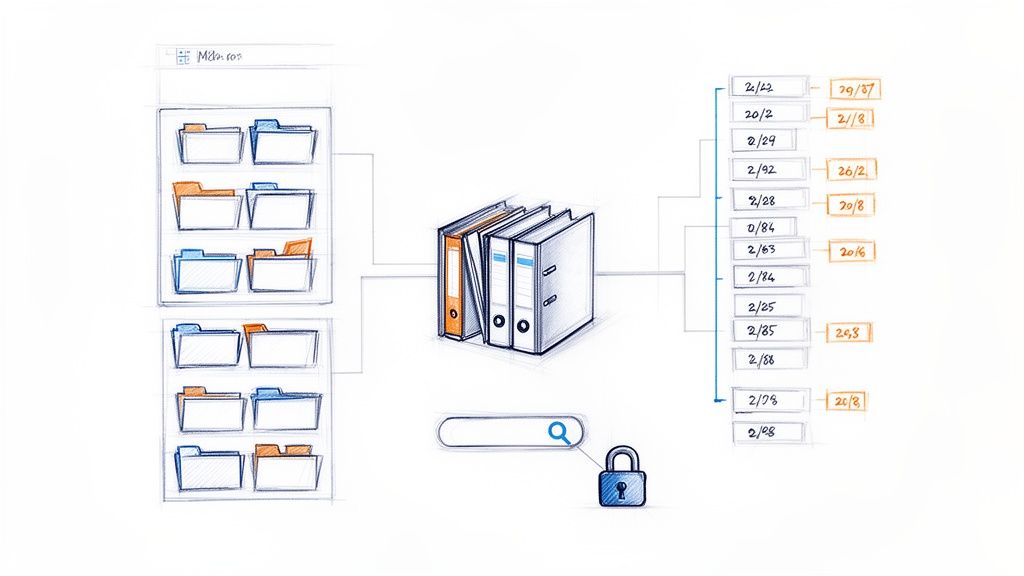
Integrating version control is a critical component of this practice. It tracks every change made to a document, creating a historical record that shows who made an edit, when it was made, and what was altered. This functionality is invaluable for accountability, auditing, and reversing errors, ensuring that team members are always working with the most current and approved information.
Why It's a Top Practice
A centralized repository with versioning directly impacts efficiency and accuracy. Teams waste less time searching for information or verifying which document is the correct one. For distributed companies like GitLab, which uses a central knowledge hub, this practice is essential for asynchronous collaboration. Similarly, large enterprises rely on platforms like Microsoft SharePoint and Atlassian's Confluence to maintain operational consistency across thousands of employees. For agencies using Build a Guide, this means creating secure, branded hubs for each client, ensuring they always have access to up-to-date process guides.
How to Implement This Practice
Establish a Clear Taxonomy: Before migrating content, design a logical folder structure and tagging system. A well-planned taxonomy makes the repository intuitive to navigate and search.
Assign Ownership: Designate specific individuals or teams as owners of different knowledge areas. Owners are responsible for keeping their assigned content accurate and up-to-date.
Use Templates: Create standardized templates for common document types like SOPs, project plans, and meeting notes. This ensures consistency and makes content creation faster.
Archive, Don't Delete: Instead of permanently deleting outdated documents, archive them. This preserves a historical record that may be useful for future reference or compliance audits.
Select the Right Tool: Choosing the right platform is key. To find the ideal solution for your needs, you can explore a detailed comparison of the best knowledge base software available today.
2. Visual Process Documentation with Screenshots and Callouts
Text-heavy documentation often fails to convey complex processes effectively, leading to confusion and user error. One of the most impactful best practices in knowledge management is to convert these dense documents into visually rich guides. This involves using screenshots, annotations, and callouts to highlight key actions and interface elements, making instructions intuitive and easy to follow. Research confirms that people retain 65% of information when presented with images combined with text, compared to just 10% from text alone.
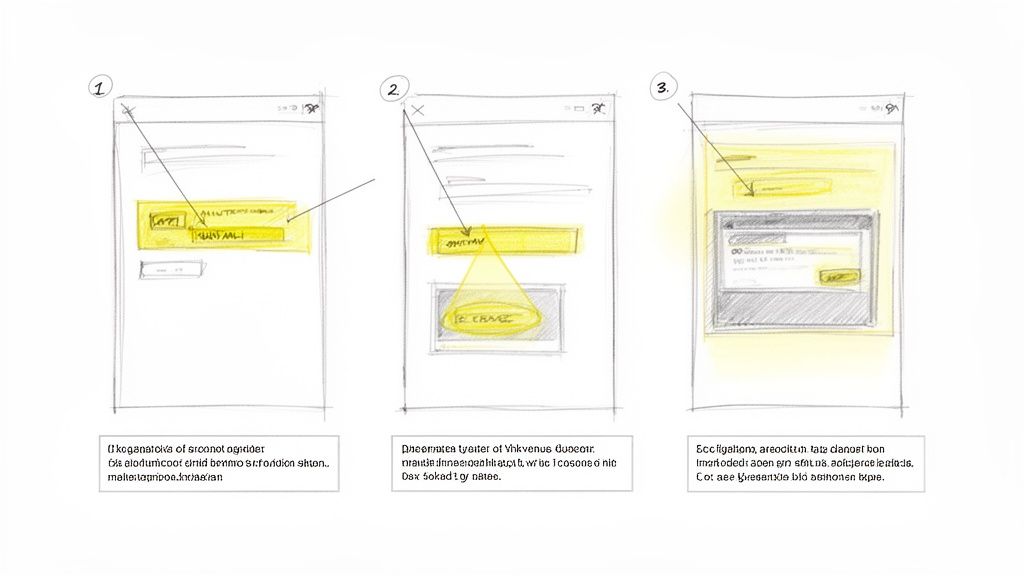
This visual approach transforms abstract steps into a concrete, observable workflow. Instead of reading a vague instruction like "click the configuration button," users see a screenshot with the exact button circled and labeled. This clarity significantly reduces cognitive load, accelerates learning, and minimizes the need for support tickets.
Why It's a Top Practice
Visual documentation directly improves comprehension and reduces ambiguity. For SaaS companies like Slack and HubSpot, clear, annotated guides are crucial for user onboarding and feature adoption. These visuals empower users to solve problems independently, enhancing the overall customer experience. Similarly, for agencies using Build a Guide, the platform's ability to automatically convert screen recordings into step-by-step visual instructions with AI-generated callouts is a game-changer. It allows them to produce professional, easy-to-follow SOPs for clients in a fraction of the time.
How to Implement This Practice
Standardize Your Style: Use consistent colors, shapes, and font styles for all annotations and callouts to create a cohesive and professional look across all your documentation.
Focus on Key Actions: Highlight only the most important action on each screen with a prominent callout. Avoid cluttering screenshots with unnecessary annotations.
Use Numbered Callouts: Correlate numbered steps in your written instructions with corresponding numbered callouts on the screenshot. This creates a clear link between text and visuals.
Update Visuals Promptly: After any major UI or process change, update the relevant screenshots within 48 hours to prevent user confusion and maintain trust in your knowledge base.
Leverage Automation: To rapidly create a step-by-step guide, use tools like Build a Guide that leverage AI to automatically extract, crop, and label key interface elements from a screen recording, saving hours of manual work.
3. Collaborative Documentation Creation and Review
Effective knowledge management is a team sport, not a solo endeavor. This practice moves documentation from a siloed, individual task to a dynamic, collaborative process. By implementing tools and workflows that allow multiple team members to co-create, edit, and review content in real-time, organizations can leverage their collective expertise to produce higher-quality, more accurate, and comprehensive knowledge assets. This collaborative loop accelerates documentation cycles and ensures that the final product reflects diverse perspectives and insights.
This approach transforms static documents into living assets. For instance, teams using Build a Guide can leverage real-time co-editing and in-context commenting to standardize SOPs together. This ensures that every step is vetted by those who perform the work, drastically reducing errors and improving clarity before the guide ever reaches a client or new hire.
Why It's a Top Practice
Collaborative documentation directly enhances the quality and relevance of your knowledge base. When subject matter experts can contribute and review content seamlessly, the information becomes more reliable and practical. This practice is central to the operations of distributed-first companies like GitLab and Automattic, which depend on asynchronous collaboration to build and maintain their extensive handbooks. Similarly, tools like Figma and Google Workspace have popularized real-time co-creation, demonstrating its power to improve both speed and accuracy in fast-paced environments.
How to Implement This Practice
Establish Clear Roles: Define specific roles for the documentation lifecycle, such as Creator, Reviewer, Approver, and Publisher. This clarifies responsibilities and prevents bottlenecks.
Set Review Deadlines: Implement clear timelines for feedback and review cycles to keep the process moving. This ensures that documentation doesn't get stuck in a perpetual "draft" state.
Use Contextual Comments: Encourage teams to use comment threads directly within the document. This keeps all feedback organized, contextual, and actionable, eliminating confusing email chains.
Create a Style Guide: Develop a simple style guide that all collaborators must follow. This maintains consistency in tone, formatting, and terminology across all documentation.
Implement a Sign-Off Process: Before publishing, require a formal sign-off from key stakeholders. This final check ensures accuracy and alignment, especially for customer-facing guides. For more ideas on structuring these workflows, explore these team collaboration best practices.
4. Living Documentation That Evolves with Processes
A common pitfall in knowledge management is treating documentation as a one-time project. The most effective systems treat documentation not as static artifacts but as living documents that are continuously updated as processes change. This practice ensures that information remains accurate and relevant, preventing the widespread problem of outdated guides that mislead users and erode trust in the knowledge base itself.
This approach requires establishing clear ownership and a proactive review cadence that keeps pace with operational evolution. It shifts the mindset from "documenting what we did" to "documenting how we do it now," making the knowledge base a reliable, real-time reflection of current operations.
Why It's a Top Practice
Outdated documentation is worse than no documentation at all. It leads to errors, wasted time, and a breakdown in standardized processes. Companies with rapid iteration cycles, like Stripe and AWS, exemplify this practice by updating their public-facing documentation with every single API release or new feature launch. This ensures their users always have correct information. For agencies using Build a Guide, this means using analytics to identify which client SOPs have high drop-off rates, often indicating an outdated or confusing step that needs immediate attention.
How to Implement This Practice
Assign Process Owners: Designate a specific individual or team as the official owner for each key process or document. They become the single point of contact responsible for initiating and approving updates.
Schedule Regular Audits: Implement a recurring schedule, such as quarterly or bi-annually, for reviewing and validating all critical documentation. This prevents knowledge from becoming stale over time.
Establish a Change Request Process: Create a simple, accessible way for any team member to flag outdated information or suggest an update. This could be a form, a dedicated Slack channel, or a feature within your knowledge base tool.
Use 'Last Updated' Timestamps: Clearly display a "last reviewed" or "last updated" date on every document. This small detail provides immediate context and builds user confidence in the content's timeliness.
Leverage Analytics: Use your knowledge management platform's analytics to monitor user engagement. High exit rates or repeated searches on a specific topic can signal that a document is unclear, inaccurate, or needs to be created.
5. Audience Segmentation and Tailored Documentation
A powerful, yet often overlooked, best practice in knowledge management is moving away from one-size-fits-all documentation. Audience segmentation involves creating distinct versions of your knowledge content customized for specific user groups, roles, or skill levels. This practice recognizes that a customer, a support agent, and a developer all have different needs, contexts, and levels of technical expertise. Tailoring documentation to each group significantly improves usability and reduces the cognitive load of sifting through irrelevant information.
This approach ensures that every user gets the right information at the right time in the right format. Instead of a single, massive guide, you create focused, relevant resources that directly address the specific goals and pain points of each audience.
Why It's a Top Practice
Tailored documentation drives better outcomes by making information more accessible and actionable. For example, Salesforce provides separate documentation portals for administrators, developers, and end-users because their daily tasks and information requirements are fundamentally different. Similarly, an agency using Build a Guide can create two versions of a client's process documentation: one for the client's internal team with operational details and another simplified version for their end customers. This targeted approach boosts adoption, reduces support tickets, and increases overall satisfaction with the knowledge base.
How to Implement This Practice
Identify Audience Segments: Conduct user research through surveys and interviews to identify distinct user groups. Create simple personas for each, outlining their goals, existing knowledge, and key tasks.
Use Role-Based Content: Leverage tools that allow for role-based access or conditional content. For instance, use a platform’s rich-text editor to add notes or sections visible only to internal teams.
Adapt Terminology: Adjust the language and technical jargon for each audience. Customer-facing guides should use simple, clear language, while internal or developer guides can be more technical.
Implement Progressive Disclosure: Structure guides to show essential information first. Place advanced steps, optional configurations, or technical deep-dives in collapsed sections or separate articles.
Test with Real Users: Before publishing, have members from each target audience review the documentation to ensure it meets their needs and is easy to understand.
6. Data-Driven Documentation Optimization
Effective knowledge management isn't a "set it and forget it" activity. The best systems evolve based on how they are used, and this requires an evidence-based approach. Data-driven documentation optimization involves using analytics and user feedback to understand which resources are valuable, where users struggle, and how to improve knowledge assets over time. This transforms documentation improvement from guesswork into a precise, strategic initiative.
By analyzing user behavior, you can prioritize updates that will have the greatest impact on operational efficiency and user success. This practice ensures that your knowledge management efforts are directly tied to tangible business outcomes, such as reduced support tickets or faster employee onboarding.
Why It's a Top Practice
Relying on data removes subjectivity from the content creation and maintenance process. Instead of assuming what users need, you know. Companies like Intercom use support analytics to pinpoint common customer questions, then create documentation that directly addresses those gaps. This reduces ticket volume and empowers users. For agencies using Build a Guide, its built-in engagement analytics reveal which steps in a process guide are viewed most often, helping them refine critical client-facing SOPs. This is one of the most effective best practices in knowledge management for ensuring resources remain relevant and useful.
How to Implement This Practice
Track Key Metrics: Monitor essential performance indicators like view counts, completion rates, time on page, and search query analytics. A guide with high views but a low completion rate is a prime candidate for immediate review.
Analyze Search Queries: Regularly review what terms users are searching for within your knowledge base. Unanswered queries or "no results found" searches represent clear gaps in your content that need to be filled.
Use Engagement Hotspots: Leverage tools that show where users spend the most time or click most frequently within a document. Build a Guide’s hotspot analytics, for instance, can reveal confusing steps in a process that may require clarification or a visual aid.
Establish a Review Cadence: Set a recurring schedule (e.g., quarterly) to review your documentation analytics. This helps you spot trends, identify emerging knowledge needs, and proactively manage content decay.
Connect to Business Goals: Create dashboards that correlate documentation usage with key business metrics, such as support ticket deflection or new hire time-to-productivity. Share these insights with stakeholders to demonstrate ROI and justify continued investment.
7. Standardized Process Templates and Checklists
One of the most effective ways to scale knowledge creation and ensure consistency is by developing standardized templates and checklists. These reusable frameworks provide a predefined structure for documenting common processes, from client onboarding to internal software setups. This approach dramatically reduces the time it takes to create new documentation while guaranteeing that all essential information is captured in a uniform format.
Templates establish a consistent layout and flow, while embedded checklists ensure that users complete every critical step in a procedure. This dual approach eliminates guesswork and minimizes the risk of human error. It transforms process documentation from a time-consuming art into a streamlined, repeatable science, which is a cornerstone of effective knowledge management.
Why It's a Top Practice
Standardization directly boosts efficiency, quality, and scalability. When teams follow a template, they don't have to reinvent the wheel for every new document, saving significant time. HubSpot, for example, uses sales process templates to ensure every team member follows the same proven methodology, leading to more predictable outcomes. For agencies using a platform like Build a Guide, creating SOP templates for different client types allows them to deploy high-quality, branded guides quickly and consistently, enhancing client value and operational capacity.
How to Implement This Practice
Categorize Process Types: Develop distinct templates for different categories of work, such as customer onboarding, internal operations, or technical support. This ensures each template is tailored to its specific purpose.
Structure for Clarity: Design templates with clear sections like Prerequisites, Step-by-Step Instructions, Troubleshooting Tips, and Key Contacts. This makes the information easy to follow.
Embed Interactive Checklists: Use tools that allow you to embed actionable checklists directly within your guides. This helps users track their progress and confirms that no steps are missed.
Establish a Review Cadence: Schedule regular reviews (e.g., quarterly) to update templates based on team feedback and performance data. This keeps your standards current and effective.
Create a Template Directory: Build a simple guide or page that explains when and how to use each template. This "template chooser" helps users select the right tool for their task.
8. Accessibility and Inclusive Documentation Design
Effective knowledge management ensures that information is not just available but also usable by everyone. Designing documentation to be accessible means creating content that all employees and clients can understand and interact with, regardless of their physical abilities, cognitive skills, language proficiency, or technical expertise. This practice involves considering factors like visual impairments, hearing loss, and varying reading levels to build a truly inclusive knowledge base.
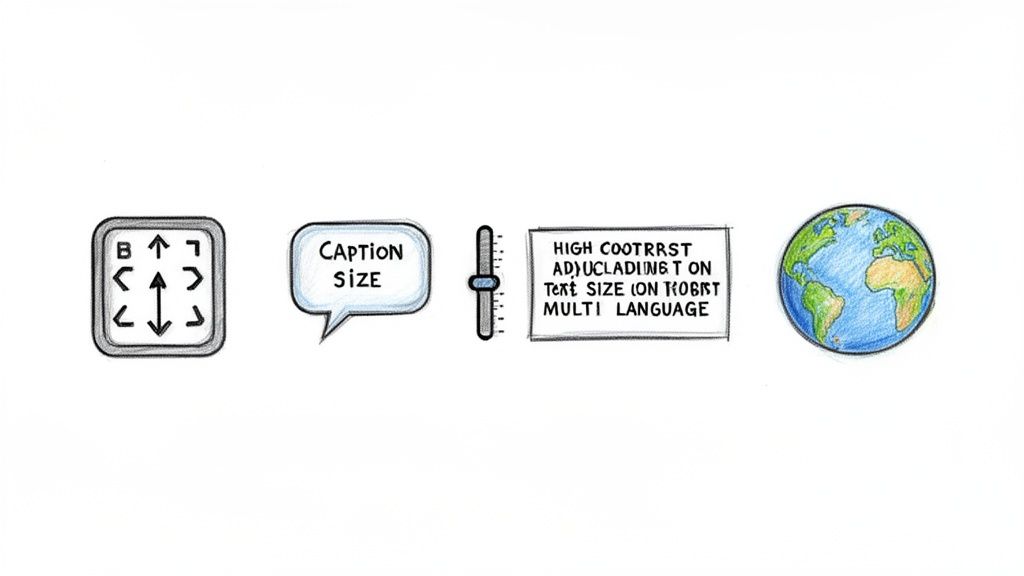
An inclusive approach goes beyond compliance; it expands the reach and impact of your documentation. By removing barriers, you reduce the support burden, improve onboarding for a diverse workforce, and ensure that critical process knowledge is accessible to the widest possible audience. This is a core tenet of modern, people-centric best practices in knowledge management.
Why It's a Top Practice
Inaccessible documentation creates knowledge silos just as effectively as a locked folder. When content is difficult to read, navigate, or understand, users become disengaged and are more likely to make errors or seek help for issues that are already documented. Companies like Microsoft have demonstrated that prioritizing accessibility in their documentation leads to better product adoption and user satisfaction. Following established standards like the W3C's Web Content Accessibility Guidelines (WCAG) ensures your knowledge base is ethically designed and legally compliant. For agencies using Build a Guide, creating mobile-responsive, accessible guides means clients can access critical SOPs anywhere, on any device, without friction.
How to Implement This Practice
Write in Plain Language: Aim for an 8th-grade reading level to maximize comprehension. Avoid jargon and define acronyms on their first use.
Use Descriptive Alt Text: Add alternative text to all images and screenshots. This allows screen readers to describe visual content to users with visual impairments.
Ensure Sufficient Color Contrast: Follow WCAG AA standards by using a contrast ratio of at least 4.5:1 for text and images of text.
Provide Captions and Transcripts: If your guides include video or audio content, provide synchronized captions and full transcripts to support users with hearing impairments.
Structure Content Logically: Use clear heading hierarchies (H1, H2, H3) and short paragraphs. This helps screen readers navigate the content and reduces cognitive load for all users.
Test on Multiple Devices: Use tools like Build a Guide’s mobile preview to ensure your documentation is fully functional and easy to read on various screen sizes.
9. Integration of Knowledge Management with Workflow Systems
Effective knowledge management shouldn't feel like a separate task. This best practice involves embedding documentation and guidance directly into the tools and workflows your teams use every day. By delivering information at the point of need, you eliminate context-switching and reduce the friction that often prevents employees from consulting a knowledge base. Instead of navigating to a different platform, team members get instant access to the right information within their existing environment.
This integration transforms knowledge from a passive repository into an active, contextual assistant. When a support agent is in a ticketing system or a sales representative is in a CRM, relevant guides and procedures appear automatically. This ensures that crucial information is not just available but is also immediately accessible and actionable, improving consistency and performance across the board.
Why It's a Top Practice
Integrating knowledge into daily workflows is a powerful way to boost adoption and ensure process adherence. When guidance is embedded, it becomes part of the natural workflow, not an interruption. For instance, customer success platforms like Zendesk and Intercom embed knowledge base articles directly into their support interfaces, allowing agents to resolve tickets faster and more accurately. Similarly, for agencies using Build a Guide, this practice involves embedding client process guides directly into the platforms their clients use, ensuring seamless onboarding and consistent execution.
How to Implement This Practice
Map Key Touchpoints: Identify the specific moments and tools where your teams most frequently need guidance, such as when updating a CRM record or responding to a support ticket.
Prioritize High-Impact Integrations: Start with integrations that will solve the most significant pain points or affect the largest number of users.
Use API and Webhooks: Leverage APIs to connect your knowledge base with other software, allowing you to trigger and display relevant content based on user actions or specific data.
Embed Guides Contextually: Instead of just linking to a knowledge base, embed the actual guides or articles directly within the user interface of your other tools.
Track Engagement Analytics: Monitor how users interact with the embedded knowledge. This data will reveal which guides are most helpful and where gaps may exist.
Test Across User Roles: Ensure the integration works smoothly for different user profiles and roles, providing tailored guidance where necessary.
10. Knowledge Assessment and Certification Paths
Effective knowledge management goes beyond simply making information available; it ensures that information is understood and can be applied correctly. Implementing structures to validate comprehension through assessments, quizzes, and certification programs transforms passive documentation consumption into active learning. This practice provides measurable outcomes, confirming that users can perform processes correctly, not just read about them.
This approach is especially critical for compliance-heavy industries and customer-facing operations where mistakes can be costly. By certifying knowledge, organizations can build confidence, ensure consistency, and create a culture of continuous learning and accountability around their core processes.
Why It's a Top Practice
Assessments and certifications directly link knowledge to performance. Salesforce’s Trailhead platform revolutionized this by gamifying learning paths with quizzes and hands-on challenges, turning training into an engaging, goal-oriented experience. HubSpot Academy uses certifications to empower marketers and customer success professionals, creating a skilled ecosystem around its products. For agencies using Build a Guide, embedding quizzes directly within SOPs allows them to verify that clients have not only received training but have truly absorbed it, reducing follow-up questions and ensuring smoother handoffs.
How to Implement This Practice
Design for Application: Create assessments that test practical application and problem-solving skills rather than simple rote memorization of facts.
Start Small: Keep initial quizzes short (5-10 questions) to encourage high completion rates and provide immediate feedback with explanations for incorrect answers.
Offer Tiered Paths: Develop separate assessment paths for different levels of expertise, such as a basic competency check versus an advanced mastery certification.
Require Recertification: Use spaced repetition by requiring users to recertify every 6-12 months. This ensures knowledge remains current, especially for processes that evolve.
Celebrate Achievements: Publicly recognize and reward employees or clients who earn certifications to motivate others and reinforce the value of the program.
Top 10 Knowledge Management Best Practices Comparison
Item | Implementation Complexity (🔄) | Resource Requirements (⚡) | Expected Outcomes (⭐📊) | Ideal Use Cases (💡) | Key Advantages (⭐) |
|---|---|---|---|---|---|
Centralized Knowledge Repository with Version Control | 🔄 Medium–High — taxonomy, governance, platform setup | ⚡ Moderate — storage, access controls, dedicated admins | ⭐📊 Single source of truth; improved consistency, auditability | 💡 Enterprises, compliance-heavy teams, distributed orgs | ⭐ Eliminates duplication; quick rollbacks; faster onboarding |
Visual Process Documentation with Screenshots and Callouts | 🔄 Medium — design consistency and update cycles | ⚡ Moderate–High — design time, image storage, update effort | ⭐📊 Higher comprehension; fewer support tickets; faster training | 💡 User-facing UIs, onboarding, support knowledge bases | ⭐ Improves retention; scannable steps; cross-language clarity |
Collaborative Documentation Creation and Review | 🔄 Medium — co-edit workflows and approval rules | ⚡ Low–Moderate — collaboration tools and reviewer time | ⭐📊 Faster completion; higher quality via peer review | 💡 Cross-functional teams, rapidly changing processes | ⭐ Parallel editing; reduces silos; better accuracy |
Living Documentation That Evolves with Processes | 🔄 Medium — continuous cadence, ownership, alerts | ⚡ Moderate — editors, audits, monitoring tools | ⭐📊 Up-to-date guides; maintained trust; fewer errors in ops | 💡 Agile products, APIs, fast-iteration orgs | ⭐ Keeps docs current; supports continuous improvement |
Audience Segmentation and Tailored Documentation | 🔄 Medium–High — branching content, conditional visibility | ⚡ Moderate — multiple versions, role-based management | ⭐📊 Higher engagement; reduced cognitive overload; faster onboarding | 💡 Products with distinct user roles (admins vs. end users) | ⭐ Delivers relevant content; improves completion rates |
Data-Driven Documentation Optimization | 🔄 Medium — analytics implementation and analysis workflows | ⚡ Moderate — tracking, dashboards, analytical skills | ⭐📊 Prioritized improvements; measurable ROI; fewer support cases | 💡 Large KBs, metrics-driven teams, frequent updates | ⭐ Evidence-based prioritization; reveals gaps & hotspots |
Standardized Process Templates and Checklists | 🔄 Low–Medium — template design and governance | ⚡ Low — one-time template creation, reuse reduces effort | ⭐📊 Faster doc creation; consistent quality; fewer missed steps | 💡 Repetitive procedures, onboarding, operational playbooks | ⭐ Saves time; enforces consistency; reduces errors |
Accessibility and Inclusive Documentation Design | 🔄 Medium — accessibility testing and compliance checks | ⚡ Moderate — alt text, captions, translations, training | ⭐📊 Broader reach; better comprehension; legal compliance | 💡 Public-facing docs, diverse or regulated audiences | ⭐ Expands audience; improves usability; meets standards |
Integration of Knowledge Management with Workflow Systems | 🔄 High — API work, embedding, context-aware logic | ⚡ High — engineering effort, integration maintenance | ⭐📊 Reduced context-switching; higher adoption; faster resolution | 💡 Support desks, CRMs, in-app help and automation | ⭐ Point-of-need guidance; boosts self-service and efficiency |
Knowledge Assessment and Certification Paths | 🔄 Medium — assessment design, LMS/workflow integration | ⚡ Moderate — question banks, tracking, admin overhead | ⭐📊 Validated competence; accountability; measurable readiness | 💡 Compliance training, customer enablement, onboarding scale | ⭐ Ensures practical understanding; motivates continuous learning |
Turn Your Knowledge into Your Greatest Asset
The journey to effective knowledge management is a marathon, not a sprint. We've explored ten foundational best practices, from establishing a centralized repository with version control to integrating your knowledge base directly into your daily workflows. Implementing these isn't about checking boxes; it’s about architecting a living system that fuels efficiency, empowers your teams, and delivers exceptional customer experiences. The true power of these best practices in knowledge management is realized when they are woven together, creating a self-sustaining cycle of creation, collaboration, refinement, and application.
When you commit to visual process documentation, you eliminate ambiguity. When you embrace collaborative creation, you capture diverse perspectives and foster ownership. And when you use data to optimize your content, you ensure that every guide, checklist, and standard operating procedure delivers maximum impact. This strategic approach transforms your knowledge from a static, siloed resource into your organization's most dynamic and valuable competitive advantage.
From Theory to Action: Your Next Steps
The difference between a mediocre knowledge base and a high-performing one lies in deliberate, consistent action. Moving forward, focus on these three critical areas to translate the principles we've discussed into tangible results:
Conduct a Knowledge Audit: Start by assessing your current state. Where does your knowledge live? Is it accessible? Is it up-to-date? Identify the biggest gaps and pain points related to the ten best practices. This audit will provide a clear roadmap for your initial efforts, helping you prioritize what to tackle first, whether it's creating standardized templates or segmenting content for specific audiences.
Launch a Pilot Program: You don't need to overhaul everything at once. Select one high-impact team, such as customer support or new hire onboarding, to pilot these new practices. Focus on implementing 2-3 key strategies, like visual documentation and collaborative reviews. This allows you to demonstrate value, gather feedback, and build momentum before a company-wide rollout. A successful pilot creates internal champions who will advocate for broader adoption.
Establish a Feedback Loop: Knowledge management is not a "set it and forget it" initiative. Implement a clear and simple process for users to report outdated information, suggest improvements, and ask questions directly within your knowledge base. This continuous feedback is the lifeblood of a living documentation system, ensuring it evolves alongside your processes and remains a trusted source of truth for everyone.
Ultimately, mastering these best practices in knowledge management is about building a culture of clarity and empowerment. It's about ensuring every team member has the information they need to perform their best work, confidently and consistently. To truly turn your knowledge into your greatest asset, consider these 10 actionable knowledge management strategies for driving collaboration and innovation across your entire organization. By focusing on both the system and the culture, you lay the groundwork for scalable growth, improved operational resilience, and a more engaged, effective workforce.
Ready to put these best practices into action without the manual effort? Build a Guide automatically captures your processes and turns them into beautiful, easy-to-follow visual guides, complete with screenshots and annotations. Start building a world-class knowledge base today at Build a Guide.