
December 27, 2025
Boost Product Adoption with Step-by-step guide: Interactive SOPs Teams Love
Discover how to create step by step guide that drives adoption and turns screen recordings into interactive SOPs your team will rely on.
If you want to create a step-by-step guide people will actually use, stop thinking about Word docs and start with a screen recording. This is the modern way—using AI to instantly turn a quick video of your process into an interactive, shareable Standard Operating Procedure (SOP). It skips all the tedious screenshotting and writing.
Why Static Process Documents No Longer Work
For decades, the go-to for process documentation was a Word document or a PDF. We’ve all seen them, usually buried in a shared drive somewhere, collecting digital dust.
While they were created with good intentions, these static files almost always create more problems than they solve. They’re outdated the moment they’re saved, impossible to search, and offer a completely passive, unhelpful experience for anyone trying to follow them. This old method is a huge reason why so much "tribal knowledge" exists—critical information that only lives in the heads of a few key employees.
When that knowledge isn't written down and easily accessible, the consequences add up fast. Teams deliver inconsistent work, new hires get stuck with a painfully steep learning curve, and managers burn hours repeating the same instructions. The problem is simple: static documents are a chore to create and an even bigger chore to use. This leads to terrible adoption rates and keeps teams stuck in inefficient cycles.
The Hidden Costs of Poor Documentation
The fallout from relying on outdated guides is more than just a little frustration.
Poorly documented processes can tank efficiency, with some reports showing a drop of 30-50% for distributed teams. It gets worse. A shocking 42% of startups fail because they build products nobody wants—a problem often tied to a failure to document and validate customer-facing processes. You can discover more about these startup challenges and their connection to process validation.
These aren't just numbers on a page; they represent real costs to your business:
Wasted Time: Employees spend hours hunting for information or bugging coworkers for help on tasks that should have a standard, easy-to-find answer.
Inconsistent Outcomes: When everyone does things their own way, the quality of your work becomes a lottery. This hits client satisfaction and messes with internal operations.
Scalability Roadblocks: You can't grow a team or a business if your core processes aren't clear, repeatable, and easy for anyone to find and follow.
It's time for a better way. Below is a quick comparison showing just how different modern guides are from the old static files.
Traditional vs. Modern Guide Creation
Feature | Traditional Guides (PDFs, Word Docs) | Modern Interactive Guides (Build a Guide) |
|---|---|---|
Creation | Manual screenshotting, writing, and formatting | Instant AI conversion from a screen recording |
Engagement | Passive reading, easy to ignore | Interactive, with clickable steps and visuals |
Maintenance | Difficult to update; requires a full rewrite | Easy to edit any step in seconds |
Accessibility | Hard to find in shared drives; not mobile-friendly | Searchable, shareable with a link, works everywhere |
Analytics | No visibility into who uses it or where they struggle | Tracks views and engagement to show what's working |
The difference is clear. One approach creates documentation that gets ignored, while the other creates a resource people genuinely want to use.
A Modern Solution for Process Capture
The alternative is to start treating your documentation like a living, interactive resource.
Instead of wrestling with manual document creation, platforms like Build a Guide let you capture your workflows effortlessly. You just record your screen, and the system does the heavy lifting.
This is what a modern guide looks like—a simple video transformed into a structured, interactive walkthrough.
There’s no wall of text. The process is broken down into clear, visual steps that are intuitive to follow and dead simple to update. This approach makes it easy to create a step-by-step guide that turns documentation from a necessary evil into one of your most valuable assets.
The goal is to make capturing knowledge so easy that it becomes a natural part of how your team works. This is how you finally kill off unreliable tribal knowledge and build a system that runs on clarity and consistency.
How to Plan and Record Your Process for Maximum Impact
A great step-by-step guide is made long before you ever hit the record button. The real secret is starting with a quick, clear plan. This isn’t about writing a detailed script; think of it more like a simple roadmap for the process you're about to show.
Just jot down the main actions you'll take. If you’re an agency recording a client onboarding process, your list might look like this: log into the portal, find the project dashboard, and show how to upload the first file. That’s it. A simple outline like this keeps your recording focused and ensures you don’t accidentally skip a critical step.
Preparing Your Digital Workspace
Before you record, take just a minute to tidy up your screen. A clean recording creates a much more professional and less distracting guide for your audience. The goal is to make the process you're demonstrating the absolute star of the show.
Here are a few practical tips to get your screen ready:
Close Extra Tabs and Apps: Get rid of anything that isn't directly related to the task. This keeps the focus squarely on the workflow and prevents any confidential or irrelevant information from popping up.
Prepare Demo Data: If you're showing a process that requires filling out a form or using specific data, have it ready to go. For instance, a support team documenting a new software feature should use placeholder customer information, not real data.
Zoom In for Clarity: Bump up your browser's zoom level to 110% or 125%. This makes text and icons larger and way easier to read—a small adjustment that makes a massive difference for the person watching.
This quick prep work takes less than a minute but dramatically improves the quality of your raw recording. Remember, the AI is going to polish the final output, but starting with a clean source makes the end guide that much better.
Choosing Your Recording Method
You’ve got two main ways to capture your process: use a browser extension for a live recording, or upload a video you’ve already made. The right choice really just depends on the situation.
Recording with a browser extension is perfect for capturing new, on-the-fly processes. It's fast, efficient, and lets you document a workflow as you’re actually doing it. This is ideal for answering a one-off question or creating a guide for a brand-new task.
On the other hand, uploading an existing video is a fantastic way to repurpose content you've already created. Think about all those product demos, training webinars, or Zoom calls just sitting in your archives. You can give them a second life by turning them into interactive guides that people can follow at their own pace. You can learn more about just how to document a process in under 10 minutes.
The best guides don't aim for cinematic perfection during the recording phase. Your goal is to capture the process naturally and authentically. Don't stress about small mistakes or pauses; the AI and editing tools are built to handle the cleanup.
This simple workflow shows how your recording is just the first piece of a much more efficient process.
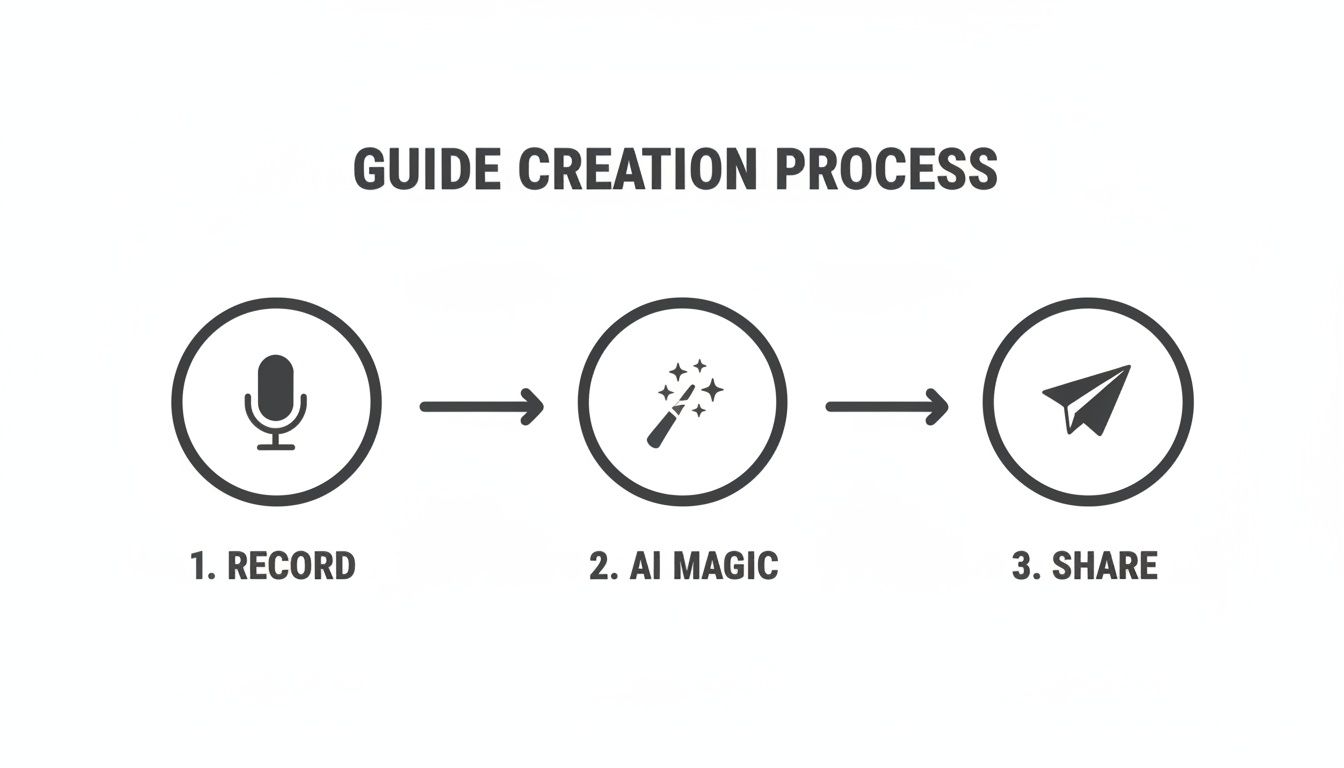
As you can see, after the initial recording, the AI handles the heavy lifting, making it fast and simple to share. Your main job is to capture your expertise on screen; the platform takes care of the transformation. This approach makes it possible for anyone on your team to create a step-by-step guide without needing to be a technical writer.
Using AI to Turn Recordings into Polished SOPs
This is the moment where all the tedious, manual work of documentation just disappears.
Once you have your raw screen recording, you can let a modern AI platform take over. It’s what transforms your simple video into a structured, professional guide. This is the core of how you can create a step by step guide in minutes, not hours.
Imagine you just wrapped up a 10-minute recording showing a new software setup. The old way meant rewatching it, pausing every few seconds to grab a screenshot, and then slowly typing out each instruction. Now, the AI does all of that for you.
It analyzes the video, identifies key actions like clicks and keystrokes, and automatically captures the perfect screenshot for each one. Then, it generates clear, concise text describing exactly what’s happening. What was once a video is now a high-quality draft of your guide, ready for your final touch.
From Raw Video to Structured Guide Instantly
The time savings here are huge. A process that used to demand an hour of focused, repetitive work is now done in the time it takes to grab a coffee.
This frees up your subject matter experts from the burden of being technical writers. Their expertise is in doing the process, not documenting it. An automated first draft is a game-changer for teams that need to move fast.
Agencies: An account manager records a 5-minute video showing a client how to access their new reporting dashboard. Within minutes, they have a branded, interactive guide to share—looking far more professional than a quick email.
Support Teams: An agent can document a common troubleshooting fix on the fly. Instead of writing a long response, they record the solution and instantly get a guide they can reuse for future tickets.
Operations Managers: When a new internal software rolls out, the ops team can create an entire library of training guides in a single afternoon, ensuring everyone adopts it the same way.
This lets you shift your focus from creation to refinement. Instead of building from scratch, you're starting with a nearly complete document. It's a simple but powerful idea that aligns with the core principles of the record once, guide forever methodology.
This is a perfect example of how a simple video recording can be transformed into a structured, multi-step guide.
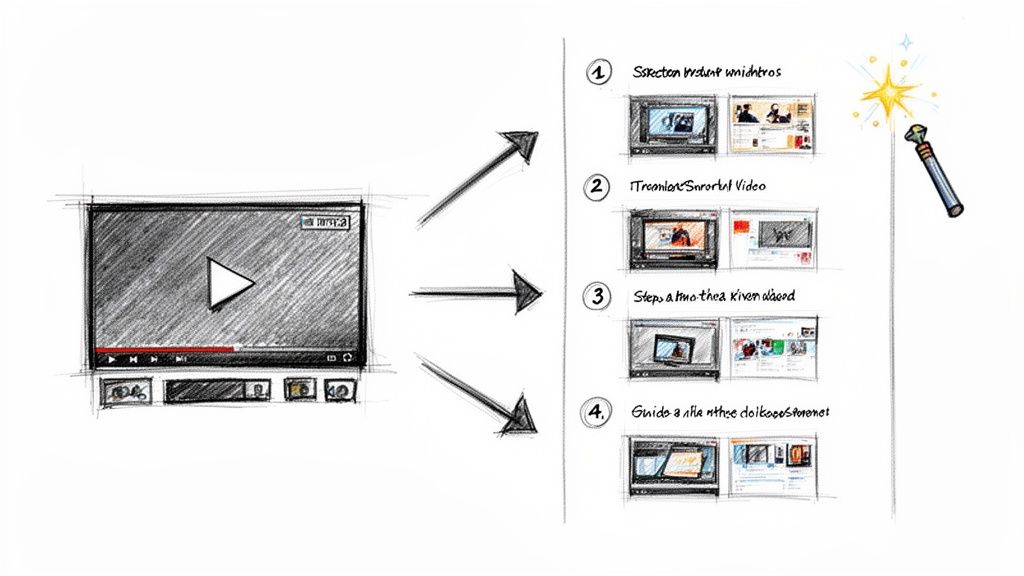
The visual shows the direct line from a single piece of raw content to a polished, easy-to-follow resource.
The Strategic Advantage of AI-Powered Documentation
Automating the initial draft does more than just save time—it gives you a real strategic advantage.
When documentation is easy to create, it actually gets done. This shift helps organizations standardize processes at scale, which is critical for growth. Think about it: data shows that businesses rigorously following structured steps achieve 3x higher success rates. When documentation is easy, structure follows.
The biggest barrier to great documentation has always been the sheer effort required to create it. By using AI to eliminate 90% of that initial work, you remove the barrier and empower everyone on your team to become a knowledge creator.
This approach democratizes process documentation. It no longer requires a special skillset or a dedicated role. Anyone who can perform a task can now document it with perfect clarity.
That means valuable knowledge gets captured and shared, not lost in the day-to-day shuffle. The result is a more agile, consistent, and knowledgeable organization.
Turn a Good Draft Into a Great Guide
An AI-generated draft is a huge head start, but it's not the finish line. Your human expertise is what turns a functional guide into something truly indispensable. This is where you add your insider knowledge, your team's voice, and the small details that only someone who actually does the work would know.
The goal isn't to rewrite from scratch. It's to refine. You're turning a solid foundation into a guide so clear it answers questions before they're even asked.
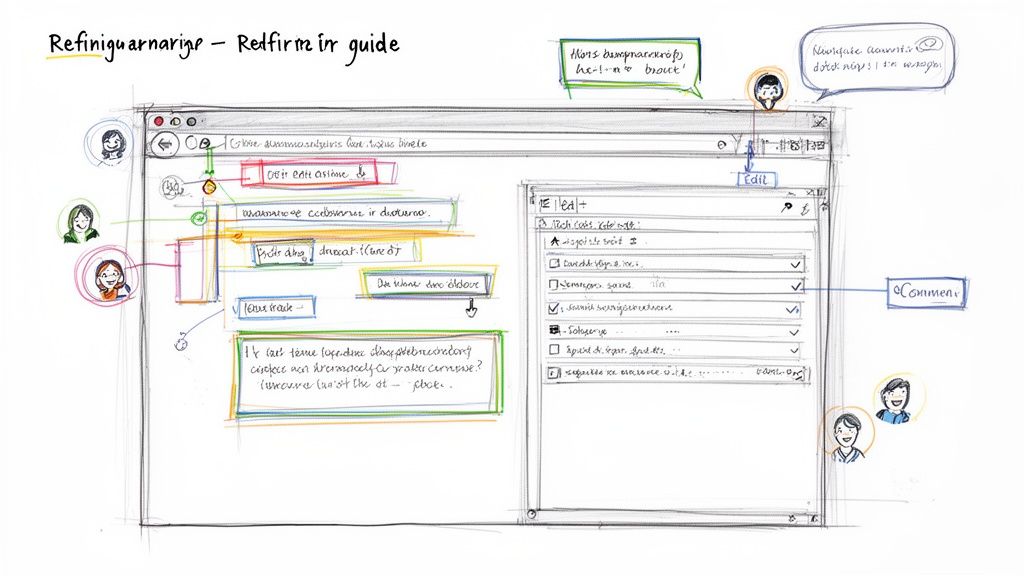
Think of the AI's output as the blueprint. Now, you furnish the rooms. Start by editing the text to match your company’s tone—whether that's formal and professional or friendly and casual. A consistent voice builds trust and makes your instructions feel personal.
Add Context with Annotations
One of the fastest ways to improve a guide is by adding visual cues directly onto the screenshots. A plain screenshot shows what to click, but a good annotation explains why.
With a rich-text editor, you can layer on arrows, highlights, or numbered callouts to pinpoint exactly what matters. That visual context is priceless when you need to create a step by step guide for a busy interface.
For an Operations Manager: You might add a text box to a screenshot of a new HR platform, noting, "Ensure this box is checked to comply with company policy." This puts critical compliance info right where it’s needed.
For a Customer Success Team: When documenting a new software feature, you could circle a small icon and add a tip: "Click here to access advanced settings—a real time-saver!"
These small additions provide huge value. They turn a generic instruction into specific, actionable advice.
The best guides don't just show the steps; they explain the context behind them. Your annotations are your chance to share insider tips, warnings, and shortcuts that make the user successful.
Use Checklists for Multi-Part Steps
Sometimes, a single step involves several smaller actions. Instead of writing a dense paragraph nobody will read, break it down with a checklist.
For example, a step titled "Finalize Client Report" is much clearer as a checklist:
Verify all data points are accurate.
Add the client's logo to the header.
Run a final spell check.
Export the document as a PDF.
Checklists make complex tasks feel manageable and give users a clear sense of progress. It's a simple formatting trick that dramatically improves clarity and confidence.
Get Your Team’s Eyes on It
No guide should be created in a vacuum. Before you publish, invite your teammates to review, comment, and co-edit the guide. The best documentation is a team effort.
Your colleagues will catch things you missed. A support agent might spot a common customer pain point you overlooked, while a product manager can ensure the terminology is up-to-date. This feedback loop is essential for creating a guide that actually works in the real world.
For teams wondering how to handle updates without endless meetings, you can learn more about how to keep SOPs up to date without a meeting.
By layering in your human insight, adding visual annotations, using checklists, and collaborating with your team, you’ll transform that AI draft into a polished, powerful guide people will actually use.
Sharing and Measuring Your Guide’s Performance
Creating a great guide is only half the battle.
If nobody sees it, or if it doesn't actually solve a problem, all that hard work goes to waste. The final step—sharing and measuring—is where your guide starts delivering real results like saved time, smoother processes, and happier clients.
How you share a guide depends entirely on who needs it and why. Long gone are the days of just emailing a static PDF. Modern documentation platforms give you the flexibility to get the right information to the right people in the right format.
Choose the Right Sharing Method for Your Audience
Not every guide is for public consumption, and not every user needs access to your entire library. Strategic sharing keeps things secure, relevant, and professional.
Think about these common scenarios:
For Internal Teams (HR & Operations): A private, centralized knowledge hub is the gold standard. It becomes the single source of truth for everything from onboarding checklists to software workflows. You can give new hires a single link to a hub with all their initial training.
For External Clients (Agencies): Create a secure, branded hub for each client. This offers a polished, dedicated space for their specific SOPs and project guides, adding a ton of value and reinforcing your brand.
For Quick Support (Customer Success): A direct, shareable link is your best friend. When a customer has a specific question, just send them the guide that walks them through the fix. It’s faster than writing a long email and way more effective.
For Broader Access (Product Teams): Publishing your guides to a public help center on a custom domain makes them easy for anyone to find. This is perfect for user manuals, feature tutorials, and FAQs that you want search engines to pick up.
Each method serves a different purpose, letting you create a step by step guide and then deliver it with precision.
Measuring What Matters Most: Engagement Analytics
Once your guides are out in the world, you can't just hope they're working. You need data.
Engagement analytics are your best tool for seeing what’s actually happening. Without them, you're just guessing. Analytics move you from assumption to certainty by showing you how people interact with your guides, not just if they view them.
This feedback loop is what makes your documentation better over time.
Focus on these key metrics:
Total Views: This quickly tells you which guides are most popular, pointing you toward the biggest pain points or most frequent tasks in your organization.
Completion Rate: Are people actually getting to the end? A high completion rate is a strong sign that your guide is clear, helpful, and well-paced.
Drop-off Points: Analytics can pinpoint the exact step where users give up. This is a massive clue that a particular step might be confusing, broken, or just too complicated.
By tracking engagement, you create a continuous feedback loop. If you see a high drop-off rate on Step 5 of a guide, you know exactly where to focus your efforts to improve it.
This data-driven approach is a game-changer. For example, interactive "how-to" guides have become a powerhouse for business growth. Agencies that provide clear SOPs to clients have reported 20-30% higher client retention, and support teams using step-by-step hubs often cut issue resolution times by 35%. These results are fueled by analytics that show polished SOPs can achieve completion rates as high as 75%. You can learn more about how-to content performance statistics.
Ultimately, a guide is a living document. The insights you get from analytics allow you to iterate and improve, turning your documentation library from a collection of static files into a scalable knowledge asset that drives real business impact.
Common Questions About Creating Guides
Even with tools making documentation easier, a few questions always pop up when teams start building out their guides. Getting these sorted out early is the key to moving forward with confidence.
Here are the most common questions we hear, with straightforward answers to clear the path.
How Long Should My Screen Recording Be?
When you’re recording a process, shorter is almost always better.
Aim for a recording between 5-10 minutes. That’s usually the sweet spot for capturing a complete workflow without making the final guide feel overwhelming.
It's far more effective to create several short, focused guides than one monster tutorial. Instead of a 30-minute video on "Using Our CRM," break it down. Create separate guides for "How to Add a New Contact," "How to Log a Sales Call," and "How to Generate a Monthly Report."
This micro-guide approach pays off in a few big ways:
Easier to Digest: Your team can find the exact answer they need in seconds, no scrubbing through a long video required.
Simpler to Update: When one small part of your process changes, you only have to update a single, short guide—not re-record the whole thing.
Higher Engagement: Shorter content just gets used more. People are far more likely to finish a 5-minute guide than a 30-minute one.
Think of each guide as solving one specific problem. That focus makes them incredibly useful for your audience and much easier for you to manage.
Can I Turn My Existing Videos into Guides?
Absolutely. This is one of the fastest ways to build out your knowledge base.
Most teams are sitting on a goldmine of existing content—product demos, training webinars, or saved Zoom calls. All of that can be repurposed into interactive guides.
Platforms like Build a Guide let you upload video files (like .mp4 or .mov) directly. The AI then gets to work, processing the video just as it would a brand-new screen recording.
It’s a fantastic way to get more mileage from content you’ve already invested time in. That detailed product walkthrough you gave last month? It can become a permanent, step-by-step resource for every future customer.
What Is the Best Way to Share Guides with Clients?
When sharing guides outside your company, your priorities shift to security, professionalism, and easy access.
For ongoing client relationships, like those managed by an agency, a branded knowledge hub is the way to go. You can create a secure, private portal for each client, giving them a polished and dedicated resource center that reinforces your brand’s value. It feels like a premium service because it is.
But for quick, one-off questions or support issues, a simple direct link is often more efficient. It lets you solve a problem instantly without granting them access to your entire knowledge base.
How Do I Update Guides When Our Process Changes?
This is where modern, cloud-based documentation really separates itself from static files. A Word doc or PDF becomes a source of confusion the moment a process is updated, but a living guide is always current.
Because the guides are cloud-based, you simply log in, edit the text, replace a screenshot, or reorder a few steps. Your changes are live instantly for everyone who has the link. This dynamic approach is what prevents your documentation from ever becoming outdated.
There's no need to track down old files, send out a mass email about the change, and hope everyone deletes the old version. You make the update in one central place and can be confident that everyone is always seeing the most accurate information. This is how you build a reliable single source of truth for your team and clients.
Ready to stop wrestling with outdated documents and start building a knowledge base your team will actually use? Build a Guide turns your screen recordings into interactive SOPs in minutes. Start your free trial today and create your first guide.