
January 24, 2026
How to Create a Standard Operating Procedure: A Practical Guide for Teams
Learn how to create a standard operating procedure your team will actually use—an actionable guide to documenting processes and boosting consistency.
Creating a standard operating procedure is about more than just writing down steps. It’s about turning complex work into a simple, repeatable process that anyone can follow, making your team more consistent and efficient.
Why Most SOPs End Up Collecting Dust
Let's be honest. Most Standard Operating Procedures are born from good intentions but die a slow death in a forgotten folder.
They get meticulously crafted, formally approved, and then promptly ignored by the very people they were meant to help. This isn’t a new problem; it's the default outcome for countless process documents.
The core issue is that we treat SOPs like a chore—a static, formal document written for compliance rather than a living tool meant to make work easier. This mindset leads to guides that are dense, outdated, and completely disconnected from how teams actually get things done.
The Real Cost of Neglected Processes
When SOPs fail, the consequences ripple across the business. You see it in inconsistent client work, where one project manager’s "standard" process looks nothing like another's. You feel it during chaotic onboarding, where new hires shadow three different people and get three different sets of instructions.
This chaos creates a reliance on tribal knowledge, where critical information is locked inside the heads of a few key employees. If that person takes a vacation or leaves the company, the process grinds to a halt.
This isn't just inefficient; it's a massive business risk that holds you back. Every mistake born from a lack of clear guidance costs you time, money, and morale.
The most common SOP mistake is creating guides that are hard to find and even harder to use. If a team member has to click through five folders to find a 20-page PDF, they'll just ask a colleague instead, defeating the entire purpose of the document.
Learn more about The SOP Mistake That Makes Guides Useless.
The old way of creating and storing SOPs in binders or buried in shared drives just doesn't work for modern, fast-moving teams. Today's tools allow for a much more dynamic and accessible approach.
The Shift from Traditional to Modern SOPs
Attribute | Traditional SOPs (The Old Way) | Modern SOPs (The New Way) |
|---|---|---|
Format | Long-form text, PDFs, Word docs | Short, scannable steps with visuals |
Creation | Written from memory, often by a manager | Captured from live screen recordings |
Storage | Buried in shared drives or physical binders | Centralized, searchable knowledge base |
Updates | Infrequent, manual, and painful | Quick edits, version control is simple |
Accessibility | Hard to find, requires digging | Instantly searchable and shareable via link |
Engagement | Low; often ignored or forgotten | High; integrated into daily workflows |
This shift isn't just about technology; it's a fundamental change in how we view documentation—moving from a static archive to a dynamic, strategic asset.
Shifting from Chore to Strategic Asset
To create SOPs people actually use, you have to stop thinking of them as rulebooks and start treating them as playbooks. They are assets designed to make work easier, faster, and better.
A great SOP has a direct impact on the business:
It Empowers Autonomy: Team members can complete tasks correctly without constant supervision.
It Ensures Consistency: Every client gets the same high-quality experience, every single time.
It Reduces Errors: A clear, proven path minimizes costly mistakes and rework.
It Accelerates Onboarding: New hires become productive contributors in a fraction of the time.
This isn't a secret. The global Standard Operating Procedure Management market was valued at USD 1,630 million in 2024 and is projected to more than double by 2032. This trend shows a clear organizational shift: businesses are realizing that solid processes are the foundation for real growth.
Laying the Groundwork for a Useful SOP
Before you write a single word, the most important work happens. A little strategic planning is what separates an SOP that gets used every day from one that collects digital dust. Rushing this part is the number one reason process documents fail.
The temptation is to document everything at once, creating a massive, intimidating project. A much better approach is to start small and focus on impact. Find one process that’s a constant source of questions, mistakes, or bottlenecks.
When your first SOP solves a real, nagging pain point, you get immediate buy-in from your team. Think about it: What task do people ask about most often? Is it formatting a client proposal? Or maybe the exact steps for processing a refund? Those high-friction tasks are the perfect place to start.
Define Your Audience and Purpose
Once you've picked a process, the next question is critical: who are you writing this for? The answer completely changes the level of detail you need. An SOP isn't a one-size-fits-all document; it has to be built for the person using it.
Consider a few different users:
The Brand-New Hire: This person knows nothing about your internal systems. Your guide needs to be incredibly detailed, explaining every single click and defining company jargon. You can't leave any room for assumptions.
The Seasoned Team Member: This user just needs a quick reminder. They already have the context, so a concise checklist or a high-level overview is far more useful than a long, step-by-step tutorial.
The Cross-Functional Colleague: Someone from another department might only do this task once in a while. They get the business but not the specific workflow, so they need a guide that balances context with clear, direct steps.
The single biggest mistake in SOP creation is writing for a generic audience. If you try to write for everyone, you end up writing for no one. A targeted document that perfectly serves a new hire is infinitely more valuable than a vague one that confuses everyone.
Knowing your audience helps you lock in the purpose. Are you trying to cut down on errors in a critical financial task? Or is the goal to speed up a repetitive marketing workflow? A clear purpose keeps your SOP focused and ensures it actually solves the right problem.
Gather Your Resources and Subject Matter Experts
With a clear process and audience in mind, it's time to pull together everything you'll need. Trying to write an SOP from memory is a recipe for missed steps and inaccuracies. A little prep work here will save you hours of editing later. As you're laying the groundwork, it's essential to understand the comprehensive guidelines on how to create standard operating procedures that work.
Use a simple checklist before you start writing to make sure you have all the pieces.
Pre-Documentation Checklist:
Identify the Expert: Who is the one person in the company who knows this process inside and out? This is your Subject Matter Expert (SME), and their input is non-negotiable for an accurate guide.
Secure Necessary Access: Do you have the right logins for all the software involved? You need the same permission levels as the end user to replicate their experience perfectly.
Collect Existing Materials: Hunt down any old checklists, scattered notes in a shared drive, or email threads that mention the process. These can be a great starting point and often reveal common hangups.
Prepare a Test Case: Have a real-world example ready to go. If you're documenting client onboarding, have a sample client's info handy. For a bug report SOP, find an actual bug to document.
Getting this groundwork done first means that when you finally sit down to write, you can move quickly and accurately. The result is an SOP that’s targeted, relevant, and built for a specific purpose.
How to Capture Your Process Without the Headache
The old way of creating a standard operating procedure was a painful, manual slog.
You’d perform a task, pause, take a screenshot, paste it into a document, write a description, and then repeat that cycle a dozen—or a hundred—times. This method is not only slow but also guarantees you'll miss crucial details.
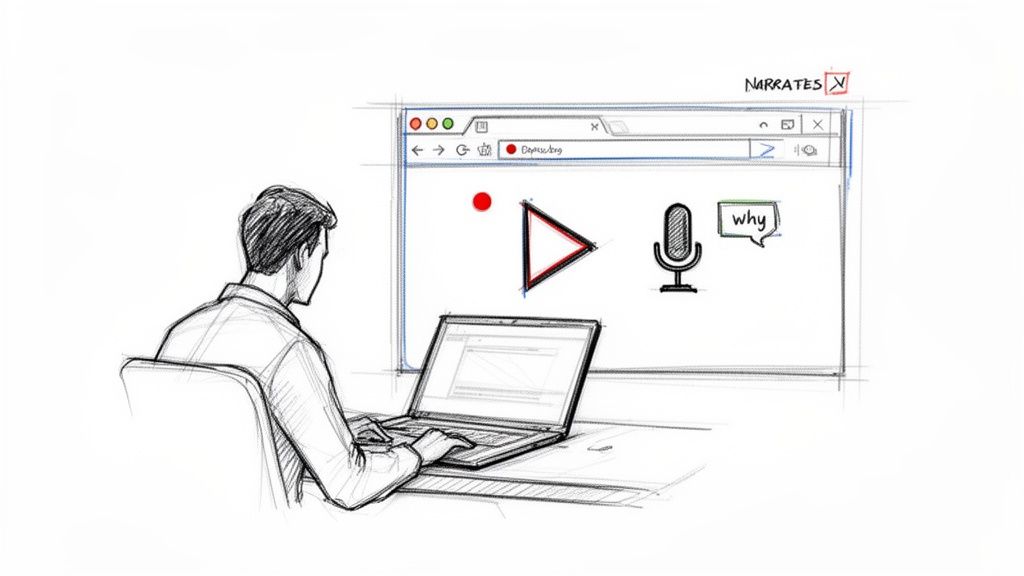
Thankfully, there's a much better way. The most efficient and accurate method to document a digital process today is to simply record your screen while you do the work. This captures every click, every menu, and every subtle movement exactly as it happens.
This approach eliminates the guesswork. Instead of spending an hour manually documenting, you can capture the raw data for a complex workflow in just a few minutes.
The Power of Narrating Your Actions
Recording your screen is a huge step up, but the real magic happens when you narrate your actions as you go. Turn on your microphone and talk through what you're doing and, more importantly, why you're doing it.
Think of it like giving a live tutorial to a new team member sitting next to you. This simple act of verbalizing your thought process captures the institutional knowledge that screenshots alone can never convey.
Here's what to mention as you record:
Explain the "Why": Don't just say, "Now I click here." Explain why that button is the right choice. For example, "I'm choosing the 'Advanced' export option because it gives us the uncompressed file we need for the marketing team."
Call Out Common Pitfalls: Share your expert insights. You might say, "Be careful not to click 'Save and Close' yet, because that will trigger an automatic email to the client before we've had a chance to review it."
Define Jargon: If you use a company-specific term or acronym, quickly define it. "Next, we'll update the project in our PMS, which is what we call our Project Management System."
This narration adds incredible value, turning a simple recording into a rich training resource. It's the difference between a flat set of instructions and a guided lesson from an expert.
From Raw Video to Polished Guide
Once you have your narrated screen recording, you have the perfect source material. In the past, you'd still have to watch this video and manually transcribe the steps. Today, AI-powered documentation tools can do the heavy lifting for you.
You upload your video, and the software automatically analyzes it, breaks it down into individual actions, and generates a step-by-step guide. It identifies each click, types out your narrated instructions, and pulls perfectly cropped screenshots for every action.
This completely changes the game. What used to take hours of meticulous work can now be done in minutes. You can check out our detailed guide on how to document a process in under 10 minutes to see this in action.
The goal isn't just to be faster; it's to be more accurate. Capturing a process in real-time eliminates errors of omission and ensures the final SOP reflects the actual workflow, not a sanitized version written from memory.
Capturing a Real-World Example
Let's apply this to a common business task: onboarding a new client into a project management system like Asana or Trello. The manual method would be a nightmare of screenshots and tedious typing.
Using the modern approach, the workflow looks like this:
Start Recording: The project manager hits record on their screen capture tool.
Narrate the Process: They begin, saying, "Okay, first I'm logging into our Asana dashboard. I'm going to navigate to the 'Templates' section because we have a standard new client template that pre-populates all our Phase 1 tasks."
Perform and Explain: They walk through creating the project from the template, inviting the client, and setting initial due dates, explaining the reasoning for each step. For example, "I'm setting the kickoff meeting date two weeks out to give the client enough time to complete their prep work."
Stop Recording: The entire process takes about five minutes to record.
Automate Generation: They upload the video to a tool like Build a Guide. The AI processes the video and generates a complete SOP with annotated screenshots, step-by-step text based on their narration, and a clear title.
Quick Polish: The project manager spends another few minutes reviewing the generated guide, perhaps bolding a key point or adding a final checklist.
The result is a perfect, expert-led guide created in a fraction of the time. This efficient method finally makes it feasible to create a standard operating procedure for every important task in your business.
Formatting Your Guide for Maximum Readability
Even the most accurate SOP is useless if no one reads it.
A wall of dense text or a confusing layout will send your team running for the nearest colleague to ask for help—defeating the entire point of your guide. Good formatting isn't just about making things look nice; it’s about creating an experience that makes the process intuitive.
Your goal is to turn raw process notes into a scannable, visually clear guide. The structure should feel logical, letting someone find exactly what they need in seconds. After all, a well-formatted guide respects the user's time.
Studies on how people read online content are clear: people don't read word-for-word. They scan for keywords, headings, and visual cues. Your formatting has to serve that behavior.
The Essential Anatomy of a User-Friendly SOP
Before you even think about the steps, every guide needs a solid framework. This structure gives context and helps someone understand the document at a glance. Without it, they're just jumping into a list of instructions with no orientation.
A strong SOP structure includes these key elements:
A Clear Title: Be specific. Instead of "Client Onboarding," use "How to Onboard a New Enterprise Client in Asana." This tells the user exactly what the process achieves.
A Brief Purpose Statement: In one or two sentences, explain why this SOP exists and what success looks like. For example, "This process ensures every new client project is set up consistently, preventing missed steps and kickoff delays."
Logically Ordered Steps: The core of your guide should present the steps in a clear, sequential flow that a user can follow without getting lost.
This foundation turns a simple list of actions into a professional, trustworthy document.
Using Visuals to Eliminate Confusion
Words can be ambiguous. A well-placed visual is crystal clear.
Visuals are your single most powerful tool for creating an SOP that leaves zero room for misinterpretation. They show the user exactly where to click and what to do, which is absolutely critical for any software-based workflow.
But the key is to make your visuals work hard. Don't just drop in a generic screenshot.
A screenshot without annotation is a missed opportunity. Your goal is to guide the user's eye directly to the point of action, eliminating any chance of them clicking the wrong thing. Think of it as a digital version of pointing a finger.
Consider these powerful visual techniques:
Screenshots with Bold Callouts: After taking a screenshot, use a simple editing tool to add arrows, boxes, or circles that highlight the exact button, menu, or field. Add a brief text label like "Click 'Save Template'" directly on the image.
Checklists for Multi-Part Tasks: If a single step involves several smaller actions (like filling out five fields in a form), embed a simple checklist within that step. This breaks the task down and gives the user a satisfying sense of progress.
Short GIFs for Dynamic Actions: For actions that involve a quick drag-and-drop or navigating a dropdown menu, a short, looping GIF can be much clearer than a series of static images.
These elements transform a guide from a passive document into an interactive, easy-to-follow experience.
Breaking Down Complexity with Smart Structure
Long, complex processes can feel overwhelming. A 40-step guide is intimidating, but four 10-step guides feel manageable.
The final layer of formatting is about breaking down complexity into digestible chunks using clear headings and logical grouping.
For a long process, use H3 subheadings to group related steps into logical phases. For example, a client onboarding SOP could be broken down into sections like "Setting Up the Project," "Internal Team Briefing," and "Running the Kickoff Call."
This structure helps users navigate the document and find the specific part of the process they need without having to read from the beginning every single time. It's an organizational technique that makes your SOPs scannable and far less daunting.
Making Your SOP a Living, Breathing Document
Hitting 'publish' on a new standard operating procedure can feel like crossing a finish line. In reality, it’s just the start.
An SOP is only valuable as long as it’s accurate, and processes inevitably change. The real success of your documentation isn't just in creating it, but in building a simple system to keep it alive and current.
Outdated guides are worse than no guides at all. They erode trust, create confusion, and can lead to costly mistakes. To stop your hard work from going stale, you have to treat each SOP as a living document from day one.
A Simple Review and Approval Workflow
Before any SOP goes live, it needs to pass a quick, two-part test for accuracy and clarity. Forget those overly complex, bureaucratic approval chains where good intentions go to die. All you need are two key perspectives.
Your review process should include:
The Expert Review: Get your Subject Matter Expert (SME)—the person who knows the process inside and out—to do a final check for technical accuracy. Their only job is to confirm no steps were missed and that every detail is correct.
The New User Test: Now, ask someone totally unfamiliar with the process (like a new hire) to follow the guide from start to finish. Their job is to check for clarity. If they get stuck, confused, or have to ask a question, you’ve found a weak spot that needs fixing.
This two-person system perfectly balances deep expertise with a fresh perspective, making sure your guide is both correct and actually usable for its intended audience.
Centralize Everything—No More Email Attachments
One of the fastest ways to kill an SOP is to distribute it as an email attachment.
Within days, you'll have multiple versions floating around in different inboxes, and nobody will know which one is the latest. This creates a single point of failure and makes updates a nightmare to manage.
Modern tools solve this by creating a single source of truth. Instead of sending files, you just share a link to a centralized hub where the SOP lives.
When you update the procedure in the central hub, everyone with the link automatically sees the new version. This simple shift from attachments to links is a game-changer for maintaining process consistency.
This approach guarantees your team is always working from the most current information. It completely eliminates the risk of someone following an old, incorrect process they found saved to their desktop months ago.
This flowchart shows how a clear guide comes together, starting with a solid title and structure before you even think about adding visuals.
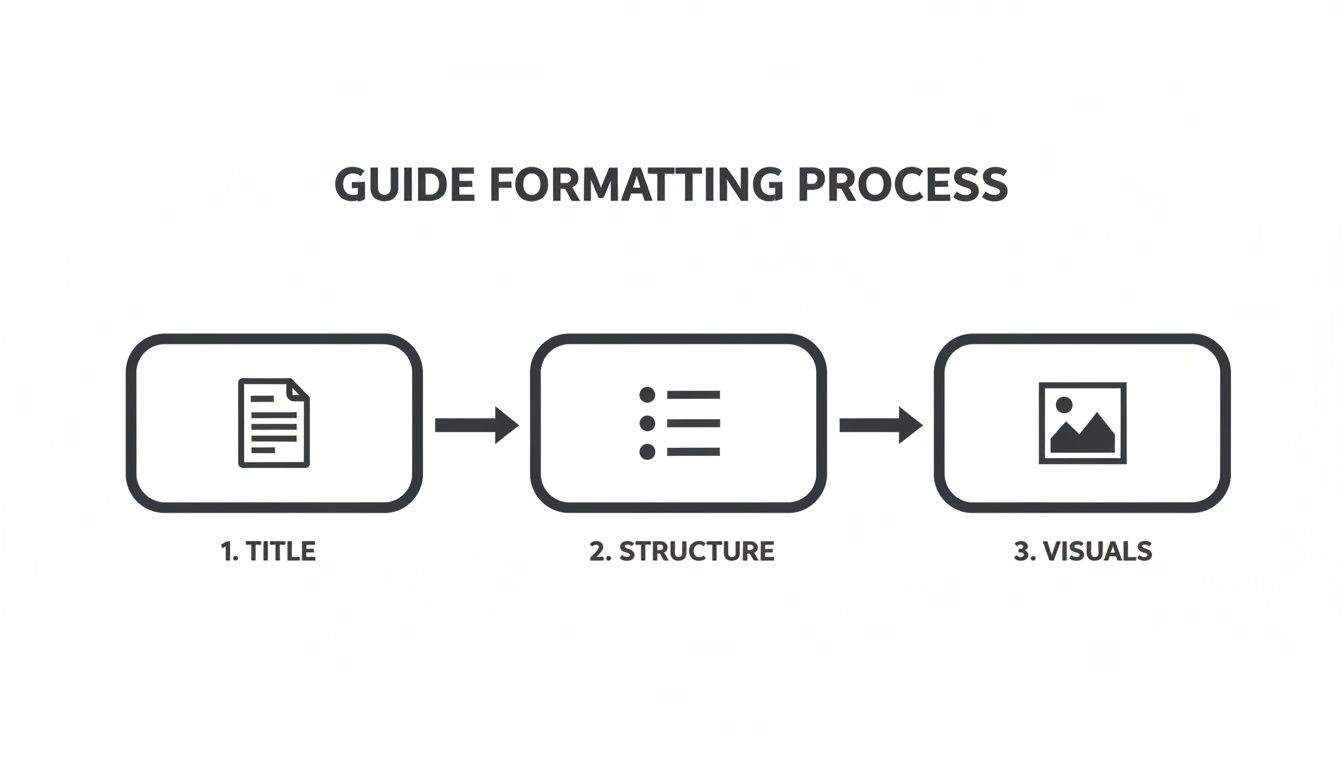
As you can see, a strong foundation is what makes detailed steps and visual aids effective in the first place.
Implement Version Control and Regular Reviews
To keep your documents trustworthy, you need a lightweight system for managing changes and scheduling periodic check-ins. This doesn't need to be complicated at all.
Start with simple version control. When you make a significant update, just note the version number (e.g., V1.1) and add a brief summary of what changed, like "Updated Step 5 to reflect new software interface." This little note helps users quickly see what's new.
Next, set a recurring calendar reminder for reviews. For most processes, a quarterly review is a good starting point. This is just a quick 15-minute check to confirm the process hasn't changed. If it has, you can schedule time to update the guide. Keeping SOPs fresh is an ongoing effort, and we have a few tricks for how to keep SOPs up-to-date without a meeting.
Ultimately, a commitment to maintaining your process library builds incredible trust and empowers your team to work with confidence. It’s a core part of scaling with systems to build a more resilient and efficient operation.
A Few Common SOP Questions
Even with a great plan, a few practical questions always pop up when you start creating SOPs. Getting these right can be the difference between a process that scales and one that stalls. Let's tackle the most common ones.
How Long Should an SOP Be?
An SOP should be as long as it needs to be, but as short as humanly possible. The goal is clarity, not a word count. A simple task might only take five to seven clear steps with a few visuals. A more complex workflow will naturally be longer.
The real key is to avoid creating a document that feels intimidating. If your draft looks overwhelming, that’s a huge red flag that the process itself is too big for a single guide.
A great rule of thumb: If an SOP feels too long, break it down. Split it into smaller, interconnected guides that are easier to use in the moment.
For example, instead of one monster guide called "New Client Onboarding," you’d create three focused ones:
How to Set Up a New Client Project in Asana
How to Run the Internal Kickoff Briefing
Checklist for the Official Client Kickoff Call
This modular approach makes information much easier to find, digest, and actually follow.
What's the Best Format for an SOP?
Honestly? The best format is the one your team will actually use. A basic text doc is better than nothing, but modern, visual formats are far more effective, especially for digital workflows. People expect scannable, clear instructions.
The ideal format combines a few key elements to leave no room for error:
Numbered steps to show a clear sequence.
Action-based titles for each step (e.g., "Upload the Final Report" instead of just "Final Report").
Annotated screenshots that show the user exactly where to click.
This combination removes almost all ambiguity. The most efficient way to get this right every time is to use a dedicated SOP tool that automatically generates this format from a screen recording. It ensures every guide is clear, visual, and user-friendly from the start.
How Do I Get My Team to Actually Use the SOPs?
Getting your team to adopt SOPs isn't about top-down mandates. It's about building trust and proving the guides are valuable. You can't just publish a library of documents and expect people to flock to it.
Successful adoption really comes down to three things: involvement, accessibility, and maintenance.
First, involve your team in creating and reviewing them. When the people who do the work help build the guide, they feel a sense of ownership. They're far more likely to use it, trust it, and even tell others to use it.
Second, make your SOPs ridiculously easy to find. They need to live in a central, searchable spot—not buried three folders deep in a chaotic shared drive. If finding the SOP takes longer than asking a coworker, your team will always choose the coworker.
Finally, you have to keep them updated. Nothing kills trust faster than an outdated SOP that causes an error. A regular review cadence proves the guides are reliable, which encourages people to turn to them first. When your team knows the SOPs are current and created with their input, using them just becomes a natural part of the workflow.
Ready to stop documenting processes the hard way? Build a Guide turns your screen recordings into polished, step-by-step guides your team will actually use. Create your first guide in minutes at https://buildaguide.app.