
December 28, 2025
How to Create Standard Operating Procedures: A Practical Guide
Learn how to create standard operating procedures your team will actually use. A practical guide to mapping processes and sustaining improvements.
Creating standard operating procedures is all about turning a process into a clear, step-by-step guide that anyone can follow. It starts with defining the scope, documenting the steps with simple language and visuals, getting feedback from the team, and making sure the final guide is easy for everyone to find and use.
The best SOPs are living documents, not static files left to gather dust.
Why Most SOPs Collect Dust and How Yours Won't
Let’s be honest: the phrase "standard operating procedure" usually brings to mind a thick, forgotten binder on a shelf. For years, companies created these documents with the best of intentions, only to watch them become irrelevant almost immediately.
They’re often too complex, too rigid, or written by someone who isn't actually doing the work.
Shifting from Rulebooks to Playbooks
This old way of thinking frames an SOP as a rulebook—something to enforce compliance. But a modern, effective SOP is a playbook designed to empower your team, not restrict them.
The fundamental problem is that traditional SOPs just don't adapt. A process documented in a static PDF is outdated the moment a new software feature rolls out or a team member discovers a smarter way to do things. This disconnect is why employees see them as a bureaucratic chore instead of a genuinely helpful tool.
It's one of the most common mistakes we see: creating guides that are impossible to find or use in the moments people actually need them. The solution is to build documentation that is alive, collaborative, and easy to access.
The goal isn’t just to document a process. It’s to create a single source of truth that’s so useful your team wants to use it. That's where you see real gains in efficiency and consistency.
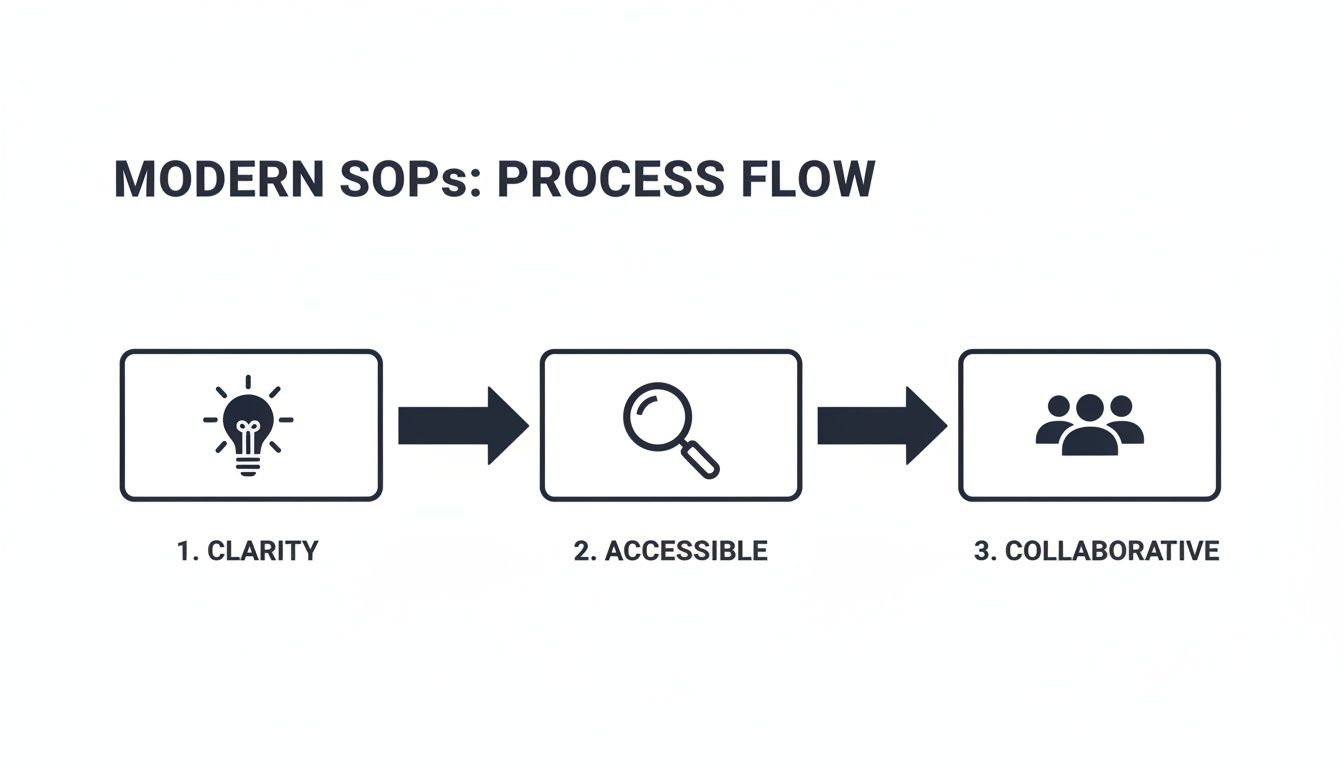
This is how you move SOPs from forgotten documents into valuable team assets. It all comes down to three key pillars: clarity, accessibility, and collaboration.
The Real Cost of Inconsistent Processes
Without a centralized playbook, your business runs on "tribal knowledge"—critical information stuck in the heads of a few key people. This creates bottlenecks, slows down onboarding, and leads to inconsistent results for customers.
The financial impact is staggering. A lack of formal procedures leads to immense waste, while standardizing SOPs delivers a significant return. Companies that get this right can:
Reduce errors by 40%
Onboard new hires 50% faster
Achieve performance uplifts of 30%
By reframing your SOPs as dynamic tools for success, you build a culture of operational excellence and finally put an end to documentation nobody uses.
Identifying Which Core Processes to Document First
The ambition to document everything at once is a classic trap. It leads straight to burnout and a shared drive full of half-finished guides that help no one. The secret to great SOPs isn't documenting everything—it's documenting the right things first.
So, where do you even begin?
The trick is to stop asking, "What can we document?" and start asking, "What must we document?" This one shift in perspective moves you from a passive, academic exercise to a strategic one. Your goal is to go after the processes that cause the most pain, create the biggest bottlenecks, or carry the highest risk.
Using the High-Impact, High-Frequency Matrix
To escape the guesswork, I'm a huge fan of the High-Impact, High-Frequency matrix. It’s a dead-simple framework for visualizing what actually matters. Just draw a four-quadrant grid: the vertical axis is Impact (low to high), and the horizontal axis is Frequency (low to high).
Now, start mapping your potential processes onto the grid:
High-Impact, High-Frequency (Top-Right): This is your starting line. Document these first, no exceptions. These are the daily tasks that directly affect revenue, customer satisfaction, or project delivery. For an agency, this is almost always client onboarding.
High-Impact, Low-Frequency (Top-Left): These are critical but rare. Think crisis communication plans or major system outage protocols. Document these right after you nail the top-right quadrant.
Low-Impact, High-Frequency (Bottom-Right): These are routine but minor tasks, like submitting weekly timesheets. They can be documented later with simple checklists instead of full-blown guides.
Low-Impact, Low-Frequency (Bottom-Left): Your lowest priority. Tasks like ordering new office plants fall squarely in here. Don't waste your initial energy on them.
This matrix forces you to make objective calls based on real business value, not just what seems easiest to write down.
Uncovering Tribal Knowledge
Your team’s "tribal knowledge" is an unwritten goldmine. It's the collection of workarounds, expert shortcuts, and essential gut-checks that actually make your business run. This is the stuff that never makes it into formal training but is critical for getting the job done right.
To find it, you have to get out from behind your screen and talk to the people doing the work every day. Don't just send them a blank doc and ask them to write down what they do. Sit with them. Watch the process in action.
Then, ask better questions:
"What's the one thing that always trips up new people right here?"
"What do you double-check right before you hit 'submit'?"
"Is there a little trick you use when the system gets slow?"
The answers to these questions are the soul of a great SOP. They capture the nuance that turns a generic instruction manual into a genuinely helpful guide.
A great SOP isn't written for your team; it's written with them. The moment a team member says, "Oh, I forgot that I do that little step," you've found the tribal knowledge you need to capture.
Defining a Clear Process Scope
One of the biggest mistakes people make is creating SOPs that are way too broad. An SOP titled "Manage a New Client" is doomed from the start. It’s an outcome, not a process. It's too big, too vague, and has no clear finish line.
You have to define a tight scope with a clear start and end point. Think in terms of triggers and resolutions.
Poor Scope
SOP Title: Client Onboarding
The Problem: This could mean anything from the first sales call to the final project report. It's a workflow, not a task.
Clear Scope
SOP Title: How to Set Up a New Client in Asana
Trigger: The contract is signed and saved in the "Signed Contracts" folder.
Endpoint: The client's project board is created from the template, and the kickoff meeting task is assigned to the Project Manager.
This level of specificity is non-negotiable. It makes the documentation manageable and ensures the final SOP is a practical tool for a specific job, not a useless overview of a giant workflow. Before you write a single step, first define the exact boundaries of the process you're about to document.
Crafting Clear and Actionable SOP Instructions
Once you’ve scoped out the right process, the real work begins: turning what’s in your head into a guide that anyone can follow. This is where most SOPs fall flat. They become dense, jargon-filled documents that assume everyone has the same context.
The goal is to create instructions so clear that a brand-new hire could nail the task on their first try. It’s less about what you write and more about how you write it. A great SOP should feel intuitive and scannable from the very first glance.
Keep It Simple, Keep It Active
The best SOPs use simple, direct language. Ditch the corporate-speak, acronyms nobody knows, and convoluted sentences. If a middle schooler couldn't follow it, it’s too complicated.
One of the most powerful tricks is to write in the active voice. It creates momentum and assigns clear responsibility. Instead of saying, "The client's details should be entered into the CRM," you write, "Enter the client's details into the CRM." It's a command, not a suggestion.
Passive (what to avoid): The invoice is then generated and sent to the client.
Active (what to do): Generate the invoice and send it to the client.
This one small shift makes your SOP feel like a helpful coach guiding someone through the steps, not a boring textbook describing a theory.
Why Visuals Are Non-Negotiable
Let's be honest: text alone is terrible for explaining complex actions, especially when you're dealing with software. This is where visuals transform a decent SOP into a fantastic one. Adding screenshots and recordings doesn't just help; it dramatically boosts comprehension.
But just dropping in a random screenshot isn't enough. The magic is in the annotation.
Use simple tools to add:
Numbered callouts that match up with the written steps.
Arrows pointing to the exact button or field to click.
Boxes or circles to highlight a specific area of the screen.
An annotated screenshot removes all the guesswork. Instead of your team member hunting for a tiny icon, you’ve already pointed it out for them. For processes with a few quick clicks, a short screen recording or GIF is often far better than five paragraphs of text. You can see just how fast this can be in our guide on how to document a process in under 10 minutes.
A well-placed, annotated visual does more than just clarify a step—it builds confidence. When a user sees the exact screen they’re supposed to see, they know they’re on the right track.
The Anatomy of a High-Impact SOP
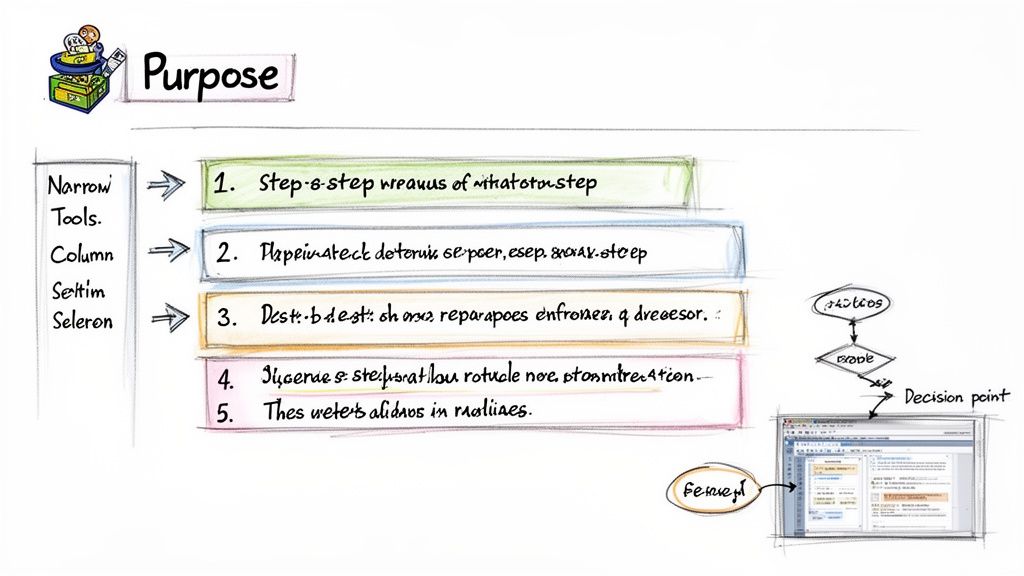
A consistent structure makes your SOPs predictable and easy to use. Think of it like a recipe: you need a title, a list of ingredients (tools), and then the step-by-step instructions. Every guide, no matter the length, should have a few core components that give the user context before they even start.
The table below breaks down the essential parts of any SOP that's built to be used, not just filed away.
Key Elements of a High-Impact SOP
SOP Element | Purpose | Best Practice Example |
|---|---|---|
Title | Clearly identifies the specific process in an action-oriented way. | How to Onboard a New Client in Asana |
Purpose Statement | Explains why this process is important and what the desired outcome is. | This SOP ensures every new client project is set up correctly in Asana, preventing missed tasks and creating a consistent client experience from day one. |
Scope | Defines the clear start and end points of the procedure. | This process begins after the client contract is signed and ends when the project is assigned to the Project Manager. |
Required Tools & Resources | Lists all necessary software, logins, templates, or physical items. | Asana account (Editor access), Signed Client Contract PDF, Asana "New Client Project" Template. |
Step-by-Step Instructions | Provides clear, numbered actions with corresponding visuals. | 1. Navigate to the "Clients" team in Asana. |
Expected Outcome | Describes what a successfully completed process looks like. | A new Asana project exists with the client's name, all template tasks are populated, and the Project Manager is assigned to the "Kickoff Call" task. |
Roles & Responsibilities | Clarifies who is responsible for performing the task. | Performed By: Account Manager |
This structure gives the user everything they need to know before they start. They get the goal, they have their tools ready, and they know what "done" looks like.
But drafting the SOP is just the first step. The real test is getting feedback from the people who will actually use it. A quick pilot test with a couple of team members can uncover up to 30% of initial flaws before you roll it out widely. This review cycle catches confusing wording, missed steps, and outdated screenshots while the stakes are still low.
Reviewing and Rolling Out Your New SOPs
You can write the most perfect SOP in the world, but if nobody can find it or use it, you've just wasted your time. The steps you take after you finish drafting the guide are every bit as critical as the writing itself. This is where a document transforms into a living, breathing part of your team's workflow.
The biggest mistake I see teams make is just emailing a PDF and calling it a day. That approach is a surefire way to get your new guide lost in an inbox, never to be seen again. A smart rollout is about building trust and making the SOP the easiest path to the right answer.
Building a Practical Review Workflow
Before you even think about publishing, you need a solid review and approval process. An SOP written in a vacuum is full of blind spots. The goal here isn't just catching typos; it's about validating that the procedure is accurate, clear, and actually reflects how the work gets done.
Forget those endless, confusing email chains. Use a collaborative tool where reviewers can drop comments directly on the document. This keeps all the feedback in context and saves you from the nightmare of figuring out which "final_v3_final" is the right one.
Your review team really needs two key groups:
Subject Matter Experts (SMEs): These are the seasoned vets who know the process inside and out. They’re your fact-checkers, making sure every step is technically correct and that no critical details have been missed.
End-Users: This is your most important audience. Ask someone with less experience—or better yet, a new hire—to follow the guide. Their feedback is pure gold. If they get stuck, you've just found a gap in your instructions.
Get your draft in front of someone who will actually use it and ask them one simple question: "Can you complete this task using only this guide?" Their answer will tell you everything you need to know about its clarity and effectiveness.
From Email Attachments to a Central Hub
Once your SOP has been reviewed, tweaked, and approved, it’s time for distribution. The old way of emailing attachments or dumping files into a shared drive is fundamentally broken. It creates duplicate versions and makes finding the right document a frustrating scavenger hunt.
The modern solution is a centralized, searchable knowledge hub. This becomes the single source of truth where your entire team knows to look for process documentation. Whether you use a dedicated platform like Build a Guide or a well-organized company wiki, the principle is the same.
A central hub gives you a few massive advantages:
Searchability: Team members can find the exact guide they need in seconds.
Version Control: Everyone is always looking at the most up-to-date version. No more outdated PDFs floating around.
Accessibility: SOPs are available on any device, anywhere.
By publishing to one central spot, you eliminate the "I couldn't find it" excuse and make using SOPs a seamless part of the daily routine. It ensures that when someone learns how to create standard operating procedures, their hard work becomes a lasting asset, not a forgotten file.
Creating a Simple Rollout Plan
Just hitting "publish" isn't enough; you have to drive adoption. A simple rollout plan makes sure your new guide becomes the go-to resource from day one. Your goal is to introduce the new procedure, explain why it matters, and show the team exactly where to find it.
Don't overcomplicate this. Your rollout plan can be as simple as this three-step process:
Announce the New SOP: Send out a quick announcement in Slack or a short email. Explain what process it covers and why it was created—focus on how it will make their jobs easier.
Provide a Direct Link: Include a clear, direct link to the SOP in your central knowledge hub. Do not attach a file. The goal is to train your team to go to the hub, not their email, for information.
Offer a Brief Walk-Through: For more complex or critical processes, think about a quick 10-minute huddle or screen-share to walk the team through it. This is your chance to answer questions and reinforce the value of the new standardized process.
This proactive approach builds awareness and momentum, making sure your carefully crafted SOP gets the attention it deserves. It’s the final, crucial step in turning documentation from a forgotten file into a powerful tool for consistency and efficiency.
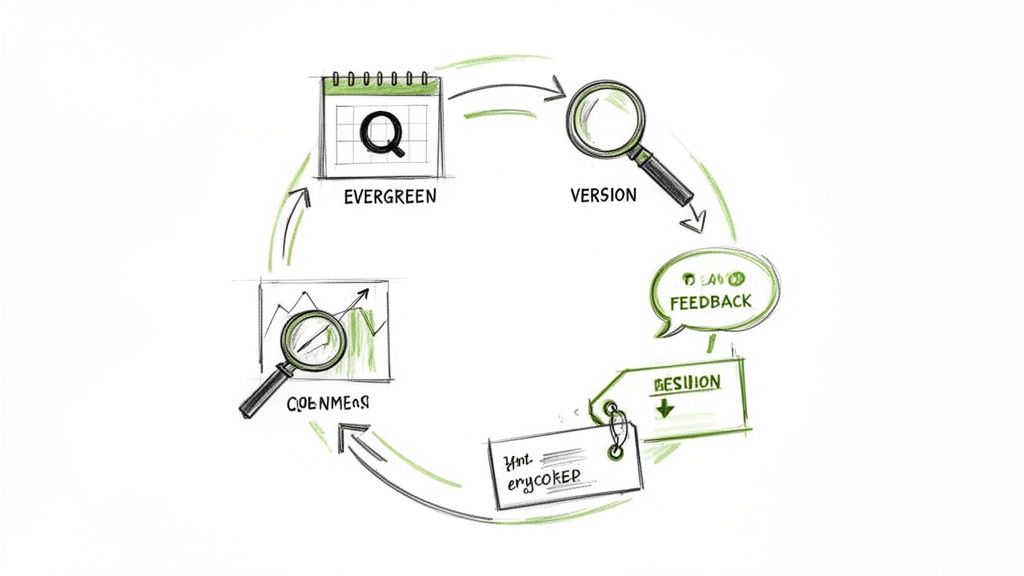
Keeping Your Process Documentation Evergreen
Creating a standard operating procedure isn't the finish line. It’s the starting point.
Effective process documentation is never truly 'done' because your business is never static. New tools get adopted, better workflows are discovered, and team members find smarter ways to work. An SOP that doesn't evolve with your business becomes a liability, leading to confusion and errors.
The final—and maybe most important—part of building great SOPs is mastering their lifecycle. This means shifting your mindset from creating a static document to cultivating a dynamic, living library of knowledge. The goal is a system that keeps your processes accurate, relevant, and consistently valuable.
Set a Simple Review Cadence
The easiest way to prevent SOP decay is to establish a predictable review schedule. This doesn't have to be a bureaucratic nightmare. A simple cadence just ensures every critical process gets a fresh set of eyes on a regular basis.
For most processes, a quarterly check-in is a great place to start. For more volatile workflows that change all the time, you might need a monthly review. For stable, foundational processes, an annual review might be enough. The key is to schedule it and assign an owner so it doesn't fall through the cracks.
You don't always need a formal meeting to keep things current. A designated owner can simply review the guide, test the steps, and make minor updates on their own. Our guide on how to keep SOPs up to date without a meeting offers practical ways to handle this efficiently.
Use Data to Drive Improvements
Modern SOP platforms give you a massive advantage over static files: analytics. Instead of guessing which guides are useful, you can see exactly how your team is interacting with them. This data is your secret weapon for continuous improvement.
Look for key metrics like:
Most Viewed SOPs: This tells you which processes are most critical or perhaps most confusing. High view counts might signal a need for more training or simplification.
Completion Rates: Are people actually finishing the guide? If lots of users drop off at a specific step, it’s a clear sign that the instruction is unclear or the process itself is broken.
Time Spent on Steps: Where do people slow down? This can pinpoint overly complex steps that need to be broken down or clarified with better visuals.
This data-driven approach turns SOP maintenance from a chore into a strategic activity. You’re no longer just updating for accuracy; you’re optimizing for clarity and efficiency based on how people actually use the guides.
Master Version Control
One of the biggest risks with outdated SOPs is having multiple versions floating around. When a team member follows an old guide, they can cause significant errors. This is why clear version control is non-negotiable.
A single source of truth is only truthful if everyone is looking at the same version. Version control ensures that the moment you publish an update, all old versions are immediately obsolete and inaccessible.
This is another area where modern digital tools really shine. The skyrocketing adoption of digital platforms is fueling a market projected to grow from $1.268 billion in 2021 to $4.56 billion by 2033. This boom reflects how traditional paper SOPs caused 40% operational errors due to outdated information; digital platforms fix this with real-time updates and built-in version history. You can discover more insights on the growth of the SOP software market.
By combining a regular review cadence with data-driven insights and strict version control, you create a powerful feedback loop. Your SOP library stops being a static archive and transforms into a dynamic system that actively drives continuous improvement across your entire organization.
Common Questions About Creating SOPs
As you start documenting your processes, a few questions always seem to come up. Getting these right is the difference between creating a library of guides your team loves and a folder of documents no one ever opens.
Let's tackle the big ones.
How Detailed Should an SOP Be?
This is a classic balancing act. You need enough detail for a brand new hire to get the job done, but not so much that you bog down an experienced team member.
The best rule of thumb? If a single step requires several distinct clicks or actions, it needs to be broken down.
For example, don't just write "Log into the CRM." Instead, spell it out:
Navigate to the login page.
Enter your username and password.
Click the "Sign In" button.
It feels simple, but that clarity is everything. Simple checklists are fine for basic tasks, but when you're navigating software, annotated screenshots are non-negotiable. The real test is simple: can someone complete the task using only the guide?
What Is the Best Format for an SOP?
Honestly, the best format is whatever your team will actually use. While Word docs and PDFs still have a place, they feel static and clunky for most modern workflows.
Think about what people really need: a step-by-step guide with screenshots, maybe a quick video clip, and callouts that leave zero room for interpretation. The gold standard today is a cloud-based format that’s searchable, works on any device, and can be shared with a link.
The format should serve the process, not the other way around. Choose a format that makes the information as clear and accessible as possible at the moment it's needed.
For a complex, multi-stage process, a hierarchical or nested guide works beautifully. For a simple, repeatable task, a quick checklist is perfect.
How Do I Get My Team to Actually Use SOPs?
This is the most important question. Adoption doesn't happen by accident—it happens by design. The secret is making your SOPs the path of least resistance. When using the guide is faster and more reliable than asking a coworker, people will use it.
Here are a few things that actually drive adoption:
Involve your team in creation. People are far more likely to trust and use a process they helped build. Ownership is a powerful motivator.
Make them ridiculously easy to find. House your SOPs in a central, searchable hub. If someone can’t find a guide in under 30 seconds, it might as well not exist.
Integrate them into existing workflows. Don't make people go looking. Link directly to relevant SOPs from project management tasks, onboarding checklists, or your internal wiki.
Most importantly, leaders have to lead by example. When a manager or senior team member consistently references and uses the SOPs, it sends a clear message: this is how we do things now.
How Often Should We Update Our SOPs?
Your SOPs should never feel stale. Updates should be triggered in two ways: scheduled reviews and real-time process changes.
For critical, fast-moving processes, set a recurring calendar reminder to review them every quarter. For more stable procedures, an annual check-in is probably enough.
The best systems, though, are built for real-time updates. Create a culture where any team member can easily flag an outdated step the moment they spot it. When a tool, policy, or workflow changes, updating the SOP needs to be a mandatory part of that change process.
Stop letting tribal knowledge slow you down. With Build a Guide, you can turn any screen recording into a polished, interactive SOP in minutes. Our platform makes it simple to create, share, and maintain a living library of processes that your team will actually use. Start building better guides today.