
December 30, 2025
Standard Operating Procedure Examples: 10 Templates to Boost Efficiency

Explore standard operating procedure examples for onboarding, support, and sales, with ready templates to standardize processes and boost efficiency.
Standard Operating Procedures (SOPs) are the backbone of any scalable business, yet most are gathering dust in forgotten folders. They become static, outdated documents that fail to capture the dynamic reality of modern workflows, leading to inconsistency, repeated mistakes, and a reliance on "tribal knowledge" that disappears when team members leave. The cost of poor documentation is high: wasted time, frustrated employees, and inconsistent customer experiences.
This guide moves beyond theory to provide concrete solutions. We have curated 10 real-world standard operating procedure examples that you can adapt and implement immediately. These aren't just templates; they are strategic breakdowns of effective processes across critical business functions, including:
Customer and HR onboarding
Technical support troubleshooting
Product release workflows
Client project handoffs
For each example, we'll dissect not just what the SOP contains, but why it works. You will get a behind-the-scenes look at the specific tactics, replicable strategies, and common pitfalls to avoid. Our goal is to equip you with the insights needed to transform your team's chaotic, ad-hoc processes into repeatable, efficient systems that drive measurable results.
Forget generic advice. This article delivers actionable takeaways to help you build a library of living, useful procedures that empower your team and create a foundation for consistent growth. You will learn how to build SOPs that people actually want to use, ensuring your best practices are followed every single time. Let's dive into the examples.
1. Customer Onboarding SOP
A Customer Onboarding SOP is a structured guide designed to help new customers successfully set up, configure, and get initial value from a product or service. This is one of the most critical standard operating procedure examples for SaaS and product-led companies because it directly influences user activation, long-term retention, and early-stage churn. A strong onboarding SOP ensures a consistent and positive first experience for every user.
This procedure typically outlines key steps like account creation, initial feature walkthroughs, data import or integration setup, and defining a user's first success metric. For example, Asana uses a multi-step wizard to guide users through workspace and project configuration, while Notion offers template-based onboarding to quickly demonstrate value for specific use cases like project management or note-taking.
Why This SOP is Essential
The primary goal is to shorten the customer's "time-to-value" - the time it takes for a new user to realize the benefit of your product. A well-documented process reduces customer support tickets, increases product adoption rates, and builds user confidence from day one. It standardizes the first critical interactions, preventing users from feeling lost or overwhelmed.
Actionable Tips for Implementation
Segment Your Audience: Create distinct onboarding paths for different user roles, plan tiers, or company sizes. A small business owner has different initial needs than an enterprise administrator.
Use Visuals Over Text: Instead of describing the user interface, use screen recordings or interactive guides to show users exactly where to click and what to expect. This visual approach is often more effective than text-heavy instructions.
Address Friction Proactively: Include a "Common Questions" or "Troubleshooting" section that addresses potential hurdles you've identified through user feedback or analytics.
Define Success Metrics: Clearly outline what a successful onboarding looks like. Track metrics like completion rates, feature adoption within the first week, and drop-off points to continuously refine the process.
This video demonstrates how to create a customer-facing guide, a key component of an effective onboarding SOP:
While this SOP is customer-facing, its creation process shares principles with internal documentation. Understanding these differences is key to its success. You can explore the distinctions further by reading about internal vs. customer-facing SOPs.
2. Technical Support Troubleshooting SOP
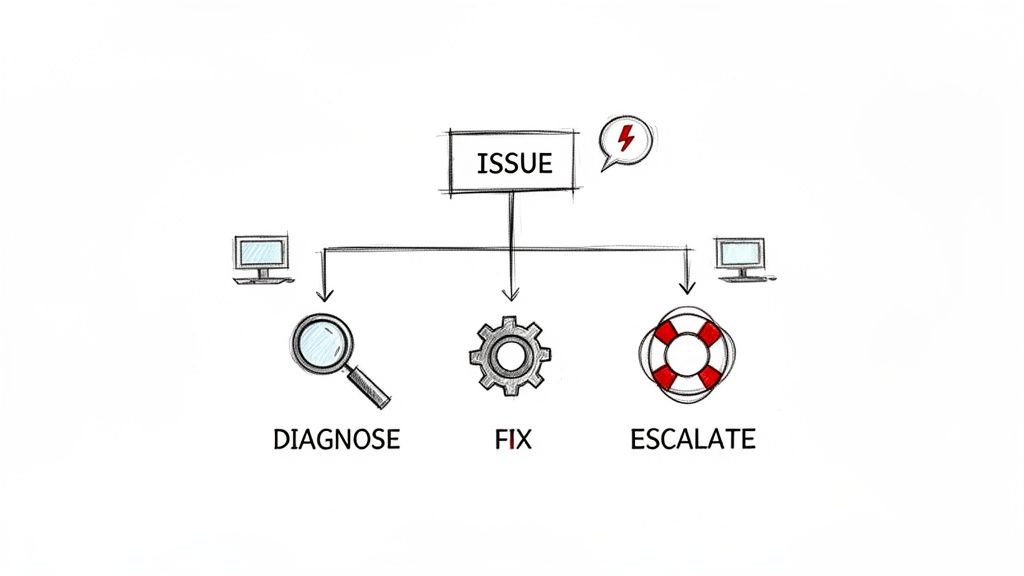
A Technical Support Troubleshooting SOP is a systematic guide that equips support agents with a consistent, step-by-step process for diagnosing and resolving customer issues. This is one of the most vital standard operating procedure examples for any company with a technical product, as it standardizes problem-solving, reduces resolution times, and ensures a high-quality support experience regardless of which agent handles the ticket. It acts as a decision tree, guiding agents from initial problem identification to a successful resolution or appropriate escalation.
This procedure outlines diagnostic questions, common error messages and their meanings, and a logical sequence of troubleshooting steps. For example, AWS Support uses multi-tiered guides that start with basic checks before moving to complex infrastructure analysis, while Apple Support's internal SOPs use diagnostic flowcharts to help technicians systematically rule out hardware or software issues. These frameworks prevent agents from "guessing" and empower them to solve problems methodically.
Why This SOP is Essential
The main goal of a troubleshooting SOP is to create consistency and efficiency in your support operations. It empowers junior support agents to solve more complex issues without immediate escalation, freeing up senior engineers to focus on high-priority bugs. This standardization reduces customer frustration by providing faster, more accurate resolutions and ensures that every customer receives the same level of diagnostic care.
Actionable Tips for Implementation
Create Visual Flowcharts: Use diagrams and flowcharts instead of dense text to map out the decision-making process. This visual approach helps agents quickly identify the next logical step based on customer feedback.
Define Clear Escalation Triggers: Explicitly state when an issue should be escalated. Include criteria like "after 30 minutes of troubleshooting with no progress" or "if the issue impacts a Tier 1 customer."
Document Common Workarounds: For known bugs without an immediate fix, include temporary workarounds in the SOP. This allows agents to provide an interim solution, which significantly improves the customer experience.
Build a Feedback Loop: Implement a process for support agents to suggest updates or flag gaps in the SOP. This ensures the documentation remains current as the product evolves and new issues emerge.
3. HR Onboarding and Employee Offboarding SOP
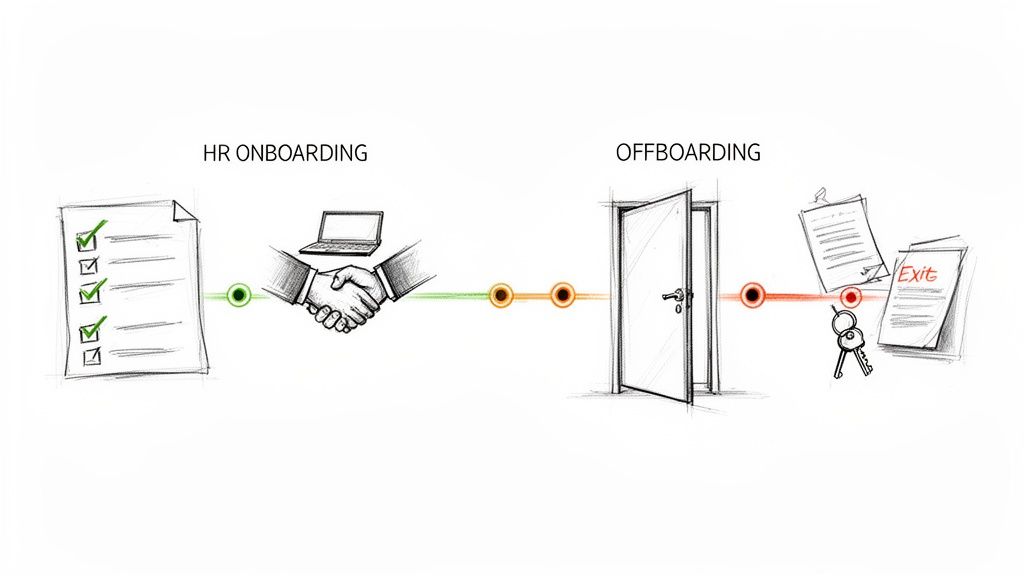
An HR Onboarding and Employee Offboarding SOP is a comprehensive set of procedures detailing how to integrate new hires into the company and how to manage their departure. As one of the most vital standard operating procedure examples, it ensures consistency, compliance, and a positive experience at both ends of the employee lifecycle. A well-defined SOP for these processes is critical for protecting company assets, maintaining morale, and preserving organizational knowledge.
This procedure covers everything from sending the offer letter and setting up equipment to conducting the final exit interview and revoking system access. For instance, GitLab’s remote onboarding is famously detailed in their public handbook, while Google employs a structured 90-day plan with mentorship to maximize new hire productivity. These SOPs standardize crucial touchpoints to make employees feel supported from their first day to their last.
Why This SOP is Essential
The primary goal is to create a seamless and professional experience that reflects well on the company culture. A strong onboarding process accelerates a new hire's time-to-productivity and improves long-term retention. Similarly, a structured offboarding process ensures a smooth knowledge transfer, secures company data, and allows the organization to gather valuable feedback through exit interviews.
Actionable Tips for Implementation
Create Role-Specific Paths: Customize onboarding checklists for different departments. An engineer's first week will look very different from a salesperson's, requiring unique software setups and training sessions.
Assign an Onboarding Buddy: Pair new hires with an experienced team member who can answer informal questions about company culture, processes, and tools. This fosters a sense of belonging.
Use Checklists for Accountability: Develop detailed checklists for both onboarding and offboarding with assigned owners for each task (e.g., IT for equipment, HR for payroll, Manager for knowledge transfer).
Make Offboarding Thorough: Don't treat offboarding as an afterthought. A detailed procedure for asset collection, access revocation, and final paperwork protects the company legally and operationally.
These procedures can seem complex, but they don't have to be difficult to create. You can learn more about how to document a process in under 10 minutes to get started.
4. Sales Process and Demo SOP
A Sales Process and Demo SOP is a detailed, step-by-step guide that standardizes how a sales team qualifies leads, conducts discovery calls, demonstrates a product, creates proposals, and closes deals. This is one of the most impactful standard operating procedure examples for any business with a sales function, especially SaaS companies and service-based agencies. It translates high-performer habits into a replicable playbook for the entire team.
This procedure typically outlines specific stages in the sales cycle, from lead qualification criteria to the exact talking points used in a product demo. For instance, HubSpot’s sales methodology clearly defines stages like "Connect," "Explore," and "Advise," with specific actions required for each. Similarly, Gong uses call recording analysis to build SOPs based on the proven techniques of top-performing sales representatives, codifying what actually works in real conversations.
Why This SOP is Essential
The main goal is to create a predictable and scalable revenue engine. A well-defined sales SOP ensures every potential customer receives a consistent, high-quality experience, regardless of which salesperson they speak to. It dramatically shortens the ramp-up time for new hires, reduces guesswork, and improves forecast accuracy by standardizing deal stages and progression criteria. This consistency directly leads to higher conversion rates and larger deal sizes over time.
Actionable Tips for Implementation
Document Objections and Responses: Create a living document of the most common sales objections and provide proven, field-tested responses. This equips the entire team to handle difficult questions with confidence.
Build Role-Specific Variations: Tailor demo scripts and discovery questions for different buyer personas. A CFO cares about ROI and financial metrics, while a CTO will be more interested in security, integration, and technical capabilities.
Use Recordings as a Foundation: Record your best sales calls and product demos, and use these real-world examples as the basis for your SOP. Transcribe key moments and turn successful tactics into repeatable steps.
Create Quick-Reference Guides: Distill key information like competitor talking points, value propositions, and pricing details into one-page "battle cards." This gives sales reps instant access to critical information during a live call.
5. Content Creation and Editorial Calendar SOP
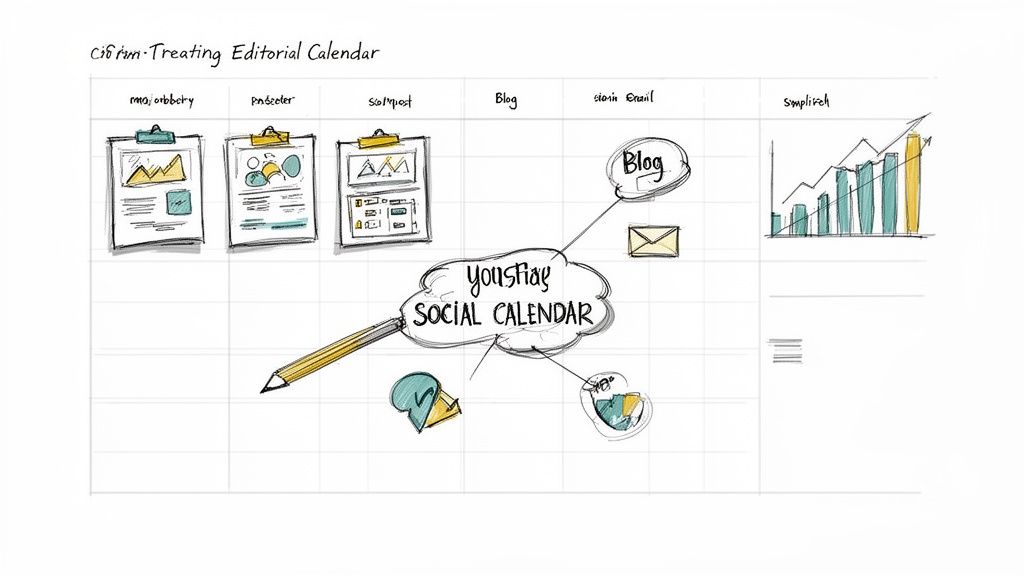
A Content Creation and Editorial Calendar SOP is a documented workflow for planning, creating, reviewing, and publishing content across all channels. This is one of the most vital standard operating procedure examples for any marketing or product team, as it ensures brand consistency, maintains a steady publishing cadence, and improves overall content quality. It systemizes everything from idea generation to performance analysis.
This procedure standardizes tasks like keyword research, brief creation, drafting, editing, and distribution. For instance, Buffer maintains a transparent editorial process to manage its high-volume blog, while HubSpot uses a detailed SOP to execute its "hub-and-spoke" content strategy, ensuring every piece of content supports a larger strategic pillar. A well-defined SOP prevents chaos and keeps the content engine running smoothly.
Why This SOP is Essential
The main goal is to transform content creation from a reactive, ad-hoc activity into a proactive, strategic function. It aligns all contributors-from writers to designers-on a single source of truth for brand voice, quality standards, and deadlines. This standardization reduces bottlenecks, minimizes errors, and allows the team to focus on creating high-impact content rather than managing logistics.
Actionable Tips for Implementation
Create Content Templates: Develop standardized templates for different content types like blog posts, case studies, or social media updates. Include sections for the target keyword, audience persona, and key takeaways.
Establish a Clear Approval Hierarchy: Define who needs to review and approve content at each stage (e.g., draft, design, final). This prevents delays and ensures everyone knows their role.
Document Your Brand Voice: Create a guide with clear examples of "do's" and "don'ts" for tone, style, and grammar. This is crucial for maintaining brand consistency, especially with multiple writers.
Include a Distribution Checklist: For every piece of content published, include a checklist of all channels where it should be promoted (e.g., email newsletter, LinkedIn, Twitter, relevant Slack communities).
6. Product Release and Deployment SOP
A Product Release and Deployment SOP is a structured procedure for planning, testing, deploying, and communicating product updates. This is one of the most vital standard operating procedure examples for software and technology companies, as it minimizes downtime, reduces the risk of production bugs, and ensures all stakeholders are aligned. A robust SOP here enables smooth, predictable transitions for both internal teams and external users.
This procedure typically covers everything from the code freeze and final testing phases to the deployment checklist and post-release monitoring. For example, GitHub famously uses a continuous deployment pipeline with automated testing, allowing for rapid and safe releases. Similarly, Slack's well-communicated weekly release cycle keeps users informed and prepared for new features, preventing surprises.
Why This SOP is Essential
The primary goal is to make releases a non-event: routine, reliable, and low-stress. A documented process reduces the chance of human error during critical deployment steps, which can lead to service outages or data integrity issues. It also creates a framework for clear communication, ensuring marketing, sales, and support teams are prepared to speak about new features and handle customer inquiries effectively.
Actionable Tips for Implementation
Automate Where Possible: Use CI/CD (Continuous Integration/Continuous Deployment) pipelines to automate testing and deployment steps. This reduces manual effort and increases consistency.
Use Feature Flags: Implement feature flags to enable gradual rollouts or canary deployments. This allows you to release a new feature to a small subset of users first, monitor its performance, and roll it back easily if issues arise.
Create a Communication Plan: Establish a clear timeline and assign responsibilities for pre-release announcements, in-app notifications, and detailed release notes.
Document Rollback Procedures: Clearly outline the exact steps needed to revert a deployment if a critical bug is discovered post-release. This "incident response playbook" is crucial for mitigating impact.
Track Key Metrics: Monitor deployment metrics like frequency, cycle time, and change failure rate. Use this data to identify bottlenecks and continuously improve the release process.
7. Client Delivery and Project Management SOP
A Client Delivery and Project Management SOP is a comprehensive procedure for managing client projects from initiation through completion and closure. This is one of the most vital standard operating procedure examples for agencies, consultants, and professional services firms because it ensures a consistent, high-quality client experience, helps meet deadlines, and manages scope creep effectively. A well-defined delivery SOP builds client satisfaction and drives repeat business.
This procedure typically outlines all project phases, including kickoff, planning, execution, monitoring, and closure. It standardizes communication protocols, reporting frequency, and approval workflows. For instance, major consulting firms like Deloitte and McKinsey have proprietary project management methodologies that act as internal SOPs to ensure every engagement, regardless of scale, is delivered with the same level of rigor and quality control.
Why This SOP is Essential
The primary goal is to create a predictable, repeatable, and transparent process for delivering client work. This minimizes surprises, reduces project risk, and aligns expectations between your team and the client from day one. A documented process empowers project managers, clarifies roles and responsibilities, and provides a clear framework for handling challenges like scope changes or resource constraints.
Actionable Tips for Implementation
Standardize Key Documents: Create templates for critical project documents like the project charter, weekly status reports, and a lessons-learned report. This saves time and ensures consistency.
Establish a Clear Escalation Path: Define and communicate the decision-making authority and the process for escalating issues that cannot be resolved at the project level. This prevents bottlenecks and ensures timely resolutions.
Use Collaborative Tools: Implement a project management tool (like Asana, Monday.com, or Jira) to provide all stakeholders with real-time visibility into project status, tasks, and timelines.
Schedule Regular Check-ins: Mandate regular internal and client-facing meetings (e.g., weekly or bi-weekly) to review progress, identify risks, and ensure alignment. This proactive communication catches issues early.
A significant challenge with project management SOPs is ensuring they evolve with your team's learnings. For more on this, explore strategies for keeping SOPs current without constant meetings.
8. Customer Support Ticket Handling SOP
A Customer Support Ticket Handling SOP is a documented process that governs how a support team receives, triages, manages, and resolves customer inquiries. It serves as a playbook for support agents, ensuring consistent service quality, timely responses, and effective problem-solving. This is one of the most foundational standard operating procedure examples for any business with a customer support function, as it directly impacts customer satisfaction and retention.
This procedure outlines the entire lifecycle of a support ticket, from initial intake and categorization to escalation paths and final resolution. For instance, Zendesk workflows often involve automatic ticket assignment based on issue type, while Intercom’s system focuses on real-time conversation management and routing. Help Scout emphasizes collaboration, allowing agents to leave private notes and loop in other team members for context.
Why This SOP is Essential
The primary purpose of this SOP is to create a predictable, efficient, and scalable support operation. It prevents tickets from being overlooked, sets clear expectations for response times (SLAs), and standardizes communication to reflect a consistent brand voice. A well-defined process reduces agent stress, improves resolution metrics, and turns customer support from a reactive cost center into a proactive driver of customer loyalty.
Actionable Tips for Implementation
Define Clear Service Level Agreements (SLAs): Establish and communicate realistic targets for first response time and total resolution time. Base these on issue priority (e.g., urgent, high, normal, low) and team capacity.
Automate Ticket Routing and Categorization: Use keywords, customer type, or the inbound channel to automatically tag and assign tickets to the correct agent or department. This minimizes manual triage and speeds up the initial response.
Create a Library of Response Templates: Develop pre-written templates for common inquiries, but train agents to personalize them. Include links to relevant knowledge base articles to empower customers with self-service options.
Establish a Clear Escalation Path: Document exactly what an agent should do when they don’t know the answer. Define the criteria for escalating a ticket to a senior agent, engineer, or manager to avoid bottlenecks.
9. Data Security and Compliance SOP
A Data Security and Compliance SOP is a formal document that outlines the policies, procedures, and controls for protecting an organization's sensitive data. This is one of the most vital standard operating procedure examples because it ensures legal adherence to regulations like GDPR, HIPAA, or SOC 2, mitigates financial and reputational risk from data breaches, and builds crucial customer trust. A robust security SOP is non-negotiable for any business that handles personal, financial, or proprietary information.
This procedure details everything from access control protocols and data encryption standards to incident response plans and regular security audit schedules. For instance, a company following the NIST Cybersecurity Framework would have defined steps for identifying threats, protecting systems, detecting intrusions, responding to incidents, and recovering operations. Similarly, organizations like Microsoft use detailed Security Baselines to provide prescriptive guidance on securing their products in specific enterprise environments.
Why This SOP is Essential
The primary goal is to create a systematic, repeatable defense against internal and external security threats. A well-documented security SOP moves an organization from a reactive to a proactive security posture, ensuring that every employee understands their role in protecting company and customer data. It standardizes security measures, which is essential for passing compliance audits and demonstrating due diligence in the event of a security incident.
Actionable Tips for Implementation
Create Role-Specific Procedures: Tailor security guidelines for different roles. An engineer's SOP will focus on secure coding and infrastructure, while a customer support agent's SOP will focus on handling sensitive customer data and identifying social engineering attempts.
Document Incident Response Clearly: Outline a step-by-step incident response plan with a clear escalation path. Everyone must know who to contact, what information to provide, and what immediate actions to take when a potential breach is detected.
Require Annual Training: Enforce mandatory annual security training that concludes with a comprehension test. This ensures the SOP is not just a document on a server but a living practice within the company culture.
Balance Security with Usability: If security policies are overly restrictive or complex, employees will find workarounds that compromise security. Design procedures that are both effective and practical for daily workflows to ensure they are actually followed.
10. Marketing Campaign Execution SOP
A Marketing Campaign Execution SOP is a standardized playbook that details every step required to plan, launch, manage, and analyze a marketing campaign. This is a vital document for any marketing team, ensuring consistency, efficiency, and alignment across all channels, from social media and email to paid advertising and events. It transforms a creative process into a repeatable, scalable, and measurable system.
This procedure typically covers everything from initial brief and goal setting to asset creation, channel selection, budget allocation, launch checklists, and post-campaign analysis. For instance, HubSpot's inbound marketing framework provides a clear SOP for creating content-driven campaigns, while Salesforce's Marketing Cloud documentation outlines structured processes for managing multi-channel customer journeys. These are great standard operating procedure examples for coordinating complex marketing efforts.
Why This SOP is Essential
The primary goal is to eliminate costly mistakes, missed deadlines, and off-brand messaging that can occur when multiple stakeholders are involved. It ensures that every campaign, regardless of its size or channel, follows a consistent workflow for approvals, quality control, and performance tracking. This standardization allows teams to launch campaigns faster, allocate resources more effectively, and generate predictable, data-driven results.
Actionable Tips for Implementation
Create Campaign Templates: Develop pre-built templates in your project management tool for common campaign types like webinars, product launches, or content promotions. This pre-populates tasks and timelines, saving significant planning time.
Establish Clear Approval Gates: Build mandatory review and approval steps into the workflow for key deliverables like creative assets, ad copy, and budget allocation. This prevents errors from going live while still allowing the team to move quickly.
Document Audience & Messaging: Include a dedicated section in your SOP that links to brand guidelines, messaging frameworks, and detailed target audience personas. This ensures all creative work is on-brand and resonates with the intended audience.
Use a Pre-Launch Checklist: Create a comprehensive checklist that must be completed before any campaign goes live. This final check should cover everything from tracking code installation and link testing to final proofreading, preventing last-minute emergencies.
10 SOP Examples Comparison
SOP | Implementation Complexity 🔄 | Resource Requirements ⚡ | Expected Outcomes 📊 | Ideal Use Cases 💡 | Key Advantages ⭐ |
|---|---|---|---|---|---|
Customer Onboarding SOP | Medium 🔄 (multi‑role flows; iterative updates) | Medium ⚡ (videos, guides, analytics) | Faster time‑to‑value; lower early churn 📊 | SaaS product & customer success teams 💡 | Consistent scalable onboarding; measurable activation ⭐ |
Technical Support Troubleshooting SOP | Medium‑High 🔄 (decision trees; deep product knowledge) | Medium‑High ⚡ (KB, flowcharts, training) | Reduced resolution time; fewer escalations 📊 | Support teams handling technical issues 💡 | Improves FCR; consistent diagnostics; audit trail ⭐ |
HR Onboarding & Offboarding SOP | High 🔄 (cross‑dept coordination; compliance) | High ⚡ (systems access, mentors, training) | Faster ramp; compliance; reduced knowledge loss 📊 | Distributed HR & operations teams scaling hires 💡 | Better retention; compliance; secure offboarding ⭐ |
Sales Process & Demo SOP | Medium 🔄 (scripts, CRM workflows) | Medium ⚡ (recordings, training, CRM) | Higher win rates; shorter sales cycles 📊 | Demo‑driven SaaS sales teams & GTM enablement 💡 | Consistent messaging; repeatable training; improved conversion ⭐ |
Content Creation & Editorial Calendar SOP | Medium 🔄 (ideation → review → publish) | Medium ⚡ (PM tools, editors, SEO) | Consistent cadence; improved content quality 📊 | Marketing teams & agencies managing channels 💡 | Brand consistency; accountable workflow; data‑led improvements ⭐ |
Product Release & Deployment SOP | High 🔄 (testing, rollback, staging) | High ⚡ (automation, monitoring, feature flags) | Fewer incidents; predictable releases 📊 | Engineering/product teams with regular deploys 💡 | Safer deployments; faster recovery; stakeholder alignment ⭐ |
Client Delivery & Project Management SOP | Medium‑High 🔄 (scope, stakeholders, QA) | Medium‑High ⚡ (templates, PM tools, collaboration) | On‑time/on‑budget delivery; client satisfaction 📊 | Agencies, consultants, professional services 💡 | Consistent client experience; reduced scope creep; repeatable delivery ⭐ |
Customer Support Ticket Handling SOP | Medium 🔄 (triage, SLAs, routing) | Medium ⚡ (ticketing system, templates, automation) | Predictable SLAs; lower backlog; better CSAT 📊 | High‑volume support teams & CS ops 💡 | Scalable support; data for staffing; faster responses ⭐ |
Data Security & Compliance SOP | High 🔄 (controls, audits, incident response) | High ⚡ (security tools, audits, training) | Lower breach risk; regulatory compliance 📊 | Any org handling sensitive/regulatory data 💡 | Risk mitigation; certification readiness; customer trust ⭐ |
Marketing Campaign Execution SOP | Medium 🔄 (multi‑channel coordination) | Medium ⚡ (creative resources, analytics) | Improved ROI; timely launches; measurable impact 📊 | Marketing teams running cross‑channel campaigns 💡 | Reliable launches; performance tracking; optimized spend ⭐ |
Turn Your Processes into Your Greatest Asset
The journey through these diverse standard operating procedure examples reveals a powerful, unifying theme: SOPs are no longer static, forgotten documents relegated to a dusty server folder. They are dynamic, strategic assets that codify excellence, drive consistency, and unlock scalable growth. From the structured empathy in a customer support troubleshooting guide to the precision required in a product deployment workflow, each example underscores a critical shift in how we approach process documentation.
We’ve moved beyond mere instruction and into the realm of operational empowerment. The most effective SOPs, as demonstrated, are not just about what to do, but also why it's done that way, empowering team members with context and encouraging critical thinking. They blend clarity with flexibility, providing a strong framework while allowing for professional judgment.
Synthesizing the Core Principles of Modern SOPs
Reflecting on the various examples, from HR onboarding to client project management, several key principles emerge as non-negotiable for success. Mastering these will transform your process documentation from a reactive chore into a proactive competitive advantage.
User-Centricity is Paramount: The best SOPs are created for the end-user, not the process owner. This means prioritizing clarity, using visual aids like screenshots and videos, and organizing information for quick, scannable access. A document that isn't easily understood or used is ultimately a failed one.
Context is King: Simply listing steps is insufficient. The most impactful standard operating procedure examples provide the "why" behind the "what." Explaining the strategic purpose of a step, its impact on the customer, or its role in compliance builds a deeper understanding and leads to better execution.
Dynamic, Not Static: Processes evolve, and so should your documentation. The most successful organizations treat their SOPs as living documents. They build in feedback loops, schedule regular reviews, and use version control to ensure the information is always current, accurate, and relevant.
Action Over Abstraction: The goal is to drive consistent action. This requires breaking down complex workflows into small, manageable, and unambiguous steps. Use clear action verbs, define key terms, and eliminate jargon wherever possible to ensure anyone can follow the procedure with confidence.
Your Actionable Roadmap to SOP Excellence
Viewing a comprehensive list of examples can be both inspiring and overwhelming. The key is to start small and build momentum. Don't try to document every single process in your organization overnight. Instead, adopt a strategic, iterative approach to turn these insights into tangible results.
Identify the Highest-Impact Process: Where is the most friction, inconsistency, or confusion in your business right now? Is it in onboarding new clients? Handling complex support tickets? Managing marketing campaigns? Target that single, critical area first. A significant win here will build the business case for wider adoption.
Document by Doing: Forget trying to write an SOP from memory. The most accurate and efficient method is to perform the task yourself while documenting it. Use a screen recorder to capture every click, decision, and step. This creates an authentic, real-world source of truth that is far more reliable than recall.
Translate and Enhance: Convert your raw recording into a structured guide. This is where the magic happens. Break the video down into a logical sequence of steps. Add annotated screenshots for visual clarity. Write concise, clear text for each action. This is the moment you layer in the strategic context and "why" that separates a great SOP from a simple checklist.
Launch, Test, and Iterate: Share the new SOP with the relevant team members. Actively solicit feedback. Did it reduce errors? Did it speed up the process? Was anything unclear? Use this direct input to refine the document. This continuous improvement loop is what ensures your SOPs remain valuable assets.
By following this path, you move from simply reading about standard operating procedure examples to creating your own library of high-impact, user-friendly guides. This isn't just about creating documents; it's about building a more resilient, efficient, and scalable organization where excellence is the standard, not the exception. You are building the operational backbone that will support your team and your business as you grow.
Tired of the manual effort it takes to turn your processes into polished, actionable guides? Build a Guide automatically transforms your screen recordings into beautiful, step-by-step SOPs with screenshots and text, letting you create perfect documentation in minutes, not hours. Start turning your operational expertise into your greatest asset today by visiting Build a Guide.