
December 27, 2025
Mastering standard operating procedure template: A practical guide
Discover a proven standard operating procedure template to drive consistency. Learn to create, customize, and implement SOPs with actionable steps.
A standard operating procedure template is really just a reusable, standardized framework for creating instructions. It’s the pre-built document you pull out to make sure every critical process—from onboarding a client to performing a safety check—is documented the same way, every single time.
What Is a Standard Operating Procedure Template
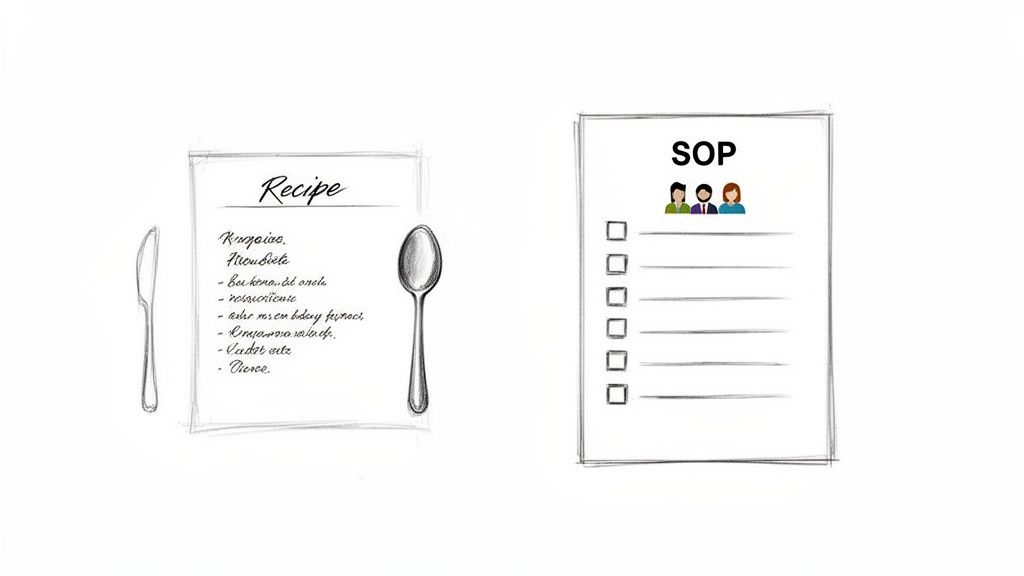
Think of it as the master recipe for your business operations. A professional chef doesn't reinvent the instructions for a signature dish every night. They use a proven, meticulously crafted recipe to guarantee quality and consistency. An SOP template does the exact same thing, giving you a structured blueprint for executing important tasks flawlessly, no matter who is doing the work.
Without a template, essential process knowledge often gets stuck in one person's head. This creates a huge risk—a single point of failure. If that key employee leaves, gets sick, or is just unavailable, the knowledge of how to do a critical task walks out the door with them.
Why Every Business Needs SOP Templates
Using a standardized template moves your organization away from relying on memory and improvisation. You’re formalizing your best practices into a reliable, repeatable system that anyone can follow. This isn't just about documentation for its own sake; it’s about building a resilient and scalable operation.
The benefits are immediate and obvious:
Prevents Knowledge Loss: It captures the expertise of your most experienced team members, turning their "tribal knowledge" into a shared company asset.
Empowers Team Members: Clear, step-by-step instructions give employees the confidence and autonomy to complete tasks correctly without constant supervision.
Reduces Costly Errors: When processes are standardized, the chances of mistakes, rework, and inconsistencies drop. In fact, just one hour of unproductive labor per week can cost a midsize business nearly $5,900 annually.
Speeds Up Onboarding: New hires become productive much faster when they have a library of clear guides for their core responsibilities.
A well-designed standard operating procedure template is more than just a document; it's the foundation for operational excellence. It transforms scattered expertise into a repeatable system that fuels consistent growth and predictable results.
Moving Beyond Static Documents
A modern SOP template isn’t a dusty file sitting forgotten in a shared drive. It’s a living guide that evolves with your business. The best ones are designed for clarity and easy updates, forming the core of a knowledge base that actually supports your team’s daily work.
By implementing a consistent template across your organization, you create a common language for how things get done. This alignment is crucial for scaling up, maintaining quality, and making sure every team member is set up for success. The right template makes it easy to build a library of powerful, actionable guides that drive your business forward.
The Anatomy of a Powerful SOP Template
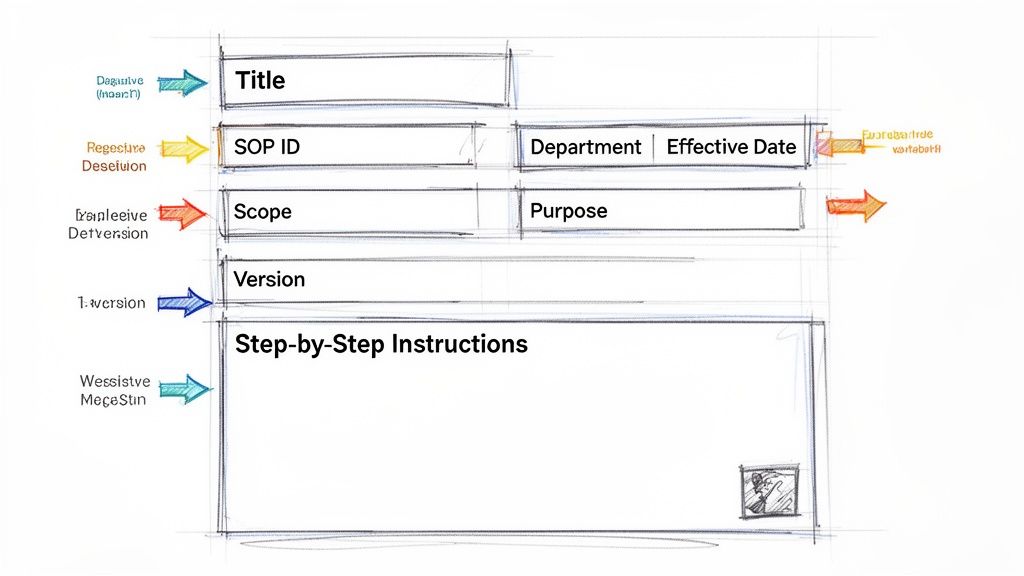
Not all templates are created equal. A truly effective standard operating procedure template is more than a checklist; it's a communication tool designed to kill guesswork and drive consistent results. The difference between a mediocre template and a powerful one comes down to its structure and clarity.
Think of it like a blueprint for a house. A rough sketch shows you where the rooms are, but a detailed blueprint gives you the exact dimensions, materials, and structural details needed to build something that lasts. In the same way, a strong SOP template includes specific components that ensure anyone can follow the process correctly and safely.
The cost of bad documentation is staggering. Companies lose an average of $12 billion annually from inefficient, paper-based document management alone. Teams burn 5-10 hours a week just looking for information, and a shocking 42% of company knowledge walks out the door when an employee leaves.
Good templates deliver real results: 60% faster onboarding, 35% boosts in productivity, and 25% fewer errors. Those numbers show just how much a well-structured document matters. You can read more about the impact of SOP software to see the full picture.
Every good SOP template is built on a few core components. Let's break down what they are and why they're so important.
Core Components of an Effective SOP Template
A solid SOP template isn't just a random collection of fields. Each section has a specific job to do, guiding the user from high-level context to specific actions. This table outlines the essentials.
Component | Purpose and Key Information |
|---|---|
Header Information | Acts as the SOP's ID card. Includes the Title, a unique SOP ID for tracking, the Department, the Effective Date, and Version Control to prevent outdated instructions from circulating. |
Purpose, Scope, & Roles | Explains the "why," "what," and "who." The Purpose Statement defines the goal, the Scope sets clear boundaries, and Roles and Responsibilities clarifies who does what. |
Step-by-Step Instructions | This is the heart of the SOP. It provides a clear, sequential guide with Numbered Steps, visual aids like Screenshots with Callouts, and Checklists to ensure nothing is missed. |
Safety & Compliance | Highlights critical information. Includes Safety Warnings, notes on required Materials or Equipment, and any specific Compliance Standards that must be followed. |
Review & Approval | Creates accountability. Lists who Reviewed the document, who Approved it, and includes a Revision History to track changes over time. |
Without these pieces, you’re left with a document that creates more questions than it answers. With them, you have a reliable tool that anyone can pick up and use.
Foundational Header Information
Every great SOP starts with a clean header that provides instant context. This isn't just about looking professional; it's the first step in creating an organized, searchable system. Think of it as the document's official identity card.
This section should always include:
Title: A clear, descriptive name for the procedure (e.g., "Weekly Customer Newsletter Creation").
SOP ID: A unique identifier (like "MKTG-003") for easy tracking and reference.
Department: Specifies which team the SOP belongs to, like Marketing, HR, or Operations.
Effective Date: The date this version of the SOP is active.
Version Control: A version number (e.g., V1.2) is critical to make sure everyone is using the latest instructions.
Without these basics, you end up with chaos. Outdated procedures float around, causing confusion and costly mistakes. This header is your first line of defense against process decay.
Defining Purpose, Scope, and Roles
Once the basics are covered, the template needs to explain the "why," "what," and "who" behind the procedure. Context is everything. It drives buy-in and makes sure the instructions are applied correctly. Just listing steps without this framing is a recipe for disengagement.
A procedure without a clear purpose is just a list of instructions. A procedure with a clear purpose becomes a tool for achieving a specific business outcome, empowering your team to understand their contribution to the bigger picture.
Here’s what to include:
Purpose Statement: A brief explanation of why this SOP exists. What goal does it achieve? What problem does it solve?
Scope: Clearly defines the boundaries. What does this process cover, and just as importantly, what does it not cover?
Roles and Responsibilities: Lists the specific job titles responsible for the tasks and who is accountable for the outcome.
This section aligns the entire team on the objective. It ensures the person doing the work understands not just how to do it, but why it matters and where their responsibility begins and ends.
The Heart of the Template: Step-by-Step Instructions
This is where the action happens. The instructions are the core of any standard operating procedure, and their clarity determines whether the document succeeds or fails. The goal is simple: be so clear that there's only one way to interpret the steps.
To do that, the instructions need to be meticulously structured. Start each step with an action verb. Break down complex processes into smaller, more manageable actions. Most importantly, this is where you bring in visuals. A wall of text is intimidating and easy to misread.
Make sure to incorporate elements like:
Numbered Steps: For sequential actions where the order is critical.
Screenshots with Callouts: To visually guide users through software or complex interfaces.
Checklists: For verification points or required materials.
Safety Warnings: Clearly highlighted to prevent accidents or critical errors.
By combining crisp text with visual aids, you create a guide that’s easy to follow and leaves no room for confusion. This approach transforms your SOP from a document that could be used into a resource your team actually relies on.
SOP Template Examples for Different Industries
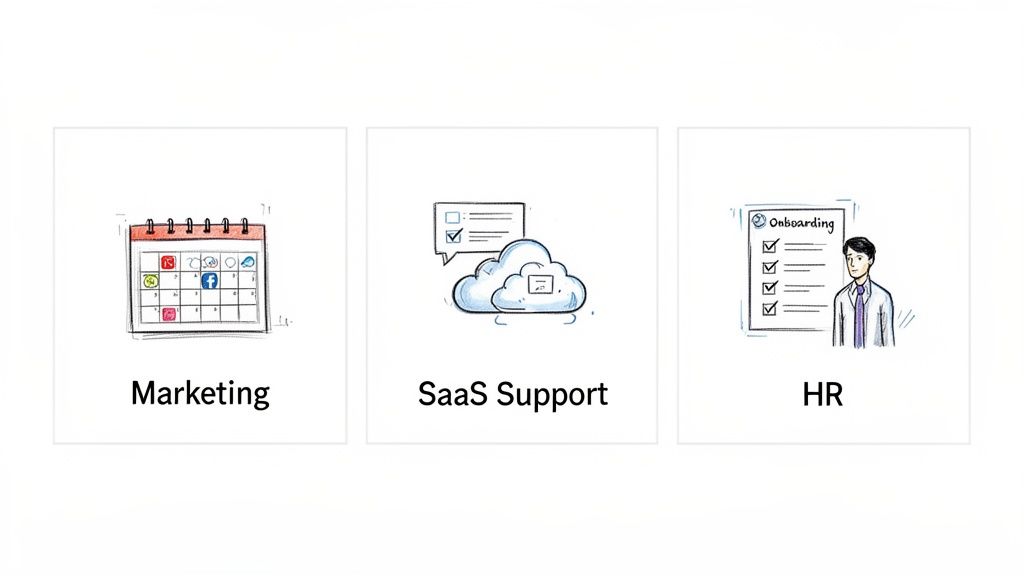
Theory is one thing, but seeing a standard operating procedure template in action is where its value really clicks. The core structure we've covered is flexible by design, allowing it to work for wildly different business functions. From a creative agency to a tech support desk, the goal is always the same: create a single source of truth for a repeatable process.
The magic happens when you tailor the content inside the template to fit the specific needs of the department and the task. A marketing SOP will naturally focus on brand guidelines and client communication, while a technical support SOP will zero in on diagnostic steps and escalation paths.
Let’s look at three detailed examples. Each one shows how a generic template transforms into a practical, industry-specific tool that drives consistency and kills ambiguity. Think of these as blueprints you can adapt for your own operations.
Marketing Agency Social Media Client Onboarding
For any marketing agency, a smooth client onboarding process sets the tone for the entire relationship. A solid SOP ensures every new client gets the same high-quality kickoff, no matter which account manager is running the show.
This example is all about consistency, communication, and getting the right assets from day one.
Component | Example Details |
|---|---|
Title | New Social Media Client Onboarding |
SOP ID | MKTG-001 |
Purpose | To standardize the kickoff process for new social media management clients, ensuring all necessary assets, access, and strategic information are collected efficiently. |
Scope | This procedure covers the process from a signed contract to the first content calendar review. It does not cover campaign execution or reporting. |
Roles | Account Manager, Social Media Strategist, Graphic Designer. |
Instructions | 1. Send Welcome Email using the "New Client Welcome" template. 2. Schedule a 60-minute kickoff call via Calendly. 3. During the call, complete the Client Discovery Questionnaire. 4. Request access to all relevant social media accounts and ad managers. 5. Collect brand assets (logos, fonts, style guide) via a shared Dropbox link. |
A marketing SOP like this one prevents critical details from falling through the cracks. It makes sure the team has everything they need to start delivering results immediately and standardizes the client experience—a massive factor in retention and satisfaction.
SaaS Support Tier 1 Technical Ticket Resolution
In the world of SaaS, speed and accuracy in tech support are everything. This SOP template is built for a Tier 1 support agent handling a common issue, ensuring they troubleshoot consistently and know exactly when—and how—to escalate.
It prioritizes clear diagnostics, good communication, and fast problem-solving.
For a support team, an SOP isn't just a guide—it's a tool for quality control. It ensures that every customer receives the same methodical and empathetic support, which directly impacts user satisfaction and reduces churn.
Title: Tier 1 Response to User Login Failure
SOP ID: SUP-004
Purpose: To provide a consistent, step-by-step process for diagnosing and resolving common user login issues, or escalating them appropriately.
Scope: Covers user-reported login errors. Does not cover password resets (see SUP-002) or system-wide outages.
Roles: Tier 1 Support Specialist, Tier 2 Support Engineer.
Instructions:
Acknowledge the ticket within 15 minutes using the "Login Issue" macro.
Ask the user to confirm their username and try clearing their browser cache.
Check the user's account status in the admin dashboard for locks or flags.
If no issues are found, attempt to replicate the error on a test account.
If the issue persists and cannot be replicated, escalate the ticket to Tier 2 with all diagnostic notes attached.
This SOP empowers Tier 1 agents to resolve a high volume of tickets effectively, while making sure complex issues get handed off to Tier 2 with all the necessary info. It’s also crucial to remember the differences when creating internal vs. customer-facing SOPs, as the tone and level of technical detail will change significantly.
Human Resources New Employee Onboarding
A great onboarding process is proven to improve employee retention by 82%. An HR SOP for onboarding standardizes this critical experience, ensuring every new hire feels welcomed, informed, and ready to contribute from their first day.
This template is focused on getting the administrative tasks, cultural integration, and logistical setup right every single time. It turns a potentially chaotic process into a structured, welcoming journey.
By using a solid standard operating procedure template, each of these departments can lock in consistency, slash errors, and train new team members far more effectively.
How to Customize and Implement Your SOP Template
Downloading a standard operating procedure template is the easy part. The real work starts when you turn that generic file into a living tool that reflects exactly how your team gets things done.
This is where you bridge the gap between a simple document and a practical guide that drives real-world results. Customizing isn't just filling in blanks—it's about capturing your team's unique expertise and building something so clear it feels like it was made just for them. Because, in a way, it was.
Start with the Process Experts: Your Own Team
The single most important step is to talk to the people who actually do the work every day. Your frontline team members are the true subject matter experts. They know the shortcuts, the common snags, and the most efficient path from A to B.
Involving them from the start accomplishes two critical things:
Accuracy: The steps you document will match what actually happens, not what a manager thinks should happen.
Buy-in: When people help build the guide, they're far more likely to trust it, use it, and help keep it updated.
Watch the process in action. Ask your team to walk you through each step, explaining the "why" behind what they do. This collaboration is the foundation of documentation that people actually respect and use.
Draft the Procedure with Absolute Clarity
With your team's insights, it's time to start drafting. The goal is to leave zero room for ambiguity. Someone should be able to follow the steps from start to finish without having to stop and ask for help.
A few tips that always work:
Use Action Verbs: Start every step with a clear command like "Click," "Enter," or "Verify."
Break It Down: A long, 20-step process feels intimidating. Breaking it into four 5-step phases makes it much easier to follow.
Use Visuals: A picture is truly worth a thousand words. Screenshots with callouts, simple diagrams, or short video clips make complex steps instantly clear.
The best SOP is one that’s so straightforward it feels intuitive. For a deeper dive, check out our guide on how to document a process in under 10 minutes using modern tools.
Modern Tools Make This Way Faster
In the past, creating SOPs was a slow, manual grind of writing steps and taking screenshots. Today, new tools have completely changed the game by automating the most tedious parts.
The future of SOPs isn't static documents—it's dynamic, AI-assisted guides. Imagine recording a task once and having a tool automatically generate a step-by-step guide with screenshots and editable text. This approach cuts creation time by over 80% and makes updates effortless.
This shift toward smarter documentation is accelerating. By 2025, AI is expected to supercharge SOP creation, with tech firms leading at 92% adoption in support operations. In contrast, regulated industries like healthcare (39%) and finance (86%) lag due to compliance hurdles like HIPAA. This divide shows how pivotal a modern standard operating procedure template has become; in fast-moving SaaS, AI turns video recordings into instant guides, while regulated sectors still need extensive validation.
Roll It Out and Ask for Feedback
Once your SOP is drafted, the final step is to put it into action. Don't just drop it in a shared drive and hope people find it. Announce the new guide, explain why it exists, and show your team how to use it.
Most importantly, create a feedback loop from day one. Encourage your team to point out confusing steps, suggest improvements, or flag outdated information. An SOP is never really "finished." It’s a living document that should evolve with your processes, ensuring it stays valuable.
Maintaining Your SOPs as Living Documents
The single biggest mistake companies make with SOPs? Treating them like a one-and-done project.
Teams spend weeks creating a standard operating procedure template, file it away in a shared drive, and then forget it exists. This approach turns a powerful tool into a useless artifact. Soon, you have a library of outdated instructions that are more dangerous than having no guide at all.
For SOPs to work, they have to be treated as living documents. Think of them less like a printed manual and more like a collaborative wiki—always evolving, always accurate, and always reflecting how your team works today. This mindset shift is what separates a documentation-heavy culture from one that actually drives results.
The market backs this up. The global demand for SOP management tools jumped from USD 124.8 billion in 2023 and is expected to hit a staggering USD 914.9 billion by 2032. This isn't just about ticking compliance boxes; it's a fundamental shift toward treating process knowledge as a dynamic asset.
Establish a Culture of Continuous Improvement
Creating a living library of SOPs isn’t a task—it’s an ongoing commitment. It needs clear ownership, regular check-ins, and a dead-simple way for your team to share what they know.
Here’s how to build that culture:
Assign Clear Ownership: Every SOP needs an owner, usually the subject matter expert or team lead who knows the process best. This person is the single point of contact for keeping it accurate.
Schedule Regular Reviews: Don't wait for something to break. Set a recurring reminder—quarterly or annually—to review each SOP. This catches outdated info before it causes real problems.
Create a Simple Feedback Loop: The people on the front lines are the first to find a better, faster way to do something. Make it incredibly easy for them to suggest an update, whether it's through a dedicated Slack channel, document comments, or a quick form.
The best documentation isn't a top-down decree. It’s a cycle of gathering insights, drafting a process, and constantly refining it with the right tools.
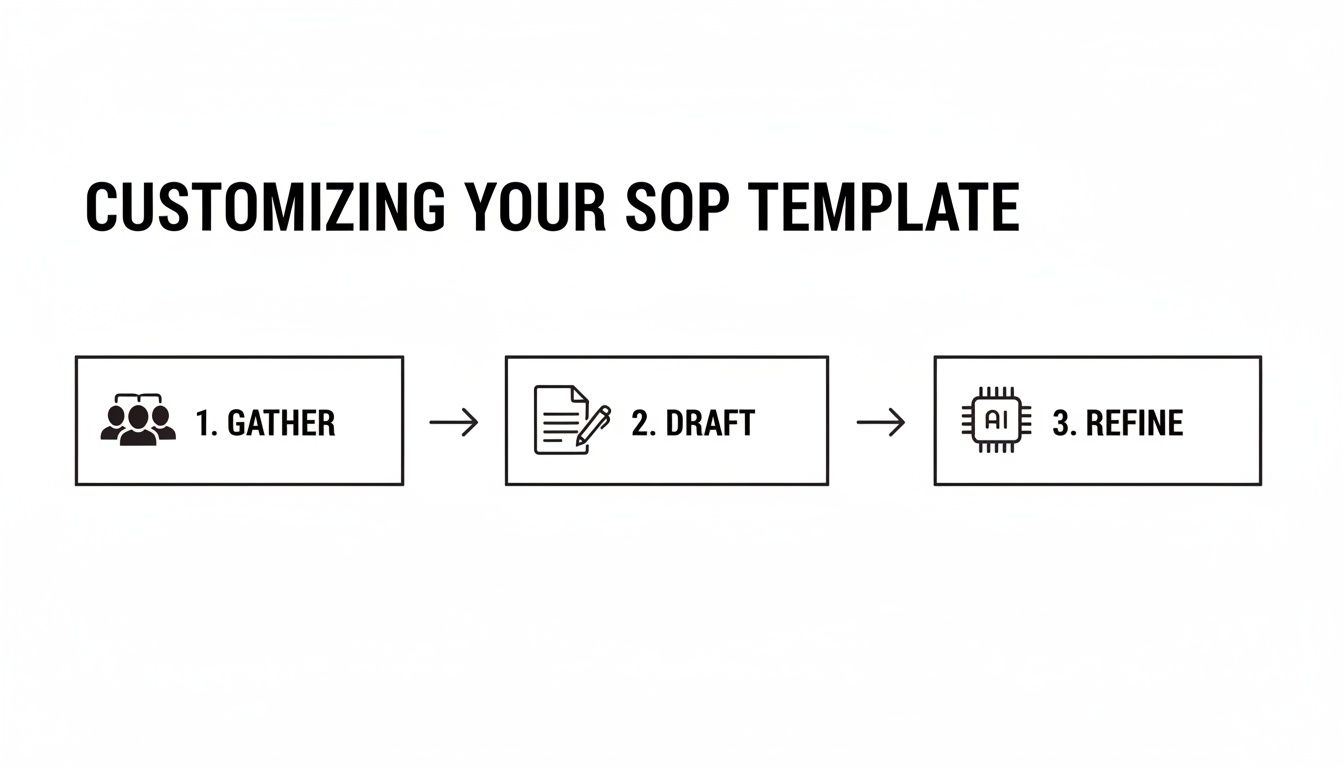
This loop of collaboration and refinement is what keeps your documentation from going stale.
Use Modern Tools to Make Maintenance Effortless
Let's be honest: manually maintaining dozens—or hundreds—of SOPs is a logistical nightmare. This is where modern platforms like Build a Guide change the game. They’re built for the entire lifecycle of an SOP, turning a chore into a smooth, efficient workflow.
The goal isn't just to have SOPs; it's to have SOPs that people trust and use. Modern tools make this happen by making documentation easy to find, simple to update, and part of the daily workflow.
These platforms make a living documentation culture possible in a few key ways:
Real-Time Collaboration: Team members can co-edit and leave comments right inside the SOP. This feedback is instant and contextual, ending the endless email chains and getting procedures updated fast.
Engagement Analytics: You can finally see what’s working. See which SOPs get viewed, which parts are used most, and which guides are being ignored. That data is gold for knowing where to focus your improvement efforts.
Effortless Updates: Because everything is cloud-based, a change made by an SOP owner is instantly live for the whole team. No more digging through folders to find the "latest version" or worrying about outdated copies floating around.
By combining clear ownership with the right tech, you can finally ensure your SOPs are powerful, relevant assets that help your business grow. For more on this, check out our guide on how to keep SOPs up-to-date without a meeting.
Frequently Asked Questions About SOP Templates
Even with the best templates, questions always come up when you start building out your standard operating procedures. Getting the small details right is often the difference between documentation that gets used and documentation that gets ignored.
Let's walk through some of the most common questions we hear from teams who are right where you are.
How Detailed Should My SOPs Be?
This is the classic Goldilocks question—you need it to be just right. The answer depends entirely on the task's complexity and who's doing it. A simple, daily task for a senior team member might just need a quick checklist.
But a complex process for a new hire? That needs a much deeper level of detail. The goal is always to eliminate guesswork. Anyone with the right access should be able to complete the task correctly without having to tap someone on the shoulder for help.
The Rule of Thumb: Write your SOP for the newest person on your team who will be responsible for this task. If they can follow it without getting stuck, you’ve probably hit the right balance for everyone.
This means getting specific. Include things like:
Exact locations of buttons or menus in software.
Precise names for files and folders.
Screenshots with callouts to show exactly what to look for.
Heads-up warnings about common mistakes or pitfalls.
It’s almost always better to over-explain than to under-explain. Experienced people will naturally skim the parts they already know, but you can't expect a new person to guess the steps you left out.
SOP vs. Process vs. Work Instruction: What's the Difference?
These terms get thrown around a lot, but they aren't the same. They represent different levels of detail, and understanding how they fit together helps you organize your company's knowledge. Think of it like a set of Russian nesting dolls.
Here's the breakdown:
Process: This is the big picture. It describes what needs to be done to hit a major business goal (e.g., "Onboard a New Client"). It outlines the main stages but leaves out the step-by-step specifics.
Standard Operating Procedure (SOP): This is the next layer down. It explains how to perform a complete task within that larger process (e.g., "How to Set Up a New Client in the Project Management System"). An SOP is a self-contained guide for getting a specific job done.
Work Instruction: This is the most granular level. It gives super-detailed, click-by-click instructions for a single action within an SOP (e.g., "How to Fill Out the 'Client Details' Section in Asana").
A single process might link to several SOPs, and one SOP might contain multiple work instructions. Using a consistent standard operating procedure template is what keeps all these documents feeling connected and easy to navigate.
How Do I Get My Team to Actually Use Our SOPs?
This is the million-dollar question, isn't it? You can create the most beautiful SOPs in the world, but they're useless if they just collect digital dust. Driving adoption isn't about forcing people; it's about making your documentation the easiest and most reliable way to get the job done.
It really comes down to three things:
Accessibility: Your SOPs have to be ridiculously easy to find the moment someone needs them. A central, searchable knowledge base is non-negotiable. If finding the guide takes more than 15 seconds, people will just ask a coworker instead.
User Buy-In: Get your team involved in creating the guides. When people help build the procedures, they trust them more and feel a sense of ownership. They know the SOPs reflect reality.
Modern Formats: Let's be honest—static PDFs and Word docs are where good intentions go to die. Interactive guides with checklists, annotated screenshots, and embedded videos are far more engaging and easier to follow than a wall of text.
Is a One-Size-Fits-All Template a Good Idea?
Yes and no. Using a single, standardized standard operating procedure template for your whole organization is a fantastic idea for consistency. It creates a familiar structure, so employees know exactly where to find the purpose, scope, and instructions, no matter which department's guide they're reading.
But—and this is a big but—the content inside that template has to be flexible. A one-size-fits-all approach to the instructions themselves is doomed to fail. The steps for a marketing campaign look nothing like the steps for a technical support ticket. The template provides the reliable framework, but the actual steps have to be tailored to the specific task at hand.
Ready to stop creating SOPs that get ignored? Build a Guide transforms your screen recordings into polished, step-by-step guides with AI. Create, collaborate, and share living documentation that your team will actually love to use. Start building better guides today at https://buildaguide.app.