
February 23, 2026
10 Best Practice Knowledge Management Strategies for SOPs in 2026
Discover the 10 best practice knowledge management strategies to create SOPs your team will actually use. Improve capture, maintenance, and adoption.
If your team's Standard Operating Procedures (SOPs) are gathering dust in a forgotten folder, you're not alone. The problem isn't the process; it's the approach. Traditional documentation is static, hard to find, and even harder to maintain, quickly becoming a source of confusion rather than clarity. This disconnect, between well-intentioned processes and their real-world application, is where tribal knowledge thrives and consistency fails.
True operational excellence requires a shift from 'writing things down' to building a dynamic, accessible knowledge ecosystem. It means creating a system where information is not just stored but is actively used, updated, and integrated into daily workflows. To truly transform your approach to organizational knowledge, understanding key principles is essential. Explore these 10 Best Practices in Knowledge Management for a foundational strategy.
In this guide, we'll break down the 10 essential best practice knowledge management strategies specifically designed for teams that live and breathe by process documentation. We’ll explore actionable techniques for:
Capturing and structuring knowledge efficiently.
Maintaining documentation so it stays relevant.
Driving user adoption to ensure your SOPs are actually used.
We will move beyond theory and provide practical steps to transform your static SOPs from neglected artifacts into valuable assets that power your team's growth, consistency, and efficiency. Let's get started.
1. Modular Documentation Architecture
Instead of creating large, monolithic documents that cover an entire process from start to finish, a modular documentation architecture breaks knowledge down into small, reusable, and interconnected components. This approach treats each discrete task or concept as an "atomic unit" of information that can stand alone but also link to other related modules. The result is a flexible system that reduces redundancy and simplifies maintenance, a core tenet of best practice knowledge management.
Consider a standard operating procedure (SOP) for customer onboarding. In a traditional model, you might have one long document. With a modular approach, you create separate modules for "Creating a New User Account," "Configuring Initial Settings," and "Sending a Welcome Email." These modules can then be assembled into different guides for different roles, like a comprehensive guide for an account manager or a simplified version for a new user. This method eliminates the need to update the same step in multiple documents; you just update the single source module, and the change reflects everywhere it's used.
How to Implement a Modular Architecture
To get started, first map your complete process flows to identify distinct, repeatable tasks. These tasks become your module boundaries. Success depends on disciplined organization and clear governance from the outset.
Establish Naming Conventions: Create a consistent naming system and metadata tagging for all modules to make them easily discoverable. For example, use prefixes like
TASK-for actions andCONCEPT-for explanations.Map Dependencies: Visualize how modules connect. A dependency map clarifies relationships and prevents broken links when a module is updated or retired.
Assign Clear Ownership: Every module needs a designated owner responsible for its accuracy and maintenance. This accountability is crucial for keeping the knowledge base reliable.
Link Contextually: Use tools like Build a Guide's rich-text editor to embed links and contextual notes that connect one module to the next, creating a seamless user journey through complex processes.
Key Insight: Adopting a modular architecture shifts the focus from writing documents to building a library of knowledge components. This initial investment in structure pays long-term dividends in scalability and reduced maintenance effort.
2. Embedded Context Knowledge Management
Instead of forcing users to leave their workflow and search a separate knowledge base, embedded context knowledge management delivers information at the exact point of need. This approach integrates guidance, tooltips, and contextual help directly into the applications and interfaces people use every day. The information appears in the context of a user's current task, dramatically reducing friction and preventing knowledge gaps from forming.
For example, Salesforce’s in-app guidance prompts users through complex setups, and Slack’s onboarding tooltips appear as a new user explores features for the first time. This method ensures that knowledge is not just stored but actively delivered, making it a powerful form of best practice knowledge management. It helps users succeed in the moment rather than requiring them to pause their work, find a help center, and search for the right answer. This immediacy is critical for maintaining productivity and reducing cognitive load.
How to Implement Embedded Context Knowledge
To get started, identify the high-friction points in your user workflows where guidance would be most valuable. Success depends on delivering concise, relevant information without disrupting the user's primary task.
Identify Friction Points: Use user testing, support tickets, and analytics to pinpoint where users struggle or drop off. These are prime locations for embedded help.
Keep Content Scannable: Users in "task mode" need quick answers, not long explanations. Use short sentences, bullet points, and bold text for key actions. This prevents the tribal knowledge that forms when official documentation is too hard to use.
Use Progressive Disclosure: Initially show only the most critical information. Allow users to click to reveal more detailed instructions or explanations on demand, keeping the interface clean.
Integrate with Your Tools: Embed links to detailed guides directly within your software's UI. For instance, a link from a complex dashboard setting can open a specific Build a Guide process document, providing immediate and detailed support.
Key Insight: Embedded context shifts the knowledge management model from passive (pull) to active (push). By delivering answers before users even have to ask, you increase adoption, reduce errors, and make processes feel more intuitive.
3. Living Documentation Practices
Living documentation treats knowledge as a continuously evolving artifact that updates in tandem with actual processes and products. This practice rejects the idea of documentation as a static reference created once and forgotten. It acknowledges that processes change, tools evolve, and outdated information erodes trust, creating more confusion than clarity. Living documentation becomes a reliable source of truth that is refreshed iteratively, not just annually.
This approach is exemplified by companies like GitLab, whose internal handbook is a living document edited by all team members with auto-generated change tracking. Similarly, Shopify maintains living documentation for its merchant guides, ensuring they reflect the platform's current features. The core principle is that the documentation’s lifecycle is tied directly to the lifecycle of the process or product it describes. To see how living documentation principles are applied in real-world scenarios, explore illumichat's practical use cases.
How to Implement Living Documentation
Success requires integrating documentation updates into your operational rhythm, not treating them as a separate, burdensome task. This makes knowledge management a byproduct of your daily work.
Tie Documentation to Process Reviews: Schedule documentation reviews concurrently with your quarterly or bi-annual process reviews. If you update a workflow, you must update the corresponding guide at the same time.
Assign Ownership to Process Owners: The person responsible for a process should also be responsible for its documentation. This direct ownership ensures accuracy, as they are closest to any changes.
Use Real-Time Collaboration: Tools with real-time editing and commenting features allow teams to sync on updates instantly, preventing version control issues and keeping content current.
Establish a Deprecation Schedule: Instead of deleting potentially outdated content, mark it with a "Review Needed" or "Archived" status. This provides a clear signal to users and creates a backlog for content owners to address.
Leverage Engagement Analytics: Focus your maintenance efforts where they matter most. Use analytics to identify which guides are used frequently and prioritize keeping them accurate and up-to-date.
Key Insight: Living documentation changes the mindset from "writing a manual" to "maintaining a system." It ensures that your knowledge base remains a trusted, valuable asset rather than a digital graveyard of outdated instructions.
4. User-Centric Knowledge Architecture
Instead of organizing information around internal departments or technical systems, a user-centric knowledge architecture structures content based on user personas and their jobs-to-be-done. This approach prioritizes the mental models and workflows of end users, making information intuitive and discoverable from their perspective. Documentation is arranged by what users need to accomplish, not by how the backend is structured, which is a key element of best practice knowledge management.
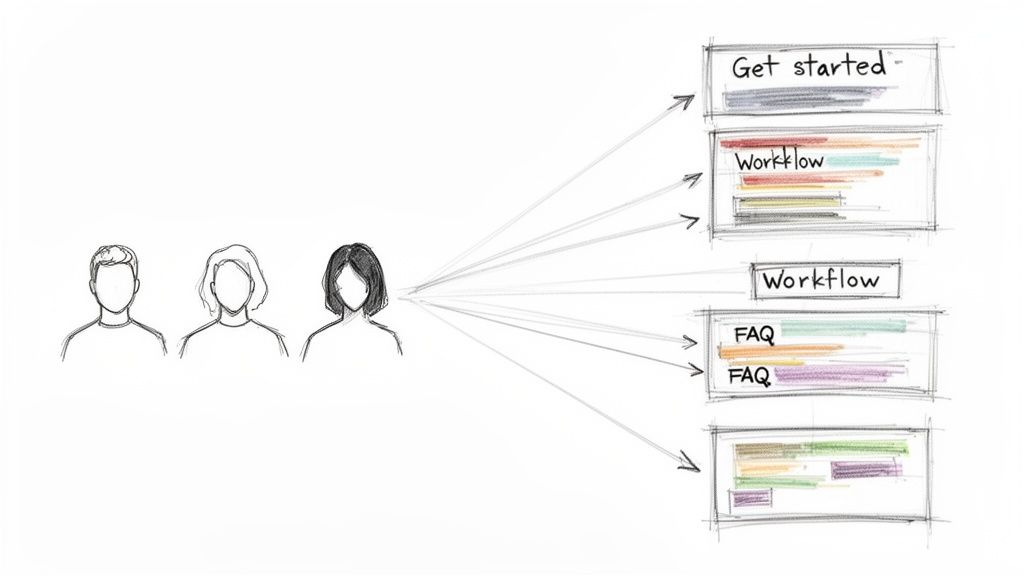
For example, Mailchimp organizes its guides around complete marketing campaigns rather than just listing product features. Similarly, Notion structures its help center around common use cases, like "managing a team" or "personal productivity," which resonates more with users than a simple feature list would. This method directly addresses user needs, reducing friction and increasing the adoption of your documentation. By aligning the content structure with the user's journey, you create a more effective and supportive experience.
How to Implement a User-Centric Architecture
Begin by conducting user research through interviews and surveys to validate your assumptions about user personas and their primary goals. This foundational work ensures your architecture is built on actual user needs, not internal guesswork. Understanding how to build a knowledge base from the user's viewpoint is critical for success.
Create Persona-Specific Guides: Develop "getting started" guides for each primary persona that walk them through their most common workflow from beginning to end.
Map Customer Success Workflows: Align your documentation with customer success playbooks, so your team knows exactly which guide to share at each stage of the customer lifecycle.
Test Your Information Architecture: Ask actual users to perform common tasks using your knowledge base. Observe where they struggle to find information and use that feedback to refine the structure.
Use Analytics to Monitor Discovery: Track which guides are frequently accessed and which are difficult to find. This data reveals gaps in your architecture and highlights opportunities for improvement.
Key Insight: Structuring your knowledge base around user needs rather than your company's org chart turns it from a static repository into a dynamic tool that actively helps users achieve their goals.
5. Collaborative Knowledge Governance
Effective knowledge management isn't about creating a ruleset enforced by a single gatekeeper. Instead, collaborative knowledge governance distributes ownership and responsibility across the entire team of subject matter experts. This model establishes a clear framework for how knowledge is created, reviewed, and maintained, balancing quality control with the reality that domain expertise is decentralized. It avoids the bottleneck of a single knowledge manager and empowers the people who know the work best to maintain its documentation.
Think of how GitLab manages its vast public handbook. Each section has a designated owner, and there are clear contribution guidelines, but anyone can propose a change. This distributed model allows them to maintain thousands of pages of accurate, up-to-date information without a large, centralized documentation team. Similarly, a support team might distribute ownership of product guides, with the expert on "billing issues" owning that section while another owns "user permissions." This is a core best practice in knowledge management because it builds accountability and scales effectively.
How to Implement Collaborative Governance
Getting started with collaborative governance requires defining clear roles and processes to prevent chaos. The goal is to make contributing easy while ensuring content quality and consistency. For a deeper dive into this topic, you can explore other knowledge management best practices.
Create a Style Guide: Establish a central document that outlines content standards, tone of voice, formatting rules, and naming conventions. This guide ensures consistency no matter who is writing.
Use Lightweight Workflows: Implement a simple review process. For example, minor typo fixes can be published instantly, while significant changes to a standard operating procedure require approval from the process owner.
Assign Clear Ownership: Every guide or module must have a designated owner and a "last reviewed" date clearly visible in its metadata. This clarifies who to ask questions to and ensures accountability for freshness.
Integrate into Job Roles: Formally include documentation maintenance as a responsibility in the job descriptions for relevant subject matter experts. This reinforces that keeping knowledge current is part of their core duties.
Key Insight: Collaborative governance transforms knowledge management from a top-down administrative task into a shared, team-wide responsibility. This approach not only improves content quality but also fosters a stronger culture of ownership.
6. Visual and Multimedia-First Documentation
Instead of relying on dense, text-heavy explanations, a visual-first documentation approach prioritizes screenshots, video demonstrations, and diagrams. This strategy aligns with how people naturally process information, as most individuals retain knowledge more effectively through visual demonstration than by reading text. This is a crucial element of best practice knowledge management because it drastically improves comprehension and reduces onboarding time.
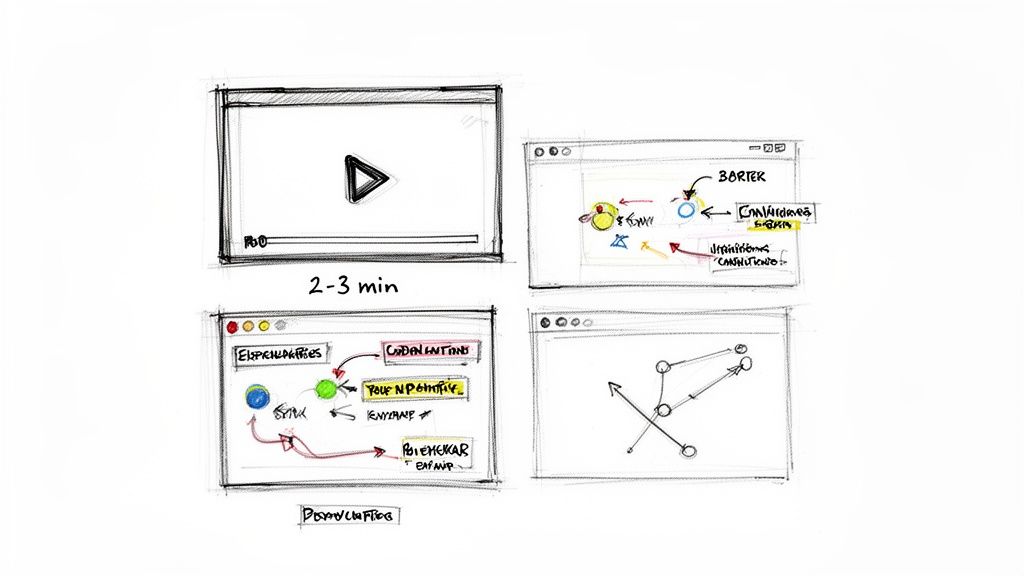
Look at the success of tools like Loom for remote teams or Slack's video-based onboarding. These examples show that short, focused video walkthroughs often achieve higher completion and engagement rates than their text-only counterparts. By showing a process in action, you remove ambiguity and make complex steps feel more intuitive to the end-user.
How to Implement a Visual-First Approach
Adopting this method means treating video and images as the primary medium, not an afterthought. Your goal is to show, not just tell, making processes clear and accessible.
Prioritize Screen Recordings: Start by recording a video of the process. This raw recording serves as your primary source of truth before any text is written.
Annotate for Clarity: Use annotations like arrows, boxes, and text overlays directly on screenshots and videos to draw attention to the most critical action in each step.
Keep Videos Concise: Aim for videos that are 2-3 minutes long at most for a single task. For longer procedures, break the process down into a series of shorter, sequential videos.
Combine Video with Checklists: Create a powerful learning combination. The video demonstrates the flow, while a corresponding checklist allows users to self-verify that they've completed each step correctly.
Ensure Accessibility: Always include a transcript or a text-based alternative to your multimedia content. This not only helps with accessibility but also makes your visual knowledge searchable.
Key Insight: Shifting to a visual-first documentation model directly addresses user engagement and comprehension. It transforms dense procedures into easy-to-follow demonstrations, accelerating learning and reducing support tickets.
7. Searchable Knowledge Taxonomy and Tagging
A searchable knowledge taxonomy creates a consistent information architecture using metadata and tags to make knowledge discoverable. This approach treats findability as a core design requirement, ensuring that valuable information doesn't get lost simply because users don't know the exact terminology to search for it. This structured organization is a cornerstone of best practice knowledge management.
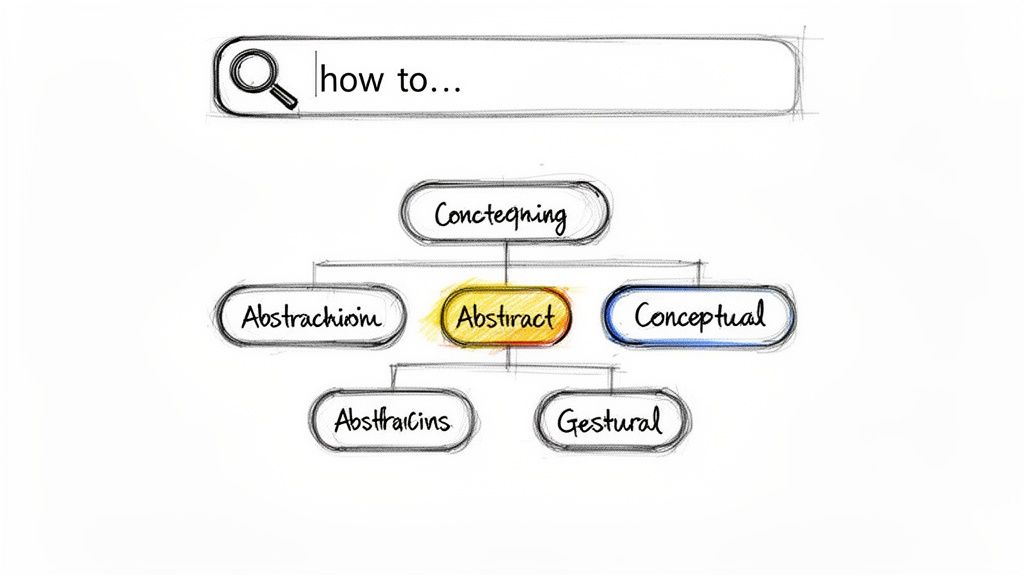
Rather than relying solely on a folder structure, a taxonomy allows for a multidimensional organization of content. For example, a single standard operating procedure (SOP) on processing a customer refund could be tagged with Finance, Customer Support, and SaaS-Billing. This lets different teams find the same document through the lens of their own work, preventing the creation of duplicate, siloed guides.
How to Implement a Knowledge Taxonomy
An effective taxonomy begins with understanding user search behavior, not your internal organizational chart. Start by analyzing how people look for information and build your structure around their mental models.
Create a Controlled Vocabulary: Develop a formal document that lists approved tags and their definitions. This prevents tag chaos where
On-boarding,Onboarding, andClient Onboardall mean the same thing.Design Multiple Access Paths: A robust system allows users to find information in several ways. Combine a primary category hierarchy with secondary tags and search synonyms to cover all bases.
Track Failed Searches: Monitor search queries that return zero results. These searches are a goldmine of information, revealing gaps in your content, poor tagging, or misunderstood terminology that needs to be addressed.
Review and Refine Quarterly: A taxonomy is not a "set it and forget it" system. Review search analytics and user feedback every quarter to identify trends and refine your categories and tags to better match user needs.
Key Insight: A strong taxonomy shifts the burden of discovery from the user to the system. By structuring information based on how people think and search, you make knowledge instantly accessible and prevent valuable SOPs from becoming undiscoverable artifacts.
8. Continuous User Feedback Integration
Instead of creating knowledge assets in a vacuum, this approach systematically collects and integrates feedback from the people who actually use the documentation. Continuous user feedback integration treats content as a living product that must adapt to user needs, not a static document that is published and forgotten. This closes the loop between knowledge creators and consumers, ensuring that the information provided is genuinely helpful and relevant.
Consider a support team’s knowledge base. Without feedback, the team might assume their guides are clear. With feedback mechanisms, they might discover that a specific guide on "Resetting Your Password" generates confusion, leading to more support tickets. This insight is invaluable. Companies like Stripe demonstrate this well by including a simple "Was this helpful?" prompt at the bottom of every documentation page. This direct feedback loop is a core component of effective and best practice knowledge management.
How to Implement Continuous User Feedback
Getting started requires creating simple, low-friction channels for users to share their thoughts and a structured process for acting on that input. The goal is to make providing feedback feel easy and worthwhile.
Embed Simple Feedback Tools: Add straightforward prompts like "Was this guide helpful? (Yes/No)" with an optional comment field at the end of each document. This captures immediate sentiment.
Analyze Support Tickets: Review support inquiries monthly to identify recurring questions. If multiple users ask about the same issue, that’s a clear signal that existing documentation is either missing or hard to find.
Track Key Engagement Metrics: Use tools like Build a Guide's analytics to monitor user behavior. High drop-off rates or low completion percentages on critical guides can indicate points of friction or unclear instructions.
Establish a Review Cadence: Create a formal process for handling feedback. Collect it weekly, analyze trends monthly, and prioritize content improvements on a quarterly basis to ensure suggestions are acted upon.
Close the Loop: When you update a document based on a user's suggestion, notify them directly. This small action builds trust and encourages future participation.
Key Insight: Treating your knowledge base like a product that requires user feedback fundamentally shifts its purpose from a simple repository to a dynamic service that actively solves user problems.
9. Process Standardization Through Knowledge Documentation
Effective knowledge management goes beyond simple information storage; it becomes a tool for operational improvement. This approach treats documentation not as an afterthought but as the central mechanism for identifying, standardizing, and refining organizational processes. The act of documenting a workflow forces teams to examine each step, often revealing inconsistencies, redundancies, and opportunities for optimization that were previously hidden in day-to-day routines.
This method turns documentation into a dynamic blueprint for excellence. For instance, when a team documents a customer support escalation procedure, they might discover that different agents handle the same issue in varied ways. This realization prompts a conversation to define a single, best-practice approach. Once documented, this standardized process ensures every customer receives a consistent level of service, and it provides a baseline against which to measure future improvements. This is a core part of best practice knowledge management: using knowledge to drive tangible business results.
How to Implement Process Standardization via Documentation
To begin, view documentation as an active investigative tool rather than a passive recording task. The goal is to create a single source of truth that not only describes a process but actively shapes it.
Interview Multiple Stakeholders: When documenting a process, speak with several people who perform it. Variations in their methods are not failures; they are data points that highlight areas needing standardization.
Document the Ideal State: Don't just record how a process is currently done. Collaborate with your team to define and document the most efficient, effective version of that process. This documented procedure becomes the new standard.
Build-in Process Checkpoints: Use your documentation to actively guide work. For example, a step in a guide created with Build a Guide might ask, "Did the client approve the mockup? If not, what blocked you?" This captures real-time process friction points.
Establish a Review Cadence: Processes can drift over time. Schedule quarterly reviews with the people performing the work. Ask them, "Is this guide still accurate?" and update the documentation to reflect evolved best practices or correct deviations.
Maintain a Change Log: When a standardized process is updated, note what changed and why. This history provides valuable context for future process improvement initiatives and helps train team members on the evolution of the workflow.
Key Insight: Treating documentation as the engine for standardization transforms it from a static record into an active management system. It makes continuous improvement a deliberate, documented, and repeatable part of your operations.
10. Knowledge Reuse and Content Portability
Knowledge reuse and content portability is the practice of designing information so it can be effectively used across multiple contexts, audiences, and platforms. Instead of creating single-use documentation locked into one format, this approach treats knowledge as a flexible asset. A single well-crafted process guide can be adapted for internal training, client-facing support articles, and partner onboarding materials without starting from scratch.
For example, a process documented at a "customer-ready" level of clarity and polish can serve an internal team just as well as it serves a client. Organizations like OWASP create reusable security guidance that thousands of companies adapt for their own policies. Similarly, a core product walkthrough can be published as a hosted webpage for new users, exported as a PDF for a sales proposal, or embedded as a widget inside an application, all originating from a single source of truth. This is a core function of best practice knowledge management.
How to Implement Knowledge Reuse
To start, you must create content with its potential future uses in mind from the very beginning. This requires a shift from writing documents to building versatile knowledge assets.
Adopt a Core + Overlay Model: Create a foundational, audience-neutral version of your documentation. Then, add specific overlays or callouts for different audiences, such as a "For Developers" section or a "Client Note" box, without altering the core content.
Design for Multiple Formats: When writing, consider how the content will appear in different formats. Build guides that work well both visually (on a webpage) and non-visually (as plain text in an email or a script for a video), ensuring accessibility and portability.
Create Reusable Templates: Identify common documentation types in your organization, like onboarding checklists, troubleshooting guides, or feature announcements. Build standardized templates for each to ensure consistency and speed up content creation.
Use a Versatile Publishing Tool: A tool like Build a Guide allows you to create a guide once and publish it in multiple formats. You can generate a hosted page, an embeddable widget for your app, and a PDF export, all from the same master document.
Key Insight: Treating knowledge as a portable asset instead of a static document multiplies its value. By designing for reuse, you reduce redundant work, ensure consistency across all channels, and get more mileage out of every piece of content you create.
10-Point Comparison: Best-Practice Knowledge Management
Approach | Complexity 🔄 | Resources ⚡ | Expected outcomes 📊 | Ideal use cases 💡 | Key advantages ⭐ |
|---|---|---|---|---|---|
Modular Documentation Architecture | High — upfront taxonomy & planning 🔄 | Moderate — CMS + modular versioning ⚡ | Reduced duplication; faster updates; scalable 📊 | Multi-product SaaS, agencies with varied clients | Reusable modules; persona customization; maintainability ⭐ |
Embedded Context Knowledge Management | High — deep integrations & design 🔄 | High — development, UX, instrumentation ⚡ | Higher utilization; fewer support tickets; lower friction 📊 | In‑app onboarding, support workflows, distributed teams | Just‑in‑time help; error prevention; task‑proximate guidance ⭐ |
Living Documentation Practices | Medium — cultural change & governance 🔄 | Moderate — owners, review cycles, tooling ⚡ | Documentation stays current; trust in KB; continuous improvement 📊 | Product teams, distributed orgs, frequent releases | Prevents drift; audit trails; accountability ⭐ |
User-Centric Knowledge Architecture | Medium‑High — user research & IA design 🔄 | Moderate — UX research + information architecture ⚡ | Improved discoverability; fewer wrong searches/support requests 📊 | Customer‑facing docs, onboarding by persona, CS teams | Persona‑driven navigation; journey alignment; intuitive access ⭐ |
Collaborative Knowledge Governance | Medium — establish workflows & roles 🔄 | Moderate — SME time, review processes ⚡ | Accurate, scalable content; distributed ownership 📊 | Enterprises, agencies, cross‑functional teams | Clear ownership; quality controls; scalable contribution ⭐ |
Visual and Multimedia‑First Documentation | Medium — production workflows & updates 🔄 | High — recording tools, editors, storage ⚡ | Faster time‑to‑competency; higher engagement & completion 📊 | Onboarding, training, product demos, CSMs | Demonstrates UI; high engagement; suits visual learners ⭐ |
Searchable Knowledge Taxonomy and Tagging | High — taxonomy design & mapping 🔄 | Moderate‑High — metadata, search tech, curation ⚡ | Strong discoverability; fewer duplicates; gap detection 📊 | Large KBs, multi‑client agencies, customer portals | Search‑first architecture; synonym mapping; scalable findability ⭐ |
Continuous User Feedback Integration | Low‑Medium — feedback loops & routing 🔄 | Moderate — analytics, triage, actioning ⚡ | Prioritized improvements; higher relevance; reduced waste 📊 | Customer success, active docs, iterative teams | Data‑driven prioritization; actionable insights; user engagement ⭐ |
Process Standardization Through Documentation | Medium‑High — change management & alignment 🔄 | Moderate — interviews, reviews, governance ⚡ | Consistency; faster onboarding; identifies automation candidates 📊 | Operations, HR onboarding, agencies enforcing SOPs | Standardization; reduces variation; operational accountability ⭐ |
Knowledge Reuse and Content Portability | Medium — design for modularity & variants 🔄 | Moderate — templating, export & API support ⚡ | Create once, publish many; lower maintenance cost per use 📊 | Agencies, multi‑audience docs, multi‑channel distribution | Single source of truth; format portability; reuse efficiency ⭐ |
Activate Your Knowledge: The Path to Process Excellence
We've explored ten powerful strategies that redefine how organizations handle their internal processes. From designing a Modular Documentation Architecture to fostering Continuous User Feedback, these methods represent a fundamental shift. They move knowledge management from a passive, archival function to an active, operational engine that drives consistency, efficiency, and scale. This is not about building a bigger library of documents; it's about creating a smarter, more connected system of institutional wisdom.
The common thread weaving through these practices is the transition from static, linear documents to dynamic, user-centric knowledge systems. Adopting Living Documentation Practices means your SOPs are never truly "finished." Instead, they evolve alongside your business, reflecting real-world changes as they happen. Similarly, prioritizing a Visual and Multimedia-First approach acknowledges that process knowledge is often best understood by seeing, not just reading. These are not minor tweaks but foundational changes in how we think about, create, and interact with process documentation.
From Theory to Tangible Results
Adopting a few of these principles can yield immediate benefits. For instance, implementing a Searchable Knowledge Taxonomy directly attacks the most common failure point of any knowledge base: the inability for users to find what they need, when they need it. When you combine this with Embedded Context, where guidance appears directly within the tools your team uses, you dramatically lower the barrier to adoption and make following the correct procedure the path of least resistance.
True best practice knowledge management is achieved when these elements work in concert. Imagine a new hire onboarding with a process guide that uses modular blocks (Knowledge Reuse), is rich with visual aids, and is embedded directly into their CRM. When they encounter a problem, they use clear tags to find an answer in seconds. If the information is outdated, they submit feedback, which triggers a review managed by a Collaborative Governance team. This is the goal: a self-improving ecosystem of knowledge that empowers every individual.
Key Takeaway: Effective knowledge management isn't a project with a deadline. It's an ongoing operational discipline that turns your documented processes from a maintenance burden into your most valuable strategic asset.
Your Actionable Next Steps
The scale of this shift can feel daunting, but progress begins with a single, deliberate step. Don't attempt to overhaul your entire knowledge base at once. Instead, identify one high-impact, frequently used, or notoriously problematic process.
Select a Pilot Process: Choose a workflow like customer onboarding, client project kickoff, or new employee setup.
Apply Two or Three Practices: Start by redesigning its documentation using a Modular Architecture. Rebuild it with a Visual-First mindset, using screenshots and short video clips.
Gather Direct Feedback: Share this new guide with the team that uses it daily and actively solicit their input through an integrated feedback loop.
By focusing your efforts on a single, tangible workflow, you create a powerful case study. The success of this pilot project will generate the momentum and buy-in needed to apply these principles across the entire organization. You are not just creating better documentation; you are building a culture of clarity, consistency, and continuous improvement that will become a true competitive advantage.
Ready to turn these best practices into reality without the technical headache? Build a Guide provides the tools to create visual, modular, and easily searchable process documentation your team will actually use. See how our platform directly supports a modern approach to knowledge management by visiting Build a Guide.