
January 16, 2026
How to Build a Knowledge Base That Drives Real Results

A practical guide on how to build a knowledge base that teams actually use. Learn proven strategies for planning, content creation, and long-term success.
Building a knowledge base isn't just about collecting documents. It's about moving from scattered files and endless email chains to a single source of truth—a place where your company’s expertise becomes scalable and accessible to everyone.
Why a Knowledge Base Is Your Most Valuable Asset
Before we get into the how, let’s talk about the why. A knowledge base is far more than a digital filing cabinet. A well-built one becomes the operational backbone of your business, driving efficiency, consistency, and growth.
Think of it as your company's collective brain, available on demand.
Without it, critical information lives in siloed documents, buried in Slack threads, or stuck in the minds of a few key employees. This is often called tribal knowledge, and it’s a silent killer of productivity. It creates bottlenecks, slows down onboarding, and leads to wildly inconsistent customer experiences. Every time a new team member has to ask a question that’s already been answered, you lose momentum.
A centralized knowledge base solves these problems head-on.
For Support Teams: Agents can find standardized answers in seconds, dramatically cutting down ticket resolution times and boosting customer satisfaction.
For Operations: Managers can document critical workflows, ensuring tasks are done right every single time, no matter who is doing them.
For Client Services: Agencies can deliver high-quality, uniform results by arming their teams with proven playbooks and client-specific guides.
To see this in action, let's break down the real-world impact across different parts of a business.
The Real-World Impact of a Centralized Knowledge Base
This table breaks down the specific advantages a well-structured knowledge base delivers to different business functions, showcasing its value across the organization.
Team/Function | Challenge Without a Knowledge Base | Benefit With a Knowledge Base |
|---|---|---|
Customer Support | Inconsistent answers, long wait times, high agent burnout. | Faster ticket resolution, consistent customer experience, empowered agents. |
Sales | Inaccurate product info, slow proposal creation, disjointed messaging. | Quick access to specs, case studies, and battle cards; faster sales cycles. |
HR & Onboarding | New hires feel lost, constant repetitive questions for managers. | Self-serve onboarding, quick access to policies, faster time-to-productivity. |
Operations | Processes vary by person, errors are common, no single way to do things. | Standardized workflows, reduced errors, scalable operational efficiency. |
Product & Dev | Lost project specs, repeated questions about features, knowledge silos. | Centralized documentation for features, APIs, and project history. |
As you can see, the benefits aren't isolated to one department. A great knowledge base lifts the entire organization.
It’s no surprise, then, that the business world is catching on. The global knowledge management software market is expected to hit USD 32.15 billion by 2030. That’s a clear signal that structured documentation is no longer a nice-to-have; it's a competitive necessity. With around 72% of organizations already using some form of centralized knowledge system, falling behind means choosing to be less efficient.
For teams focused on customer experience, a great starting point is building a help desk knowledge base that actually helps.
A knowledge base transforms individual expertise into a durable, company-wide asset. It’s the single most effective way to ensure that your best practices and operational wisdom don't walk out the door when an employee does.
Ultimately, this is an investment in your company’s future. It lays the groundwork for scalable operations, happier customers, and a more empowered team, freeing you up to focus on growth instead of constantly reinventing the wheel.
Building Your Strategic Foundation
A great knowledge base starts with a smart plan, not a frantic burst of content creation. Before you write a single word, you need a blueprint. This foundation ensures every guide you create has a clear, measurable purpose, leading users straight to the answers they need.
Without a strategy, knowledge bases quickly become digital junk drawers—crammed with outdated articles, disorganized information, and duplicate content. A solid plan from the start prevents that chaos.
Defining Your Primary Goals
First, ask the most important question: What problem are we actually trying to solve? The answer will shape every decision you make, from the tools you choose to the content you prioritize. Your goals have to be specific and measurable.
Vague objectives like "improve efficiency" won't cut it. You need concrete outcomes.
Reduce support ticket volume by 25% by creating self-service guides for the top 10 most common customer questions.
Decrease new hire onboarding time by 40% by centralizing all training materials and process documents.
Standardize client project delivery by documenting every step of your agency's core services.
These clear targets give your project direction and a benchmark for measuring success down the road.
A knowledge base without a defined goal is just a collection of documents. A knowledge base with a clear, measurable objective is a powerful business tool that drives tangible results.
Identifying Your Audience and Their Needs
Once you know your "why," you have to define your "who." Who is this knowledge base for? The needs of a new customer are worlds apart from those of a senior developer or an HR manager.
Creating simple user personas can really help guide your content.
The New Client: Needs step-by-step onboarding guides, FAQs about billing, and clear explanations of what you do.
The Internal Team Member: Needs access to standard operating procedures (SOPs), company policies, and best practices for internal tools.
The Power User: Is looking for advanced troubleshooting tips, API documentation, and guides on complex features.
Thinking from these different perspectives helps you anticipate their questions and organize information in a way that feels intuitive to them.
This diagram shows how a well-structured knowledge base supports your core business functions, from internal teams to processes to clients.
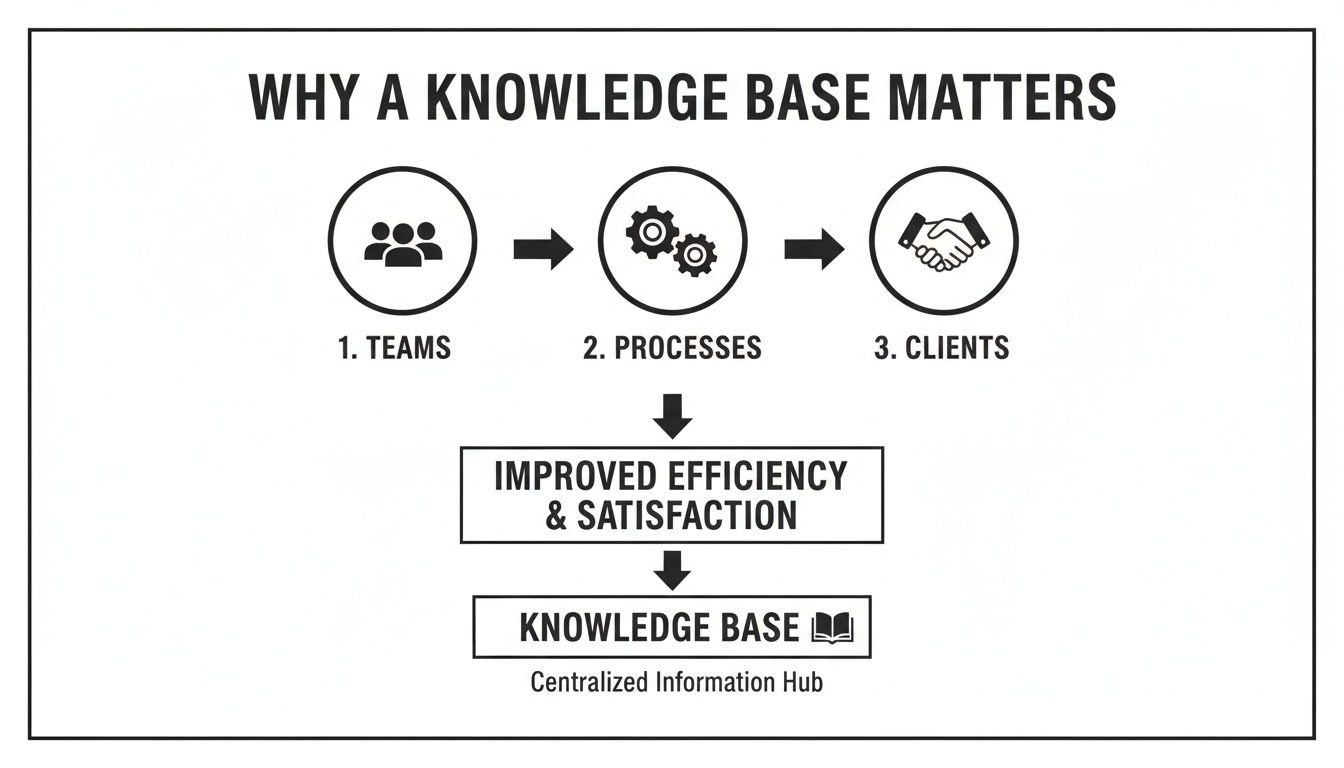
As you can see, organized knowledge empowers your team, which in turn streamlines processes and ultimately improves the client experience. It's all connected.
Structuring Your Content Taxonomy
A taxonomy is just a fancy word for the logical structure you use to organize everything. It’s the system of categories, subcategories, and tags that makes information easy to find. A good taxonomy is so intuitive that users don't even have to think about where to look.
When you're designing your knowledge base, a foundational content approach like a pillar page strategy can be incredibly effective. This means creating broad, central pages for major topics that link out to more specific, detailed articles.
For example, an agency’s knowledge base might have top-level categories like this:
Client Onboarding
Welcome Packet
Project Kickoff Process
Communication Guidelines
Internal Operations
Time Tracking Policy
Software Access Requests
Expense Reporting
Service Playbooks
SEO Audit Checklist
Content Marketing Workflow
PPC Campaign Setup
Start with a simple structure and let it grow. You can always refine your taxonomy later based on user analytics and feedback. The key is to create a logical hierarchy from the very beginning that prevents your content from becoming a tangled mess. This initial planning is the most critical step in building a knowledge base that truly serves your audience.
Capturing and Creating Actionable Content
Okay, you've got your strategy locked in. Now comes the part where you actually build the heart of your knowledge base—turning your team's expertise into a real, usable asset.
This is where we move past boring text documents and get smart about capturing how work actually gets done. The goal isn't just to write things down; it's to create content people will genuinely use.
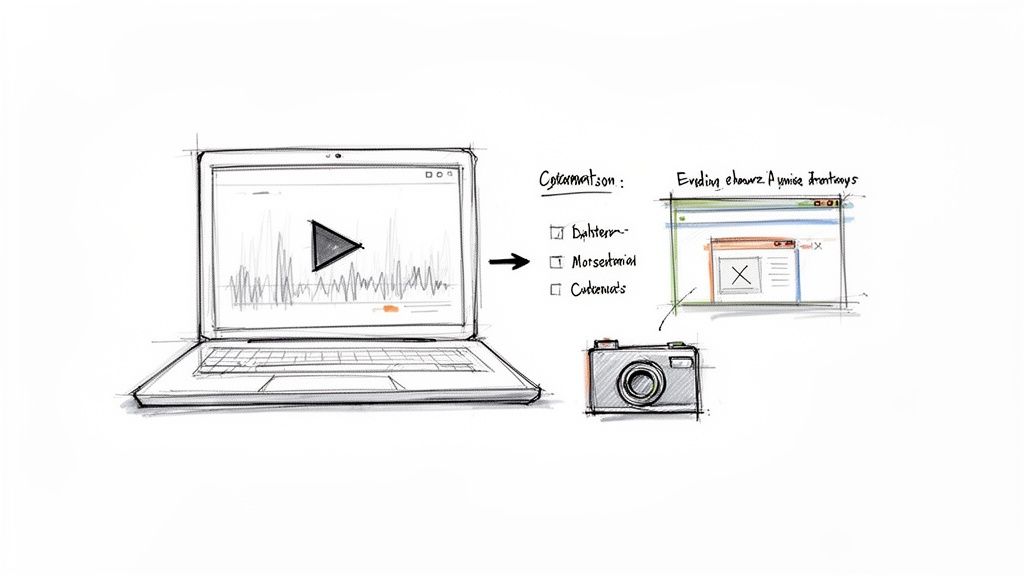
Forget spending hours writing dense, text-only guides that nobody ever reads. The most effective knowledge bases today rely on showing, not just telling. A simple screen recording, for instance, can explain a complex workflow way better than paragraphs of text ever could.
The real magic happens when you let technology do the heavy lifting. Modern tools can take a screen recording of a process and instantly convert it into a step-by-step guide, complete with annotated screenshots and clear instructions. This saves a staggering amount of time and keeps things accurate. If you want to see this in action, check out our guide on how to document a process in under 10 minutes.
From Raw Knowledge to Polished Guides
So, where do you start? The first step is figuring out what to document. My advice: go straight for the pain points.
What are the top 3-5 questions your support team answers every single day? Where do new hires always get stuck during their first week? These high-frequency, high-friction issues are your top content priorities. Start there.
Once you capture a process (usually with a quick video), the real work begins. This is where you add the human touch that turns an automated output into something truly helpful.
Clarify Action Steps: Read through the auto-generated text for each step. Is it clear? Is it direct? Ditch the jargon and rewrite it in plain English.
Add Contextual Notes: Use callouts to explain the "why" behind an action. A simple note like, "Heads up: select 'All Users' here to make sure the report includes every department" can prevent a lot of confusion down the road.
Incorporate Checklists: For any task with multiple parts, a checklist is your best friend. It breaks a big process into smaller, manageable chunks and gives people that satisfying feeling of making progress.
This refinement stage is what elevates a basic walkthrough into a resource that feels like it’s one step ahead of the user, answering their questions before they even have to ask.
The best documentation feels less like a manual and more like a helpful colleague guiding you through a task. It's concise, clear, and focused entirely on the user's success.
Establishing a Consistent Style and Voice
As more people start creating content, you'll need some ground rules to keep things from getting messy. A unified style makes your knowledge base easier to navigate and reinforces your brand's professionalism.
Don't overthink it. You don't need a 50-page brand book. A simple, one-page style guide is usually all it takes to keep everyone on the same page.
Key Style Guide Elements
Element | Guideline Example | Why It Matters |
|---|---|---|
Tone of Voice | Friendly, direct, and professional. Avoid slang and overly technical terms. | Ensures all guides feel like they're from a single, trusted source. |
Formatting | Use H3s for sub-sections. Bold key terms. Number all steps in a process. | Creates a predictable structure that makes articles easy to scan. |
Imagery | All screenshots must have a 2px red border around clicks. Keep video aspect ratios consistent. | Provides a polished, uniform visual experience across your entire knowledge base. |
Terminology | Always call it the "Client Portal," not the "customer dashboard" or "user area." | Prevents user confusion by standardizing names for features and actions. |
Setting these rules early ensures every piece of content, from an internal SOP to a customer-facing guide, meets a high standard of quality.
Making Content Engaging and Actionable
Finally, think about how to keep people engaged. Nobody wants to read a giant wall of text. It’s intimidating and, frankly, ineffective.
Break up your content with different formatting elements to hold the reader's attention and make the information easier to digest.
Try using these to level up your guides:
Embedded Videos: For a particularly tricky step, pop in a short video or GIF to show exactly how it's done.
Callout Boxes: Use colored boxes or blockquotes to highlight critical warnings, helpful tips, or important notes that shouldn't be missed.
Accordions or Toggles: Have an FAQ or some optional info? Tuck it into a collapsible toggle to keep the main guide clean while making extra details available for those who need them.
By focusing on efficient capture, thoughtful refinement, and consistent, engaging formatting, you’ll build a knowledge base that does more than just answer questions—it empowers people to solve problems on their own. This is how your knowledge base goes from being a simple library to an indispensable tool for your entire company.
Driving Adoption and Making It Accessible
Even the most brilliant, perfectly written content is useless if no one knows it exists. A successful launch isn't just about hitting "publish"—it’s a deliberate campaign to weave your new knowledge base into your team's daily habits.
The first major decision you'll make is where this knowledge base will live. This choice shapes everything from user experience to brand perception.
Branded Hub vs. Custom Domain
You’ve got two main options for publishing, each with its own trade-offs.
Branded Hub: This is the URL your knowledge base software gives you, like yourcompany.buildaguide.app. It’s incredibly fast to set up, requires zero technical fuss, and works perfectly for internal teams when speed is the priority.
Custom Domain: This means hosting the knowledge base on your own turf, like help.yourcompany.com. This path offers a seamless brand experience, looks far more professional to clients, and can even give you a nice SEO boost.
For almost any customer-facing scenario, a custom domain is the gold standard. It builds brand trust and makes your documentation feel like a natural part of your product, not a bolted-on afterthought.
The investment here is more than just a trend; it's a fundamental shift in how businesses operate. The knowledge base software market is expected to jump from USD 2.34 billion in 2026 to a massive USD 7.68 billion by 2034. This explosion shows that companies see huge value in creating a single source of truth for both their teams and their customers. You can dig into more of the data in the full market report.
Crafting a Winning Launch Plan
Just sending a single email announcing, "Hey, we have a knowledge base now!" is a recipe for failure. You need a communication plan that builds excitement and clearly shows everyone what’s in it for them.
Your launch should feel less like an IT mandate and more like you’re handing everyone a new tool that makes their job easier.
Key Communication Steps
Pre-Launch Teaser: About a week out, drop a quick note that a new, centralized resource is coming to finally solve those common information headaches.
Official Launch Announcement: On the big day, send a detailed email with a direct link, a quick rundown of the benefits, and maybe a short video tour.
Targeted Follow-Ups: Don't stop there. Send specific messages to different teams—like support or sales—highlighting the guides most relevant to their day-to-day work.
Integrate Everywhere: Make the knowledge base impossible to ignore. Add prominent links in your app’s help menu, your email signatures, and your main project management tool.
The goal of a launch isn't just to inform people that the knowledge base exists. It's to fundamentally change their behavior from asking a person to checking the documentation first.
Migrating Existing Documentation
One of the most intimidating parts of this process is figuring out what to do with all your old documents. You likely have valuable information scattered across Google Docs, shared drives, and old Confluence pages. Leaving it there creates a fractured system and defeats the purpose of a central hub.
The key to a painless migration is to be methodical. Don't try to boil the ocean.
Start by auditing what you already have. Figure out what’s still relevant, what’s hopelessly outdated, and what just needs a quick refresh. Prioritize migrating the most frequently used documents first—the ones that tackle critical processes or common customer questions. This ensures your knowledge base is immediately useful from day one.
As you create these new guides, you can learn more about structuring them effectively in our article on how to create a step-by-step guide.
By strategically choosing your platform, executing a thoughtful launch, and methodically migrating high-value content, you build a resource that people will actually turn to. This is how your knowledge base becomes a living, breathing asset that drives efficiency and empowers your entire organization.
Ensuring Long-Term Success with Governance
Launching your knowledge base is a huge milestone, but it's just the starting line. A truly valuable knowledge asset doesn't just exist; it evolves. Without a smart governance plan, even the most pristine collection of guides will slowly decay into a wasteland of outdated advice and broken links.
Think of it like tending a garden. You can’t just plant the seeds and walk away. A sustainable maintenance strategy, built from day one, is what separates a useful resource from a digital graveyard. This is how you ensure your knowledge base remains a trusted source of truth for the long haul.
Establishing Clear Ownership and Roles
The fastest way for a knowledge base to fail is through ambiguity. When everyone is responsible, no one is. Assigning clear ownership is the first and most critical step in getting this right.
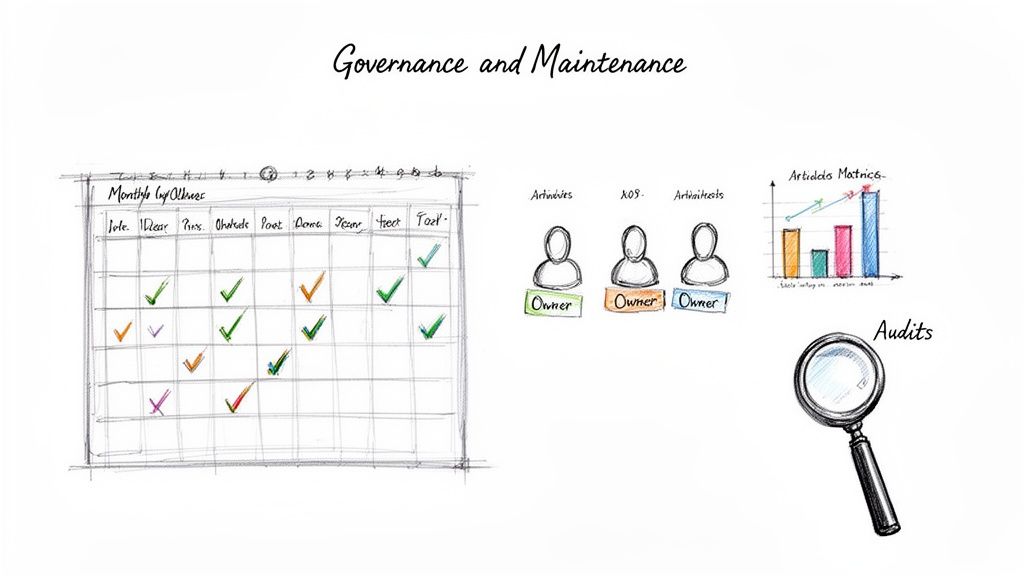
Start by designating owners for different content categories. For example, the product marketing team might own all feature-release guides, while the customer support lead is responsible for troubleshooting articles. This simple act eliminates confusion and empowers individuals to maintain their turf.
From there, you can define roles and permissions within your platform:
Contributors: Team members who can draft new articles and suggest edits to existing ones.
Editors: A smaller group with the authority to review, approve, and publish content, making sure it meets your style guidelines.
Admins: One or two people who manage the overall structure, user access, and system settings.
This tiered approach lets lots of people participate while protecting the integrity and quality of your content.
A knowledge base is a living library, and every section needs a dedicated librarian. Clear ownership turns maintenance from a vague, shared burden into a specific, manageable responsibility.
Creating a Content Audit Cadence
Content doesn't age like fine wine; it gets stale. A regular audit schedule is your only defense against inaccurate information causing real problems for your team or customers.
Don't try to review everything at once. That’s a recipe for burnout. Instead, set a practical cadence—a quarterly review is a great starting point for most teams. During this audit, your job is to flag articles that are outdated, inaccurate, or simply not getting used.
Your platform’s analytics are your best friend here. Look for articles with low view counts, negative feedback ratings, or high bounce rates. These are prime candidates for either a major update or the archive bin. For core workflows, leveraging a solid standard operating procedure template can also ensure consistency during rewrites.
Leveraging Analytics for Continuous Improvement
Your job isn't just to maintain content—it's to make it better. Your knowledge base analytics provide a powerful feedback loop, telling you exactly what your users need and where your documentation is falling short.
Pay close attention to these key metrics:
Failed Search Queries: This is a goldmine. What terms are people searching for that yield zero results? That list is your content creation to-do list, straight from the source.
Article Views and Completion Rates: High views on a guide show it’s in demand. But if people aren't sticking around, it might mean the article is confusing, too long, or not answering the right question.
User Feedback: Most platforms let users rate articles as helpful or unhelpful. Actively monitor this feedback to pinpoint and fix your most problematic guides first.
By regularly digging into this data, you shift from reactive maintenance to proactive improvement. It's how you make sure your knowledge base gets smarter and more valuable over time.
A Few Common Questions About Building a Knowledge Base
Even the best plans run into practical questions once you start building. Here are the answers to a few hurdles that almost every team hits along the way.
How Many Articles Should We Launch With?
Don't fall into the trap of trying to build a massive library on day one. A great launch isn’t about quantity; it’s about immediate value.
Focus on the top 5-10 most common questions your support team gets hammered with, or the most critical steps in your client onboarding. Launching with a small set of high-impact articles makes the knowledge base useful right away and builds the momentum you need to keep going. You can always expand from there.
Who’s Actually Responsible for Writing All This?
Content creation has to be a team effort, but ownership needs to be crystal clear. While anyone should be able to contribute, you need to designate specific subject matter experts (SMEs) as the final owners for different categories.
It usually looks something like this:
The support lead owns all the troubleshooting guides.
The product team is on the hook for new feature documentation.
An operations manager owns the internal process SOPs.
This setup ensures every article is accurate without dumping the entire workload on one person. More importantly, it keeps the content quality high because it comes directly from the people who know the topics best.
The single biggest mistake I see is assigning the entire knowledge base to one person. It’s a recipe for burnout and mediocre content. Distribute ownership across teams. It decentralizes the effort and ensures the information comes straight from the experts who live and breathe it every day.
How Do We Handle Different Audiences in One Place?
Your knowledge base will probably need to serve a few different groups—new customers, power users, and your own internal team, for example. The key is organizing and tagging your content so people can easily find what’s relevant to them without getting distracted by what isn't.
Create distinct categories like "Getting Started for New Clients" or use a simple "Internal Only" tag for company-specific process docs. This kind of segmentation lets you tailor information for each audience without creating a messy, one-size-fits-all library that ends up helping no one.
Ready to stop letting valuable knowledge get lost in scattered documents and one-off screen recordings? With Build a Guide, our AI-powered platform turns your team’s expertise into step-by-step guides that drive consistency and growth. Start building your single source of truth today.