
February 18, 2026
The Best Way to Document Processes A Modern Playbook
Discover the best way to document processes for modern teams. This playbook shows you how to create clear, engaging SOPs that people actually use.
Here's the best way to document processes: start with a screen recording, not a blank document.
This video-first approach captures a workflow in real time. From there, you can turn that recording into an interactive, step-by-step Standard Operating Procedure (SOP). It’s a method that’s fast to create, simple to update, and ridiculously easy to follow.
It turns documentation from a chore into a real competitive edge.
Why Most Process Documentation Fails
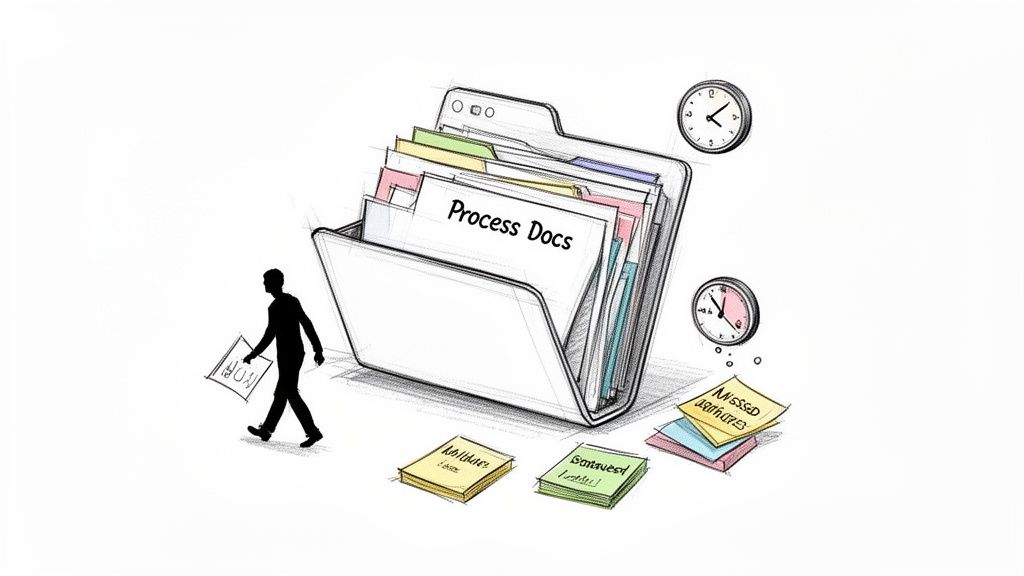
Let's be honest: most process documents are where good intentions go to die. They get stuffed into a forgotten folder on a shared drive, rarely updated and almost never used.
This isn’t because teams don't see the value in documentation. It’s because the traditional methods are fundamentally broken for today’s fast-moving work. Static Word files, dense wikis, and endless Google Docs are clunky to create and even harder to follow. They rely on walls of text that just can't capture the nuance of a digital workflow, leading to confusion and inconsistency.
The Real Cost of Bad Documentation
When documentation is outdated or hard to find, the consequences ripple across the entire organization.
For agencies, it means inconsistent client onboarding where one project manager's "method" is completely different from another's. For support teams, it leads to longer ticket resolution times as agents hunt for the right answer.
The fallout from poor documentation includes:
Wasted Time: Employees spend hours searching for information or asking colleagues for help on tasks that should be standardized.
Increased Errors: When steps are unclear or outdated, mistakes are inevitable. This means rework and frustrated clients or team members.
Knowledge Loss: Critical operational knowledge walks out the door when an experienced employee leaves, forcing the team to reinvent the wheel.
The core problem is that traditional documentation is treated as a one-time project, not a living resource. It’s created, filed away, and quickly becomes a liability as processes and tools inevitably change.
To see why this old approach no longer works, it helps to put the methods side-by-side.
Old vs New Documentation Methods
Feature | Traditional Docs (e.g., Word, Wiki) | Modern Guides (e.g., Video-to-SOP) |
|---|---|---|
Creation | Manual, time-consuming text and screenshots | Fast, screen-recorded from a real workflow |
Clarity | Relies on walls of text, easy to misinterpret | Visual, step-by-step with annotated screenshots |
Updating | Painful; requires rewriting entire sections | Easy; edit individual steps or replace a screenshot |
Engagement | Low; often ignored or avoided | High; easy to follow and complete tasks |
Accuracy | Drifts from reality as processes change | Stays current because it mirrors the actual workflow |
The table makes it clear: what worked in the past just doesn't hold up anymore.
The Growing Demand for Better Systems
Organizations are finally waking up to this challenge, realizing that effective process management is no longer a "nice-to-have." The global business process management market is proof, valued at USD 20.38 billion in 2024 and projected to hit USD 61.17 billion by 2030. You can read the full research about the expanding BPM market to see the trends yourself. This explosive growth shows just how critical streamlined operations have become.
This isn't just a concern for large enterprises. For distributed teams, clear documentation is the connective tissue that ensures everyone operates from the same playbook, regardless of their location. For growing agencies and support teams, it's the foundation for scaling without sacrificing quality.
By moving away from outdated methods, you can transform documentation from a source of frustration into your most valuable asset for driving efficiency and consistency.
How to Identify Processes Worth Documenting
Before you touch a record button or write a single word, the best process documentation starts with a smart plan. Just jumping in is a recipe for creating guides nobody needs or uses. The goal here is to solve real problems and deliver immediate value—not just to build a library for the sake of it.
So, where do you start? Think about your team's biggest headaches. Are new hires constantly pinging the same person with the same questions? Is there a client-facing task that floods your support inbox every month? These recurring issues are goldmines for documentation.
Prioritize Based on Impact
Not all processes are created equal. To zero in on the tasks that will give you the biggest return on your documentation efforts, you need to evaluate them. Look for processes that are either high-frequency, high-complexity, or high-impact.
A task doesn’t have to check all three boxes, but the best candidates for documentation usually have at least one of these qualities nailed.
Frequency: How often does this happen? Documenting a daily or weekly workflow, like generating a client report or processing a refund, saves a small amount of time for many people. That adds up fast.
Complexity: Does the process have a dozen steps, involve three different tools, or require specific knowledge that only one or two people have? Documenting these reduces errors and breaks down dangerous knowledge silos.
Impact: What’s the cost of getting this wrong? A mistake in setting up a new client's account could sour a relationship from day one. An error in an internal HR process might just be a minor inconvenience. Focus on the tasks where accuracy is non-negotiable.
Think of it this way: your first documentation efforts should act as firefighters, putting out the biggest operational fires. Address the tasks that cause the most friction, confusion, and rework first.
This strategic approach ensures you’re not just creating documentation, but actively solving problems that are quietly draining your team's efficiency and morale.
Actionable Questions for Different Teams
The right processes to document will look different depending on where you sit. The key is to ask targeted questions that uncover the most significant bottlenecks and opportunities for standardization.
For an agency or consultancy, it all comes down to client delivery and internal efficiency.
Which client onboarding steps are consistently missed or done differently across the team?
What is our standard process for kicking off a new project in our project management tool?
Where do junior team members get stuck when they’re prepping for a client presentation?
For a customer support or success team, the priority is resolving issues faster and helping users help themselves.
What are the top three "how-to" questions we get in support tickets every single week?
Which product feature trips up new users the most during their first 30 days?
What repetitive troubleshooting steps do our agents walk customers through on a daily basis?
For operations or HR teams, the goal is creating smooth internal workflows and a consistent onboarding experience.
Where do new hires consistently need help during their first week?
What is the official, up-to-date process for submitting expense reports or requesting time off?
How do we provision and de-provision access to key software when an employee joins or leaves?
By asking these specific, role-based questions, you can quickly build a prioritized list of processes that are crying out for clear, accessible documentation. This targeted strategy is the foundation for turning your documentation efforts into a real operational advantage.
Creating Your First Video-Powered SOP
Let’s move from theory to practice, because that's where the real value is. Creating your first SOP from a video isn't about cinematic perfection. It’s about clearly capturing a workflow exactly as it happens. This is the best way to document processes because you start with reality, not a blank page.
The whole process—from hitting record to sharing a polished guide—is a lot faster and more intuitive than you might think. We'll walk through it with a common example: setting up a new client project in Asana. This is a perfect task to document. It’s frequent, has multiple steps, and getting it right every single time is critical for a consistent client experience.
Capturing a Clean Screen Recording
A great video-powered SOP starts with a clean, easy-to-follow screen recording. Your goal is just to create a clear visual record of the process. Minimize distractions so anyone watching can focus only on what matters. You don't need fancy equipment—a simple screen recording tool and a clear microphone are all it takes.
A few pro tips for a smooth capture:
Prep Your Workspace: Before you even think about recording, close out of unnecessary tabs and turn off notifications. Have all your assets ready, like a client brief or project template. A tidy digital workspace makes for a tidy recording.
Narrate as You Go: Speak clearly and explain what you're doing, and more importantly, why. For our Asana example, you might say, "Next, I'm setting the project due date two days before the client's official launch. This builds in a buffer for final reviews."
Move at a Steady Pace: Go through the process at a deliberate, slightly slower-than-normal speed. Pause for a second after you complete a key action, like clicking a button or filling out a field. This gives the software—and your future viewer—a clear signal that a step is done.
Once the recording is finished, the next stage is where the magic happens. You're not going to make your team watch a 10-minute video every time they set up a project. Instead, you'll use technology to turn that raw footage into a structured, scannable guide. This is where the best way to document processes really shows its power.
Transforming Video into a Structured Guide
This is the step that makes the video-first approach so incredibly efficient. Modern tools can analyze your video, pinpoint the actions you took, and automatically generate a step-by-step guide, complete with screenshots. Your fluid workflow is instantly broken down into a logical sequence of actions.
This visual framework shows how you can select high-value processes like this one based on how often they happen, how complex they are, and their overall business impact.
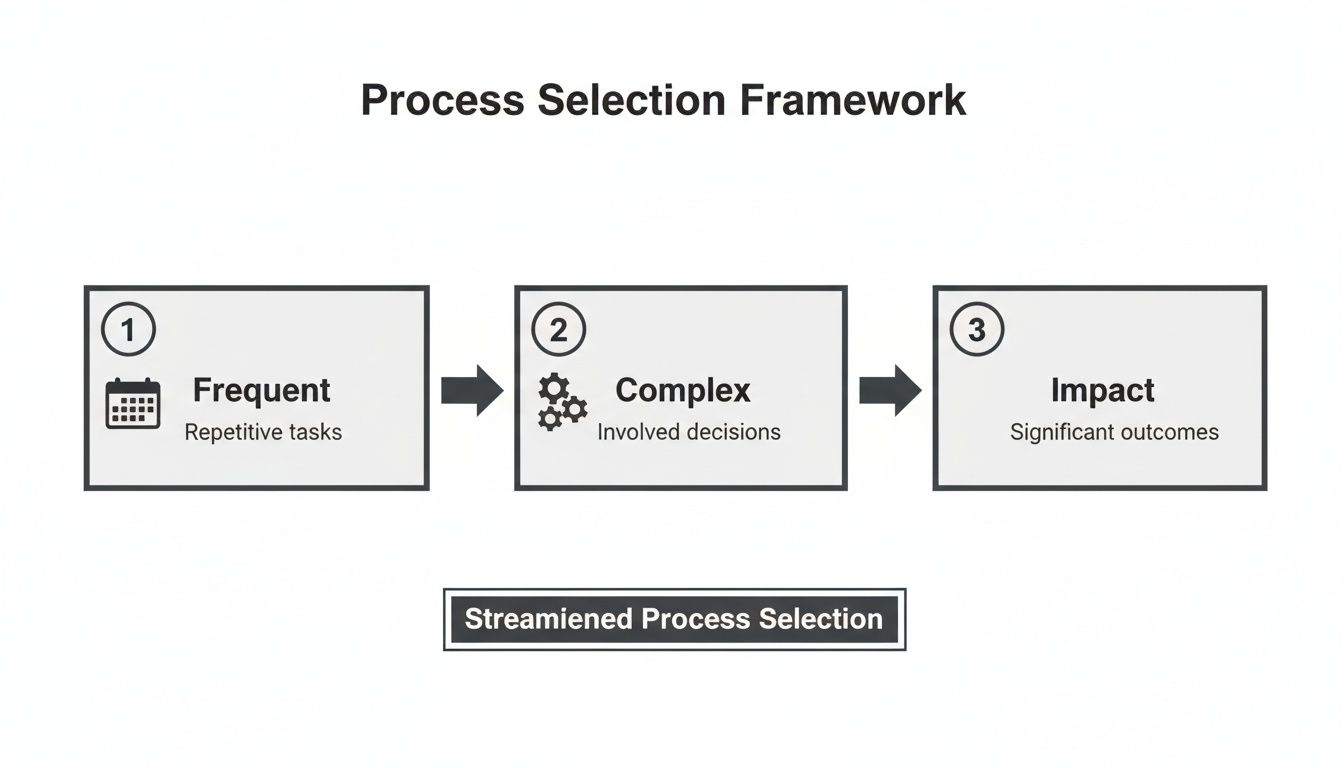
Using this framework ensures you’re putting your time into creating guides that will actually deliver a return. For our Asana setup example, the auto-generated guide would probably create steps like:
Click the 'Create Project' button.
Select the 'Client Onboarding Template'.
Enter the client's name in the 'Project Name' field.
Assign team members to their initial tasks.
The initial output from the AI is your first draft, not the final product. It does about 80% of the heavy lifting, saving you hours of manual screenshotting and writing. Your job is to refine and enrich this draft with context and clarity.
This efficiency is driving huge adoption. The process documentation software market was valued at USD 1.5 billion in 2023 and is projected to hit USD 3.8 billion by 2032. This growth shows a clear shift toward smarter, more scalable ways to document work.
Refining and Enriching Your SOP
With the automated draft in hand, your job is to polish it into a resource that’s impossible to misunderstand. This means reviewing the auto-generated steps, adding clarifying text, and bringing in interactive elements.
Start by just reading through the steps. Does the language make sense? Is there any crucial context missing? For our Asana example, a step like "Enter project name" could be refined to "Enter the project name using the format: [Client Name] - [Project Type] Q3 2024." This small addition ensures naming consistency across the entire company. You can record once and guide forever, making small text edits as standards evolve without ever needing to re-record the video.
Next, add checklists for tasks that have multiple sub-components. For the Asana setup, you might add a checklist under the "Assign Initial Tasks" step:
Assign Project Manager to 'Kickoff Call' task.
Assign Designer to 'Moodboard Creation' task.
Set due dates for all Phase 1 tasks.
Add a comment tagging the account lead to notify them.
This creates an interactive, actionable SOP that not only guides the user but also confirms completion. By starting with a simple video and layering in these refinements, you create a robust, user-friendly resource that actively improves how your team works.
Adding Visuals and Context for Ultimate Clarity
An auto-generated list of steps from a recording is a fantastic starting point, but it's not the end of the job. This is where you add the human touch—transforming that raw output into a guide that’s impossible to misunderstand. You're adding the context, warnings, and visual cues that prevent mistakes before they happen.
A plain list of instructions forces people to interpret what you meant. A visually rich guide shows them exactly what to do, where to click, and what to watch out for. This is the difference between a functional map and a guided tour with a local expert.
Elevate Your Screenshots with Annotations
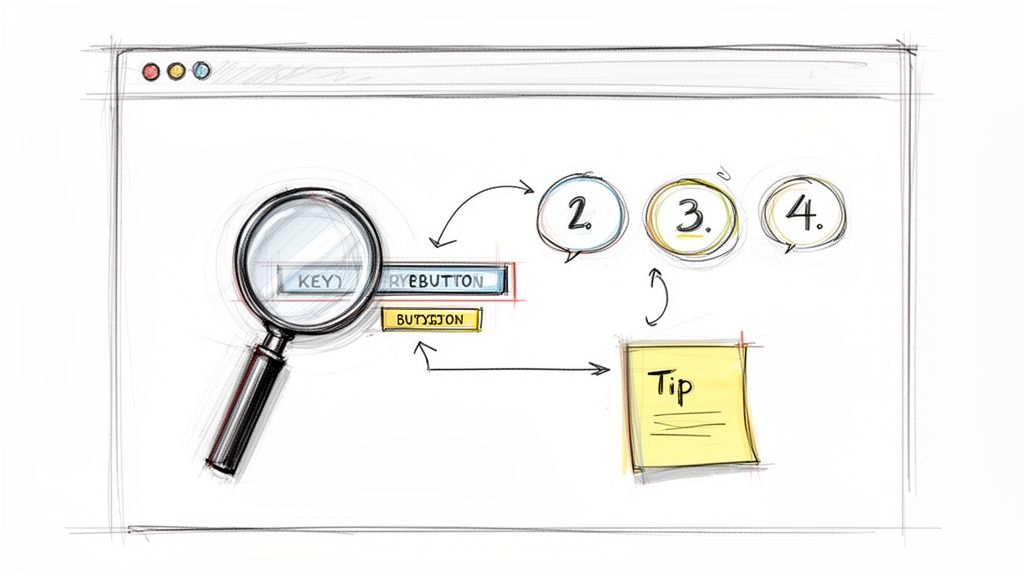
A screenshot captures a moment, but an annotated screenshot tells a story. This is your most powerful tool for adding clarity. Instead of just showing a screen, you can direct someone's attention to the one button or field that matters.
Simple, clean annotations are everything. You don't need to clutter the image; a few well-placed shapes can make all the difference.
Arrows and Pointers: Use these to pinpoint specific buttons, fields, or menu items. A simple arrow removes any doubt.
Numbered Callouts: When a single screen involves multiple actions, use numbered circles to guide the user through the sequence in the right order.
Highlight Boxes: Draw a colored box around an entire section—like a settings panel—to show someone where to focus their attention.
The goal is to make each visual instantly scannable. A user should be able to glance at your screenshot and know their next move without having to read a long paragraph.
Think of it this way: your written steps tell someone what to do, while your annotated screenshots show them where and how to do it. When combined, they create a nearly foolproof guide.
This visual-first approach is key to effective teaching. If you want your guides to offer total clarity, it helps to incorporate some best practices for instructional design to elevate your content.
Write Crisp, Action-Oriented Steps
With visuals handling the "where," your text can focus on the "what" and "why." Every step should be concise, start with a verb, and describe a single, distinct action.
Ditch passive language. Instead of "The project name should be entered," just write "Enter the project name." It's direct, clear, and easy to follow.
Good vs. Great Instructions
Good (But Vague) | Great (Specific and Actionable) |
|---|---|
Fill out the client details. | Enter the client’s full name and company email in the 'Contact Information' section. |
Save the file. | Click the green 'Save and Continue' button in the top-right corner. |
Choose the right option. | Select the 'Standard' plan from the dropdown menu. |
You should also bake crucial context directly into the steps. If a specific naming convention is required, state it explicitly. For example: "Enter the project name using the format: [Client Name] - [Project Type]." That one tiny addition prevents future cleanup and standardizes work across the entire team.
Use Interactive Checklists for Multi-Part Tasks
Some steps aren't just one action; they're a series of smaller to-dos that need to be completed. Forgetting just one can cause problems down the line. This is the perfect time for an interactive checklist.
Instead of writing a long, bulleted paragraph, just embed a checklist right inside the step. For a task like "Prepare Client Kickoff Report," a checklist might include:
Export last month's performance data.
Add a summary of key wins to the executive summary slide.
Double-check that all charts are correctly labeled.
Share the draft report in the #clients Slack channel for review.
Checklists do more than just list tasks. They give team members a small psychological win by letting them physically check off each item, ensuring nothing gets missed. It turns a passive reading experience into an active, engaging process.
How to Share and Distribute Your Documentation
Creating a clear, comprehensive guide is a huge win, but it’s only half the battle. A brilliant process document that no one can find is, for all practical purposes, completely useless. The real value gets unlocked when your documentation is woven into your team’s daily workflow, showing up exactly when and where they need it.
The best way to document any process involves thinking about distribution from the very beginning. Your goal should be to make finding the right answer easier than asking a colleague. This all comes down to reducing friction and putting knowledge directly in the path of action.
Centralized Hub vs. Direct Sharing
The first big decision is where your documentation will live. Do you build a central library where everything is stored, or do you primarily share guides directly as needed?
The reality is, you need both. A hybrid approach offers the best of both worlds, giving you a single source of truth that’s also flexible enough to meet people where they are.
A Centralized Knowledge Hub: Think of this as your official library—a single, searchable place for all approved processes. It’s perfect for browsing and discovery, and it serves as the definitive source of truth. This alone prevents fragmented, outdated versions from floating around in emails or chat threads.
Direct, Contextual Sharing: This is all about actively pushing information into workflows. Instead of making someone hunt for a guide, you deliver it right at the point of need. This is where documentation becomes truly powerful.
Think of your knowledge hub as the main library and direct links as the librarian handing you the exact book you need, the moment you need it. One provides structure and authority, while the other delivers speed and convenience.
Embed Documentation into Your Workflow
Making your guides accessible means putting them where your team already works. The more you can integrate your process documentation into existing tools, the more likely it is to be used. This transforms documentation from a separate, cumbersome task into a helpful, in-the-moment resource.
Here are a few practical ways to make that happen:
Project Management Tools: Link directly to the relevant SOP right inside a project template. For example, in an Asana or Trello card for "New Client Onboarding," include a direct link to the "Client Kickoff Process" guide.
Onboarding Checklists: Embed links to essential guides within your new hire checklists. A task like "Set up your email signature" should have the guide for that exact process attached to it.
Chat and Communication: Use Slack or Teams workflows to automatically suggest a guide. If someone asks a question containing keywords like "how to process a refund," a bot could reply with a link to the corresponding SOP.
This active distribution strategy is what turns your documentation into a living, breathing part of your company's operating system. As digital-first operations become the norm, the tools that enable this are becoming essential. In fact, the market for business process documentation tools is expected to grow from USD 1.94 billion in 2024 to USD 2.16 billion in 2025, driven by this exact shift to more integrated, paperless procedures. Discover more insights about the soaring demand for these tools.
Measure Engagement and Continuously Improve
You can't improve what you don't measure. Modern process documentation tools provide analytics that offer a window into how your guides are actually being used. This data is your secret weapon for making your documentation library more effective over time.
If you want to dive deeper into your options, check out our guide on the top process documentation tools available today.
Look for key metrics that tell a story:
View Counts: Which guides are the most popular? High-traffic guides are clearly solving a common problem, while guides with zero views might be undiscoverable or irrelevant.
Completion Rates: Are people making it all the way through your guide? A low completion rate could mean the guide is too long, confusing, or that the user found their answer early on.
Drop-off Points: Where in the process are people getting stuck? Analytics can show you which specific step is causing confusion, allowing you to go in and clarify the instruction or add a better visual.
Search Queries: What terms are people searching for? This can reveal gaps in your knowledge base, showing you what processes people need help with that haven't been documented yet.
By regularly reviewing these analytics, you can move from a "set it and forget it" mindset to one of continuous improvement. You can refine confusing steps, merge redundant guides, and create new content based on what your team actually needs. This feedback loop ensures your process library evolves with your organization, remaining a valuable and trusted resource.
Keeping Your Process Library Fresh and Relevant
Outdated documentation causes more problems than it solves. A process guide created just six months ago might as well be ancient history if your tools or client requirements have shifted.
This is where so many documentation efforts fall apart—not in the creation, but in the upkeep. The final, most crucial step is treating your SOP library as a living system.
Your goal is to shift from a "set it and forget it" mindset to one of constant, low-effort maintenance. A dusty, unreliable library erodes trust. When your team can't depend on the documentation, they'll go right back to the old way: interrupting colleagues and relying on tribal knowledge.
The most effective process libraries are not archives; they are active operational hubs. They breathe, adapt, and evolve in lockstep with your business, ensuring that the single source of truth is always the actual truth.
This doesn't require a mountain of work. It just requires a simple, sustainable system for governance.
Establishing a Simple Governance System
To keep your library fresh, you need clear ownership and a predictable review schedule. Without these, even the best-intentioned efforts will crumble.
First, assign an owner to every single process. This "Process Owner" doesn't have to be a manager; it should be the person or role most familiar with the workflow. They become the go-to expert responsible for keeping that specific guide accurate.
Next, implement a routine review cycle. Quarterly is a great starting point for most processes. The owner’s job isn’t to rewrite everything from scratch, but to quickly validate it.
Quarterly Check-in: The process owner spends 15 minutes reviewing their assigned guides.
Quick Validation: Does the process still reflect reality? Are all the tools and steps correct?
Minor Edits: If updates are needed, they can make small text or screenshot changes on the spot.
Flag for Overhaul: If a process has fundamentally changed, they can flag it for re-recording.
We cover this low-effort update model in more detail in our guide on how to keep SOPs up-to-date without a meeting.
Creating a Team-Powered Feedback Loop
Your team members are the front-line users of your documentation. They're the first to spot when a step is confusing, a screenshot is outdated, or a workflow has changed.
Harnessing their daily experience is the most efficient way to maintain accuracy.
Empower them with a simple feedback channel. This could be a dedicated Slack channel, a simple form, or a comments feature right inside your documentation tool. When someone spots an issue, they should be encouraged to flag it immediately. This turns your entire team into a proactive quality control department.
By creating this system of ownership, regular reviews, and open feedback, you embrace the core principles of best practice knowledge management. Your process library transforms from a static collection of documents into a dynamic, reliable resource that truly supports your organization's consistency and growth.
Even when you have a solid playbook, a few questions always pop up. It happens every time a team starts getting serious about their process documentation. Here are a couple of the most common ones we hear—and our straight-up answers.
How Often Should We Update Our SOPs?
For most processes, a quarterly review is a great starting point. It’s frequent enough to catch changes before they cause problems, but not so often that it feels like a burden.
That said, some things need a closer eye. If you’re rolling out new software or tweaking a high-impact workflow, a monthly check-in is probably a better idea. The most important thing is to assign an owner to each guide—someone who’s on the hook for making sure it’s still accurate.
What’s the Best Format for Process Documentation?
This one’s easy: a hybrid format. The most effective guides combine video, annotated screenshots, and clear, concise text.
Why? Because this approach respects that people learn differently. Some need to see it, some need to read it. Starting with a screen recording is usually the best way to document processes because it captures the workflow exactly as it happens in the real world. You're not trying to describe the work from memory; you're showing it.
The best documentation isn't just a document; it's a shareable, interactive guide. It should feel less like a manual and more like a helpful teammate walking you through the steps.
By getting ahead of these common hurdles, you can build a process library that your team actually trusts and uses every single day.
Ready to stop documenting and start guiding? Build a Guide turns your screen recordings into polished, interactive SOPs in minutes. Start building your process library today.