
January 18, 2026
A Simple Standard Operating Procedure Template That Actually Works
Tired of SOPs no one reads? Use our simple standard operating procedure template to create clear, actionable guides your team will actually follow.
A simple standard operating procedure template gives you a clear, repeatable way to document important tasks. It cuts through the complexity of old-school manuals and focuses on actionable steps, clear ownership, and simple language so anyone can get the job done right.
Why Most SOPs Collect Dust and What to Do About It
Let's be honest: most Standard Operating Procedures end up in a digital graveyard. They become unread documents buried in a forgotten folder, failing the one job they were created for.
Why does this happen so often? The problem is that traditional SOPs are completely out of sync with how modern teams actually work.
They’re usually dense, text-heavy documents that are a pain to create and even harder to use. Writing them feels like a chore. The final product is often so overwhelming that employees would rather just ask a colleague for help than try to navigate a 20-page PDF.
The Failure Points of Traditional Documentation
The pain points are always the same. First, they take a massive amount of time to create, often dragging in multiple people for endless review cycles. Second, they become outdated almost the second you publish them. One small software update or a minor tweak to a process makes the entire document wrong, and the thought of updating it is exhausting.
The biggest mistake is treating documentation as a one-time project. An SOP is a living resource; if it's not easy to update, it's destined to become obsolete.
This cycle of creation and neglect leads to a total breakdown in trust. When your team knows the official documentation is probably wrong, they stop using it. It’s that simple. A key reason SOPs collect dust is that nobody sees the value in them; making them useful means creating procedures that actually improve how work gets done, which is a core idea in this practical guide on improving workflow efficiency.
This infographic nails the three main reasons traditional SOPs fail.
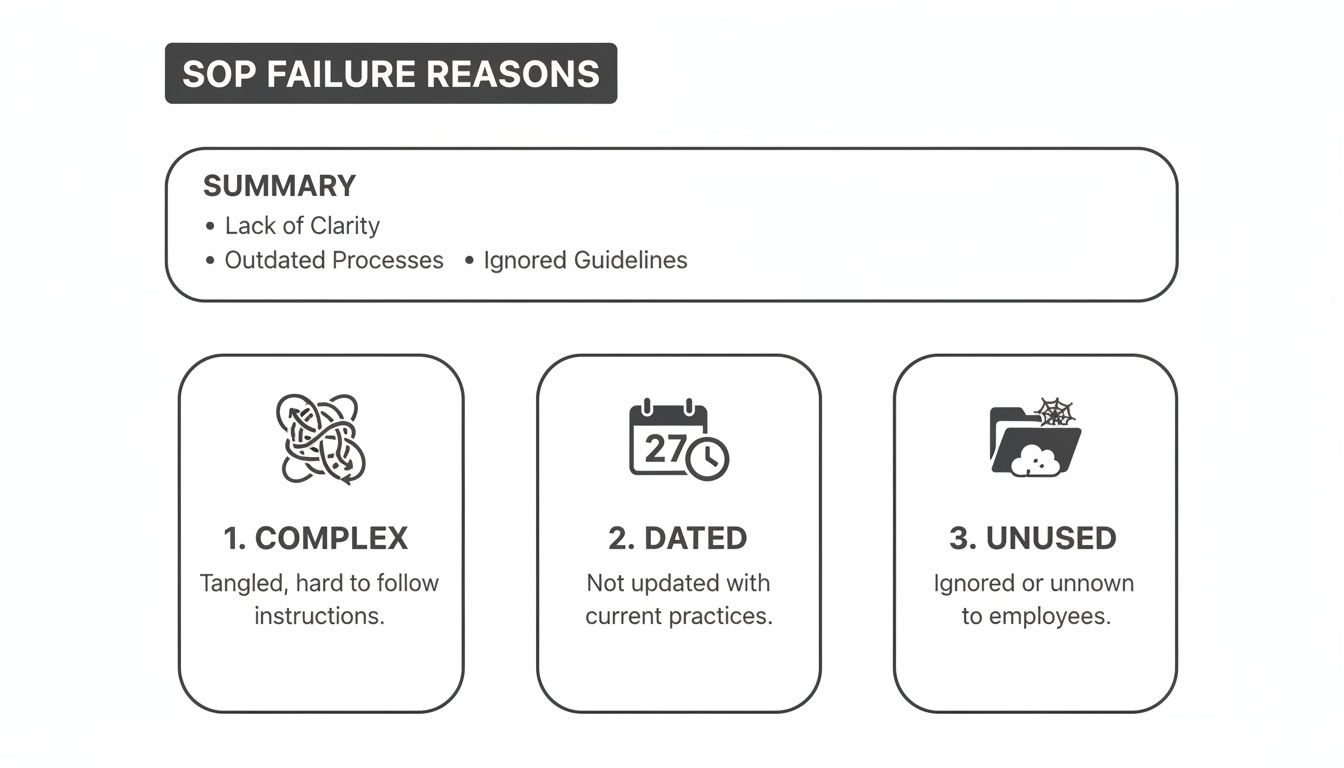
As you can see, it really boils down to complexity, outdated information, and just making them hard to find and use.
The Shift Toward Simple, Actionable Templates
The fix is to move away from those clunky manuals and toward a simple standard operating procedure template that’s all about clarity, action, and accessibility. This modern approach turns documentation from a burden into a powerful tool for consistency, especially for growing and remote teams.
The market is already heading this way. The global SOP Management Market was valued at $1.53 billion in 2023 and is projected to hit $4.0 billion by 2031, with early adopters reporting productivity gains of 20-30%.
This new approach means:
Prioritizing clarity over comprehensiveness: Just focus on the essential steps needed to complete the task. Nothing more.
Using visual elements: Lean on screenshots, short videos, and checklists to make instructions impossible to misinterpret.
Ensuring easy access: Keep guides in one central, searchable place that your team can get to in seconds.
To show just how different this approach is, let's compare the old way with the new.
Traditional SOPs vs Modern Interactive Guides
Attribute | Traditional SOPs (e.g., Word Docs) | Modern Interactive Guides (e.g., Build a Guide) |
|---|---|---|
Creation | Manual, text-heavy, time-consuming | Fast, record-based, auto-generated |
Format | Static text, long paragraphs | Interactive steps with screenshots & video |
Updates | Difficult, requires full rewrite | Easy, edit a single step in seconds |
Accessibility | Buried in folders, hard to find | Centralized, searchable, linkable |
Engagement | Low, often ignored | High, designed for active use |
The difference is night and day. Modern guides are built for how people actually work and learn today.
By changing your mindset, you can avoid the SOP mistake that makes guides useless. The goal is no longer to just "document" a process. It’s to create a resource that actively helps your team get work done better, faster, and with more confidence.
How to Customize Your Simple SOP Template
Theory is great, but a template is useless until you make it your own. This is where the real work begins—turning a generic document into a practical tool your team will actually use.
Ready to dive in? Grab a copy of our template to get started.
Duplicate the Simple SOP Template in Notion
Once you've got your own version, we’ll walk through customizing it with a real-world scenario you've probably lived through before.
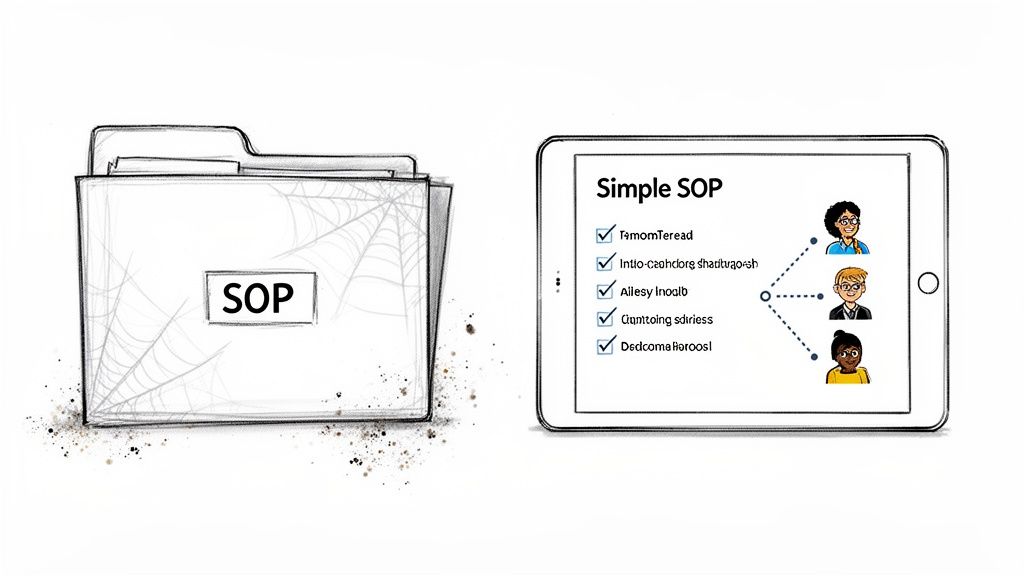
Scenario: A Marketing Agency Onboards a New Client
Let's say you're an account manager at a marketing agency. You just signed a new client, and you need their onboarding to be seamless, professional, and consistent. It's the perfect job for a solid SOP.
Here’s how we'll populate the key sections of your new template.
1. Title Keep it direct and searchable. Think about what a new team member would actually type into a search bar to find this.
Good: SOP: How to Onboard a New Marketing Client
Bad: Client Process v2.1 Final
2. Purpose This is your "why." In one or two sentences, what does following this process guarantee?
Example: "This procedure ensures every new client receives a consistent and professional onboarding experience, setting the project up for success by establishing clear communication channels and expectations from day one."
Defining the Guardrails: Scope and Roles
Next, you need to set clear boundaries. This simple step prevents confusion and ensures everyone knows exactly who is responsible for what. The goal isn't to list every single possibility, but to define who does what and what this document actually covers.
An SOP without a clear scope is just a list of suggestions. Defining who is responsible and what tasks are included turns it from a document into an actionable process.
Let’s break it down:
Scope: What does this SOP cover? Just as importantly, what does it not cover? Be specific.
In Scope: Client kickoff call scheduling, internal team briefing, project management setup, initial data access requests.
Out of Scope: Contract negotiation, invoicing, campaign strategy development (these should all have their own SOPs).
Roles & Responsibilities: List the people involved and their main job in this specific process.
Account Manager: Owns the entire process and all client communication.
Project Manager: Sets up the project board and all related tasks.
Lead Strategist: Prepares the strategy portion of the kickoff call.
Building the Core Procedure
Finally, it's time to outline the step-by-step actions. This is the heart of your simple standard operating procedure template. Use clear verbs, short sentences, and visuals to make the process easy to follow at a glance.
Send Welcome Email: Use the "New Client Welcome" email template to greet the client and propose kickoff call times.
Schedule Internal Briefing: Book a 30-minute meeting with the assigned Project Manager and Lead Strategist to review the client's goals.
Set Up Project Board: The Project Manager creates a new board in your project management tool using the "Client Project Template."
Confirm Kickoff Call: Once the client confirms a time, send a calendar invitation with a clear agenda attached.
Request Initial Access: Send the "Client Asset Request" email to get access to necessary accounts (like Google Analytics, social media profiles, etc.).
Mastering this foundational skill—turning a blank template into a useful guide—is the first real step toward building documentation your team will actually use and appreciate.
Transform Your Template into an Interactive Guide
A static document is a solid start, but a living, interactive guide is where real efficiency happens. While a simple standard operating procedure template helps you structure your thoughts, modern tools can elevate that structure into something truly dynamic and easy to follow.
This is where the workflow flips from writing to showing. Instead of painstakingly typing out every step and manually taking screenshots, you can perform the task once while recording your screen. It's a fundamental shift in how documentation is created.
The Modern Workflow From Video to Guide
The process is refreshingly straightforward. Once you have a screen recording of the task, you simply upload it to a platform like Build a Guide. This is where AI steps in to do the heavy lifting, automatically breaking down your video into a step-by-step guide.
What you get back isn't just a transcript. It's a fully-formed procedure, complete with:
Action-Oriented Steps: The AI identifies each click and key action, translating it into clear, written instructions (e.g., "Click on the 'Settings' button").
Annotated Screenshots: For every step, a corresponding screenshot is captured and automatically cropped and highlighted to show exactly where the action took place.
Editable Text: The auto-generated text serves as a powerful first draft that you can then refine and perfect.
This approach saves an incredible amount of time, turning what used to be a multi-hour project into a task you can complete in minutes.
Enriching Your Auto-Generated SOP
With the basic structure in place, you can now add the human element. The goal is to anticipate questions and provide context that a simple recording might miss. A great interactive guide goes beyond just the "how" and explains the "why."
Here is where you can see the Build a Guide platform in action, showing how you can easily create these interactive documents.
The interface allows you to quickly add context, making your SOP more than just a list of instructions.
An interactive guide answers questions before they're asked. By adding notes, checklists, and callouts, you transform a reactive document into a proactive training tool.
Think about enriching your guide with these elements:
Notes and Callouts: Add a "Pro Tip" block to share a valuable shortcut or a "Warning" callout to highlight a common mistake.
Checklists: For multi-part steps, like verifying a client's information, add an interactive checklist that users can tick off as they go.
Merging Steps: Combine smaller, repetitive actions into a single, more concise step to improve readability and flow.
This process moves your documentation beyond the limits of a static file. Instead of just documenting a process, you are actively building a resource that helps your team execute flawlessly. It’s a crucial step for any organization looking to make its procedures truly usable and scalable.
To go deeper, check out our complete walkthrough on how to create a step-by-step guide that your team will actually want to use. This evolution from a basic template to an interactive guide is the key to creating documentation that drives consistency and supports growth effectively.
Sharing and Maintaining Your New SOPs
Creating a clear, interactive guide is a huge win, but it's only half the battle. A perfect SOP that no one can find is just as useless as a complicated one. Getting your new procedures into the hands of your team—and keeping them there—is what drives real results.
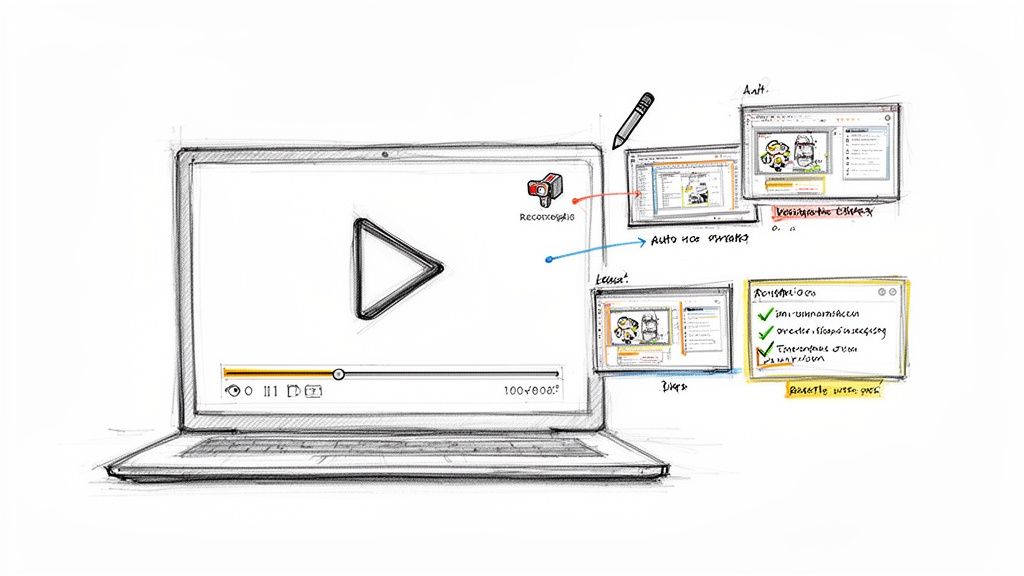
This is why centralizing your documentation is non-negotiable. When you publish your guides to a branded, searchable hub, they transform from scattered files into a reliable single source of truth. It ensures that when someone needs to know how to process a refund or set up a new campaign, they know exactly where to look.
Making Your SOPs Accessible
Accessibility is all about meeting your team where they already are. Don't expect them to hunt through nested folders. Instead, make sharing effortless.
Embed in Onboarding: Drop a guide directly into your onboarding checklist so new hires learn the right way from day one.
Link in Support Tickets: When a customer asks how to do something, send them a link to the perfect guide instead of typing out a long response.
Share in Project Briefs: Attach relevant SOPs to new project kickoffs to make sure everyone follows the correct process for the task at hand.
The goal is to make using the SOP the easiest and fastest way to get an answer. When your guides are clear and accessible, your team will naturally start to rely on them. For long-term success, your SOPs must be part of a broader strategy. Explore some essential knowledge management best practices to build a truly robust system.
Establishing a Simple Maintenance Routine
An SOP library is a garden, not a statue. It requires regular attention to stay healthy and useful. An outdated procedure erodes trust and encourages people to go back to guessing or interrupting colleagues. A simple maintenance routine prevents this decay.
A great SOP is never truly "finished." It evolves with your business. The best systems make it easy for the people doing the work to suggest improvements in real-time.
Your maintenance plan doesn't need to be complicated. Start with these two habits:
Schedule Quarterly Reviews: Set a recurring calendar event every three months to quickly review your most critical SOPs. Does the process still match reality? Is there a better way to do it now?
Encourage Real-Time Collaboration: Use tools that let teammates leave comments or suggest edits directly on a guide. The person performing the task is often the first to spot an outdated step. Empowering them to flag it ensures your documentation stays accurate.
By creating a simple feedback loop, you can discover how to keep SOPs up-to-date without a meeting, making maintenance a continuous, low-effort activity rather than a massive annual project. This approach is how your simple standard operating procedure template grows into a living library that supports your team indefinitely.
Let's make this less abstract. Seeing a simple SOP template solve real, everyday business problems is where the value really clicks. Theory is fine, but watching chaos turn into clarity is what gets teams on board.
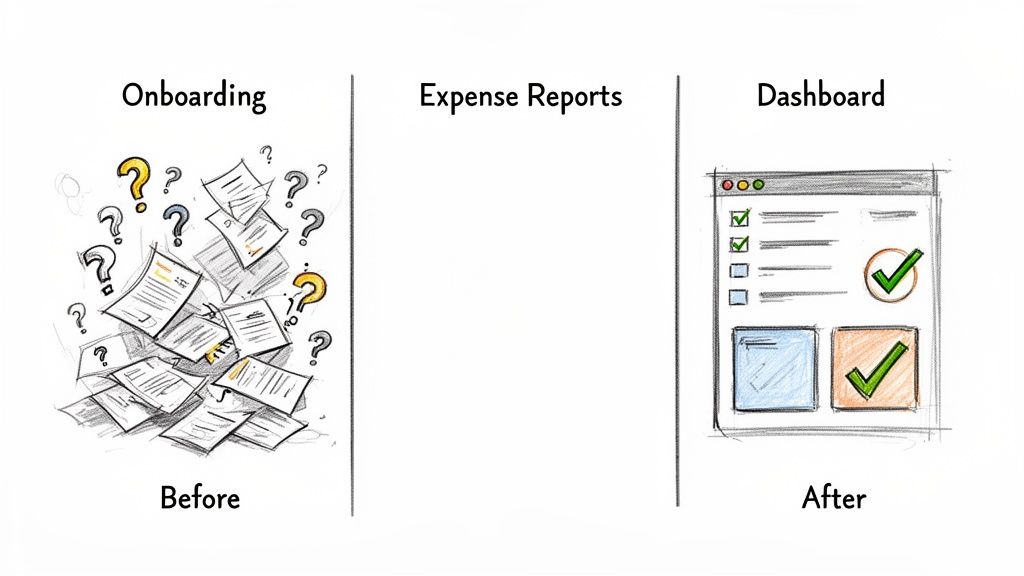
We'll look at three common scenarios where a messy, frustrating process gets fixed by shifting to a simple, interactive guide.
For each one, I’ll lay out the chaotic "before" state and the streamlined "after" state to show you the tangible difference clear documentation makes.
The Customer Success Onboarding Challenge
Before: A customer success team launches a powerful but complex new product feature. Onboarding calls are long, repetitive, and feel like a slog. The team is constantly fielding the same basic setup questions over and over in email and chat. Support ticket volume is through the roof, and new users feel overwhelmed, which means feature adoption is painfully slow.
After: The team lead records a single, clean walkthrough of the entire feature setup. Using a tool like Build a Guide, they turn that one video into an interactive SOP, complete with annotated screenshots for every click. They even add a checklist for required setup tasks and a "Pro Tip" callout to warn users about a common mistake.
They start sending this guide to new users before the onboarding call. This one small change has a huge impact:
Users show up to calls already familiar with the basics, so the conversation can be about strategy, not just "where do I click?"
Support tickets related to setup drop by over 40% in the first month alone.
New users get the feature working faster, which leads directly to higher satisfaction.
The Remote Team Expense Reporting Mess
Before: An operations manager is drowning in expense reports for a fully remote team. The process is a total mess—random receipts get dropped in Slack, spreadsheets are formatted inconsistently, and every month is a painful scramble of chasing down missing info and correcting errors. Reimbursements are late, and everyone is frustrated.
After: The manager creates a simple guide called "How to Submit Your Monthly Expenses." It’s a step-by-step walkthrough showing exactly how to fill out the expense template, where to upload receipts, and how to categorize each item correctly. No more guesswork.
A well-designed SOP doesn't just tell people what to do; it makes the correct way the easiest way. It removes ambiguity and becomes the path of least resistance.
The result is a complete turnaround. Employees now have a single source of truth they can check in seconds. The manager saves hours of cleanup work every month, reimbursements go out on time, and the whole workflow becomes predictable and stress-free.
The Marketing Agency Client Dashboard Confusion
Before: A marketing agency gives its clients access to a detailed performance dashboard. The problem is, clients constantly get lost trying to find specific reports or end up misinterpreting the data. Account managers spend a huge chunk of their client calls just re-explaining how to navigate the dashboard, which eats into valuable time that should be spent on campaign strategy.
After: The agency creates a "Client Dashboard Explainer" guide. This interactive SOP is a visual tour of the dashboard, with clear steps showing how to pull key reports and explaining what each metric actually means. They embed the guide right into the dashboard's help section.
Now, when clients have a question, their first instinct is to click the help guide. They find answers instantly, which empowers them to explore their own data with confidence. Account managers get to focus their entire client call on strategy, leading to more productive meetings and happier, more informed clients.
Common Questions About SOP Templates
Even with the best template in hand, rolling out a new documentation process usually brings up a few questions. That's perfectly normal. Let's tackle some of the most common ones I hear so you can move forward with confidence.
We'll get into everything from how often to check your guides to the single biggest factor in getting your team to actually use them.
How Often Should I Update My SOPs?
A good rule of thumb is a full review every 6 to 12 months. But here’s the real answer: an SOP must be updated the moment a process, tool, or policy changes. An outdated guide is worse than no guide at all because it quietly erodes trust.
The key is making updates painless. Instead of rewriting an entire document, modern tools let you tweak a single step in seconds. A great habit is to set a recurring calendar reminder for a quarterly SOP review, especially for your most critical operational procedures.
What Is the Difference Between an SOP and a Process Map?
This is a really common point of confusion. Think of it this way: a process map is the high-level "what," while an SOP is the granular "how."
A process map is a visual diagram showing the flow of a large-scale operation. It gives you that bird's-eye view, complete with decision points and different paths.
An SOP, on the other hand, zooms in on a single task within that map, providing detailed, step-by-step instructions on how to perform it correctly.
For example, your process map might show the entire "Client Onboarding" journey. Within that, you'd have separate SOPs for "How to Send a Welcome Email" and "How to Set Up a New Project Board."
An SOP provides the detailed "how-to" for a single task. A process map illustrates the entire journey that connects multiple tasks together.
How Do I Get My Team to Actually Use the SOPs?
Adoption is everything. The most beautiful SOP in the world is useless if your team ignores it. The secret isn't nagging them; it's making the SOP the path of least resistance.
First, involve your team in creating the guides. When they help build it, they feel a sense of ownership. Second, put everything in a centralized, searchable hub. No one wants to go digging through a messy shared drive when they're in the middle of a task.
Finally, make the guides genuinely helpful. When an interactive guide with clear visuals answers a question faster than asking a colleague, your team will start using it naturally. Make the right way the easiest way.
Ready to transform your documentation from static files into interactive, easy-to-use guides? With Build a Guide, you can convert screen recordings into polished SOPs in minutes, create a centralized hub for your team, and finally build a documentation process that sticks. Start creating your first guide for free!