
February 4, 2026
10 Technical Writing Best Practices to Master in 2026
Discover 10 actionable technical writing best practices for creating clear SOPs and guides. Elevate your documentation with examples, tips, and templates.
Standard Operating Procedures (SOPs) are the backbone of consistency and scale, yet most are gathering digital dust, ignored, outdated, or too confusing to be useful. The gap between a documented process and an adopted one is not about having more information; it's about clarity, usability, and precision. This is where mastering technical writing best practices becomes a non-negotiable skill for any team serious about efficiency, from customer support to operations and HR.
Great technical writing transforms dense instructions into accessible, actionable guides that empower your team, reduce support tickets, and drive operational excellence. When documentation is unclear, it directly creates bottlenecks and increases error rates. For example, poor technical writing often leads to inefficiencies and errors in operational environments; you can explore this further by understanding the operational impact of documentation on a modern IT service desk. The goal is to create resources that people actually want to use because they make their jobs easier.
In this comprehensive roundup, we will break down 10 essential practices that turn confusing SOPs and workflow guides into your organization's most valuable assets. We will move beyond generic advice to provide actionable steps, highlight common pitfalls to avoid, and show you how to implement each practice seamlessly using a tool like Build a Guide. Get ready to create documentation that finally gets used.
1. Write for Your Specific Audience
The most fundamental of all technical writing best practices is to write for a specific, well-defined audience. Effective documentation isn't a one-size-fits-all asset; it’s a targeted communication tool. Your content’s success depends entirely on its ability to meet the reader exactly where they are, considering their technical expertise, role, and goals.
An SOP written for a new hire in customer support will look drastically different from one for a senior IT administrator. The new hire needs context, step-by-step instructions, and definitions for internal jargon. The administrator, however, needs technical specifications, command-line examples, and troubleshooting for edge cases, skipping the foundational details.
Why It’s a Foundational Practice
Ignoring your audience leads to documentation that is either too simplistic for experts or too complex for novices. This causes confusion, increases support tickets, and undermines process adoption. Great documentation empowers users by speaking their language and anticipating their questions. For example, Salesforce masterfully creates separate documentation hubs for developers, administrators, and end-users, ensuring each group finds relevant, actionable information without sifting through irrelevant content.
Actionable Implementation Steps
To put this principle into practice, follow a structured approach:
Create Audience Personas: Before writing, draft simple personas for your primary readers. Who are they? What is their role? What do they already know, and what do they need to accomplish with this guide?
Segment Your Content: Use a tool like Build a Guide to create different versions of the same SOP for various audiences. You can create an "Internal" version with sensitive details and a "Customer-Facing" version that’s more streamlined.
Add Prerequisite Sections: Start your guides with a quick "Who is this for?" or "Before you begin..." section to set expectations and link to foundational knowledge if needed.
Test with Real Users: Share your draft with a representative from each target audience. Their feedback is invaluable for identifying confusing terminology or missing steps.
Tailoring your documentation for different groups, such as internal teams versus external clients, requires a distinct approach to tone and detail. For a deeper dive, explore our guide on adapting SOPs for internal vs. customer-facing audiences.
2. Use Clear and Consistent Terminology
One of the most critical technical writing best practices is establishing and maintaining a consistent vocabulary. When a term like "user account" is called a "profile" on one page and a "login" on another, you create cognitive friction that leads to confusion and errors. Consistent terminology is the bedrock of clear communication, ensuring every step in a process is unambiguous.
This practice involves defining technical terms on first use, strictly avoiding synonyms for the same core concept, and creating a centralized terminology glossary that all contributors reference. This is especially vital in SOPs, where a slight variation in wording can cause a user to perform an incorrect action, derailing an entire workflow.
Why It’s a Foundational Practice
Inconsistent terminology forces the reader to stop and question if "submit request" means the same thing as "file ticket." This hesitation breaks their focus, increases the likelihood of mistakes, and ultimately erodes trust in the documentation. By standardizing language, you reduce ambiguity and build a predictable, easy-to-follow experience. For instance, Stripe’s API documentation excels at this by using identical parameter names (e.g., customer, amount, currency) across all endpoints, making its entire system feel cohesive and intuitive for developers.
Actionable Implementation Steps
To enforce linguistic consistency across your documentation, implement the following:
Create a Shared Terminology Glossary: Develop a central document or wiki page that defines all key terms, acronyms, and branded features. Make this the single source of truth for all content creators.
Define Terms on First Use: When introducing a complex or new term in a guide, define it immediately in parentheses or a footnote. This provides instant clarity without interrupting the flow.
Include a Glossary Section in Complex SOPs: For lengthy or jargon-heavy guides, add a dedicated glossary at the beginning or end. This allows users to quickly reference definitions as needed.
Conduct Terminology Audits: Periodically review your existing documentation to identify and correct inconsistencies. This is especially important when products or processes are updated.
Train All Contributors: Before anyone creates or edits a guide, ensure they are trained on the approved terminology. Using a collaborative platform like Build a Guide allows teams to establish these standards in real-time before publishing.
3. Structure Content with Clear Steps and Hierarchies
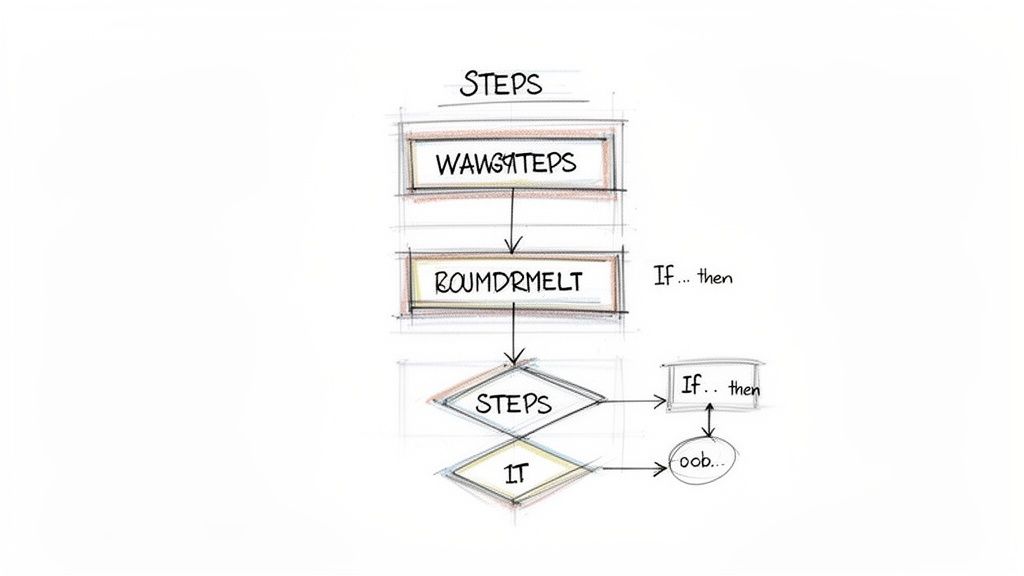
Clarity in technical documentation comes from its structure. Organizing information in a logical, step-by-step sequence with a clear hierarchy is essential for creating procedures that are easy to follow and execute. This practice involves breaking down complex processes into discrete, manageable actions, using headings and subheadings to create a scannable outline, and maintaining consistent formatting throughout.
An SOP that jumps between unrelated tasks or buries critical actions in dense paragraphs is a recipe for errors. Effective hierarchical structure guides the user from start to finish without ambiguity, ensuring each action is completed in the correct order. IKEA's universally understood assembly instructions are a perfect example, using numbered steps and visual hierarchy to make complex assembly manageable for anyone.
Why It’s a Foundational Practice
A lack of clear structure is a primary cause of user frustration and process failure. When users cannot easily follow the sequence of actions, they are more likely to miss critical steps, perform tasks out of order, or abandon the procedure altogether. This increases support requests and undermines the very purpose of the documentation. Great technical writing best practices demand a structure that prevents confusion and empowers users to complete tasks independently and accurately. Apple’s Support guides excel at this, using clear step numbering and screenshots to guide users through troubleshooting.
Actionable Implementation Steps
To implement a strong hierarchical structure, focus on clarity and sequence:
Start Each Step with an Action Verb: Begin instructions with clear, commanding verbs like Click, Enter, Select, or Navigate. This immediately tells the user what to do.
Limit Steps to a Single Action: Keep each numbered step concise, focusing on one primary action per step. A good rule is to limit each step to 1-2 sentences for maximum clarity.
Use Headings for Process Stages: Group related steps under descriptive H3 or H4 headings to break the process into logical phases (e.g., "Step 1: Initial Setup," "Step 2: Configuration").
Incorporate Conditional Logic: For workflows with multiple outcomes, use "If...then..." statements or separate subsections to guide users through branching paths clearly. For example, "If the green light is flashing, proceed to step 5. If it is solid, skip to step 8."
Using a tool like Build a Guide automates much of this process. Its workflow capture tool automatically organizes user actions into numbered steps with corresponding screenshots, creating a perfectly structured guide as you work. For a detailed walkthrough, see our guide on how to document any process in under 5 minutes.
4. Incorporate Visual Elements and Screenshots
Words alone are often insufficient for clear technical communication. One of the most impactful technical writing best practices is to augment text with visual aids like screenshots, diagrams, and annotated images. Visuals clarify complex steps, provide immediate context, and cater to different learning styles, significantly reducing the cognitive load on the reader.
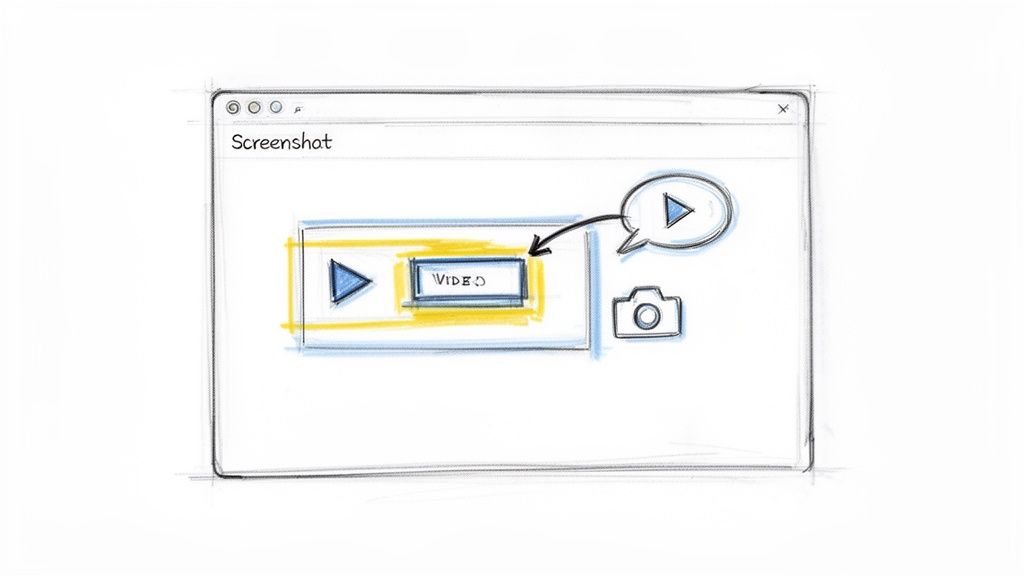
This is especially critical for software SOPs where users need to recognize specific buttons, menus, and interface layouts. A well-placed screenshot can prevent ambiguity far more effectively than a lengthy paragraph describing a user interface.
Why It’s a Foundational Practice
Relying solely on text forces users to translate your words into actions, increasing the chance of errors and frustration. Visuals bridge this gap, showing users exactly what to do and what to expect. This visual confirmation builds confidence and accelerates learning. For example, HubSpot’s knowledge base excels by including annotated screenshots for nearly every step of a process, making its powerful software feel accessible even to new users.
Actionable Implementation Steps
To effectively integrate visuals into your documentation, follow these guidelines:
Capture and Annotate Intelligently: Use a tool like Build a Guide to automatically capture screenshots from a screen recording, then use its built-in editor to add callouts, arrows, or highlights. This focuses the user's attention on the most critical element in the image.
Show, Don't Just Tell: For processes involving change, include "before" and "after" screenshots. This provides a clear visual demonstration of the expected outcome.
Maintain Visual Consistency: Use a consistent style for all annotations, including colors, fonts, and shapes. This creates a professional and predictable experience for the reader.
Prioritize Accessibility: Always provide descriptive alt-text for every image. This ensures that users relying on screen readers can understand the visual information.
To see how modern tools streamline this process, watch this quick demonstration of turning a video into a step-by-step guide with automated screenshots:
Effectively combining text and images is key to creating documentation that is both comprehensive and easy to follow. For a deeper look at this process, explore our complete walkthrough on how to create a step-by-step guide with screenshots.
5. Maintain Accuracy and Test Content Regularly
Of all technical writing best practices, this one is non-negotiable: documentation is only as valuable as it is accurate. Outdated or incorrect information is worse than no information at all. It erodes trust, causes costly operational errors, and leads to customer frustration. Truly effective documentation requires a commitment to rigorous testing and systematic updates whenever systems or processes evolve.
An SOP that guides a user through a software workflow must reflect the current UI, not the version from six months ago. Inaccurate instructions create confusion, increase support tickets, and can cause serious data integrity issues. Regular validation is not an optional final step; it's a core part of the documentation lifecycle.
Why It’s a Foundational Practice
Inaccurate documentation directly undermines its purpose. When a user follows a guide and fails, they lose faith in the resource and are less likely to use it again. This leads to increased dependency on support teams and a breakdown in standardized processes. For example, Amazon Web Services (AWS) meticulously versions its technical guides to align with specific service updates, ensuring developers are always working with correct, relevant information. Similarly, GitHub enforces a peer-review process for its documentation, treating it with the same rigor as its code.
Actionable Implementation Steps
To ensure your documentation remains a reliable source of truth, integrate these practices:
Establish a Review Cadence: Schedule quarterly or bi-annual reviews for all critical SOPs. Use Build a Guide’s real-time collaboration features to invite Subject Matter Experts (SMEs) to review and approve content before it goes live.
Implement a Feedback Loop: Use your guide’s engagement analytics to identify steps where users drop off or spend too much time. This often signals confusing or outdated instructions that need immediate attention.
Test, Don't Assume: Before publishing any guide, walk through the process yourself on a clean system. Verify every step, command, and screenshot to ensure it matches the live environment.
Document Versioning: Always include a "Last Updated" date at the top of your guides. For major process changes, create a simple change log to inform returning users about what’s new.
6. Use Active Voice and Action-Oriented Language
One of the most impactful technical writing best practices is to favor active voice and action-oriented language over passive constructions. Active voice clarifies who is performing an action ("You click the button"), while the imperative mood gives a direct command ("Click the button"). This creates instructions that are clear, concise, and easy to follow.
Passive voice, on the other hand, is often wordy and ambiguous. An instruction like "The 'Submit' button should be clicked after the form is filled out" is less direct and harder to process than its active counterpart: "Fill out the form, then click Submit." The second version eliminates confusion and gets straight to the point, which is critical in procedural documentation where users need to complete tasks efficiently.
Why It’s a Foundational Practice
Using passive voice in technical guides introduces ambiguity and cognitive friction. It forces the reader to mentally translate vague instructions into concrete actions, slowing them down and increasing the chance of errors. Action-oriented language empowers the user by giving them direct, unambiguous commands. For example, GitHub’s documentation consistently uses imperatives like "Clone the repository" and "Commit your changes," leaving no doubt about the required actions and making complex workflows feel more manageable.
Actionable Implementation Steps
To ensure your documentation is consistently direct and clear, follow these steps:
Start with an Action Verb: Begin every step in a procedure with a strong, specific verb. Use "Enter," "Select," "Navigate," or "Upload" instead of weaker phrases.
Eliminate Passive Phrasing: Actively search for and replace passive constructions. Phrases like "is done by," "should be," or "needs to be" are red flags. Turn "The password must be entered" into "Enter your password."
Review with a Checklist: Use Build a Guide’s SOP creation process to train contributors. Create a simple checklist for writers that includes "Does every step start with an action verb?" and "Have I removed all passive voice?"
Audit Existing Content: Periodically review your published guides. Look for patterns of passive language and revise them to improve clarity and impact. This small change can significantly reduce user confusion.
7. Provide Context and Prerequisites
One of the most effective technical writing best practices is to set the stage before the action begins. Great documentation doesn’t just jump into a list of steps; it first provides the necessary context and prerequisites. This means explaining why a task is important, what the user needs to have or know beforehand, and what outcome they should expect.
Diving straight into a procedure without this framework is like handing someone a key without telling them which door it opens. A user attempting to set up a software integration needs to know which accounts and permissions are required before they start, not after they encounter an error on step five. This preparation prevents frustration, reduces errors, and minimizes support tickets.
Why It’s a Foundational Practice
Failing to provide context leads to user confusion and abandonment. When users don’t understand the purpose of a task or lack the necessary tools, they are more likely to make mistakes or give up entirely. Documentation that front-loads this information empowers users to succeed independently. For instance, AWS documentation is a prime example, often starting with dedicated sections on required IAM permissions, account settings, and necessary resources, ensuring users are fully prepared.
Actionable Implementation Steps
To implement this principle, build a preparatory framework into every guide:
Create a “Before You Begin” Section: Start your documentation with a clearly labeled section that lists all prerequisites. This should include required accounts, software versions, access permissions, or necessary hardware.
State the Purpose and Outcome: Use the introduction to briefly explain the "why" behind the procedure and what a successful result will look like. For example, "This guide will walk you through connecting your calendar, which will enable automatic scheduling."
List Required Tools and Credentials: Be explicit about what users need. Don't assume they know. For instance, "You will need Administrator access to both your Google Workspace and Build a Guide accounts."
Set Expectations: Add details like the estimated time to complete the task or its difficulty level (e.g., Beginner, Advanced). This helps users allocate their time and resources appropriately.
8. Make Content Scannable and Well-Formatted
Technical documentation is rarely read like a novel. Users are typically looking for a specific answer to solve an immediate problem, and they want it fast. This is why making content scannable is one of the most critical technical writing best practices. Well-formatted documentation guides the user's eye, allowing them to find what they need without reading every word.
This principle is especially vital for SOPs and procedural guides, which are often referenced mid-task. A user performing a complex software configuration doesn’t have time to parse dense paragraphs; they need to quickly locate the next command or setting. Effective formatting with whitespace, lists, and visual hierarchy transforms a wall of text into a quick-reference tool.
Why It’s a Foundational Practice
Unformatted or poorly formatted content creates friction and frustration. If a user can’t find their answer within seconds, they are likely to abandon the document and create a support ticket or, worse, make a mistake. Great scannable content increases user independence, reduces support load, and improves process adherence. Stripe’s API documentation is a masterclass in this, using a multi-column layout, clear headings, and code snippets that are instantly distinguishable from explanatory text.
Actionable Implementation Steps
To put this principle into practice, focus on visual clarity:
Keep Paragraphs Short: Limit paragraphs to 2-3 sentences. Each paragraph should focus on a single, distinct idea.
Use Lists, Not Prose: Whenever you have a series of items, steps, or related concepts, use bulleted or numbered lists instead of embedding them in a sentence.
Leverage Whitespace: Use empty space intentionally to separate sections and ideas. This gives the content room to breathe and makes it feel less intimidating.
Create Descriptive Subheadings: Write subheadings that clearly communicate the content of the section that follows. This allows users to jump directly to the relevant part of the guide.
Emphasize Key Information: Use bold text for crucial terms, action items, or UI elements on their first mention. Use callout boxes or notes to highlight critical warnings or tips.
Effective formatting relies on understanding basic design principles. For those new to this, learning about the fundamentals of document layout, including what is Desktop Publishing (DTP), can provide a strong foundation for creating visually appealing and highly usable guides.
9. Include Troubleshooting and Common Issues
Even the most well-written process guide can't account for every variable. One of the most impactful technical writing best practices is to anticipate what might go wrong and proactively provide solutions. A great SOP doesn't just show the "happy path"; it equips users with the knowledge to self-diagnose and resolve common problems, turning potential frustration into a moment of empowerment.
This means documenting known error messages, identifying common failure points, and providing clear instructions for edge cases. Instead of leaving users to guess, you give them a clear roadmap for when things deviate from the plan. This proactive approach significantly reduces the burden on your support teams and builds user confidence.
Why It’s a Foundational Practice
Documentation without troubleshooting is incomplete. When a user hits a snag and finds no solution in the guide, they see the documentation as unreliable. This leads directly to support tickets, escalates user frustration, and slows down task completion. Shopify's help center excels at this, offering extensive troubleshooting for everything from payment gateway errors to theme customization issues. By addressing common problems upfront, they build a more self-sufficient user base.
Actionable Implementation Steps
To integrate troubleshooting effectively into your documentation, follow these steps:
Create a Dedicated Section: Add a clear "Troubleshooting" or "Common Issues" section at the end of complex SOPs. Use clear headings for each problem so users can scan and find their specific issue quickly.
Document Error Messages: Catalog known error messages. For each one, explain what it means in simple terms and provide a step-by-step solution.
Use "If-Then" Logic: Structure solutions as simple decision trees. For example, "If you see error code 502, first try clearing your cache. If the issue persists, check the system status page."
Analyze Support Channels: Regularly review support tickets, chat logs, and community forums. These are goldmines for identifying recurring user problems that should be added to your documentation.
Update Proactively: Use feedback loops to keep your troubleshooting guides current. When a user reports a new issue that you help them solve, immediately add it to the relevant guide.
10. Maintain and Update Documentation Systematically
One of the most overlooked technical writing best practices is treating documentation as a living resource rather than a one-and-done project. Stale, inaccurate guides are often worse than no guides at all, as they erode user trust and can lead to costly errors. Systematic maintenance ensures your SOPs and workflow documents remain accurate, relevant, and valuable over time.
This means actively removing outdated information, updating procedures when tools or processes change, and incorporating user feedback. For example, a guide for a software feature is only useful as long as it reflects the current UI and functionality. Once the software is updated, the guide must be updated in lockstep to prevent user confusion and frustration.
Why It’s a Foundational Practice
Neglecting documentation updates creates a vicious cycle. Users stop trusting the guides, which increases their reliance on support teams and subject matter experts for basic questions. This drains resources and defeats the purpose of creating documentation in the first place. Companies like Atlassian prevent this by tying their documentation updates directly to product release cycles, ensuring content is always synchronized with the actual product. This proactive approach maintains documentation integrity and user confidence.
Actionable Implementation Steps
To implement a systematic maintenance process, integrate the following habits into your workflow:
Establish a Review Cycle: Schedule regular documentation reviews, such as quarterly audits or immediately following a software release. Assign clear ownership for each document to ensure accountability.
Create a Feedback Loop: Use your documentation platform to gather direct user feedback. A simple "Was this helpful?" button or a comment section can highlight which guides are confusing or outdated.
Use Version Control: Employ a tool with versioning capabilities, like Build a Guide, to track changes, see publish history, and archive old versions instead of deleting them. This preserves a historical record and makes rollbacks easy.
Assign Document Owners: Make specific individuals or teams responsible for a set of documents. When a process changes, the owner is automatically tasked with updating the corresponding guide.
Building a sustainable update process is key to long-term documentation success. For more strategies, check out our guide on how to keep SOPs up-to-date without constant meetings.
Top 10 Technical Writing Best Practices Comparison
Practice | 🔄 Implementation Complexity | ⚡ Resource Requirements | ⭐ Expected Outcomes | Ideal Use Cases | 💡 Tips |
|---|---|---|---|---|---|
Write for Your Specific Audience | Medium–High — requires audience research and multiple variants | Medium — personas, testing, extra author time | Higher comprehension; fewer support tickets; faster onboarding | Role-based SOPs, client-specific guides, onboarding flows | Create personas; publish tailored versions; include prerequisites |
Use Clear and Consistent Terminology | Medium — governance and style enforcement needed | Medium — glossary creation and maintenance | Reduced confusion; better localization and searchability | Large-scale docs, APIs, cross-team knowledge bases | Maintain a shared glossary; run terminology audits |
Structure Content with Clear Steps and Hierarchies | Low–Medium — planning and consistent patterns | Low — authoring tools and brief user testing | Easier execution; improved scannability; fewer errors | Procedural SOPs, assembly instructions, step-by-step tasks | Start steps with action verbs; limit step length; use headings |
Incorporate Visual Elements and Screenshots | Medium — design and annotation workflow | High — capture/edit tools, storage, update effort | Faster task completion; higher engagement; fewer support requests | UI-focused guides, software onboarding, demonstrations | Annotate screenshots; add alt-text; update visuals when UI changes |
Maintain Accuracy and Test Content Regularly | High — testing, SME reviews, version control | High — SME time, test environments, review cycles | Trusted, compliant documentation; reduced costly errors | Compliance procedures, critical workflows, complex systems | Schedule audits; display "Last updated"; use version tracking |
Use Active Voice and Action-Oriented Language | Low — editorial discipline and training | Low — editor reviews and brief training | Clearer, concise instructions; reduced ambiguity | Troubleshooting steps, quick task instructions, SOPs | Begin instructions with action verbs; remove hedging language |
Provide Context and Prerequisites | Low–Medium — gathering requirements and assumptions | Low — author time to document prerequisites | Fewer failed attempts; better preparedness; reduced support | Integrations, permissioned tasks, multi-step setups | Add "Before you start" sections; list required tools and time |
Make Content Scannable and Well-Formatted | Low — consistent formatting rules | Low — formatting tools and review time | Faster lookups; better mobile usability; higher engagement | Help centers, quick-reference SOPs, mobile guides | Use short paragraphs, descriptive subheadings, whitespace |
Include Troubleshooting and Common Issues | Medium — collecting errors and decision logic | Medium — analytics, support input, decision trees | Fewer tickets; faster resolutions; empowered users | Support docs, error-prone workflows, integrations | Document error messages with fixes; add decision trees |
Maintain and Update Documentation Systematically | High — lifecycle governance and ownership | Medium–High — owners, analytics, change workflows | Current, reliable docs; reduced technical debt; maintained trust | Fast-evolving products, multi-team orgs, client hubs | Establish review cycles, assign owners, archive old versions |
From Documenting to Doing: Activating Your SOPs
We've explored the essential pillars of effective documentation, moving from high-level concepts to the granular details that separate a useful SOP from one that gathers digital dust. The journey from a loosely defined process to a clear, actionable guide is paved with conscious choices. It's about more than just writing things down; it's about engineering clarity. By embracing these technical writing best practices, you transform your documentation from a passive archive into an active tool for organizational excellence.
The principles we’ve covered, from meticulously defining your audience to systematically updating content, are not isolated tactics. They are interconnected components of a single, powerful strategy: to reduce friction and empower users. When you prioritize clear terminology, structure content logically, and use active voice, you eliminate ambiguity. When you add visuals, provide context, and include troubleshooting tips, you anticipate user needs and build their confidence.
Think of each best practice as a layer of quality assurance for your processes. A well-structured guide isn't just easier to read; it ensures procedural steps are followed in the correct sequence, minimizing errors. A consistently maintained document isn't just accurate; it builds trust and reinforces its own value, encouraging team members to rely on it as the single source of truth.
The Shift from Static Repository to Dynamic Playbook
The ultimate goal is to bridge the gap between documenting a process and doing it correctly, every single time. This is where the real return on investment lies. Effective documentation is not a cost center; it's a critical asset that directly impacts efficiency, consistency, and scalability.
Here are the most important takeaways to activate in your workflow immediately:
Audience-Centricity is Non-Negotiable: If your guide doesn't speak the user's language and address their specific knowledge level, it has already failed. Always start by asking, "Who is this for, and what do they need to succeed?"
Clarity is a Feature: Treat clarity, consistency, and scannability as core features of your documentation. Use formatting, visuals, and precise language to guide the user's eye and mind effortlessly through the process.
Maintenance is Part of Creation: A document is only as good as its last update. Build a review and update cadence directly into your documentation workflow. Outdated information is often more dangerous than no information at all.
Mastering these concepts elevates you from a simple document creator to a process architect. You are no longer just recording steps; you are designing a user experience for your team members or customers. This proactive approach ensures that the SOPs you deliver to clients, the workflows you create for support teams, and the onboarding guides you build for new hires are not just read but are truly used. They become the foundational playbooks that drive predictable outcomes and fuel sustainable growth.
The power of great technical writing is its ability to make complex tasks simple and repeatable. By committing to these best practices, you are investing in a more streamlined, knowledgeable, and effective organization. You are creating a culture where clear communication is the standard and everyone has the tools they need to perform at their best.
Ready to implement these technical writing best practices without the manual effort? Build a Guide automatically generates beautiful, step-by-step guides complete with annotated screenshots, just from a simple screen recording. Stop spending hours formatting documents and start creating perfect SOPs in minutes by visiting Build a Guide to see how it works.