
February 22, 2026
What is a living document: what is a living document for agile teams
Learn what is a living document and how dynamic updates boost agility and accuracy in your business.
A living document is simply a file that’s designed to be updated. It's a resource that’s continually edited to stay relevant and accurate. Unlike a traditional static document that's created and then rarely touched again, a living document is meant to evolve in real-time alongside your business, projects, or policies.
Moving Beyond Outdated Business Documents
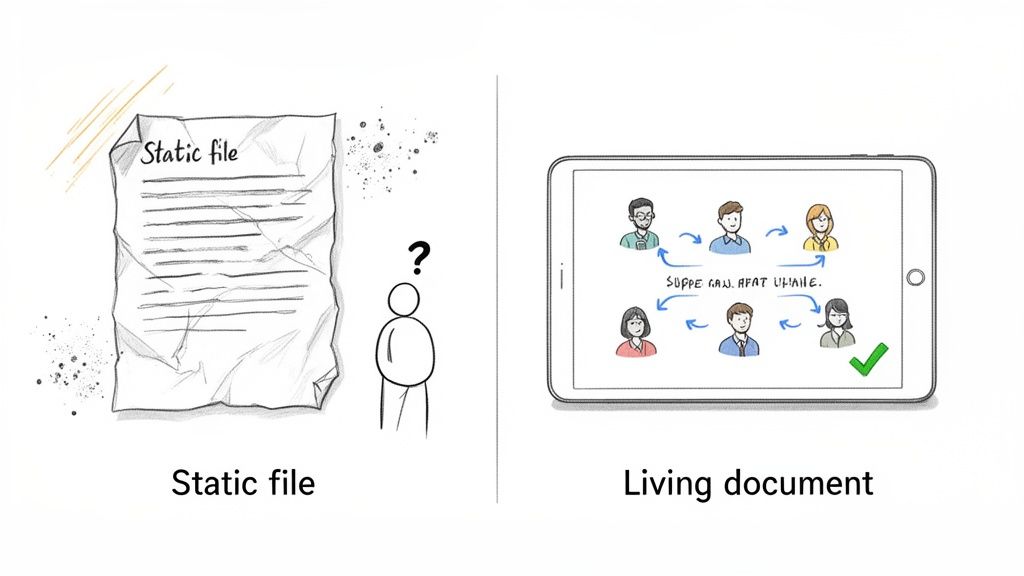
We've all been there. A new team member tries to follow a standard operating procedure (SOP), only to find it’s hopelessly out of date. This scenario is more than just frustrating—it leads to confusion, mistakes, and a major business bottleneck.
This is the hidden cost of relying on static, dusty files.
Traditional documents—think of a printed manual or a PDF saved on a shared drive—are frozen in time. The moment they are finalized, they begin to decay, quickly falling out of sync with how work actually gets done. This creates a dangerous gap between your documented processes and reality.
The Problem With Static Information
Your business isn’t static. Markets shift, tools get updated, and processes improve. Static documents fail to capture this constant motion, and that failure has real consequences.
Inaccurate Information: Teams end up operating on old data, which leads directly to errors and inconsistent quality.
Wasted Time: Employees burn hours searching for the correct procedure or asking colleagues for help, killing productivity.
Compliance Risks: Outdated policies can easily lead to non-compliance with industry regulations, and that can mean hefty fines.
Ineffective Onboarding: New hires learn incorrect or inefficient methods from the start, dragging out their ramp-up time.
These aren’t just minor annoyances; they have a serious financial impact. A 2022 survey found that 68% of firms with outdated SOPs faced compliance issues, costing them an average of $4.5 million annually. Moving beyond this requires modern document management best practices.
Living Document vs Static Document at a Glance
To make the difference clear, here’s a quick comparison.
Characteristic | Living Document | Static Document |
|---|---|---|
Updates | Frequent and easy | Infrequent and difficult |
Format | Digital, collaborative (e.g., wiki, online doc) | Often fixed (e.g., PDF, print) |
Accessibility | Centralized, real-time access for all | Version-controlled, often siloed |
Collaboration | Built-in, encouraged | Limited, requires manual merging |
Purpose | Guide ongoing work and decisions | Record a final, historical state |
This table highlights the core shift: from a document as a final record to a document as an active tool.
Embracing a Dynamic Approach
A living document isn't a specific file type—it’s a mindset. It’s a strategic approach to knowledge management where you treat your documentation as a single source of truth that grows and adapts with your team.
A living document acts as a central nervous system for your team's knowledge. It receives new information, processes it, and ensures every part of the organization is working with the most current, accurate intelligence.
This dynamic nature is what makes it so powerful. The need for constant adaptation became especially clear during recent global shifts. U.S. businesses updated crucial documents an average of 2.5 times per year between 2020 and 2023 just to keep up with changing work environments.
By treating your guides and SOPs as living resources, you build a more resilient and agile organization that’s ready for whatever comes next.
The Core Principles of a Living Document
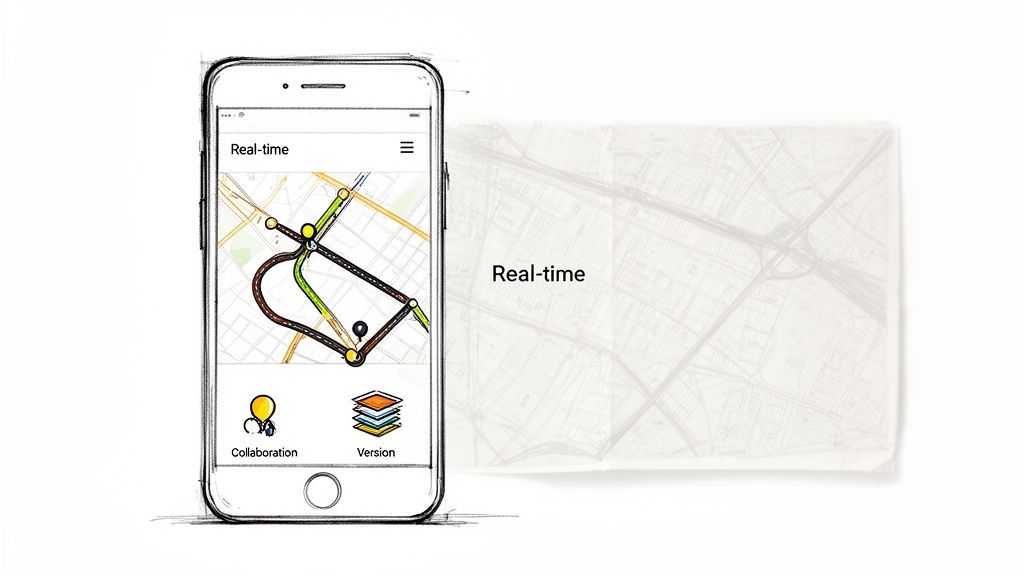
To really get what a living document is, think about the difference between Google Maps on your phone and an old paper map stuffed in a glove box.
The GPS updates constantly, showing you traffic jams, road closures, and faster routes. It’s always giving you the best path right now. The paper map, on the other hand, was out of date the second it came off the printer.
This is the perfect way to understand a living document. It's not just a file that gets updated once in a while. It’s a dynamic system built for change, teamwork, and staying useful.
Built for Continuous Adaptation
At its core, a living document is designed to evolve. A static PDF is a pain to revise—it requires a formal, slow process to make even a small change. But a living document is built on platforms that make updates simple and immediate.
This principle of continuous adaptation means the document actually reflects reality. When a new software feature rolls out or a client’s workflow gets tweaked, the guide can be updated in minutes, not weeks.
This ability to adapt is what separates a genuinely helpful tool from a dusty relic. It makes sure your team is always working with the most current information, which is the only way to keep things consistent and high-quality.
Fosters Real-Time Collaboration
Static documents create bottlenecks. One person "owns" the file, makes changes alone, and then emails out "Final_v3_Updated.pdf," leaving everyone confused about which version is the right one.
A living document breaks down those walls. It’s collaborative by nature, letting multiple people contribute, comment, and edit in one central place.
A living document transforms knowledge from a monologue into a conversation. It invites feedback, incorporates diverse expertise, and builds a shared understanding across the entire team.
This is a game-changer. When your sales, support, and product teams can all add their insights to the same playbook, it becomes a richer, more accurate source of truth for the entire business.
Delivers Unwavering Relevance
The whole point of documentation is for it to be useful. If a guide is outdated, it’s not just useless—it’s dangerous. It leads to mistakes, confusion, and wasted time.
The principles of adaptation and collaboration work together to ensure a living document remains unwaveringly relevant. Because it’s easy to update and everyone can contribute, it keeps pace with your business.
A few key features make this possible:
Integrated Version Control: Every change is tracked automatically. This gives you a clear history and lets you roll back to a previous version if something goes wrong. No more fear of "breaking" the doc.
Universal Accessibility: Being cloud-based, a living document is available to anyone on your team, from anywhere. This is non-negotiable for remote or distributed teams.
Seamless Collaborative Editing: Modern platforms allow for real-time co-editing, comments, and suggestions. This constant feedback loop is what keeps the document accurate and aligned with how work actually gets done.
When you embrace these ideas, a document becomes more than just content. It becomes a reliable, single source of truth that actively helps your team—and finally replaces the inconsistent "tribal knowledge" that holds so many companies back.
Why Modern Teams Thrive with Living Documents
Switching to a living document system is way more than a small process tweak—it’s a strategic decision that delivers real business results. Teams that embrace this approach stop fighting outdated information and start using their collective knowledge as an actual advantage.
This shift unlocks new levels of speed, accuracy, and collaboration. The benefits aren't just theoretical; they solve common, painful problems like operational mistakes, slow onboarding, and inconsistent work.
Enhancing Agility and Responsiveness
Static documents are like anchors holding your team back. When the market shifts or a customer has a new need, you can’t afford to wait weeks for a formal update. Living documents cut that tie, letting you respond instantly.
Picture a marketing agency running a big digital campaign. Data is coming in every hour, showing one ad is blowing all the others away. With a living campaign playbook, the team lead updates the strategy in real-time, and every single team member is notified to shift the budget and creative focus immediately.
This isn't a minor adjustment; it’s a massive upgrade in how the team operates. They’re no longer reacting to old news. They’re making decisions on current information, maximizing results and killing wasted effort.
A living document transforms your team's knowledge from a historical archive into an active, intelligent playbook. It enables you to pivot quickly and decisively, turning new information into immediate action.
This kind of responsiveness is critical. In an area like customer support, having a living business continuity plan (BCP) is a game-changer. Research from Diligent shows that organizations treating their BCPs as living documents recover from disruptions 2.3 times faster. That agility comes from having a precise map of critical processes—something living documents are built for.
Driving Accuracy and Operational Consistency
Outdated information is one of the biggest sources of expensive mistakes. When people follow old procedures, the results are all over the place, which can damage client relationships and sink your bottom line.
A living document acts as the single source of truth, making sure everyone is literally on the same page.
Think about a SaaS company whose product is constantly evolving. Their customer support team needs precise, up-to-the-minute info to handle user questions. Instead of a static PDF that’s obsolete the moment a new feature drops, they use a living guide.
When the product team pushes an update, they revise the support SOPs in their central knowledge hub at the same time. This means every support agent—from the seasoned pro to the brand-new hire—has the right troubleshooting steps. The result is fewer escalations, faster resolutions, and happier customers.
Streamlining Employee Onboarding and Training
Getting new hires up to speed is a universal headache. Traditional onboarding often means handing someone a pile of manuals and hoping for the best. It's slow, ineffective, and leaves new employees feeling lost.
A living document system completely flips that experience. New team members get access to a dynamic library of processes and guides that are always current. They can learn at their own pace, confident they're learning the right way from day one.
Imagine an operations manager onboarding a remote employee. Instead of sitting on endless video calls, they just share a link to the team’s living SOP library, maybe built with a tool like Build a Guide. The new hire can watch interactive walkthroughs and see exactly how to perform key tasks.
This self-serve approach helps them become productive faster while freeing up the manager’s time. To build on this, consider exploring our guide on knowledge management best practices.
Practical Examples of Living Documents in Action
The theory is great, but seeing a living document in practice shows its real power. Let's move past the abstract and look at how real teams are using them to solve everyday problems.
These aren't just files—they're active tools for growth, efficiency, and getting work done.
From Inconsistent Sales Playbooks to a Single Source of Truth
Imagine a sales team where everyone has their own version of the playbook. Some have outdated competitor info. Others are missing the latest pitch that’s been closing deals. A static playbook doesn’t just get old; it creates inconsistency.
Now, picture that same playbook as a living document.
When a sales rep discovers a new way to handle an objection, they add it directly to the shared guide. When marketing gets fresh data on a competitor, the playbook is updated in seconds.
This means the entire team—whether they're in the office or across the country—is always using the most effective, up-to-the-minute strategies. No more guessing.
The Ever-Evolving Product Roadmap
Product development is another area where static docs cause headaches. Traditionally, a product roadmap was a rigid Gantt chart, planned months ahead and resistant to change. This often led to teams building features based on old assumptions, only to find customers didn't actually want them.
A living roadmap flips this on its head. It connects directly with customer feedback, bug reports, and market analysis.
Customer Feedback Integration: When multiple users request a feature in support tickets, it can be flagged for consideration right on the roadmap.
Real-Time Prioritization: As market needs shift, product managers can drag and drop initiatives to reflect the new focus. The whole company sees the change instantly.
Transparent Progress: Development, marketing, and sales can all view the same living roadmap to see what's coming next, aligning their efforts without needing constant update meetings.
This approach stops teams from wasting months building the wrong thing. It creates a product that evolves in direct response to what customers actually need.
Dynamic Standard Operating Procedures
Perhaps the most common—and impactful—use case for a living document is the standard operating procedure (SOP). Static SOPs are famous for being outdated almost as soon as they're published. This is where living documents deliver incredible value.
For an operations team, this could be a guide for processing customer refunds. As soon as the payment processor updates its interface, a team lead can record a quick video of the new workflow and use one of the modern process documentation tools to instantly generate an updated step-by-step guide.
The new version replaces the old one immediately, eliminating any chance of someone following the wrong steps.
For software development and product teams, living documentation is a game-changer. Research highlighted by Ministry of Testing shows it can reduce misunderstandings by 60%, and teams report 45% faster ramp-up times for new hires. The impact is staggering: organizations using living docs deploy 208 times more frequently and recover from failures 2,604 times faster.
Client-Facing Onboarding and Support Guides
The power of living documents isn't just for internal processes. For agencies and customer success teams, they are perfect for creating client-facing materials that need frequent updates.
Consider an agency onboarding a new client. Instead of sending a static PDF welcome packet, they provide a link to a living onboarding hub.
Initial Setup: This hub contains checklists, intro videos, and guides for getting started.
Ongoing Strategy: As the project evolves, the agency adds new strategy docs, performance reports, and meeting notes directly to the hub.
Personalized Resources: The guide can be tailored with client-specific info, keeping it relevant.
This creates a central, always-current resource for the client, reducing back-and-forth emails and building confidence. It transforms the client relationship from a series of static deliverables into a dynamic, collaborative partnership.
Each of these examples shows a fundamental shift: from documenting the past to actively guiding the present and future.
How to Create and Manage Your First Living Document
Knowing what a living document is and why it matters is a great start. But the real magic happens when you move from theory to practice. Creating and managing your first one doesn't need to be a huge, complicated project. It's really just about building a simple framework that turns a good idea into a sustainable habit.
This guide will walk you through the essential steps, from picking the right home for your document to setting up a system that keeps it accurate, relevant, and genuinely useful. By following a clear path, you can dodge the common mistakes that send teams right back to their old, static Word docs.
Step 1: Lay the Foundation With the Right Platform
Before you can bring a living document to life, you need to give it a home. The platform you choose is make-or-break here, because it will either supercharge collaboration or stop it dead in its tracks. A simple file in a shared drive just won't cut it.
You need a tool that's built for dynamic content and teamwork. Modern platforms like Build a Guide are designed for this, letting you automatically turn screen recordings into step-by-step interactive SOPs. That makes creating the first version incredibly fast—and future updates even faster.
Look for a few key features:
Real-Time Collaborative Editing: Multiple people should be able to jump in, make edits, and leave comments at the same time without creating a mess of conflicting versions.
Built-In Version History: The platform absolutely must track every single change automatically, showing who did what and when. This is your safety net.
Centralized Accessibility: The document needs to live in one central, cloud-based spot that’s easy for everyone on the team to get to, no matter where they are.
This flow chart shows how different teams—from sales and product to operations—can all feed into and benefit from a single, evolving knowledge base.
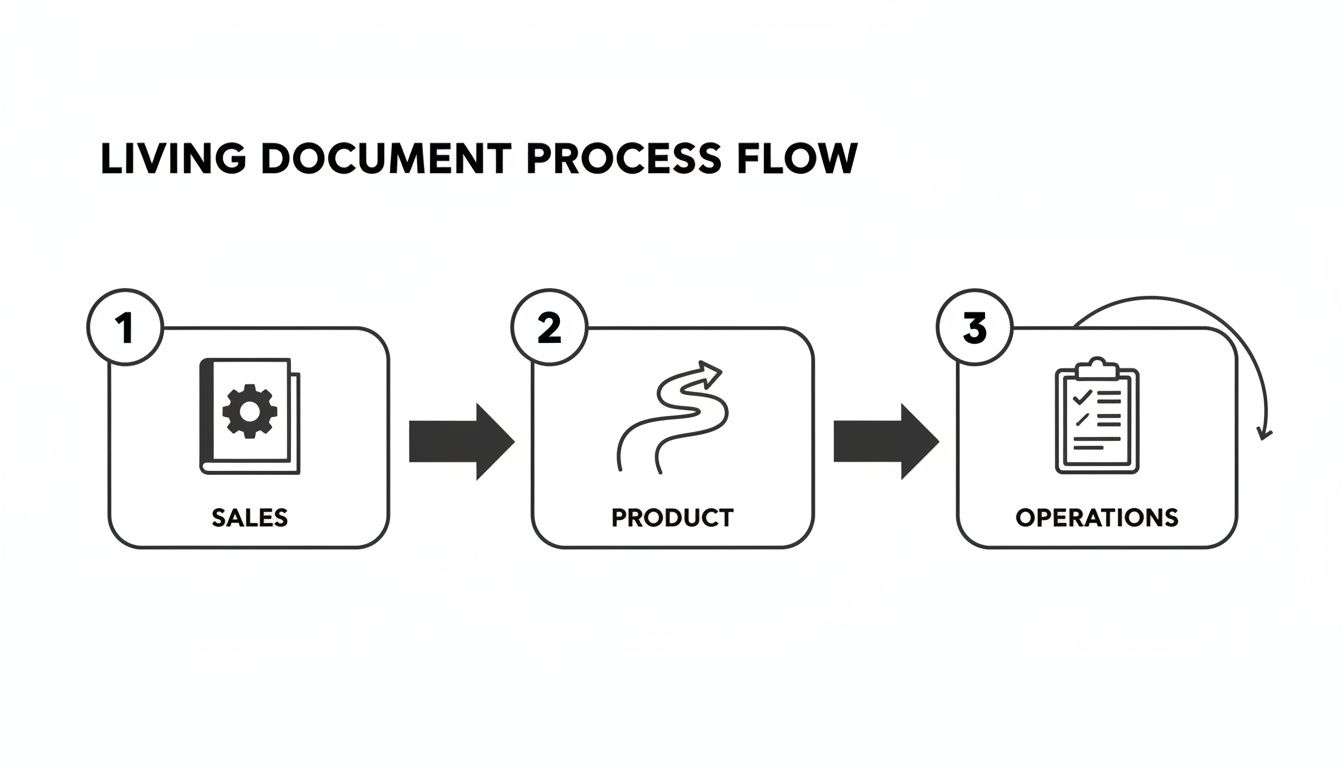
It’s a great visual for how interconnected processes work better when everyone is pulling from the same playbook.
Step 2: Establish Clear Governance and Ownership
A living document without rules is a recipe for chaos. Governance is just a fancy word for the framework that keeps your document a trusted source of truth instead of a disorganized free-for-all. And the single most important rule is clear ownership.
A document without an owner is an orphan. It will inevitably be neglected, become outdated, and lose its value.
Assigning one person or team as the primary owner creates accountability. They're responsible for making sure the document is accurate and up-to-date. They don't have to write every word, but they are the final gatekeeper for changes and the one who champions its regular review.
Here’s a simple framework to help define who does what.
Living Document Governance Framework
Use this simple template to establish clear roles and responsibilities for maintaining your documents.
Role | Responsibility | Review Cadence | Key Metric |
|---|---|---|---|
Document Owner | Oversees content accuracy, manages updates, and leads reviews. | Quarterly | Document Accuracy Score |
Contributor | Subject matter experts who suggest or make specific edits. | As Needed | Number of Updates Made |
Stakeholder | Team members who use the document and provide feedback. | Ongoing | User Feedback Score |
Having this written down removes any confusion about who is supposed to do what, which is often where these initiatives fall apart.
Step 3: Define Your Review and Update Cadence
A living document stays alive because people give it regular attention. Don't wait for something to break or for a frustrated user to complain about outdated info. Be proactive and schedule review cycles to keep everything fresh.
The right timing depends on how fast the process changes:
High-Volatility Documents: Things like a sales playbook or a product release plan might need a check-in every week or two to keep pace.
Medium-Volatility Documents: Core SOPs or employee onboarding guides are probably fine with a monthly or quarterly review.
Low-Volatility Documents: Broader company policies might only need a look-over once a year.
Put these reviews on the calendar and treat them like any other important meeting. This discipline is what separates a document that works for years from one that's abandoned after a month. If you're looking for ways to make this easier, our article on how to keep SOPs up to date without a meeting has some great tips.
Step 4: Create an Active Feedback Loop
The people using your document every day are your best source of truth. They will always be the first to spot when a process has changed or a step is confusing. Your job is to make it ridiculously easy for them to tell you.
An effective feedback loop has three simple parts:
Clear Channels: Add a feedback form right inside the document, or set up a dedicated Slack channel for suggestions. Make it obvious.
A Simple Process: Don't make people jump through hoops. A simple "suggest an edit" button or a comment feature is usually all you need.
Acknowledgement: When someone submits feedback, let them know you saw it. Even if you don't implement the change, people who feel heard are far more likely to contribute again.
Follow these four steps, and you’ll successfully launch a living document system that actually empowers your team, improves accuracy, and builds a culture where knowledge keeps getting better.
The Future of Your Business Is Fluid
Choosing to use a living document isn’t just a small tactical shift. It’s a fundamental change in how you build a smarter, more resilient organization. The old way—static files buried in forgotten folders, growing more obsolete by the day—simply doesn’t work anymore.
The future belongs to businesses that can adapt, and you can’t adapt if your knowledge is stale. To keep up with constant change, your processes and documentation have to evolve right alongside your business. This isn’t just a nice-to-have. It’s a strategic necessity.
Your guides, playbooks, and SOPs should be active assets, not historical artifacts.
A living document transforms your company's knowledge from a stagnant archive into a dynamic, intelligent system that actively fuels better decisions, faster onboarding, and consistent execution across the entire team.
It's time for a quick audit of your current systems. Are they giving your team real-time accuracy, or are they holding everyone back with outdated information? To properly manage your first living document and see its benefits scale, it’s worth looking into robust Enterprise Document Management Solutions.
The first step is the most important one. It's time to turn your static information archives into a dynamic knowledge hub that actually drives your business forward.
Frequently Asked Questions
When you’re thinking about moving away from static files, a few questions always seem to pop up. Getting these sorted will help clear up any doubts about making this shift.
What Is the Main Difference Between a Wiki and a Living Document
This is a great question. While a wiki can absolutely be a living document, the two terms aren't interchangeable.
Think of it like this: a wiki is a specific tool—a collaborative website. "Living document," on the other hand, is a broader philosophy. It’s about building your documentation directly into how your team works.
A dedicated living SOP platform, for example, might offer interactive guides, process analytics, and automated updates that a simple wiki can't. The real difference is the strategic approach, not just the technology you use.
How Do You Prevent a Living Document from Becoming Chaotic
This is a totally valid concern. A free-for-all document quickly becomes a mess. The answer is simple: governance. Good governance provides the structure needed to keep your information reliable without slowing people down.
Modern platforms are built to prevent this kind of chaos from the start. They usually include:
Version History: Every change is tracked automatically. This gives you a clear audit trail and an easy way to undo mistakes.
Clear Ownership: Assigning an owner to each document creates accountability. One person is responsible for keeping it accurate.
User-Based Permissions: Not everyone needs full edit access. You can control who can make changes versus who can only view or suggest an edit.
Review Cadences: Setting up regular check-ins ensures that updates are vetted and aligned with your team’s goals.
The goal isn't to lock information down. It's to create a structured space where collaboration can happen without sacrificing accuracy. A well-governed living document becomes a source of clarity, not confusion.
Is It Expensive to Implement a Living Document System
You should think of this as an investment in efficiency, not just another line item on a budget. The real expense is sticking with an outdated system.
Think about the hidden costs of static documents: compliance risks, slow onboarding, operational mistakes, and the countless hours your team wastes hunting for the right information. Those inefficiencies are almost always more expensive than a modern software solution.
Most cloud-based platforms have scalable pricing, making it affordable for teams of any size to build a single source of truth that pays for itself in saved time and fewer errors.
Stop letting outdated SOPs and tribal knowledge hold your team back. With Build a Guide, you can instantly turn screen recordings into interactive, step-by-step guides that are easy to update and share. Start building your living document library today.