
January 9, 2026
Customer Onboarding Best Practices: Boost Adoption and Reduce Churn
Discover customer onboarding best practices to drive user adoption, boost activation, and cut churn with practical guides and metrics.
The first few moments a customer spends with your product are the most critical. This initial experience isn't just a welcome tour; it's the foundation of their entire lifecycle. A clumsy, confusing onboarding process leads directly to frustration, low adoption, and ultimately, churn. Exceptional onboarding, however, transforms new users into confident, loyal advocates who achieve their goals faster and stick around longer. It is the single most effective lever for improving customer retention and unlocking long-term growth.
The primary challenge is that most traditional onboarding relies on dense documentation or generic video tutorials that fail to engage users or address their specific needs. To truly succeed, businesses need a scalable, repeatable, and measurable approach that actively guides customers toward success. This definitive listicle reveals 10 actionable customer onboarding best practices that top companies use to drive product adoption, boost retention rates, and build lasting customer relationships.
Forget static text and passive videos. We will explore how to create interactive, personalized experiences that deliver value from day one. You'll learn how to establish clear milestones, implement proactive communication, and measure what truly matters. Each practice is designed to be immediately applicable, and we'll show you how modern tools can help implement these strategies efficiently, turning complex processes into clear, step-by-step successes for every new user. This guide provides the blueprint for building a world-class onboarding program that sets customers up for success from the very beginning.
1. Create Interactive, Visual Step-by-Step Guides
Long, text-heavy documentation is a major roadblock in modern customer onboarding. Users rarely have the time or patience to read dense manuals. The most effective customer onboarding best practices prioritize clarity and engagement, transforming complex processes into simple, visual workflows. Instead of telling users what to do, show them with interactive, step-by-step guides that combine annotated screenshots, short videos, and clear callouts.
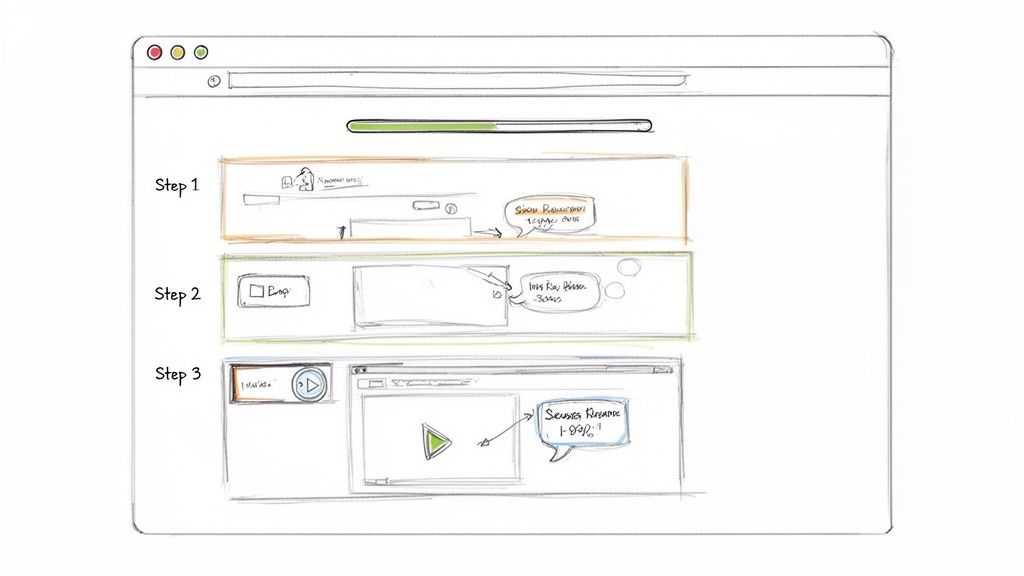
This visual approach dramatically increases comprehension and reduces the friction that leads to support tickets or user churn. Companies like Slack and Notion excel at this, using interactive product tours and visual setup guides to guide users to their "aha!" moment faster. These guides don't just explain features; they empower users to achieve their first win with the product immediately.
Why This Method Works
Visual guides cater to how people learn and process information today. They are scannable, easy to follow, and provide immediate context, which is crucial during the critical first few interactions a customer has with your product. This method directly boosts user confidence and accelerates time-to-value.
How to Implement This Practice
Automate Guide Creation: Use tools like Build a Guide to automatically generate step-by-step instructions from a screen recording. Its AI converts your actions into a polished guide with screenshots and text, eliminating manual effort.
Add Contextual 'Why's': Don't just show the 'how'; explain the 'why'. Add small notes or tooltips explaining the benefit of a specific step or feature to reinforce its value.
Create Role-Based Paths: Segment your guides for different user types, such as admins versus standard users. Create branching logic so each user sees only the steps relevant to their role and goals.
Ensure Mobile Accessibility: Test every guide on various mobile devices. A frustrating mobile experience can quickly derail the entire onboarding process for users on the go.
By replacing static documents with dynamic, visual guides, you create a more intuitive and effective onboarding journey. For a deeper look into the mechanics, explore how to create a step-by-step guide that keeps users engaged.
2. Personalize Onboarding by User Role and Use Case
A one-size-fits-all onboarding experience is a recipe for disengagement. Not every user has the same goals, technical skill level, or job function. Truly effective customer onboarding best practices involve delivering personalized journeys tailored to the user's specific context, such as their role, industry, or the primary problem they are trying to solve with your product. This personalized approach dramatically reduces friction and cognitive overload by showing users only the most relevant features and workflows first.
Companies like Salesforce and Monday.com master this by guiding users down different paths from the very beginning. An administrator sees a setup wizard focused on integrations and user management, while a sales representative is shown a quick-start guide for logging calls and managing their pipeline. This segmentation acknowledges that value is defined differently for each user and ensures every individual is guided toward their specific "aha!" moment as quickly as possible.
Why This Method Works
Personalization makes users feel understood and valued. By filtering out irrelevant information, you help them achieve their first win faster, which builds momentum and confidence. This targeted guidance directly addresses their unique pain points, making the product feel indispensable to their specific role and boosting long-term adoption and retention rates.
How to Implement This Practice
Create Distinct Persona Guides: Develop separate, focused guides for your key user personas, such as an 'Admin Setup Guide' versus a 'Marketing Team Quick Start'. Tailor the language, steps, and examples to resonate with each audience.
Use a Multi-Audience Editor: Leverage tools like Build a Guide to create different versions of a single master guide. This allows you to customize sections for various roles without duplicating your entire documentation effort.
Gather Role Data at Signup: Add a simple field to your signup form asking for the user's role or primary goal. Use this data to automatically route them to the most appropriate onboarding flow right from their first login.
Implement Conditional Logic: Build branching logic into your guides. Ask a simple question like, "Are you a project manager?" and display specific steps or tips based on their answer to create an interactive, adaptive experience.
By tailoring the journey, you transform a generic tutorial into a bespoke consultation. For more insights on adapting documentation for different audiences, see how to differentiate between internal and customer-facing guides.
3. Establish Clear Milestones and Progress Tracking
A vague onboarding journey without a clear destination leads to user confusion and drop-off. One of the most effective customer onboarding best practices is to structure the process as a series of achievable milestones. By breaking down the complex setup process into smaller, manageable goals, you create a clear path to success that motivates users and provides a sense of accomplishment along the way.
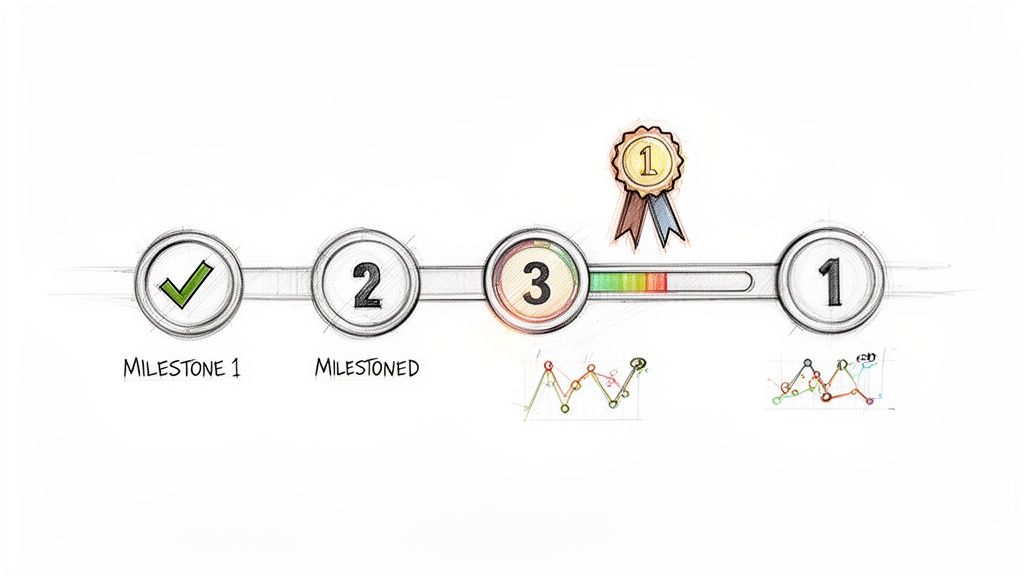
This approach transforms onboarding from a chore into a guided challenge. Companies like Asana and Trello master this with setup wizards and "Getting Started" boards that track progress. These visual cues show users exactly where they are, what they’ve accomplished, and what’s next. This clarity reduces overwhelm and builds momentum, guiding users from initial signup to their first key value realization point.
Why This Method Works
Milestone-based onboarding leverages psychological principles of goal-setting and motivation. Visible progress indicators, like checklists or progress bars, provide positive reinforcement and encourage users to continue. It also gives your customer success team critical data, highlighting where users get stuck so they can offer proactive support before a customer becomes at-risk.
How to Implement This Practice
Define Core Milestones: Identify 3-5 key actions a user must take to experience your product's core value. This could be creating their first project, inviting a team member, or scheduling their first meeting.
Visualize Progress: Use in-app checklists, progress bars, or dedicated onboarding dashboards to make progress tangible and satisfying for the user.
Create Milestone-Specific Guides: Group your step-by-step guides into collections that align with each phase of onboarding, such as 'Phase 1: Account Setup' or 'Phase 2: Team Configuration'.
Celebrate Completions: Acknowledge and celebrate each milestone a user completes. A simple in-app pop-up or a congratulatory email can significantly boost user morale and engagement.
Monitor Completion Rates: Regularly review analytics to see how many users are completing each milestone. Use tools like Build a Guide to see engagement data on specific steps, helping you identify and fix points of friction.
4. Implement Just-in-Time Contextual Help
Even the most comprehensive onboarding tour can't prepare a user for every scenario. Instead of forcing customers to leave your app and search through a dense knowledge base, bring the help directly to them. This is the core of just-in-time contextual help: providing guidance at the exact moment a user needs it, embedded within the workflow through tooltips, in-app messages, and on-demand guides.
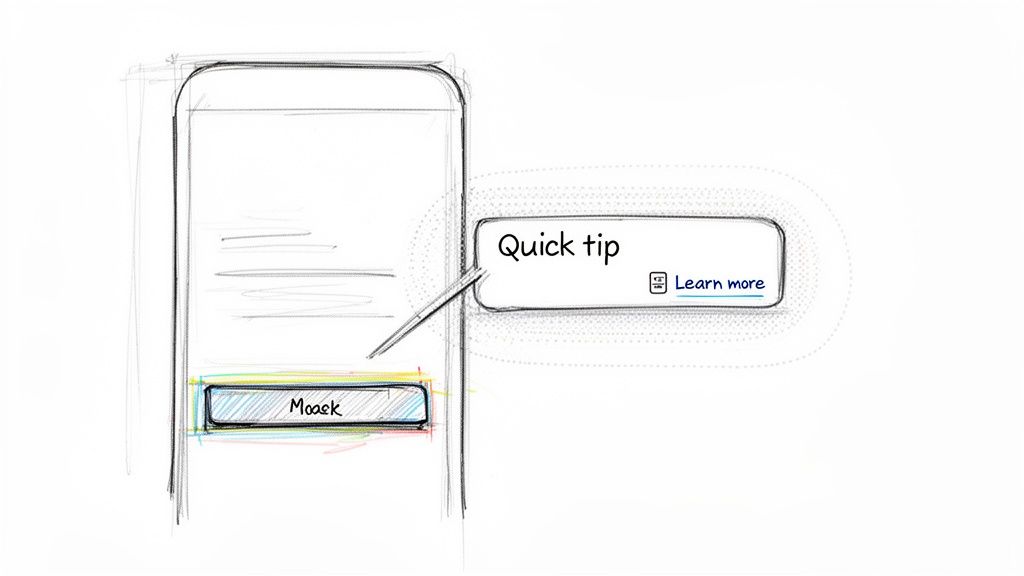
This approach is one of the most effective customer onboarding best practices because it respects the user's focus and flow. Companies like Intercom and Pendo use this strategy to surface relevant articles or trigger short, targeted walkthroughs when a user hesitates or navigates to a complex feature for the first time. It prevents frustration, accelerates feature discovery, and significantly lowers the burden on your support team.
Why This Method Works
Contextual help removes the friction of problem-solving. Users learn by doing, and providing answers within the interface makes that learning process seamless. This proactive support model empowers users to overcome hurdles independently, building their confidence and reinforcing the value of your product with every interaction.
How to Implement This Practice
Identify High-Friction Points: Use product analytics or user feedback to pinpoint where users get stuck or drop off. These are prime locations for contextual help.
Create Focused Micro-Guides: Use a tool like Build a Guide to create short, 2-3 step guides that solve a single, specific problem. Embed these guides behind a "learn more" link or help icon next to a complex feature.
Implement 'Hover Help': Add tooltips that appear when a user hovers over a specific button, icon, or data field. These should offer a brief explanation of the element's function or benefit.
Set Display Rules: Target your help content effectively. For example, you can configure a guide to appear only for users who are within their first seven days or have not yet used a specific feature.
5. Use Structured, Repeatable Onboarding Templates
Delivering a consistently excellent onboarding experience at scale is a significant challenge. The key is to standardize your most successful workflows into structured, repeatable templates. This customer onboarding best practice moves your process from an improvised art to a scalable science, ensuring every user receives the same high-quality guidance regardless of who is managing their account.
By creating standardized templates and frameworks, you codify institutional knowledge and best practices. Instead of reinventing the wheel for each new customer, your team can deploy a proven playbook, dramatically reducing setup time and minimizing errors. Companies like HubSpot and Intercom use this strategy effectively, offering onboarding playbooks and templates segmented by customer type or specific use case, which ensures relevance and speeds up time-to-value.
Why This Method Works
Templates create a baseline for quality and efficiency. They provide a predictable, proven path for users, which builds trust and confidence from day one. This structured approach also makes it easier to onboard new customer success team members, measure process effectiveness, and identify areas for systematic improvement across your entire customer base.
How to Implement This Practice
Start with Common Scenarios: Document your most frequent onboarding journeys first. Identify the core tasks and milestones that apply to the majority of your new customers and build your initial templates around them.
Create a Centralized Library: Use a tool like Build a Guide to create a hub for your master templates. Organize them by product, customer segment, or complexity level so your team can quickly find and deploy the right one.
Build Master Templates: Develop comprehensive master guides that can be easily duplicated and customized. This allows for personalization while maintaining a consistent core structure and messaging.
Incorporate Version Control: As your product and processes evolve, update your templates. Implement a versioning system to ensure everyone is using the most current and effective onboarding materials.
Include Customization Fields: Design your templates with designated sections for customer-specific information, such as their unique goals or team members. This combines the efficiency of a template with the personal touch of a custom plan.
By establishing a robust template system, you build a scalable foundation for your entire customer onboarding strategy. To get started, explore this detailed guide on creating a standard operating procedure template that can be adapted for any onboarding workflow.
6. Establish Proactive Communication and Check-in Cadence
Leaving new customers to figure things out on their own is a direct path to churn. One of the most critical customer onboarding best practices is to establish a proactive communication schedule that guides, supports, and validates the customer's progress. Instead of waiting for users to get stuck and submit a support ticket, a well-planned check-in cadence anticipates their needs and offers help at key moments. This transforms onboarding from a reactive process into a strategic, relationship-building journey.
A structured cadence of touchpoints demonstrates your company's commitment to their success and keeps them engaged. Companies like HubSpot and Salesforce are masters of this, using automated email sequences and dedicated success manager check-ins at specific milestones (e.g., day 1, week 1, day 30). This proactive outreach ensures users feel supported, builds trust, and creates opportunities to reinforce the product's value before they ever feel lost or frustrated.
Why This Method Works
Regular, proactive communication makes customers feel valued and supported, not just like another number. It prevents small issues from escalating into major roadblocks and keeps the momentum going throughout the crucial initial onboarding period. This approach directly reduces churn by addressing friction before it happens and reinforces the customer’s decision to choose your product.
How to Implement This Practice
Design a Clear Cadence: Map out a communication schedule for the first 30-60 days. This could include a welcome email, a day-3 check-in, a week-1 progress review, and a month-1 business review to discuss initial wins and future goals.
Segment Your Outreach: Use analytics to track user progress. Personalize your communication based on their activity. For instance, send a targeted email with a relevant guide link if you notice a user hasn't completed a key setup step.
Embed Guides in Communications: Enhance your emails by including links to relevant, interactive guides. For a new user, you might send an email that says, "Ready to set up your first project? Here’s a quick guide to get you started," linking directly to a step-by-step tutorial created with Build a Guide.
Provide a Human Connection: Ensure every automated message includes clear contact information for a customer success representative. Giving customers a direct line to a real person builds confidence and shows you’re there to help them succeed.
7. Create a Searchable, Well-Organized Knowledge Base
While proactive guidance is crucial, customers also need a centralized place to find answers on their own time. A disorganized or incomplete help center creates frustration, forcing users to file support tickets for simple questions. One of the most effective customer onboarding best practices is to build a comprehensive, easily navigable library of guides, FAQs, and documentation that serves as a single source of truth.
This self-service resource empowers users to explore your product at their own pace, troubleshoot issues independently, and deepen their understanding of advanced features. Companies like Notion and Stripe are masters of this, offering meticulously organized help centers and API documentation that make finding information effortless. A well-structured knowledge base not only reduces the burden on your support team but also builds user confidence by providing immediate access to reliable information.
Why This Method Works
A searchable knowledge base supports diverse learning styles and user needs. Some customers prefer to follow a guided path, while others want to jump straight to the information they need. By providing a robust self-service option, you cater to both, ensuring no user feels stuck or dependent on your team's availability. This accessibility is key to long-term adoption and satisfaction.
How to Implement This Practice
Centralize with a Hub: Use a tool like Build a Guide to publish all your interactive guides, videos, and SOPs into a single, branded knowledge hub. This creates a professional and unified "source of truth" for your customers.
Organize into Collections: Structure your hub with logical collections like 'Getting Started,' 'Feature Guides,' 'Troubleshooting,' and 'Advanced Workflows.' This intuitive organization helps users quickly find relevant content.
Optimize for Search: Use clear, descriptive guide titles that reflect the language your customers use. For instance, title a guide "How to Invite a New Team Member" instead of "Using the User Provisioning Module."
Leverage Analytics: Regularly review engagement analytics to identify your most popular guides and create a "Frequently Viewed" section for quick access. Also, analyze search queries to uncover content gaps where users are looking for answers but finding none.
Interlink Relevant Content: At the end of each guide, add links to related articles or next steps. This encourages continuous learning and helps users discover more value within your product.
8. Gather and Act on Customer Feedback Throughout Onboarding
Customer onboarding is not a one-time setup; it's a continuous improvement cycle. A static onboarding process quickly becomes outdated and fails to address real-world user friction. The most effective customer onboarding best practices involve creating a robust feedback loop to systematically collect, analyze, and act on user input directly within the onboarding experience.
By treating onboarding as a product, you can iterate on it based on direct customer feedback. Instead of guessing where users struggle, you can pinpoint confusing steps and areas needing clarification. Companies like Notion and Intercom excel at this by integrating feedback mechanisms directly into their user interface, making it effortless for users to report issues and for teams to gather actionable insights. This proactive approach shows customers you value their experience and are committed to their success.
Why This Method Works
Gathering feedback during onboarding provides a real-time diagnostic of your process's health. It highlights points of friction before they lead to churn, uncovers gaps in your documentation, and builds customer trust by demonstrating responsiveness. Acting on this feedback transforms the user journey from a passive consumption of information into a dynamic, collaborative experience.
How to Implement This Practice
Analyze Engagement Data: Use tools like Build a Guide to view engagement analytics as a form of feedback. Hotspots and drop-off points in your guides clearly indicate where users are confused or losing interest, allowing you to make targeted improvements without explicit surveys.
Embed Simple Feedback Widgets: Add a simple "Was this helpful? Yes/No" widget at the end of each interactive guide. For more detailed insights, embed a comment section within longer guides to collect feedback on specific steps.
Send Targeted Post-Onboarding Surveys: Once a user completes the initial setup, send a brief, automated survey. Ask direct questions like, "Which part of the onboarding was most helpful?" and "What was the most confusing step?" to gather high-quality data.
Establish a Review Cadence: Schedule weekly or bi-weekly reviews of all incoming guide feedback and analytics. Track issues, prioritize them based on impact, and assign action items to ensure nothing is overlooked.
Close the Loop: When you update a guide based on a customer's suggestion, notify them. This small gesture reinforces their value, builds loyalty, and encourages future feedback.
9. Enable Real-Time Collaboration and Guide Refinement
Static, siloed documentation quickly becomes outdated and irrelevant. A core tenet of modern customer onboarding best practices is treating your guides as living documents that evolve with your product and customer needs. This requires a collaborative workflow where multiple teams can contribute their unique expertise in real time. Instead of one person owning a guide, involve support, customer success, product, and operations to create richer, more accurate content.
This collaborative approach ensures that guides are never a "one and done" task. When the support team identifies a common friction point, they can immediately suggest an edit. When the product team ships an update, they can update the relevant guide instantly. This process transforms your documentation from a static resource into a dynamic knowledge base that reflects the most current information, just as platforms like Figma and Google Docs have revolutionized design and document collaboration.
Why This Method Works
Collaboration breaks down departmental silos and centralizes knowledge. A guide co-authored by support and product teams will be both technically accurate and empathetic to common user struggles. This cross-functional input leads to more comprehensive, user-centric guides that anticipate questions, reduce support tickets, and foster a more proactive onboarding experience.
How to Implement This Practice
Establish a Clear Workflow: Define a simple process for guide management: record a draft, invite collaborators for feedback, refine the content, publish, and monitor for user engagement.
Use a Centralized Tool: Utilize a platform like Build a Guide where multiple team members can be invited to a shared workspace. Use its commenting and editing features to suggest changes, ask questions, and refine steps directly within the guide.
Assign Clear Roles: Appoint a "guide owner" responsible for final approval, but empower all relevant team members to comment and contribute. This maintains quality control while encouraging broad participation.
Leverage Version History: Use version tracking to see who made specific changes and when. This transparency is crucial for accountability and for understanding how a guide has evolved over time.
Schedule Refinement Sessions: Hold brief weekly or bi-weekly meetings where stakeholders review feedback and finalize updates to high-priority guides, ensuring they remain accurate and effective.
10. Measure Onboarding Success with Meaningful Metrics
You can't improve what you don't measure. One of the most critical customer onboarding best practices is establishing a clear framework for tracking success with meaningful metrics. Without data, your onboarding strategy is just a collection of assumptions. By tracking key performance indicators (KPIs), you can prove the ROI of your efforts and pinpoint exactly where users are struggling.
Effective measurement goes beyond vanity metrics like total views. It focuses on outcomes that directly correlate with long-term customer success and retention. For instance, SaaS companies like HubSpot monitor the time it takes a new user to activate their first key feature, knowing this milestone is a strong predictor of future engagement. This data-driven approach transforms onboarding from a cost center into a powerful growth engine.
Why This Method Works
Tracking meaningful metrics provides objective insights into the effectiveness of your onboarding process. It helps you identify friction points, validate improvements, and demonstrate the value of your work to stakeholders. This quantitative feedback loop is essential for continuous optimization and ensuring your onboarding efforts directly contribute to business goals like reduced churn and increased customer lifetime value.
How to Implement This Practice
Define Primary and Secondary Metrics: Start with a primary metric, such as the overall onboarding completion rate. Supplement this with secondary metrics like time-to-value, milestone achievement rates, and the number of support tickets filed by new users.
Correlate Onboarding Data with Product KPIs: Use a tool like Build a Guide to export engagement analytics, including guide completion rates and user drop-off points. Compare this data against core product metrics like feature adoption and retention to see the direct impact of your guides.
Set Clear, Measurable Targets: Establish specific goals to guide your strategy. For example, aim for a target like: "Achieve a 75% onboarding completion rate within the first 14 days for all new signups."
Analyze and Report on Performance: Create a simple dashboard to track your KPIs weekly or monthly. Present your findings to leadership with clear trends, actionable insights, and recommendations for improvement. Calculate the ROI by comparing the reduction in support costs and revenue impact against your onboarding investment.
Customer Onboarding: 10 Best Practices Comparison
Item | Implementation Complexity 🔄 | Resource Requirements ⚡ | Expected Outcomes 📊 | Ideal Use Cases 💡 | Key Advantages ⭐ |
|---|---|---|---|---|---|
Create Interactive, Visual Step-by-Step Guides | 🔄 Medium–High — screen recording + interactive authoring | ⚡ Design assets, visual authoring tool, occasional developer support | 📊 High — 60–80% ↑ completion; fewer support tickets | Complex UI flows, first-run product tours, cross‑language onboarding | ⭐⭐⭐⭐⭐ Visual clarity, faster time‑to‑competency, high engagement |
Personalize Onboarding by User Role and Use Case | 🔄 High — segmentation, branching logic | ⚡ User data integration, multiple guide variants, maintenance | 📊 Moderate–High — 40–50% ↑ adoption; reduced irrelevant support | Multi‑persona products (admin vs end‑user), industry‑specific setups | ⭐⭐⭐⭐ Relevance, improved adoption, targeted learning paths |
Establish Clear Milestones and Progress Tracking | 🔄 Medium — define milestones + tracking | ⚡ Analytics, progress UI, goal definitions | 📊 High — better engagement; early warning on at‑risk users | Multi‑stage onboarding, enterprise onboarding programs | ⭐⭐⭐⭐ Motivation, measurable progress, actionable insights |
Implement Just-in-Time Contextual Help | 🔄 Medium–High — product integration + rules | ⚡ Small focused content pieces, dev integration, AB testing | 📊 High — 3–5x guide discovery; reduced context switching | Feature discovery, in‑workflow assistance, mobile UIs | ⭐⭐⭐⭐ Timely help, improved feature adoption, lower support load |
Use Structured, Repeatable Onboarding Templates | 🔄 Low–Medium — initial template design | ⚡ Authoring time up front; governance and versioning | 📊 High efficiency — ~75% faster creation; consistent outcomes | Scaling content across teams/clients, agencies, repeatable processes | ⭐⭐⭐⭐ Consistency, speed of creation, scalable knowledge capture |
Establish Proactive Communication and Check-in Cadence | 🔄 Medium — scheduling + orchestration | ⚡ Success managers, CRM/email automation, coordination | 📊 Moderate — 30–40% ↑ completion; early intervention for churn | High‑touch customers, enterprise onboarding, complex implementations | ⭐⭐⭐⭐ Relationship building, retention, opportunity identification |
Create a Searchable, Well-Organized Knowledge Base | 🔄 Medium — taxonomy and search setup | ⚡ Content curation, CMS/search infrastructure, ongoing maintenance | 📊 High — 40–60% reduction in support tickets; 24/7 self‑service | Products with broad feature sets, large user bases, self‑serve goals | ⭐⭐⭐⭐ Self‑service scale, discoverability, single source of truth |
Gather and Act on Customer Feedback Throughout Onboarding | 🔄 Medium — feedback collection + action workflows | ⚡ Feedback tools, analysis process, team capacity to act | 📊 Moderate — faster identification of pain points; iterative gains | Continuous improvement programs, products in active development | ⭐⭐⭐⭐ Prioritizes fixes, validates assumptions, customer‑centered updates |
Enable Real-Time Collaboration and Guide Refinement | 🔄 Low–Medium — collaboration tooling + governance | ⚡ Collaborative editor, roles/permissions, review cadence | 📊 Moderate — faster updates; fewer stale guides | Cross‑functional documentation, fast‑changing workflows | ⭐⭐⭐⭐ Rapid iteration, distributed knowledge capture, reduced bottlenecks |
Measure Onboarding Success with Meaningful Metrics | 🔄 High — data integration and cohort analysis | ⚡ Analytics stack, dashboards, cross‑system data mapping | 📊 High — data‑driven prioritization, ROI visibility, cohort insights | Organizations needing executive reporting, A/B testing onboarding flows | ⭐⭐⭐⭐⭐ Accountability, informed decisions, measurable ROI |
Transform Your Onboarding from a Checklist into a Competitive Advantage
The journey through the top ten customer onboarding best practices reveals a fundamental truth: effective onboarding is not a static checklist to be completed, but a dynamic, strategic discipline that directly fuels customer success and business growth. Moving beyond a simple procedural hand-off to a personalized, guided experience is what separates companies with high churn from those with lasting, loyal customer relationships.
We've explored the power of creating interactive, visual guides that cater to modern learning styles, moving away from dense text documents that overwhelm new users. We've seen how personalization, segmented by role and use case, ensures every customer receives a relevant, value-focused introduction. Establishing clear milestones and providing just-in-time contextual help empowers users, giving them the confidence and the specific answers they need, precisely when they need them.
The key to scaling these efforts lies in structure and feedback. By leveraging repeatable templates and establishing a proactive communication cadence, you create a reliable, high-quality experience for every customer. This foundation is then strengthened by a well-organized knowledge base, which serves as a self-service resource, and a continuous feedback loop that turns customer insights into actionable improvements. Finally, measuring success with meaningful metrics like Time to First Value (TTFV) and feature adoption rates closes the loop, allowing you to prove your impact and refine your strategy with data-driven confidence.
From Good Practice to Great Performance
Implementing these customer onboarding best practices is about more than just reducing support tickets or improving initial adoption. It's about fundamentally changing the customer relationship from a transactional one to a partnership. When you invest in a thoughtful onboarding process, you are making a clear statement to your customers: "We are invested in your success."
This investment yields powerful returns:
Accelerated Value Realization: Customers who quickly understand how to achieve their goals with your product are far more likely to remain engaged and recognize its value.
Increased Customer Loyalty: A smooth, supportive, and effective onboarding experience builds trust and goodwill from day one, forming the bedrock of a long-term relationship.
Reduced Customer Churn: By proactively addressing common pain points and equipping users for success, you eliminate the frustration and confusion that often lead to churn.
Enhanced Brand Advocacy: Customers who feel supported and successful are not just retained; they become your most powerful advocates, driving referrals and positive word-of-mouth.
Ultimately, a world-class onboarding program becomes a powerful competitive advantage. It transforms a potentially confusing initial period into a moment of delight and empowerment, setting a positive tone for the entire customer lifecycle. Your onboarding is the first, and often most critical, promise you make to your customers about the value you will deliver. Fulfilling that promise with excellence is the key to sustainable growth. The strategies outlined here are not just individual tips; they are interconnected components of a holistic system designed to turn new users into lifelong champions of your brand.
Ready to transform your onboarding process with interactive, easy-to-create guides? Build a Guide empowers you to turn screen recordings into powerful, step-by-step SOPs and customer-facing tutorials in seconds, making it simple to implement these best practices. Start building a better onboarding experience today at Build a Guide.