
February 21, 2026
How Do You Write a Standard Operating Procedure That Works
Learn how do you write a standard operating procedure that teams will actually use. Our guide covers proven methods for creating clear, actionable SOPs.
Writing a standard operating procedure isn't about being a great writer. It’s about creating a clear, repeatable roadmap for a specific task. You’re essentially building a guide that ensures a job gets done the right way, every time, by anyone.
Laying the Groundwork for an Effective SOP
Before you write a single word, the success of your SOP is decided by the prep work you do. A great SOP doesn't just document everything; it solves a specific business problem. It’s built to bring consistency to tasks that are frequently repeated, involve multiple people, or carry a compliance risk. This is your starting point.
The first step isn't opening a document—it's defining exactly why it needs to exist. Vague goals lead to vague SOPs that just collect digital dust.
Define the Purpose and Scope
Why are you writing this? Seriously. Is it to cut down on errors in monthly invoicing? To standardize how new clients are onboarded? Or to make sure every new hire completes their security training correctly? Your purpose should be a sharp, actionable statement.
Once you know the why, you need to define the what. A scope statement acts as a boundary, clarifying what the SOP covers and—just as importantly—what it doesn't. For example, an SOP for "Publishing a Blog Post" might cover writing, editing, and uploading to the CMS, but you should explicitly state that it excludes social media promotion, which is its own procedure.
Key Takeaway: A well-defined scope prevents "SOP creep," where a simple guide balloons into an unmanageable manual. The goal is a focused document that solves one problem exceptionally well.
Before you start writing, it’s worth asking if a process truly needs a formal SOP. Not everything does. This quick checklist can help you prioritize where to focus your documentation efforts.
SOP Candidate Assessment Checklist
A quick checklist to help you decide if a process warrants a formal SOP, based on frequency, complexity, and risk.
Criteria | High Priority SOP | Medium Priority SOP | Low Priority / No SOP Needed |
|---|---|---|---|
Frequency | Task is performed daily or weekly by multiple people. | Task is performed monthly or quarterly. | Task is a one-off or performed rarely by one person. |
Complexity | Involves 5+ steps, multiple tools, or critical decision points. | Involves a few steps but has some nuance. | A simple, intuitive task with 1-2 steps. |
Risk | High risk of financial loss, compliance failure, or customer impact if done wrong. | Moderate risk; mistakes are annoying but easily fixed. | Low risk; errors have minimal or no consequence. |
Team Impact | Onboarding new hires or cross-training depends on this process. | Helps with consistency but isn't a blocker. | The process is easily explained verbally when needed. |
If your process ticks a few boxes in the "High Priority" column, you're on the right track. If it's mostly in the "Low Priority" column, a quick chat or a short note might be all you need.
Identify Your Audience
Who is this document actually for? The language, level of detail, and format you choose all hinge on the end-user. An SOP for a senior developer is going to look completely different from one designed for a new customer support agent.
Think about what they already know:
New Hires: They need everything. Assume they know nothing about the process, and spell out acronyms and granular steps.
Experienced Team Members: They probably just need a high-level checklist to ensure consistency. You can skip the detailed explanations.
Cross-Functional Teams: Be ruthless about cutting jargon. A term that’s obvious to the finance team might be total nonsense to marketing.
This foundational work is more than just busywork. The global SOP management market hit USD 1,625.5 million in 2024, driven by sectors where poor documentation leads to massive compliance failures. As one study on writing effective SOPs highlights, the first rule is to pick tasks that happen often or carry real risk.
Getting this groundwork right ensures your efforts are focused and the final document is genuinely useful from day one.
Mapping Your Process with Accuracy
Alright, you've defined your purpose, scope, and audience. That's the foundation. Now comes the part where you actually map the workflow. This isn't about writing just yet—it's about creating a blueprint by capturing every single action from start to finish.
So many people try to write an SOP from memory, and it's a huge mistake. You're almost guaranteed to miss small but critical steps or forget important details. The only reliable way to get this right is to perform the task yourself and document it as you go.
This groundwork is what separates a useful guide from a frustrating one. You have to define what you're doing and for whom before you can show how it's done.
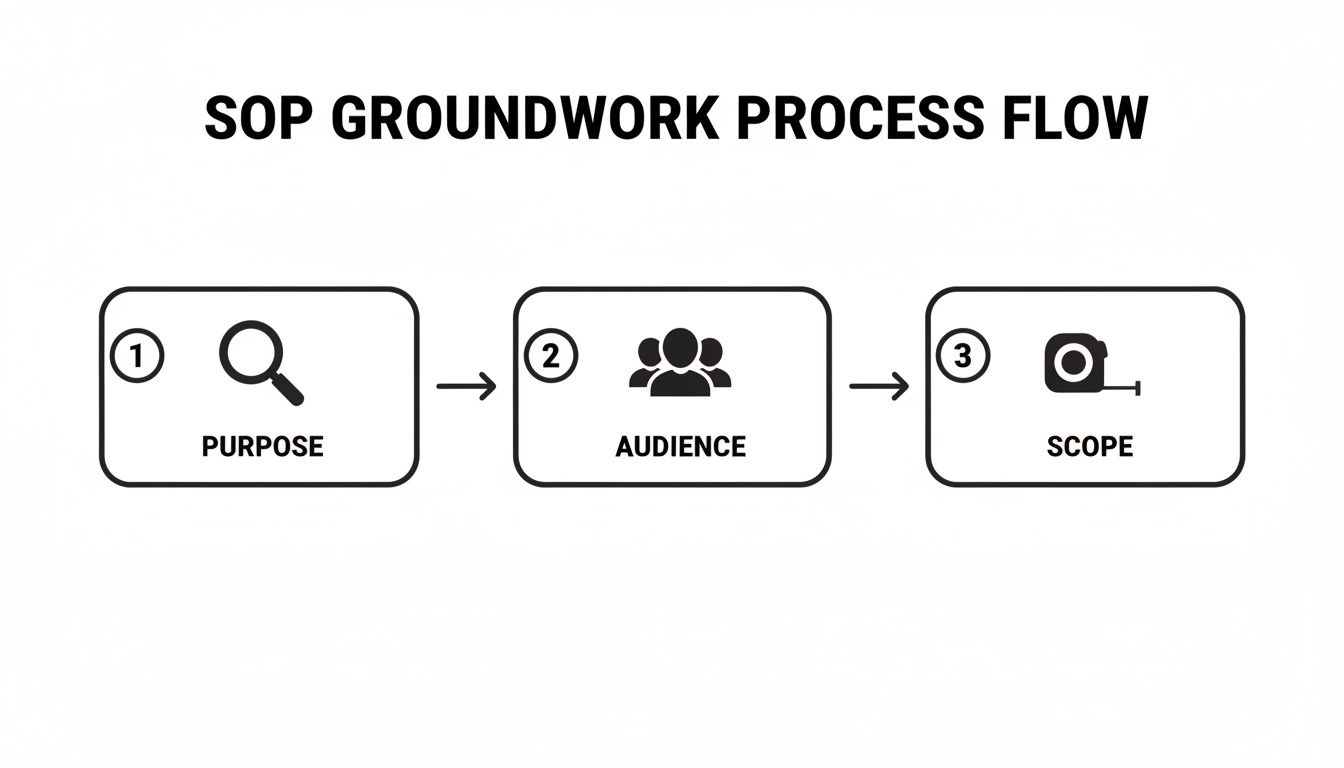
As you can see, getting these three elements straight is the essential first phase. Everything else builds on this.
Start with a Live Walkthrough
The best way to map a process? Record yourself doing it. Seriously.
Fire up a screen recorder and just perform the task like it's any other Tuesday. This live capture is gold because it catches all the little clicks, pauses, and workarounds that are second nature to an expert but completely invisible to a beginner.
Think about documenting how to generate a quarterly sales report. A screen recording will capture things you'd never think to write down, like:
The specific filters you apply in your CRM.
How you export the data into a spreadsheet.
The exact formulas you use to calculate key metrics.
The final formatting tweaks you make before sharing it.
These are the details that turn a confusing SOP into one that actually empowers your team.
Break the Process into Logical Phases
Once you have a recording or a rough list of steps, don't just leave it as a long, intimidating list. Group the steps into logical phases. A complex procedure is way easier to learn when it's broken into manageable chunks.
A simple but powerful structure is 'Setup,' 'Execution,' and 'Review.'
For a task like "Onboarding a New Client," the phases might look like this:
Preparation Phase: Gathering client documents, creating project folders, sending the welcome email.
Execution Phase: Setting up the client in your project management tool, scheduling the kickoff call, assigning initial tasks.
Finalization Phase: Sending the kickoff meeting summary, archiving initial setup files.
Grouping steps this way creates a clear narrative that guides the reader through the workflow. It transforms a list of instructions into an understandable journey. Tools designed to convert screen recordings into guides can automate a lot of this step-by-step documentation, making it even easier. For more ideas on capturing these details, check out our deep dive on how to document processes. This approach ensures your SOP is both dead-on accurate and genuinely easy to follow.
Designing an SOP for Readability and Compliance
An SOP is useless if no one can follow it. The right structure is what turns a wall of text into a scannable, user-friendly guide people actually trust. This isn’t just about looking professional; it’s about making sure your procedures are followed correctly, every single time.
Just like a good blog post, an SOP benefits from a predictable layout. Using a simple structure formula makes complex instructions feel manageable and easy to execute, guiding the user from start to finish without overwhelming them.
The Essential Components of an SOP Header
Before you even get to the first step, every SOP needs an administrative header. Think of it as the document's ID card—it provides critical context and control at a glance, telling the reader what the document is, who it’s for, and whether it’s the current version.
This section establishes the document’s authority and its place within your organization's processes.
Your header should always include:
A Clear and Precise Title: Something like "Client Onboarding Workflow v3.0" is worlds better than just "Onboarding."
Unique SOP ID: A system like "SOP-OPS-2026-001" is a lifesaver for tracking and referencing.
Version Number and Issue Date: Essential for making sure everyone is using the most up-to-date procedure.
Author, Reviewer, and Approver: This clarifies ownership and holds people accountable.
Including these elements isn't just a nice-to-have; it's often a compliance requirement. This structured approach mirrors strict FDA guidelines, where quality units must formally sign off on procedures. In fact, non-compliance fines in audited sectors averaged $14,000 per violation in 2024, showing just how expensive poor documentation can be.
Structuring the Body for Clarity
Once the header is in place, the body of your SOP needs to be just as organized. An unstructured wall of text is where good intentions go to die. Your goal is to make the information as scannable as possible.
Use formatting to create a visual hierarchy that guides the reader’s eye. This makes the document less intimidating and helps users quickly find what they need without reading every single word.
Pro Tip: Use a consistent formatting style across all your SOPs. When every document follows the same structure, team members can navigate them faster because they know exactly where to look for key information, like safety warnings or required tools.
For example, when creating an SOP for escalating a customer support ticket, don't just write a long paragraph. Break it down logically:
Initial Assessment:
Identify the customer's issue severity (Low, Medium, High).
Confirm if the issue has been reported before.
Tier 1 Resolution Attempt:
Follow scripts A, B, and C.
Document all steps taken in the CRM.
Escalation Trigger:
If unresolved after 15 minutes, escalate to Tier 2.
Tag the ticket with "Escalation" and assign it to the Tier 2 queue.
This structure transforms a potentially confusing workflow into a clear set of instructions that anyone on your support team can follow with confidence. It's how you reduce errors and speed up resolution times.
Writing Instructions That Leave No Room for Error
The instructions are the heart of your SOP. This is where theory becomes action, and where a good document prevents a bad outcome. Your goal is to write steps that are impossible to misinterpret, empowering anyone—from a seasoned pro to a brand-new hire—to get the job done right on the first try.
It all starts with the language you choose. Weak, passive language creates doubt and hesitation. Strong, active language drives confident action. Think of it like this: if you're writing instructions for a complex task, like learning how to write bug reports that developers actually read, every word matters. Precision is everything.
Use Active Voice and Command Verbs
Your instructions should read like direct commands. This isn't about being bossy; it's about being incredibly clear. Start every step with a strong, action-oriented verb.
Look at the difference:
Passive (Avoid): The "Save" button should be clicked after the changes are made.
Active (Use): Click the "Save" button to apply your changes.
This simple shift makes a huge psychological difference. The active voice tells the user exactly what to do, leaving zero room for interpretation.
The table below shows some common examples of weak phrasing and how to fix them with stronger, more direct language.
Language Do's and Don'ts for SOP Writing
Instruction Type | Weak Example (Avoid) | Strong Example (Use) |
|---|---|---|
Simple Action | The file is then uploaded to the server. | Upload the file to the server. |
Field Entry | The user's name needs to be entered here. | Enter the user's name in the "Name" field. |
Confirmation | It should be ensured that the box is checked. | Check the "I Agree" box. |
Navigation | Access to the settings is gained via the menu. | Navigate to Settings > Account. |
Process Step | The report can now be generated. | Generate the report. |
Stick to the "Strong Example" column, and your instructions will instantly become more effective.
Break It Down with Numbered Steps and Bullets
A single step should always equal a single action. If a step feels too long or has multiple parts, you need to break it down even further.
Numbered lists are perfect for actions that must happen in order. Bullets, on the other hand, are great for supporting details or options that don't have a strict sequence.
Here’s how that might look for setting up a new project:
Navigate to the Projects dashboard.
Click the "New Project" button in the top-right corner.
Enter the project details in the pop-up window:
Project Name (use the client's official name)
Start Date
Project Manager
Key Takeaway: This layered structure makes the process scannable. Someone can follow the main numbered steps for a quick refresher, or they can dive into the bullet points for more detailed guidance. This is a core principle of all effective technical writing best practices.
The Power of Visuals
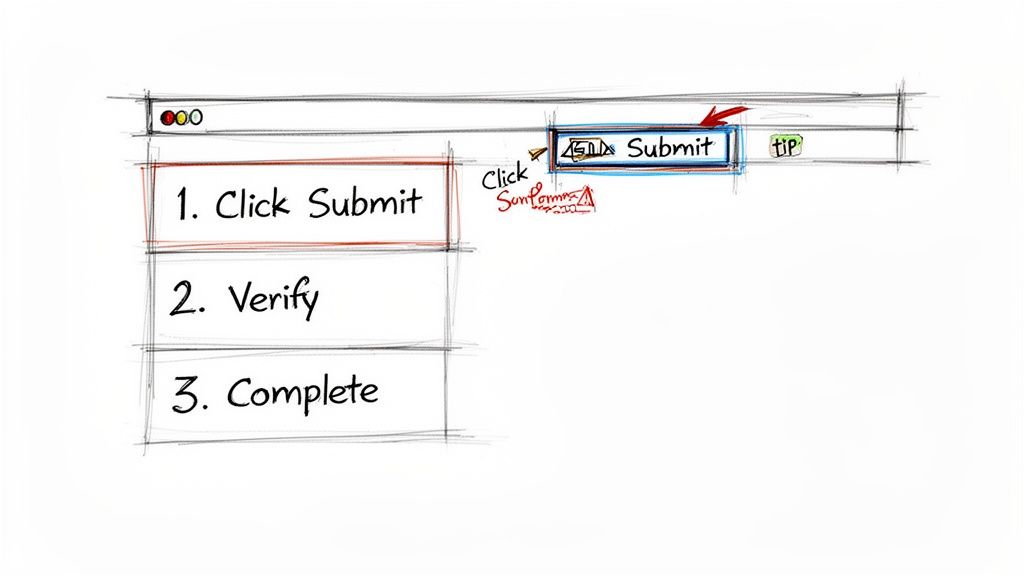
Words alone often aren't enough, especially for tasks happening on a screen. Annotated screenshots, simple diagrams, and short video clips can slash training time and prevent common mistakes.
A well-placed screenshot showing exactly where to click is infinitely more helpful than a paragraph of text trying to describe the button's location.
Remember to keep your language in the present tense. Think, ‘Click the "Submit" button,’ not passive fluff. For global teams, clarity is even more critical—missteps cost manufacturers an estimated $50 billion in recalls every year. Adding time estimates and required tools also helps, especially since 70% of firms inspected in 2024 passed audits thanks to robust, visual SOPs. This is how you write instructions that truly leave no room for error.
Keeping Your SOPs From Going Stale
Hitting "save" on a new SOP feels like a win, but the real work has just begun. An SOP isn't a trophy you put on a shelf; it's a living tool. The moment it stops matching reality, its value evaporates.
If you don't have a plan for keeping your documentation fresh, your carefully crafted guides will decay into sources of confusion. Teams will quietly go back to relying on "tribal knowledge," and you'll be right back where you started.
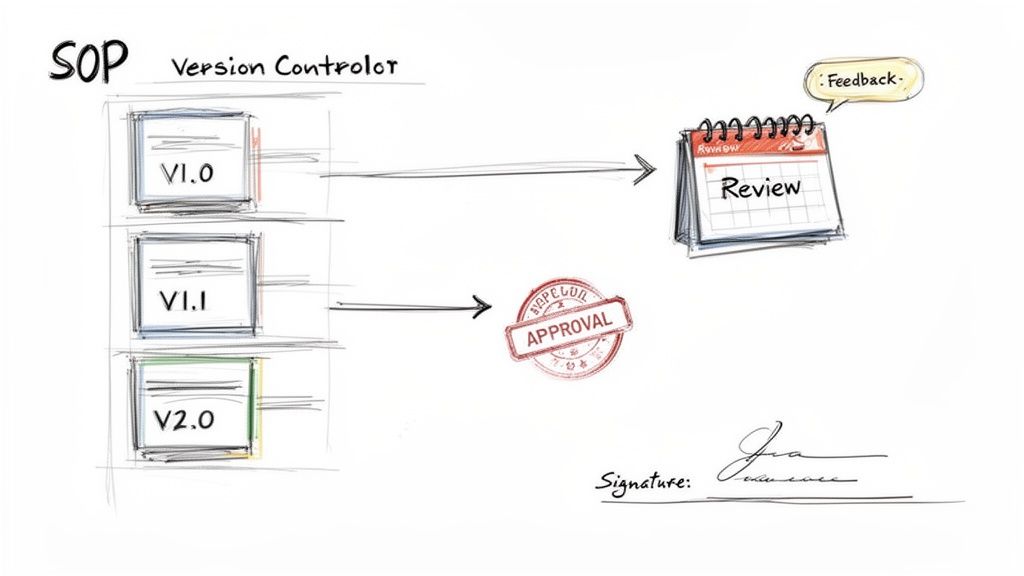
This final, ongoing cycle of refinement is what protects your institutional knowledge as your tools, teams, and processes evolve.
Implement a Practical Review Cycle
An SOP should never be considered "done." Software updates, business goals shift, and your team discovers smarter ways to work. A scheduled review cycle is your best defense against documentation rot.
This doesn't have to be some bureaucratic nightmare. The review cadence should match the process itself:
High-Change Processes: For tasks involving fast-moving software or shifting market conditions, a quarterly review is smart.
Stable Processes: For foundational workflows that almost never change (like office access), an annual review is probably enough.
The most critical part? Get feedback from the people who actually use the SOP. They're on the front lines and will spot outdated steps, confusing language, or opportunities for improvement that a manager would never see.
Establish a Formal Approval Process
Once an SOP is reviewed and updated, it needs an official stamp of approval. This simple step gives the document authority and sends a clear signal to the team: this is the correct way to do this now.
An approval process also clarifies accountability. It usually involves the process owner or a department head signing off on the changes, confirming that the new steps align with business goals and best practices.
Key Takeaway: A formal approval process kills ambiguity. It ensures everyone is working from the same playbook and stops well-intentioned but unauthorized tweaks from creating chaos.
This is non-negotiable in regulated industries where documented approval is a hard compliance requirement.
Master Your Version Control
How do you make sure everyone is using version 3.0 of a procedure and not an old copy they saved to their desktop last year? Simple, effective version control.
Keep your system straightforward:
Use a Clear Naming Convention: Add a version number right in the title, like "Client Invoicing Process v3.1."
Maintain a Central Hub: Store all official SOPs in one easy-to-find place—a shared drive, a knowledge base, whatever works. This is your single source of truth.
Archive Old Versions: Don't just delete outdated SOPs. Move them to an "Archive" folder. You never know when you'll need a historical record of how a process has changed.
Maintaining a whole library of procedures can feel like a full-time job. Thankfully, there are ways for how to keep SOPs up to date without a meeting, focusing on asynchronous feedback and clear ownership. This final commitment to maintenance is what turns a good SOP into an asset your business can't live without.
Common Questions About Writing SOPs
Even with a solid plan, a few questions always pop up once you start writing standard operating procedures. The path from a messy workflow to a clear, repeatable process often has the same few hurdles. Let's tackle them head-on so you can create documentation that actually gets used.
Think of this as your go-to guide for the most frequent challenges SOP writers face.
How Long Should an SOP Be?
An SOP should be as long as it needs to be to explain the process clearly, but as short as possible. There’s no magic number. The length is dictated entirely by the complexity of the task you're documenting.
Submitting a weekly timesheet might only take a single page with a few screenshots. On the other hand, a full procedure for onboarding a new enterprise client could easily stretch to ten pages with detailed checklists and branching paths. The real goal is to stick to one distinct process per SOP.
If your document is getting too long, you're probably trying to cover too much ground. It's a huge sign that your scope is too broad.
Break it down into smaller, interconnected SOPs. Instead of one massive "Marketing Operations" manual, create separate guides for "How to Write a Blog Post," "How to Schedule Social Media," and "How to Pull Monthly Analytics." This makes each procedure easier to find, follow, and update.
What Is the Best Format for an SOP?
There’s no single "best" format, but the most effective ones are always easy to scan and act on. The right choice comes down to the task itself and what your audience needs to get it done.
A few popular and effective formats are:
Simple Numbered List: This is the classic, go-to choice for straightforward, sequential processes. It’s clean, simple, and everyone gets it.
Hierarchical Format: For more detailed procedures, a format with numbered steps and indented bullet points for sub-tasks works exceptionally well. This adds detail without cluttering the main flow.
Flowchart: Flowcharts are fantastic for visualizing workflows with multiple decision points or different paths. They give a high-level overview that can clarify complex logic in a single glance.
Interactive Guide: For software-based tasks, nothing beats an interactive guide that combines annotated screenshots, text, and even short video clips. It's the most engaging and effective format for screen-based work.
Often, the best approach is a hybrid. You might use a step-by-step list as the core of your document but drop in a flowchart at the beginning to give readers a quick overview of the whole process. Always pick the format that makes the procedure clearest for the person doing the work.
How Do I Get My Team to Actually Use SOPs?
This is the real test. A perfect document is useless if it just sits in a folder, ignored. Getting your team to adopt and rely on your SOPs requires a deliberate, user-first approach.
First, involve your team in creating and reviewing them. People are far more likely to trust and use something they helped build. Their feedback not only makes the SOP more accurate but also creates a sense of shared ownership.
Second, make your SOPs ridiculously easy to find. Store them in a central, searchable knowledge base or company wiki, not buried in a forgotten shared drive. If someone can't find the guide in under 30 seconds, they're just going to ask a colleague instead.
Finally, make sure the documents are genuinely helpful, not just another bureaucratic chore. Use plenty of visuals, keep the language simple, and focus on providing immediate value. When your team realizes an SOP saves them time and prevents mistakes, adoption will happen on its own.
Ready to turn messy screen recordings into polished, interactive SOPs that your team will actually use? With Build a Guide, our AI-powered platform helps you create step-by-step guides with screenshots and clear instructions in minutes. Standardize your processes and build a living knowledge base that grows with your business. Start creating your first guide for free at https://buildaguide.app.