
January 3, 2026
How to Document Processes That Actually Get Used
Learn how to document processes with our practical guide. We'll show you how to turn confusing workflows into clear, actionable SOPs your team will love.
Documenting a process is really about one thing: moving critical knowledge out of one person’s head and into a shared, reliable guide. The goal is to create a clear, step-by-step playbook so anyone can complete a task consistently and accurately.
It’s the difference between tribal knowledge and a true company asset.
Why Most Process Documents End Up Collecting Dust
Let's be honest. The phrase "process documentation" probably makes you think of a dusty binder on a shelf or a chaotic folder of outdated Word docs.
You're not wrong.
For decades, creating Standard Operating Procedures (SOPs) has been a painful, manual exercise. The result is almost always a static, text-heavy guide that nobody wants to read, let alone follow.
The consequences are real and costly. New hires feel lost and take forever to ramp up, all while bombarding senior team members with the same questions. Client work gets delivered inconsistently because everyone is "winging it" with their own version of a process. This isn't just an inconvenience; it's a direct hit to your efficiency and reputation.
The True Cost of Neglecting Documentation
The financial impact of poor documentation is staggering. Think about this: data entry errors alone cost global businesses over $600 billion annually. Meanwhile, Fortune 500 companies lose a collective $12 billion each year simply from the chaos of unstructured documents.
The root cause? A lack of clear, accessible processes. This isn't some abstract problem—it's money walking out your door every single day. If you want to see the full picture, you can read more about these documentation statistics.
The biggest mistake teams make is treating documentation as a one-time project. A process document is only valuable if it’s a living guide that reflects how work actually gets done today—not how it was done six months ago.
Shifting to a Modern Approach
Instead of dwelling on the problem, let's focus on a modern, practical solution. The key is to shift your mindset from creating static documents to building a dynamic library of living guides.
This playbook will give you a repeatable system for capturing work as it happens, refining it into actionable steps, and sharing it in a centralized hub your team will actually use.
It all boils down to a simple, three-stage workflow.
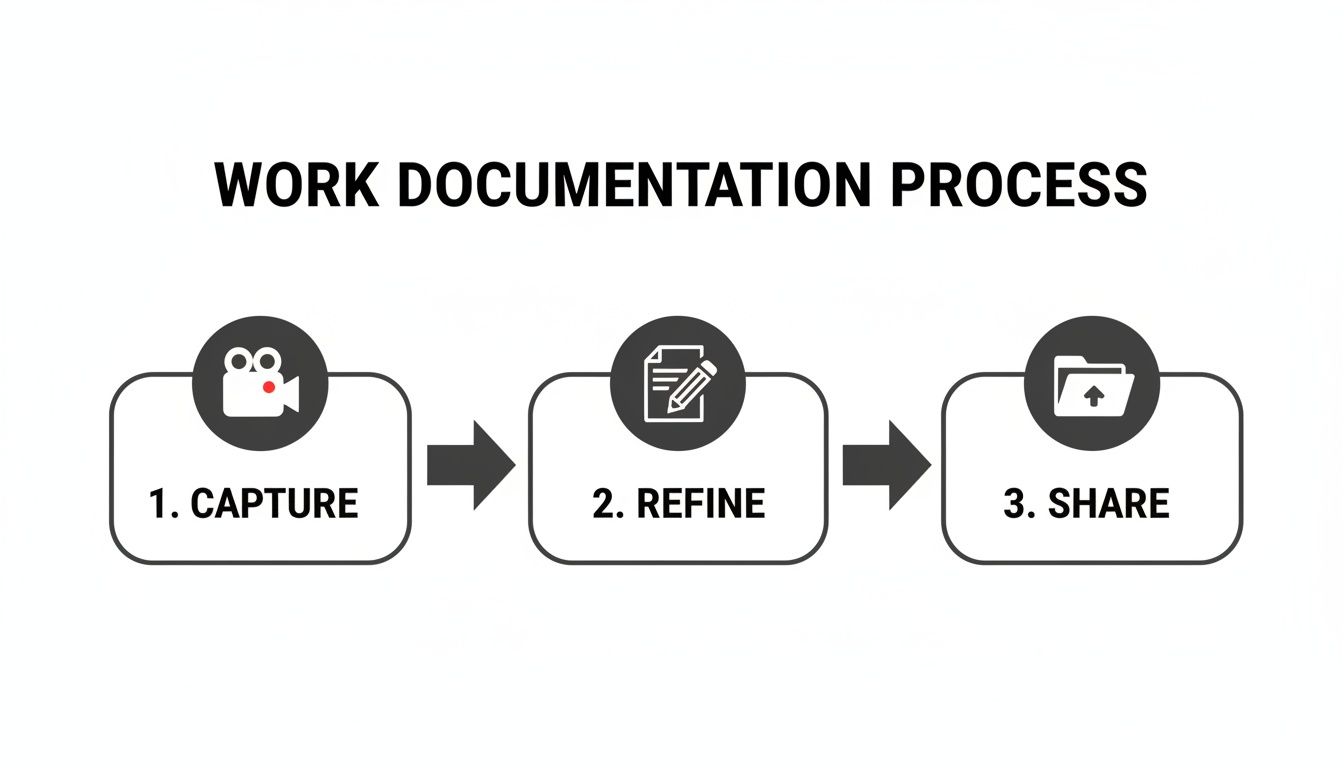
Effective documentation isn't complicated. It's a straightforward cycle: capture raw knowledge, refine it for clarity, and make it easily accessible.
To give you a roadmap for what's ahead, here's a high-level look at the journey we're about to take.
Your Process Documentation Journey at a Glance
Stage | Primary Goal | Key Outcome |
|---|---|---|
1. Plan & Scope | Decide what to document and why. | A prioritized list of high-impact processes to tackle first. |
2. Capture Workflows | Record the process as it's actually being done. | Raw, authentic recordings and notes from subject matter experts. |
3. Create the SOP | Turn the raw capture into a clear, actionable guide. | A polished, easy-to-follow SOP with visuals and checklists. |
4. Review & Publish | Ensure accuracy and make the SOP accessible. | A published, version-controlled guide in a centralized library. |
5. Govern & Maintain | Keep documentation alive and measure its impact. | A system for updates, adoption tracking, and continuous improvement. |
Throughout this playbook, we'll dive deep into each stage, giving you the tools and tactics to create processes that your team will actually use, reference, and maintain.
Deciding Which Processes to Document First
Jumping straight into documenting every single task is a surefire way to get overwhelmed and give up. Before you even think about creating a guide, you need a plan.
The goal isn't just to write things down. It's to strategically pick the workflows that will give you the biggest return on your effort. Think of it like this: you wouldn't build a house without a blueprint. The same rule applies here. A little upfront thinking ensures you’re solving real problems, not just creating documents for the sake of it.
Start with the Pain Points
The best place to find your first candidates for documentation is by looking for friction. Where are things breaking? What questions are your team members asking over and over again?
A great starting point is your team's internal chat channels. A quick search for "How do I..." or "Where can I find..." often reveals a goldmine of undocumented, critical knowledge. These recurring questions are clear signals that a process gap is actively slowing your team down.
For example, an agency might notice their project managers constantly asking for the steps to set up a new client in their project management tool. This is a perfect process to document first—it’s frequent, crucial for getting projects started right, and a source of repeated interruptions.
A Framework for Prioritization
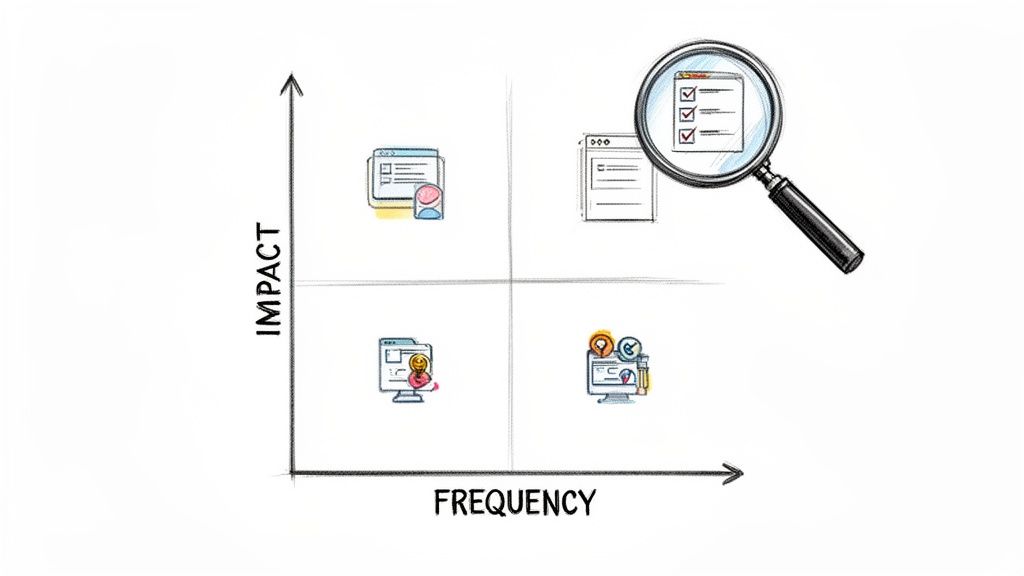
Once you have a list of potential processes, you need a way to rank them. Not all processes are created equal. A simple but powerful way to score them is by looking at three criteria: Impact, Frequency, and Risk.
Impact: How critical is this process to revenue, client satisfaction, or core operations? Onboarding a new client has a high impact; updating an internal contact list has a low impact.
Frequency: How often is this task performed? Daily and weekly tasks are usually better candidates for documentation than quarterly or annual ones.
Risk: What happens if someone messes this up? A mistake in a client billing process carries high risk, while an error in an internal report might be a low-risk issue.
By running each potential process through this filter, you can build a prioritized backlog. This moves your documentation from a random to-do list to a strategic initiative focused on solving your biggest business challenges first.
Clearly Define the Scope
After picking a process, the next step is to define its boundaries. A common mistake is making the scope way too broad. A process called "Client Management" is too vague and will be impossible to document effectively.
Instead, get specific. Clearly define the start and end points.
A well-scoped process has a clear trigger and a distinct, measurable outcome. It answers the question, "When does this start, what happens, and when is it officially done?"
Let's look at a real-world scenario. A SaaS company wants to document how to handle a common customer support ticket.
Vague Scope: "Troubleshooting a user issue."
Clear Scope: "Resolving a 'User Login Failed' ticket for Enterprise-tier customers."
The second option is so much better. It defines the trigger (a specific ticket type), the audience (support agents), the customer segment, and implies a clear outcome (the ticket is resolved).
This level of clarity is everything. It ensures the person creating the documentation knows exactly what to capture, and the person using it knows if it applies to their situation.
Consider Your Audience
Finally, always ask: Who is this for? The way you document a process for a brand-new hire is completely different from how you'd document it for a seasoned expert.
New Hires: They need more context, definitions for acronyms, and screenshots for every single step. Assume they know nothing.
Internal Experts: They might just need a quick checklist or a reminder of a few critical steps they might forget.
Clients: They need a polished, jargon-free guide that focuses on their desired outcomes, not your internal tool names.
Tailoring the level of detail to the end user is what separates a document that gets ignored from a guide that becomes an indispensable resource. Always write for the person who will be performing the task.
Capturing How Work Really Gets Done
Once you have your prioritized list, it's time to stop planning and start capturing. This is where you pull the raw, unfiltered knowledge out of your team's heads and turn it into the building blocks for a clear, effective guide. The old way meant endless interviews and awkward shadowing sessions—slow, painful, and guaranteed to miss the little details that actually matter.
The modern, and frankly much smarter, way to do this is to record the process as it happens.
This "show, don't tell" approach is the fastest path from action to documentation. A simple screen recording captures every click, every decision, and every nuance of a workflow in a way static text never could. It becomes the undeniable source of truth for how work actually gets done, not how someone remembers doing it.
The Power of Screen Recording
A screen recording is more than just a video; it's the most authentic artifact of a process you can create. It kills the guesswork. It eliminates the risk of someone forgetting a crucial step when they're trying to write it down later. When you hit record, you're creating the perfect raw material for a step-by-step guide.
This solves a huge, hidden problem. Research from M-Files found that a staggering 46% of employees say they struggle to find the information they need to do their jobs. It's often because that knowledge is either unwritten or buried in siloed, outdated documents. By capturing processes directly from the source, you start building a library that actually makes vital information findable.
To make your recordings genuinely useful, a few best practices go a long way:
Narrate as You Go: The person recording should talk through their actions out loud. Explain why you’re clicking that button or what you're looking for on that screen. This context is gold.
Prepare Your Workspace: Close unrelated tabs and turn off notifications. Have any necessary files or data ready to go. A clean recording is easier to follow and saves a ton of editing time later.
Stick to the Script: Follow the process you set out to document. Avoid wandering down rabbit holes or showing off unrelated features. A focused recording becomes a focused guide.
From Recording to a Structured Draft
A raw video file is a great start, but it's not the end goal. The real magic happens when you use tools that can automatically turn that recording into a structured, step-by-step format.
Platforms like Build a Guide are designed for exactly this. You record your workflow, and the software analyzes the video, breaking it down into individual actions. It automatically grabs screenshots, highlights where you clicked, and even writes out the corresponding text for each step.
The goal isn't just to make a video. It's to use video as a tool to rapidly generate a written, visual guide that is 90% complete the moment you stop recording.
This approach absolutely slashes the manual effort that used to make documentation such a drag. What once took hours of screenshotting, cropping, and writing can now be done in minutes. If you're curious how this works in practice, you can see how to document a process in under 10 minutes using these modern techniques.
Methods Beyond Screen Recording
While screen recording is king for software-based workflows, not everything happens on a computer screen. Sometimes you need to capture manual tasks or in-person interactions. For those cases, a mix of other methods works best.
Consider these alternatives for capturing offline processes:
Video Walkthroughs: Use a smartphone to record a physical process, like setting up new equipment or packaging an order for shipment. The same "narrate as you go" principle applies here.
Collaborative "Brain Dumps": Get your subject matter expert in a room (virtual or physical) with a tool like Miro or a simple Google Doc. Have them list out the major steps from memory first, then work together to fill in the details.
Photo Sequences: For simple, linear tasks, a series of high-quality photos with short, descriptive captions can be incredibly effective. Each photo acts as a visual cue for a key step in the process.
Ultimately, the best capture method depends entirely on the process you're documenting. By picking the right technique, you ensure the raw material you gather is accurate, comprehensive, and ready to be polished into a guide your team will actually use.
Refining Raw Captures into Actionable Guides
A raw screen recording is the perfect starting point, but it's not the final destination. Think of it as unedited footage for a movie; it has all the scenes, but it needs structure, context, and polish to become something people can actually use.
This is where you turn that authentic capture into a polished, actionable guide that anyone on your team can follow with confidence—the first time.
The goal is to create an experience that empowers someone to get the job done right without having to ask for help. This refinement process is what separates documentation that gets used from documentation that gets ignored.
Structuring the Process into Logical Steps
First things first: break down that continuous recording into distinct, digestible steps. A 10-minute video might contain 15 separate actions. Your job is to isolate each one and give it a clear, action-oriented title.
Don't use a vague step like "Client Information." Instead, make it a direct command: "Enter the Client's Contact Information." That simple switch from a noun to a verb-led phrase immediately makes the guide more instructive and easier to follow.
The best process documents feel less like a manual and more like a checklist with context. Each step should represent a single, clear action the user needs to take to move forward.
Enhancing Clarity with Visuals and Annotations
Visuals are your most powerful tool. While a video shows the process in motion, static screenshots with annotations help the user focus on exactly what matters in each step. This is where you add the details that prevent confusion before it starts.
Screenshots for Every Action: A dedicated screenshot for each step provides a clear visual anchor, showing the user exactly what their screen should look like.
Numbered Callouts: Use simple numbered circles or arrows to point out specific buttons, fields, or menus. This eliminates any guesswork.
Highlighting and Cropping: Cut out the noise. Crop irrelevant parts of the screen and use boxes or highlights to draw the eye to the most critical area.
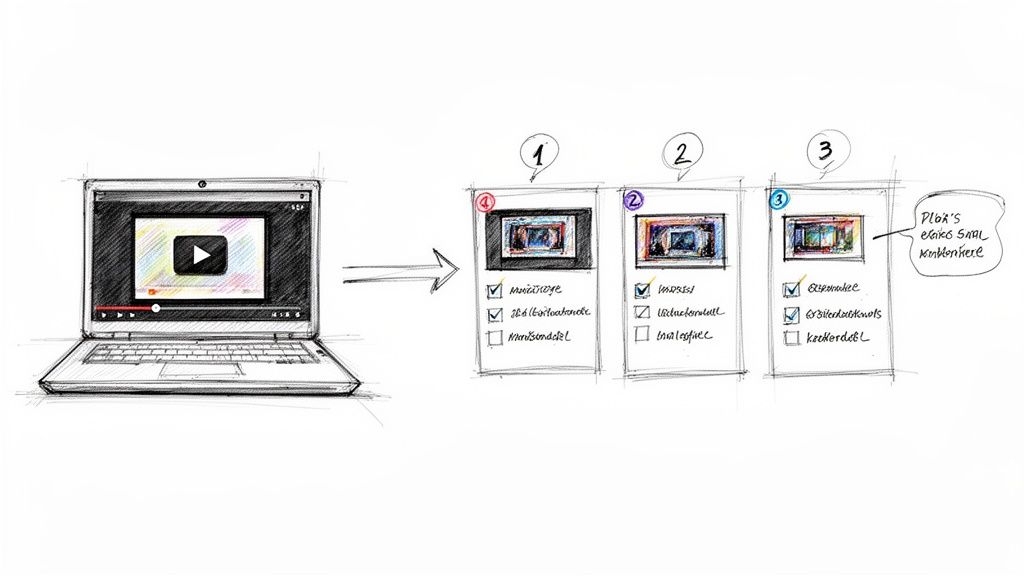
Here’s an example of how a tool can automatically generate these step-by-step guides from a simple recording, complete with screenshots and text.
This visual approach instantly breaks down a complex workflow into a series of simple, manageable actions, making the whole process feel less intimidating.
Adding Context and Interactive Elements
A great guide doesn't just show the 'what'—it explains the 'why' and adds layers of context that help the user make smarter decisions. This is where you can embed expert knowledge directly into the workflow.
This is also a great time to lean on a solid standard operating procedure template to ensure all your guides maintain a consistent, high-quality format. Using a template stops you from reinventing the wheel and makes sure nothing important gets missed.
Consider adding these powerful elements to your guides:
Expert Tips: Use callout boxes or distinct formatting to add "Pro Tip" or "Heads Up!" notes. For example: "Be sure to select 'Recurring Invoice' if this is a monthly retainer client to avoid manual billing later."
Interactive Checklists: For quality control or multi-part steps, embed a checklist directly within the guide. This lets the user physically check off items as they go, ensuring no sub-task is missed.
Links to Related Resources: If a step requires referencing another document, tool, or policy, link directly to it. This stops the user from having to hunt for information and keeps them focused on the task at hand.
By refining your raw captures with a clear structure, powerful visuals, and rich context, you create more than just a document. You build an invaluable resource that drives consistency, reduces errors, and empowers your team to work with confidence.
Creating a Central Hub for Your Processes
Even the most perfectly written guide is useless if nobody can find it.
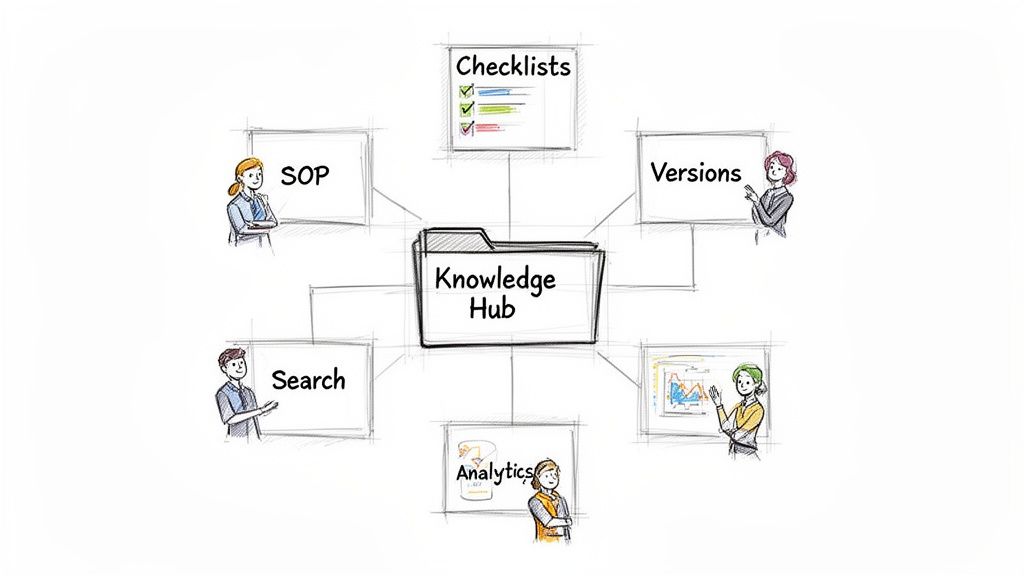
Once you’ve turned your raw captures into clean, actionable SOPs, the final piece of the puzzle is organizing them into a living, breathing library of your team's knowledge. This isn't about creating a static folder of PDFs. It's about building a central, searchable hub that becomes the single source of truth for how your business runs.
This central hub solves a huge, often invisible, problem. Studies show that 46% of employees struggle to find the information they need to do their jobs. A well-organized knowledge base tackles this head-on, making sure answers are always just a few clicks away.
Structuring Your Knowledge Base
A messy library is just as bad as no library at all. The key is a logical structure that mirrors how your team actually thinks and works. Resist the temptation to just dump everything into one giant folder. Instead, build a clear hierarchy that makes intuitive sense.
Some of the most effective ways I've seen teams structure their process hubs include:
By Department: This is the classic approach. Top-level categories for Marketing, Sales, Operations, and HR are intuitive and help teams quickly find their own relevant guides.
By Function: Group processes by the job to be done, like "Client Onboarding," "Content Publishing," or "Employee Offboarding." This is fantastic for workflows that cut across different teams.
By Client (for Agencies): If you manage unique processes for multiple clients, creating a dedicated, secure hub for each one is a total game-changer for service quality and consistency.
Whatever you choose, stick with it. Consistency is everything. A predictable layout means team members can find what they need without having to guess where it might be. This is where dedicated process documentation tools really shine, as they’re built from the ground up to organize and present this kind of information clearly.
Implementing Reviews and Version Control
A process library has to be trustworthy. If your team even suspects the information is outdated or wrong, they simply won't use it. That's why a simple review workflow and solid version control are non-negotiable.
Your documentation is only as good as its last update. A living library requires a system to keep it accurate, relevant, and trustworthy over time.
Before any new guide goes live, have at least one other person review it—ideally the subject matter expert who actually performs the task. This quick quality check catches errors and makes sure the steps are clear to someone who isn't the original author.
On top of that, version control is your safety net. It lets you track changes, see who updated a process and when, and easily roll back to a previous version if a change introduces a mistake. This simple feature prevents costly errors and provides a clear audit trail of how a process has evolved.
Tracking Adoption and Identifying Gaps
Finally, a truly living library gives you insights. How do you know which guides are actually being used? Where are people getting stuck? Modern documentation platforms can answer these questions with built-in analytics.
By tracking metrics like views, completion rates, and user feedback, you can spot your most valuable guides and pinpoint which ones might need to be clarified or updated.
If a guide on "Submitting Expense Reports" has hundreds of views, you know it's a high-impact process. On the other hand, if a critical guide has zero views, that's a signal. It might mean your team doesn't know it exists, pointing to a need for better training and communication.
Frequently Asked Questions About Process Documentation
Even with the best playbook, a few common questions always pop up when teams start getting serious about documenting their work. Let's tackle them head-on.
We'll cover the big ones: getting team buy-in, keeping docs fresh, and figuring out just how much detail is too much detail.
How Detailed Should a Process Document Be
The right level of detail comes down to one thing: who is this for?
A good rule of thumb is to write for a new hire. Can they get the job done right, the first time, without having to ask someone for help? If yes, you've nailed it.
For a brand-new team member, this usually means detailed, step-by-step instructions with screenshots for every key action. But for a seasoned expert just looking for a refresher, a simple checklist might be all they need. Always write for the end-user.
How Do I Get My Team to Actually Use the SOPs
This is the million-dollar question. Adoption is where most documentation efforts fall apart. The secret is making your guides part of the workflow, not an extra chore.
Here are three things that actually work:
Make them impossible to miss: A central, searchable knowledge hub isn't a "nice-to-have." It's everything.
Involve the team in building them: People are far more likely to trust and use a process they helped create.
Lead from the top: When managers and senior team members link to the guide instead of re-explaining, everyone else gets the message.
Don't let perfect be the enemy of good. An 80% complete guide that’s published and in use is infinitely more valuable than a 100% perfect one that's still stuck in draft mode. Get it out there and make it better based on real feedback.
Stop letting tribal knowledge slow you down. With Build a Guide, you can turn screen recordings into polished, interactive SOPs in minutes, not hours. Create your first guide for free and build a knowledge hub your team will actually use.