
January 23, 2026
How to Create SOPs Your Team Will Actually Use
Tired of creating SOPs nobody reads? Learn how to create SOPs that are clear, engaging, and drive real results. A practical guide for process improvement.
At its core, creating a Standard Operating Procedure (SOP) is simple: you identify a repeatable task, document the steps in a clear format like a checklist or video, and share it with your team. The real trick is making sure the guide actually reflects how work gets done.
Clarity and usability are everything.
Why Most SOPs Collect Digital Dust
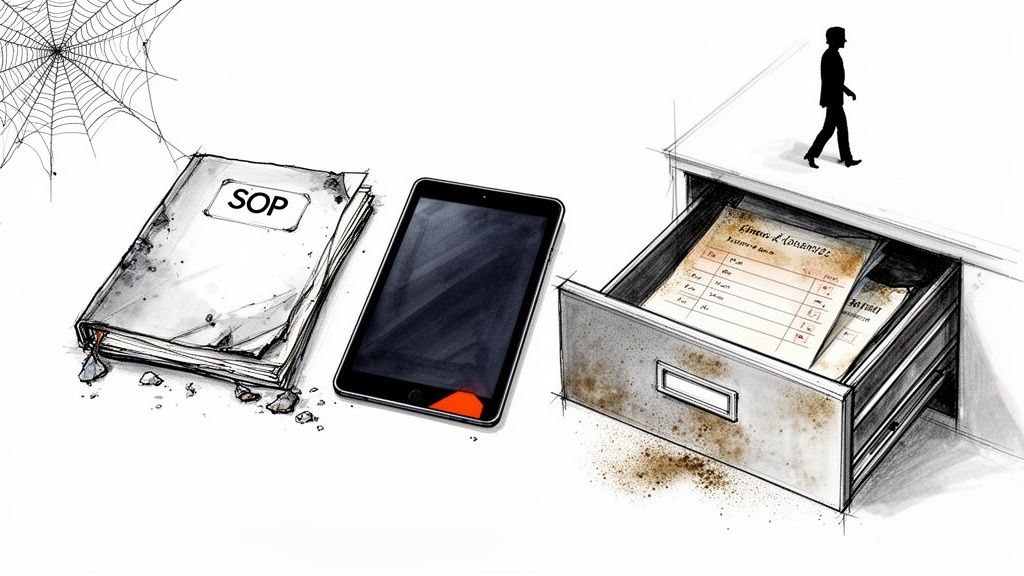
Let's be honest—most SOPs are written, filed away in a shared drive, and never looked at again. They become digital artifacts, relics of a well-intentioned project that failed to gain traction.
The core problem isn’t the idea of standardization; it’s the execution. Traditional SOPs often fail because they are fundamentally disconnected from the people who need them.
This disconnect shows up in a few key ways. Overly formal language, dense paragraphs, and a wall-of-text format make the documents intimidating and hard to scan. When a team member needs a quick answer, the last thing they want is to decipher a 10-page document written in corporate jargon.
The result? They'll just ask a colleague instead, reinforcing the exact "tribal knowledge" problem SOPs are meant to solve.
The Human Element in Process Documentation
Effective SOPs are designed for humans first. They anticipate questions, prioritize clarity, and fit into how people actually work.
Imagine a growing agency struggling with inconsistent client onboarding. A new project manager needs to know how to set up the client in the project management tool, send the welcome packet, and schedule the kickoff call.
A traditional SOP might list these tasks in a dense Word document. A modern, human-centric approach, however, would feature:
A short screen recording showing the project setup process.
An interactive checklist for the welcome packet contents.
A clear, step-by-step guide with screenshots for scheduling.
This approach acknowledges that people learn and process information differently. It moves documentation from a passive, archival role to an active, supportive one. This is a common pitfall you can read more about by understanding the SOP mistake that makes guides useless.
The goal is to create a resource so helpful that it becomes the path of least resistance. When it’s faster to consult the SOP than to ask a coworker, you’ve won.
Shifting from Instruction Manuals to Interactive Guides
The most successful SOPs feel less like rigid instruction manuals and more like dynamic, interactive guides. They are living documents, easily updated and instantly accessible.
When you learn how to create SOPs with the user experience in mind, you stop creating documents that collect dust and start building a knowledge base that actually empowers your team.
Instead of seeing SOPs as a bureaucratic chore, think of them as a product for your internal team. Who is the user? What problem does this solve for them? How can we make it as intuitive and frictionless as possible?
Answering these questions is the first step toward creating procedures that people genuinely find helpful and use consistently.
Finding Your First High-Impact Process to Document
Rushing to document every single task is a classic mistake. It leads to burnout and a library of guides nobody ever opens. Before you write a single step, you have to strategically pick a process that will give you the biggest, most immediate return on your effort.
The goal isn't to boil the ocean. It's to put out the biggest fire first.
This isn't just a nice-to-have anymore. As more businesses formalize how they work, the market for SOP tools is set to more than double, hitting USD 3,783.56 million by 2032. It’s not just big companies, either—smaller teams are realizing that clear processes are the only way to scale without chaos.

Prioritizing With an Impact Matrix
A simple impact versus frequency matrix is the fastest way to find your starting point. Just plot your potential processes on a grid and see which ones land in that high-impact, high-frequency sweet spot.
Those are your winners.
Think about it through these lenses:
High-Frequency Tasks: What does your team do every day or every week? Documenting these brings compounding returns on time saved.
High-Impact Tasks: Which processes touch revenue, client happiness, or critical operations? An error here is expensive.
High-Complexity Tasks: Which procedures have a ton of steps, involve multiple tools, or are just plain easy to mess up? This is where that dangerous "tribal knowledge" lives.
A marketing agency, for example, might realize that "setting up a new client's monthly performance report" is the perfect first SOP. It’s done often, directly impacts client retention, and requires pulling data from several different platforms. That’s a bullseye.
To help you get started, use this simple matrix to sort your own team's processes.
SOP Prioritization Matrix
Priority Level | Process Frequency | Business Impact | Example Process |
|---|---|---|---|
P1: Document First | High (Daily/Weekly) | High (Revenue, CX) | Onboarding a new customer |
P2: Document Next | High (Daily/Weekly) | Low (Internal) | Submitting an expense report |
P3: Document Later | Low (Monthly/Quarterly) | High (Revenue, CX) | Running quarterly business reviews |
P4: Document Last | Low (Monthly/Quarterly) | Low (Internal) | Ordering new office supplies |
Just listing out your common tasks and slotting them into a table like this can bring incredible clarity to what actually matters.
Defining Your Audience and Scope
Okay, you've picked a process. Now, who is this SOP actually for? The tone, level of detail, and format you choose will be completely different depending on the answer.
Is this for:
A brand-new hire who knows nothing?
A senior team member who just needs a quick checklist?
A customer who needs to figure out your product?
A perfect example is creating documentation for SaaS onboarding best practices. An internal SOP for your customer success manager would look totally different from a guide for the end user. The internal version would mention CRM updates and Slack alerts, while the customer guide would focus on key features and getting that first "win."
Defining your audience prevents you from creating a guide that’s somehow too basic for experts and too complex for beginners. Get specific.
Find Your Process Champion
Theory is one thing, but reality is another. The single biggest mistake people make when learning how to create SOPs is writing them in a vacuum. You need a "process champion"—someone who actually does the task day in and day out.
This person is your subject matter expert. They know the shortcuts, the common snags, and all the unwritten rules that make the process really work.
Involving them from the start ensures your SOP reflects how work actually gets done, not how a manager thinks it gets done. Sit with them. Ask them to share their screen and talk you through it. This doesn't just create a more accurate guide; it builds buy-in from the very people you need to use it.
Choosing the Right Format for Maximum Clarity
The single biggest reason an SOP fails is when its format gets in the way of its function. You can write the most brilliant, detailed procedure in the world, but if it’s trapped in a format your team hates using, it’s useless.
Moving beyond the old one-size-fits-all text document is the first step toward creating resources people actually turn to. The format you choose should map directly to the process you're documenting. Not all tasks are created equal, so your documentation can't be, either.
Think of it this way: you wouldn't use a dense, legalistic document to explain a new software feature. Likewise, a quick, informal video might not cut it for a complex, compliance-heavy HR procedure. The key is matching the medium to the message.
When to Use a Quick Screen Recording
For tasks that are highly visual and tool-based, a simple screen recording is often the fastest and clearest way to show someone what to do. If your process involves clicking through multiple screens, navigating dropdowns, or demonstrating a specific software workflow, video is your best friend.
A screen recording is perfect for scenarios like these:
Software Demos: Showing a customer success manager how to configure a new client's account in your CRM.
Bug Reporting: A QA tester recording their screen to show developers exactly how to replicate a tricky bug.
Creative Tasks: An agency designer walking through the steps to properly export a file for a client.
In these cases, a recording conveys nuance and context that text just can't capture. It’s the "show, don't tell" principle applied directly to your processes.
When Text and Checklists Are Non-Negotiable
While video is powerful, some processes demand the precision and structure of a written guide. Text-based SOPs, especially when you add checklists, are ideal for tasks that are linear, require meticulous attention to detail, or have compliance rules.
A well-structured text guide provides a scannable, verifiable record that a video can't.
This format is the go-to for situations like:
HR Onboarding: A checklist ensuring every new hire completes necessary payroll forms, signs NDAs, and gets their equipment.
Financial Processes: A step-by-step guide for submitting monthly expense reports, complete with links to policies and approval workflows.
Pre-Launch Quality Checks: A final checklist for a product team to run through before deploying new code.
The beauty of a checklist is its clarity. There's no room for ambiguity. Each item is a clear action to be completed and checked off, ensuring you get consistency every single time. If you need a starting point, you can explore a versatile standard operating procedure template that's easy to adapt for these text-heavy needs.
The Hybrid Approach: The Best of Both Worlds
Honestly, the most effective way to create SOPs is often a hybrid approach. You combine the visual clarity of video with the structured detail of text and screenshots. This method works for different learning styles and creates a resource that's both comprehensive and dead simple to follow.
Modern tools can automatically convert a screen recording into a step-by-step guide, complete with transcribed text and annotated screenshots. This gives you the raw material to build a truly powerful SOP without starting from scratch.
This hybrid model addresses a fundamental barrier to adoption: complexity. If a procedure is hard to understand, people simply won't use it. This isn't just an opinion; it's backed by data.
For example, research in health information technology shows that older, simpler standards see adoption rates of 71-78%, while newer, more complex ones struggle at a mere 11-15%. The takeaway is clear—people need things to be simple. Discover more insights about these health standards adoption findings. By making your SOPs exceptionally clear through a hybrid format, you directly increase the odds they will actually be used.
Imagine an agency onboarding a new client onto a complex analytics platform. They could record a video walking through the initial setup, which a tool then turns into an editable guide. From there, the agency can clean up the text, add a checklist of required client assets, and insert a screenshot highlighting a particularly confusing setting.
The client gets a video to watch and a guide to follow, ensuring nothing gets missed. It’s the best of both worlds.
Turning a Screen Recording into a Polished Guide
This is where the whole approach to creating SOPs feels less like a chore and more like a superpower. You can go from watching someone do a task in real-time to having a professional, shareable guide in a tiny fraction of the time it used to take.
It all starts with a simple screen recording. But the real magic is letting technology handle the boring parts—the transcription and screenshotting—so you can focus on adding the human context and clarity that actually makes a guide useful. This turns documentation from a tedious task into a quick, creative one.
Recording a Clean and Concise Video
Before you even think about hitting that record button, a little prep work goes a long way. The goal isn't to create an Oscar-worthy film. It’s to capture a clean, focused workflow that won't create a ton of editing work for you later. A cluttered screen or a meandering process is just going to make things harder.
A few quick tips for a better recording:
Prepare Your Workspace: Close out of Slack. Shut down those extra browser tabs. Get any files or links you'll need ready to go. A clean desktop leads to a clean recording.
Do a Dry Run: Walk through the entire process once without recording. This simple step helps you remember every click and avoid those awkward pauses or "wait, where did I put that?" moments.
Narrate as You Go: Even if you don't plan on using the audio, talking through your actions keeps you on track. It also gives the AI valuable context when it starts transcribing everything.
Keep It Focused: Each recording should cover one single task. If a process is long or complex, break it down into a few smaller, more manageable recordings.
Don't aim for perfection here. Just capture the raw process as cleanly as you can. The real polish comes next.
Letting AI Do the Heavy Lifting
Okay, you've got your recording. This is where modern SOP tools completely change the game. Instead of manually taking screenshots and typing out every single step, the software does it all for you.
Once you upload your video, the AI gets to work on several things at once:
It transcribes your narration, turning your spoken words into written instructions for each step.
It captures screenshots for every important action, like a mouse click or typing into a field.
It adds annotations to those screenshots, highlighting exactly where you clicked.
It organizes everything into a logical, step-by-step guide.
This automated process can literally save you hours. Within minutes, you have a complete first draft of your SOP—with both the visual "what" (screenshots) and the procedural "how" (written steps) already in place.
This is how all the pieces come together in a modern SOP workflow.
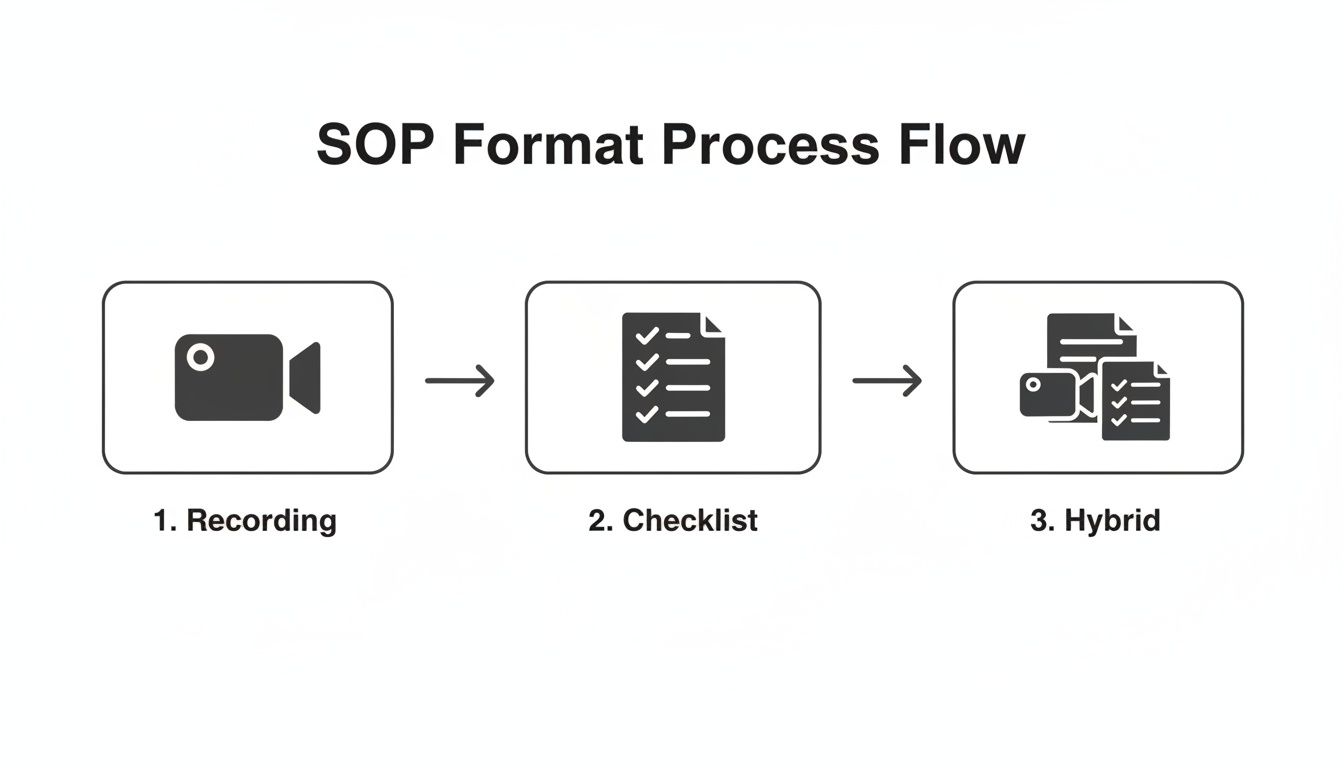
The flow from recording to a polished hybrid document highlights just how efficient it is to let AI bridge the gap between video and text.
Refining and Polishing Your Auto-Generated Guide
That auto-generated guide is an incredible starting point, but it's not the final product. Now it's time for you to add the human touch that turns a good document into a great one. This is where you inject your expertise, anticipate questions, and make the guide foolproof.
Focus your refinement process on a few key areas:
Edit Text for Clarity: Read through the transcribed text. Is it clear? Is it simple? Rephrase any awkward sentences, get rid of jargon, and make sure a brand-new hire could understand it without asking for help.
Add Warnings and Tips: Where could someone get stuck? What’s a common mistake people make? Use callout boxes or bold text to add crucial advice, like "Warning: Do not click 'Save and Close' until you have verified the client's email address." or a helpful shortcut like "Pro-Tip: Use the keyboard shortcut Ctrl+S to save time."
Merge or Split Steps: Sometimes the AI might create too many tiny steps for simple actions. Merge them. Other times, it might group too many things into one complex step. Split it into smaller, more digestible actions. For more ideas, check out our guide on how to create a step-by-step guide.
Insert Checklists: If a process has a few critical items that absolutely cannot be missed, add a simple checklist at the end. It serves as a quick summary and lets the user confirm they’ve completed every essential part of the task.
This refinement stage is arguably the most important. It's where you transform a technically accurate set of instructions into a genuinely helpful resource that prevents errors and empowers your team.
By taking this hybrid approach—letting AI generate the foundation and then applying your human expertise to refine it—you can create incredibly high-quality SOPs faster than ever. You get the accuracy of a live demonstration with the clarity and scannability of a well-written document.
How to Launch and Drive SOP Adoption
You’ve done the hard work. You've planned, recorded, and polished a perfect SOP. But if nobody uses it, all that effort was for nothing.
This is the final, most important step: getting your team to actually use the guides you’ve created. Just dropping a link in a channel and hoping for the best is a guaranteed path to failure.
Real adoption happens when using the SOP is easier than interrupting a coworker. That doesn't happen by accident. It requires a smart approach to how you share, manage, and weave these guides into the fabric of your team's day-to-day work.
Build a Single Source of Truth
First things first: stop the chaos. If your procedures are scattered across Google Drive, old email threads, and random Slack channels, people won't even try to find them. They'll just ask someone.
You need one central, obvious place for all your documentation. This "single source of truth," whether it's a company wiki or a dedicated knowledge hub, has to be:
Instantly Searchable: Team members should be able to find what they need in seconds, not minutes.
Logically Organized: Group guides by department, project, or process. Make it intuitive to browse.
Always Up-to-Date: This is the most critical part. If someone finds an outdated guide even once, they'll lose trust in the entire system.
This central hub is your foundation. It's the go-to place for training, for answering questions, and for making improvements.
Keep Your Guides Alive with Simple Version Control
Processes change, and so should your SOPs. Without a clear system for updates, you'll end up with multiple versions of the same guide floating around, causing confusion and mistakes. This is where a little governance goes a long way.
A living document requires a living management system. Your governance plan doesn't need to be complicated, but it does need to be consistent.
For every SOP, assign an "owner"—the person who is responsible for keeping it current. When a process changes, the owner updates the guide, archives the old version, and lets the team know. This simple workflow stops procedural drift before it starts and ensures everyone is always on the same page.
This isn't just about efficiency anymore; it's about readiness. With 96% of enterprises now integrating AI into their core operations, the need for documented, reliable processes is exploding. Yet there’s a massive gap: only 9% of companies have data that's actually ready for AI, and just 24% feel their AI security is up to snuff. Clear SOPs for data handling and security are essential to closing that gap safely.
Drive Adoption by Integrating, Not Announcing
The secret to getting people to use your guides is to put them where the work already happens. Don't make them leave their workflow to go find an SOP.
Here are a few ways to do that:
Link from Your Project Tools: In Asana, Jira, or Trello, drop a link to the relevant SOP right in the task description.
Embed in Onboarding Checklists: Make "Review the Client Reporting SOP" a required step for every new hire in their first week.
Use Them in Training: When you're running a live training session, walk through the SOP itself. This reinforces it as the resource to use later.
Driving adoption is about making things easier for everyone, including an admin support virtual assistant who depends on crystal-clear instructions to run things smoothly. The more you integrate these guides into existing routines, the faster they become a natural reflex.
The next time someone asks a question in Slack, answer with a friendly message and a link to the SOP. That one small act does more to build a culture of self-service than any company-wide announcement ever could.
Common Questions About Creating SOPs
Even with the best intentions, a few common questions always surface when a team starts getting serious about documentation. Getting these right from the start saves a ton of headaches later.
How Long Should an SOP Be?
This is the classic question, but it's the wrong one to ask. The right length for an SOP is however long it takes to explain one task clearly—and not a word more.
Instead of thinking about page count, think about scope.
A great SOP covers one specific process from start to finish. If you find yourself writing a guide that feels massive, it's a huge red flag. It usually means the process you're documenting is too big for a single guide. That's your cue to break it down.
For instance, an SOP called "Onboard New Enterprise Client" is a recipe for a document no one will ever read. It's too intimidating.
A much better approach is to split it into a series of smaller, focused guides:
How to Create a New Project in Asana
How to Send the Client Welcome Packet
How to Schedule the Official Kickoff Call
This micro-document approach makes each guide scannable and immediately useful. A team member can find the exact five steps they need right now without getting lost in a 20-page epic.
How Often Should We Update Our SOPs?
SOPs are living documents, not museum pieces. They need to be updated the moment a process, tool, or policy changes.
Outdated documentation is worse than no documentation at all. It actively causes errors and kills trust in your entire knowledge base.
Beyond on-the-spot fixes, it's smart to schedule regular check-ups. A quarterly or semi-annual review of your most critical SOPs helps catch things that may have slipped through the cracks.
The single most effective way to keep SOPs current is to assign an "owner" to every guide. This person is responsible for its accuracy. When a tool gets a UI update or a policy changes, that owner is on the hook to update the SOP immediately.
Modern platforms with built-in version control make this almost painless. You can see a full history of edits, roll back to a previous version, and feel confident that everyone is working from the same, correct playbook.
What Is the Difference Between an SOP and a Process Map?
People often use these terms interchangeably, but they serve very different functions. Mixing them up leads to documentation that’s either too vague to be useful or too detailed to give a clear overview.
A process map is a high-level, visual flowchart. It shows the major stages and handoffs in a workflow—the 30,000-foot view of what happens. For example, a map of your sales cycle might show "Lead > Qualification > Demo > Proposal > Closed."
An SOP, on the other hand, is the ground-level, step-by-step guide explaining how to perform one specific task within that bigger workflow.
Think of it like planning a road trip. The process map is the overview showing the major cities you'll pass through. The SOPs are the turn-by-turn directions for navigating each individual city. You need both to get where you're going.
How Can I Get My Team to Actually Use Our SOPs?
This is the final boss of any documentation project. It all comes down to two things: integration and ease of use. If your guides are buried in a folder somewhere or a pain to use, your team will find a way to work around them.
Getting people to use SOPs isn't about sending a memo. It's about changing habits.
Here’s what actually works:
Involve Your Team: Don't write SOPs in an ivory tower. Bring the people who actually do the work into the creation and review process. When they help build the resource, they’ll have a stake in using it.
Centralize Everything: Put all your SOPs in one ridiculously easy-to-find place. A searchable, well-organized knowledge hub is a must. No exceptions.
Integrate, Don't Just Announce: Weave your guides directly into your team's existing workflows. Link to the relevant SOP from a project ticket in Jira, an onboarding task in your HR system, or a client record in your CRM.
Lead by Example: When a team member asks a question in Slack, make it a habit to answer with a friendly message and a link to the SOP. This small act reinforces that the knowledge hub is the source of truth, not you.
Ready to stop creating SOPs that collect digital dust? Build a Guide turns your screen recordings into polished, interactive guides your team will actually use. Our AI-powered platform automates the tedious work so you can focus on creating clarity. Start building better guides today.