
January 6, 2026
How to Create Training Manuals: A Practical Guide to Consistency
Discover how to create training manuals that drive consistency with a proven framework for planning, writing, and distributing SOPs your team will actually use.
Before you write a single word, you need a plan.
Jumping straight into writing a training manual is like building a house without a blueprint. You might end up with something, but it won’t be stable, efficient, or do the job it was meant for. The framework is everything.
This early stage is all about asking the right questions. It’s where you shift from a vague idea like, “we need a manual,” to a concrete goal like, “we need a guide for new support agents to resolve Tier 1 tickets within their first week.”
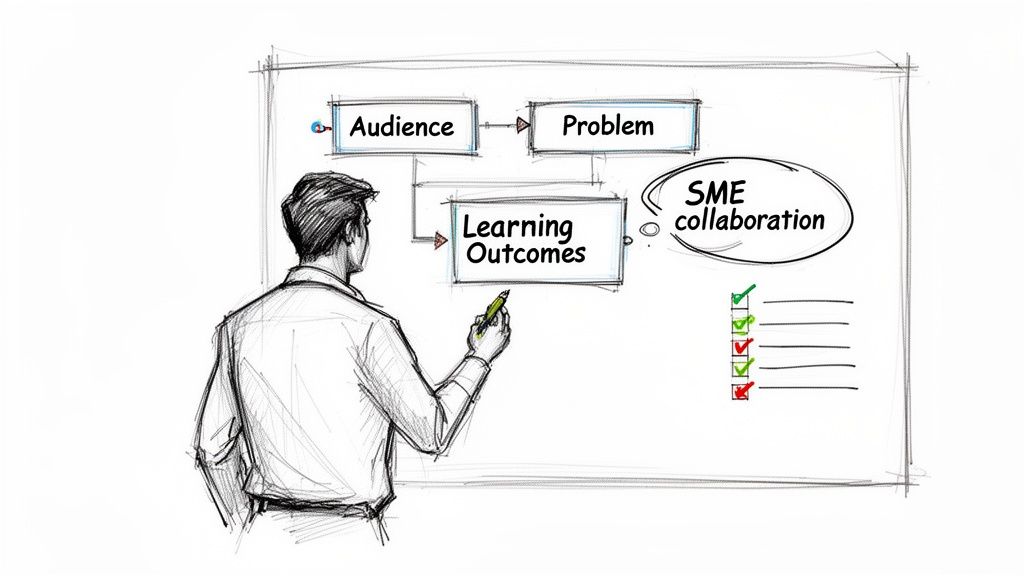
Pinpoint Your Core Audience
First, get laser-focused on who you're training. A new hire, a seasoned pro learning a new system, or a client onboarding to your SaaS product all have wildly different needs.
Generic content helps no one. Think about these groups:
New Employees: They need the basics—company culture, core tools, and essential job functions. The manual has to be comprehensive but not overwhelming.
Customer Success Teams: These folks need practical, client-facing guides that explain features and solve common problems with empathy.
Agencies and Consultants: Often building manuals for their clients, they need documents that are professional and easy for non-experts to follow.
Operations and HR: Their world is about standardizing internal processes, from compliance to software use. Consistency is their goal.
Knowing your audience lets you tailor the tone, language, and depth of information to what they actually need.
Define the Problem and Set Learning Outcomes
A great training manual solves a specific pain point. Is employee onboarding a mess? Are customers asking the same support questions over and over? Are operational errors costing you time and money?
Stating the problem clearly will guide every content decision you make.
The goal isn't just to document a process; it's to change a behavior or improve a result. By defining clear learning outcomes, you create a measurable benchmark for success.
Once you know the problem, define what success looks like with specific learning outcomes. Don’t settle for a vague goal like "understand the new CRM." Instead, aim for an outcome like, "After completing this manual, the user can create a new client record, log a sales call, and generate a quarterly report in the CRM."
This approach turns your manual from a passive document into an active training tool. It also gives you a clear way to measure if it’s actually working. A good standard operating procedure template can show you how to structure these outcomes effectively.
Collaborate with Subject Matter Experts
You might be writing the manual, but you're probably not the expert on every single step. This is non-negotiable: you have to work with Subject Matter Experts (SMEs).
These are the people doing the work day in and day out. They know the shortcuts, the weird quirks, and the common mistakes you’d never think of.
Schedule a few short sessions with your SMEs to map out the process from start to finish. This ensures the information is accurate and complete before you get too far, saving you from endless revisions later. The corporate training market hit $383.14 billion in 2023 for a reason—organizations see a huge ROI when they get this right. You can read more about corporate training market opportunities on researchandmarkets.com.
To keep things on track, use this quick checklist.
Training Manual Planning Checklist
This simple table helps ensure you've covered all the bases before you dive into content creation.
Planning Step | Key Question to Answer | Example for a SaaS Onboarding Manual |
|---|---|---|
Audience Definition | Who is this manual for, and what's their current knowledge level? | New non-technical users who have just signed up for a trial. |
Problem Identification | What specific problem does this training solve? | Users struggle to complete the initial project setup, leading to low activation rates. |
Learning Outcomes | What should the user be able to do after reading this? | Create a new project, invite a team member, and assign their first task. |
SME Collaboration | Who has the real-world knowledge I need to capture? | The lead customer success manager and a senior product designer. |
Content Scope | What are the absolute essential topics to cover? | Account setup, project creation, team invites, and task management. Nothing else. |
Answering these questions upfront prevents wasted effort and ensures the final manual is targeted, useful, and actually gets the job done.
Capturing and Structuring Core Processes
Okay, you've got your framework. Now it's time to stop planning and start building. This is where you pull the knowledge out of people's heads and turn it into something tangible—a guide that someone can actually follow without getting lost.
The goal here is to capture how work really gets done, efficiently and accurately.
Thankfully, the days of manually taking dozens of screenshots, cropping them, and pasting them into a Word doc are long gone. The best way to start now is incredibly simple: just do the task yourself while a screen recording tool runs in the background.
This isn't just faster; it's foolproof. The recording captures every click, every dropdown menu, and every toggle exactly as it happens. Many modern platforms can then magically convert that video into a step-by-step guide, complete with annotated screenshots and starter text. You get a solid first draft in minutes, not hours. For a deeper look at this, check out our guide on how to document a process in under 10 minutes.
Writing for Absolute Clarity
Once you have that auto-generated draft, the real work begins. Your mission is to refine the language until it's impossible to misinterpret. Write as if the reader knows nothing and has the attention span of a squirrel.
A few principles will get you most of the way there:
Start with a verb. Every step should begin with a direct command like "Click," "Enter," or "Select." It tells the user exactly what to do.
One action per step. Keep your sentences short and focused. Don't cram multiple instructions into a single step.
Define your jargon. If you have to use an internal acronym or technical term, explain it the first time it appears. Don't assume everyone knows what "pushing to staging" means.
This is what it looks like when a tool translates a complex screen recording into a clean, visual guide.
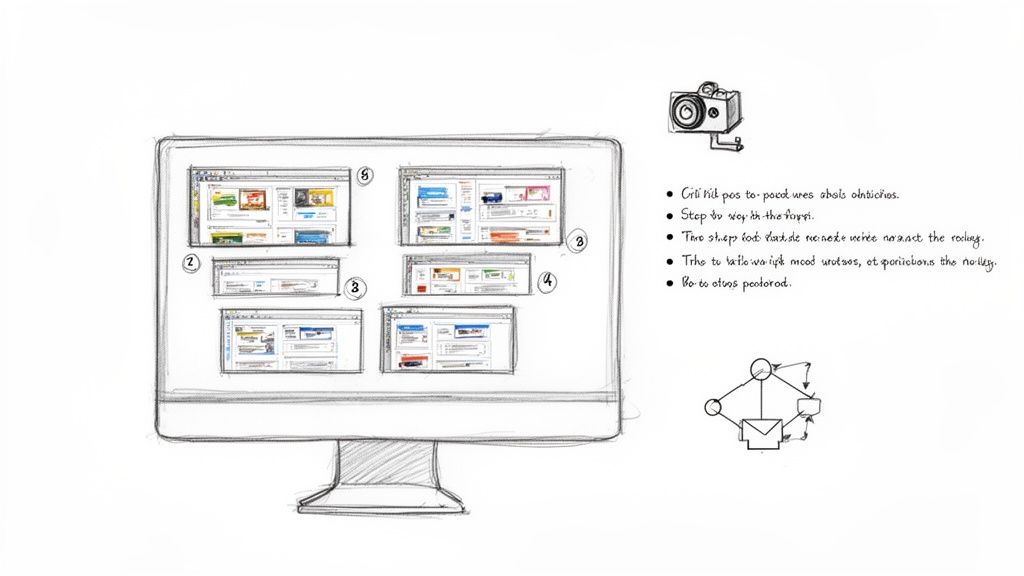
The image shows how messy digital workflows can be broken down into clean, manageable pieces—which is exactly what a great training manual does.
This move toward digital, easy-to-use guides is driving massive industry growth. The e-learning market, which is the engine behind modern training, was valued at $399.3 billion in 2022 and is still climbing. That trend tells you everything you need to know: people now expect training content to be personalized and mobile-friendly. You can dig into the data on the global e-learning market size at gminsights.com.
Structuring Information for Scannability
How you organize your content matters just as much as the words you choose. A wall of text is a sign of surrender. A well-structured manual, on the other hand, guides the reader's eye and helps them find what they need in seconds.
Think of the structure like a pyramid.
Main Title: The big-picture topic (e.g., "How to Process a Customer Refund").
Section Headings (H2/H3): The major milestones in the process (e.g., "Finding the Order," "Issuing the Refund").
Numbered Steps: The specific, sequential actions you take within each section.
Bulleted Lists: Extra notes, tips, or options that aren't part of the main sequence.
This layered approach lets a user either follow along from the beginning or jump straight to the one step where they're stuck.
Pro Tip: Your structure should feel like a story of the user's journey. Before you finalize everything, walk through the process one last time with your manual open. This simple gut check is the fastest way to find steps that are out of order or logical gaps you missed.
Incorporating Visuals to Enhance Understanding
Let's be honest, people learn differently. Some can follow text instructions perfectly, but many more need to see what's happening. A great training manual serves both.
Since your screen capture tool already gave you screenshots, you're halfway there. Now it's time to make them even better.
Consider adding a few of these visual aids:
Callouts and Annotations: Use arrows, circles, or boxes to point out the exact button to click or field to fill. It removes all doubt.
Simple Diagrams: For conceptual steps, a basic flowchart can make a decision-making process crystal clear (e.g., "If the customer has a receipt, do this. If not, do that.").
Embedded Videos: For tricky or nuanced steps, nothing beats a short video clip. You can often embed the original screen recording directly into the guide to show, not just tell, how it's done.
When you blend concise text with clear visuals, you create a learning tool instead of just a document. It makes your training stick and helps your team get things right the first time.
Designing Your Manual for Clarity and Engagement
Having a well-researched draft is a great start, but it's only half the job done. The real magic happens when you turn that collection of facts into a professional, engaging resource. This is the design and editing phase, where you elevate your content from merely informative to genuinely useful.
Good design isn't about flashy graphics; it's about clarity. It’s about respecting the user's time by making information easy to find and digest. When someone can quickly scan a document and pinpoint exactly what they need, their confidence soars—and so does their willingness to actually use the manual.
Use Formatting to Guide the Reader
Smart formatting is what turns a flat document into a dynamic guide. You're creating a visual hierarchy that tells the reader what's important without them even realizing it.
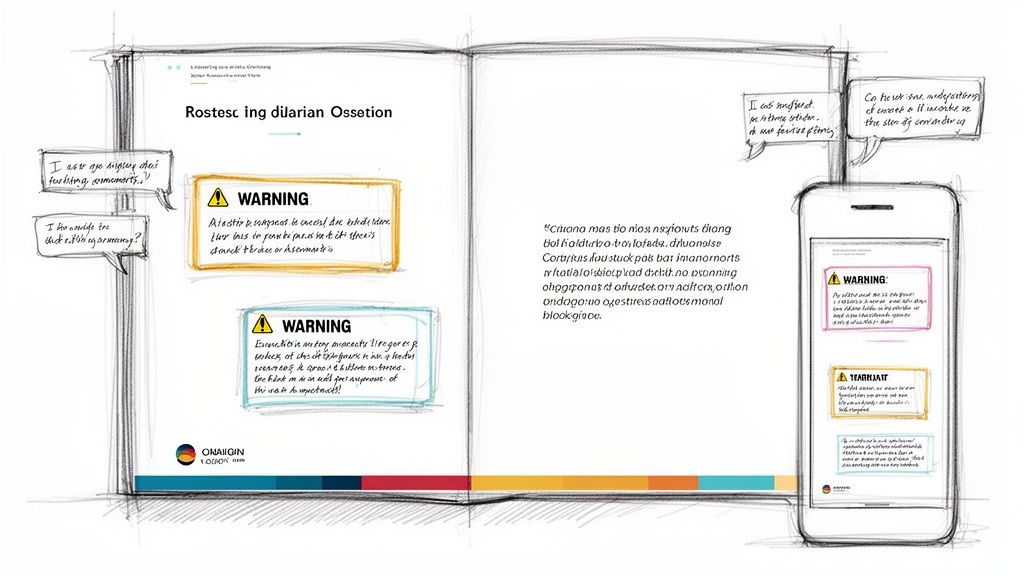
Think of it like signposting. You can use specific elements to signal different types of content:
Callout Boxes: Perfect for critical warnings or "don't miss this" tips. A simple colored box instantly draws the eye and communicates urgency.
Blockquotes: Use these to emphasize key insights, expert advice, or major takeaways you want people to remember.
Bold Text: Reserve bolding for crucial terms, numbers, or specific actions to make them pop.
When you use these tools consistently, you teach your audience how to read your manual more efficiently. You can learn more about structuring content in our guide on how to create a step-by-step guide that people actually follow.
Incorporate Your Brand Identity
Your training manual is an extension of your company, and it should feel like it. Infusing your brand identity creates a cohesive, professional experience for internal teams and new clients alike. This is especially true for agencies and SaaS companies creating customer-facing documentation.
Start with the basics:
Add your company logo to the cover page or header.
Use your brand’s color palette for headings, links, and callout boxes.
Choose a clean, readable font that aligns with your brand’s style.
These aren't just cosmetic touches. They build trust and signal that the manual is an official, reliable source of information.
A branded manual feels intentional. It tells your team or your clients that you’ve invested time and care into creating a high-quality resource for them, which encourages them to invest their time in using it.
Prioritize Scannability and Accessibility
Let's be honest: people rarely read manuals cover-to-cover. They scan for answers to immediate problems. Your design has to cater to this behavior.
Your most powerful tool for this is white space. Generous spacing between paragraphs, lists, and images prevents the page from feeling cluttered and overwhelming. It gives the content room to breathe and helps the reader focus.
Beyond that, make sure your manual works flawlessly on any device. Today’s teams are mobile. They need to pull up information on their phones between meetings or on a tablet in the field. A guide that requires pinching and zooming on a small screen will be abandoned almost immediately.
Refine Through Collaborative Editing
Before you hit publish, get a second set of eyes on your work. This is the final quality check that catches typos, confusing instructions, and awkward phrasing.
Invite key people—like the subject matter expert you interviewed or a new team member—to review the draft. Even better, ask them to follow the steps in a real-world scenario. This practical test is the best way to find out where things are unclear. Modern tools make this easy with in-line comments and real-time edits, tightening the feedback loop. This final polish ensures your manual is clear, accurate, and ready to go.
Distributing Your Manual for Maximum Reach
Your perfectly designed manual is done. The content is sharp, the visuals are clear, and the initial feedback is great. But all that work is wasted if the guide just sits in a shared drive, forgotten. Getting it into the right hands at the right moment is just as crucial as writing it.
The old way—attaching a PDF to an email—is officially dead. It creates version control nightmares, clogs inboxes, and makes updates a logistical mess. Static documents are dead ends in a fast-moving work environment. The modern approach is to treat your manual not as a file, but as a living resource.
Create a Centralized Knowledge Hub
The single most effective strategy is to publish all your guides to one central location. This creates a single source of truth—one place everyone knows to go for the most current information. Whether it’s an internal knowledge base or a client-facing help center, centralization gets rid of confusion.
When your manuals live together in one hub, you solve several problems at once:
No more outdated versions. When you update a process, everyone instantly sees the new version. You never have to worry about someone following old, incorrect instructions from a file saved to their desktop months ago.
Easy accessibility. Team members can get information on any device, anywhere, without needing special software to open a specific file type.
Better search. A good knowledge hub lets people search across all manuals to find answers fast, rather than guessing which document holds the information they need.
This shift toward dynamic, digital guides is reshaping entire industries. The market for frontline worker training, for example, is expected to jump from $21.9 billion in 2023 to $46.7 billion by 2028. That growth is being driven by personalized digital guides that overcome the access barriers of old-school systems. You can dig into the full research on the frontline worker training market at marketsandmarkets.com.
Share Guides as Clean Web Pages
Instead of sending bulky files, share your manuals as simple web links. This is a game-changer for both internal teams and external clients. A web-based guide is instantly viewable on any browser, with no downloads or logins required.
This method is especially powerful for:
Customer Onboarding: A SaaS company can send a new client a direct link to a "Getting Started" guide, creating a frictionless, professional first impression.
Support Tickets: A customer success agent can respond to a question by sharing a link to the exact step in a manual that solves the problem, closing tickets faster.
Internal Training: An HR manager can embed links to specific process guides directly into onboarding checklists or company-wide announcements.
The goal is to reduce friction to zero. If someone has to download a file, find the right application to open it, and then search for the relevant section, you've already lost them. A direct link takes them exactly where they need to go in a single click.
Manage Versions and Notify Your Team of Updates
A training manual is never truly "finished." Processes evolve, software gets updated, and best practices change. Your distribution strategy has to account for this.
When you make a significant update, just changing the content isn't enough. You need to close the loop by notifying the right people. Look for a platform that lets you easily push out notifications when a guide is updated—whether it's an automated email, a Slack message, or an in-app alert.
This proactive approach transforms your manual from a static document into a dynamic communication tool. It ensures your team is always working with the most accurate information, which is the whole point of creating a training manual in the first place.
Measuring Impact and Maintaining Your Library
Creating a training manual is a huge win, but the work isn’t over when you hit publish. A manual that collects digital dust is a failed investment. The real goal is to turn your collection of guides into a living knowledge library that actually evolves with your team.
That means you have to measure its impact and keep it accurate.
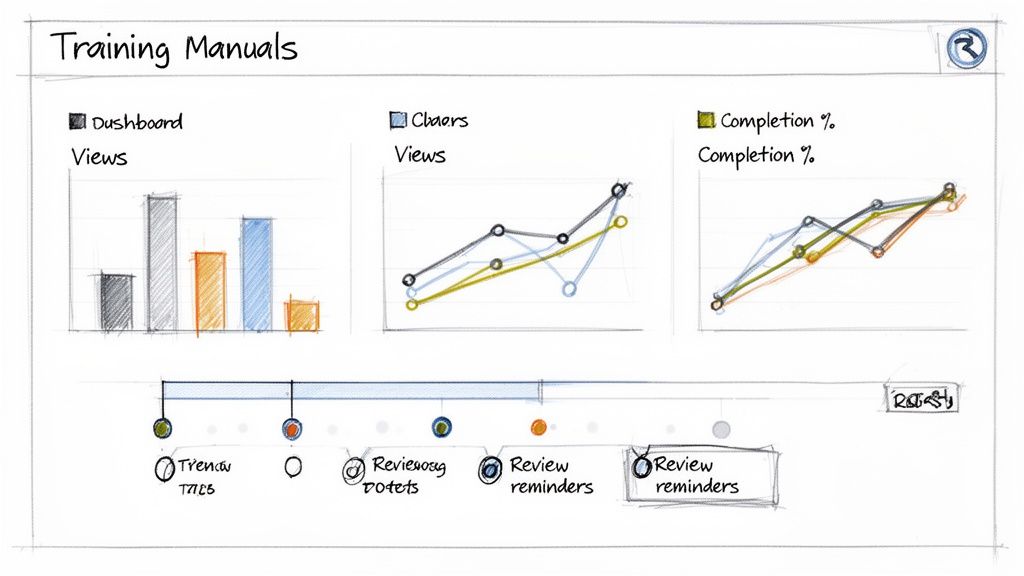
Without measurement, you’re just guessing. You have no idea if people are actually using your guides, where they’re getting stuck, or if the content is even helping. A data-driven approach takes the guesswork out of the equation, letting you make smart improvements that actually boost team performance.
Using Analytics to See What's Really Happening
First things first: look at the numbers. If you're using a modern knowledge base or a platform like Build a Guide, you’ll have access to analytics that tell a clear story. Don't just glance at the total views; you need to dig deeper to find insights you can act on.
Focus on a few key areas to understand what’s going on:
Completion Rates: Are people making it to the end of your guides? A big drop-off on a specific step is a massive red flag. It almost always means the instruction is confusing, broken, or just plain wrong.
Time on Page: A super short time on a complex guide probably means users aren't engaging at all. On the flip side, an unusually long time could signal a point of friction where people are struggling to figure something out.
Search Queries: What are people searching for inside your knowledge hub? This is a goldmine for identifying knowledge gaps. If you see the same term searched over and over, you know exactly what manual to create next.
These metrics aren't just numbers. They’re direct feedback telling you exactly where to focus your attention.
The table below breaks down the most essential analytics for understanding how your guides are performing and, more importantly, how to make them better.
Key Metrics for Training Manual Effectiveness
A breakdown of essential analytics to track for measuring the impact and identifying areas for improvement in your training guides.
Metric | What It Measures | How to Improve It |
|---|---|---|
Views & Usage | Which guides are being used and how often. | Promote high-value guides; archive or update low-use ones. |
Completion Rate | The percentage of users who finish a guide. | Simplify confusing steps, add clearer visuals, or break up long guides. |
Time on Page | How long users spend on a guide. | For low time, improve intros. For high time, clarify complex sections. |
Search Queries | What users are looking for in your knowledge base. | Create new content for popular unmet searches; improve titles and keywords. |
Feedback Scores | Direct user satisfaction (e.g., "Was this helpful?"). | Review negative feedback comments and address the specific issues raised. |
Tracking these numbers turns maintenance from a chore into a targeted strategy for improvement.
Setting Up a Sustainable Review Schedule
Processes change. Software gets updated. Your training manuals have to keep up, or they become obsolete—or worse, a source of bad information. A proactive maintenance schedule is non-negotiable.
Don't overcomplicate it. A simple, tiered approach works best:
Quarterly Review for Critical Processes: Your most important guides—like core product workflows or compliance procedures—should be reviewed by their owner every three months.
Bi-Annual Review for Stable Processes: For less volatile procedures, a check-in every six months is usually enough to catch minor changes.
Immediate Updates for Major Changes: When a big software update rolls out or a key policy changes, the relevant manual needs to be updated within 48 hours.
The secret to making this work? Clear ownership. Every single manual needs a designated owner—usually the subject matter expert—who is responsible for its accuracy. Without an owner, maintenance becomes a game of hot potato that nobody wins.
Gathering Feedback from Real People
Analytics tell you what is happening, but direct feedback from your team tells you why. You need to give people a simple, low-effort way to report issues or suggest improvements.
Try implementing one of these feedback loops:
A simple "Was this helpful?" button at the end of each guide, with a little box for optional comments.
A dedicated Slack channel like
#documentation-feedbackwhere anyone can quickly flag outdated content or ask a question.Direct feedback during one-on-ones, especially with new hires who just went through your onboarding manuals.
This blend of hard data and human feedback creates a powerful cycle of improvement. You spot a problem in the analytics, get the "why" from user comments, and make a precise, effective update. This is how you turn a static archive into a living library that actively helps your organization get smarter.
Still Have Questions About Training Manuals?
Even with a solid plan, a few tricky questions always pop up when you start creating training manuals. It’s one thing to want to move away from messy tribal knowledge, and another to actually build clear, standardized documentation.
Let's tackle a few of the most common hurdles teams run into. Getting these details right is the difference between a manual people actually use and one that just gathers digital dust.
What Is the Fastest Way to Create a Training Manual for Software?
The quickest method is to stop taking manual screenshots and start recording your process instead. Modern documentation tools let you just record your screen as you run through a task. The software then automatically breaks your recording down into a step-by-step guide, complete with cropped images and pre-written text.
This completely flips the script on creating training content. Instead of spending hours on tedious, repetitive work, you get a solid first draft in just a few minutes. That frees you up to focus on what actually matters: refining the language and adding your expert insights.
How Do I Make Sure My Training Manuals Stay Up to Date?
Keeping documentation current is a mix of smart tech and a clear process. The secret is making maintenance a scheduled, low-effort habit, not an emergency cleanup project.
Here’s a simple framework that works:
Centralize Everything: Host all your guides on a single, cloud-based platform. This is a non-negotiable. When you update a manual, everyone should get the new version instantly.
Assign an Owner: Every single manual needs a designated owner, usually the subject matter expert on that process. They are officially responsible for its accuracy.
Schedule Regular Reviews: Put reviews on the calendar. A quarterly check for critical processes and a bi-annual review for more stable ones is a great starting point.
Use Your Analytics: Pay attention to user feedback and engagement data. A sudden drop-off rate or a flurry of questions about a specific step is a huge red flag that a guide needs an update.
An out-of-date manual is worse than no manual at all. It actively creates errors and erodes trust in your entire knowledge base. A proactive maintenance schedule isn't optional.
What's the Difference Between a Training Manual and an SOP?
This is a really common point of confusion, but the distinction is critical. Think of it like learning to cook a new dish.
A Standard Operating Procedure (SOP) is the recipe card. It lists the exact, non-negotiable steps you must follow to get a consistent result every single time. It's built for compliance and precision. No more, no less.
A training manual, on the other hand, is the entire cooking class. It includes the SOP, but it also explains why you use certain ingredients, offers tips on technique, and shows you what common mistakes to avoid. A manual is designed to build understanding, while an SOP is designed to ensure a specific outcome.
How Can I Create Training Manuals for Different Audiences?
The most efficient way is to avoid starting from scratch for every audience. Instead, think "create once, customize many."
Start by building a single, comprehensive "master" guide that has all the information needed for a process. This becomes your internal source of truth—the complete picture.
From there, you can easily duplicate and tailor it for different groups:
For External Clients: You’d strip out internal jargon, sensitive data, and any steps that aren't relevant to them.
For a Technical Team: You might add more advanced troubleshooting steps or deeper technical context.
For New Hires: You'd want to simplify the language and add more foundational context so you're not assuming they know things they don't.
This modular approach saves a massive amount of time. You can deliver targeted, relevant information to every audience without reinventing the wheel each time, which makes the whole process of creating training manuals far more scalable.
Ready to stop chasing down answers and start building a library of clear, interactive guides? Build a Guide turns your screen recordings into polished SOPs your team can actually use. Record any process, and our AI will instantly generate a step-by-step manual you can edit, brand, and share in minutes. Try it now and see how easy it is to standardize your best practices.