
February 3, 2026
Your Ultimate SOP Document Template And Process Mastery Guide
Ditch the chaos. Use our expert SOP document template and guide to build clear workflows, boost team efficiency, and scale your operations with confidence.
Let’s be honest. Most SOPs are written, filed away in a shared drive, and never looked at again. They become digital relics—rigid, outdated documents that feel more like a bureaucratic chore than a useful tool.
This happens because the average template completely misses the human element. It fails to bridge the gap between a list of instructions on a page and how work actually gets done in the real world.
That disconnect creates a ton of friction. You see it when new hires get overwhelmed by chaotic training, taking forever to ramp up. It pops up in client work, where one person delivers a stellar experience while another misses key steps—all because there’s no single source of truth to follow. And every time an experienced employee leaves, their unique insights walk out the door with them because that knowledge was never captured in a living, breathing process.
Shifting from Document to Playbook
The fix isn't just a better template. It's a complete shift in mindset. We have to stop thinking of an SOP as a static document and start treating it as a dynamic playbook.
A playbook is active. It’s accessible. It’s designed to be used in the flow of work, not just filed away to check a compliance box.
This modern approach acknowledges that processes change. A great sop document template acts as the blueprint for this playbook. It provides the essential structure and forces you to think through every component of a workflow, from its core purpose to who is responsible for what.
When you make this shift, good things happen:
Clarity in Chaos: Assumptions and "tribal knowledge" get replaced with a clear standard anyone can follow.
Empowered Teams: People get the confidence to do their jobs correctly and consistently without needing constant supervision.
Scalable Growth: You get a reliable framework for training new team members, ensuring quality doesn't dip as you grow.
The Foundation of an Interactive SOP Library
Ultimately, the goal is to build an interactive SOP library—a central hub where your team’s processes are easy to find, follow, and update. Your master template is the first and most critical step.
Organizations that get this right see real results. For example, one study found that using templates with clear sections for purpose, scope, and responsibilities can slash the time it takes to create new SOPs by up to 50%.
Even better, standardizing the onboarding process with detailed 30-60-90 day plans inside these SOPs led to a 20% increase in employee retention. The data is clear: a well-designed template doesn't just document a process; it improves the entire employee experience from day one. You can see more about how SOP documentation templates drive these results and learn how structure directly impacts success.
By spending time on a solid foundation, you’re not just writing instructions—you’re building a system that drives real business results.
Before we jump into creating your own, let's break down the core components that make a template truly effective.
Anatomy of an SOP Template That Actually Works
A good template isn't just a blank page with a few headings. It's a structured framework designed to force clarity and consistency. Use this table as a quick gut-check for your own documents to see what might be missing.
Component | What It Does | Why It's Non-Negotiable |
|---|---|---|
Document Control | Tracks versions, owners, and review dates. | Keeps the SOP trustworthy and prevents outdated information from circulating. |
Purpose & Scope | Explains why the process exists and what it covers. | Gives context and helps people understand if they're in the right place. |
Roles & Responsibilities | Defines who does what (by role, not name). | Eliminates confusion and "I thought you were doing that" moments. |
Procedure Steps | The core "how-to" instructions. | The heart of the SOP, guiding users through the actions. |
Tools & Resources | Lists required software, links, or materials. | Saves time and prevents people from getting stuck looking for what they need. |
Success Metrics | Defines what "done right" looks like. | Aligns everyone on the desired outcome and measures effectiveness. |
Glossary | Defines jargon or company-specific terms. | Makes the SOP accessible to new hires and people outside the immediate team. |
Without these pieces, an SOP is just a list of steps. With them, it becomes a reliable tool for execution.
Alright, let's get into the nuts and bolts of building your master template. This is where we move from theory to action.
Creating a really solid SOP document template isn't about just filling in some blanks. It's about architecting a framework that can handle the real-world messiness of your business. We're going to build this section by section, keeping practical scenarios in mind so the final template brings clarity, not more confusion.
The path from operational friction to smooth, repeatable results is a known one. A great template is the blueprint that turns those daily headaches into real productivity.
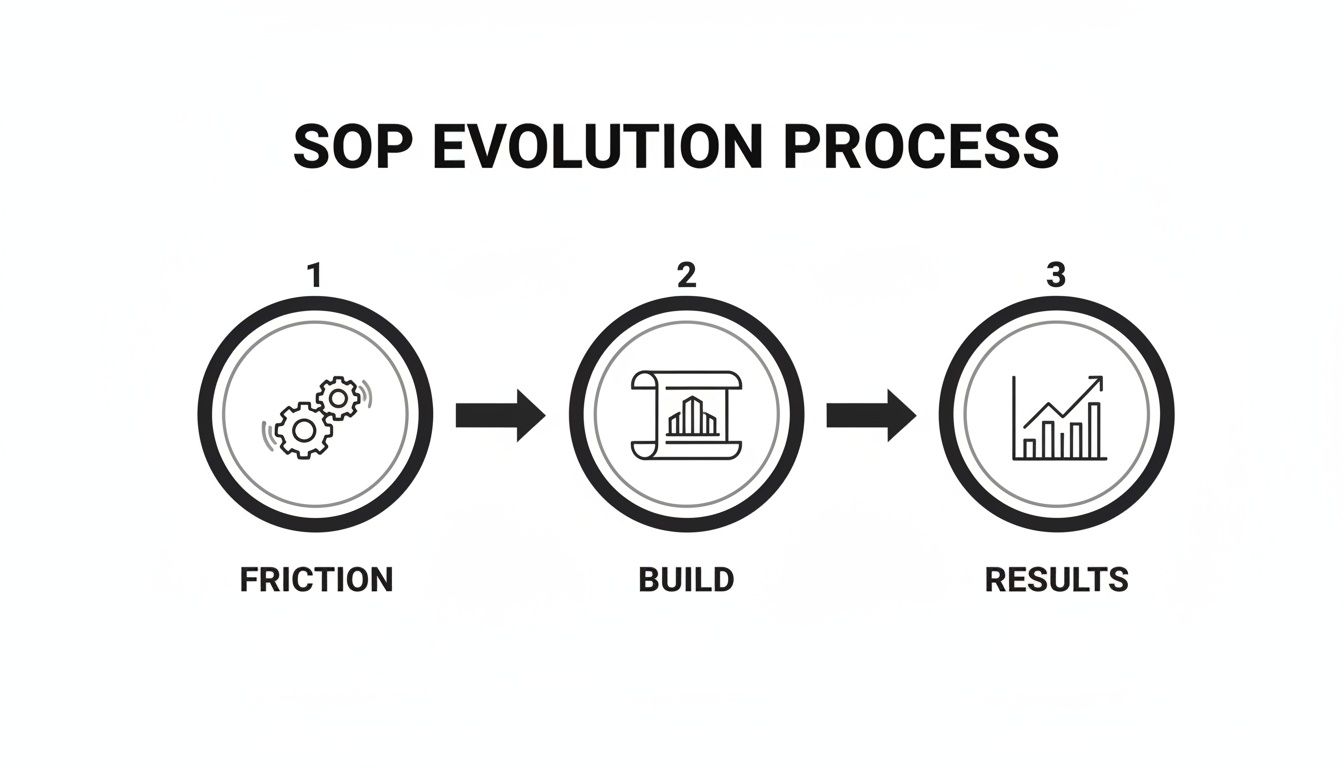
This diagram nails it. Your template is the bridge between the chaos of "how we do things now" and the growth that comes from a well-oiled machine. Let's start building that bridge.
Start With a Robust Title Page
I know, I know—it's tempting to skip straight to the steps. But the title page, or what I call the document control section, is the most overlooked—and most vital—part of any SOP. It's your first line of defense against outdated information and version control chaos.
Think of it as the SOP's birth certificate. It needs a few non-negotiable details to prevent the inevitable nightmare of three different "final_v2" versions floating around.
Your title page should always have:
A Clear, Descriptive Title: Not just "Onboarding SOP," but "Client Onboarding Process for Enterprise Accounts." Be specific.
Document ID: A unique code like MKTG-001 makes it instantly findable and referenceable.
Version Number: Start with 1.0. Use decimals for minor tweaks (1.1, 1.2) and whole numbers for major overhauls (2.0).
Owner: This should be a role, not a person. "Head of Customer Success" is future-proof; "Jane Doe" is not.
Approval Date: The day the current version got the official green light.
Next Review Date: A built-in expiration date. This forces you to re-evaluate the process quarterly or annually, keeping it relevant.
This simple block of info immediately tells anyone who opens the file if they're looking at the right document. Problem solved.
Define a Crystal-Clear Purpose and Scope
Before writing a single step, you have to answer two questions: Why does this exist, and where does it stop? This section sets the stage and manages expectations right from the top.
The Purpose is your one-sentence "why." For a bug reporting process, it might be: "To ensure all software bugs are documented consistently, prioritized effectively, and routed to the correct engineering team for resolution." Short, sweet, and to the point.
The Scope draws the line in the sand. It clarifies what this SOP covers—and just as importantly, what it doesn't. For that same bug reporting SOP, the scope could be: "This procedure applies to all internal team members reporting bugs found during QA testing. It does not cover customer-submitted tickets or feature requests."
This clarity is everything. It prevents "scope creep"—where a simple process gets bloated and confusing—and helps someone quickly decide if they're in the right place.
Map Out Roles and Responsibilities
This is where you kill ambiguity dead. The "Roles and Responsibilities" section explicitly states who does what. Always use job titles, not names, so the SOP doesn't break the moment someone gets promoted or leaves.
A dense paragraph here is useless. A simple table is scannable and instantly clear.
Role | Key Responsibilities |
|---|---|
QA Analyst | Identifies and documents the bug in Jira using the standard bug report format. |
Product Manager | Reviews new bug reports, assigns a priority level (P1-P4), and adds them to the relevant sprint. |
Engineering Lead | Assigns the prioritized bug ticket to a specific developer for investigation and resolution. |
This simple chart ends the "I thought someone else was doing that" excuse forever. Tasks stop falling through the cracks. It might seem like a small detail, but the impact is huge. We've seen businesses that adopt templates with clear roles see productivity gains of 25-35% in how fast they get work done. In regulated fields like healthcare, structured templates have even been shown to cut compliance violations by 40%.
Write Actionable Step-by-Step Procedures
Finally, the heart of your SOP document template: the procedure itself. This is where you lay out the workflow in clear, sequential steps. Your goal? Write it so clearly that a brand-new hire could nail it on their first try with no help.
Always use an active voice and start each step with a command verb like "Open," "Enter," or "Verify."
Let's imagine a marketing agency's client onboarding workflow. The steps might look like this:
Generate the Client Welcome Packet from the template library.
Customize the packet with the client's logo and project details.
Schedule the kickoff meeting via the shared team calendar.
Send the welcome packet and meeting invitation to the client.
That’s a good start, but real work is rarely that linear. For a deeper dive on structuring more complex flows, check out our guide on workflow documentation templates. You can use flowcharts for "if-then" scenarios, or just use sub-steps within your list to handle different outcomes. This master template gives you the foundation to build out those real-world processes cleanly and effectively.
Adapting Your Template for Different Teams
Your master SOP document template is a fantastic starting point, but it's just that—a start. The single biggest mistake I see companies make is trying to force one rigid template onto every department. This one-size-fits-all approach is a recipe for failure, leading to SOPs that get ignored because they don't reflect how teams actually work.
To make your processes truly stick, you have to adapt. The core structure can stay the same, but the details, tone, and emphasis must shift to match the audience. After all, a customer-facing guide for your agency's clients should feel entirely different from an internal procedure for the finance team. That's not just okay; it's exactly how it should be.
Customizing for Customer Success
The Customer Success team is on the front lines, guiding users through complex workflows and solving problems in real time. Their SOPs need to be built for clarity, empathy, and speed. A generic, linear template is often too clumsy for the dynamic nature of their work.
When adapting your template for this team, the focus shifts dramatically:
Emphasize Troubleshooting: The "Procedure" section should look less like a straight line and more like a flowchart. Use "if-then" scenarios to map out common user issues and their solutions.
Incorporate Communication Scripts: Add a dedicated section for pre-approved language. This ensures a consistent, empathetic tone when talking to frustrated users—a detail that standard templates almost always miss.
Link Directly to Resources: The "Tools & Resources" section is critical here. It shouldn't just list software; it needs direct links to specific knowledge base articles, video tutorials, and internal Slack channels for escalating tough issues.
For example, an SOP for handling a billing dispute needs clear steps for verifying account details, specific links to the payment processing dashboard, and approved phrases for de-escalating the conversation.
The goal isn't just to document a process. It's to arm the team with everything they need to solve a user's problem quickly and confidently on the first try.
Building an HR Onboarding Checklist
For Human Resources, the audience for an onboarding SOP is your brand-new hire. They’re probably feeling a mix of excitement and overwhelm. A great onboarding SOP should feel less like a rigid procedure and more like a welcoming, supportive checklist that builds confidence from day one.
Here, the customization is all about the employee experience:
Adjust the Tone: Ditch the corporate jargon. Use warm, welcoming, and encouraging language throughout the document.
Structure as a Checklist: The step-by-step format is perfect, but frame it as a 30-60-90 day plan. This breaks the onboarding journey into manageable phases.
Include a "Who to Ask" Section: Map out key contacts for different needs (e.g., "For IT issues, contact John Smith," "For payroll questions, reach out to the Finance team"). This simple addition can drastically reduce a new hire's anxiety.
An HR onboarding SOP should guide them through setting up their workstation and accessing software, but it should also point them toward understanding company culture and meeting their new team.
Standardizing for Operations and Procurement
The Operations team is the engine of your business, focused on efficiency, cost control, and minimizing risk. Their SOPs must be precise, unambiguous, and laser-focused on compliance. There's very little room for interpretation when you're standardizing a process like procurement.
When tailoring your SOP document template for Operations, precision is everything:
Define Clear Thresholds: The procedure must include specific financial limits. For example, "Purchases under $500 require manager approval; purchases over $500 require VP approval." No ambiguity.
Add a Compliance Section: Create a dedicated "Compliance Requirements" section. This is where you outline vendor verification steps, contract review protocols, and data security standards.
Specify Documentation Needs: Clearly list the required documents for each step, like attaching vendor quotes, proof of approval, and purchase orders to a specific folder or system.
This level of detail ensures every purchase follows the exact same process, reducing wasteful spending and creating a clear audit trail.
To help you get started, here’s a quick cheat sheet for tailoring your master template.
SOP Customization Cheat Sheet by Department
Department | Primary Goal | Example Customization |
|---|---|---|
Customer Success | Speed to resolution | Add "if-then" troubleshooting paths and pre-approved communication scripts. |
Human Resources | New hire confidence | Reframe the procedure as a 30-60-90 day checklist with a welcoming tone. |
Operations | Compliance & efficiency | Include specific financial thresholds and a dedicated compliance requirements section. |
Sales | Consistency | Provide clear guidelines on CRM data entry and standardized follow-up sequences. |
Marketing | Brand alignment | Add a "Brand Voice" section and link to approved creative assets. |
Finance | Accuracy & auditability | Specify exact documentation needs and link directly to reporting templates. |
By adapting your master template for each team, you transform a generic document into a valuable, purpose-built tool that drives adoption and delivers real results. You can learn more about the critical differences in our guide on internal vs. customer-facing SOPs.
Turning Static SOPs Into Interactive Guides
A well-crafted sop document template is a huge asset, but it has the same weakness as any other traditional document—it’s static. Let’s be honest: static Word docs and PDFs are where processes go to die.
They’re easy to ignore, become outdated the moment you save them, and they just can't capture the nuance of complex digital workflows.
This is the biggest flaw in process documentation. A flat document can tell you what to do, but it struggles to show you how, especially for software-based tasks. This is where modern tools completely change the game.
From Text to Tangible Action
The most significant leap forward is moving from writing about a process to simply recording it.
Instead of trying to describe which button to click or what a specific screen looks like, you just perform the task while recording your screen. That simple action becomes the raw material for a far more effective guide.
Modern platforms like Build a Guide use AI to analyze these recordings, automatically breaking down the video into a series of logical steps. It grabs screenshots for each action, transcribes the steps, and organizes everything into a draft guide. This single feature saves countless hours of manual screenshotting and writing.
Here’s what that transformation looks like.
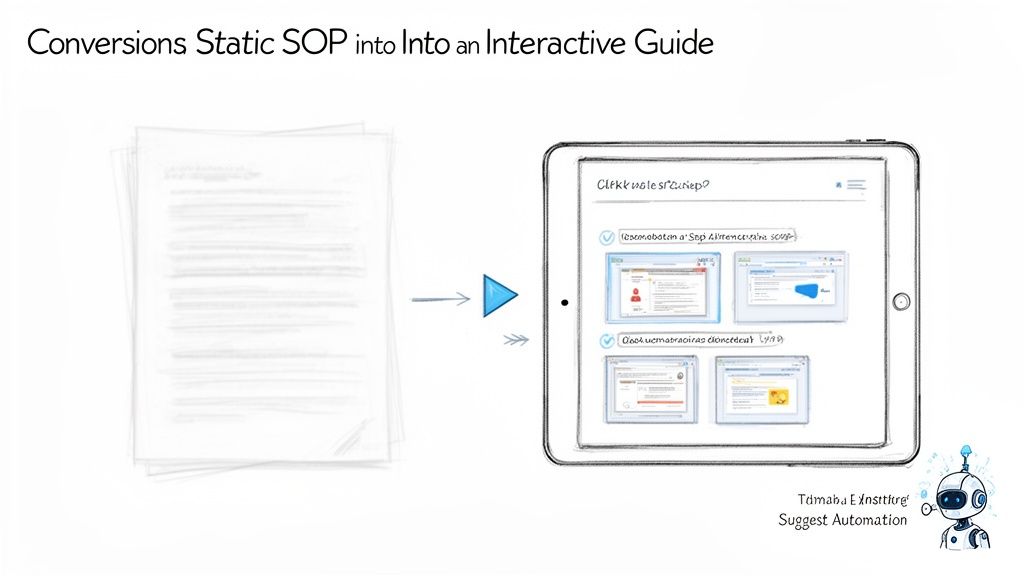
This AI-generated draft becomes your new starting point. You're no longer staring at a blank page. Instead, you're refining a process that has already been captured accurately. This is where the structure from your master SOP template really proves its worth.
Merging Structure with Dynamic Content
Your AI-generated guide now has the "how-to" steps, but it still needs the critical context your SOP template provides. This is where you merge the two ideas:
Refine and Annotate: Clean up the AI-generated text for clarity. Add callouts, arrows, and highlights to the screenshots to draw attention to important details.
Add Contextual Sections: Pull in the essential components from your master template. Add sections for Purpose & Scope, Roles & Responsibilities, and Success Metrics directly into your new guide.
Embed Resources: Instead of just listing tools, embed links directly within the steps. Add checklists, supplementary notes, or even short video clips to clarify complex points.
This hybrid approach gives you the best of both worlds—the robust, repeatable structure of a well-designed sop document template combined with the clarity and engagement of an interactive, visual guide.
This method fundamentally shifts the role of an SOP from a reference document to a hands-on training tool. It's something people actually want to use because it makes their job easier.
The Measurable Impact of Interactive Guides
The benefits here aren't just theoretical; they show up in real performance improvements.
Static documents have no feedback loop—you have no idea if anyone read them, understood them, or completed the process correctly. Interactive guides change that entirely.
Data shows that firms using comprehensive templates already avoid 35% of common documentation errors. When you combine that solid foundation with an interactive format, the results get even better. SaaS teams creating customer-facing guides report creating content 50% faster.
Even more telling, engagement analytics show that interactive guides have completion rates around 80%, a massive jump from just 45% for static PDFs.
By converting your static SOPs into interactive guides, you create a dynamic, searchable library of processes that your team will actually use. This boosts engagement, cuts down on training time, and ensures your operational knowledge is always up-to-date and easy to follow. To see these techniques in action, check out our detailed instructions on how to create a step-by-step guide.
Managing Your SOPs for Long-Term Success
Creating a great SOP document template is a critical first step, but it’s just that—a start. The real value comes when those documented processes are alive and active within your organization. Getting your team to adopt, use, and maintain them consistently is what separates a folder of forgotten files from a true operational playbook that drives real change.
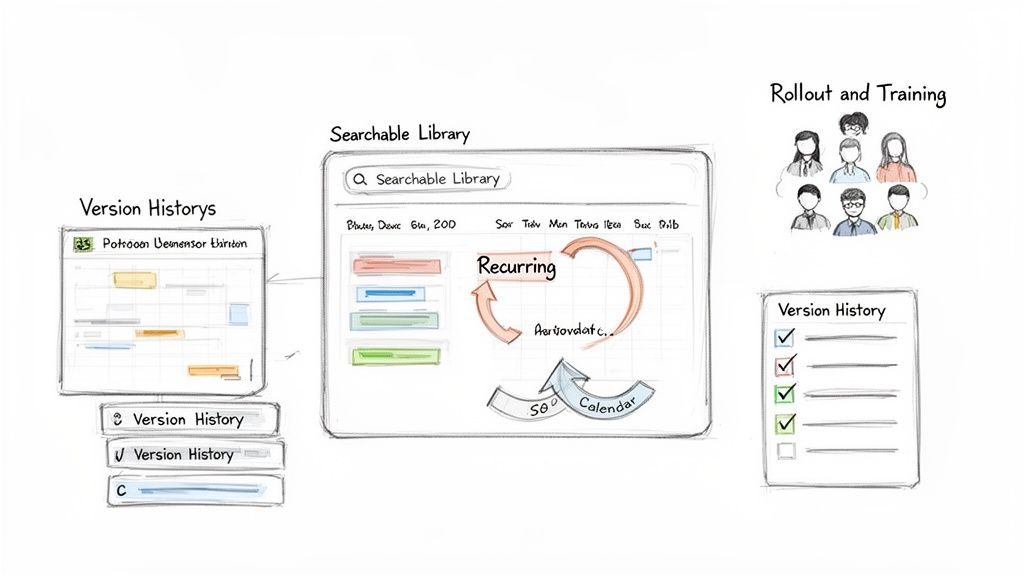
This doesn't have to be complicated. Success hinges on a few key pillars: a smart rollout plan, disciplined version control, a regular review cadence, and making everything easy to find.
The Art of the SOP Rollout
Simply emailing a new SOP with the subject line "New Process" is a guaranteed way to ensure it’s never read. A thoughtful rollout is about communication and training, not just distribution.
Start by explaining the "why." Your team needs to understand the problem the SOP solves. Is it to reduce errors that frustrate customers? To make onboarding a new client smoother? Frame it around a benefit they can actually connect with.
Next, provide hands-on training. For a complex digital workflow, this could be a short group session where you walk through the new process live. For a simpler task, a quick screen recording attached to the announcement might be enough. The goal is to build confidence and answer questions before the SOP goes live.
Version Control Without the Chaos
Nothing undermines trust in your processes faster than team members using different versions of the same document. Without clear version control, confusion is inevitable. This is where the "Document Control" section of your template becomes your best friend.
Implement a simple, non-negotiable system:
Clear Naming Convention: Use a consistent format like
SOP-Title-v1.2. Minor updates get a decimal bump (e.g., 1.2 to 1.3), while major process overhauls get a whole number change (e.g., 1.3 to 2.0).A Single Source of Truth: All final, approved SOPs must live in one central, designated location. This could be a specific folder in your shared drive, a dedicated Notion page, or a platform like Build a Guide. Old versions should be archived immediately.
Change Log: Every time an SOP is updated, add a brief note to its version history explaining what changed, why, and who approved it. This creates a transparent audit trail.
An SOP is only useful if your team trusts that they are looking at the most current version. A disciplined approach to versioning is the bedrock of that trust.
Establish a Simple Review Cycle
Processes get stale. Tools get updated, policies change, and better ways of working are discovered. An SOP that was perfect six months ago might be dangerously outdated today. This is why a scheduled review cycle is essential.
Designate a clear "owner" for each SOP—this should be a role, not a person (e.g., "Head of Operations"). This owner is responsible for ensuring the process is reviewed on a set schedule.
For critical or rapidly changing processes (like a software release checklist), a quarterly review is smart.
For more stable, evergreen procedures (like an office opening checklist), an annual review is often sufficient.
The key is to put these reviews on the calendar. Treat them like any other important task. This proactive approach prevents process decay and keeps your operational knowledge sharp and relevant.
Centralize and Make It Searchable
Even the best SOP is worthless if no one can find it when they need it. The final piece of the puzzle is creating a centralized, easily searchable hub for all your process documentation. A messy shared drive where SOPs are mixed in with marketing assets and old invoices just won't cut it.
Your SOP library should be intuitive. Organize it by department or function, use a consistent naming convention, and make sure the search function is robust. The goal is for a team member to find the exact guide they need in under 30 seconds.
For your SOPs to truly drive long-term success, they must integrate seamlessly into your broader organizational knowledge base. Explore key best practices for knowledge management to build a system that lasts.
Common Questions About SOP Document Templates
Even with a great template, you're going to have questions. Everyone does. Let's walk through some of the most common ones that pop up when you start building out your SOP library.
What Is the Best Format for an SOP Document Template?
Honestly, there's no single "best" format. The right choice always depends on the process you're trying to explain. The goal is to make the process as easy to follow as possible for the person doing the work.
Simple Step-by-Step List: Perfect for straightforward, linear tasks. Think daily opening checklists or end-of-day reports. If A always leads to B, a simple list is your friend.
Flowchart Format: This is a lifesaver for any process with "if-this-then-that" logic. Troubleshooting guides are a classic example. When a decision point can send someone down multiple paths, a flowchart is much clearer than a wall of text.
But let's be real—the most effective approach for most digital workflows today is an interactive guide.
This format isn't just text. It weaves together instructions, annotated screenshots, and short video clips to walk someone through a process visually. For complex software tasks, this method is a game-changer, dramatically boosting completion rates and accuracy.
How Detailed Should My SOPs Be?
Here’s the only test that matters: the "new hire" test.
Could someone who knows nothing about this task get it done right, using only your SOP? If the answer is no, it's not detailed enough. You have to assume zero prior knowledge. That means spelling out every acronym and defining any company-specific jargon.
You don't need to write a book, but you do need to break down big steps into smaller, bite-sized actions. This is where visuals become your superpower. A single, well-placed screenshot can replace an entire paragraph and eliminate any chance of misinterpretation.
Strive for clarity, not brevity. The right level of detail is whatever it takes for a brand-new team member to execute the task confidently and correctly without needing to ask for help.
How Often Should SOPs Be Reviewed and Updated?
Your SOPs should be living documents, not museum artifacts. An outdated SOP isn't just useless; it's dangerous. It creates confusion, forces workarounds, and erodes trust in your entire system.
As a baseline, schedule a formal review for all SOPs at least annually.
But the real key is to update them the moment a process, tool, or policy changes. The best way to do this is to empower the people who actually own the process—the ones doing the work every day. Give them a simple way to flag when an SOP is wrong or could be better.
Using a system with a clear version history is non-negotiable here. It prevents people from accidentally using old instructions and ensures everyone is on the same page, always.
Ready to stop writing SOPs that get ignored? Build a Guide transforms your screen recordings into interactive, step-by-step guides your team will actually use. Ditch the static documents and create a living process library that drives consistency and growth. Start building your first guide today.