
January 1, 2026
A Workflow Documentation Template Your Team Will Actually Use

Tired of chaotic processes? Our workflow documentation template helps you create clear, consistent, and scalable SOPs that standardize your operations.
A workflow documentation template is just a reusable structure for outlining how a specific task gets done—who does what, what tools they use, and what the steps are. It’s a simple idea, but it’s the key to making sure every important process is documented clearly and consistently.
This moves work out of people's heads and into a system everyone can follow, cutting down on confusion and making teams way more efficient.
Why Standardized Workflow Documentation Is a Game Changer
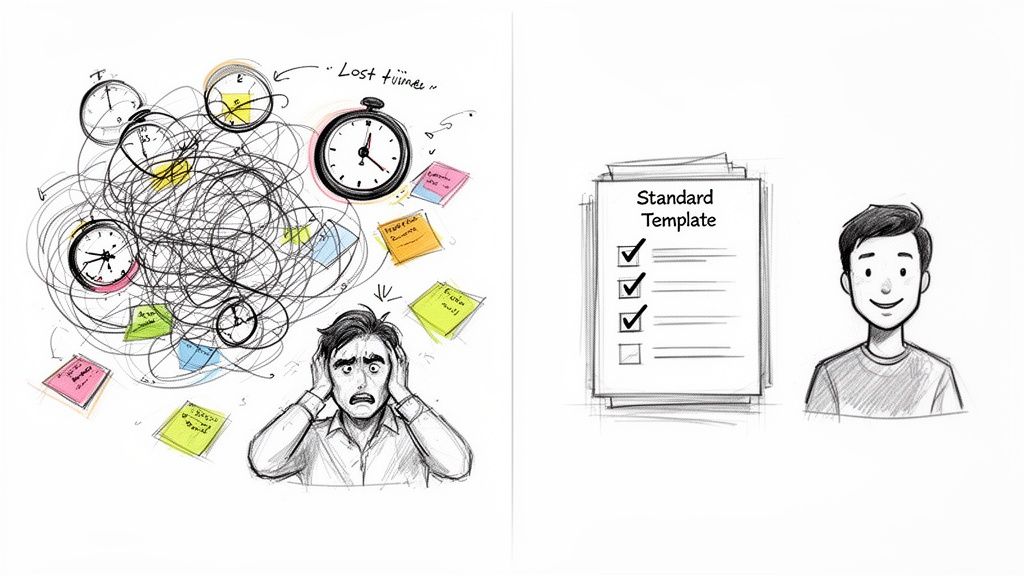
Let’s be honest: undocumented processes are a recipe for chaos.
When tasks only exist in the minds of a few key employees, you’re dealing with "tribal knowledge." It’s a fragile system that completely falls apart the moment someone goes on vacation, gets sick, or leaves the company. This leads to wasted hours, frustrated teams, and an onboarding process that drags on forever.
A solid workflow documentation template acts as the single source of truth. It turns abstract processes into tangible, repeatable assets for your business. It’s the shift from guesswork to a structured system where quality and efficiency are built-in, not accidental.
The True Cost of Inconsistency
Without a standardized approach, every task is a new adventure. One person might complete a client report one way, while their teammate uses a completely different method. This inconsistency creates unpredictable results and makes it impossible to find bottlenecks or figure out how to improve.
Top-performing teams use templates not just to write down steps but to build a scalable foundation for growth. Once every process follows a predictable format, you start seeing some powerful benefits:
Faster Onboarding: New hires get up to speed much faster by following a clear guide instead of relying on constant shoulder taps and interruptions.
Reduced Errors: When instructions are crystal clear, the chance of mistakes plummets. That saves time and money that would otherwise be spent on rework.
Improved Collaboration: Everyone understands their role and how their work connects to the bigger picture, leading to much smoother handoffs between people and departments.
Continuous Improvement: A documented process is a measurable one. You can finally analyze the steps, spot inefficiencies, and make your workflows better over time.
This push for standardization is why the Workflow Management System market, valued at USD 9.83 billion in 2024, is expected to hit USD 25.21 billion by 2035. This growth is all about organizations using templates to refine and automate how they work, with AI integration now cutting manual errors by up to 40%.
The goal isn't just to write things down. It's to create a living system that empowers your team to do their best work, consistently. A good template makes excellence repeatable.
Ultimately, adopting a workflow documentation template is about building operational resilience. It ensures your business can keep running smoothly and turns your internal processes into a real competitive advantage. To dig deeper, check out our guide on the benefits of standard operating procedures.
Building an Effective Workflow Documentation Template
A truly great workflow document is more than a checklist. It’s the difference between a process everyone knows and a process everyone does—consistently.
Think of it as the blueprint for a specific task. You wouldn't start building a house without one, so why would your team tackle critical processes without a clear guide? A solid template removes all the guesswork and turns abstract knowledge into something anyone can follow, from a new hire to a seasoned pro.
Start with Purpose and Scope
Before you get into the how, you have to nail down the why and the what. This is the context that prevents everything from falling apart later. A vague purpose leads to inconsistent outcomes because it forces everyone to interpret the goal for themselves.
First, write a clear purpose statement. Why does this process even exist? What problem is it solving? For instance, the purpose of a "Customer Refund Process" isn't just "to issue refunds." It’s "to process customer refund requests accurately and within 24 hours to maintain high customer satisfaction." See the difference?
Next, define the scope. Who is this for? When should it be used? Being specific here—like stating a process only applies to e-commerce sales, not in-store purchases—prevents it from being misapplied and causing chaos.
Detail the Core Procedure
This is the heart of your document. It’s where you break down the entire process into small, obvious, actionable steps. Vague instructions like "Update the CRM" are completely useless. You need to be specific.
A bulletproof procedure section must include:
Roles and Responsibilities: Name the roles responsible for each part of the process. For example, "The Customer Support Agent initiates the refund," and "The Finance Manager approves refunds over $500." No more confusion about who owns what.
Step-by-Step Instructions: Use a simple, numbered list to outline the process in chronological order. Each step should be a single, clear action. For any software-based tasks, screenshots or short video clips are non-negotiable.
Tools and Resources: List every single tool, piece of software, or resource needed. That means including direct links to login pages, templates, or relevant company policies. Make it easy for people to get what they need without having to ask.
A well-structured template doesn't just list steps; it provides context. It answers who does what, with what tools, and in what order, leaving no room for guesswork.
Plan for Real-World Scenarios
No process is perfect, and things go wrong. A robust template anticipates this instead of pretending everything will always work as planned. This is what separates a good document from a great one.
Make sure you include a section for exception handling. What happens if a piece of information is missing or a system is down? Providing a clear "if-this-then-that" protocol keeps minor hiccups from turning into major fires.
You also need to define success metrics. How do you know the job was done right? It could be a specific outcome, like "customer receives a confirmation email within one hour." Finally, assign a document owner and set a review cycle. This ensures the guide doesn't go stale.
Anatomy of a Perfect Workflow Documentation Template
To help you build or audit your own templates, here's a checklist of the essential components. If your document is missing any of these, it’s not finished.
Component | Purpose | Example |
|---|---|---|
Purpose Statement | Explains the "why" behind the process. | "To onboard new clients efficiently, ensuring all legal and financial paperwork is completed within 3 business days." |
Roles & Responsibilities | Clarifies who owns each part of the workflow. | "Account Manager sends the welcome packet; Project Manager schedules the kickoff call." |
Detailed Steps | Provides clear, sequential instructions. | "1. Create a new client folder in Google Drive using the 'Client Folder Template'." |
Exception Handling | Guides users on how to handle deviations. | "If a client does not return the signed contract within 48 hours, follow up via phone call." |
Success Metrics | Defines what a successful outcome looks like. | "The client's project is created in our project management tool with all team members assigned." |
Review & Ownership | Ensures the document remains up-to-date. | "Owner: Head of Operations. Review Frequency: Quarterly." |
A template built with these components isn’t just a document—it's a tool that empowers your team to work with clarity and confidence.
Modernizing Your SOPs with Interactive Guides
Let's be honest: static documents gather dust. That meticulously crafted Word doc or PDF-based workflow you built last quarter? It’s probably already obsolete, ignored, or lost in a crowded shared drive.
Modern teams simply move too fast for documentation that can't keep up. They need something dynamic and engaging—guides that are simple to create and even easier to follow.
This is where a totally different approach comes in: turning a simple screen recording into an interactive Standard Operating Procedure (SOP). Imagine recording yourself doing a task just once and having a tool automatically generate a complete, step-by-step guide from it.
From Video to Actionable Steps
The core idea is to get rid of the tedious manual labor. No more taking screenshots, annotating them one by one, and writing out every single instruction.
Instead, you just perform the task as you normally would while your screen is being recorded.
That’s when modern platforms step in, using AI to analyze the video and identify every key action—every click, every form field, every menu you open. The output isn't just a video people have to pause and rewind. It's a fully editable guide, complete with:
Annotated Screenshots: Automatically captured images for each step, with highlights showing exactly where to click.
Clear Instructions: Plain-text descriptions of each action (like, "Click on 'Create New Project'").
Interactive Elements: The ability to add your own notes, checklists, or even embed other resources right into the steps.
This method is a game-changer for any team that relies on software. Customer success teams can create client tutorials in minutes, and operations managers can document internal processes with perfect accuracy. If you want to dive deeper, we have a whole piece on how to create a step-by-step guide from a screen recording.
The real power here is the speed and precision. What used to take hours of painstaking work—capturing, cropping, writing, formatting—now takes the same amount of time as just doing the task itself.
The Impact on Efficiency and Engagement
This shift from static to interactive docs isn't just about saving time; it's about creating resources people will actually use.
Interactive guides are just more engaging than a dense wall of text. They break down complex processes into manageable, visual chunks that are far easier to digest and follow.
This diagram shows the core anatomy of any effective workflow, highlighting the key stages from defining the purpose to outlining the steps.
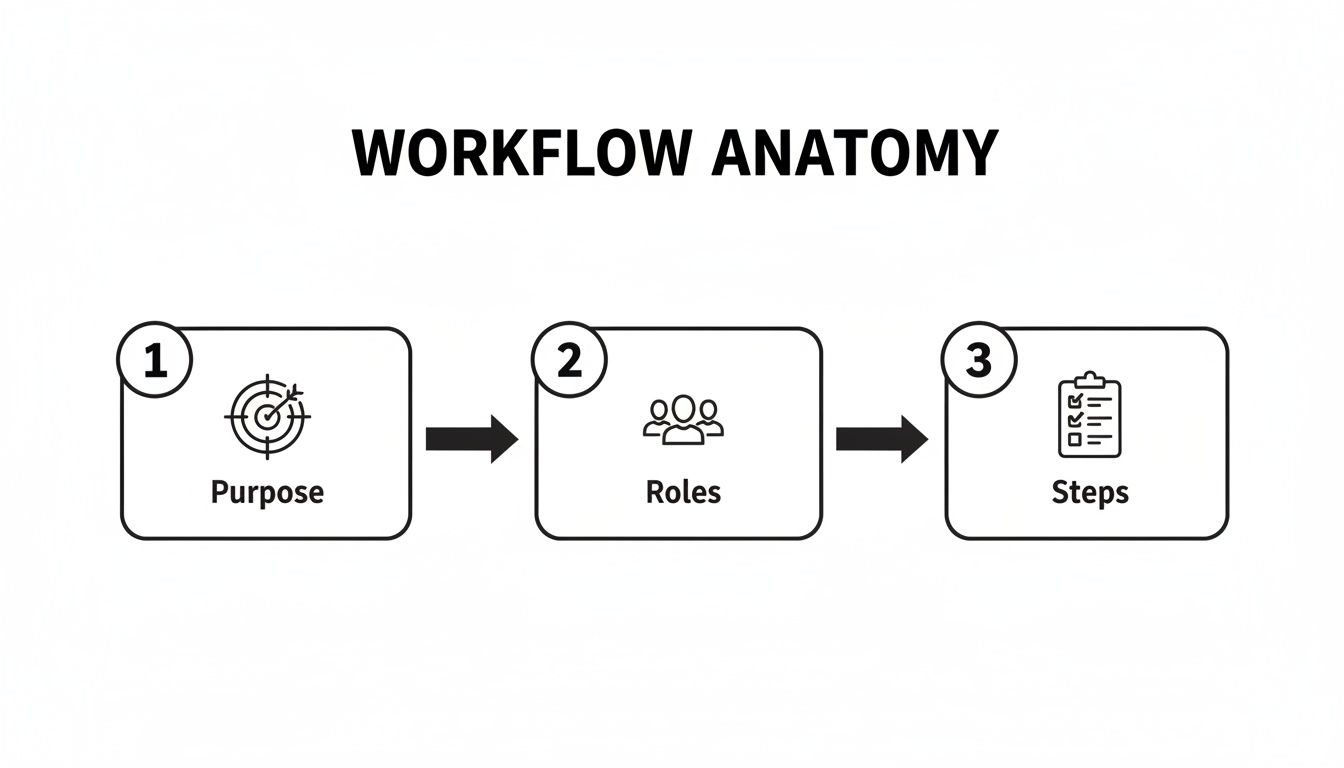
This flow underscores how clarity in purpose, roles, and steps forms the foundation of a process that anyone can successfully follow.
The market is already moving this way. The Document Generation Software market is projected to hit USD 6.86 billion by 2031. A huge driver is small and medium-sized businesses adopting SaaS solutions that turn complex inputs, like screen recordings, into polished, on-brand guides.
In fact, this approach has been shown to shorten customer onboarding times by 25-35%—a massive reduction in time-to-value.
By modernizing your SOPs with interactive guides, you're not just updating a format. You're building a more agile, efficient, and empowered team.
How to Customize Your Template for Any Business Need
A good workflow template is just a starting point. It's not the final product.
The real magic happens when you stop thinking of it as a generic document and start molding it to solve a specific problem for a specific person. After all, a template for onboarding a new client should look nothing like one for reporting a software bug. One size never fits all.
Customization is way more than just changing the title. It’s about rethinking who the guide is for, what they need to accomplish, and what you can cut to help them get there faster.
Tailoring for Internal vs. External Audiences
The first—and most important—question to ask is: Who is this for?
The language, tone, and level of detail you’d use for an internal developer are completely wrong for a new customer. Get this part wrong, and the entire document fails.
Let's look at two common scenarios:
Internal Troubleshooting: Imagine a support team's guide for fixing a software bug. It’s probably packed with technical jargon, database queries, and direct links to internal dashboards. It’s built for speed and assumes a high level of context.
Customer-Facing Guide: To make this useful for a customer, you'd have to rip out all that internal language. You'd swap technical steps for simple, user-friendly actions. The focus shifts from the complex how of the backend fix to the simple what and why from their perspective.
You're essentially creating different views from a single source of truth.
Your goal is to give the user just enough information to succeed—without drowning them in details that don't matter to their role. Clarity for one audience is just noise for another.
Customizing Templates for Different Functions
So, what does this look like in the real world?
Think about a marketing agency that creates SOPs for multiple clients. Each client has its own brand voice, tool stack, and approval process. The agency can't create a new guide from scratch every time—that would be a nightmare. Instead, their base template needs to be flexible enough to adapt on the fly.
Here’s how they could customize a single “Content Publishing” workflow for two different clients:
Client A (Uses WordPress & Asana)
Draft Content: Write the article in Google Docs.
Submit for Review: Drag the task in Asana to the "Client Review" column.
Publish: Once approved, copy the final text into the WordPress editor and hit schedule.
Client B (Uses HubSpot & Trello)
Draft Content: Write the article directly in the HubSpot blog editor.
Submit for Review: Move the Trello card to the "Approval" list.
Publish: Click "Publish" in HubSpot and paste the live link back into the Trello card.
See? The core process—draft, review, publish—is identical. But the specific actions and tools are tailored to each client's reality. A great template anticipates these differences with placeholders for tools, links, and client-specific notes.
This approach keeps your process consistent while giving you the flexibility to deliver a guide that feels custom-built for every single user.
Common Process Documentation Mistakes to Avoid
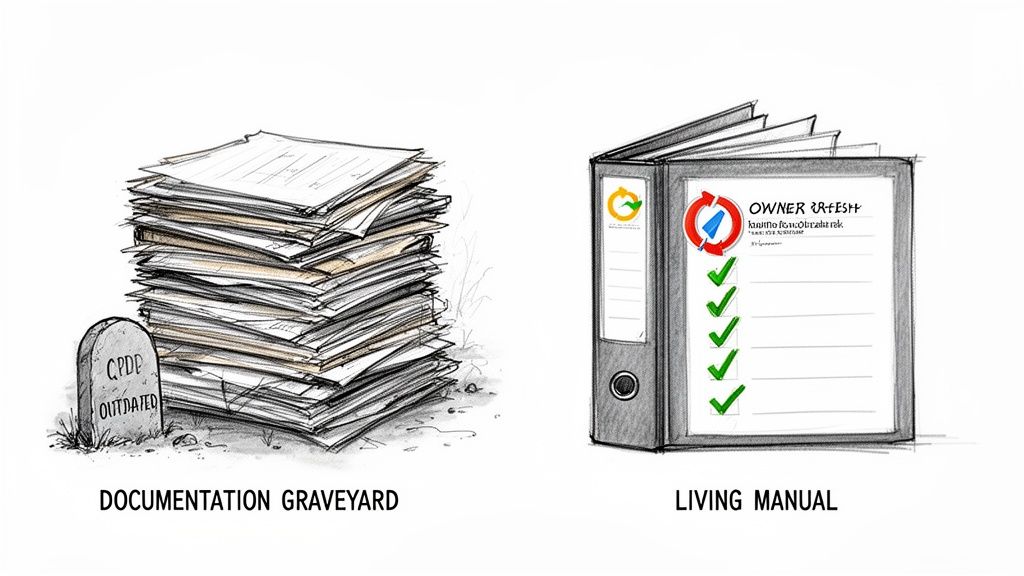
Creating documentation is one thing. Creating documentation people actually use is something else entirely.
I’ve seen it happen countless times: teams pour hours into writing guides, only for them to end up in a digital graveyard where good intentions go to die. People stop trusting them, so they stop using them.
The goal isn't just to write things down. It’s to build a living, breathing library of processes that genuinely helps your team. Avoiding a few common traps makes all the difference between a guide that gathers dust and one that becomes the go-to resource.
Being Dangerously Vague
If there’s one mistake that kills documentation, it’s vagueness. Instructions like "Update the CRM" or "Submit the report" are basically useless because they force the reader to guess.
What fields in the CRM? Who gets the report, and in what format? Ambiguity is the enemy of action.
Clarity comes from specifics. Every step needs to be explicit, leaving zero room for interpretation.
Bad Example: "Upload the final assets."
Good Example: "Upload the final PNG and JPEG files to the 'Client Deliverables' folder in Google Drive and notify the Project Manager via Slack."
Yes, that level of detail feels tedious to write. But it’s essential for anyone trying to execute the task correctly the first time. It’s the difference between getting it done and getting it done right. You can read more on why this is so critical by learning about the SOP mistake that makes guides useless.
Ignoring Visuals and Formatting
Nobody wants to read a wall of text, especially when they're in the middle of a task and just need a quick answer. Yet so many process documents are formatted like academic papers—dense, intimidating paragraphs with no visual breaks.
Break up your content. It’s that simple.
Use headings, bullet points, checklists, and bold text to guide the reader's eye. More importantly, add visuals. A single, well-placed screenshot showing exactly where to click is worth a hundred words of description.
An effective workflow document is designed for quick consumption. If a user can't find what they need in under 30 seconds, the formatting has failed them.
Forgetting About Ownership and Updates
A document without a clear owner is an orphan. It will inevitably become outdated, inaccurate, and untrustworthy.
And here’s the real danger: when someone follows a guide and finds it's wrong, they won't just stop trusting that document—they'll start ignoring all of your documentation. The entire system breaks down.
Assign a specific person or role to own each workflow. This owner is responsible for performing periodic reviews and updating the process when tools or procedures change.
This isn’t just a nice-to-have; it’s a business necessity. As companies lean more on defined processes, the cost of inefficiency skyrockets. The Workflow-as-a-Service (WaaS) market is projected to hit USD 298,401.4 million by 2035, a clear sign of how valuable streamlined operations are. Good templates alone can cut HR onboarding time by 30-40%—a massive saving that disappears the moment guides become obsolete.
Got Questions? We've Got Answers
Even with a great template, you're bound to run into a few questions. It happens every time a team starts standardizing how they do things. Here are some of the most common ones we hear, along with answers from the trenches.
How Often Should We Actually Review and Update Our Workflow Docs?
This is a big one. Outdated documentation is actually worse than no documentation at all—it creates confusion and erodes trust.
For your most critical, high-impact workflows (think client onboarding, financial reporting, or core product releases), a quarterly review is a solid baseline. But more importantly, you should review a guide the moment any part of the process or the software you're using changes.
For less critical or more stable tasks, a check-in every six months or once a year usually does the trick.
The real secret isn't a rigid schedule, though. It's assigning a specific "owner" to each and every document. This person is responsible for keeping it current, making sure your guides stay reliable instead of becoming digital relics in a forgotten folder.
This one habit prevents "documentation drift," where guides slowly become useless over time.
What's the Best Way to Get the Team to Actually Use New Templates?
People don't resist change; they resist being changed. If you want your team to adopt new templates, it all comes down to two things: involvement and obvious value.
First, involve your team in the creation process. They're the ones doing the work, which makes them the subject matter experts. When you ask for their input, you don't just get a more accurate document—you give them a sense of ownership from day one.
Next, make the guides ridiculously easy to find and use. Store everything in a central, searchable spot that everyone can get to. Finally, show them—don't just tell them—how these templates make their jobs easier. Point out how it cuts down on repetitive questions, slashes error rates, and clarifies who does what.
When documentation stops being a chore and becomes a tool for success, buy-in just happens.
Is It Possible for a Workflow Guide to Be Too Detailed?
Oh, absolutely. The goal here is clarity, not cognitive overload. A classic mistake is documenting every single mouse click for a tech-savvy engineer or, on the flip side, being too vague for a brand-new hire.
The right amount of detail depends entirely on who's reading it and how complex the task is.
A good rule of thumb is to tailor the information to the audience. You can use collapsible sections or link out to supplementary docs for the nitty-gritty details. This keeps the main workflow clean and scannable while still giving people the depth they need, when they need it. Remember, you're writing a guide, not a novel.
How Can We Measure the ROI of Documenting Our Workflows?
Tracking the return on your documentation efforts is what separates "nice-to-have" guides from business-critical assets. The best way to do this is to establish a baseline for key metrics before and after you roll out a new workflow documentation template.
Look for concrete, quantitative improvements. For instance:
A measurable drop in error rates for a specific task.
Faster task completion times from start to finish.
A shorter, more effective onboarding period for new team members.
You can also track the decrease in support tickets or Slack DMs asking questions about documented processes. And don't forget the qualitative side. Surveying your team to gauge their confidence and clarity levels can give you powerful insight into how effective a template really is.
Ready to stop creating SOPs that just gather dust? Build a Guide turns your screen recordings into interactive, step-by-step guides your team will actually use. Create, share, and manage your entire process library from one central hub. Get started for free at buildaguide.app.