
December 31, 2025
Mastering SOP Formatting Standards for Ultimate Clarity

Unlock the power of clear documentation with our complete guide to SOP formatting standards. Learn best practices and elevate your team's processes.
Think of SOP formatting standards as the blueprint for your company's instructions. They're the set of rules that govern how you style and organize your procedural documents—everything from headings and numbering to fonts and screenshots.
Following these standards is what turns a confusing wall of text into a guide that people can actually use and follow.
Why Your SOP Formatting Standards Matter
Ever tried to assemble furniture with instructions that look like they were translated five times? It’s a mess of confusing diagrams, inconsistent steps, and tiny text. That’s exactly what happens when you don't have clear formatting for your company's procedures.
The result is always the same: frustration, costly mistakes, and a total process breakdown. This is a classic, avoidable problem that happens when SOP formatting standards are an afterthought.
Good formatting isn't just about making things look nice. It's the very foundation of a functional Standard Operating Procedure (SOP). It's the difference between a scribbled, hand-drawn map and a crisp, color-coded GPS display. Both might point you in the right direction, but only one gets you there without a headache.
From Chaos to Clarity
When you don’t have a standard, everyone writes SOPs their own way. You end up with a collection of "process dialects"—documents that all follow different rules, forcing your team to decipher a new format every time they need to learn a task. A universal format creates one clear, official language for your entire operation.
This consistency pays off almost immediately:
Faster Onboarding: New hires get up to speed much faster because every guide they touch has a familiar, predictable layout.
Fewer Mistakes: When steps are clear and visuals are helpful, there's less room for interpretation. That means fewer errors.
Greater Confidence: A trustworthy document empowers employees to act decisively instead of second-guessing every move.
Easier Scaling: As you grow, standardized documentation keeps your processes consistent across every team and location.
A well-formatted SOP isn't just a document; it's a tool that helps your team get things right every single time. It builds a culture where excellence is the standard, not the exception.
Ultimately, taking the time to define your SOP formatting standards is an investment in how your business runs. It turns your documentation from a dusty digital attic into a living library of practical knowledge. By creating a framework built for clarity, you get rid of ambiguity and build a more efficient, predictable, and successful organization. This guide will show you exactly how to do it.
The Core Components of Effective SOP Formatting
A well-formatted SOP isn't just a document; it's a finely tuned tool. Think of it like a mechanic’s toolbox. Everything is organized, labeled, and exactly where you expect it to be. This organization is what turns a potentially complicated process into something anyone can follow with confidence and precision.
Each formatting element has a specific job. When they all work together, they transform a dense wall of text into a clear, user-friendly guide. The real goal isn't just to dump information on the page—it's to direct the user's attention and make the right action the easiest and most obvious one to take.
Guiding the User with Clear Signposts
Headings and subheadings are the signposts in your SOP. Just like highway signs, they tell your team where they are, what's coming up next, and how different stages of the process fit together. Without them, your reader is lost, trying to figure out where one step ends and the next one begins.
Good headings are always:
Descriptive: Something like "Step 3: Connect to the Server" is infinitely better than a vague "Next Steps."
Hierarchical: Using H2, H3, and H4 tags creates a visual structure that shows the relationship between major tasks and their smaller sub-steps. It’s all about creating a logical flow.
Consistent: Keep the style for each heading level the same throughout your entire guide. This builds a predictable, easy-to-scan structure that your team will appreciate.
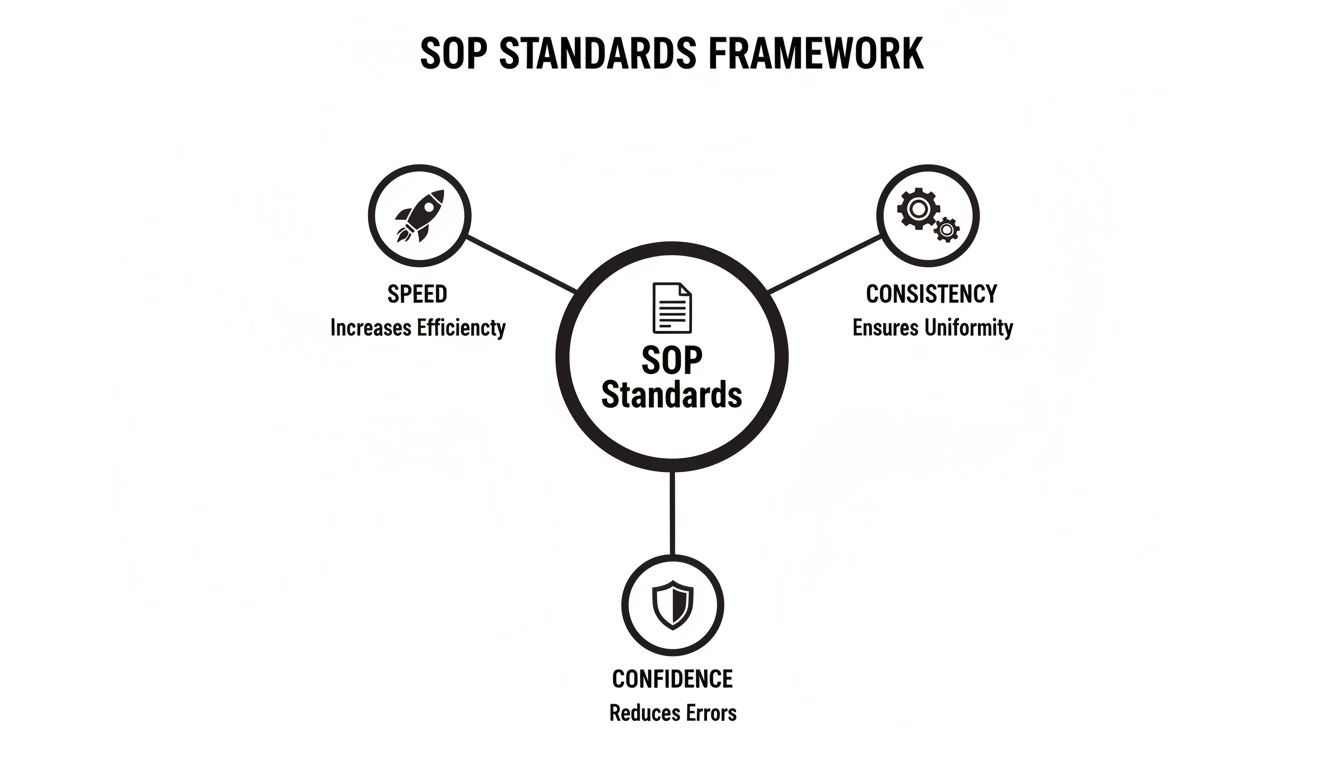
As this shows, these formatting choices aren't just about looks. They're part of an interconnected system built to deliver reliable, consistent results every single time.
Creating a Roadmap with Lists and Typography
Once your signposts are in place, you need a clear roadmap for your team to follow. This is where numbered and bulleted lists shine. They break down complex actions into a simple, sequential path that’s easy to digest.
Numbered lists are your best friend for step-by-step instructions where the order is non-negotiable. Bullet points, on the other hand, are great for listing things where the order doesn't matter, like a list of required tools or important reminders.
Typography—your fonts, sizes, and spacing—is the pavement of that roadmap. It needs to be smooth and effortless to navigate. Overly complicated or tiny fonts just create friction, forcing the user to squint and struggle. Your priority should always be readability, not artistic flair.
Good SOP typography is invisible. The user shouldn't even notice the font; they should just notice how easy it is to read the instructions.
These days, the best practices for SOPs are all about accessibility and clarity. A wide-ranging review of operational standards found that 62% of leading organizations stick to a core template: 1-inch margins, 11-12 pt fonts like Arial or Times New Roman, and 1.0 to 1.5 line spacing. This simple formula ensures the document is easy to read on any device. You can learn more about these operational benchmarks and how they directly apply to creating effective SOPs.
Using White Space and Emphasis Strategically
Finally, you have to think about managing your user's attention. White space—that empty area around text and images—is one of your most valuable formatting tools. It prevents the page from looking cluttered and gives the reader’s eyes a place to rest, making the entire guide feel less intimidating.
Strategic use of bolding, italics, or color-coded callouts is like shining a spotlight on what matters most. But don't overdo it. Use these elements with intention for things like:
Warnings about potential mistakes or safety risks.
Critical values or measurements that must be precise.
Key terms you are defining for the first time.
When you combine these core components—clear headings, logical lists, clean typography, and strategic emphasis—you’re not just formatting a document. You're designing an experience. You are building a bridge that connects your process to the person doing the work, making sure the job gets done correctly and safely every time. This thoughtful approach to SOP formatting standards is what turns a document that sits in a binder into a tool your team actually uses.
Advanced Formatting for Maximum Engagement
Basic formatting gets the job done, but advanced formatting is what makes your SOPs truly effective. Once you have your headings and text dialed in, it’s time to level up. Think of it as moving from just telling your team what to do, to actively showing them, step by step.
The goal here is simple: reduce the mental heavy lifting. When someone is staring down a complex technical task, a huge wall of text is the last thing they want to see. It’s overwhelming and a recipe for mistakes. Advanced formatting techniques break down those barriers, making even the most daunting process feel manageable.
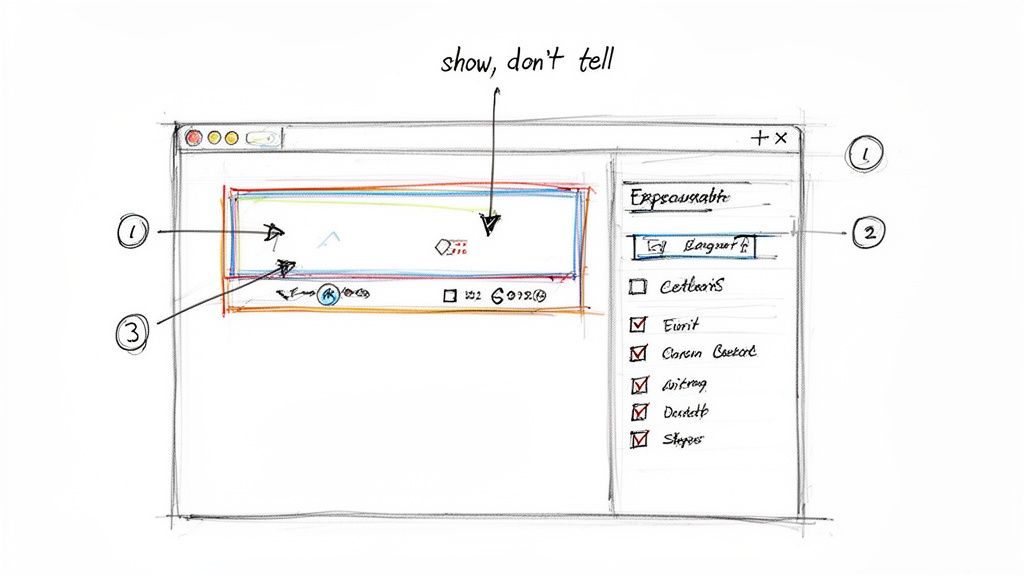
This is a key part of modern SOP formatting standards. It's all about creating a guide that sees a question coming and answers it visually before the user even has to ask.
Using Annotated Screenshots and Callouts
Words can be tricky and open to interpretation, but a well-placed screenshot is crystal clear. For any procedure that happens on a screen, annotated screenshots are non-negotiable. They show the user exactly where to click, what field to fill out, and which setting to toggle.
An annotation isn’t just a random arrow; it's a specific instruction layered right onto the image. The best way to do this is with callouts—small text boxes that point to a specific part of the screen to give a quick, clear direction.
To get the most out of them, follow these best practices:
One Action, One Image: Each screenshot should focus on a single, primary step. Trying to cram five different actions into one image just creates confusion.
Highlight the Target: Use a bright circle, box, or arrow to immediately draw the eye to the button or link the user needs to interact with.
Keep Callouts Short and Sweet: The callout text should be a quick command, like "Click 'Save'" or "Enter your password here." Save the longer explanations for the paragraph text below the image.
This visual-first approach takes all the guesswork out of the equation. It dramatically speeds up how quickly people understand the task, turning a potentially frustrating process into a simple game of follow-the-leader.
Incorporating Interactive Elements
Your SOPs shouldn't just be static documents that people read. They should be active tools that your team can interact with as they work. This simple shift from passive reading to active doing makes a huge difference in how well people remember the process and how accurately they perform it.
Interactive elements empower the user to take control of the information. They can focus on what's relevant to them, track their progress, and engage with the content in a more meaningful way.
Try adding elements like these to bring your guides to life:
Clickable Checklists: Perfect for procedures with a lot of steps. A checklist lets users mark off tasks as they go, giving them a sense of progress while making sure nothing gets missed.
Expandable Sections: You can use toggles or accordions to tuck away extra information, like FAQs or pro-tips. This keeps the main workflow clean and uncluttered but still gives people access to more detail if they need it.
These kinds of features are built right into modern platforms designed for creating instructional guides. They make it easy to build documentation that is both powerful and incredibly simple to follow. If you want to see this in action, you can learn more about how to https://buildaguide.app/blogs/create-step-by-step-guide with these kinds of tools.
Layering Information for Complex Processes
When you're documenting a really complex procedure, not every piece of information is important at every single moment. Layering your content lets you present the most critical, must-know details upfront, while keeping secondary information ready for when it’s needed.
The move to digital SOPs is happening fast. Industry forecasts show that by 2025, over 70% of major businesses in sectors like finance and healthcare will be using AI-driven SOP platforms. Tools like Build a Guide are leading this charge, making it possible to turn a simple screen recording into a perfect step-by-step guide, complete with screenshots and clearly written actions.
By strategically layering information, you're implementing the best SOP formatting standards. You end up with a guide that works just as well for a brand-new user who needs the basics as it does for a seasoned expert who might need to dig into the finer details. It’s all about delivering the right information at exactly the right time.
Putting Standards into Practice with Templates and Examples
Knowing the theory behind good SOP formatting standards is one thing, but actually putting it into practice is where the magic happens. This is the point where abstract ideas like "clarity" and "consistency" become real, practical tools your team can rely on every single day. The best way to bridge that gap? By using templates and looking at real-world examples.
Think of an SOP template as the pre-built frame of a house. The foundation, walls, and roof are already in place, making sure the structure is solid. Your job is just to fill in the specific details for each room—or in this case, each procedure. This approach not only saves a ton of time but, more importantly, it ensures every document you create meets the same high standard.
The Power of a Universal Template
A well-designed template is so much more than a fill-in-the-blank document. It’s an active guide that nudges you to include every essential piece of an effective SOP, making sure you don't forget critical sections like the purpose statement, scope, or version control log.
A solid template should always have dedicated spaces for:
Title and SOP ID: A clear, descriptive title and a unique ID number for easy tracking and reference.
Purpose and Scope: A quick summary of why the process exists and a clear definition of what it covers (and just as importantly, what it doesn't).
Roles and Responsibilities: A simple breakdown of who does what, which completely eliminates confusion.
Required Materials: A checklist of all the tools, software, or safety gear someone needs to get the job done right.
Step-by-Step Procedure: This is the core of the document, laid out with numbered steps, strong action verbs, and plenty of room for screenshots.
Version Control Log: A table to track updates, review dates, and approvers, keeping a clean history of any changes.
When you use a standard format like this across your entire organization, you create a familiar and predictable experience. Anyone, from a brand-new hire to a seasoned pro, can pick up any SOP and know exactly how to find what they need. If you want to hit the ground running, we've put together a comprehensive and ready-to-use standard operating procedure template that already includes all of these best practices.
From Messy to Masterful: A Before-and-After Scenario
The real impact of applying proper SOP formatting standards becomes crystal clear when you see a side-by-side comparison. A lot of procedures start out as scattered notes or one long, rambling paragraph in a shared doc. The information might be in there somewhere, but the messy presentation makes it incredibly difficult to follow.
Imagine trying to process a customer refund with instructions that look like this:
Before: First, you have to open the payment system and find the customer's original order using their email. Then check to see if the item is eligible for a refund, our policy is 30 days. If it is, you need to click the refund button and type in the amount, be careful to get the amount right. After you submit it you have to go into the CRM, find their account, and leave a note that the refund was processed today and then you email the customer from the support inbox.
This is a recipe for mistakes. It's dense, the steps aren't clearly separated, and you have to read it multiple times just to figure out the correct sequence.
Now, let's see what happens when we apply the standards we've been talking about.
This is a perfect example of how jumbled, handwritten notes can be transformed into a clean, structured, and genuinely helpful digital guide.
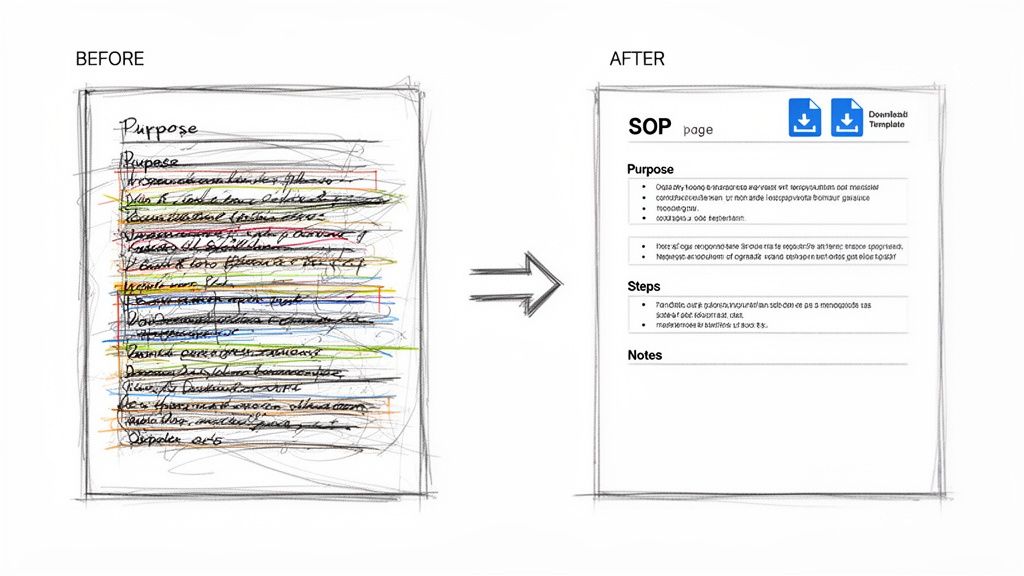
This visual shows exactly how applying consistent formatting can turn chaotic information into a professional, actionable tool.
After: Title: Processing a Standard Customer Refund Purpose: To provide a clear, step-by-step process for issuing customer refunds to ensure accuracy and consistent communication.
Procedure:
Locate the Order
Open the Payment Dashboard.
Search for the customer’s order using their email address.
Verify Refund Eligibility
Confirm the purchase date is within the 30-day return window.
Ensure the item is marked as "Returned" in the inventory system.
Issue the Refund
Click the "Issue Refund" button on the order page.
Enter the full refund amount in the designated field.
Click "Submit Refund" to confirm.
Document and Notify
Open the customer's profile in the CRM.
Add a note: "Full refund processed on [Date]."
Send the "Refund Confirmation" email template to the customer.
The "after" version is worlds better. It's scannable, clear, and leaves no room for guessing. It uses headings, numbered lists, sub-bullets, and bold text to guide your eyes and break the process down into simple, manageable chunks. This kind of transformation makes the value of structured formatting undeniable and gives you a powerful blueprint for overhauling your own documentation.
Maintaining Consistency with Version Control
An SOP isn't a static document you write once and file away forever. It's a living guide that has to evolve right alongside your processes, tools, and team. Without a system to manage these changes, your carefully crafted procedures quickly fall victim to "document decay"—becoming outdated, unreliable, and eventually, ignored.
This decay is a serious risk. When instructions are inconsistent or obsolete, you get errors, frustration, and a total breakdown in operational trust. Keeping your SOPs consistent over time is just as crucial as getting the initial SOP formatting standards right. The key to preventing this slow rot is a simple but powerful system: version control.
Why Version Control Is Non-Negotiable
Version control is really just the practice of managing and tracking changes to a document over its life. Think of it as a time machine for your procedures. It lets you see exactly what changed, when it changed, and who changed it, making sure everyone on your team is always working from the most current and approved playbook.
Without it, you get chaos. You end up with multiple conflicting versions of the same document saved in different folders—we've all seen the dreaded "process_v2_final_final.docx." This kind of confusion completely undermines the entire point of having an SOP in the first place.
A clear version control system is your organization's single source of truth. It ensures that every team member, regardless of their role or location, is operating from the same playbook.
In business operations, consistency is king. This is why automated SOP systems have become so important. In fact, studies show they can slash process errors by up to 40%. By keeping procedures accurate and easy to find, you build a much more efficient and reliable operation. You can learn more about how SOP management boosts efficiency on datainsightsmarket.com.
Best Practices for Version Labeling
A simple, consistent labeling system is the bedrock of effective version control. It gives you an at-a-glance history of a document's maturity and how significant its updates are. The most common and effective method uses a major.minor numbering system.
Major Versions (v1.0, v2.0): These signal a substantial change to the process itself. This could mean bringing in new software, a big shift in the workflow, or a change in compliance rules. A new major version always means retraining is needed.
Minor Versions (v1.1, v1.2): These are for smaller tweaks, clarifications, or corrections. Think fixing a typo, updating a screenshot to match a minor UI change, or adding a helpful tip.
This structured approach gets rid of any guesswork. When a team member sees "v3.0," they know to pay close attention. "v2.4," on the other hand, suggests a minor, helpful refinement.
Maintaining a Clear and Actionable Change Log
A change log is the perfect partner to your version numbers. It's a brief, running history of every modification made to the SOP. This doesn't need to be complex; a simple table usually does the trick.
A good change log should include:
Version | Date of Change | Author of Change | Summary of Changes |
|---|---|---|---|
v1.0 | 2023-10-01 | Jane Doe | Initial document creation. |
v1.1 | 2024-02-15 | John Smith | Updated screenshot in Step 4. |
v2.0 | 2024-06-20 | Jane Doe | Major process overhaul due to new software. |
This log adds crucial context and transparency. It makes it easy for anyone to quickly understand the document's history and the "why" behind recent updates.
Of course, communicating these updates is just as important as tracking them. For more strategies on that, check out our guide on how to keep SOPs up-to-date without a meeting. By combining clear version labeling with a detailed change log, you build a trustworthy documentation library that grows and adapts right along with your business.
Your Top SOP Formatting Questions, Answered
Even with the best templates in hand, you're bound to run into some practical questions when you start rolling out your new formatting standards. That’s perfectly normal. Getting straight answers to these common sticking points can save a lot of headaches, so let's tackle a few of the most frequent ones I hear.
What’s the Best Format for an SOP?
Honestly, the "best" format is whichever one your team finds easiest to use while actually doing the work. For years, that meant Word docs and PDFs, and they can still have their place. But today, interactive guides are usually the smarter choice.
Think about it: modern work involves a lot of clicking, typing, and navigating through software. An interactive format built on a digital platform can include things like clickable checklists, embedded tutorial videos, and can be updated for everyone in an instant. This makes the SOP a living tool, not a static document that gets ignored, which is especially helpful for complex software workflows or distributed teams.
How Long Should an SOP Be?
As long as it needs to be to get the job done—and not a word more. The real goal here is clarity, not hitting a certain page count. It’s far more effective to create several short, laser-focused SOPs than it is to create one monster 30-page manual that tries to cover a dozen different tasks.
As a rule of thumb, stick to one core process per SOP. This simple constraint makes the document incredibly easy for someone to follow in the moment and keeps updates from becoming a nightmare.
Breaking down a large, complicated workflow into a series of smaller, digestible guides is one of the most important habits you can build. It keeps each document sharp and useful for the specific task at hand.
How Do You Get Teams to Actually Follow the Formatting Rules?
You make it easier to follow the rules than to ignore them. The single most effective way to do this is to use a centralized platform where standardized templates are built right in. When everyone starts from the same place, consistency becomes the default.
When your team has a go-to template, all the friction and guesswork disappear. They don't have to remember every little formatting rule or reinvent the wheel each time. This approach builds consistency directly into your documentation process, rather than making it an extra chore to think about.
What Are the Absolute Must-Have Sections for Any SOP?
While the details will change depending on the process, every solid SOP needs a few fundamental building blocks to provide context and structure. Without these, your instructions are just floating in a void.
Title: A clear, descriptive name that says exactly what the procedure is.
Purpose/Objective: A quick "why" behind the process. What are we trying to achieve?
Scope: A clear line in the sand defining what this SOP covers (and just as importantly, what it doesn't).
Procedure: The heart of the document—the step-by-step instructions, always starting with clear action verbs.
Roles and Responsibilities: A quick breakdown of who does what.
Version Control: A simple log to track changes, so everyone knows they're using the latest version.
Stop letting your critical knowledge get lost in confusing documents. With Build a Guide, you can instantly turn any screen recording into a perfect, interactive SOP that your team will actually use. Standardize your processes and drive consistency today by visiting https://buildaguide.app.