
January 31, 2026
Create a Standardized Work Template That Actually Works
Tired of inconsistent results? Learn to build a standardized work template that streamlines processes, cuts errors, and helps your team scale with confidence.
A standardized work template is simply a document that outlines the single best way to get a specific task done. It’s not just another checklist. It captures the exact sequence, timing, and quality checks needed to produce consistent, high-quality results every single time. This is how you turn abstract processes into concrete, repeatable actions.
Why Standardized Work Is Your Scaling Superpower
Let's be honest, the term "standardization" can sound incredibly boring. It brings up images of rigid rules and killed creativity. But what if it was actually the secret to unlocking consistent quality and explosive growth?
Instead of seeing a standardized work template as a restrictive rulebook, think of it as a strategic asset. It’s a powerful tool used by top performers everywhere, from the factory floors of Toyota to the fastest-growing SaaS companies today.
At its core, this is all about documenting the 'best way' to complete a task. This simple act gets rid of the rampant guesswork that plagues so many teams. When everyone follows a proven method, the quality of your output becomes predictable and reliable, ensuring every customer gets the same excellent experience.
From Tribal Knowledge to a Scalable Asset
Think about how much critical information lives only in the heads of your most experienced people. This "tribal knowledge" is a huge risk. When a key person leaves, that knowledge walks right out the door with them.
Standardized work templates systematically capture this expertise, turning it into a documented, scalable company asset. This dramatically slashes training time for new hires. They can get up to speed by following a clear guide instead of constantly interrupting senior staff.
This also frees up your best people from answering the same questions over and over. They stop being bottlenecks and can finally focus on higher-value work, like improving the process itself.
The concept isn’t new. Standardized work templates were a cornerstone of lean manufacturing back in the mid-20th century. By 1955, Taiichi Ohno and his team at Toyota had formalized these templates to document the safest, most efficient method for every task on the line. Fast forward to today, a 2022 McKinsey report found that firms using digital standardized work saw a 25% increase in labor productivity and a 15% drop in cycle times.
Here’s an example of what a simple standardized work form looks like. It breaks down a task into distinct steps with clear checks for time, work, and quality.
This visual format clearly separates manual work, machine time, and walking, giving you an at-a-glance overview of the process flow and its efficiency. By creating such a clear, repeatable process, your template helps establish a truly effective single source of truth for your SaaS operations—which is fundamental for scaling.
Standardized work isn't about restricting people; it's about liberating them. It provides a stable foundation, giving teams the mental space and confidence to focus on continuous improvement rather than just getting through the day.
Ultimately, adopting this practice creates a culture of discipline and excellence. It establishes a baseline for performance, making it far easier to spot deviations, solve problems, and make meaningful improvements. It’s the engine that powers consistent delivery and sustainable growth.
Building Your Master Standardized Work Template
Alright, we’ve covered the "why." Now for the "how."
Designing a great standardized work template isn't about grabbing a generic file and forcing it to fit. It’s about building a real tool—something that balances clarity with just enough detail to be genuinely useful, without burying the user in text.
Let's build one from scratch. The goal is to create a master version you can tweak for any team, whether it's for a marketing agency’s content calendar or a support team’s ticket escalation flow.
Start with a Clear Header
Every solid template starts with a clean, informative header. This isn’t just for looks; it’s the document's control center. It answers the most critical questions before anyone reads the first step.
Your header absolutely needs these four things:
Process Title: A simple, direct name for the task (e.g., "New Client Onboarding Process").
Process Owner: The single person responsible for keeping this guide alive and accurate. This ends the "who owns this?" debate.
Version Number: Crucial for tracking changes. A simple v1.0, v1.1, v2.0 system is perfect.
Last Reviewed Date: This date builds trust. It shows the guide is current and not some relic from two years ago.
This small section alone prevents massive confusion and makes sure everyone is working from the right playbook.
Getting this right is how you move from operational chaos to a smooth, scalable workflow. You stop guessing, start delivering consistent quality, and pave the way for real growth.
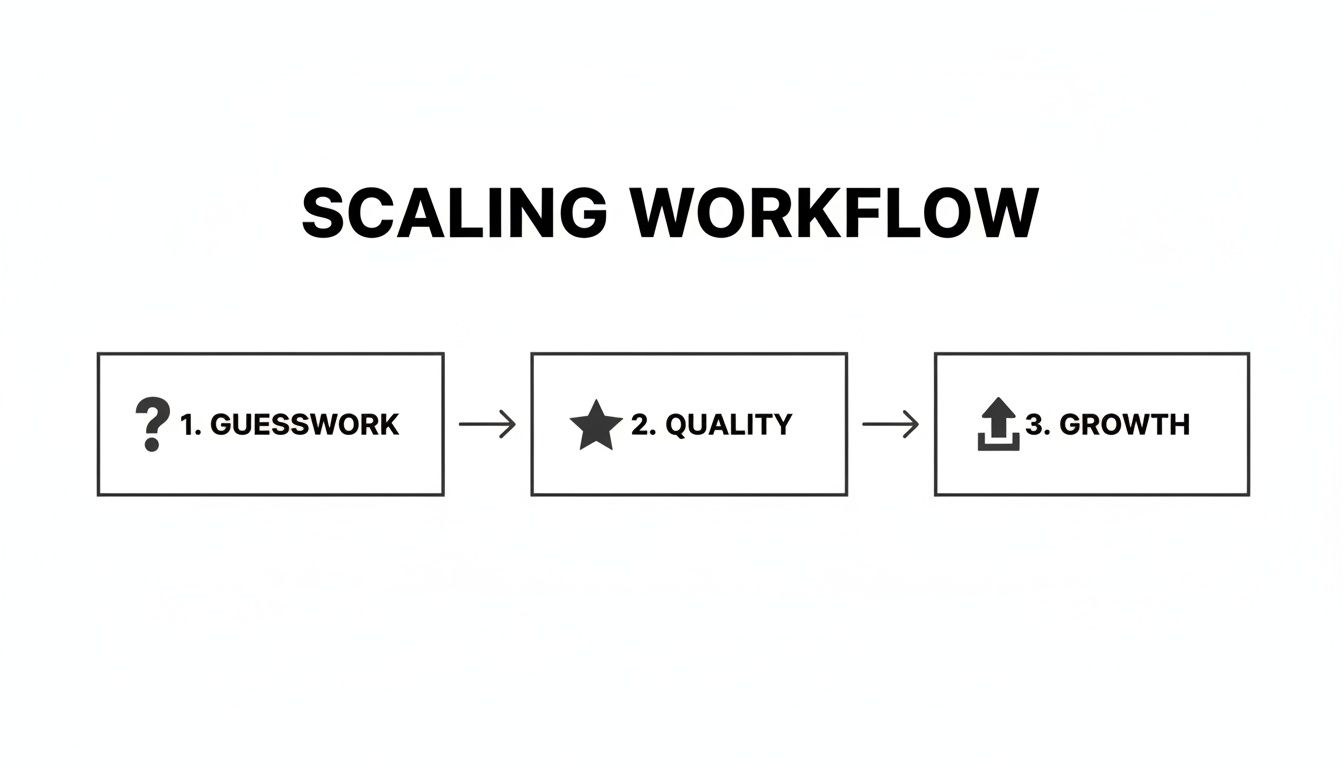
This is the whole point. Standardization is the bridge between random effort and the kind of predictable, high-quality output that actually lets a business scale.
Define the Scope and Required Resources
Right below the header, set the stage. This part of the template draws a clear line around the process and lists everything someone needs to get it done. Think of it as the "before you start" checklist.
Make sure to include:
Scope: Briefly describe what this process covers and—just as important—what it doesn't. For example, "This covers publishing a blog post, but not its initial creation or promotion."
Tools & Materials: List all required software, hardware, or physical items. Be specific. "Access to HubSpot Marketing Hub," "Company credit card," or "Safety goggles."
Prerequisites: Note any training, permissions, or other tasks that have to be finished first.
This upfront clarity saves a ton of time. It stops people from getting halfway through a task only to hit a wall because they’re missing a login or a key piece of information.
A well-structured template doesn’t just list steps; it builds a self-contained ecosystem for a task. It gives the user everything they need to succeed, from initial scope to final quality checks, all in one place.
Craft the Core Step-by-Step Instructions
This is the heart of your standardized work template. The most effective way to lay this out is in a simple table. It's instantly scannable and leaves very little room for misinterpretation.
Try using these columns for your master template:
Step #: A simple sequence (1, 2, 3...).
Key Action: A clear, verb-first description of the task (e.g., "Draft client welcome email," "Upload final assets to DAM").
Time Estimate (Takt Time): The expected time to complete the step. This is vital for balancing workloads and spotting bottlenecks down the road.
Key Points & Visual Cues: The "how-to" details. This is where you add critical tips, screenshots, or notes on what good looks like (e.g., "Check the 'Notify Client' box before sending," "Ensure image resolution is 300 DPI").
Quality Check: The specific standard the work must meet here. What does "done" actually mean for this step?
This structured approach makes any process easy to follow, audit, and teach. In fact, it's incredibly effective for training. One study found that organizations using standardized templates reduced employee ramp-up time by 28% on average.
Standardized documentation is more than just a checklist; it's a foundational piece of your company’s knowledge base. To see how these pieces fit into a bigger strategy, check out our guide on creating a workflow documentation template.
Writing Instructions People Will Actually Follow
An amazing standardized work template is useless if the instructions are confusing. The design gets you started, but the quality of your writing determines whether the document gets used or ignored.
This is where we get into the details—filling your template with clear, actionable language that leaves zero room for error. Great instructions aren’t about being wordy; they’re about being precise. The goal is simple: eliminate ambiguity so a new team member can perform the task as confidently as a seasoned expert.
Start by ditching the corporate jargon and passive voice. Instead of saying, “The client's file should be reviewed,” just write, “Review the client's file.” Use active verbs. Make each step a command, not a suggestion.
Capturing the Process Accurately
To write good instructions, you first have to capture the real process perfectly. Don't just rely on memory. We all have those little, intuitive actions we take without thinking, and those "micro-steps" are often where mistakes happen.
Here are a few proven ways to capture a workflow with precision:
Direct Observation: Watch an expert perform the task from start to finish. Take detailed notes and, more importantly, ask why they do things a certain way. This is fantastic for uncovering the unspoken rules and best practices that never make it into official documentation.
Self-Recording (The "Think Aloud" Method): Have the process owner perform the task while explaining each action out loud. Use a screen recorder for digital tasks or a phone camera for physical ones. This captures every click, shortcut, and decision point.
Team Collaboration: Get everyone involved in the process together for a quick workshop. Map out the steps together on a whiteboard. This builds consensus and makes sure no critical details are missed.
The key is to document what actually happens, not what you think should happen. This grounds your template in reality, making it instantly more credible and useful. You can learn more about translating these observations into a structured format by exploring how to create a step-by-step guide your team will actually value.
The most effective instructions anticipate the user's questions and answer them before they're asked. Think of your template not as a set of rules, but as a conversation with the person doing the work.
From Vague to Valuable: An Example
Let’s make this real. Imagine a common task like onboarding a new client. A poorly written set of instructions might look something like this:
Before: Unclear Instructions
Get client details.
Set up their account.
Send welcome info.
Schedule a kickoff.
These steps are vague and wide open to interpretation. What details? How is the account set up? What goes in the welcome info? Now, let's rewrite it with clarity, specifics, and visual aids.
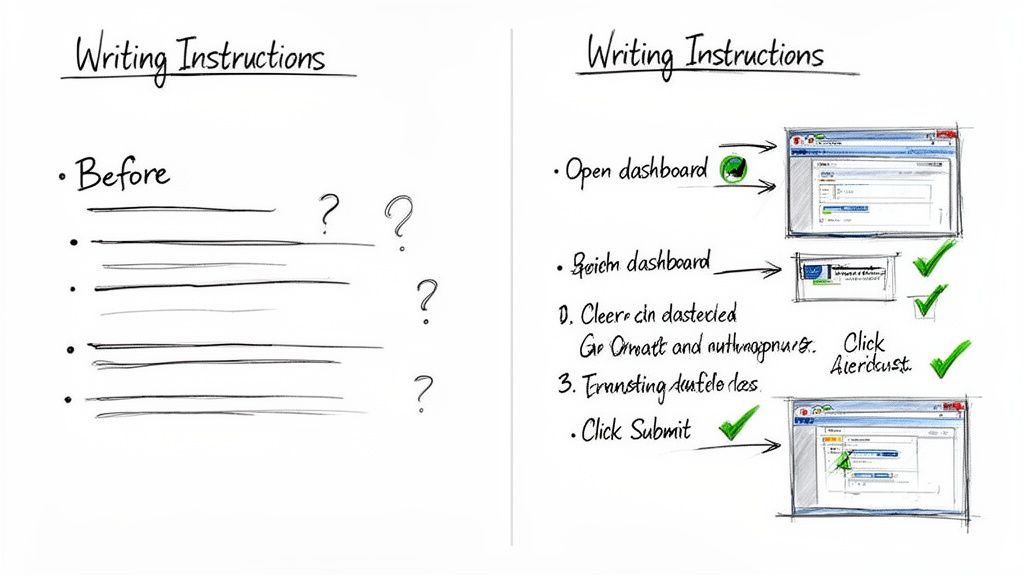
After: Crystal-Clear Instructions
Collect Client Information: Open the "New Client Intake Form" in Google Drive (Link Here). Copy all fields into the client's new profile in our CRM.
Create CRM Profile: In the CRM, click "Add New Contact." Select the "New Client" contact type from the dropdown. Quality Check: Ensure the "Primary Contact" field matches the name from the signed contract.
Send Welcome Email: Use the "Client Welcome - Phase 1" email template in HubSpot. Personalize the
[First Name]and[Project Name]fields before sending.Tip: Double-check that the attached PDF is the "Project Kickoff Guide," not the "Internal Briefing Doc."
Schedule Kickoff Meeting: Use the Project Manager’s Calendly link to book a 45-minute kickoff call. Set the meeting title to: "Kickoff: [Your Company] + [Client Company Name]."
The "after" version is a world apart. It's not a lazy to-do list; it's a real guide. It uses active verbs, specifies tools, links directly to resources, and even includes tips and quality checks.
As you build out your templates, remember that standardized work is only effective if it's understood. For more on this, check out our ultimate user manuals guide to creating better documentation to make sure your instructions are always clear and actionable. This approach turns your documents from static text into dynamic tools for getting work done right.
Rolling Out Your New System Without Chaos
Creating the perfect standardized work template is a huge win, but it’s only half the battle. The real challenge—and where so many of these initiatives fall apart—is actually getting your team to use it.
A chaotic, top-down rollout is practically guaranteed to create resistance. Announce it, and watch your hard work collect digital dust. The key is to treat the launch like a project in itself, not just an email announcement. You need a thoughtful plan that builds buy-in from the ground up.
Start Small With a Pilot Program
Instead of dropping this new system on the entire company at once, start with a controlled pilot. Pick one team or a single, well-understood process to be your testing ground. This gives you a safe space to learn and adapt without causing widespread disruption.
Your pilot group isn't just a guinea pig; they're your implementation partner. Their job is to pressure-test the template in the real world. They’ll find the awkward phrasing, missing steps, and practical roadblocks you could never have predicted from a conference room. Their feedback is gold.
Here’s how to make a pilot program work:
Pick the Right Group: Choose a team that’s generally open to change and has a clearly defined workflow. Their success will become a powerful case study for everyone else.
Set Clear Expectations: Frame this as a team effort. Let them know their feedback is essential to making the final version better for the whole company.
Gather Constant Feedback: Check in regularly—daily at first, then weekly. Ask specific questions like, "Which step was the most confusing?" or "What tool were you missing for step three?"
Iterate Immediately: Use their feedback to make quick adjustments to the template. This proves you're listening and makes the final product that much stronger.
A successful pilot doesn't just refine your document. It creates a handful of champions who will advocate for the new system when it’s time to go wide.
Establish Simple Governance and Ownership
Once your template has survived its trial by fire, the next step is to set up a dead-simple governance system. Without clear ownership, even the best documentation becomes outdated and untrustworthy.
Assign a specific Process Owner for every single standardized work document. This person isn't solely responsible for doing the work, but they are accountable for keeping the documentation accurate. Put their name right in the template's header.
This simple act prevents the "tragedy of the commons," where a document that belongs to everyone is ultimately owned by no one. When a tool changes or a step is improved, everyone knows exactly who to tell.
A standardized work template should be a living document, not a historical artifact. Governance isn't about creating bureaucracy; it’s about ensuring the document evolves at the same speed as your business.
This approach turns documentation from a one-time project into a continuous improvement loop—the core idea behind any successful lean management system. A 2023 Deloitte survey found that manufacturers using standardized work saw 40% less unplanned downtime. Why? Because their documentation actually reflected reality. Iowa's Department of Management backs this up, calling standard work a 'living document' that can cut process variation by up to 35%. You can read more on how standard work drives efficiency and supports true operational excellence.
Plan Your Phased Company-Wide Rollout
With a polished template and a governance plan in hand, you’re ready for the main event. Use a phased approach, expanding from your pilot group to adjacent teams, and then out to the whole company. This builds momentum and keeps training and support manageable.
Your communication plan is everything here. Don't just email a link and call it a day. Host short training sessions to explain the "why" behind the change. Walk through the new format and introduce the process owners. Show teams how this makes their jobs easier, not harder.
Finally, make the documents impossible to ignore. Integrate them directly into your project management tools, link to them from your internal wiki, and have managers reference them during check-ins. The more you embed the standardized work template into daily operations, the faster it will become the new normal.
Common Mistakes and How to Sidestep Them
Even with the best of intentions, rolling out a new standardized work template can hit some serious snags. The goal is always consistency and clarity, but a few common missteps can lead to templates that get ignored, resisted, or just plain don't work in the real world.
Think of this as a field guide to those common pitfalls. By knowing what they are ahead of time, you can design a process that your team actually wants to use, not one they have to be forced to adopt.
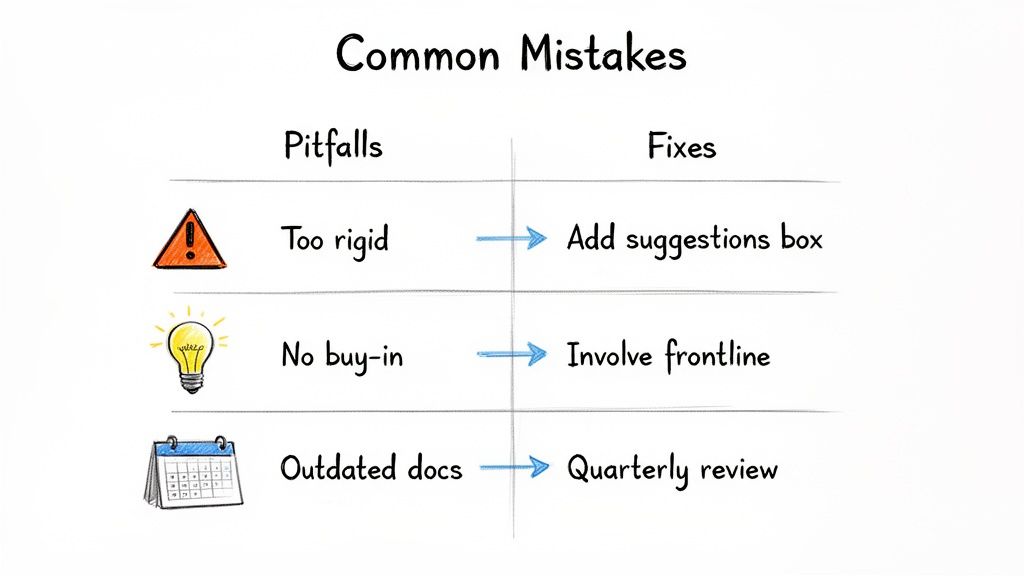
Creating Overly Rigid Templates
One of the biggest fears people have about "standardization" is that it will stamp out creativity and critical thinking. And they're not wrong—if you do it poorly. This happens when a template is treated like an unchangeable script, leaving zero room for professional judgment.
You'll know this is happening when team members either follow instructions blindly even when a better way is obvious, or they just ignore the document because it doesn't match reality. It’s the classic "that's not how we really do it" problem.
The fix is to build flexibility right into the template itself.
Add an "Improvement Suggestions" Box: Put a dedicated section at the bottom where anyone can submit ideas to make the process better. This turns every user into a potential innovator.
Frame Steps as Guidelines: Instead of rigid commands, use language that empowers your team to use their judgment, especially for complex or creative work.
Schedule Regular Reviews: Make it clear that these documents are living things. This signals that the process isn't set in stone and is expected to evolve.
This simple shift changes the entire dynamic. It tells your team the template is a baseline for excellence, not the final word on it.
Failing to Get Team Buy-In
This is a killer. When a manager or a small group designs a process in a vacuum and then hands it down from on high, it feels like a mandate. And people naturally resist things they had no part in creating.
You'll see the signs in the form of skepticism or passive-aggressive compliance. The team might not openly defy the new process, but they won’t fully commit either. The initiative just fizzles out from a lack of genuine adoption.
The real test of Leader Standard Work is simple: do your behaviors make it easier for others to do the right thing tomorrow than it was yesterday? If not, the work isn't standard yet.
To get around this, you have to involve the people who actually do the work—from day one. They are the true subject matter experts.
Form a Cross-Functional Team: Ask the frontline employees who perform the task to help draft the first version of the template.
Use Their Language: Capture the process using the terms and phrases the team uses every day. This makes the document feel authentic and instantly familiar.
Run a Pilot Program: Test the template with a small, trusted group first and empower them to make changes. Their endorsement will be your most powerful tool for wider adoption.
When your team co-authors the standards, they own them. It becomes their process, not just another management directive. For a deeper dive into why documentation often fails, you might want to read about the SOP mistake that makes guides useless.
Troubleshooting Common Standardization Issues
As you roll out your templates, issues will pop up. The key is to recognize the symptoms early and apply the right fix. This table should help you troubleshoot on the fly.
Common Pitfall | Symptom | Recommended Solution |
|---|---|---|
Too complex | Team members get lost in the details; the guide feels overwhelming. | Break it down. Create separate, smaller guides for sub-processes and link them together. |
Out of date | Workarounds emerge; people say, "Oh, just ignore that part." | Implement a regular review cycle (quarterly is a good start) and assign a clear owner for each document. |
No ownership | No one is responsible for updates, so the document slowly decays. | Assign a "Process Owner" for every single standardized work template. Their name goes on the document. |
Lack of training | The templates exist, but nobody knows how or when to use them. | Build template usage into your onboarding process and conduct a short, practical training session for the existing team. |
Hidden from view | Documents are buried in a shared drive that no one can find. | Create a centralized, easy-to-search knowledge base or wiki and make it a browser bookmark for everyone on the team. |
Remember, a standardized work template is only as good as its last update and how easily your team can find and use it. Don't let your hard work go to waste by stumbling on these common, but fixable, problems.
Answering Your Top Questions
Even with a perfect template, real-world questions pop up the second your team starts using it. That’s normal. Here are the most common ones I hear from leaders and the straightforward answers that have worked for my teams.
How Often Should Templates Be Reviewed?
A standardized work template is only useful if it’s true. The moment reality changes and the document doesn't, it starts to gather dust. There's no single magic number for how often to review, but the best systems find a balance between stability and keeping things current.
For most processes, a quarterly review is a fantastic place to start. It’s often enough to catch small changes before they become bad habits, but not so frequent that it feels like you're constantly buried in admin work.
But you also need triggers for an immediate review, no matter where you are in the quarter. These are your red flags:
A new tool is introduced: If your team switches from one software to another, the guide needs to be updated that day.
A quality issue is identified: When a mistake happens, the first question should always be, "Did our process fail us?" Use every error as a chance to make the template better.
Performance metrics slip: If a task is consistently taking longer than the guide says it should, it's time to find out why.
The key is to treat your standardized work as a living document. It should evolve right alongside your business.
SOP vs. Standardized Work Template
This one trips a lot of people up, but the distinction is critical. They're related, but a Standard Operating Procedure (SOP) and a standardized work template do very different jobs.
Think of it in terms of altitude.
An SOP is the 30,000-foot view. It’s a high-level document that explains what needs to be done and why, often covering company policies or the overall workflow for a department. For example, an SOP might outline the company's entire policy on processing client refunds.
A standardized work template is the boots-on-the-ground view. It’s tactical and hyper-focused on the how—the exact sequence of clicks, checks, and actions a single person takes to complete a specific task. It's the playbook for one small piece of the larger SOP.
An SOP tells you the rules of the game. A standardized work template shows you exactly how to make the winning play, step-by-step.
So, the SOP might state, "Refunds must be processed within 48 hours." The standardized work template would then show the 12 clicks and 3 data entry fields needed to actually issue that refund in Stripe.
Getting Your Team to Use the Documents
Let's be honest: creating the documents is the easy part. Getting people to actually use them consistently is where the real work begins. You can’t just drop a link in Slack and hope for the best. Real adoption comes from a mix of involvement, integration, and leadership.
First, involve your team in creating the guides from day one. When people help build the documentation, it becomes their process, not just another rule from management. They’ll feel a sense of ownership and be the first to defend it.
Second, weave the templates directly into your team's daily workflow. Don't make people hunt for them in some forgotten corner of Google Drive.
Link to the relevant guide directly from the task in your project manager (like Asana or Jira).
Make your knowledge base a mandatory browser bookmark during onboarding.
Reference the documents in 1-on-1s when you’re talking about performance or roadblocks.
Finally, you have to lead by example. Refer to the documents yourself. When someone asks you how to do something, your first response should be, "Good question. What does the guide say?" This constantly reinforces that the documentation is the source of truth.
Applying Standardization to Creative Work
There’s a common myth that standardization strangles creativity. I’ve found the opposite is true. When done right, it actually unlocks it.
Standardized work isn’t about scripting every creative thought. It’s about systemizing the repeatable, administrative parts of the job to free up mental energy for the work that truly requires innovation.
A graphic designer’s process for coming up with a brilliant logo concept is unique every single time. But the process for saving the final files, organizing them in the shared drive with the correct naming convention, and sending the handoff email to the client? That’s completely repeatable.
Standardize the boring stuff.
Create a checklist for setting up a new project file in Figma.
Document the exact steps for exporting assets for web vs. print.
Build a template for the client delivery email.
By removing the guesswork from these routine tasks, you give your creative pros more time and brainpower to focus on what you hired them for: solving tough problems and producing incredible work.
Ready to stop guessing and start building a library of clear, actionable guides? Build a Guide uses AI to turn your screen recordings into polished, step-by-step documentation your team will actually use. Create your first guide in minutes and see how easy it is to standardize your best practices at https://buildaguide.app.