
March 1, 2026
Your Guide to a Better Business Process Documentation Template
Ditch outdated SOPs. Use our business process documentation template to create clear, actionable guides that drive team efficiency and consistent results.
A good business process documentation template isn’t just another file to fill out. It’s a living guide that transforms messy workflows into simple, actionable steps. It’s the difference between dusty, text-heavy SOPs that no one reads and a dynamic resource your team actually uses—one that’s visual, easy to update, and built for how people work today.
Why Most Process Documents Fail and What to Do Instead
Let's be honest: most Standard Operating Procedures (SOPs) are collecting digital dust. They are often dense, text-heavy behemoths ignored by the very teams they’re meant to help. The moment they are published, they start going stale, quickly becoming unreliable relics of a process that no longer exists.
This isn’t because people didn’t try. It’s because the traditional way of creating documentation is fundamentally broken for a modern workplace. It just doesn't capture the dynamic, visual nature of how work actually gets done.
The Problem with Traditional SOPs
Traditional process docs usually suffer from a few critical flaws that make them almost useless in practice:
They’re just text. A wall of text is intimidating. It’s hard to follow, especially when you’re trying to navigate complex software.
They’re static. Updating a 20-page Word doc or Google Doc is a painful chore, so it rarely happens. The guide drifts from reality.
They lack context. Without visuals, team members are left guessing where to click or what a screen is supposed to look like.
This is where a modern business process documentation template changes the game. It’s not about creating complex, formal process models; it’s about building living guides that plug directly into a team’s daily workflow.
For instance, a BOC Group study found that documentation templates deliver their strongest impact in onboarding and training, showing a 74% effectiveness rate. This highlights a major shift where companies now prioritize accessible process knowledge over complicated modeling.
A Modern Approach to Documentation
The solution is to stop thinking of documentation as a static artifact and start treating it as a communication tool. This is now easier than ever with tools that convert simple screen recordings into step-by-step guides. By just recording yourself doing a task, you can automatically generate a visual walkthrough with screenshots, annotations, and clear instructions.
This makes creating and updating documentation a fast, intuitive process instead of a dreaded quarterly project. Instead of spending hours writing, formatting, and taking screenshots, you can create a comprehensive guide in minutes.
The result is a library of up-to-date, visual, and scannable resources that empower your team to work consistently and efficiently. To dive deeper into the basics, check out our complete guide on what process documentation is.
Ultimately, the goal is to create documentation that actually serves its audience. A modern business process documentation template is designed for usability, ensuring that anyone—from a brand-new hire to a seasoned veteran—can find the answers they need quickly and get back to work.
Key Elements of a Modern Business Process Documentation Template
A truly effective template isn’t just a blank page; it’s a structured framework that guides the creator and the end-user. Below are the core sections you'll find in our downloadable template and why each one matters.
Template Section | Purpose and Key Information |
|---|---|
Title & Owner | A clear, action-oriented title (e.g., "How to Onboard a New Client") and the person or team responsible for keeping it updated. |
Purpose | A one-sentence explanation of what this process achieves and who should use it. This sets the context immediately. |
Prerequisites | What tools, permissions, or information someone needs before starting the process. This prevents people from getting stuck halfway through. |
Step-by-Step Instructions | The core of the document. Each step includes a short action, a screenshot, and brief annotations. Visuals are non-negotiable here. |
Common Pitfalls/FAQs | A short section to address common mistakes or questions. This is where you can share expert knowledge and prevent errors proactively. |
Expected Outcome | A clear description or visual of what "done" looks like. This confirms the user has completed the process correctly. |
Last Updated & Version | Simple metadata that builds trust. Users can see at a glance if the guide is current and reliable. |
This structure ensures that every guide you create is not only easy to follow but also simple to maintain. It moves documentation from being a chore to a strategic asset.
How to Build Your First Process Guide
Turning a messy, unwritten workflow into a clear, useful guide can feel completely overwhelming. Where do you even start? The best way isn't to stare at a blank document and try to remember every step. It's to show the process in action.
Modern tools have totally flipped the script on this. Instead of struggling to write down every click from memory, you just perform the task once while a tool captures your workflow. This creates an instant first draft, complete with screenshots and text, which saves a ton of time and makes sure you don't miss any critical steps right from the start.
This new way of working shrinks a mountain of a task into a simple, three-part flow: record your screen, generate the guide, and share it.
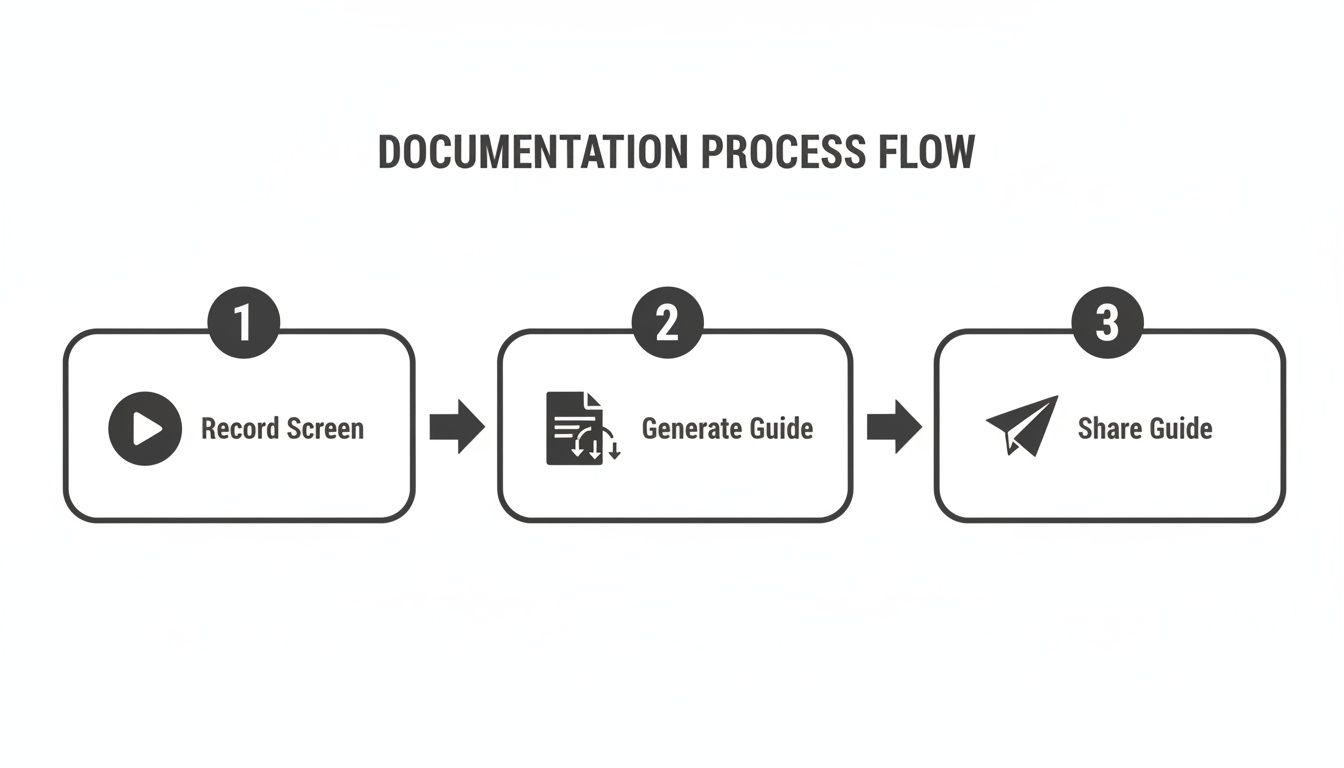
It’s an efficient process that prioritizes speed and clarity over the old, manual methods that used to take days.
Start with the End in Mind
Before you even think about hitting "record," pause for a second. Ask yourself: what's the "why" behind this guide? What specific task will someone be able to complete after reading it? A clear goal is what keeps your guide focused and stops it from becoming a junk drawer of random tips.
A guide titled "Software Setup," for example, is way too vague. A much better title is "How to Install and Configure the Marketing Analytics Plugin." That specificity tells the reader exactly what to expect and what "done" looks like. A great place to start is by documenting specific workflows with clear beginnings and ends, like a content creation process, so you can map out each individual step.
Identify the Process Owner
Every piece of documentation needs an owner. This isn’t about pointing fingers when something's outdated; it’s about giving someone the responsibility and authority to keep the guide accurate and genuinely useful. This person becomes the go-to for feedback and is in charge of regular reviews.
So, how do you pick the right person? Look for these three traits:
Subject Matter Expert: They live and breathe this process. They know its quirks, common pitfalls, and clever shortcuts.
Good Communicator: They can break down complex actions into simple, clear language that anyone can follow.
Invested in the Outcome: They actually care that the process is done correctly and consistently by the whole team.
Assigning ownership is what turns a static document into a living, breathing asset. The owner makes sure it evolves right alongside the process itself.
The best process owner is rarely a manager who just oversees the work. It’s usually the person who does the work every day. Their practical insights are what make a guide genuinely helpful, not just theoretically correct.
Capturing the Workflow Visually
Alright, now for the fun part. Using a screen recorder built for documentation, just start doing the task from beginning to end. Talk through your actions out loud, as if you're explaining it to a new coworker sitting right next to you. This narration provides fantastic context that you can add to the guide later.
Don’t aim for a perfect take. Seriously. The goal is to capture the complete, raw workflow. If you make a mistake, just fix it on screen and keep going. Those "mistakes" can actually become helpful callouts in the final guide, like, "Heads up: don't click this button, or you'll lose your work."
Once you stop recording, the tool should automatically break your video down into a series of steps. Each step will have its own screenshot and a basic text description of what you did (e.g., “Clicked on ‘File’” or “Typed ‘New Project’”). This auto-generated draft is your new best friend.
Refining and Enriching Your Guide
That first draft is your skeleton; now you need to add the muscle. Go through each of the auto-generated steps and clean up the language. Turn a robotic "Clicked button" into a clear, action-focused instruction like, "Click the ‘Save Draft’ button to store your changes."
This is also where you inject all the critical context that a simple recording can't capture on its own. Here’s how to make your guide truly valuable:
Add "Why" Notes: Below a step, add a quick sentence explaining why it’s important or what to watch out for.
Use Checklists: If a step has several small sub-tasks (like verifying permissions before granting access), a checklist makes sure nothing gets missed.
Highlight Key Areas: Use arrows or boxes on your screenshots to draw the user's eye to the exact button or field they need to click.
Define Prerequisites: What does someone need before they even start? This could be login credentials, a specific file, or access to a particular system.
These refinements are what transform a simple sequence of clicks into a comprehensive, user-friendly guide. For more ideas, check out our article on building a workflow documentation template. Taking the time to add this extra layer of context is what elevates a basic business process documentation template from a simple record of actions to a powerful teaching tool.
Adapting Your Template for Different Business Needs
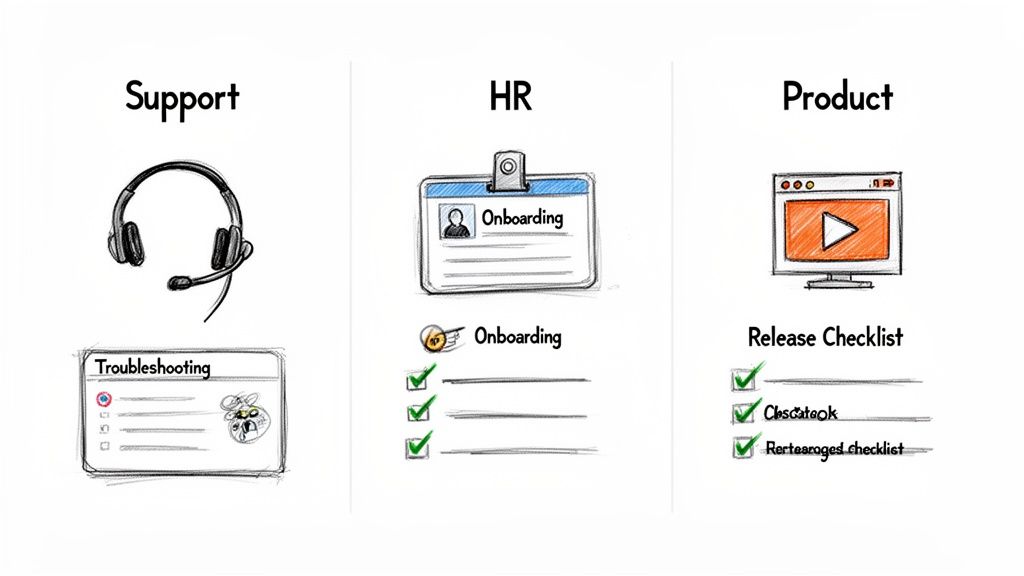
A single, generic business process documentation template is a solid foundation, but its real power comes from adaptation. Different teams have completely different needs, audiences, and goals. A guide for an internal support agent looks nothing like a tutorial for a first-time customer, even when the core process is identical.
True effectiveness comes from shaping your documentation to serve a specific job. This means thinking critically about what information to prioritize, which sections to beef up, and what format will deliver the content most effectively. A flexible template lets you build the perfect tool for each scenario.
Let's walk through how to adapt your base template for three common—and very distinct—business needs.
For a Customer Support Troubleshooting Guide
When a support agent pulls up a guide, they need an answer now. They're almost always on a live call or chat with a customer and have zero time to read a novel. The entire focus has to be on speed, accuracy, and clarity.
For this job, you need to heavily rework your template to prioritize scannability and fast problem-solving.
Expand the "Common Pitfalls" Section: Rename this to something like "Quick Fixes & Error Codes." This immediately becomes the most valuable part of the guide, letting an agent match a customer's problem to a known solution in seconds.
Prioritize Visuals Over Text: Every single step should feature a large, clearly annotated screenshot. Use bold red boxes to show exactly where to click. No ambiguity.
Embed Short Video Clips: For actions that involve multiple steps, like navigating through three different settings menus, a silent 10-second video clip is far better than six screenshots. It shows the flow without forcing the agent to scroll.
Use a "Copy-Paste Snippet" Field: Add pre-written responses that agents can copy directly into their chat or email. This ensures communication is consistent, on-brand, and accurate every time.
The goal isn't just to document the process; it's to give the agent an immediate answer they can confidently relay to the customer.
For an HR New Hire Onboarding Process
Onboarding is where great documentation delivers a massive return on investment. A strong onboarding guide does more than just show someone how to set up their accounts—it immerses them in the company culture and sets them up for success from day one.
A striking 74% of respondents in one study pointed to onboarding as the peak value-add for documentation, where HR managers can shrink new hire ramp-up time from weeks to just a few days. If you're interested in how documentation tools are impacting business processes, you can read the full research on market trends.
To adapt your template for onboarding:
Integrate Interactive Checklists: Break down the first week into a daily checklist. This gives new hires a sense of accomplishment as they check off small wins like "Set up email signature" or "Complete benefits enrollment."
Add a "Key Contacts" Section: Who do they ask about IT issues? Who approves expense reports? Include names, roles, and photos to make the organization feel more human from the start.
Embed Welcome Videos: Kick off the guide with a short welcome video from the team lead or CEO. It's a personal touch that makes a huge difference compared to a dry, text-only document.
A great onboarding guide isn't just a list of tasks. It's a new hire's first real interaction with your company's efficiency and culture. Make it welcoming, organized, and empowering.
For a Customer-Facing Product Feature Guide
When you're creating a guide for customers, you're writing for a completely different audience. They have zero internal context, may not be tech-savvy, and are motivated by getting a specific result from your product. Your documentation has to be simple, visually appealing, and focused on the benefits.
Start with the "Why": The very first section should sell the benefit. Instead of a dry title like "How to Configure Automated Reports," go with "Save Time by Automating Your Weekly Reports."
Remove All Internal Jargon: Scour the document for any internal acronyms or project names. If your team calls a feature "Project Phoenix" internally, make sure the guide only uses its official, customer-facing name.
Focus on the "Expected Outcome": This section is critical for customer guides. Show them a GIF or a crisp image of what the final result looks like—the beautiful report, the published webpage, the integrated calendar. This motivates them to finish the steps.
Keep It Minimal: Unlike an internal guide, less is more here. Include only the absolute essential steps to get the job done. Move advanced options or edge cases to a separate "Advanced Tips" guide and link to it at the end.
Implementing and Maintaining Your Process Library
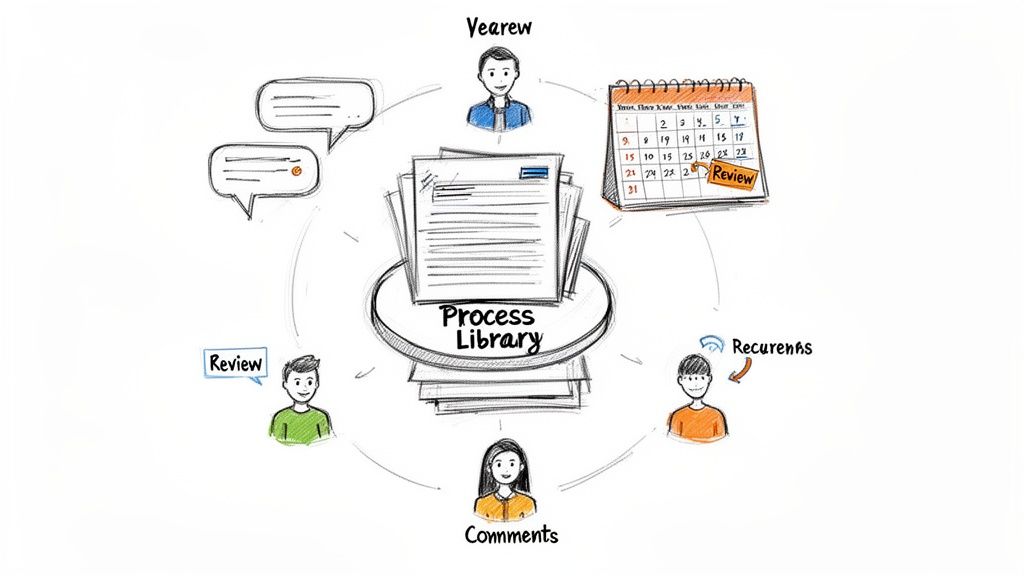
Creating a perfect business process documentation template is only half the battle. The most insightful, beautifully crafted guides are worthless if they just sit in a folder somewhere, collecting digital dust.
The real value comes from successfully rolling them out and building a rhythm for keeping them current. This is what turns a collection of documents into a living, reliable process library that actually drives consistency.
Your Rollout Communication Plan
The initial rollout isn’t about sending a mass email with a link and hoping for the best. That’s a recipe for getting ignored. It’s about building momentum and demonstrating immediate value.
To get genuine buy-in, your team needs to understand the "why" behind this whole effort. Frame the new process library not as another administrative task but as a tool to make their jobs easier.
Focus on WIIFM (What's In It For Me?): Explain how this library will slash repetitive questions, speed up onboarding for new colleagues, and make it painless to cover for someone who's out of the office.
Host a Quick Training Session: Schedule a brief, 20-minute meeting to walk everyone through the new library. Show them how to find a guide, follow the steps, and—most importantly—how to give feedback.
Lead by Example: This is critical. Managers and team leads must be the first to adopt the new system. When they answer a question by referencing a guide instead of just giving the answer, it reinforces the library's role as the single source of truth.
This structured communication helps position your documentation as an asset, not a chore.
Building a Sustainable Maintenance Rhythm
Outdated documentation is worse than no documentation at all. It erodes trust. A sustainable maintenance plan is non-negotiable, but it doesn't need to be complicated. In fact, simplicity is the key to making it last.
The foundation of this rhythm is clear ownership. Every single document in your library must have a designated owner who is responsible for its accuracy. This is usually the subject matter expert who actually performs the task.
A simple but powerful tactic is to assign a "review date" to every document. Modern platforms can automatically nudge the owner to check a guide quarterly or semi-annually, making maintenance a proactive habit instead of a reactive fire drill.
Structured processes are gaining traction for good reason. For instance, 57% of organizations attribute major gains to structured processes, and collaboration improves for 53% of them. Cloud-based tools that allow real-time co-editing are central to this shift, especially for distributed teams.
Creating a Simple Feedback Loop
Your team members on the front lines are the first to know when a process changes or a guide becomes inaccurate. You need to give them a frictionless way to suggest updates. A clunky ticketing system will be ignored.
Instead, encourage a more direct feedback loop:
In-document commenting: The best tools let users leave comments directly on a specific step. This gives the document owner immediate, contextual feedback they can act on.
A dedicated channel: A simple Slack or Teams channel (like #process-updates) can serve as a central hub for people to flag outdated guides or suggest improvements.
This is where you transform maintenance from a solo burden into a collaborative effort, ensuring your library evolves with your business. For those looking to streamline this entire flow, a robust strategy for documentation workflow management is essential.
And if you're trying to choose the right platform to make all this happen, you might be interested in our guide on the top process documentation software available today.
How to Measure the ROI of Your Documentation
Creating a great business process documentation template is a solid first step, but how do you prove it’s actually working? Proving the return on investment (ROI) of your guides goes way beyond vanity metrics like page views. You have to connect your work to tangible business outcomes that leadership actually cares about.
This isn’t just about justifying the time you spent. It's about moving from "I think this is helping" to "I know this saved the support team 40 hours last month." That’s how you get clear, actionable insights on where to focus your energy next.
Moving Past Vanity Metrics
Page views and "likes" are nice, but they don't tell you much. A guide with a thousand views could be solving a critical problem, or it could be so confusing that people have to visit it over and over, accomplishing nothing. To get real insight, you have to dig deeper.
Modern documentation platforms give you much more meaningful data. Instead of just a view count, you can track how people are really interacting with your content.
Completion Rates: Are people actually making it to the end of your guides? A low completion rate on a critical procedure like "How to Process a Customer Refund" is a massive red flag. It means the process is broken or the guide is unclear.
Drop-Off Points: Where do users give up? If 80% of users abandon a guide at step three, you’ve just found the exact point of friction you need to fix.
Time Spent on Step: When someone spends five minutes on a step that should take 30 seconds, something is wrong. That’s your cue to add a better screenshot, a clarifying note, or even a short video clip.
This level of detail turns your analytics from a report card into a powerful diagnostic tool.
Connecting Documentation to Business Outcomes
This is where you start speaking the language of the business: time, money, and quality. The trick is to link the analytics you're tracking to real-world operational wins. You need to show how a well-adopted guide directly leads to fewer mistakes, faster work, and less frustrated teams.
A powerful way to do this is to benchmark performance before and after you roll out a new process guide. Get your baseline data first, then measure again a month or two after the team starts using the guide.
A Salesforce report once highlighted inefficient processes as a top barrier to productivity. Your documentation directly tackles this by creating a single source of truth—the foundation for measuring any kind of efficiency gain.
Here’s a look at how to connect your documentation metrics to concrete business impact.
Documentation Success Metrics vs Business Impact
This table helps translate documentation data into the results that leadership understands, showing the true ROI of your efforts.
Documentation Metric | Potential Business Impact | How to Measure |
|---|---|---|
High Completion Rate on Onboarding Guides | Reduced New Hire Ramp-Up Time | Track the time it takes for a new hire to complete their first solo task. Compare this to historical data. |
Fewer Views on "Password Reset" Guide | Reduced Repetitive Support Questions | Monitor the volume of support tickets or Slack questions on a topic before and after publishing a clear guide. |
Low Drop-Off Rates on Compliance SOPs | Lower Error and Rework Rates | Analyze quality assurance reports or project data to measure error frequency. A 70% reduction in manual errors can often be traced to a clear SOP. |
Positive Feedback on a Guide | Improved Employee Satisfaction | Use simple surveys or in-document feedback tools to ask, "Did this guide help you solve your problem?" |
Imagine saving a department $46,000 annually just by reducing errors, or cutting the time it takes to onboard a new client in half. These are the powerful stories you can tell when you connect your documentation to tangible business results.
Gathering Meaningful Feedback
Analytics tell you what is happening, but direct feedback from your team tells you why. A user might abandon a guide because it’s confusing, but they could also bail because they found a better shortcut you didn't even know about.
To get this crucial context, you have to make giving feedback effortless.
Use In-Document Reactions: A simple thumbs-up/thumbs-down at the end of a guide is a low-effort way to gauge sentiment at a glance.
Enable Contextual Comments: The best feedback is specific. Letting users highlight a sentence and leave a comment gives you exact, actionable suggestions.
Create a Feedback Channel: A dedicated Slack or Teams channel (like
#documentation-feedback) encourages people to share ideas and fosters a culture where everyone helps improve the guides.
When you combine hard data from analytics with real stories from your team, you get the full picture. This powerful combination allows you to not only prove your ROI but also continuously refine your business process documentation template and the guides you build with it.
Common Questions About Process Documentation
Any time a team starts standardizing its workflows, the same questions pop up. It’s totally normal. Shifting to a new system like a business process documentation template can feel like a big deal, but getting past these initial hurdles is easier than you think.
Here are the straightforward answers to the questions we hear all the time.
How Often Should We Update Documentation?
There’s no magic number here. The simple rule is: update the documentation the moment the process changes.
A process guide is only valuable if it’s accurate. Forget rigid review cycles like quarterly or annual audits—those just create bureaucracy and outdated docs. A good rule of thumb is to glance at critical guides quarterly and less vital ones every six months, but that's a fallback, not the primary system.
The best approach is to build a culture where the person who owns the process is responsible for updating the guide in real-time. With modern tools, a quick edit takes minutes, not hours.
Don't let reviews become a bottleneck. Empower process owners to make immediate updates. A living document is always more valuable than a perfectly formatted but stale one.
What Is the Best Way to Get Team Buy-in?
Getting your team on board isn’t about forcing a new rule on them. It’s about showing them what’s in it for them. People naturally resist change when it feels like more administrative work with no personal payoff.
So, don't start with a company-wide mandate. Instead, pick a process that’s a known source of pain—maybe a confusing software workflow or a sloppy handoff between teams that everyone complains about. Document that one process with a crystal-clear, visual guide.
Then, show it to the team. Walk them through how this new guide makes that specific headache go away. When they see it saves them from asking the same questions over and over or fixing someone else’s mistake, the buy-in happens on its own. It stops being a manager's pet project and becomes a tool they can’t work without.
Can I Use This Template for Client-Facing Materials?
Absolutely, but you can't just copy and paste. The structure of a good business process documentation template is flexible, but the language, tone, and level of detail need a serious overhaul for an external audience.
When adapting a guide for clients, you need to:
Remove all internal jargon. Hunt down and eliminate every acronym, project codename, or bit of team slang.
Focus on the "Why." Start by telling the client how this process benefits them. How does it help them get what they want?
Simplify relentlessly. Cut any step or detail that isn't absolutely essential for the client to do their part.
Think of it as translating an internal manual into a friendly, easy-to-follow guide. The goal is to empower your client, not overwhelm them with a peek behind your operational curtain.
What Is the Difference Between a Process Map and a Process Document?
This is a really common point of confusion, but the distinction is simple.
A process map (or flowchart) is the 50,000-foot view. It’s a high-level visual that shows the entire journey, including decision points and handoffs between people or teams. It answers, "What's the overall flow?"
A process document (or SOP) is the ground-level view. It gives you the detailed, step-by-step instructions on how to perform one specific task within that journey. It answers, "How do I do this one thing right now?"
You really need both. The map gives you context, showing how all the pieces fit together. The document gives you the actionable steps to get the work done correctly every single time.
Ready to stop documenting and start guiding? Build a Guide turns your screen recordings into polished, step-by-step process guides your team will actually use. Create your first guide in minutes at https://buildaguide.app.