
February 12, 2026
A Practical Guide to Documenting Business Processes
A practical guide to documenting business processes. Learn how to turn tribal knowledge into scalable SOPs that boost efficiency and drive growth.
Documenting business processes is how you turn messy, inconsistent "tribal knowledge" into a reliable system for growth. It’s about taking what your best people know and creating clear, repeatable Standard Operating Procedures (SOPs).
This isn't about making dusty binders that sit on a shelf. It's about building a living knowledge hub that powers consistent client delivery, faster employee onboarding, and operations that can actually scale.
Why Process Documentation Is Your Growth Engine
Let’s be honest: the phrase "business process documentation" rarely sparks excitement. It usually brings to mind tedious, soul-crushing work and rigid, creativity-killing rules. But that view misses the point entirely.
Good documentation isn't an administrative burden. It's one of the most direct and powerful levers you have for scaling your business without breaking it.
Think about the hidden costs of not documenting. When critical information lives only in the heads of a few key people, your business is incredibly fragile. What happens when your go-to person is on vacation, out sick, or leaves? It creates instant bottlenecks. Everyone else scrambles to figure out how things really get done.
This chaos leads directly to inconsistent work for clients, painfully long training for new hires, and that constant, draining feeling of reinventing the wheel.
From Tribal Knowledge to a Strategic Asset
The whole point of documenting business processes is to convert that fragile, informal knowledge into a durable, accessible company asset.
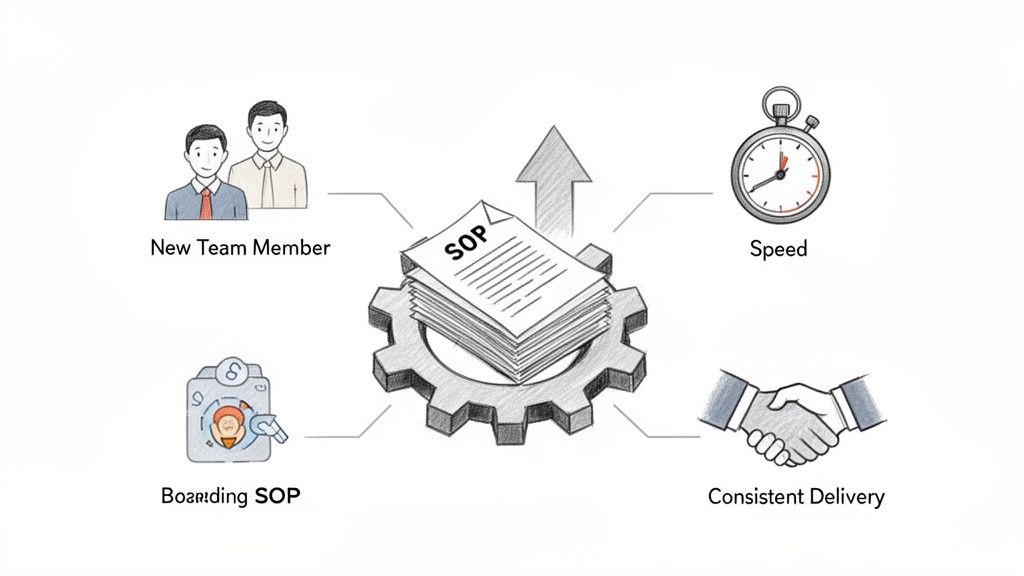
Imagine a new team member becoming fully productive in days instead of weeks because they have a clear guide for every core task. Picture a client getting the exact same high-quality experience, no matter who on your team helps them. That's the kind of consistency that builds trust and a rock-solid reputation.
This journey—from operational chaos to structured growth—is powered by clear documentation.
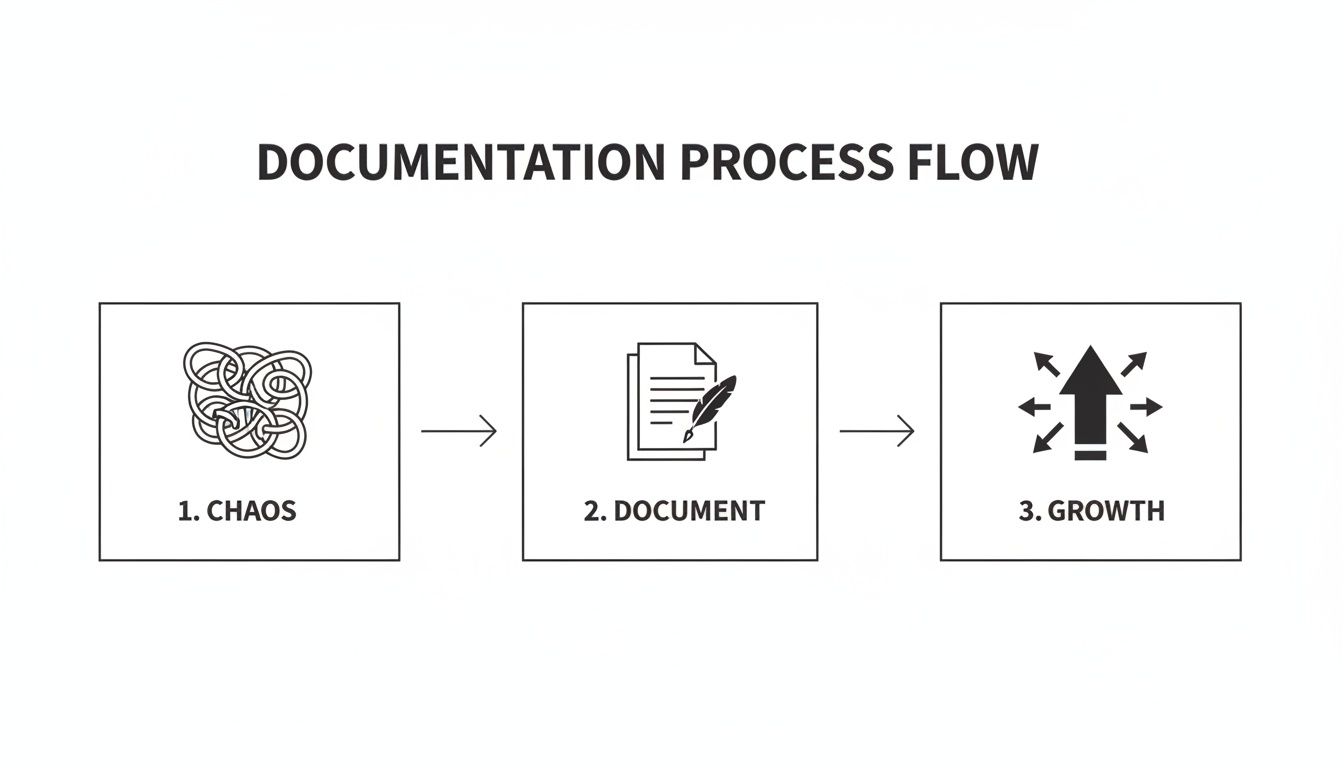
As you can see, documentation isn't just a side task; it's the bridge between unstructured work and scalable success.
The market is waking up to this reality. The global business document work process management market was valued at USD 4.53 billion in 2025 and is projected to explode to USD 16.08 billion by 2035. That growth is happening because companies are realizing that operational efficiency is no longer optional—it's a requirement for survival.
The real power of an SOP isn't just in the instructions. It's in the conversations and clarity that happen when you create it. Documenting a process forces you to think critically about every single step, and you almost always find a smarter way to work.
When you create a single source of truth, you empower your team with autonomy and confidence. They can act decisively without constantly asking for permission because they know they're following a proven method. This frees you up to focus on strategy instead of putting out the same fires every day. You can dig deeper into the benefits of standard operating procedures in our detailed guide.
From Unstructured Knowledge to Actionable SOPs
The shift from relying on memory to relying on documented processes solves very specific, costly problems. Here’s a quick breakdown of the before-and-after.
Common Problem (Tribal Knowledge) | Solution (Documented Process) | Key Business Benefit |
|---|---|---|
"Let me ask Sarah..." | A central, searchable knowledge base for all core tasks. | Time Savings: Drastically reduces interruptions and repeat questions. |
Inconsistent quality | Standardized steps ensure the same outcome every time. | Reliability: Builds client trust and a stronger brand reputation. |
Slow onboarding | New hires get a clear roadmap to follow from day one. | Speed: Reduces ramp-up time from weeks or months to just days. |
Key person dependency | Knowledge is owned by the company, not just one person. | Resilience: Protects operations when team members are unavailable. |
Hidden inefficiencies | The act of documenting reveals bottlenecks and wasted steps. | Efficiency: Unlocks opportunities to improve and streamline workflows. |
This isn't just about writing things down; it's about building a smarter, more resilient business.
For a deeper dive, this ultimate guide to workflow standardization for growth offers fantastic insights. It shows how turning documented workflows into a core part of your operations becomes a massive competitive advantage.
Planning and Capturing Your Core Processes
The ambition to document your business processes is great. But it’s often met with a paralyzing question: "Where do I even begin?"
The thought of capturing every single workflow feels monumental. The secret is to not even try. Instead, start small and focus on impact.
The best way to prioritize is by asking one simple question: "Which process, if documented well, would have the biggest positive impact on our team or clients right now?" This immediately shifts your focus from boiling the ocean to making a meaningful difference.
You might target a process causing frequent bottlenecks, one that's critical for new hire success, or a workflow that directly impacts client satisfaction. The goal is a quick win that proves the value of documentation and builds momentum.
Identifying High-Impact Processes
To pinpoint your first target, look for the recurring pain points. Your team already knows where the friction is.
Consider processes that are:
Frequently Repeated: Tasks done daily or weekly by multiple people are prime candidates.
Complex or Error-Prone: If a process often leads to mistakes or rework, documenting it can save a ton of time and frustration.
Critical for Onboarding: What's the one thing a new hire absolutely needs to know to be effective in their first week?
Client-Facing: Any process that directly touches the customer experience—like project kickoffs or support requests—is a high-value target.
For example, an agency might start by documenting its client onboarding checklist. A SaaS company could focus on the steps for triaging a high-priority support ticket. Choosing a process with clear, tangible benefits creates immediate value and gets your team on board.
If you need help organizing your ideas, our workflow documentation template is a great place to start.
Modern Capture Techniques That Work
Once you've picked a process, it's time to capture it. Forget sitting down with a blank document trying to remember every detail. Modern methods make capturing workflows faster, easier, and far more accurate.
The most powerful technique for digital workflows is the screen recording. Just start a recording tool and have a subject matter expert (SME) perform the process exactly as they normally would. This method captures every click, every tab switch, and every small nuance that would be impossible to describe in text alone.
Think of it this way: writing "Log into the CRM" is vague. A screen recording shows exactly which URL to use, where the login fields are, and what the dashboard looks like. This raw, contextual video becomes the foundation for a perfect step-by-step guide.
For a more structured approach, you might look at a framework like the ADDIE model for training. It provides a solid cycle of analysis, design, development, implementation, and evaluation—a great mental model for creating and maintaining living process documents.
Uncovering Nuances Through Interviews
While screen recordings are excellent for the "what," interviews with your SMEs uncover the "why." You need to understand the reasoning, the exceptions, and the tribal knowledge that surrounds a task.
Don’t just ask, "How do you do this?" That often gets you an oversimplified, idealized answer. Instead, use open-ended questions that encourage storytelling and reveal hidden details.
A great process document doesn't just list steps; it anticipates questions and provides context. Capturing the 'why' behind each action empowers your team to make smart decisions, not just follow a script.
Here are some proven interview questions to get you started:
"Walk me through the last time you did this. What was the first thing you did?"
"What are the most common mistakes people make with this process?"
"Is there anything you check before you even start this task?"
"At what point do you need to ask for help or get approval?"
"If you were training a new person, what's the one 'watch out for this' tip you would give them?"
The insights from these conversations are gold. They provide the warnings, tips, and contextual notes that elevate a basic checklist into a truly helpful guide.
By combining a screen recording with a targeted SME interview, you get a complete, multi-layered view of the process. This raw material is the perfect starting point for building clear, polished, and genuinely useful documentation.
Turning Raw Knowledge Into Polished Guides
Raw screen recordings and messy interview notes are where the real work begins. They’re the essential starting point, but they’re far from a finished product. The magic happens when you turn that captured knowledge into a guide that’s clear, polished, and easy to follow. This is where you shift from just collecting information to crafting a truly useful asset for your team.
Fortunately, you don't have to do this by hand anymore. Modern, AI-powered tools can do the heavy lifting, automatically turning a raw video into a structured, step-by-step guide with screenshots and descriptions already in place. This changes your role in the process entirely.
Instead of being a manual laborer, tediously taking screenshots and writing instructions, you become the expert refiner. Your job is to add the human touch—the context and nuance that only someone with experience can provide.
From Automated Draft to Expert SOP
Once an AI tool generates the first draft, the real work starts. This "human-in-the-loop" step is critical. While AI is great at spotting clicks and actions, it has no idea why you’re doing them. Your expertise is what bridges that gap.
Your first pass should be all about clarity. AI might generate a separate step for every single click, making the guide feel fragmented and long. It’s on you to group those actions into logical steps.
Merge Redundant Steps: Combine multiple tiny actions into one coherent instruction. For instance, "Click File," then "Click Save As," then "Click Save" can just become: "Save the document by navigating to File > Save As."
Rewrite for Clarity: Rephrase the auto-generated text to match your company’s voice. Swap out technical jargon for plain language that a new hire can actually understand.
Add the "Why": For any step that isn't obvious, add a quick sentence explaining its purpose. After a step like, "Enable the 'Advanced Settings' toggle," you might add, "This gives you access to the custom reporting features."
This initial editing turns a literal transcript of actions into a set of instructions someone can actually use.
Your goal is to create a guide that anticipates questions. A great SOP doesn't just tell someone what to do; it provides enough context that they understand why they're doing it, empowering them to solve minor problems on their own.
Enhancing Guides with Critical Details
With the core steps refined, it's time to add the details that prevent mistakes and ensure consistency. This is where you embed all that "tribal knowledge" you picked up during SME interviews, turning a simple checklist into a bulletproof resource.
Think about the common mistakes or frequently asked questions that come up with this process. A well-built guide should address them before they even happen.
Here’s a look at how we designed the interface at Build a Guide to make this easy. The clean, visual layout helps you add these crucial details right where they’re needed.
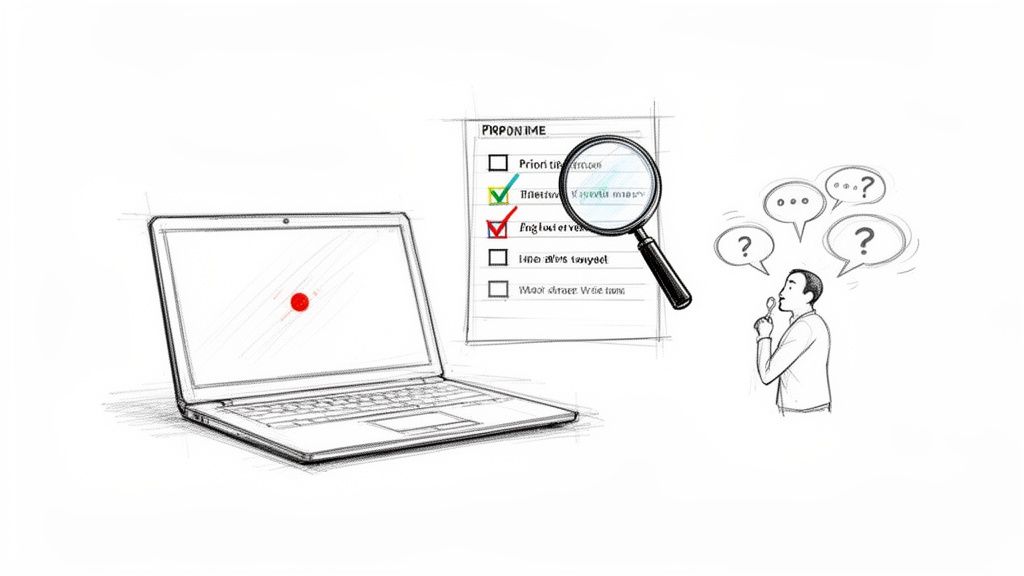
It’s built to make embedding things like warnings or checklists directly into the workflow a seamless process.
This is where you can add enhancements that make your guides indispensable:
Insert Warnings and Callouts: Use blockquotes or distinct formatting to make critical info pop. A simple warning like, "Caution: Do not click 'Submit' until you have verified the client's address, as this action cannot be undone," can save you from a world of hurt.
Add Action-Oriented Checklists: For processes with multiple sub-tasks, embed a checklist. Before a client kickoff call, a checklist might include items like "Confirm all stakeholders have accepted the calendar invite" and "Send reminder email 24 hours prior."
Embed Links to Other Resources: No process exists in a vacuum. Link out to other relevant guides, policy documents, or external tools. This helps create an interconnected knowledge base instead of a bunch of siloed documents.
By adding these elements, you craft a guide that doesn't just instruct—it protects against common errors, ensuring the process gets done right every time. The final result is a polished, unambiguous resource that anyone on your team can follow with confidence.
Building and Sharing Your SOP Library
Even the most brilliantly crafted SOP is useless if nobody can find it.
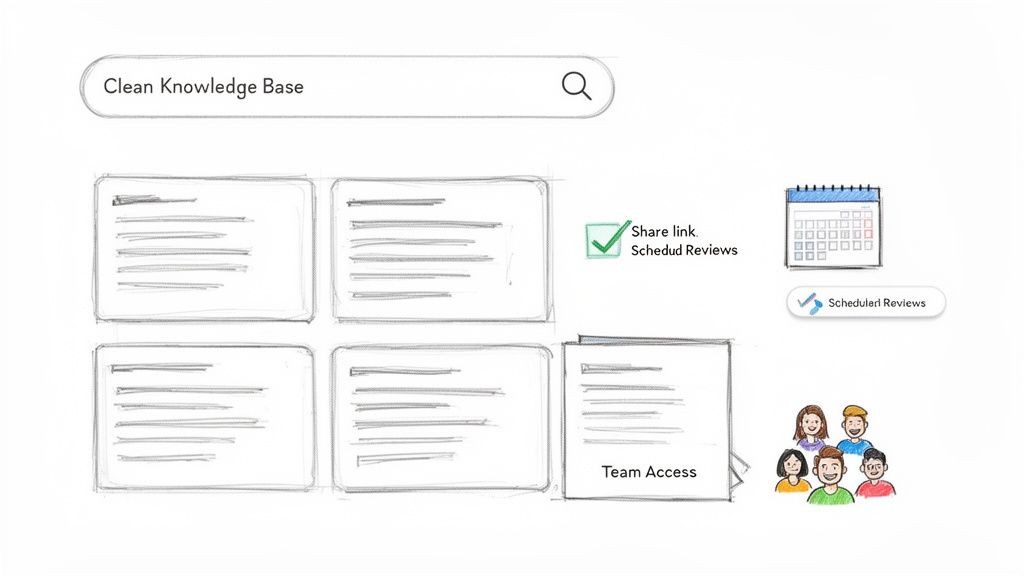
Once you’ve turned raw knowledge into polished guides, the real work begins: making them accessible and keeping them alive. This is how you transform a folder of documents into a trusted library your team actually uses every single day.
The goal is to create a single source of truth. When your team knows exactly where to look for an answer, it kills confusion, cuts down on one-off questions, and gives them the confidence to work on their own.
This could be a dedicated knowledge base, a smartly organized shared drive, or an internal wiki. Whatever you choose, consistency is everything. Every new guide should live in the same place, follow the same format, and be easy to find.
Making Your Documentation Discoverable
Don't make people hunt for information. Accessibility is non-negotiable. Your sharing strategy needs to fit into how your team already works, not force them into a new habit.
Centralized Knowledge Hub: For most teams, a real knowledge base is the best bet. You get powerful search, version control, and analytics right out of the box. If you're starting from scratch, our guide on how to build a knowledge base is a great place to start.
Contextual Linking: This is a game-changer. Link your guides directly where they're needed most. A task in your project management tool for "Client Onboarding" should have a direct link to the full onboarding SOP. This embeds your documentation right into the workflow.
Direct Sharing: Sometimes, you just need to send one guide to one person. Make sure your system lets you share a simple, clean link that doesn't require a dozen clicks or special permissions to open.
This whole move towards centralized digital documentation isn't just a trend—it's a massive business shift. The intelligent document processing (IDP) market is projected to jump from USD 14.16 billion in 2026 to a staggering USD 91.02 billion by 2034. You can find more data on the growth of intelligent document processing on fortunebusinessinsights.com. Why? Because companies are finally realizing that just creating documents isn't enough. They have to be machine-readable and instantly accessible to be valuable.
Establishing a Simple Governance Framework
An SOP library without a maintenance plan is just an archive waiting to happen. It quickly becomes outdated, and once trust is lost, it’s hard to get back.
A simple governance framework keeps your documentation alive and accurate. This doesn't need to be a bureaucratic nightmare; it just needs to be consistent.
A process document is a snapshot in time. The business will change, tools will update, and better methods will be discovered. Governance is the commitment to keeping the snapshot in focus.
First things first: assign ownership. Every single process needs a designated process owner. This is the person responsible for how the process works in the real world, making them the perfect person to ensure its documentation stays correct.
With owners in place, you can set up a simple review cycle. This turns your static library into a living asset that actually evolves with your business.
A straightforward checklist can make this feel less like a chore and more like a routine.
Process Documentation Governance Framework
Governance Task | Recommended Frequency | Owner/Role | Purpose |
|---|---|---|---|
Process Review | Quarterly | Process Owner | To check for accuracy and identify any outdated steps or screenshots. |
Feedback Loop | Ongoing | All Team Members | To allow anyone to suggest improvements or flag errors as they find them. |
Archive Audit | Annually | Operations Manager | To remove or consolidate guides for retired processes or tools. |
By setting up a simple review cadence and an open feedback channel, you empower your entire team to help keep the knowledge base accurate. This collaborative approach is what prevents your guides from becoming digital dust bunnies, ensuring they remain a valuable and trusted resource for years to come.
How to Measure Success and Drive Adoption
So you’ve created a library of polished guides. That’s a huge win, but it’s only half the battle.
The most well-written SOP is worthless if it just collects digital dust. Real success isn’t measured by how many guides you create, but by how many your team actually uses. Driving that adoption is the final—and most critical—step.
This requires a shift in mindset. You're no longer just creating content; you're actively managing a knowledge product for your team. You need to understand what's working, what isn't, and why. Without data, you’re just guessing.
Using Analytics to Pinpoint Value and Friction
Modern documentation platforms have built-in analytics that tell a story. These metrics reveal how your team interacts with your knowledge base, showing you both high-value content and points of friction. Instead of relying on anecdotes, you get to make data-driven decisions.
Imagine looking at your analytics and discovering the guide for "Processing Client Invoices" has the most views, but also a 90% drop-off rate on step seven. That's not a failure; it's a bright, flashing signal. It tells you step seven is likely confusing, broken, or outdated. This insight lets you fix the exact problem instead of overhauling the entire guide.
Here are the key metrics to watch:
View Counts: Which guides are the most popular? This flags the most critical or frequent processes in your company.
Completion Rates: Are people actually finishing the guide? Low completion can mean a document is too long, too complex, or poorly structured.
Search Queries: What terms are your team members searching for? Unsuccessful searches highlight knowledge gaps you need to fill.
User Feedback Ratings: A simple thumbs-up or thumbs-down on each guide provides direct, immediate feedback on its usefulness.
A documentation library is not a static archive; it's a living system. Analytics create a feedback loop where engagement data informs improvements, and those improvements drive even greater engagement.
By checking this data regularly, you can focus your maintenance efforts where they’ll have the biggest impact. Your library will continuously become more valuable over time.
Embedding SOPs into Daily Workflows
The secret to driving adoption is to remove friction.
Don't expect your team to remember to open a separate knowledge base every time they start a task. Instead, bring the documentation to them by embedding it directly into the tools and routines they already use.
The goal is to make using the SOP the easiest way to get the job done right. This transforms your guides from a reference library into an active part of daily operations.
For example, when assigning a task in a tool like Asana or Trello, include a direct link to the relevant SOP in the task description. If a team member has to handle a "New Client Kickoff," the guide for that exact process should be right there waiting for them.
Here are a few practical ways to weave documentation into your company's fabric:
Integrate with Project Management: Link specific guides in task templates for recurring projects. When a new project is created, the necessary documentation is automatically attached.
Make It Part of Onboarding: Your SOP library should be a new hire’s best friend. Structure their first week around completing tasks using the guides. This trains them on both the process and the importance of using the documentation.
Reference in Team Meetings: When discussing a project or process, pull up the official guide on-screen. This reinforces that the SOP is the single source of truth everyone is expected to follow.
Use for Performance Reviews: During feedback sessions, you can reference specific SOPs to ensure alignment on how tasks should be done, creating a culture of accountability.
By making your documentation an unmissable and helpful part of the workflow, you move it from a "nice-to-have" resource to an indispensable tool for efficiency and consistency. This proactive approach ensures your investment in documenting business processes pays off for years to come.
Common Process Documentation Pitfalls to Avoid
Most documentation projects start with a ton of energy and good intentions. But they often die a quiet death, ending up as half-finished Word docs in a forgotten folder. Let’s make sure that doesn't happen to you.
Knowing what not to do is just as important as knowing what to do. Think of this as your field guide to sidestepping the common traps that turn great intentions into another failed initiative.
The "Boil the Ocean" Approach
This is the classic mistake. A team gets excited about building a complete knowledge base and immediately tries to document everything. Every workflow, every process, every tiny task from making coffee to closing a multi-million dollar deal.
It’s a recipe for burnout.
The sheer size of the task becomes paralyzing. Momentum grinds to a halt, and the project gets abandoned before a single useful guide is ever finished or adopted by the team.
How to Avoid It: Start small. Prioritize for impact. Instead of a massive to-do list, ask your team one simple question: "What is the one process that, if we documented it well, would solve the most pain for us right now?"
Focus on that. Nail that one high-impact workflow, get it into people's hands, and use that win to build momentum for the next one.
Writing for Experts Instead of Beginners
Another huge pitfall is creating documentation filled with jargon, acronyms, and assumed knowledge. The expert writing the guide completely forgets what it’s like to not know things. The result is a document that's only useful to people who already know how to do the job.
Imagine a new hire reading a guide that says, "Just ping the API endpoint to update the CRM record." That’s not helpful; it’s alienating. It forces them to interrupt a colleague for a translation, which defeats the whole purpose of having documentation in the first place.
A great process document should be written for the most junior person on your team. When you make it accessible to everyone, you empower everyone. Clarity is the ultimate goal.
To fix this, follow a simple rule: if a term isn't universally understood, define it or link to a resource that does. Even better, have someone from a completely different department read your guide. If they can grasp the basic steps, you’re on the right track.
Creating "Write-Only" Documentation
This is what happens when a guide is created, published, and immediately forgotten. There’s no owner assigned, no review schedule, and no way for anyone to give feedback. The document is a perfect snapshot of a process that is constantly changing.
Within a few months, the software it describes has a new UI, a key step has changed, or someone found a better way to do it. The outdated guide quickly loses the trust of the team, and people go back to asking coworkers for help.
Once that trust is broken, it's incredibly hard to win back.
How to Fix It:
Assign an Owner: Every single document needs one person who is responsible for keeping it accurate.
Set a Review Cadence: Schedule a simple quarterly or biannual check-in for the owner to give the guide a quick review.
Create a Feedback Loop: Make it dead simple for anyone to flag an error or suggest an improvement. This could be a comments feature, a dedicated Slack channel, or a simple "Is this helpful?" button.
Focusing on Text-Only Explanations
Humans are visual. It’s just how we’re wired. Yet so many organizations still try to explain complex, multi-step digital processes with long, dense paragraphs of text. A wall of text is not just intimidating; it's a terrible way to explain a visual workflow.
Your team doesn’t need a novel. They need a clear, scannable guide that shows them exactly where to click. For software-based processes, visuals aren't a nice-to-have—they are essential.
The right way is to lead with annotated screenshots, short GIFs, or screen recordings for each step. Use text only to add critical context or warnings. This visual-first approach makes your guides faster to follow and dramatically reduces the chance of someone messing up a step.
At Build a Guide, we turn your screen recordings into polished, step-by-step guides automatically, making it effortless to create visual-first documentation your team will actually use. See how it works at https://buildaguide.app.