
February 19, 2026
Help Desk Software Comparison for Growing Teams
Our expert help desk software comparison analyzes Zendesk, Freshdesk, and more. Find the right platform based on features, scalability, and total cost.
Picking the right help desk software is one of those decisions that can quietly change everything. It’s not just about managing complaints; it’s about building a system that keeps your team sane and your customers loyal. The best tools balance powerful features with an interface that people actually want to use.
This comparison will cut through the noise and look at the platforms that genuinely support growth.
Choosing the Right Help Desk Software for Growth
A structured support system isn't a luxury anymore—it's the engine that keeps a growing business running smoothly. When you centralize customer chats, emails, and social media messages, you stop playing defense. Instead of a reactive cost center, support becomes a proactive, data-driven operation.
This shift lets your team solve problems faster, spot trends in what’s breaking, and ultimately make the customer experience better. It’s no surprise the market for these tools is booming. As of 2024, the global help desk software market hit $11.24 billion USD, growing at a rate of 10.7% year over year. That kind of growth shows just how critical this has become.
Core Pillars of an Effective Help Desk
When you’re comparing options, it’s easy to get lost in feature lists. Instead, focus on the fundamentals that actually determine whether a tool will work for you long-term.
Unified Ticketing: This is non-negotiable. All customer conversations—email, chat, social DMs—need to land in one organized queue. No more missed messages or scrambling for context.
Workflow Automation: Think of all the repetitive tasks your team does. Routing tickets, sending "we got your message" emails, updating a status. Good software automates that, freeing up your agents for the tricky stuff.
Knowledge Management: The best help desks integrate a knowledge base. This empowers customers to find their own answers and gives agents a single source of truth for standardized replies and procedures.
Beyond Features to Strategic Fit
The perfect software for a 500-person enterprise is often a terrible choice for a 10-person startup. A small business needs something affordable and easy to pick up, while a larger company might need iron-clad security and deep integration capabilities.
The goal isn't just to buy software; it's to implement a system that empowers your team to deliver consistent, high-quality support that scales as you grow.
A great help desk comparison comes down to understanding your own team's pain points. To get that right, it helps to see what works for businesses like yours. Exploring guides on customer service software for small business can provide some of that focused insight.
This guide is designed to give you that same deep, contextual analysis to help you find the perfect fit.
Comparing the Top Help Desk Software Solutions
Picking the right help desk software is easily the most critical step in building a solid support system. A real comparison has to go past the marketing fluff and focus on how these tools actually perform day-to-day. We’re going to evaluate four of the biggest names—Zendesk, Freshdesk, HubSpot Service Hub, and Jira Service Management—across the pillars that truly define a modern support operation.
This isn’t just a feature checklist. We'll dig into how each platform wrangles tickets from a dozen different channels, what their automation engines are actually capable of, the real clarity of their reporting, and how well they play with the other tools you already use.
The market for these platforms is exploding for a reason: the need is real. This chart shows just how fast businesses are investing in better support tools.
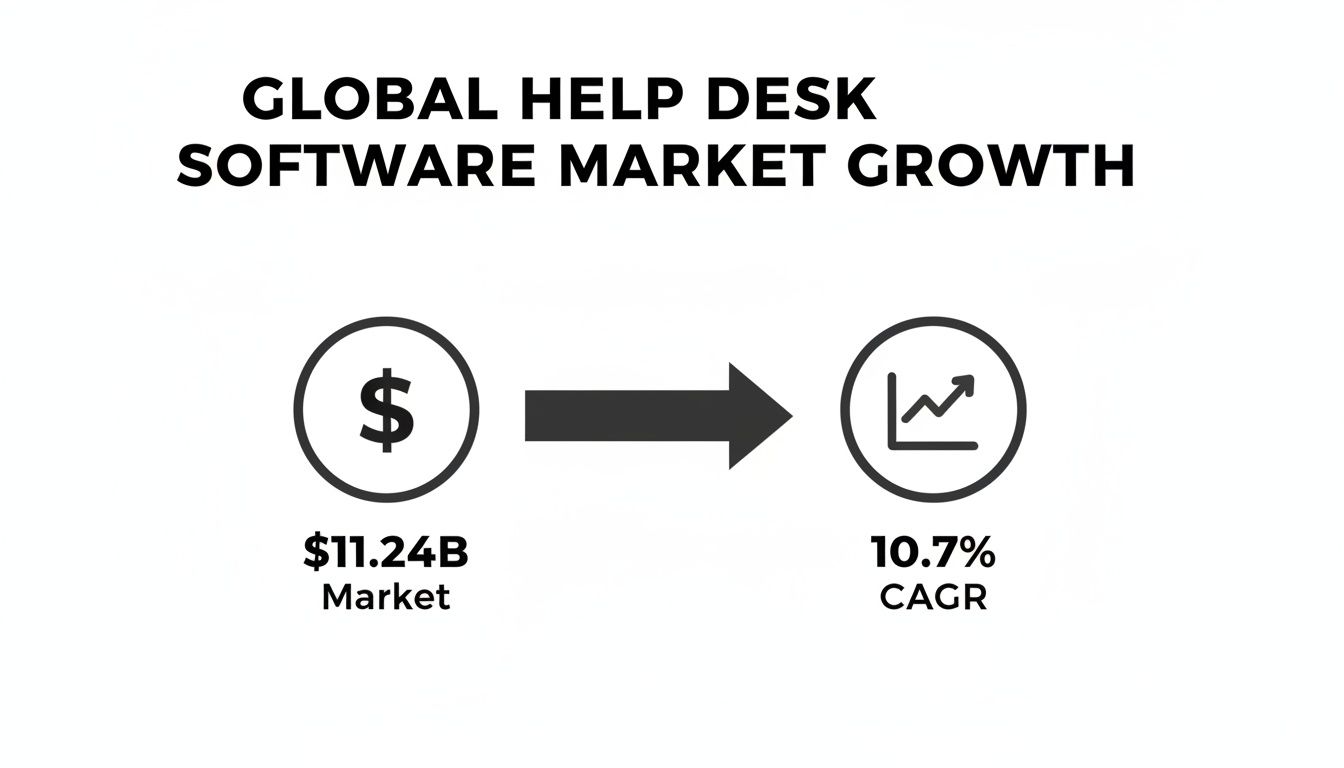
That 10.7% compound annual growth rate (CAGR) isn't just a number; it shows a massive shift toward streamlining customer support.
Help Desk Software Feature Comparison Matrix
Before we dive deep, here’s a high-level look at how these four platforms stack up across the most important criteria. This matrix scores each tool based on its strengths in key areas, giving you a quick reference point.
Feature | Zendesk | Freshdesk | HubSpot Service Hub | Jira Service Management |
|---|---|---|---|---|
Ticketing & Channels | 9/10 | 8/10 | 8/10 | 7/10 |
Automation & Workflows | 9/10 | 8/10 | 9/10 | 8/10 |
Reporting & Analytics | 9/10 | 7/10 | 9/10 | 7/10 |
Integrations | 10/10 | 8/10 | 7/10 | 8/10 |
SOP/KB Integration | 9/10 | 8/10 | 8/10 | 9/10 |
Ease of Use | 7/10 | 9/10 | 9/10 | 6/10 |
Scalability | 10/10 | 8/10 | 8/10 | 9/10 |
Pricing (Value) | 7/10 | 9/10 | 8/10 | 7/10 |
Security & Compliance | 9/10 | 8/10 | 8/10 | 9/10 |
Overall Score | 8.8/10 | 8.1/10 | 8.2/10 | 7.8/10 |
This table gives us a starting point, but the real story is in the details—the scores don't tell you why a platform excels or where it might fall short for your specific team.
Ticketing and Channel Management
The foundation of any good help desk is its ability to pull all your conversations into one sane place. How well a tool unifies email, live chat, social media, and web forms directly impacts how fast your agents can work.
Zendesk has long been the gold standard here. Its strength is a mature, highly configurable ticketing system that stitches conversations into unified threads, no matter where they started. An agent sees a customer’s entire journey—from an initial email to a follow-up chat—all in one clean view.
But all that power comes with a steeper learning curve. Setting up custom ticket fields and complex routing rules isn't a casual task; it can require a dedicated admin, which might be a dealbreaker for small teams without IT backup.
Freshdesk, on the other hand, is famous for its user-friendly feel. It excels at getting teams up and running fast, with a setup for email, phone, and social channels that just makes sense. Its "omnichannel routing" is a huge plus, automatically assigning tickets based on agent workload and availability. That's a massive win for teams trying to crush first-response times without a human dispatcher.
HubSpot Service Hub flips the script by baking its ticketing system directly into its CRM. If you're already running your business on HubSpot, this is a game-changer. Every ticket is automatically linked to a contact record, giving your agents instant context on a customer’s entire history with your company.
The trade-off? The ticketing itself is less flexible than what Zendesk offers. It’s built for CRM-centric workflows, which can feel a bit rigid for pure-play support teams who live and breathe custom ticket states and fields.
Jira Service Management is the default choice for teams with deep IT or engineering roots. It handles customer issues like development tickets, with a clear, structured path from creation to resolution. Its killer feature is the seamless integration with Jira Software, letting support and dev teams collaborate on bug reports without leaving their ecosystem.
Key Differentiator: While all four offer multi-channel support, HubSpot’s CRM-first approach delivers unmatched customer context. In contrast, Jira’s tight link to engineering workflows makes it the obvious choice for software companies.
As teams conduct a detailed help desk software comparison, many find themselves searching for a Zendesk alternative that might be a better fit. This often points them toward Freshdesk for its simplicity or HubSpot for its all-in-one platform.
Automation and Workflows
Good automation is what separates a decent help desk from a great one. It’s all about killing repetitive tasks so agents can focus on the tricky problems that require a human touch.
Zendesk’s automation is built around "Triggers" and "Automations." Triggers are event-based rules that fire instantly when a ticket changes (e.g., assign any ticket with "urgent" in the subject to a senior agent). Automations are time-based, running on a schedule to handle things like closing old tickets. This dual system is incredibly powerful, but it can get complex to manage.
Freshdesk makes things easier with a more visual workflow builder. Its automation rules are simple enough for non-technical users to set up. You can quickly build a rule like, "If a ticket from a VIP hasn't been touched in 2 hours, ping the support manager." That accessibility makes it a favorite for small and mid-sized businesses.
HubSpot Service Hub uses its "Workflows" tool, which is the same engine powering its Marketing and Sales Hubs. This unlocks some seriously powerful cross-functional automations. For instance, a bad CSAT score on a support ticket could automatically create a task for the account manager in Sales Hub to follow up. This unified approach is a huge advantage for businesses all-in on the HubSpot ecosystem.
Jira Service Management offers robust, customizable workflows designed around ITIL processes. It’s a beast at creating multi-stage approval chains, linking related issues, and automating ticket transitions tied to development sprints. Its automation is less about customer comms and more about internal process and compliance—perfect for its target audience.
Reporting and Analytics
You can't fix what you can't see. Good reporting is essential for understanding team performance, spotting trends, and making smart decisions to improve the customer experience.
Zendesk Explore is a dedicated, powerful analytics product. It comes with a massive library of pre-built dashboards for metrics like first-reply time, resolution time, and CSAT scores. It also lets you build incredibly detailed custom reports. However, getting the most out of it requires a real understanding of its data models.
Freshdesk provides clean, out-of-the-box dashboards that anyone can understand. It tracks the important metrics and presents them in a way that’s easy to digest. It might not have the raw customization power of Zendesk Explore, but its reports deliver immediate value without a steep learning curve.
HubSpot's reporting truly shines by connecting service metrics to business outcomes. You can build dashboards that show how response times affect customer retention or how many tickets a high-value customer has submitted. Tying support activity directly to revenue is its unique superpower.
Jira Service Management centers its analytics on SLA performance, incident resolution rates, and team workload. The reports are built to help IT managers monitor compliance and optimize resources. It’s excellent for tracking operational efficiency but less focused on customer-centric metrics like satisfaction. Mastering any system you choose is easier when your team has a solid knowledge base to lean on; you can check out different options in this guide to the best knowledge base software.
Integration Ecosystem
No help desk is an island. A platform’s ability to connect with your other critical tools—like a CRM, Slack, or documentation systems—is what creates a truly seamless workflow.
Zendesk has the largest marketplace by a wide margin, with over 1,000 apps and integrations. If your business uses a tool, chances are there’s a pre-built Zendesk integration for it. This massive ecosystem is a huge advantage for companies with complex tech stacks.
Freshdesk also offers a strong marketplace with solid integrations for essentials like Salesforce, Slack, and Shopify. It may be smaller than Zendesk's, but it covers the core needs of most businesses.
HubSpot Service Hub's main integration is with itself, creating a tightly woven system for marketing, sales, and service. While its App Marketplace is growing, the core value is the all-in-one experience.
Jira Service Management is part of the Atlassian ecosystem, offering native integrations with Confluence for knowledge management and Jira Software for development. This creates an incredibly unified platform for technical teams, with external integrations focused on IT and DevOps tools.
The Power of Integrating SOPs with Your Help Desk
A standalone help desk is a good start, but it becomes a powerhouse when you connect it to your Standard Operating Procedures (SOPs). This simple integration bridges the gap between knowing what to do and actually doing it. It’s what transforms a support operation from reactive and chaotic to systemized and consistent.
The logic is simple: a great help desk organizes incoming requests, but a great SOP system provides the map for solving them. When you connect the two, every agent—from a seasoned veteran to a new hire on day one—has the same clear path to resolving customer issues correctly.
Unlocking Efficiency with Integrated Workflows
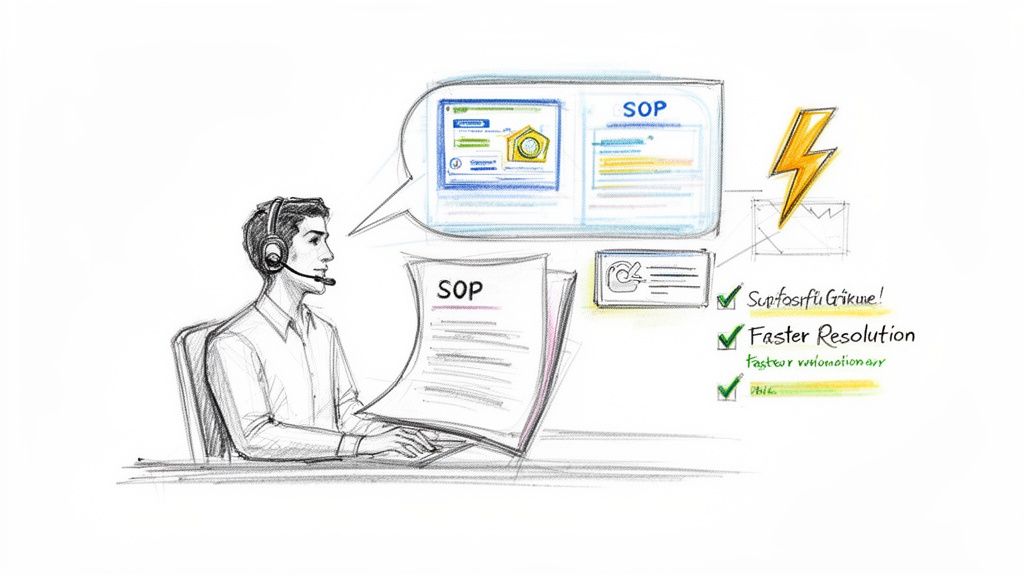
The real magic happens when SOPs are embedded directly into the ticketing process. Instead of an agent hunting through a separate drive or a forgotten wiki for answers, they can pull up an interactive guide right inside the ticket they're working on.
This seamless connection delivers some powerful, immediate benefits:
Faster Resolution Times: Agents follow step-by-step guides for complex troubleshooting, which cuts down on research time and escalations.
Improved First-Contact Resolution: With the right procedure at their fingertips, agents solve the problem on the first try far more often.
Standardized Agent Onboarding: New team members become productive faster because they have clear, documented processes for common ticket types.
The goal isn't just to store procedures; it's to make them actionable at the exact moment they’re needed. Integrating SOPs turns your help desk into a dynamic training and execution platform.
This level of operational efficiency is why help desk adoption has surged. Usage has climbed from just 11% of organizations in 2020 to 53% by 2024, with companies seeing productivity jump by up to 25%. In fact, 86% of technical support teams agree that these systems significantly boost their productivity.
Turning Internal Knowledge into Customer Solutions
A robust SOP integration does more than just help your internal team. It lets you turn proven internal processes into scalable, customer-facing solutions that empower users and actually reduce your ticket volume.
Think about a common "how-to" question. An agent can attach a polished, interactive guide directly to their reply. This not only solves the customer’s immediate issue but also equips them to self-serve in the future. It elevates the customer experience from a simple text reply to a genuinely helpful, guided solution. The right process documentation tools are what make creating these polished, customer-ready guides possible.
By documenting and integrating these workflows, you build a living library of solutions that gets smarter with every ticket. Your help desk becomes less about repetitive answers and more about building a knowledge engine that serves both your team and your customers. That’s the foundation for truly scalable support.
Analyzing Scalability and Total Cost of Ownership
The monthly subscription fee is just the tip of the iceberg. A real help desk software comparison means looking at the Total Cost of Ownership (TCO)—the number that reveals what you'll actually spend over the long haul.
It's about moving past the sticker price to account for hidden fees, implementation costs, and how the pricing holds up as your team grows. Thinking about TCO keeps you from making a classic mistake: picking a cheap starter plan only to face a huge price hike or a painful migration a year later. A platform that feels like a bargain for five agents might become a massive liability for fifteen.
Deconstructing Pricing Models
Help desk software pricing usually falls into a few buckets, and each one tells a different story about scalability. Understanding them is the first step to projecting your future costs.
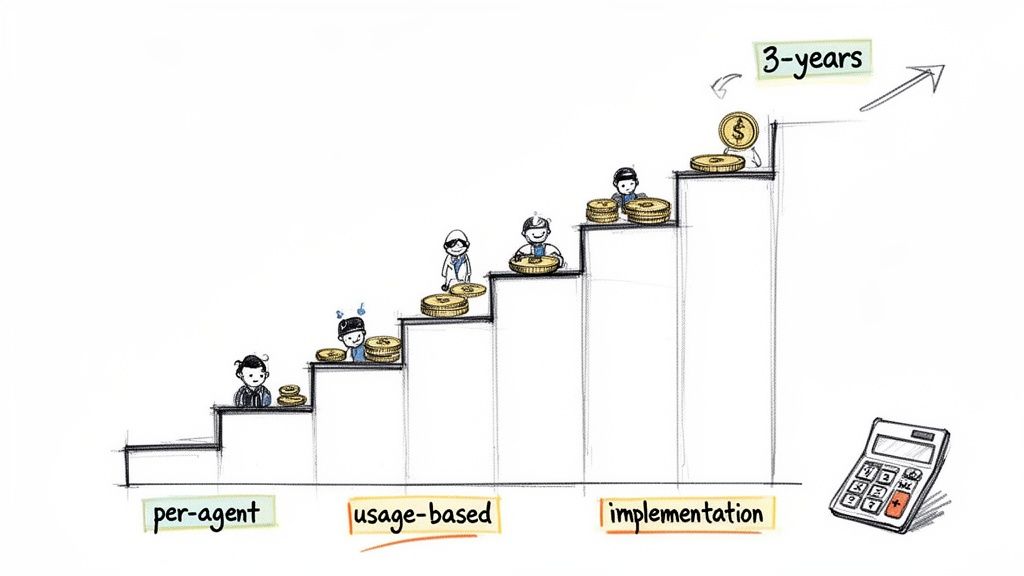
Per-Agent Pricing: This is the most common model. You pay a set fee for each person on your support team. It’s predictable, but the costs add up fast as you hire.
Usage-Based Pricing: Some platforms charge you based on ticket volume or the number of customers you interact with. This can be great for teams with inconsistent demand, but it makes budgeting a real challenge.
Freemium with Paid Add-ons: Many tools will give you a free tier with the basics, but the features you really need—like advanced automation, compliance tools, or AI assists—are locked behind a paywall.
A critical factor often buried on pricing pages is the cost of key integrations or API access. A platform might look cheap until you realize connecting it to your CRM costs extra, completely breaking the workflow you had in mind.
Beyond the Subscription Fee
The true TCO goes way beyond the monthly bill. These "hidden" costs are where budgets get blown, and they absolutely need to be part of any serious comparison.
Think about these extra expenses:
Implementation and Onboarding: Will you need a consultant to get the software set up? Does your team need days of training just to learn the basics? That upfront investment of time and money is part of the real cost.
Feature Gates and Add-ons: A low-tier plan might be missing the one automation rule that could save your team hours every single week. You have to evaluate what's included versus what costs extra, especially for AI features, which are almost always a premium add-on.
Migration Costs: If you're switching systems, the cost to export, clean, and import your old ticket data can be huge. This is true whether you hire a third-party service or tie up your own team for weeks.
Projecting Your Costs Over Three Years
To make a smart financial decision, you have to map out your expected growth. If you plan to double your support team in the next 18 months, you need to calculate what each platform will cost then, not just what it costs today.
A per-agent model might be perfect for your current team but become completely unaffordable later. On the flip side, a usage-based model could be a steal while your ticket volume is low but turn into a liability after a big product launch.
This long-term view is what protects you from getting locked into a system that no longer fits your budget or how you work. Exploring the benefits of standard operating procedures can also show how the right system supports growth that’s both scalable and cost-effective.
Which Help Desk Software Is Right for Your Team
We've broken down the features, but now comes the most important part: matching the right tool to your team's reality. The best help desk isn't the one with the longest feature list. It's the one that feels like a natural extension of how you already work.
This is where the analysis pays off. We’re moving past generic comparisons to give you clear, situational recommendations. Each pick is based on the data we’ve already covered, so you can make a choice that actually solves your biggest challenges.
Best for Agencies Needing Multi-Client Support
Agencies live in a world of controlled chaos. You're managing support for multiple clients, and each one needs its own distinct branding, service levels, and knowledge base. A generic help desk turns this into a mess of mixed-up tickets and brand confusion. You need a platform built for separation.
Our Recommendation: Zendesk
This is exactly what Zendesk was built for. Its multibrand capabilities are the gold standard for a reason. You can spin up completely separate, client-facing help centers, each with its own unique URL, logo, and ticket forms. For the end-user, the experience is seamless—they feel like they’re talking directly to the client, not a third-party agency.
Beyond branding, Zendesk’s automation engine lets you create specific ticket routing rules and SLA policies for each client. That level of granular control means you can meet a dozen different contractual obligations without someone having to manage it all by hand.
Best for SaaS Customer Success Teams
In a SaaS business, a support ticket is never just a ticket. It’s a data point. It’s a signal about product friction, user adoption, and potential churn. Support isn’t a separate department; it's deeply tied to the entire customer lifecycle. This means your help desk can’t live on an island—it needs to be inside your CRM.
Our Recommendation: HubSpot Service Hub
HubSpot’s killer advantage is its native integration with the HubSpot CRM. When a ticket comes in, your team sees everything: every marketing email that person opened, every sales call they had, their current subscription tier. This 360-degree customer view is a game-changer, turning reactive agents into proactive problem-solvers.
With HubSpot, a few bug reports from a high-value account can automatically trigger a workflow that pings their dedicated Customer Success Manager. Suddenly, you have a coordinated retention strategy. This is how a unified platform transforms a support queue into a customer success engine.
Best All-in-One Platform for SMBs
Small and medium-sized businesses need real power without the enterprise-level complexity or price tag. Your team likely blends support with sales and marketing, so you need a tool that can keep up. The ideal solution has a strong core feature set, is easy to pick up, and won't penalize you for growing.
Our Recommendation: Freshdesk
Freshdesk hits that perfect sweet spot between functionality, usability, and value. Its "omnichannel" approach pulls email, phone, chat, and social media into a single, clean interface that a small team can learn in an afternoon. Plus, its freemium plan and affordable growth tiers make it a low-risk starting point for any SMB.
What really seals the deal is that Freshdesk’s automation tools are genuinely straightforward. You don't need a technical background to set up rules that save your team hours on repetitive tasks. For any SMB looking for a robust, do-it-all platform that doesn't need a dedicated admin, Freshdesk is the most practical choice on the market.
Your Help Desk Software Questions, Answered
Even after comparing features and pricing, a few practical questions always pop up. This is where we tackle the "what ifs" and "how-tos" that come up when you’re actually choosing, implementing, and trying to get the most out of a new support system.
Think of this as the real-world advice that doesn't always make it into a feature list—from the messy reality of data migration to what AI actually does for your team day-to-day.
How Should I Prepare for Migrating to a New Help Desk System?
A good migration is all about the prep work, not just the technical flip of a switch.
First, audit everything you have—every ticket, customer record, and knowledge base article. This is your chance for a clean slate. Be ruthless about deciding what’s essential to move versus what can be archived. You don't want to bring old clutter into a new, clean system.
Most help desk platforms have import tools or even paid services to do the heavy lifting. But before you go live, you must run a pilot test with a small group of agents. This trial run is where you’ll find all the hidden problems—workflow gaps, data mapping errors, or confusing new processes—before they affect your entire customer base.
This transition is the perfect opportunity to clean up and standardize your support processes. Documenting the new workflows in a centralized SOP tool ensures everyone adopts the new system consistently from day one, preventing a slow slide back into old, inefficient habits.
What Is the Most Critical Feature for a Small Business Help Desk?
For a small business, it’s not one feature, but a combination of two: a unified multi-channel inbox and simple automation.
SMBs are almost always short on time and people. A small team might be juggling emails, social media DMs, web forms, and live chat. A unified inbox is non-negotiable; it pulls every single message into one place so nothing gets missed. It’s the command center.
But consolidation is only half the battle. Basic automation rules are what make it manageable. Things like auto-routing tickets to the right person or sending instant "we got your message" emails save a ton of time, make you look professional, and don’t require a developer to set up.
How Does AI in Help Desk Software Actually Help My Team?
AI isn't just a buzzword anymore; it has a real, tangible impact on your team’s daily workload and sanity. It shows up in three key areas:
Frontline Support with Chatbots: AI-powered chatbots handle the common, repetitive questions 24/7. This frees up your human agents to focus on the complex, high-touch issues that actually require empathy and critical thinking.
In-Ticket Agent Assistance: Think of this as an "AI copilot" for your agents. As they're typing a reply, the AI suggests relevant knowledge base articles or pre-written responses (macros) right inside the ticket. This makes resolutions way faster and keeps your team's answers consistent.
Proactive Trend Analysis: AI analytics can dig through thousands of tickets to spot emerging problems. It can flag a spike in complaints about a new feature or identify where customers are getting stuck, helping you fix issues before they become widespread. In fact, research shows 70% of CX leaders see AI as essential for creating this kind of proactive support.
By handling the repetitive work and offering smart suggestions, AI helps your team manage more conversations without burning out or needing to double the headcount.
Turn your team’s expertise into powerful, interactive SOPs that integrate seamlessly with your help desk. With Build a Guide, you can record any process and let AI transform it into a step-by-step guide in seconds, cutting down resolution times and standardizing service quality. See how it works at https://buildaguide.app.