
March 1, 2026
Create Better How To Guides With This Actionable Playbook

Stop creating guides nobody reads. Learn to build effective how to guides with our AI-assisted playbook for planning, drafting, and publishing with impact.
Let's be honest, how to guides are often seen as a chore—something you create once and then forget about. But that mindset is holding your business back. A truly effective guide is more than just a list of steps; it's a strategic asset that builds consistency, slashes errors, and helps you scale knowledge across the entire organization.
It's the difference between operational chaos and streamlined efficiency.
Why Your Business Needs Better How To Guides
It’s time to stop thinking of how-to guides as a "nice-to-have." They are critical business tools that directly fight against knowledge silos and sloppy, inconsistent work. When knowledge is disorganized and lives only in a few people's heads, it’s not just an inconvenience—it has a real, measurable cost in wasted time, repeated mistakes, and frustrated employees.
Think about an agency struggling with client reporting. Each account manager has their own way of doing it, which leads to inconsistent data, constant revisions, and a lot of wasted hours. By creating a single, standardized guide for that one process, the agency could cut reporting errors by 30% and free up its team for more valuable, strategic work.
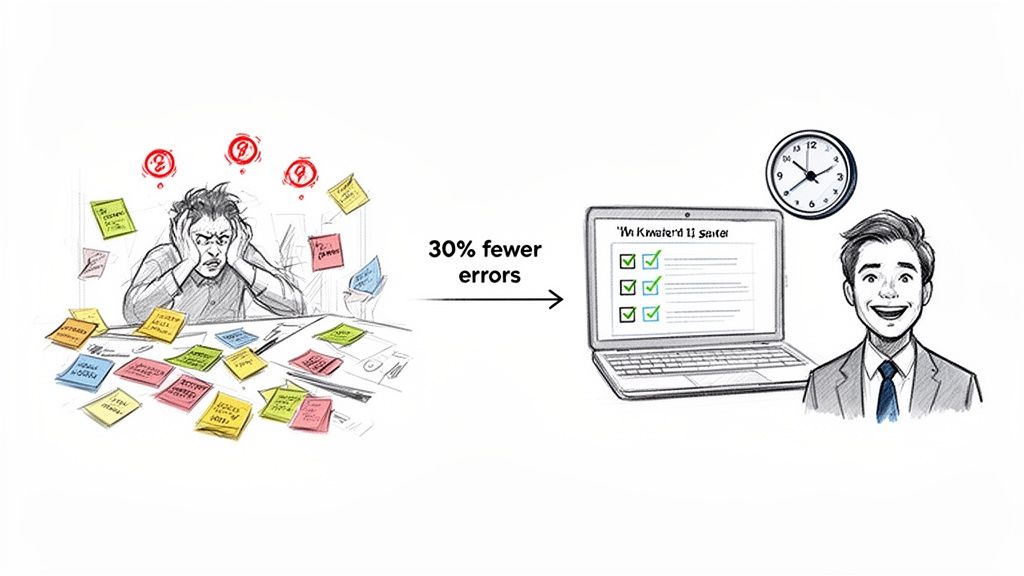
The True Cost of Tribal Knowledge
When critical processes exist only in the minds of a few key people, your business is incredibly fragile. This "tribal knowledge" creates bottlenecks and introduces massive risk. What happens when your go-to expert is on vacation, gets sick, or leaves the company? The whole workflow grinds to a halt.
Systematic process documentation is the only real solution. It turns that informal know-how into a reliable, accessible resource anyone can use. And when you embrace this shift, you unlock some powerful advantages:
Scalable Operations: New hires get up to speed faster and more consistently, without constantly interrupting senior team members for basic questions.
Improved Performance: When everyone follows the same proven method, the quality of your work becomes predictable and reliable.
Reduced Support Load: A customer support team with clear, actionable guides can resolve tickets faster. This means happier customers and less burnout for your team.
A great how-to guide doesn't just tell someone what to do; it empowers them to do it correctly and confidently, every single time. It's the foundation of a scalable, high-performing team.
From Chore to Strategic Advantage
Let's face it, creating and maintaining documentation used to be a tedious, soul-crushing chore. The process was so manual that guides were often outdated the moment they were published, hard to find, and rarely used.
Today, that's no longer an excuse.
Modern platforms like Build a Guide make creating how-to guides almost effortless. You can simply record your screen while you do a task, and the technology automatically turns that video into a polished, step-by-step guide with annotated screenshots. What used to be a multi-hour project now takes just a few minutes.
This makes it practical to document everything—from complex software configurations to simple administrative tasks—building a knowledge base that actually grows and evolves with your business.
And it’s not just about efficiency. As compliance and data privacy become more critical, these documented procedures are essential for proving due diligence. Globally, in major markets like the US and EU, where data privacy rules are tightening, having clear guides ensures you stay compliant. As you look ahead, remember that how-to guides aren’t just helpful—they’re the backbone of scalable growth. You can even explore more 2026 industry trends and insights on Guidehouse.com.
Ultimately, investing in better how-to guides is an investment in your company’s resilience and future success.
Crafting Your Guide's Strategic Blueprint
Jumping straight into recording without a plan is a classic mistake. It feels fast, but it’s the quickest way to create a confusing guide that causes more problems than it solves. It’s like hiking a mountain without a map—you might get there, but the journey will be messy and inefficient.
A solid blueprint is what separates an effective how-to guide from a frustrating one. Before you even think about hitting ‘record,’ spending a little time on strategy will save you hours of painful editing later. This isn't about just listing steps; it's about building a foundation that ensures your guide actually works.
Define the Core Process and Outcome
First, get crystal clear on the single process this guide will cover. It's tempting to cram multiple workflows into one massive guide, but that’s a recipe for confusion. A focused guide is an effective guide.
Ask yourself: what is the one job this guide is meant to do?
For example, instead of a giant "New Client Onboarding" document, break it down into smaller, self-contained processes:
Creating a new client project in your PM tool.
Sending the welcome and info-gathering email.
Scheduling the project kick-off call.
Each of these has a clear start and finish. The goal is to define the exact outcome. What should the user be able to do after following your guide? For the examples above, the outcomes are a correctly set-up project, a sent email, and a scheduled call. Simple.
A well-defined outcome acts as your North Star. Every step, note, and screenshot you add should directly contribute to helping the user achieve that specific goal.
Know Your Audience Inside and Out
Who is this for? The answer changes everything. A guide for a brand-new hire looks completely different from one made for a power user learning an advanced feature. Understanding your audience helps you nail the right tone, pace, and level of detail.
Think about how these different audiences change your approach:
The New Hire: Assume they know nothing. Spell out acronyms, explain "obvious" steps, and move at a slower, more deliberate pace.
The Existing Team Member: You can probably skip the basics. Focus on the specific workflow they need to learn, highlighting any nuances.
The Customer: Use simple, non-technical language. Focus on the benefits and what they get out of it, not your internal jargon.
The Power User: They value efficiency. You can move faster and focus on advanced shortcuts or lesser-known features.
Mapping out the user journey is also critical. A deeper understanding of your overall process management strategy helps you connect individual guides into a cohesive learning path that makes sense.
When scoping out your guide, borrowing from the best practices of how to write product requirements is a smart move. That mindset forces you to document not just the steps, but the why behind them, which creates a much richer and more useful resource.
Create a Pre-Recording Checklist
A simple pre-flight checklist is your best defense against having to re-record. It’s a small step that ensures your final recording is clean, professional, and easy to follow from the start.
We've found this table is a great starting point. Use it as a quick sanity check to make sure you've covered all your bases before you start creating your next guide.
Core Elements of an Effective Guide Blueprint
Planning Element | Key Question to Answer | Example Application (Onboarding a New CSM) |
|---|---|---|
Core Process | What single task does this guide teach? | How to set up a new customer account in the CRM. |
Audience | Who is this guide for? | A brand new Customer Success Manager on their first week. |
Desired Outcome | What can they do after this guide? | The new CSM can independently create a customer account correctly. |
Anticipated Hurdles | Where might they get stuck or make a mistake? | Confusing the "Billing Account" and "Shipping Account" fields. |
Environment Prep | What needs to be ready before recording? | Close all extra tabs, log into a clean demo account, mute notifications. |
This upfront planning transforms creating how-to guides from a reactive chore into a proactive strategy. You're not just making instructions; you're building a knowledgeable, efficient team.
Capturing and Automating Your Process
With your blueprint in hand, it’s time to move from planning to doing. This is where the magic really happens—where you capture a raw process and, with a little help from modern tools, turn it into a polished, shareable how to guide.
If you've ever had to document a process the old way, you know the pain. You’d perform a task, meticulously take a screenshot of every single click, crop each one, paste it into a doc, and then try to remember what you did so you could write a description. It's soul-crushing work. Frankly, it’s no wonder so many teams have terrible documentation; the manual effort was just too high.
Recording for Clarity and Automation
Fortunately, that manual drudgery is a thing of the past. Today’s process documentation tools, especially platforms like Build a Guide, flip the script completely. The whole workflow starts with a simple screen recording, which AI then automatically converts into a step-by-step guide.
But the quality of your final guide hinges on the quality of that first recording. A clean, focused recording gives the AI better raw material to work with, which means less cleanup for you later. Before you even think about hitting "record," take a minute to prepare your screen.
Here are my top tips for a clean screen recording:
Create a Clean Slate: Close every unnecessary browser tab, application, and notification. You want the viewer’s focus squarely on the task, not your Slack DMs or email pop-ups.
Use a Deliberate Pace: Move through the process at a speed a beginner could easily follow. I find it helps to pause for a beat after each key action. This not only helps the viewer but also gives the AI clear signals to create distinct steps.
Narrate as You Go: If you’re comfortable with it, use a clear voice to explain what you're doing and, more importantly, why. This verbal context is gold and can be automatically transcribed into notes.
The goal isn’t to create a perfect, one-take masterpiece. It’s to capture the process cleanly. Think of yourself as a teacher showing a student a new skill for the very first time.
From Video to Structured Guide in Minutes
This is the part that still feels like a superpower to me. Once you finish your recording, you upload it to a platform like Build a Guide. The AI immediately gets to work, analyzing the video to identify every click, keystroke, and action you took.
Within moments, it generates a complete, step-by-step guide with:
Annotated Screenshots: Automatically captured and cropped images for each step, with callouts highlighting where you clicked.
Written Descriptions: Clear, concise text describing the action in each step (e.g., "Click on 'Settings'" or "Type 'Project Alpha'").
Structured Flow: The entire process is laid out in a logical, easy-to-follow sequence.
When your how-to guide requires visual steps, mastering efficient ways to acquire them is crucial. For more advanced needs, you can explore how to implement automated website screenshot workflows, which can be a game-changer for large-scale documentation projects.
This infographic breaks down the core phases of preparing your guide's foundation.
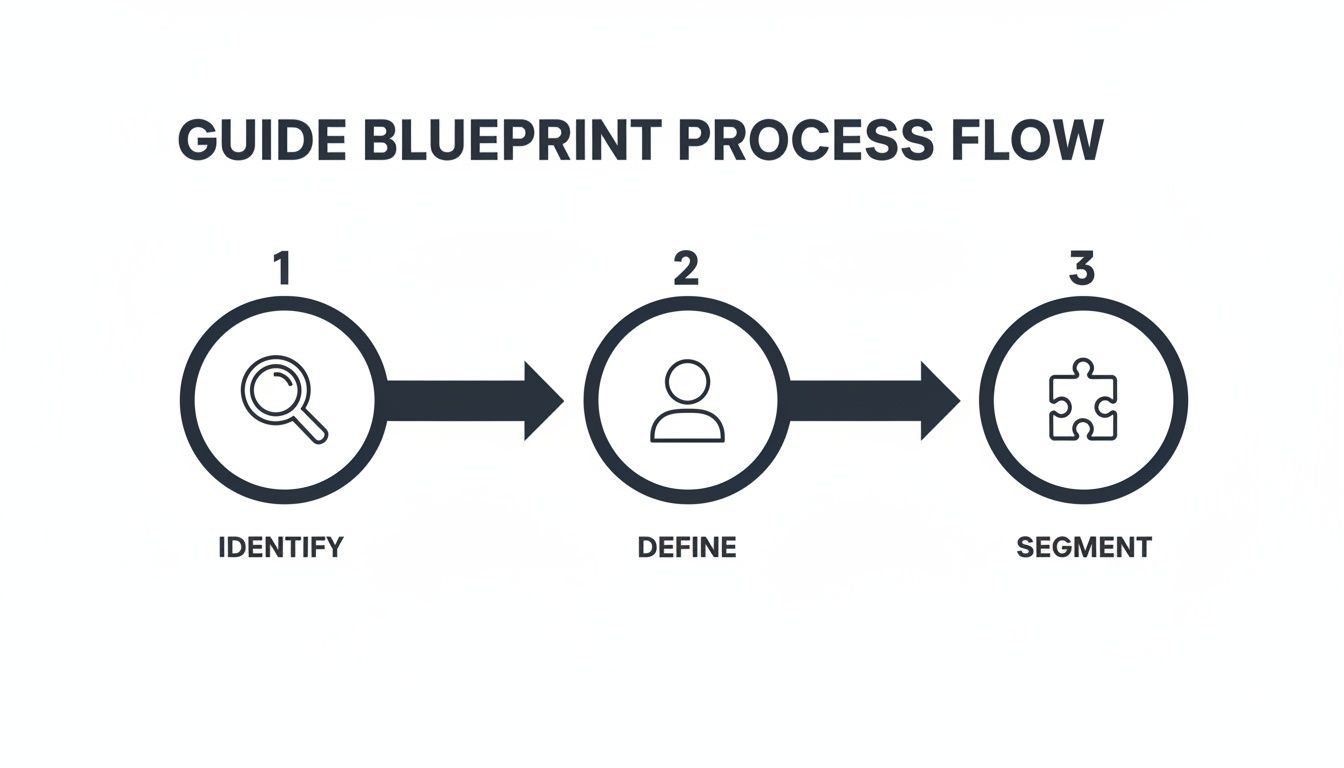
This visual process emphasizes that a successful capture begins with clear identification, audience definition, and logical segmentation before you record.
The contrast with the old manual method couldn't be starker. What once took hours of tedious screenshotting and writing now takes a matter of minutes. This efficiency isn't just a time-saver; it fundamentally changes what's possible. It makes creating a comprehensive library of how-to guides an achievable goal, not a dreaded chore.
This automated first draft gets you 90% of the way there. It frees you up to focus on the most valuable part: refining the guide with your human expertise, which we'll cover next.
Refining Your Guide for Maximum Clarity
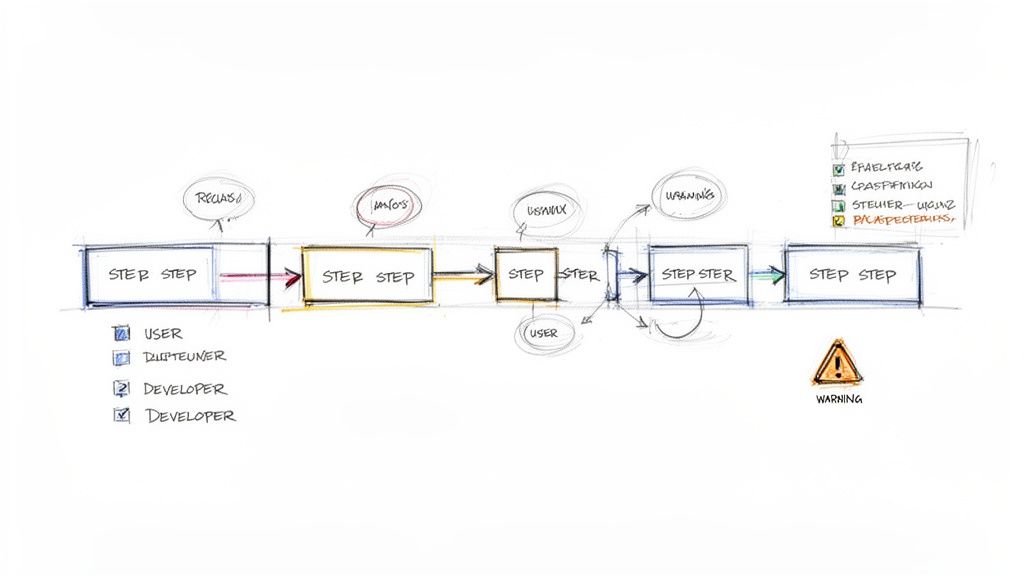
Automation gets your first draft about 90% of the way there. It does the heavy lifting—capturing steps, grabbing screenshots—but that last 10% is where the real magic happens. This is where you add the human touch that turns a functional list into an indispensable guide.
Think of the automated draft as your raw material. Now it’s your job to step in as the editor, anticipating your reader’s questions and adding the crucial context AI can’t possibly know. You’re layering your expertise onto the framework the technology built for you.
Sculpting the Workflow for Better Flow
Your first editing pass should focus on the overall structure. An AI will capture every single click, but not all clicks are created equal. Some are minor, while others mark critical decision points that deserve more attention.
Look for opportunities to combine or separate steps to create a more natural, logical flow. For instance, an automated tool might spit out two steps: "Click 'File'" and then "Click 'Save As'." You can easily merge those into a single, punchy instruction: "Navigate to File > Save As to name your document."
On the other hand, a single recorded step might pack in too much action. Maybe you clicked a dropdown menu and chose a specific option based on criteria the user needs to understand. That’s a signal to slow down.
Split complex steps: Break down a single, dense action into several smaller ones. If a user has to fill out five fields in a form, consider making each field its own step or using a checklist within a single step to make it less daunting.
Merge simple actions: Combine quick, sequential clicks into one instruction. This cuts down on clutter and helps the user build momentum.
This isn't about arbitrarily changing the step count; it's about matching the guide's rhythm to the user's thought process.
Adding Critical Context and Safeguards
Once the flow feels right, it’s time to add the "why" behind the "what." This is where you insert clarifying notes, highlight potential pitfalls, and give your reader the confidence to move forward without getting stuck. This is a core part of creating guides that actually work. For a deeper dive, our article on technical writing best practices offers some great insights.
These contextual additions are what prevent user frustration. They show you understand where people are likely to get tripped up.
Use Annotations and Callouts
Most guide-building tools let you add visual callouts directly onto your screenshots. Use them. Point out important details that aren't the main click action.
Highlight a setting: Draw an arrow to a checkbox that needs to be ticked before the user clicks "Save."
Explain an interface element: Add a quick text box to define a confusing icon or label.
Show an example: If there's a text field, use a callout to show a correctly formatted entry.
A well-placed annotation can answer a question before the user even thinks to ask it. It’s a proactive way to build clarity and trust directly within the visual flow of your how-to guide.
Insert Warnings and Checklists
Some steps carry more weight than others. A wrong click could lead to lost data or a broken workflow. Use visual cues like warning boxes or tip blocks to draw the eye to these critical moments.
For a customer-facing guide on setting up software, you might add a warning like this:
Warning: Selecting "Erase All Data" is irreversible. Please ensure you have backed up your account before proceeding with this option.
For multi-part steps, an embedded checklist is incredibly effective. Imagine a guide for "Preparing Your Monthly Client Report." Instead of one huge paragraph, a checklist makes it digestible and scannable:
Export raw data from Analytics.
Import the CSV into the reporting template.
Verify that the date range is correct.
Add your summary and key insights to the first page.
By adding these human-centric layers, you elevate the guide from a simple set of instructions to a genuine coaching tool. You’re not just showing the path; you're adding guardrails and signposts to ensure a smooth journey.
Publishing and Measuring Your Guide's Impact
Creating a flawless how to guide is a huge win, but its journey isn’t over when you hit save. A brilliant guide is useless if it's buried in a folder or lost in a sea of shared files. The final, critical phase is getting it in front of people and making sure it's actually doing its job.
This is where you close the loop. You turn a static document into a dynamic tool that gets better over time by making it discoverable, accessible, and a natural part of your team's rhythm.
Making Your Guides Accessible
First things first: where will your guide live? It’s tempting to just email a PDF or drop a file in a shared drive, but don't. Those methods create version control nightmares and make guides nearly impossible to find when they're needed most.
Modern platforms like Build a Guide are built for this very problem, offering publishing options that look professional and prioritize access.
Branded Knowledge Base: You can publish all your guides to a single, searchable hub with your company's branding. This creates one source of truth for every process, making it the go-to place for anyone seeking answers.
Simple Link Sharing: For quick, direct sharing, you can generate a link to any guide. This is perfect for dropping into a Slack channel, an email, or a project management task.
The key is to meet your audience where they already are. Don't force them to hunt for information; deliver it right into their existing workflows. This single shift dramatically increases the odds that your guides will actually get used.
Integrating Guides into Daily Workflows
Publishing is one thing; adoption is another. To get real value from your documentation, you need to weave it into the fabric of your team's day-to-day operations. This is how guides transform from a dusty reference library into an active part of getting work done.
For example, a customer support team can slash resolution times by linking directly to a specific guide in their ticket responses instead of re-typing the same instructions over and over. An operations manager can embed a series of how-to guides into an onboarding portal, creating a self-paced, consistent training experience for new hires.
Think of your guides not as documents, but as solutions. Every time a question is asked, a mistake is made, or a process feels confusing, there's an opportunity to integrate a guide.
This integration pays dividends with customers, too. Consumer-facing guides are becoming essential for navigating market shifts. In fact, consumer outlook data shows CPG brands using adaptive guides can retain up to 15% more customers. You can discover more insights in the 2026 consumer trends report from NielsenIQ.
Tracking Performance and Gathering Feedback
How do you know if your guide is any good? You measure it. Without analytics, you're just guessing. Good documentation platforms give you the data you need to see how your guides are being used and where they can be improved.
Focus on a few key metrics to understand your guide's true impact:
Views and Engagement: Keep an eye on which guides are viewed most often. A high view count on a guide for a specific task might point to a common friction point in your workflow that needs a closer look.
Completion Rates: Are people making it all the way through your guide? A big drop-off could mean the guide is too long, confusing, or maybe users found their answer early on and left—all useful things to know.
User Feedback and Ratings: The most direct way to measure clarity is simply to ask. A quick thumbs-up/thumbs-down rating or a short feedback form at the end of a guide provides invaluable, real-world data.
This data-driven approach allows you to iterate and improve. By seeing which steps cause drop-offs or get negative feedback, you can pinpoint weaknesses and refine your how to guides to be even clearer and more helpful. This ensures your knowledge base doesn't just sit there—it evolves.
Common Questions About Creating How To Guides
As you start building out your library of how to guides, a few practical questions almost always pop up. It’s one thing to create a single guide; it’s another to manage an entire ecosystem of them.
I'm going to tackle some of the most common questions I hear. These are the real-world challenges that come up after the initial enthusiasm wears off, with quick answers for both daily work and more advanced workflows.
How Do I Manage and Update a Large Library of How To Guides?
This is the million-dollar question. A library of guides is completely useless if it’s outdated. The biggest mistake I see teams make is treating their guides like static PDFs stored in a forgotten folder. You have to treat your documentation as a living resource.
A centralized platform like Build a Guide is your best friend here. Having features like version control, real-time collaboration, and powerful search turns your collection of documents into a single source of truth that actually evolves with your processes.
I recommend a simple quarterly review for your most critical guides. Just set a recurring calendar reminder to quickly run through your top 10 most-viewed SOPs. This small, consistent effort prevents the massive, painful project of updating a year's worth of outdated content all at once.
This proactive approach ensures your team can always trust the documentation they find. It shifts the whole culture around process guides from a "nice-to-have" to an essential tool for getting work done.
What Is the Best Way to Document Complex, Multi-Step Processes?
The natural instinct is to create one giant, overwhelming guide to cover a complex workflow from A to Z. This is almost always a mistake. A 100-step guide is intimidating, a nightmare to navigate, and nearly impossible to update without breaking something.
The best strategy is to think in modules. Break the process down into smaller, logical, interconnected "micro-guides."
For example, don't create a single, monolithic "Complete Client Onboarding" guide. That’s a recipe for a document no one will ever open. Instead, create a series of focused guides:
Guide 1: Setting Up a New Client in the CRM
Guide 2: Preparing the Kick-off Call Agenda
Guide 3: Configuring First-Month Performance Reports
Guide 4: Sending the Official Welcome Kit Email
Each of these is a self-contained task. Then, you can create a simple "master checklist" or a short overview guide that links out to each of these individual guides in the correct order. This approach makes the entire process feel more manageable and is far easier to maintain. If your reporting setup changes, you only have to update Guide 3, not some massive, convoluted document.
Can I Create Different Guides from a Single Recording?
Absolutely, and you definitely should. This is one of the biggest efficiency hacks for creating how to guides. I call it the "record once, customize many" workflow, and it saves an incredible amount of time while keeping your documentation consistent.
The process is refreshingly simple:
Record the Master Process: Capture the full, unabridged workflow in a single screen recording. Don't worry about perfecting it.
Generate the Master Guide: Let a tool like Build a Guide automatically turn that recording into an initial step-by-step guide. This is your master template.
Duplicate and Tailor: Duplicate that master guide for each specific audience. Now you can refine each version without ever having to re-record.
Imagine you recorded a workflow for troubleshooting a software bug. From that one recording, you could easily spin up two distinct guides.
For Internal Support: Keep all the technical steps, add notes about database queries, and use the internal jargon your team understands.
For the Customer: Simplify the language, remove all the technical back-end steps, and focus only on the user-facing actions and getting them to a solution.
This method is a game-changer. It allows you to produce tailored, audience-specific content at a fraction of the effort, making your documentation infinitely more valuable to everyone who uses it.
Ready to stop the tedious cycle of manual documentation and start building a knowledge base that actually works? With Build a Guide, you can turn any process into a polished, step-by-step guide in minutes. Record your screen, and let our AI do the heavy lifting—automating screenshots, writing instructions, and giving you back hours of your day.
Get started with Build a Guide for free and see how easy it is to create how-to guides your team will actually use.