
February 16, 2026
How to Improve Operational Efficiency and Stop Wasting Resources
Discover how to improve operational efficiency with practical strategies for auditing workflows, creating useful SOPs, and leveraging smart automation.
Improving operational efficiency isn't just about trimming the budget. It's about building a smarter, more resilient business by creating systems that deliver better results with the same—or fewer—resources.
The whole process really boils down to five key pillars: auditing where you are now, documenting what actually works, getting rid of friction, automating the repetitive stuff, and measuring what happens next.
What Is Operational Efficiency Really About
At its core, operational efficiency is just the ratio between what you get out of your business and what you put in. "Input" is all the resources you spend—time, money, and your team's energy. "Output" is the value you deliver, like finished projects, shipped products, or happy customers.
When that ratio is high, you're maximizing your output without wasting input. Simple as that.
This isn't some abstract business school concept; it has a direct impact on your bottom line and, just as importantly, your team's sanity. When your processes are a mess, you'll start to see the symptoms:
Employee Burnout: Team members spend way too much time on manual, repetitive tasks or just trying to find the right information. It leads to frustration, kills morale, and burns good people out.
Inconsistent Quality: Without a standard way of doing things, the quality of work can be all over the place. That means unpredictable results for clients and customers.
Slow Growth: Bottlenecks and wasted effort act like an anchor on the business, making it nearly impossible to scale or react to new opportunities.
Hidden Costs: Inefficiency is a silent budget killer. It drains money through wasted time, rework on mistakes, and opportunities you didn't even know you missed.
This flow chart nails the foundational journey, from figuring out your current state to finally putting automation to work where it counts.
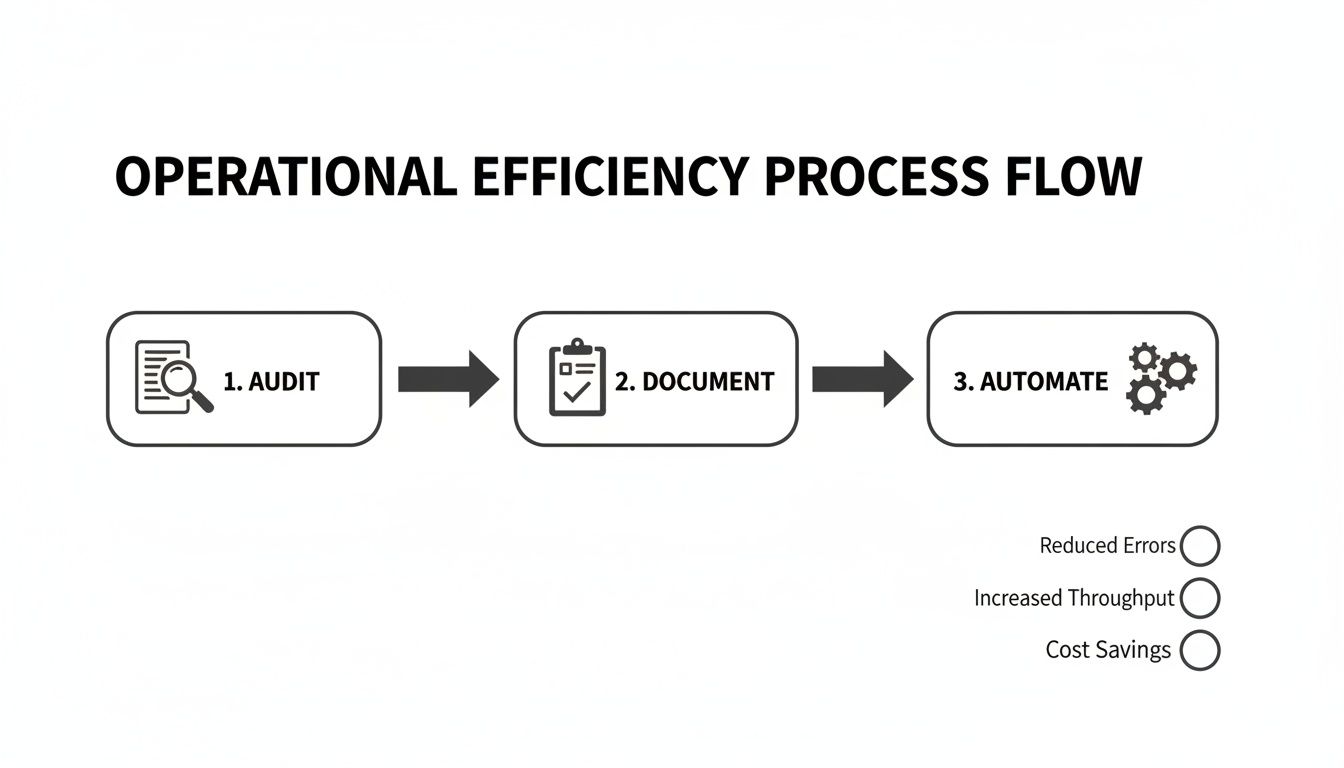
Notice that automation comes after you've audited and documented your workflows. Jumping straight to tools is a classic mistake.
Moving Beyond Tribal Knowledge
One of the biggest drags on any team’s efficiency is "tribal knowledge"—that critical information that only exists inside the heads of a few key people.
When that one person is sick, on vacation, or worse, leaves the company, everything grinds to a halt.
The only way out is to move from that fragile state to a living library of documented, accessible processes. To get started, a deeper dive into how to improve operational efficiency can really set the stage for the journey ahead.
The goal isn't just to write things down. It's to create a single source of truth that empowers everyone on your team to perform tasks correctly and consistently, turning chaotic workflows into a strategic advantage.
Making that shift from ad-hoc operations to a truly systemized business is what this guide is all about. We'll walk through the practical steps to audit your workflows, document them in a way people will actually use, and build a culture where things just keep getting better.
Finding Inefficiencies Hidden in Your Daily Operations
Before you can fix anything, you have to see what’s broken. Improving operational efficiency starts with an honest audit—digging into your daily workflows to find the real bottlenecks, redundancies, and resource drains that are quietly slowing you down.
This isn't about assigning blame. It's about gaining clarity.
The best place to start is by mapping your most critical workflows. Think about essential processes like onboarding a new client, resolving a customer support ticket, or closing out the monthly books. The key is to see the process as it actually happens, not how you assume it does.
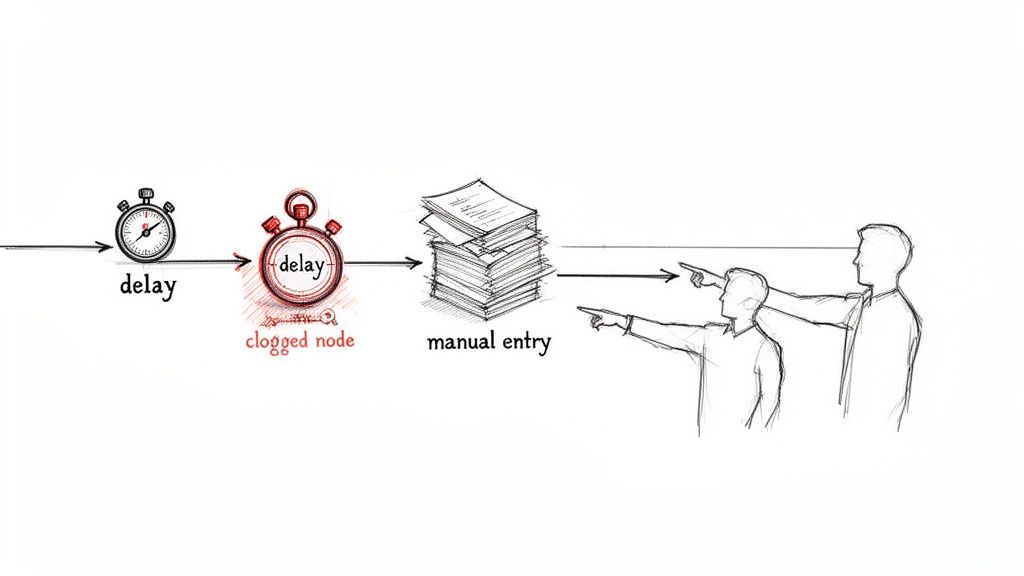
This initial discovery phase is about observation, not optimization. Your only goal right now is to document the current state of affairs, warts and all.
Talk to the People Doing the Work
Your team on the front lines is your single greatest source of information. They live with these processes every single day and know instinctively where the friction is. Schedule a few informal chats and ask open-ended questions.
You’ll be surprised by what you learn.
Often, the "official" process documented in some forgotten folder looks nothing like the series of workarounds and ad-hoc steps your team has created just to get the job done. This gap between the documented process and the real one is a goldmine for finding inefficiencies.
The most insightful feedback often comes from simple questions like, "What's the most frustrating part of your day?" or "If you could wave a magic wand and fix one task, what would it be?"
Their answers will point you directly to the biggest pain points, which are almost always the biggest opportunities for improvement.
Combine Feedback with Hard Data
While your team’s feedback is essential, you also need numbers to back it up. Pairing anecdotal evidence with measurable metrics gives you the full story of where things are going wrong.
For each process you’re auditing, start tracking a few key data points:
Cycle Time: How long does it take to get from start to finish? For example, the total time from a customer submitting a support ticket to its final resolution.
Touch Time: How much of that cycle time is spent actively working on the task? A long cycle time with short touch time means a lot of waiting around.
Error Rate: How often do mistakes happen that require rework? This could be anything from incorrect data entry to a misconfigured client account.
Focusing on process improvement isn't just a pet project; it’s a major strategic priority for businesses. A whopping 44% of executives see process and workflow optimization as a top strategy for boosting productivity. This tracks with the global productivity software market hitting $59.88 billion in 2023, as companies invest in tools to combat issues like the 60% of workers who feel burned out by fragmented communication. You can find more of these productivity statistics on MyHours.com.
An Audit Checklist to Get You Started
To guide your investigation, a simple checklist can help you stay focused on what matters. Use these questions to probe the core areas where inefficiencies often hide.
Operational Efficiency Audit Checklist
Audit Area | Key Questions to Ask | Metric to Track |
|---|---|---|
Workflow & Process | Where do handoffs between people or teams occur? Is the next step always clear? Where do delays or rework most often happen? | Cycle Time, Error Rate |
Tooling & Technology | Are we using our software to its full potential? Are there repetitive tasks that could be automated? Do our tools talk to each other? | Manual Entry Count |
Communication | How is information shared? Is it easy to find what you need? How much time is spent in meetings versus asynchronous updates? | Meeting Hours per Week |
Team Roles & Skills | Are responsibilities clearly defined for each step? Are team members waiting on approvals from a single person? Do people have the right skills? | Approval Wait Time |
This checklist isn't exhaustive, but it provides a solid foundation for a thorough review. The goal is to move from guessing where the problems are to knowing with certainty.
Common Hiding Spots for Inefficiency
As you gather information, you'll start to see patterns emerge. Inefficiencies love to hide in plain sight, often disguised as "the way we've always done things."
Keep an eye out for these common culprits:
Manual Data Entry and Re-entry: Is someone on your team copying info from an email to a spreadsheet, then from that spreadsheet into your project tool? Every manual transfer is a potential error and a definite waste of time.
Information Silos: Does your sales team use a different system than your project delivery team? When critical information is trapped in separate tools or departments, it creates delays as people hunt for what they need.
Unclear Roles and Responsibilities: Ambiguity is the enemy of efficiency. When team members aren't sure who owns the next step, tasks get dropped, approvals are delayed, and accountability vanishes.
Excessive Meetings: Meetings without a clear agenda, purpose, or defined next steps are a massive time sink. An audit might reveal that a recurring meeting could easily be replaced with a brief, asynchronous update.
Identifying these issues is the critical first step. Once you have a clear diagnosis of where and why your operations are struggling, you can move forward with confidence, creating targeted solutions that fix the root causes, not just the symptoms.
Creating Standard Operating Procedures People Actually Use
You’ve mapped your processes and found the weak spots. Now comes the documentation part. But not the kind that gets buried in a shared drive, never to be seen again. We’re talking about creating Standard Operating Procedures (SOPs) that are so damn useful, they become the default way your team gets things done.
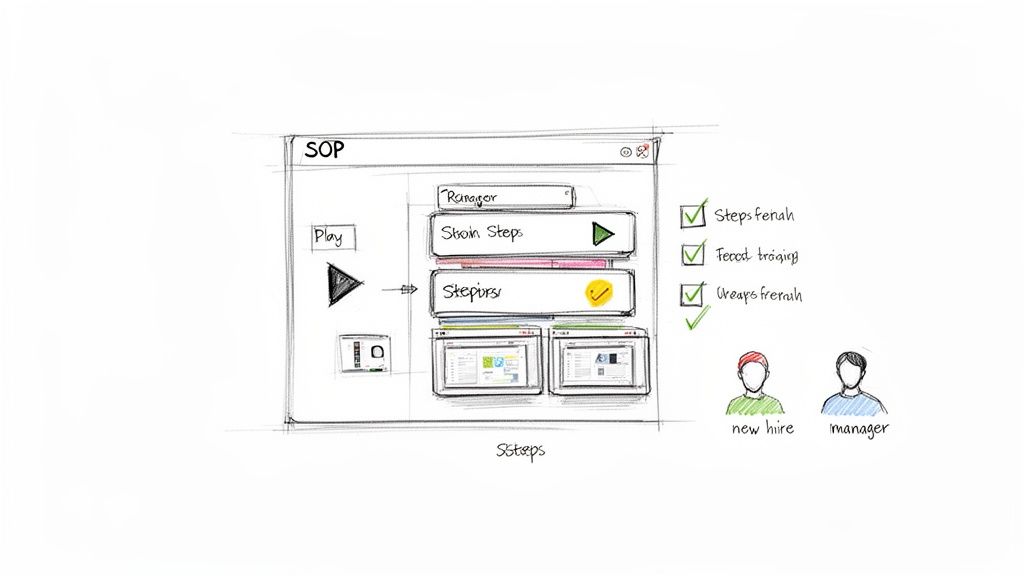
The old way is broken. No one wants to read a 20-page PDF to figure out a three-minute task. To get real efficiency gains, we need to stop creating static manuals and start building interactive guides that actually help people work.
From Recording to Refined Guide
The fastest, most effective way to create an SOP is to capture the process while it’s happening. The modern approach is dead simple: just record a team member doing the task on their screen.
This immediately solves the biggest problem with documentation—that paralyzing feeling of staring at a blank page. Instead of trying to remember every step, you start with a real-world video showing exactly what to click and when.
From there, the right tools take over. Platforms like Build a Guide can automatically turn that video into a step-by-step guide, complete with annotated screenshots and clear descriptions for each action. What used to be hours of tedious work becomes an automated first draft in minutes.
Your initial AI-generated draft is the starting block, not the finish line. It gets you 80% of the way there, providing a solid, visual foundation. Your job is to add the human context—the why behind the what.
With a strong draft in hand, you can start refining. This is where you add the small details, warnings, and expert tips that make a process foolproof.
Enhancing Your Draft for Real-World Use
A raw list of steps is okay, but adding layers of context makes a guide indispensable. This is how you account for variables, prevent common mistakes, and give your team the confidence to act without asking for help.
Here are a few things I always add:
Clarifying Notes: Don't just say what to do, explain why. For example, next to a step about setting a campaign budget, add a note: "Keep the daily budget at $50 or less for new tests. This prevents accidental overspending while we validate."
Quality Control Checklists: Embed simple checks at critical points. Before a client report goes out, a checklist might include: "Data double-checked against source," "All charts labeled correctly," and "Client branding guidelines applied."
"If/Then" Scenarios: Your process won't always be linear. Address common forks in the road directly. For instance, "If the client requests a revision, follow the 'Client Feedback' SOP" or "If you see error code 502, jump to the troubleshooting steps here."
These additions turn a simple instruction manual into a true playbook. If you're looking for a good structure, our deep dive on using a standard operating procedure template can help organize these elements.
Tailoring Content for Different Audiences
Not everyone reading your SOP needs the same information. A new hire needs every single detail, while a senior team member just needs a quick reminder. A guide for a client should be polished and simple, while an internal one can be more direct.
Think about creating different versions of the same core SOP:
Audience | Content Focus | Example |
|---|---|---|
New Hires | Detailed, step-by-step instructions with tons of notes, definitions, and links to other training. | An onboarding guide for setting up a new client account, explaining every single field and setting. |
Experienced Staff | A condensed "quick reference" version, maybe just a checklist focusing on the critical steps. | A simple checklist for the monthly reporting process, assuming the user already knows the software. |
Clients | A clean, branded, and simplified guide that shows only their action items, hiding all the internal steps. | A guide showing a client how to review and approve a draft, without including your team's creation process. |
This tailored approach ensures the information is always relevant, which is the key to getting people to actually use it.
When you nail this, the impact is huge. Clear, consistent processes let the entire organization move faster and with fewer errors. In fact, U.S. labor productivity recently jumped 4.9 percent in a single quarter, driven by these kinds of focused improvements. That same efficiency gain led to a 1.9 percent drop in unit labor costs. It's proof that great systems help teams produce more while keeping expenses in check.
By moving away from static Word docs and embracing dynamic, AI-assisted guides, you build a living knowledge base that grows with your business and makes work less stressful for everyone.
Weave in Automation and Technology the Smart Way
With your core processes finally mapped out, you can see exactly where the real opportunities for automation are hiding. This is the moment to bring in technology to kill off the repetitive, soul-crushing tasks that drain your team's energy.
Free them up for the work that actually requires a human brain.
This isn't about chasing the latest AI trend or buying flashy software. It's about practical, tangible wins. For example, using a tool to automatically generate a step-by-step guide from a quick screen recording can easily save dozens of hours a month—time that would otherwise be wasted on slow, manual documentation.
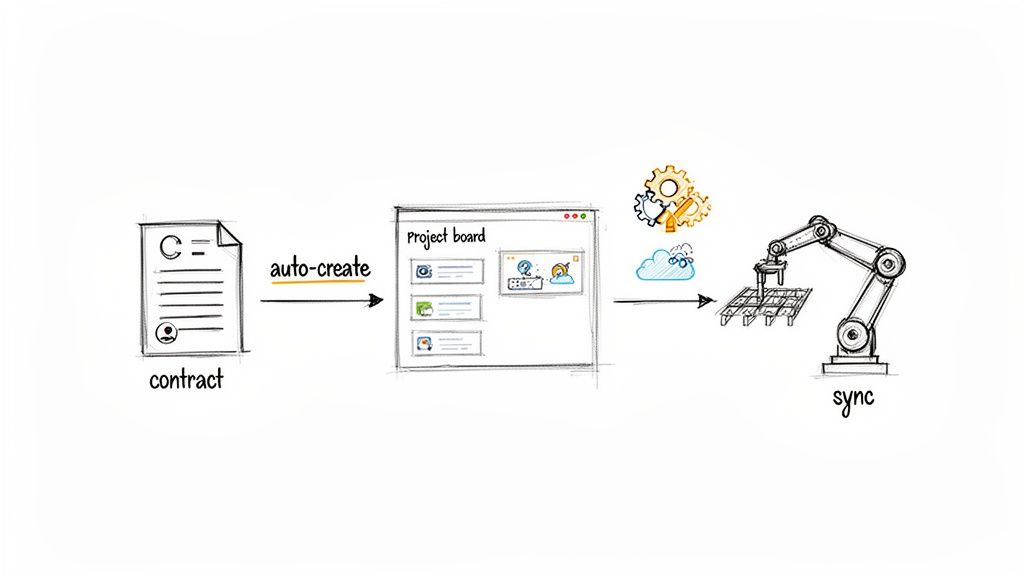
The goal is to build a smart, connected system where software handles the grunt work. Your SOPs become the central nervous system for a highly efficient, automated operation.
Pinpoint the Right Tasks to Automate
Let's be clear: not every task should be automated. You're looking for the low-hanging fruit—the work that's repetitive, follows clear rules, and is prone to human error. Before you even think about new software, scan your process maps for these dead giveaways:
Copy-and-paste jobs: Any time someone is manually moving information from one system to another—say, from a signed contract into your project management tool—it's a perfect candidate.
Manual pings and updates: Are people constantly sending "just letting you know" emails or Slack messages? These can almost always be automated based on triggers, like a task status changing to "Done."
Routine report building: If someone is spending hours each week pulling the same numbers into a spreadsheet, that's a job for an automated dashboard, not a person.
This isn’t just a nice-to-have; it's a competitive necessity. A recent PwC survey found that boosting operational efficiency is a top goal for 93% of operations executives. Of those leaders, 62% rated AI as 'very effective' for improving productivity. You can see more of these digital transformation insights from PwC.com.
Build a Tech Stack That Actually Works Together
Real efficiency comes from making your tools talk to each other. When your software is integrated, you get seamless handoffs between steps, which eliminates manual entry and keeps your data consistent across the board.
Imagine a typical workflow for a digital agency. When a new client signs a proposal, a chain reaction should kick off instantly, without anyone needing to lift a finger.
Trigger: The client signs the proposal in a tool like PandaDoc.
Action 1: A new project board is created from a template in Asana or ClickUp.
Action 2: A client folder with all the right sub-folders is set up in Google Drive.
Action 3: An initial invoice is automatically generated in QuickBooks.
Action 4: The project manager gets a Slack notification to schedule the kickoff call.
This isn't some futuristic fantasy. It’s easily done with platforms like Zapier or Make. These tools act like glue, connecting your apps so you can build powerful workflows without writing a single line of code.
Automation isn't about replacing people. It's about augmenting them. When you remove the administrative burden, you empower your team to focus on creative problem-solving, strategy, and building relationships—the work that actually grows the business.
Make Your Documentation the Command Center
Your SOP library should be more than just a dusty digital binder. It should be the hub for your automated workflows. By embedding links and triggers directly into your guides, you make your processes both easy to understand and immediately actionable.
For instance, an SOP for onboarding a new employee can be supercharged with a few simple connections:
If the SOP says... | The embedded action could be... |
|---|---|
"Collect New Hire Paperwork" | A direct link to a secure form that automatically files the documents in the right HR folder. |
"Set Up Software Accounts" | A button that triggers an IT automation to provision accounts in Slack, Google Workspace, and other key tools. |
"Assign Onboarding Buddy" | A link that opens a pre-written welcome email or Slack message to the designated team member. |
When everything lives inside your process documentation, you reduce the mental load on your team. They don't have to remember which tool does what; they just follow the guide, and the guide handles the rest. This is exactly what modern process documentation software is designed to do.
This approach transforms your SOPs from static documents into a living, intelligent system that directs work across your entire company. It’s the smartest way to use technology to drive real, lasting improvements.
Building a Culture of Continuous Improvement
Automating workflows and documenting processes are huge steps, but they’re still just pieces of the puzzle. The real goal isn't a project with a finish line. It’s creating a culture where improvement is constant, natural, and driven by everyone on the team.
This is where your processes truly come alive. It's about building a system that doesn’t just work today but also adapts, evolves, and gets smarter over time. You get there by measuring what matters and creating feedback loops that turn daily work into a source of valuable insight.
Measuring the Impact of Your Changes
To know if your new processes are actually working, you need to track the right metrics. Forget vanity numbers. You need Key Performance Indicators (KPIs) that tell a clear story about efficiency and quality. These metrics become the heartbeat of your operations, giving you an objective look at what’s getting better and where new bottlenecks are forming.
Here are a few high-impact KPIs to get you started:
Cycle Time: This is the total time it takes for a task to go from start to finish. A shorter cycle time for something like client onboarding or fixing a bug is a direct sign of better efficiency.
Error Rate: How often are mistakes happening that require rework? Tracking the percentage of tasks or projects that need correction shows the real-world impact of your standardized SOPs.
Resource Utilization: This measures how effectively your team's time is being used. Are people spending less time on administrative fluff and more on high-value work?
These numbers aren't just for management reports. They are diagnostic tools. A rising error rate on a specific task might signal that the SOP is unclear. A long cycle time could point to a hidden approval delay you missed in your initial audit.
Turning SOPs into a Data Goldmine
Modern documentation platforms do more than just store your processes; they give you data on how your team interacts with them. This is where things get really powerful. Instead of guessing if a guide is useful, you can see exactly which steps are causing confusion.
Analytics can show you where team members pause, which checklists get skipped, or where they drop off in a process. This isn't about micromanaging; it's about spotting friction points in your system before they become major problems.
Imagine you see that 70% of your team hesitates for over a minute on step four of your invoicing process. That's not a user problem; it's a process problem. That single data point tells you precisely where you need to add a clarifying note, a screenshot, or a short video to make the guide better for everyone.
This creates a powerful feedback loop: you document a process, your team uses it, the platform gathers data, and you use that data to refine the process. This is the essence of continuous improvement.
Empowering Your Team to Drive Change
The best ideas for making things better will almost always come from the people doing the work every day. A culture of continuous improvement depends on making it incredibly easy and rewarding for your team to share those insights. If suggesting an improvement feels like a bureaucratic nightmare, no one will bother.
Here are a few simple ways to make it happen:
Create a Clear Channel: Set up a dedicated Slack channel, a simple form, or an email alias specifically for process improvement suggestions. Make it known that all ideas are welcome, no matter how small.
Use In-Context Feedback: The best time to suggest an improvement is right when you're doing the task. Platforms like Build a Guide allow team members to leave comments directly on a specific step of an SOP, creating a natural and immediate feedback mechanism.
Celebrate the Wins: When someone suggests a change that gets implemented, celebrate it publicly. Acknowledge their contribution in a team meeting or a company-wide message. This shows their expertise is valued and encourages others to speak up.
At Microsoft, a core part of their modern engineering culture is encouraging employees to be "learn-it-alls" rather than "know-it-alls." This mindset shift champions collaboration and trying new things, which is exactly what you need for ongoing improvement.
By making it easy for your team to contribute, you turn your process library from a top-down mandate into a collaborative, living asset. For more ideas, explore these process improvement best practices that can help embed this mindset into your team's DNA.
Your SOPs become a reflection of your team’s collective wisdom, constantly evolving to be faster, clearer, and more effective. This is how you build an organization that doesn’t just get efficient once, but stays that way for the long haul.
Common Questions We Hear About Operational Efficiency
Even with a solid plan, a few practical questions always pop up. Getting those answered is what turns a strategy on paper into real-world action. Let's tackle the most common hurdles we see teams face when they start this journey.
What’s the Very First Step to Improve Operational Efficiency?
The single most important place to start is with a thorough audit of how you work right now. You simply can't improve what you don't truly understand. This isn’t about fixing anything yet—it's about seeing clearly.
It means mapping out your most critical workflows, actually talking to your team about their daily frustrations, and gathering some baseline numbers.
It's tempting to jump straight to buying new software, but that's a classic mistake. A clear diagnosis ensures that whatever solution you pick—whether it’s a new SOP or a fancy tool—solves the root cause of the problem, not just a symptom.
The goal of an initial audit is to create a detailed map of your "before" state. This map becomes the foundation for every single improvement you make later on.
Once you have that clear picture, you can finally start prioritizing the changes that will actually move the needle.
How Can Small Businesses Improve Efficiency on a Budget?
You don't need a huge budget to make a massive difference. For small businesses, the key is focusing on high-impact, low-cost moves first.
Start with process standardization. Just using a simple tool to create clear, visual SOPs for repetitive tasks is a game-changer. It drastically cuts down training time for new hires and slashes the costly errors that come from everyone doing things their own way.
Next, look into free or low-cost automation for simple, rule-based tasks. Think about things like:
Social media scheduling
Basic email auto-responders
Syncing data between two apps you already pay for
Finally, build a culture where your team is actively encouraged to suggest small improvements. So many of the best efficiency ideas come straight from the people doing the work every single day, and gathering those suggestions costs absolutely nothing.
How Do You Measure the ROI of Improving Operational Efficiency?
Measuring the return on investment (ROI) here is about tracking both the hard numbers and the softer, qualitative wins. To build a real case, you need both.
On the quantitative side, you’ll want to focus on concrete metrics you can track before and after you make a change.
Time Reduction per Task: How long does a specific process take now? Shaving even 2 hours off a weekly report is a direct cost saving that adds up fast.
Lower Error Rates: Track how often mistakes happen that require rework. Fewer errors mean less wasted time, money, and morale.
Faster Employee Onboarding: Monitor how long it takes a new hire to become fully productive. Clear SOPs can cut this time in half.
Increased Output: Can your team get more done without a drop in quality? That's a clear efficiency win.
But the qualitative benefits are just as important. Look for signs like improved employee morale, as your team gets less frustrated by clunky, broken processes. Higher customer satisfaction scores are another huge indicator, often driven by faster, more consistent service.
When you combine both types of data, you can paint a complete, undeniable picture of the value your efficiency efforts are creating.
Ready to stop relying on tribal knowledge and start building a real operational playbook? With Build a Guide, you can turn screen recordings into interactive SOPs in minutes, empowering your team with the knowledge they need to do their best work. Create your first guide for free.