
February 14, 2026
Quick Reference Guide: A quick reference guide to faster SOPs
Discover a quick reference guide to creating scannable SOPs, smooth onboarding, and concise support docs that boost results.
A quick reference guide, often called a QRG, is a short, scannable document that gives someone just enough information to complete a specific task. Think of it as the cheat sheet, not the textbook.
Unlike a dense manual, a QRG's entire purpose is to deliver immediate answers so people can act quickly and confidently, without getting bogged down in details they don't need right now.
What Makes a Quick Reference Guide Essential
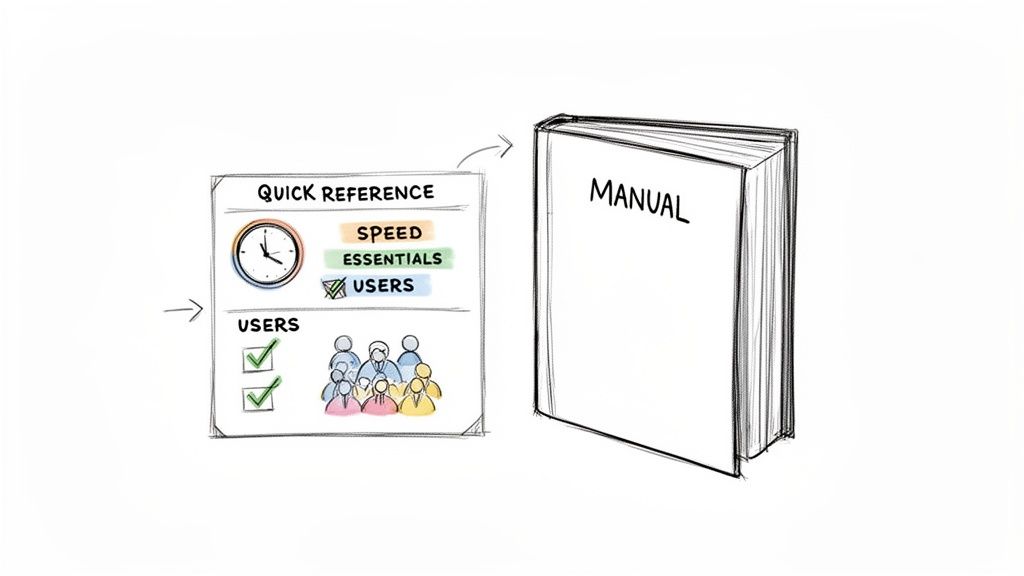
In any fast-moving environment, teams need information that’s both right and instantly available. A QRG is the bridge between comprehensive knowledge and the practical, on-the-spot action that work actually demands. It pulls the most critical steps from complex procedures and lays them out in a simple, easy-to-follow format.
This ruthless focus on clarity makes the quick reference guide a powerful tool for standardizing how work gets done. While understanding how to document business processes is the foundation, QRGs are the actionable output that people actually use day-to-day.
The Evolution from Static to Dynamic
For years, these guides were static PDFs. They were a pain to update and, as a result, usually ended up being ignored. Today’s QRGs are different—they’re dynamic, interactive resources that can be updated in real time.
This shift from a static file to a living guide is a game-changer for a few key reasons:
Improved Accessibility: Modern digital guides are available on any device, putting support right where the work is happening.
Enhanced Engagement: You can add things like interactive checklists and embedded videos, which makes following along much more effective than just reading text.
Centralized Knowledge: A single, up-to-date guide becomes the source of truth, killing the confusion that comes from outdated, scattered documents.
By moving to this modern approach, you turn your documentation from a dusty archive into an active asset that genuinely drives efficiency and consistency.
So, when do you actually need a quick reference guide instead of a full-blown manual? Getting this right is the difference between documentation that gets used and documentation that just collects dust.
A quick reference guide is your best bet for high-frequency, low-complexity tasks. Think of the things your team does over and over, where the goal is speed and accuracy, not a deep dive into theory. Its job is to help someone take action right now and avoid simple mistakes.
Take a customer support team, for example. They don’t need a 50-page manual to handle a password reset. What they do need is a sharp, 5-step checklist that ensures the process is handled the exact same way, every single time. That’s where a quick guide shines.
Use Cases Across Your Business
While different teams have their own routines, the core idea is universal. A solid guide delivers just enough information, right when it's needed, to keep work flowing.
Quick reference guides are the clear winner in situations like these:
Customer Onboarding: Walking new users through the first few critical steps of setting up a product.
Internal Workflows: Standardizing repetitive tasks like submitting an expense report or booking a conference room.
Troubleshooting: Giving people simple, step-by-step fixes for the 80% of common problems they’ll encounter.
Software Updates: Quickly showing users what’s new or different after you push a release.
The goal is always the same: solve a specific, recurring need without making someone stop and read a novel.
A quick reference guide is not just a shorter manual; it’s a purpose-built tool designed for immediate application. It respects the user's time by focusing only on the essential steps required to achieve a single, specific outcome.
To make the decision even clearer, here’s a direct comparison of when you’d choose a quick reference guide over a detailed manual. This should help you pick the right tool for your next documentation project.
Quick Reference Guide vs. Full Manual: When to Use Each
Scenario | Ideal Format | Reasoning |
|---|---|---|
Onboarding a new employee on a complex software suite | Full Manual | Provides in-depth context, theory, and comprehensive instructions needed for foundational learning. |
Resetting a user’s two-factor authentication | Quick Reference Guide | A repetitive, simple process that requires a fast, scannable checklist to ensure accuracy and speed. |
Explaining company-wide compliance policies | Full Manual | Requires detailed legal and procedural information that cannot be abbreviated or simplified. |
Performing a routine weekly data backup | Quick Reference Guide | A high-frequency task with a fixed set of steps that benefits from a simple, easy-to-follow guide. |
Ultimately, a full manual is for learning, while a quick reference guide is for doing. Choose the format that best matches what you need your audience to accomplish in the moment.
The Anatomy of an Effective Guide
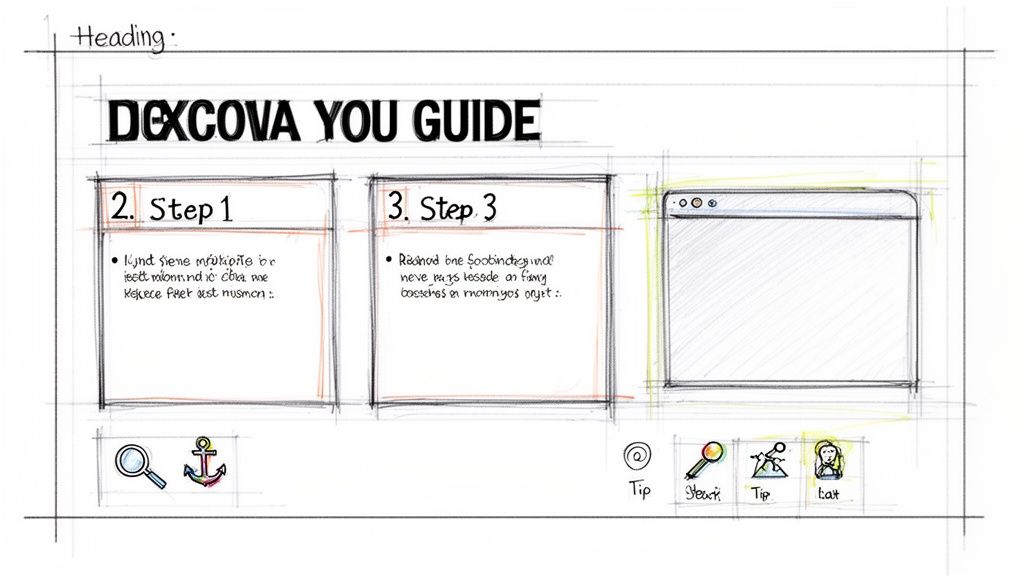
A great quick reference guide isn’t built on detail; it’s built on clarity and speed. The entire point is to help someone find what they need in seconds, not minutes. This is where a smart structure and clear visual cues make all the difference.
Think of it as a blueprint for rapid understanding. Every single component has a job—to break down complexity into something someone can act on immediately. Success means making the content as frictionless as possible for a user who’s likely under pressure.
To build a guide people will actually turn to, focus on these core ingredients:
Logical Content Structure: Group related actions under clear, task-oriented headings. This creates a predictable flow that doesn't require any guesswork.
Minimalist Text: Use short sentences and simple language. Jargon and filler are the enemies of speed.
Annotated Visuals: A screenshot with an arrow pointing to the right button is infinitely better than a sentence trying to describe it. Visuals should clarify, not just decorate.
Designing for Scannability
How your guide looks is just as important as what it says. You have to guide the user's eye to the most important information first. This isn't just about aesthetics; it's a deliberate design choice that turns a simple document into a powerful performance tool.
It all comes down to a few key visual and navigational aids:
Headings and Subheadings: These are your signposts. They let users jump straight to the section they need without reading a word they don't.
Icons and Callouts: Use icons for common actions (like a floppy disk for "save") and callout boxes to scream "pay attention" for critical warnings or tips.
Step Anchors: For digital guides, these are a lifesaver. Clickable links that jump a user to a specific step are essential for longer, more complex workflows.
A well-structured guide doesn't just present information; it anticipates the user's questions and provides instant answers. Each element should be intentionally placed to reduce cognitive load and accelerate task completion.
Actionable Templates for Your Business Processes
Theory is great, but putting it into practice is what gets results. To help you get started right away, here are a couple of practical templates for two common scenarios where a quick reference guide can make a huge difference. We'll look at a customer onboarding workflow and an internal support process.
Think of these as starting points, not rigid rules. They’re designed with sample content, placeholders, and notes that explain the thinking behind each element so you can easily adapt them to your own needs.
Template 1: Customer Onboarding Workflow
A clunky onboarding process kills user retention. This template is built to guide a new SaaS user through the first three critical steps to see value in your product, turning that initial curiosity into real engagement.
Step 1: Create Your First Project: Use an annotated screenshot to show them exactly where to click. A simple caption like, "Click the 'New Project' button to get started," removes all guesswork.
Step 2: Invite Your Team Members: Show a clear input field example with a short, direct instruction. "Enter your team's email addresses to begin collaboration."
Step 3: Set Up an Integration: Use icons for popular integrations (like Slack or Google Drive) to make it visual and link out to more detailed guides for those who need them.
Of course, for any business process, knowing how to write effective Standard Operating Procedures is the foundation for building guides that people will actually use.
Template 2: Internal Support Ticket Resolution
This guide helps your support agents resolve common issues with speed and consistency. The whole point is to standardize the fix for a frequent problem, like a password reset request, so every customer gets the same great experience.
Verify User Identity: A simple checklist ensures security protocols are followed every single time (e.g., Check user ID, confirm security question).
Initiate Password Reset: Pop in a screenshot of the admin panel with the "Reset Password" button clearly highlighted. No room for error.
Confirm Resolution with User: Provide a pre-written message for agents to send. This ensures a professional tone and a consistent close to every ticket.
These frameworks show how a well-structured quick reference guide brings clarity and efficiency to just about any workflow. If you're looking for more inspiration, you can check out another quick reference guide template to see even more options.
Turn Screen Recordings into Guides—Automatically
Let's be honest: creating a detailed quick reference guide by hand is a drag. It's slow, tedious work. Thankfully, modern tools offer a much smarter way forward by turning simple screen recordings into polished, step-by-step documentation automatically. This completely changes how fast teams can produce high-quality training materials.
It's a pretty slick process. You record a video of yourself doing a task, and the platform analyzes it, automatically capturing a screenshot for every single action. It then translates your mouse clicks and keyboard inputs into clear, written instructions. In minutes, not hours, you have a professional guide ready to go, all without the mind-numbing manual effort. This frees you up to focus on refining the content instead of building it from the ground up.
The Real Impact of Automated Documentation
The time saved here is no joke. For instance, marketing teams in the US often sink 20% of their time into documentation. Automation can knock that down to just 5%, freeing up a massive amount of time for work that actually moves the needle.
This isn't just about internal efficiency, either. As you can see below, automated guides can streamline core business functions like onboarding, customization, and customer support.
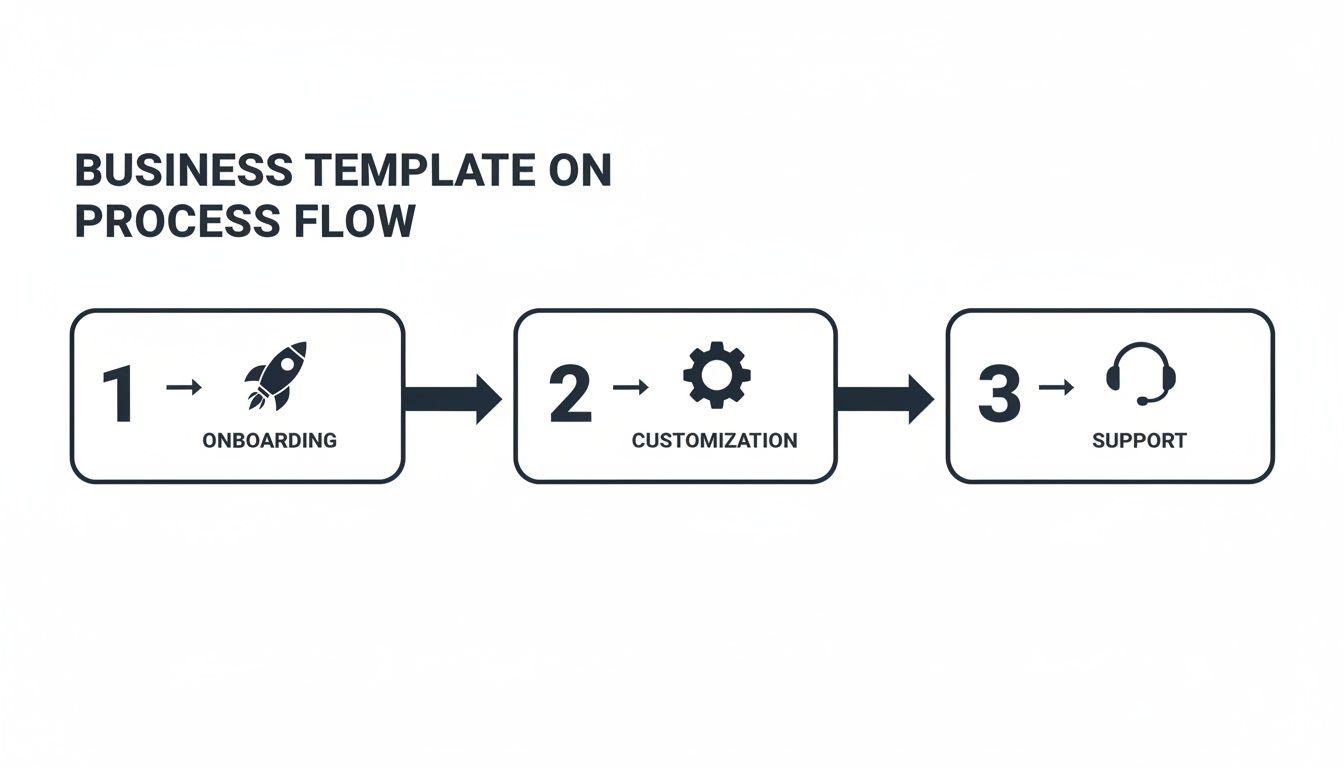
By automating guides for these common workflows, companies can get teams productive faster and keep customers happier. It's a win-win.
This approach gives teams the power to create comprehensive documentation that actually keeps pace with software updates and shifting internal processes. The automatically generated content is fully editable, so you can easily tweak the text or add notes. If you want to see it in action, you can learn more about how to create a step-by-step guide with these powerful methods. It ensures every guide you create stays accurate, relevant, and genuinely useful over time.
Measuring the Impact of Your Guides
Making a great guide is only half the job. If nobody can find it, or you have no idea if it’s even working, then even the best content is just a file taking up space. This is where distribution and measurement turn your guides from static documents into assets that actually improve how people work.
First things first: put your guides where people are already looking for answers. Stop emailing attachments or pointing people to a forgotten shared drive. Instead, embed guides directly into your knowledge base, publish them on a branded help center, or link them inside your app for on-the-spot support. The goal is to make getting help feel effortless.
What to Measure: The Key Guide Metrics
Once your guides are out in the wild, you need to know if they're actually helping. Tracking the right data is the only way to prove their value and figure out what to improve next. You want to focus on numbers that tell you about user behavior and whether they got the job done.
Here’s what you should be keeping an eye on:
User Engagement: Look at metrics like total views and unique users. These tell you if people are even finding and opening your guides. If these numbers are low, you might have a discovery problem.
Task Completion Rates: Did the user successfully finish the process? This is the ultimate test of a guide's effectiveness.
Time on Page: A short time spent on a guide can actually be a great sign. It often means the user found their answer quickly and got back to work.
Friction Points: Analytics can show you exactly where users are dropping off or spending too much time. Those are almost always the steps that are confusing and need a rewrite.
A guide that isn't measured can't be improved. When you connect your analytics to real-world outcomes, you can prove your documentation is valuable and get the insights you need to make it even better.
This data gives you a clear, honest picture of what’s working and what isn’t. By focusing on these numbers, you can truly learn how to measure training effectiveness and make smart, data-driven choices to improve your guides.
Frequently Asked Questions
Even with the best plan, you'll still have questions. Here are some straightforward answers to the things teams usually ask when they start creating quick reference guides.
What Is the Ideal Length for a Quick Reference Guide?
A guide should be as short as it can possibly be while still getting the job done. For most tasks, this means a single page or a short digital doc with 5-10 core steps.
The real test is scannability. If someone can't find what they need in under 30 seconds, the guide is probably too long or poorly laid out. The easiest way to keep things brief and clear is to stick to one specific workflow per guide.
How Often Should I Update My Guides?
Update your guides the moment the process changes. Not a week later, not a month later—immediately. For software guides, this means reviewing them after every significant product update to make sure screenshots and steps are still accurate.
For internal processes, a quarterly review is a good rule of thumb. It helps you catch things that have drifted before they cause real problems. Using a cloud-based platform makes this painless; you change it in one place, and it’s instantly updated everywhere. No one is ever stuck with an old version.
Can I Just Use Word or Google Docs?
You can, but you probably shouldn't. While tools like Microsoft Word or Google Docs are fine for drafting text, they create huge headaches for business-critical documentation. They go stale instantly, lack any kind of interactive features, and give you zero insight into who’s using them or if they're even working.
This is exactly why specialized guide creation tools exist. They’re built to automate the creation, handle real-time updates, and give you the analytics you need to see what’s actually helping your team. The return on your time is just so much higher.
How Can I Get My Team to Actually Use My Guides?
People will use guides if they're relevant and easy to find. It really comes down to those two things. First, put them where your team already works—a central knowledge base, a team wiki, or wherever they naturally look for information. Don't make them hunt for it.
Second, pull your end-users into the creation process. Just asking them for input is the single best way to make sure the guide solves a real problem in language that makes sense to them. From there, use analytics to see which guides people are using and which ones they’re ignoring. That data tells you exactly where to ask for feedback and make improvements.
Ready to stop creating documentation nobody uses? Build a Guide turns your screen recordings into beautiful, interactive guides automatically. Start creating SOPs that drive consistency and save time. Get started with Build a Guide today.