
January 11, 2026
10 Actionable SaaS Onboarding Best Practices for 2026
Discover 10 actionable SaaS onboarding best practices to reduce churn and accelerate time-to-value. Implement proven strategies for success.
A great product is not enough. In the competitive SaaS market, the first 90 days of a user's journey determine long-term retention. A haphazard onboarding process leads to confusion, low adoption, and ultimately, churn. Conversely, a well-structured, personalized, and data-driven approach transforms new sign-ups into power users and vocal advocates for your brand. This isn't about a simple product tour; it's about engineering a series of 'aha!' moments that prove your product's value quickly and repeatedly.
This guide moves beyond generic advice to provide a prioritized collection of SaaS onboarding best practices, complete with actionable frameworks and implementation details. We've compiled 10 essential strategies designed to build a scalable and effective onboarding engine that drives activation, adoption, and sustainable growth. This blueprint is for teams who need to operationalize their customer journey.
Whether you're in customer success standardizing playbooks, a support team documenting product workflows, or an agency delivering SOPs to clients, this article will equip you with a comprehensive toolkit. You will learn how to:
Structure onboarding flows with clear, measurable milestones.
Implement contextual in-app guidance that helps users right where they are.
Shorten time-to-value with progressive feature discovery and data-driven personalization.
Establish feedback loops for continuous process improvement.
By mastering these principles, you can systematically reduce user friction and build a loyal user base that sticks around. This is your roadmap to creating an onboarding experience that not only welcomes new users but actively guides them to success, turning initial interest into lasting engagement and revenue.
1. Create a Structured Onboarding Flow with Clear Milestones
A successful SaaS onboarding experience isn't a single event; it's a structured, sequential journey. One of the most critical SaaS onboarding best practices is to map this journey with clear milestones that guide users from initial signup to becoming proficient, loyal customers. This approach breaks the complex process of learning a new tool into manageable, logical phases, preventing overwhelm and building momentum.
Instead of throwing every feature at a new user, a structured flow introduces functionality in a deliberate order. This method ensures users master foundational elements before moving on to more advanced capabilities, which significantly accelerates their time-to-value.
How It Works in Practice
A milestone-based flow typically moves through distinct stages, each with a defined success metric.
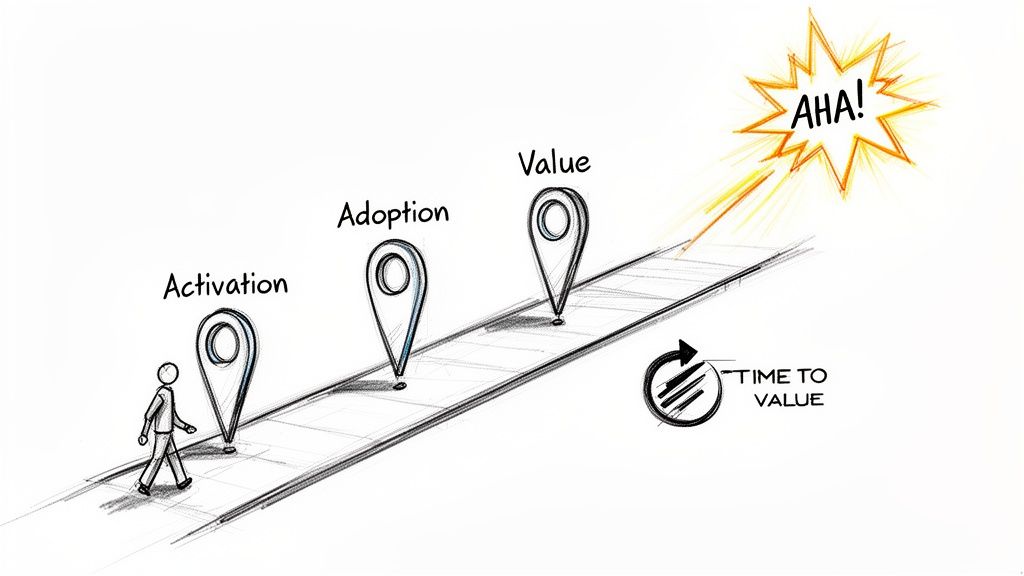
Activation: The user completes the first critical action, like creating their first project or inviting a teammate. This is their "Aha!" moment.
Core Feature Adoption: The user engages with essential features that deliver on the product's core promise. For a tool like HubSpot, this means moving from creating a contact to building a simple marketing workflow.
Value Realization: The user achieves a tangible outcome, such as launching their first campaign or closing their first deal using the software. This stage solidifies the product's value and fosters long-term adoption.
For example, Slack masterfully guides users by first encouraging them to join or create channels (activation), then introducing integrations (core feature adoption), and finally highlighting advanced search capabilities (value realization).
Actionable Tips for Implementation
To build an effective milestone-driven flow, focus on user outcomes, not just feature tours.
Map milestones to user goals, not just product features. What does the user need to accomplish? Build the journey around that.
Track completion rates at each milestone to pinpoint friction points where users get stuck or drop off.
Create role-based variations for the onboarding flow. An admin's path to success will look very different from a standard user's. For a deeper dive into structuring these journeys, explore this client onboarding process template for actionable frameworks.
2. Implement Contextual In-App Guidance and Tooltips
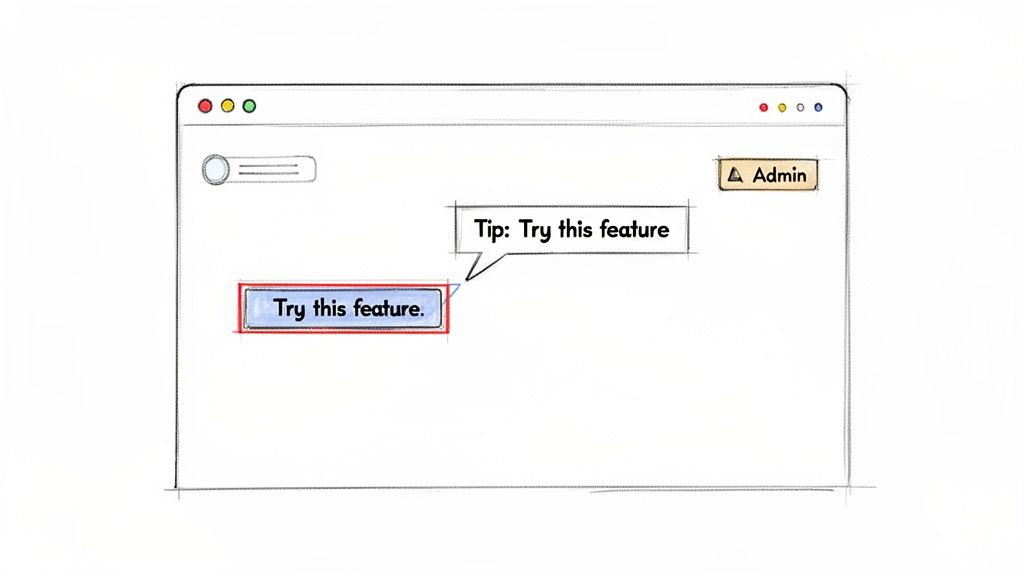
One of the most effective SaaS onboarding best practices is to provide help exactly when and where users need it. Contextual in-app guidance, delivered through elements like tooltips, popovers, and interactive guides, eliminates the need for users to leave your application and search for answers. This just-in-time education drastically reduces friction and prevents minor confusion from escalating into churn.
Instead of relying on a separate knowledge base or lengthy video tutorials, contextual help integrates learning directly into the user's workflow. This method empowers users to learn by doing, reinforcing their understanding of key features at the precise moment they are relevant, which accelerates product adoption and builds user confidence.
How It Works in Practice
Contextual guidance is triggered by user actions or behavior, making it highly relevant and non-intrusive.
Feature Discovery: When a user first encounters a new or complex feature, a simple tooltip can appear to offer a brief explanation. Notion does this well by showing tooltips that explain database views when a user clicks to create one for the first time.
Workflow Reinforcement: As users navigate key workflows, pop-ups or hotspots can highlight the next logical step. Tools like Pendo and Appcues excel at creating these guided tours that feel like a natural part of the product experience.
Proactive Support: Based on user behavior, systems can proactively offer help. For example, Intercom’s messenger can trigger a helpful tip if a user appears to be struggling with a specific task, answering their question before they even ask it.
This approach transforms the user interface from a static environment into a dynamic, supportive guide that actively helps users achieve their goals.
Actionable Tips for Implementation
To implement effective in-app guidance, focus on precision and brevity rather than overwhelming users with constant pop-ups.
Prioritize critical features by starting with tooltips for the 5-10 actions most essential for user activation and long-term success.
Keep tooltip text concise (aim for 15-30 words) and link to more comprehensive documentation for users who want to learn more.
Monitor user engagement with your guidance. Track which tooltips are most frequently dismissed and refine the messaging or trigger conditions.
Test tooltip positioning and design across different devices and screen sizes to ensure they are helpful, not obstructive.
3. Reduce Time-to-Value with Progressive Feature Onboarding
One of the most impactful SaaS onboarding best practices is to introduce features progressively, aligning their discovery with the user's workflow. This method focuses on accelerating a user's first meaningful result, known as "time-to-value," which is a critical predictor of long-term adoption and retention. Instead of overwhelming users with every capability at once, you guide them to their "aha moment" by revealing functionality only when they are ready for it.
This strategic approach prevents cognitive overload and ensures users master core features first, building a solid foundation of understanding and confidence. By connecting feature introduction to user actions, you make the learning process feel natural and relevant rather than like a generic, one-size-fits-all tutorial.
How It Works in Practice
Progressive onboarding uses behavioral triggers to unlock new functionality, creating a personalized and responsive learning path. This journey moves users from basic competence to expert-level proficiency at their own pace.
Initial Engagement: The user interacts with the core, must-have features. For a tool like Calendly, this is simply creating their first meeting type and sharing the link.
Demonstrated Proficiency: Once the user completes a key action, like their first meeting being booked, the system introduces related, more advanced features. This could include conditional logic for intake forms or custom fields.
Advanced Adoption: As users continue to show engagement and mastery, the platform reveals power-user features. Stripe, for example, gradually introduces advanced analytics and reporting tools only after a user has successfully processed a significant transaction volume.
Similarly, Notion’s template gallery gates complex database features behind the completion of an initial page setup, ensuring users grasp the basics before diving into advanced data organization.
Actionable Tips for Implementation
To implement progressive feature onboarding, shift your focus from a feature checklist to a value-driven journey.
Identify your core "aha moment" and design the initial experience to get every user there within their first session.
Use behavioral signals (e.g., ‘created first project’) rather than time-based triggers to unlock features, making the experience more relevant.
Create role-specific feature sequences. An administrator’s path to value will require different features and steps than an end-user’s.
Allow power users to skip ahead or access advanced functionality immediately upon request to avoid frustrating experienced users.
4. Provide Multi-Format Documentation and Resource Libraries
Users learn in different ways and at different paces. A one-size-fits-all approach to documentation is a common failure point in SaaS onboarding best practices. The solution is to offer a comprehensive resource library with multi-format content, empowering users to learn through their preferred medium, whether it’s video, text, or interactive tutorials. This self-serve model reduces support ticket volume and fosters user independence.
Instead of forcing a user who prefers watching a quick video to read a dense knowledge base article, providing options caters to diverse learning styles. This flexibility ensures that every user, regardless of their preference, can find the answers they need quickly and efficiently, preventing frustration and accelerating their journey to proficiency.
How It Works in Practice
A multi-format library centralizes all learning materials, making them easily accessible and discoverable. The goal is to create an ecosystem of support content that addresses different needs at various stages of the user journey.
Initial Learning: New users often benefit from visual guides like video tutorials and interactive product tours that walk them through core workflows.
Deep Dives: As users become more advanced, they may seek out detailed written documentation, webinars, or in-depth guides to master specific features.
Quick Troubleshooting: A searchable FAQ or knowledge base allows users to find immediate answers to specific questions without leaving the platform.
For example, Asana excels at this by offering a mix of video tutorials, detailed written guides in its "Asana Guide," live and on-demand webinars, and a community forum. This ensures a new project manager can watch a quick-start video, while a seasoned admin can read up on advanced reporting configurations.
Actionable Tips for Implementation
To build a resource library that truly supports users, focus on accessibility, variety, and continuous improvement.
Start with video and written guides as a foundation. Use tools to quickly create screen recordings and convert them into step-by-step interactive guides with screenshots and callouts.
Tag all content by skill level (e.g., beginner, intermediate) and user role (e.g., admin, team member) to help users filter for relevant information.
Link related resources across formats. For instance, embed a link to a detailed knowledge base article at the end of a high-level video tutorial.
Audit resource usage regularly. Identify which content formats and topics are most popular and which are ignored to refine your content strategy.
5. Segmented, Data-Driven Personalization for Onboarding
A one-size-fits-all approach to SaaS onboarding is a recipe for disengagement. Instead, one of the most impactful SaaS onboarding best practices is leveraging user data to create segmented, personalized journeys. This strategy ensures users are guided through features and workflows that are directly relevant to their specific roles, goals, and use cases, dramatically accelerating their path to value.
By segmenting users, you can move beyond generic product tours and deliver a tailored experience. This personalized approach not only boosts completion and conversion rates but also enables proactive, targeted interventions for at-risk cohorts, ensuring more users find success with your platform.
How It Works in Practice
Data-driven personalization involves grouping users based on shared characteristics and guiding each group down a unique onboarding track. This segmentation can be based on several data points.
Firmographic Data: Information like company size, industry, or location. Salesforce, for example, adapts its onboarding content based on whether a user is in the finance or retail vertical.
Role-Based Data: The user's job function, such as marketing manager, sales representative, or administrator. HubSpot excels at this, showing vastly different onboarding flows to its sales, marketing, and service hub users.
Behavioral Data: Actions the user takes (or doesn't take) within the product. This allows you to dynamically adjust the journey as you learn more about their actual needs.
For example, Asana segments its onboarding based on team size and initial project type, while Calendly customizes its guidance based on the user's stated scheduling motivations during signup.
Actionable Tips for Implementation
To implement effective segmentation, start collecting user intent data from the very beginning.
Capture intent early with thoughtful signup forms or a brief "routing quiz" that asks users what they want to achieve.
Define 3-5 primary user segments based on your most common customer profiles (role, use case, company size) and build a distinct journey for each.
Prioritize the top features for each segment. For an agency user, you might highlight client management features; for an enterprise user, you might focus on security and reporting.
Let users switch tracks. Provide an option for users to change their onboarding path if they realize their initial selection doesn't fit their needs.
6. Establish Clear Success Metrics and Onboarding Health Dashboards
You cannot improve what you do not measure. A core component of SaaS onboarding best practices is establishing clear success metrics and monitoring them through dedicated health dashboards. This data-driven approach transforms onboarding from a set of hopeful activities into a quantifiable, optimizable system that directly impacts business outcomes like retention and revenue.
By defining what success looks like in measurable terms, you create a feedback loop. Teams can see exactly where new users are succeeding or struggling, enabling them to make targeted improvements. This turns onboarding into a proactive, strategic function rather than a reactive support cost.
How It Works in Practice
This approach involves defining key performance indicators (KPIs) and visualizing them to track the health of each new user cohort. These metrics provide an early warning system for at-risk users and highlight bottlenecks in the user journey.
Key Metrics: Teams typically focus on metrics like activation rate (percentage of users completing a key first action), time-to-value (how long it takes a user to reach their "Aha!" moment), and feature adoption rate.
Health Dashboards: Tools like Amplitude or Pendo are used to create dashboards that track these KPIs. They often feature cohort analysis to compare the performance of different user groups over time and funnel analysis to see where users drop off.
Data-Informed Action: When a metric drops, such as a lower activation rate for a specific user segment, the team can investigate the cause and intervene with better in-app guidance, targeted emails, or updated documentation.
For example, a dashboard might reveal that users from a certain industry have a 20% lower adoption rate for a critical feature. This insight allows the onboarding team to create industry-specific guides or tutorials to address the gap.
Actionable Tips for Implementation
To build a meaningful measurement system, start focused and expand over time.
Begin with 3-5 core metrics focused on activation, feature adoption, and early retention. Avoid the trap of tracking everything at once.
Segment your data by user role, company size, or plan type. This uncovers nuanced insights that a high-level view would miss.
Set data-informed benchmarks. A common goal for SaaS is to achieve a 40%+ activation rate within the first seven days of signup.
Build alerts for when key onboarding metrics, like guide completion rates, drop below a defined threshold, enabling quick intervention.
7. Implement Interactive Walkthroughs and Guided Tours for Complex Workflows
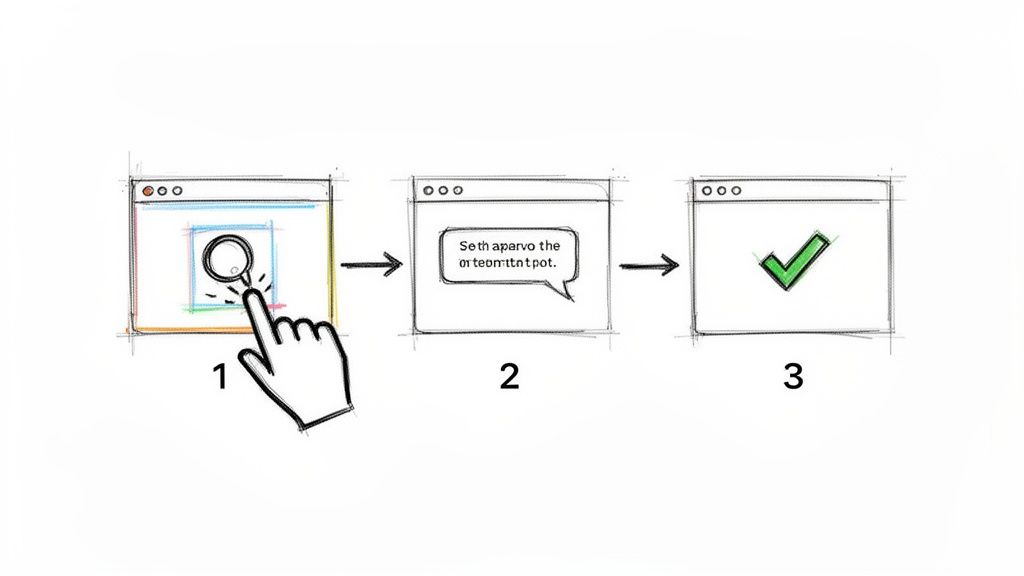
Static product tours that simply point to features are becoming obsolete. A leading SaaS onboarding best practice is to implement interactive walkthroughs that actively guide users through complex workflows step-by-step. This method moves beyond passive observation, requiring users to click, type, and engage with the UI to advance, which dramatically improves comprehension and retention.
Instead of just telling users what a button does, an interactive tour makes them click it. This hands-on approach is crucial for teaching multi-step processes, ensuring users not only see the path to value but actually walk it themselves. This active participation builds muscle memory and confidence, reducing errors and support tickets down the line.
How It Works in Practice
Interactive guides overlay on your application, highlighting specific UI elements and providing contextual instructions for each step. Users must complete an action, like filling a form field or clicking a menu item, before the guide reveals the next step.
Initial Setup: For a tool like Salesforce, a guided setup wizard can walk a new admin through configuring their data model and user roles, a task that would otherwise be overwhelming.
Core Workflow Adoption: Intercom uses interactive guides to help users build their first conversational bot, prompting them to drag and drop elements and connect workflows in a live environment.
Advanced Feature Discovery: Pendo’s guides can be triggered to introduce a more complex feature only after a user has mastered the basics, ensuring they are ready for the next level of functionality.
This guided, learn-by-doing model ensures users successfully complete key tasks from the very beginning, accelerating their journey to the "Aha!" moment.
Actionable Tips for Implementation
To create effective walkthroughs, focus on critical user journeys and keep the experience focused and brief.
Prioritize critical workflows. Identify the 3-5 essential tasks a new user must complete to see value and build interactive guides for them first.
Keep guides short and focused, ideally between 5-10 steps. Long, complex tours can cause fatigue and lead to users dropping off.
Provide an 'out'. Always include a "skip tour" option for experienced users, but track skip rates to understand user behavior and preferences.
Use branching logic. Create different walkthrough paths for different user roles. An admin’s first steps will be very different from a standard team member's. To learn how to structure these, you can explore how to create a step-by-step guide with modern tools.
8. Leverage Asynchronous and Live Onboarding Channels in Parallel
One of the most effective SaaS onboarding best practices is to cater to diverse learning preferences by offering a mix of onboarding channels. A hybrid model that combines self-paced asynchronous resources with live, synchronous support creates a flexible yet robust system. This dual-path approach ensures every user, regardless of their schedule or learning style, has a clear route to success.
Asynchronous content like interactive guides and video tutorials offers scalability and 24/7 availability, allowing users to learn at their own pace. In contrast, synchronous channels such as webinars and one-on-one calls provide personalized, high-touch support that builds relationships and resolves complex issues efficiently. This blend maximizes reach without sacrificing quality.
How It Works in Practice
A hybrid onboarding strategy empowers users by giving them a choice in how they engage with your product and team. This model is built on providing multiple, equally effective pathways to value.
Self-Service Path (Asynchronous): Users access a library of on-demand resources, including knowledge bases, pre-recorded webinars, and interactive product tours. This is ideal for self-starters and small teams.
Guided Path (Synchronous): Users can join live group webinars, schedule one-on-one calls with an onboarding specialist, or access real-time chat support. This is crucial for enterprise clients or users tackling complex setups.
Blended Path: Most users will naturally mix both. They might complete a self-paced guide and then join a live Q&A session to clarify specific questions.
For instance, HubSpot excels with this model, offering its comprehensive HubSpot Academy for self-paced learning while also providing scheduled group webinars and dedicated onboarding specialists for higher-tier customers.
Actionable Tips for Implementation
To implement a successful hybrid model, focus on making both paths discoverable and complementary.
Create a "Choose Your Path" landing page where new users can select either self-service or guided onboarding from the very beginning.
Host weekly "New User Onboarding" webinars and immediately make the recordings available for those who prefer asynchronous viewing.
Reserve high-touch, live onboarding for segments that need it most, such as enterprise customers or teams with complex use cases.
Use live sessions to improve async content. Pay attention to frequently asked questions in webinars and use that feedback to clarify and enhance your self-service guides and documentation.
9. Standardize and Document Onboarding Processes as Living SOPs
To deliver a consistently excellent onboarding experience at scale, your processes cannot rely on tribal knowledge. One of the most impactful SaaS onboarding best practices is to codify your entire onboarding workflow into formal, living Standard Operating Procedures (SOPs). This creates a single source of truth for both your internal teams and, when appropriate, your customers.
Formalizing these procedures transforms onboarding from a variable, person-dependent art into a repeatable, scalable science. It reduces ambiguity, speeds up new hire training for your customer success team, and ensures every user receives the same high-quality guidance, regardless of who is assisting them.
How It Works in Practice
Living SOPs are dynamic documents that outline every step, responsibility, and contingency in the onboarding journey. They are regularly updated to reflect process improvements and product changes.
Internal Alignment: Your customer success, support, and sales teams all follow the same playbook. For example, an SOP would detail exactly what steps to take when a new enterprise client signs up, from the initial kickoff call agenda to configuring their specific account settings.
Customer-Facing Guidance: Portions of these SOPs can be shared with customers as self-service guides, clearly defining their role and responsibilities during setup. This empowers users and sets clear expectations from day one.
Accountability and Consistency: When a process is documented, it's easy to track and audit. GitLab’s public handbook is a prime example, documenting all internal processes and creating a culture of transparency and asynchronous efficiency.
Actionable Tips for Implementation
To create SOPs that are genuinely useful and not just another binder on a shelf, they must be dynamic and integrated into your workflow.
Start small by documenting your five most critical onboarding tasks first, then expand from there.
Define clear roles within your SOPs. Create distinct sections for admin responsibilities, support team actions, and required customer inputs.
Use decision trees for complex scenarios. For instance, include a branch like, "If a customer has 50+ users, follow the Enterprise Onboarding SOP."
Review and update SOPs quarterly. When you improve a process, the first step should be to update the documentation immediately. For a comprehensive guide on building these, you can explore this standard operating procedure template to get started.
10. Establish Feedback Loops and Continuous Onboarding Improvement Cycles
Even the most thoughtfully designed onboarding experience is never truly "finished." SaaS onboarding best practices demand a commitment to continuous improvement, and the only way to achieve that is by establishing systematic feedback loops. This involves creating mechanisms to collect, analyze, and act on user feedback, transforming onboarding from a static process into a dynamic, evolving system that adapts to your product and user needs.
This iterative approach ensures your onboarding remains relevant and effective, proactively addressing friction points before they lead to frustration and churn. By listening to your users, you can pinpoint exactly where they struggle, what they value, and how you can better guide them to success.
How It Works in Practice
A continuous improvement cycle involves several key feedback channels working in unison to provide a holistic view of the user experience.
Quantitative Data: Usage analytics reveal what users are doing. This includes tracking completion rates for onboarding checklists, time spent on certain steps, and feature adoption rates post-onboarding.
Qualitative Feedback: Surveys, support ticket analysis, and user interviews uncover why users behave a certain way. For example, Calendly regularly reviews session recordings to observe user friction points firsthand, while Stripe analyzes support ticket patterns to identify and resolve common onboarding questions.
Implementation & Validation: Insights from both data types inform targeted improvements. These changes are then tested and measured to validate their effectiveness, completing the cycle.
For example, Notion continuously gathers feedback through in-app surveys and active community forums, allowing its team to rapidly identify and address gaps in its onboarding flow for new features.
Actionable Tips for Implementation
To build a robust feedback and improvement cycle, integrate data collection directly into your processes.
Send post-onboarding surveys within 3 days of completion while the experience is still fresh in the user's mind.
Analyze support tickets monthly. If three or more tickets ask about the same concept, it’s a clear signal to add that information to your onboarding guides.
Conduct quarterly user testing with 3-5 new customers. Observe them navigating the onboarding process to identify struggles that analytics alone can't reveal.
Establish a monthly "continuous improvement" meeting where product, customer success, and support teams review all collected feedback and prioritize updates.
10-Point SaaS Onboarding Best Practices Comparison
Strategy | Complexity 🔄 | Resources 💡 | Expected Outcomes ⭐📊 | Ideal Use Cases | Key Advantages ⚡ |
|---|---|---|---|---|---|
Create a Structured Onboarding Flow with Clear Milestones | Moderate–High — design sequencing & metrics | Moderate — UX, content, analytics | Higher activation & measurable progression | New-user journeys, feature adoption programs | Clear progression, targeted interventions |
Implement Contextual In-App Guidance and Tooltips | Medium — UI integration & conditional logic | Low–Medium — content + light dev work | Reduced tickets; faster feature adoption | Just-in-time help, micro-moments in product | Non‑disruptive guidance; easy to A/B test |
Reduce Time-to-Value with Progressive Feature Onboarding | High — gating & behavior triggers | High — tracking, segmentation, dev effort | Faster TTV; improved retention | Products with a clear 'aha' moment | Accelerates value realization for new users |
Provide Multi-Format Documentation and Resource Libraries | Medium — taxonomy & multi-format publishing | High — video, docs, interactive assets | Increased self‑serve; lower support volume | Diverse audiences; training & SEO growth | Supports multiple learning styles at scale |
Segmented, Data-Driven Personalization for Onboarding | Very High — dynamic paths & data infra | Very High — analytics, content for segments | Much higher completion and conversions | Enterprise / multi‑persona products | Highly relevant experiences; proactive intervention |
Establish Clear Success Metrics and Onboarding Health Dashboards | Medium–High — data integration & modeling | Medium — analytics tools + analyst time | Identify bottlenecks; justify investments | Continuous optimization & A/B testing | Data-driven prioritization and monitoring |
Implement Interactive Walkthroughs and Guided Tours for Complex Workflows | High — UI highlighting, branching logic | Medium–High — design, dev, maintenance | Higher task completion; fewer errors | Complex admin/setup workflows | Hands‑on learning; measurable completion |
Leverage Asynchronous and Live Onboarding Channels in Parallel | Medium–High — orchestration & scheduling | High — content + staff for live sessions | Scalable reach with personal support options | Global teams; high‑value customers | Flexibility: scale async, personalize via live |
Standardize and Document Onboarding Processes as Living SOPs | Medium — process mapping & versioning | Medium — documentation effort & upkeep | Consistency; faster employee ramp | Internal ops, handoffs, compliance needs | Reduces tribal knowledge; creates accountability |
Establish Feedback Loops and Continuous Onboarding Improvement Cycles | Medium — feedback systems & cadence | Medium — surveys, analytics, research time | Iterative UX gains; lower churn over time | Mature products focused on retention | Continuous, data‑backed refinement of onboarding |
Transforming Onboarding from a Checklist into a Growth Engine
The journey through the essential SaaS onboarding best practices reveals a fundamental truth: effective onboarding is not a static project with a finish line. It is a dynamic, evolving discipline that sits at the very heart of sustainable growth. Moving beyond a simple feature tour, a world-class onboarding experience acts as a strategic lever for activation, retention, and long-term customer loyalty. It’s the critical bridge that transforms a curious new user into a deeply engaged, proficient advocate for your product.
By weaving together structured flows, personalized guidance, and robust analytics, you shift the entire paradigm. Onboarding ceases to be a mere checklist of introductory tasks and becomes an intelligent, responsive system designed to deliver value at every turn. It anticipates user needs, removes friction proactively, and continuously reinforces the "why" behind your solution. This is the difference between showing someone a tool and teaching them a new, better way to accomplish their goals.
Synthesizing the Core Pillars of Onboarding Excellence
The practices we've explored-from creating clear milestones and contextual in-app help to leveraging segmented communication and establishing living SOPs-are not isolated tactics. They are interconnected components of a cohesive strategy. Think of them as a compounding system where each element amplifies the effectiveness of the others.
Structure and Guidance: Implementing structured flows with clear milestones, interactive walkthroughs, and progressive feature reveals creates a predictable and manageable path for new users. This prevents the overwhelming feeling of "drinking from a firehose" and builds confidence with each small win.
Personalization and Context: Data-driven segmentation and contextual tooltips ensure that your guidance is not just present, but relevant. By delivering the right message to the right user at the right time, you drastically reduce time-to-value and demonstrate a deep understanding of their specific needs and goals.
Measurement and Iteration: You cannot improve what you do not measure. Establishing clear success metrics, onboarding health dashboards, and continuous feedback loops transforms your process from guesswork into a data-informed science. This iterative cycle is the engine that drives perpetual improvement and adaptation.
The ultimate goal is to embed your product so deeply into a user's workflow that it becomes indispensable. This level of adoption doesn't happen by accident; it's the direct result of a thoughtfully designed onboarding experience that consistently proves its value and helps users achieve their desired outcomes faster and more efficiently.
Your Actionable Path Forward
Translating these SaaS onboarding best practices from theory into reality can feel daunting, but the key is to adopt a methodical, incremental approach. You don't need to overhaul your entire system overnight. Instead, focus on a single, high-impact area to begin your optimization journey.
Audit Your Current State: Start by mapping your existing onboarding flow. Identify the first key action a user must take to experience value (your "Aha!" moment) and measure how many new users actually reach it. Where are the drop-off points? What questions are your support teams answering most frequently? This initial audit will reveal your biggest opportunities.
Pick One Practice to Implement: Choose one of the strategies discussed that directly addresses a pain point identified in your audit. For instance, if users struggle with a complex, multi-step workflow, focus on implementing an interactive, guided tour for that specific process.
Measure and Validate: Before and after implementing the change, track key metrics like activation rate, feature adoption, or time-to-value for that specific cohort. Proving a tangible ROI on a small scale makes it significantly easier to get buy-in for broader initiatives.
By treating onboarding as a product in itself-one that requires continuous testing, learning, and refinement-you build a powerful competitive advantage. A superior onboarding experience directly translates into lower churn, reduced support costs, higher customer lifetime value, and a stronger, healthier business. It’s no longer just a feature; it's your most powerful growth engine.
Ready to turn your onboarding processes into clear, actionable guides? Build a Guide makes it simple to create the interactive walkthroughs and step-by-step SOPs we've discussed. Stop letting complex workflows derail your new users and start building a scalable, world-class onboarding experience today at Build a Guide.