
February 27, 2026
The Simple SOP Format That Actually Works
Ditch outdated documents. Learn the simple SOP format that drives consistency and growth. Includes a free template and proven strategies.
Let's be real for a moment: most Standard Operating Procedures are where good intentions go to die. We pour hours into crafting these massive Word documents or static PDFs, only for them to sit in a shared drive, collecting digital dust.
The result? Inconsistent work, onboarding that feels like a marathon, and the same preventable mistakes cropping up again and again.
Where Old SOPs Go Wrong
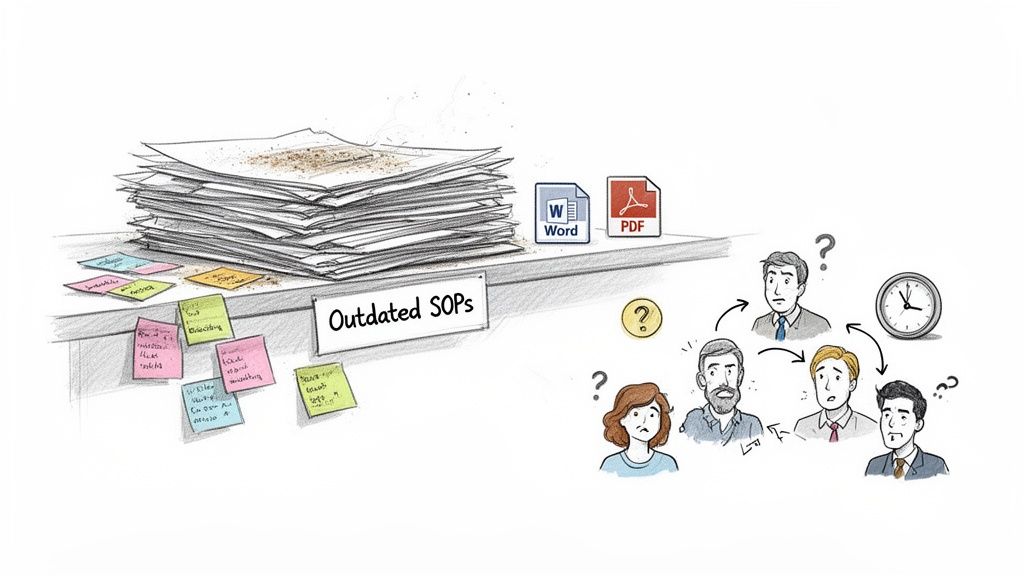
The problem isn't the idea of an SOP; it's the format. Nobody wants to read a 30-page wall of text, especially not in the middle of a task. When a customer support agent needs a quick answer on a refund process, they aren't going to search a giant PDF. They’re going to ping a coworker, which interrupts two people and often leads to inconsistent answers.
This old-school approach creates a nasty feedback loop. The documents are a pain to use, so nobody uses them. Because nobody uses them, they never get updated. They quickly become obsolete, which gives people even less reason to ever open them. This is why a simple SOP format isn't just a nice-to-have; it's critical for getting anything done efficiently.
I once consulted for an operations team whose "onboarding guide" was a 50-page PDF. New hires were expected to spend their first week just reading it. By week two, they'd forgotten most of it and were too intimidated to ever use it as a quick reference.
The Real-World Impact of Bad SOPs
Clunky, outdated SOPs cause real problems that hit your bottom line and your team's sanity. When your processes are locked away in inaccessible formats, you'll start seeing some familiar, painful patterns emerge.
Inconsistent Quality: Without a single, easy-to-follow source of truth, employees are left to guess. This leads to wildly different results for the same exact task, whether it's how to process an invoice or handle a high-priority support ticket.
Painful Onboarding: You're essentially throwing new hires into the deep end with a textbook instead of a life raft. It slows down how quickly they can contribute and leaves them feeling unsupported from day one, which is a recipe for high turnover.
Repeated Mistakes: When knowledge isn't easy to find, common errors become institutional habits. Your team wastes precious time and energy solving the same problems over and over.
Ultimately, these static documents become digital paperweights. To break the cycle, you need documentation that actually helps people do their jobs. This means shifting your mindset and building processes that act as a living resource. A great first step is to learn more about what makes a document a truly living document. It’s all about creating guides that evolve with your business, empowering your team instead of holding them back.
What Goes Into a Modern SOP? The Core Components
Let's be honest, nobody wants to read a dusty, 20-page manual. The best Standard Operating Procedures (SOPs) are the ones people actually use. A simple, effective SOP format really just needs a few key parts to turn a document from a bureaucratic chore into a tool your team relies on every day.
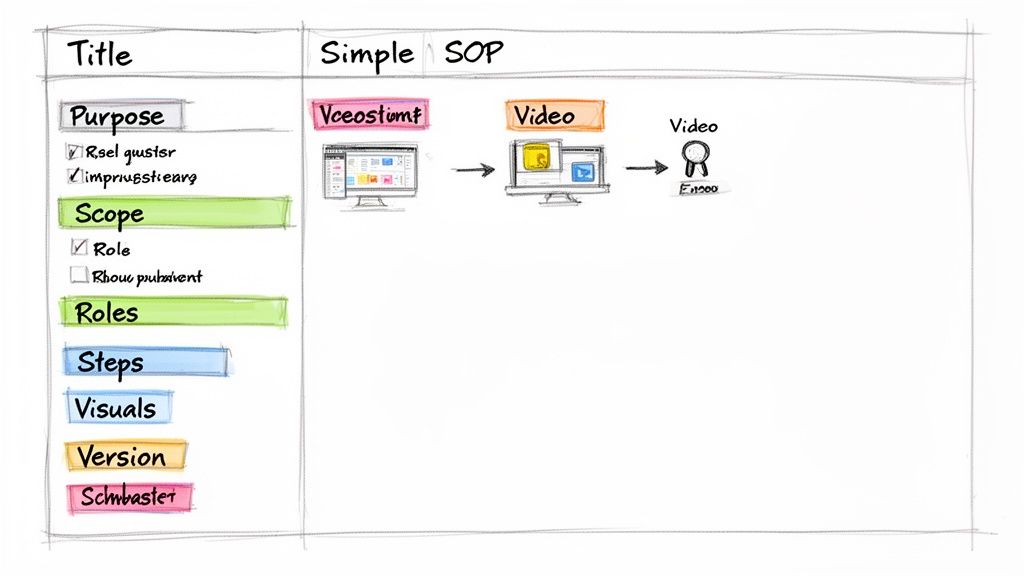
It all boils down to a logical flow. The architecture of your guide is everything; nailing down a perfect document structure is what makes it clear and easy to follow, forming the backbone of any modern SOP.
Laying the Foundation
Before you dive into the "how," you have to set the stage with the "why" and "what." This context is what separates a confusing task list from a truly actionable guide.
A Descriptive Title: This sounds simple, but it’s the first thing people see. "Client Onboarding SOP" is okay, but "Client Onboarding Process for Enterprise SaaS Accounts" is much better. It instantly tells the reader if they're in the right place.
The Purpose Statement: This is your "why" in a single sentence. It gives the reader the end goal right from the start. For example: "The purpose of this SOP is to ensure every new client has their account configured correctly within 24 hours of signing up."
Defining the Scope: Be crystal clear about what this process covers—and just as importantly, what it doesn't. This is your best defense against confusion and scope creep. An SOP for social media might state: "This guide covers organic posting on LinkedIn and X, but does not include paid ad campaigns."
Who Does What? Clarifying Roles and Responsibilities
Next up, you have to define who owns each part of the process. Ambiguity here is a recipe for disaster and dropped balls. Don’t just list job titles; assign specific tasks to each role. This creates real accountability and gets rid of the classic "I thought someone else was doing that" excuse.
Take a content publishing SOP, for example:
Content Writer: Responsible for drafting and editing the blog post.
Graphic Designer: Responsible for creating all associated visuals.
Marketing Manager: Responsible for the final review, scheduling, and promotion.
With a simple breakdown like this, everyone knows exactly what their contribution is.
The Step-by-Step Procedure and Version Control
Finally, we get to the heart of the SOP: the step-by-step procedure. This should be a straightforward numbered or bulleted list with clear, concise instructions. I’ve found that enriching these steps with visuals like annotated screenshots or short video clips makes them infinitely more effective than text alone.
Don't forget version control! A simple "Last updated on [Date]" at the top of the document is a must. It’s a small detail that tells your team they can trust what they’re reading is current.
Focusing on these core components helps you build a simple SOP format that's not only easy for your team to follow but also a breeze for you to maintain.
To give you a quick cheat sheet, here’s how each piece of the puzzle fits together.
Key Elements of an Effective SOP
Component | Primary Purpose | Key Benefit |
|---|---|---|
Descriptive Title | To clearly identify the document's content at a glance. | Saves time and ensures users find the correct procedure quickly. |
Purpose Statement | To explain the "why" behind the procedure. | Aligns the team on the end goal and provides critical context. |
Scope | To define the boundaries of the process. | Prevents confusion and stops tasks from being applied incorrectly. |
Roles & Responsibilities | To assign ownership for each step of the process. | Creates accountability and eliminates guesswork. |
Step-by-Step Procedure | To provide clear, actionable instructions on how to complete the task. | Ensures consistency and reduces errors in execution. |
Version Control | To track updates and indicate the document's currency. | Builds trust that the information is up-to-date and reliable. |
Think of these elements as the essential building blocks for any clear and functional guide your team will actually want to use.
Building Your SOP Step by Step
Alright, you’ve got the blueprint. Now it's time to actually build the thing. The secret to writing an SOP that people genuinely use isn't about creating a rigid, bureaucratic document; it's about clear, practical communication. Let's walk through how to write each part of a simple SOP format, complete with examples from the real world.
Starting with Purpose and Scope
First things first, you need to nail the Purpose Statement. Don't treat this as fluff—it's the mission statement for this specific process. Your goal here is to be specific and focus on the outcome.
For instance, instead of a vague statement like, "To document the blogging process," get right to the point: "To ensure all blog posts are optimized for SEO, approved, and published on schedule to drive organic traffic." That simple shift instantly tells your team why their work is so important.
Next up is the Scope. This is your best defense against the classic "that's not my job" headache. Think of it as drawing the boundaries for the process. For a marketing agency's client reporting SOP, the scope might read: "This process covers the monthly generation of performance reports for retainer clients, from data collection in Google Analytics to sending the final PDF. It does not cover ad-hoc reporting requests or quarterly business reviews."
Getting this clarity right from the start saves a world of confusion later.
Assigning Roles with No Ambiguity
A process without clear ownership is a process that's doomed to fail. I've seen it happen time and again. Don't just list departments—assign specific responsibilities to individual roles. This is how you build real accountability into your workflow.
Let’s say a support team is documenting a new software bug-reporting process. The roles could be broken down like this:
Tier 1 Support Agent: Handles initial troubleshooting and documents the issue in the ticketing system.
Tier 2 Support Specialist: Takes on escalated, complex issues and works on replicating bugs for the engineering team.
Support Manager: Conducts the final review of high-priority tickets and communicates the resolution back to the customer.
By clearly defining who does what, you eliminate those gray areas where tasks get dropped. Everyone knows their part, which makes for a much smoother handoff between team members.
Writing the Step-by-Step Procedure
This section is the heart and soul of your SOP. The key here is to use plain language, start your sentences with active verbs, and present sequential tasks as a numbered list. Your goal should be to make it so crystal clear that someone with zero prior context could pick it up and successfully complete the task.
Going back to that agency client reporting SOP, a few steps might look like this:
Log into the client's Google Analytics account on the first business day of the month.
Navigate to the "Acquisition > All Traffic > Channels" report.
Export the data for the previous month as a Google Sheet.
The global market for software designed to create and manage these guides is exploding, projected to hit USD 3.8 billion by 2032. Why? Because businesses are finally ditching static documents for dynamic tools that can slash training time by up to 50%. If you want to get even deeper into the nuts and bolts of this, check out our guide on how to create standard operating procedures.
Let AI Do the Heavy Lifting for SOP Creation
What if you could knock out a perfectly structured SOP in just a few minutes instead of spending half your day on it? That’s not science fiction; it’s exactly what modern AI-powered tools are built to do. Platforms like Build a Guide are completely flipping the script on how we handle process documentation.
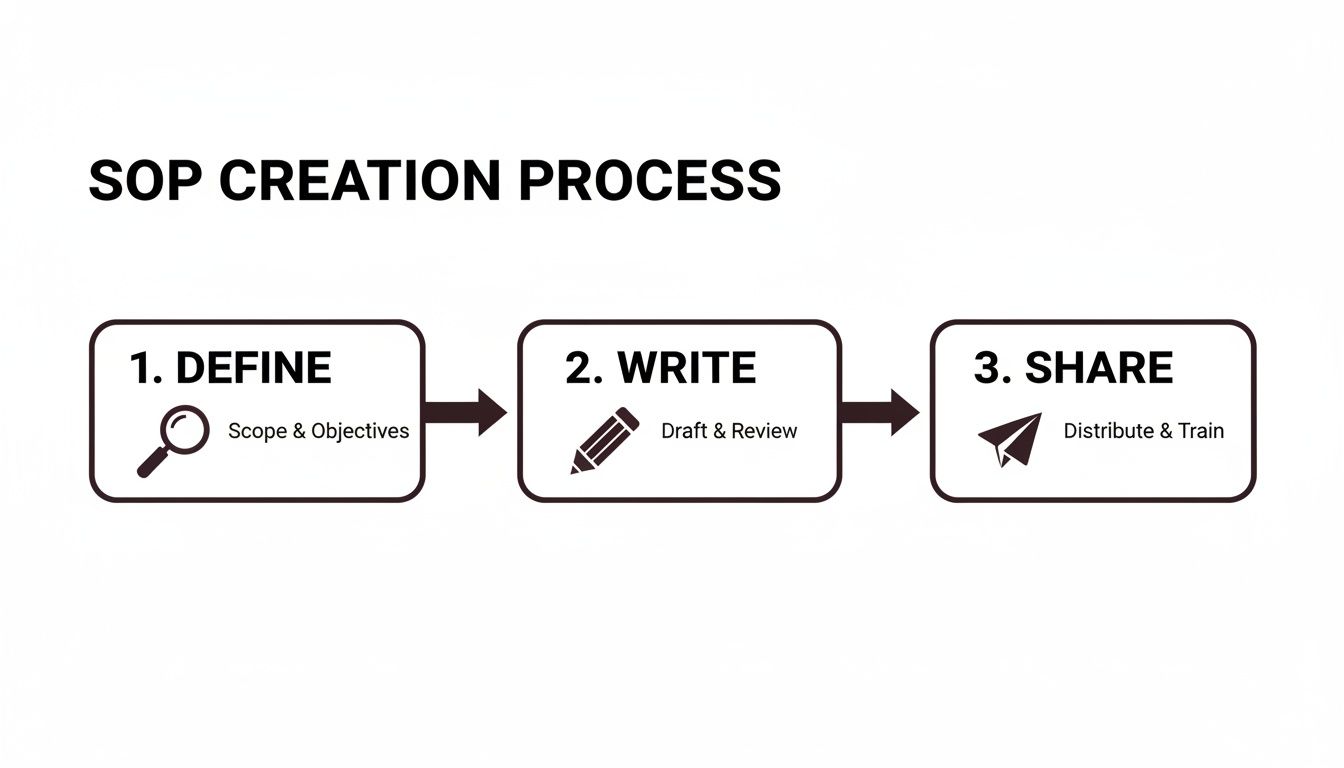
Think about it: you just hit "record" on your screen while you run through a task. The AI takes over from there, instantly turning that video into a full-blown guide. It automatically generates screenshots, adds callouts, and writes out the steps for you. This record-to-SOP workflow means you can skip the mind-numbing process of taking screenshots and typing everything out manually.
It's More Than Just a List of Steps
The real magic of these tools goes way beyond just spitting out instructions. A good platform includes a rich-text editor, letting you add crucial context, drop in helpful videos, or build out checklists directly inside the SOP. You end up with a living resource that works just as well for a brand-new hire as it does for a veteran who just needs a quick refresher.
Seeing how other teams build out their systems can be a huge help. For instance, looking at different marketing automation workflow examples really drives home how much efficiency you can gain from a well-documented, automated process.
Collaboration is also a breeze. Forget about the nightmare of emailing Word docs back and forth. Teams can jump in, leave comments, and make edits in real-time, all within one platform. That feature alone is a massive win.
We’ve seen this have a huge impact, especially for customer success teams. Interactive guides lead to 35% faster client onboarding compared to static PDFs, which often struggle to get even a 15% completion rate.
The numbers don't lie. The market for SOP software in Europe alone jumped from $347.6 million in 2021 and is on track to hit $521.9 million by 2025. This growth is all about results. Agencies report that real-time collaboration tools are cutting their revision cycles down by an incredible 40%.
Ultimately, these platforms become a single source of truth for your team—a centralized, branded hub where all your processes live. They’re so much more than just documents; they're a dynamic foundation for your company's knowledge.
If you're curious about what's out there, we've put together a look at the top process documentation tools to help you find the right fit.
Your Free, No-Nonsense SOP Template
Talk is cheap, so let's get right to it. I've put together a simple, one-page template that cuts through the noise and gives you a practical framework to start documenting your processes immediately.
You can grab this downloadable guide and use its simple SOP format for just about anything—from an HR onboarding checklist to a complex technical support workflow. It’s designed to be a solid starting point, helping you build a foundation before you explore more powerful tools like Build a Guide.
What's Inside the Template?
This isn't just a blank page. It’s a blueprint built from experience, ready for you to fill in the blanks.
The Essentials: You'll find clearly marked sections for Purpose, Scope, Roles, and the Procedure itself. No guesswork needed.
Helpful Prompts: I've included little bits of guidance within each section to help you write clearly and effectively from the get-go.
Version Control Table: A simple but crucial table is there to help you track changes and keep your documents from becoming outdated.
This template is your first real step away from those dusty binders on the shelf. It’s built to help you create processes that your team will actually want to use.
Use this simple SOP format to bring some much-needed consistency to your operations. It’s the perfect way to lay the groundwork for more scalable and automated documentation down the road.
Answering Your Team's Top Questions About SOPs
Even with a great template, you're bound to run into questions when you start rolling out new procedures. Let's be honest, getting your team to buy into a simple SOP format means being ready for their real-world concerns. Here are some of the most common questions I've heard over the years, along with some practical answers to help your new processes stick.
How Often Should I Update My SOPs?
Your SOPs should be living documents, not relics carved in stone. As a baseline, I recommend a quarterly review. Just put a recurring reminder on your calendar.
But the real answer? Update them the second a process changes. A new piece of software, an updated company policy, or even a small tweak to a critical step means the SOP needs to be updated right away. For fast-moving workflows, like a marketing team's social media strategy, you might even need to do a quick check-in every month.
Modern tools make this easy by tracking versions and letting you edit a single step without rewriting the whole document. Keeping your guides current is what makes them trustworthy.
The worst thing you can do is let an SOP become outdated. A single piece of wrong information can erode your team's trust in the entire system, sending them right back to asking coworkers for answers instead of using the guides you built.
What Is the Difference Between an SOP and a Process Map?
This is a great question because they work together—they aren't interchangeable. Think of it this way: a process map is the 10,000-foot view. It's usually a flowchart that shows the big picture, outlining the sequence of events and key decision points. It answers, "What happens when?"
Your simple SOP format, on the other hand, is the ground-level view. It's the detailed, step-by-step "how-to" for a specific task within that larger process.
Let's use a real-world scenario:
Process Map: Visualizes the entire client onboarding journey, from the moment a contract is signed all the way to the kickoff call.
SOP: Explains the exact steps for setting up that new client's account in your CRM—a single, crucial task within that journey.
So, you use the map to see the forest and the SOP to navigate the trees.
How Can I Get My Team to Actually Use Our SOPs?
This is the million-dollar question. A brilliant SOP that sits on a shelf collecting dust is completely useless. The key is to make using the SOP the easiest, most logical thing for your team to do.
First, involve your team in creating them. When people help build the process, they feel a sense of ownership. They're way more likely to follow something they helped create. Second, make them engaging. Nobody wants to read a novel. Use annotated screenshots, short video clips, and checklists to make the information scannable and easy to follow.
Finally, integrate the SOPs into their daily work. Drop a link to the relevant guide right into your project management tickets, Slack channels, or onboarding checklists. When the official guide is the quickest path to the right answer, people will naturally start using it.
Stop letting your critical processes live in outdated documents. With Build a Guide, you can turn screen recordings into interactive, step-by-step SOPs in minutes. Create your first guide for free and see how simple it can be.