
January 25, 2026
Choosing the Right SOP Creation Software for Your Team
Discover how the right SOP creation software can transform your business. Learn key features, ROI, and find the perfect tool to streamline your processes.
SOP creation software is the modern answer to an old, broken process. It’s a tool built to automatically create Standard Operating Procedures by watching you work. Instead of you manually taking screenshots and writing out steps, it records your screen and actions, then turns that recording into a polished, step-by-step guide.
This simple shift replaces tedious manual documentation with a workflow that’s fast, visual, and actually useful.
What Is SOP Creation Software and Why Is It a Game Changer?
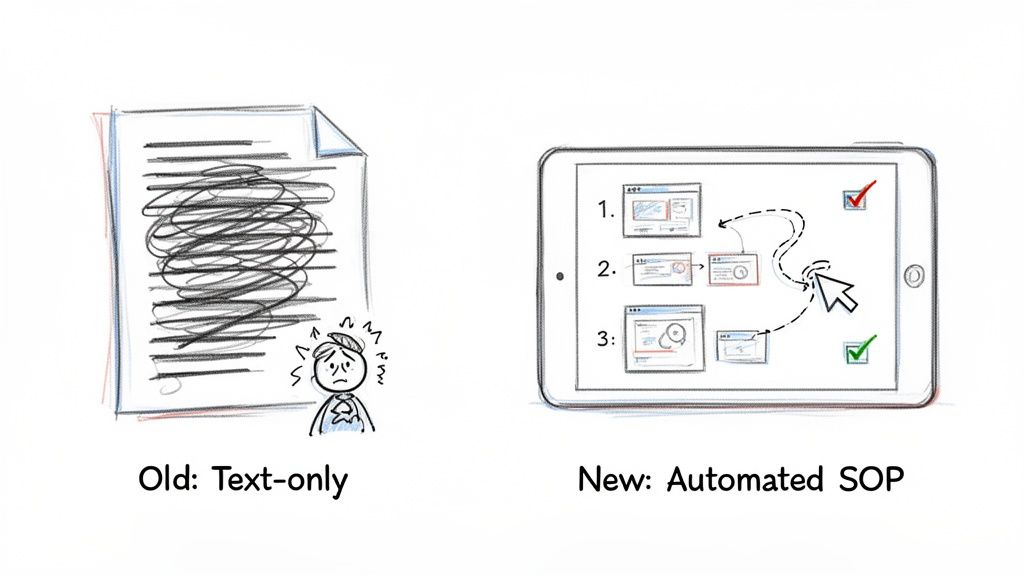
Imagine trying to build complex furniture with vague, text-only instructions. Now, picture a clear, visual guide showing you exactly what to do at each step. That’s the leap SOP creation software gives businesses. These platforms move beyond static Word docs and PDFs by automating the hardest part of documentation: capturing the workflow itself.
Instead of taking endless screenshots, pasting them, annotating them, and writing out every single instruction, these tools do the heavy lifting. They record your actions on screen and instantly convert that recording into an interactive, easy-to-follow guide, complete with captured images and descriptive text.
From Tribal Knowledge to a Scalable Asset
This is how you finally capture "tribal knowledge"—those unwritten rules and processes known only to a few key employees. When that information lives only in someone's head, it creates bottlenecks and serious risk. If that key person leaves, their knowledge walks out the door with them.
SOP creation software makes it simple to pull that expertise out and turn it into a scalable company asset that anyone can use.
By standardizing how tasks are done, you ensure consistency and quality across the board. The impact is felt everywhere:
Onboarding new hires: Get new team members up to speed faster with clear, visual instructions.
Guiding customers: Help users navigate your software with interactive tutorials.
Training existing staff: Make sure everyone follows the same best practices for critical tasks.
This shift from static, text-heavy manuals to dynamic, visual guides isn't just a minor upgrade. It’s a completely new way to manage and scale what your organization knows, bridging the gap between knowing what to do and knowing how to do it right, every single time.
This isn't just a niche idea; it’s a massive shift in how businesses operate. The global market for SOP management is surging from USD 2.8 billion in 2023 to a projected USD 6.9 billion by 2030. That growth is driven by the need for smarter operations and compliance, especially when studies show digitized SOPs can slash onboarding time by up to 40%.
The Problem with Outdated Documentation
Let's be honest: traditional process documentation is fundamentally broken. It’s slow to create, a pain to update, and almost impossible to track if anyone is actually using it. The table below shows just how stark the difference is.
Traditional SOPs vs Modern SOP Creation Software
Aspect | Traditional Methods (e.g., Word Docs, PDFs) | Modern SOP Creation Software |
|---|---|---|
Creation Process | Manual, slow, and tedious (screenshots, writing) | Automated capture of screen actions into steps |
Format | Static, text-heavy, often outdated | Dynamic, interactive, and visual |
Updating | Difficult; requires finding the source and redoing steps | Easy; edit a single step or replace a screenshot in minutes |
Engagement | Low; often ignored or hard to follow | High; visual guides are easy to consume during a task |
Accessibility | Buried in shared drives or forgotten folders | Centralized, searchable, and available on-demand |
Tracking | Impossible to know who has viewed or completed it | Built-in analytics to track usage and effectiveness |
The old way of creating SOPs just can't keep up. When your core processes live in forgotten folders, you're creating inefficiency and inconsistency by default. Modern tools offering automated software documentation are the answer.
For a deeper dive into why this matters so much, check out our guide on https://buildaguide.app/blogs/what-is-process-documentation. These tools set the stage for a more agile, consistent, and knowledgeable organization.
Essential Features of Top SOP Software
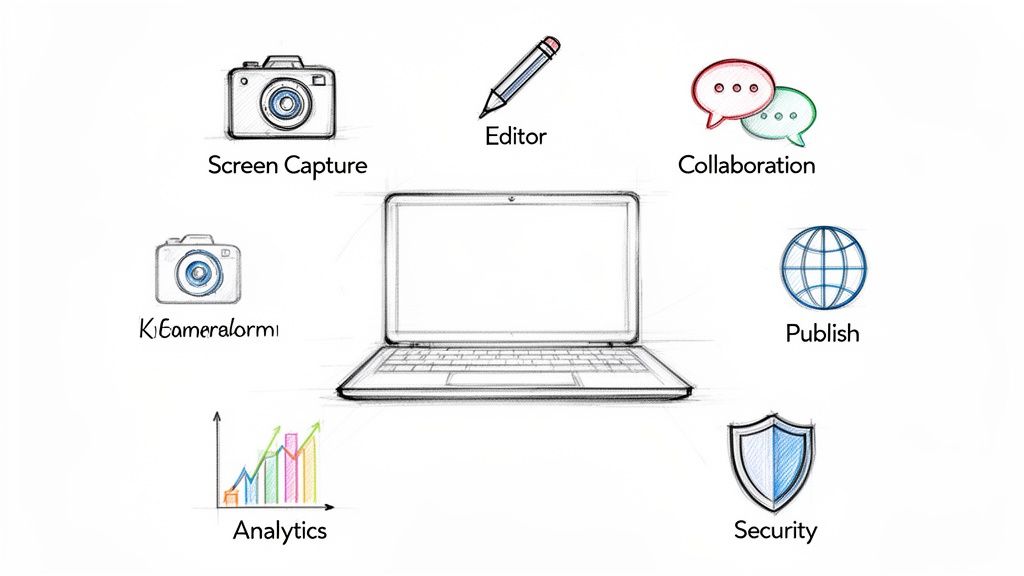
It’s easy to get lost in a long list of features when you’re looking at SOP software. But in reality, only a few core capabilities separate a basic tool from something that will actually change how your team works.
These aren’t just nice-to-haves. They’re the engine that turns boring documentation into a real operational advantage. Let's break down what truly matters.
AI-Powered Screen Capture and Generation
This is where the magic happens. Instead of manually taking screenshots and trying to remember every step, modern SOP creation software watches you work. You just perform a task like you normally would, and the software captures every click, keystroke, and action in the background.
When you’re done, it automatically turns your recording into a step-by-step guide. Each action becomes a distinct step with its own annotated screenshot and written instruction. This one feature can shrink the time it takes to document a complex process from hours down to just a few minutes.
Rich Editing and Customization
Automatic generation gets you 90% of the way there, but no machine is perfect. That's why a flexible and easy-to-use editor is so important. Once the guide is created, you need to be able to polish it.
Look for software that lets you easily:
Modify text and steps: Correct or clarify the auto-generated text for each step.
Annotate screenshots: Add arrows, callouts, or blur sensitive information to focus on what’s important.
Embed multimedia: Drop in videos or GIFs to give people more context when they need it.
Add checklists and notes: Include simple checklists for tasks or add warnings to help people avoid common mistakes.
This is how you make sure your SOPs are not just accurate, but genuinely helpful.
Real-Time Team Collaboration
SOPs are rarely a solo project. They’re living documents that get better with input from the whole team. The best software bakes collaboration right into the workflow—think of it like Google Docs for your processes.
With collaborative features, process knowledge is no longer siloed with one individual. It becomes a shared, evolving asset that the entire team owns and improves, ensuring that your SOPs reflect the most current and effective ways of working.
Key collaborative functions include:
Co-editing: Let multiple people work on the same guide at the same time, making updates in real-time.
Commenting and feedback: Allow teammates to leave comments on specific steps to ask questions or suggest improvements, all without a messy email chain.
Version control: The system should automatically track changes, so you can see who changed what and roll back to a previous version if you need to.
This is what keeps your documentation from going stale. To see how these tools fit into the bigger picture, you can learn more about the different types of process documentation software.
Versatile Publishing and Sharing Options
A perfect SOP is useless if nobody can find it. Great SOP software gives you flexible ways to publish and share your guides, making knowledge easy to access wherever your team—or your customers—are working.
This might mean publishing to a private, internal knowledge base for your team, or it could mean creating a public help center for customer self-service. The key is having control. Look for the ability to share guides with a simple link, embed them in other apps, or export them as a PDF for offline use.
Engagement Analytics and Security
How do you know if your SOPs are actually working? That’s where analytics come in. Modern platforms give you data on how your guides are being used.
You can track things like:
Views and completion rates: See which guides are popular and if people are getting through them.
Time spent on steps: Identify confusing steps where people might be getting stuck.
User feedback: Collect ratings or comments to see how helpful your documentation really is.
This data is gold for making your guides better over time. And alongside analytics, strong security is a must-have. Your processes often contain sensitive company information, so the software needs features like access controls, SSO, and data encryption to keep your knowledge safe. These two features—analytics and security—make sure your SOPs are both effective and secure.
The Business Impact and ROI of Adopting SOP Software
Investing in a new tool isn't about shiny features. It’s about a clear return on your investment. The real value of SOP creation software shows up in tangible gains—less time wasted, fewer mistakes, and operations that just work better. It’s an investment that pays for itself by fundamentally improving how your organization gets things done.
Think of it like switching from a paper map to a GPS. Sure, the map gets you there eventually, but the GPS gives you a real-time, optimized route that saves fuel, time, and a whole lot of frustration. This software does the same thing for your business, creating a direct path to operational excellence.
Drastically Reduced Onboarding Time
One of the first places you’ll see a financial impact is in how quickly you can get new hires up to speed. Traditional onboarding is a huge time sink. It’s all shadowing, long training sessions, and an endless stream of questions that pull senior team members away from their own work.
Interactive, visual guides flip this script entirely. A new team member can follow a step-by-step tutorial on their own, learning at their own pace without needing constant supervision. This self-service approach empowers them to start contributing from day one.
The numbers don't lie. For customer success and support teams, platforms that auto-generate guides can slash onboarding time by as much as 35%. This isn't a niche trend; it's a reflection of the growing SOP management market, valued at over USD 1.6 billion in 2024 and projected to hit USD 4.0 billion by 2031 as more small and medium-sized businesses catch on. If you want to dig deeper, you can explore the full SOP management market report.
Improved Process Consistency and Quality
Inconsistency is a hidden tax on your business. It shows up as rework, customer complaints, and wasted effort. When every team member has their own "special way" of doing things, the results are all over the place. Standardizing your procedures with clear, visual guides ensures everyone follows the same best practices, every single time.
This consistency has a direct line to higher-quality outcomes.
Fewer Errors: Clear instructions leave less room for mistakes, cutting down on the time and money spent fixing them.
Better Customer Experience: Customers get the same great service no matter who they talk to, which builds trust and loyalty.
Reliable Deliverables: Clients and stakeholders know they can count on a predictable level of quality, project after project.
By creating a single source of truth for how work gets done, you eliminate guesswork and ambiguity. This clarity is the foundation for building a reputation for reliability and excellence, turning operational consistency into a competitive advantage.
Enhanced Scalability and Democratized Knowledge
For growing businesses—especially agencies and SMBs—scaling is the ultimate test. How do you add new clients or team members without everything descending into chaos? The answer is a centralized, scalable library of your processes.
SOP creation software makes growth manageable by capturing expert knowledge and making it available to everyone. Instead of relying on a few key people who "just know how things work," you democratize that expertise. This gets rid of bottlenecks and single points of failure, allowing your company to scale smoothly. Good SOP software supports these kinds of organizational improvements, aligning with broader discussions on strategic frameworks and best practices that actually move the needle.
When knowledge is shared, the whole organization becomes more resilient, agile, and ready for whatever comes next. This is how you build a business that can expand without breaking.
How to Choose the Right SOP Creation Software
Choosing the right SOP creation software isn’t about finding the tool with the longest feature list. It’s about finding the one that fits your workflow so well your team actually wants to use it. A powerful platform that just sits there gathering digital dust is a wasted investment.
Instead of getting pulled in by marketing buzzwords, you need a clear framework. The goal is to match a platform’s real capabilities to your team’s real needs. That’s how you pick a solution that delivers value from day one, not just one that looks good in a demo.
H3: First, Pinpoint Your Core Use Case
Before you look at a single feature, ask yourself one simple question: What problem are we actually trying to solve?
The right software for an internal HR team looks completely different from what a customer support team needs. Nailing your primary goal is the most important first step.
Are you trying to tackle:
Internal Training and Onboarding? You probably need a private, secure knowledge base to get new hires up to speed quickly and consistently.
Customer-Facing Tutorials? The goal here is creating polished, public guides that cut down on support tickets and help users succeed on their own.
Client Deliverables? If you're an agency, you need a way to create professional, branded knowledge hubs for each client, turning your process documentation into a scalable service.
Your core use case is the lens through which every feature should be judged. It separates the must-haves from the nice-to-haves.
H3: Evaluate Key Features Against Your Needs
Once your use case is clear, you can start assessing features with a purpose. Think of it like creating a custom scorecard.
If you’re an agency building guides for multiple clients, features like multi-hub management and custom branding are non-negotiable. If you're documenting complex software, advanced screenshot annotation and video embedding are critical.
Choosing software is like hiring an employee. You wouldn't hire a brilliant strategist for a data entry role. Similarly, you need to align the tool's core strengths with the primary job you need it to do for your organization.
Use the essential features we covered earlier as your starting point, but always tie them back to the problems you identified. An impressive feature is only valuable if it directly solves one of your challenges.
This flowchart shows the real-world impact of adopting the right software. It’s a choice between faster onboarding and fewer errors versus stagnation and recurring problems.
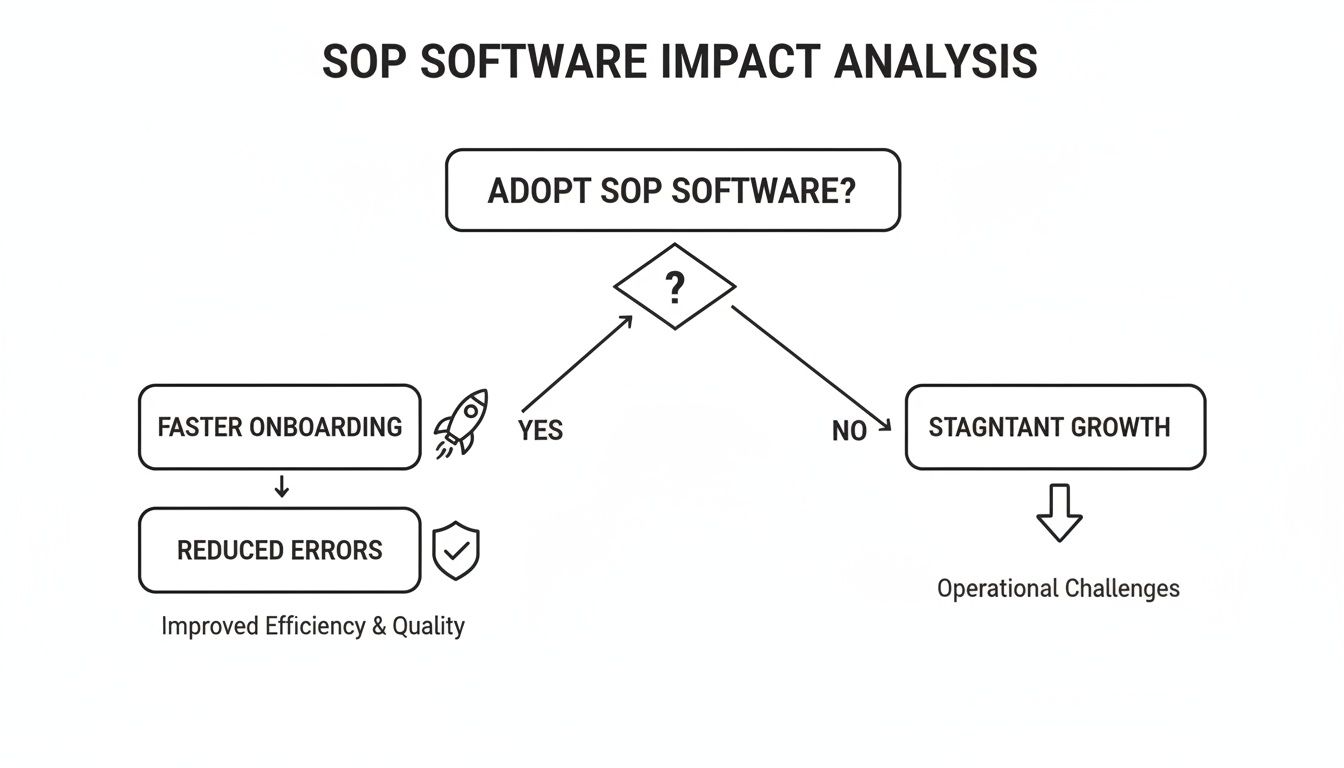
As the visual makes clear, implementing the right tool is a direct path to operational efficiency. It's how you get away from the roadblocks that slow your team down.
H3: Assess Ease of Use and Scalability
A tool's true value comes down to one thing: adoption. If the software is clunky, complicated, or slow, your team will fall back on old habits. User adoption is the single biggest predictor of ROI.
This is where free trials and demos are your best friend. Get the actual people who will be creating and using the SOPs to test the software. Can they build their first guide in under 30 minutes without a lengthy training session? Is the editing experience smooth or frustrating?
Finally, think about where you'll be in a year or two. Your business will grow, and your software needs to be able to grow with it. Look at the pricing models—do they offer plans that can scale to support more users and guides over time? A platform that works for a team of five should also work for a team of fifty. Choose a partner that supports your long-term vision.
H3: A Practical Checklist for Your Evaluation
To make this process more concrete, we’ve put together a simple checklist. Use it to compare different platforms side-by-side, keeping your unique business needs at the forefront.
SOP Software Evaluation Checklist
Evaluation Criteria | What to Look For | Your Rating (1-5) |
|---|---|---|
Ease of Use | How intuitive is the interface? Can a non-technical user create a guide quickly? | |
Screen-to-Guide Conversion | Does it automatically convert screen recordings into step-by-step guides with screenshots? | |
Editing & Customization | How easy is it to edit text, merge steps, and annotate screenshots? Can you add custom branding? | |
Collaboration Features | Does it support team comments, version history, and shared workspaces? | |
Publishing & Sharing | Can you create private knowledge bases and public-facing guides? Are there flexible sharing options (link, embed)? | |
Security & Permissions | Does it offer granular user roles (creator, viewer, admin)? Is data encrypted and secure? | |
Scalability & Pricing | Does the pricing model support growth? Are there limits on users, guides, or hubs? | |
Integrations | Does it connect with other tools you use, like project management or support platforms? | |
Analytics & Feedback | Can you track guide views and gather user feedback to see what’s working? |
By rating each potential tool against these criteria, you’ll move beyond flashy features and focus on what will actually drive results for your team. A systematic approach like this ensures you end up with a partner, not just a product.
Real-World Use Cases for Different Teams
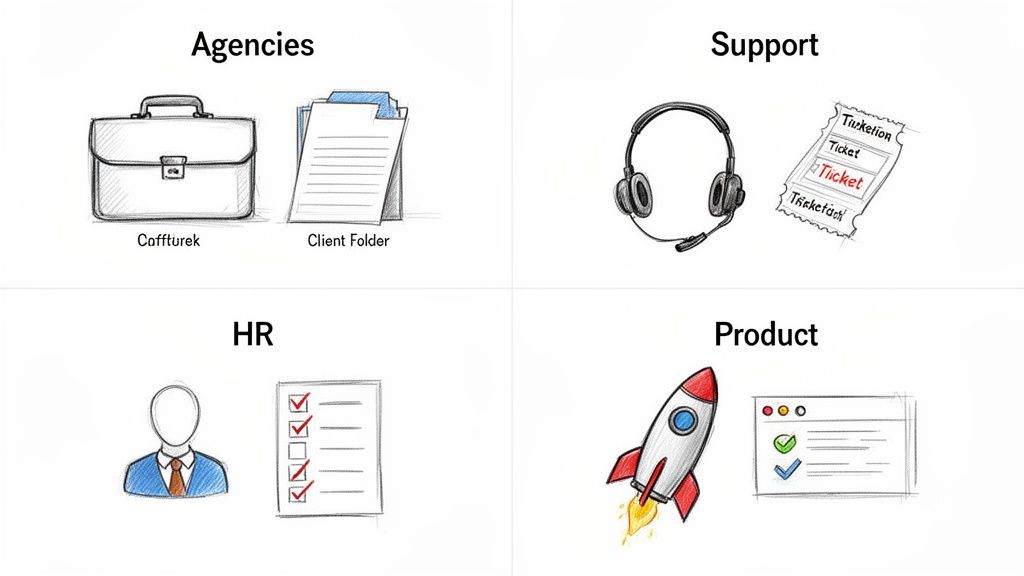
The real power of SOP creation software isn't in the theory; it's in seeing how different teams solve real, everyday problems with it. This is where the rubber meets the road. It’s not just about writing down steps—it’s about changing how work gets done, department by department.
Each team has its own unique headaches. The right SOP tool offers specific solutions that turn those headaches into strategic advantages. So, let's look at a few mini-stories of how this actually plays out in the real world.
Agencies and Consultants Delivering Scalable Value
For any agency or consultant, scaling is a tricky balancing act. How do you deliver exceptional, customized support for every client without reinventing the wheel each time? This is where SOP software becomes a service delivery machine.
Imagine creating a branded, interactive knowledge hub for each client. Instead of sending long emails or static PDFs, you give them a living library of processes.
Client Onboarding: A step-by-step guide walks a new client through setting up accounts and finding key resources.
Project Workflows: The agency documents exactly how they run a marketing campaign or generate a financial report, giving clients total transparency.
Ongoing Support: Clients can find answers to common questions on their own, which builds their confidence and frees you up for more strategic work.
Suddenly, your process documentation isn’t just a deliverable. It's a premium, scalable service that makes clients stick around.
Customer Success and Support Teams Resolving Tickets Faster
Support teams are on the front lines, and their speed directly impacts customer happiness. We’ve all been there: a frustrated user sends an email, and a long back-and-forth of screenshots and instructions begins. SOP software flips this script entirely.
Picture a customer struggling with a new feature. Instead of typing out a wall of text, a support agent just records their screen while solving the problem.
The software instantly turns that recording into a clean, interactive, step-by-step guide. The agent sends one link, and the customer gets a perfect visual walkthrough they can follow at their own pace. What used to take 20 minutes of back-and-forth now takes two minutes.
This doesn't just make customers happy; it creates a reusable asset. The next time that same question comes up, the guide is ready to go, dramatically improving first-contact resolution.
Operations and HR Building Consistent Onboarding
Consistency is everything for Operations and HR, especially when it comes to onboarding. A scattered, confusing first week leaves new hires feeling lost and slows down their time-to-productivity. What you really need is a single source of truth.
Using SOP creation software, an HR team can build a complete onboarding library that gives every new hire the same high-quality start. This library can include guides on:
Setting up their computer and software
Submitting expense reports the right way
Navigating the company's communication tools
Understanding core departmental workflows
The growth of the SOP software market, valued at around USD 5.1 billion in 2024, is driven by this need for consistency. For HR managers, tools that turn workflows into interactive guides can slash task resolution times by 30-50%, a key reason they're being adopted so quickly. You can discover more about the SOP software market trends to get the full picture.
SaaS and Product Teams Driving Feature Adoption
For SaaS companies, launching a new feature is only half the job. Getting users to actually use it is what matters. Product teams often struggle to create tutorials that show off a feature's value without being boring.
With SOP software, a product manager can whip up an interactive tour for a new release in minutes. By recording a quick walkthrough, they generate a guide that can be embedded right inside the app, sent in an email, or added to the help center. This makes it incredibly easy for users to learn and adopt new functions, which means less work for support and higher engagement. To learn more, check out our guide on how to create a step-by-step guide that users will actually love.
Common Questions About SOP Creation Software
If you're exploring SOP creation software for the first time, a few questions probably come to mind. It's a different way of thinking about documentation, so it’s worth clarifying how these tools work and where they fit.
Let’s tackle the most common ones.
How Is This Different from Project Management Tools?
This is a great question, and the distinction is simple but critical.
Project management tools like Asana or Trello are built to track tasks—they manage the who does what by when. Their job is to keep work moving forward.
SOP creation software, on the other hand, documents the process—the how to do it correctly every time. It provides the actual step-by-step instructions needed to complete the tasks your project management tool assigns.
Think of it like this:
Project Management Tool: Assigns the task "Onboard New Client X."
SOP Creation Software: Provides the interactive guide showing the exact 15 steps to onboard that client perfectly.
They’re partners. One manages the work, the other standardizes the quality of it.
Why Not Just Use Screen Recorders Like Loom?
Screen recorders are fantastic for quick, one-off messages. We use them too. But they fall short for building durable process documentation for one huge reason: they create static videos.
If a single step in your process changes—a button moves, a field is added—you have to re-record the entire thing. This quickly leads to a library of outdated videos that nobody trusts.
SOP creation software breaks a recording down into individual, editable steps. When a process changes, you don’t start over. You just edit the one affected step in a few seconds. This turns a static video into a "living" document that’s always current.
This one difference is what makes SOP software so much more powerful for building a reliable knowledge base. You’re not just making a video; you’re creating a scalable asset that evolves with your business.
Is This Software Only for Large Enterprises?
Not at all. In fact, modern SOP software is a game-changer for small to medium-sized businesses (SMBs), agencies, and startups.
These are the companies that often run on "tribal knowledge," where critical processes live inside the heads of a few key people. That creates bottlenecks and makes it terrifying to imagine one of those people leaving.
Cloud-based platforms give smaller teams an affordable, easy way to build operational consistency from day one. They provide the kind of process rigor that used to be reserved for huge corporations, leveling the playing field and helping smaller companies scale without breaking.
How Much Time Can This Software Actually Save?
The time savings are immediate and honestly, a little shocking.
Manually creating a detailed guide with annotated screenshots and clear instructions is a painful, time-sucking process. It can easily take hours to document something that isn't even that complicated.
With AI-powered SOP software, you just flip the workflow. Record yourself doing the task, and the guide is practically generated for you.
For example, creating a polished, 15-step interactive guide the old way could easily take 2-3 hours. With a tool like Build a Guide, you get the same result in under 20 minutes. This isn't just a small efficiency gain; it completely changes the math on whether documenting something is "worth it."
Ready to stop wasting time on manual documentation and start building a scalable library of your team's best practices? Build a Guide turns your screen recordings into polished, interactive SOPs in minutes. Capture your expertise, empower your team, and drive consistency across your entire organization.