
March 3, 2026
The Best SOP Software for Small Business in 2026
Discover the best SOP software for small business. Our guide compares top tools, features, and pricing to help you streamline processes and boost efficiency.
If your small business is trying to scale, relying on scattered Word documents and whatever knowledge lives inside your team’s heads is a recipe for chaos. The best SOP software for small business fixes this by turning messy, unorganized information into a single, trackable system. It’s the difference between hoping for consistency and actually ensuring it.
Why SOP Software Is Crucial for Scaling Your Business
Are you still managing your business with a mess of documents and "institutional knowledge" that walks out the door every time an employee leaves? That kind of operational friction is a massive growth killer. For small businesses trying to move beyond survival mode, dedicated SOP software isn't a luxury—it’s a strategic necessity for building a scalable, predictable operation.
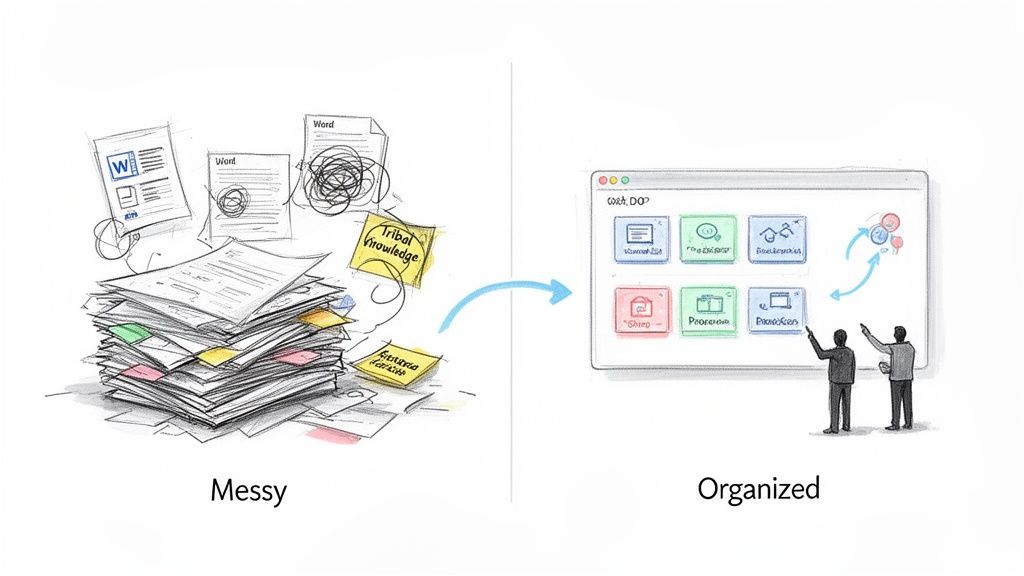
Without a central system, every process becomes a guessing game. This leads to a pile-up of errors, painfully long training cycles, and compliance risks hiding just out of sight. This reality is exactly why adoption is exploding. The global SOP Management Solution Market hit USD 4.716 billion in 2024 and is on track to reach USD 10.82 billion by 2035.
And for small businesses, which make up over 90% of all global enterprises, cloud-based SOP tools have become a game-changer for standardizing how work gets done without breaking the bank.
From Static Documents to Dynamic Playbooks
Old-school SOPs were static files—often outdated, buried in a folder, and impossible to find when you needed them. Modern platforms transform those dead documents into interactive, living guides that actually fuel growth. They create a single source of truth that delivers several key business outcomes.
Faster Onboarding: New hires get up to speed in days, not weeks, with clear, step-by-step instructions.
Fewer Errors: When everyone follows the same playbook, costly mistakes and rework practically disappear.
Better Quality: Standardized processes ensure every customer gets the same high-quality experience.
Clear Accountability: Tracking features show you exactly who has completed training and acknowledged new procedures.
"The real job of SOP software is to turn undocumented expertise into a scalable asset. It’s how you capture the 'right way' to do things and make it the 'only way' for everyone on your team."
One of the biggest wins is the ability to drive real SMB automation. By systemizing repeatable tasks, you free up your team to focus on high-value work instead of constantly reinventing the wheel. We cover the full benefits of standard operating procedures in our detailed guide.
Quick Answer Key Business Outcomes from SOP Software
This table breaks down the direct link between a feature and a real-world business improvement. It shows you exactly what you gain by moving to a dedicated SOP platform.
Key Benefit | Business Outcome | Ideal for |
|---|---|---|
Consistency | Uniform service delivery and product quality. | Customer Support, Operations |
Efficiency | Reduced time spent on repetitive tasks and training. | All Teams, especially HR & Ops |
Scalability | Easier to onboard new staff and expand operations. | Growing businesses, Agencies |
Compliance | Simplified audit trails and adherence to standards. | Regulated Industries, HR |
When you can see the direct line from consistency to better service, or from efficiency to less time spent training, the value becomes undeniable. This is how you build an operation that can grow without breaking.
The Features That Actually Matter in SOP Software
When you're picking SOP software for a small business, it's easy to get lost in marketing fluff. Let's cut through the noise. The right tool isn't just a place to store documents; it's a system that changes how your team learns, works, and improves.
To make a good decision, you need to know what features solve real problems. We're moving past the generic checklists to focus on the non-negotiables that directly impact your team's day-to-day.
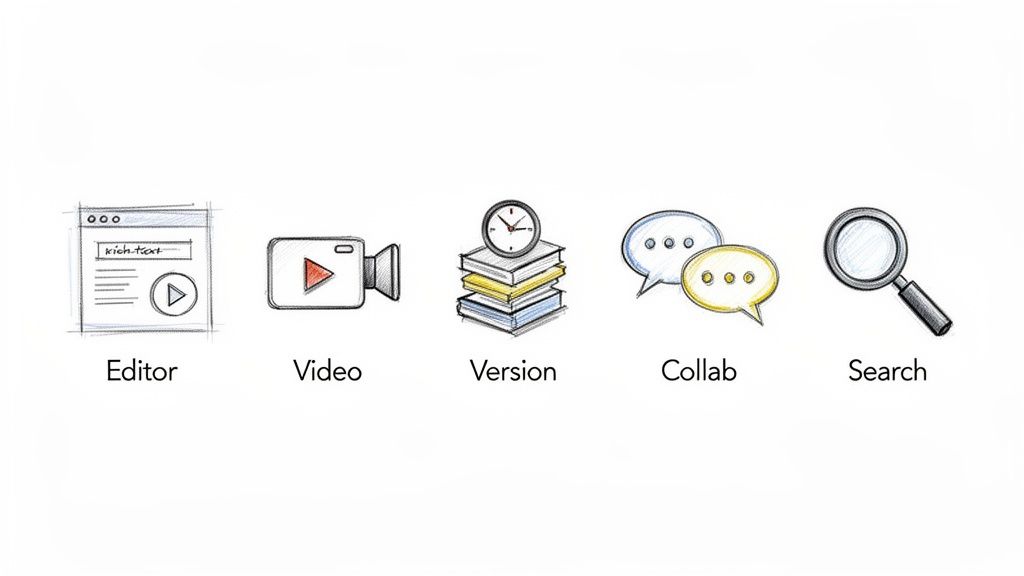
Here's what you should actually be looking for.
A Rich Editor That Shows, Not Just Tells
A plain text editor won't cut it anymore. If you want your team to actually use your guides, you need to create procedures that are clear, visual, and impossible to misinterpret.
This means your software must let you embed videos, attach files, and drop in high-resolution screenshots right where they're needed. Instead of just describing how to update a CRM record, you can show a quick screen recording of the exact clicks. This shift from text to visual context is what separates guides that get used from guides that get ignored.
AI-Powered Documentation
Let's be honest: no one likes writing documentation. It’s a notorious bottleneck. The best modern SOP platforms use AI to do the heavy lifting, turning a painful task into a quick one.
The key feature here is AI-assisted screen recording. You just perform a task like you normally would, and the software automatically captures your actions, generating a step-by-step guide complete with screenshots and text. A process that used to take an hour to document can now be done in five minutes.
AI's real value in SOP software is that it kills the "blank page" problem. It creates the first draft for you, so your experts can spend their time adding context and refining details—not starting from scratch. This saves hundreds of hours and drives adoption.
Granular Version Control and History
Your processes will change. That's a guarantee. Without solid version control, you'll end up with team members following old instructions, leading to mistakes, wasted time, and compliance headaches.
You need a tool with a clear audit trail. Look for:
Change Tracking: See who changed what, and when.
Version Rollbacks: Easily revert to a previous version if an update goes wrong.
Approval Workflows: Set rules so managers have to sign off on major process changes before they go live.
This is non-negotiable for maintaining a single source of truth. It ensures everyone is working from the same playbook, which is fundamental for quality and consistency.
Collaboration and User Analytics
Static Word docs are where collaboration goes to die. Your SOP software should be a living hub where your team can ask questions, suggest improvements, and work together. This means features like in-line comments, real-time co-editing, and the ability to assign tasks for specific procedure updates.
But it's not enough to just create SOPs—you need to know if they're actually working. User engagement analytics are your feedback loop. These dashboards show you which guides are being used, which steps are causing confusion, and where people are getting stuck. This data is gold. It helps you find and fix the weak spots in your processes, ensuring your investment pays off.
A Head-to-Head Comparison of Top SOP Platforms
Choosing the right SOP software for small business is about more than just features. It's about figuring out which tool your team will actually use.
The right platform creates a single source of truth, cuts down training time, and standardizes how your business runs. The wrong one just becomes another ignored subscription, leaving you right back where you started with messy Word docs and tribal knowledge.
And let's be clear: the shift away from those old-school documents is happening fast. The market for Standard Operating Procedures Software jumped from USD 1,268.78 million in 2021 to a projected USD 4,560.24 million by 2033. For small businesses, that growth means better, more affordable tools are finally within reach.
This comparison will look at three top contenders: Build a Guide, Trainual, and Scribe. We're going to skip the marketing fluff and focus on how they handle real work.
Build a Guide: The All-in-One AI Documentation Hub
Build a Guide is built to be a complete system for creating and managing interactive SOPs. Its standout feature is the AI-powered video-to-guide generator, which tackles the single most hated part of documentation: writing the first draft.
This platform is a lifesaver for small teams that need to document digital processes but don't have hours to spend writing step-by-step instructions. It’s especially powerful for customer support teams, operations managers, and agencies building playbooks for clients.
Real-World Use Case Think about onboarding a new virtual assistant. Instead of spending a day writing a 20-page manual, you just record your screen as you do a few key tasks—like running a report in your CRM or processing an invoice. Build a Guide’s AI takes that video and instantly turns it into a step-by-step guide, complete with screenshots and text. All you have to do is review it, add a few notes, and hit publish.
Build a Guide's key differentiator is its ability to turn unstructured action (a video) into structured knowledge (an interactive guide). It solves the main reason SOPs don't get created: nobody has the time, and everyone hates doing it manually.
By automating the grunt work, it lets your experts capture what they know in minutes, not days. For a deeper look at this modern approach, check out our guide on process documentation software.
Trainual: The Onboarding and Training Specialist
Trainual has earned its reputation as a go-to tool for employee onboarding and training. The interface is clean and built specifically for getting new hires up to speed quickly. If your biggest headache is standardizing how you welcome new people, Trainual is a serious contender.
It's great at creating simple, linear training guides and tracking who has completed what. You can organize your content by department or role, assign it to new hires, and get confirmation that they've gone through the material.
Strengths and Limitations Trainual's laser focus on onboarding is both its best feature and its biggest constraint. It’s fantastic for documenting things like company policies, HR processes, and role-specific handbooks. But it lacks the AI-driven creation and screen-capture tools you find in Build a Guide or Scribe. For the most part, creating documentation is a manual job.
That makes it a poor fit for teams needing to quickly document screen-based workflows. It works more like a classic Learning Management System (LMS) than a rapid documentation tool.
Scribe: The Visual Step-Capture Specialist
Scribe is a master of doing one thing incredibly well: instantly creating visual how-to guides from your screen activity. Its browser extension is fast, simple, and almost magical. You click "record," run through a process, and Scribe spits out a polished guide with screenshots and click markers.
This is the perfect tool for sharing quick "how-to" instructions. Think of it for one-off answers in a support channel, quick tutorials for a colleague, or to add a visual to existing documentation.
Where It Fits in Your Toolkit But here’s the catch: Scribe isn’t a complete SOP management system. It doesn’t have the structured organization, collaboration features, or analytics of a full platform. Once you have a few hundred Scribes, things can get chaotic fast, since there’s no central, organized knowledge base to keep them in order.
Think of Scribe as an amazing feature that should exist inside a larger SOP system. It’s brilliant for capture, but it doesn’t solve the bigger problem of building and maintaining a single source of truth for your business. It's also useful to see how these tools stack up against the best project management software for small business, as many teams look for overlap in process management.
Feature Deep Dive SOP Software Comparison
To help you decide, this table breaks down how each tool handles the jobs that matter most for a small business. We're not just listing features; we're showing you how they translate to real work.
Feature/Criteria | Build a Guide | Competitor A | Competitor B |
|---|---|---|---|
AI Content Creation | Excellent (AI video-to-guide) | Limited (Manual entry) | N/A (Capture only) |
Visual Process Capture | Excellent (Built-in) | Manual (Embed external videos) | Excellent (Core feature) |
Knowledge Organization | Strong (Structured hubs & guides) | Strong (Role-based playbooks) | Weak (List of guides) |
Ideal Use Case | All-in-one process documentation | Employee onboarding & training | Quick visual how-to guides |
Collaboration | Real-time co-editing & comments | Comments & assignments | Basic sharing & comments |
Analytics | Detailed engagement tracking | Completion tracking | Basic view counts |
In the end, your choice comes down to your primary goal.
If you need a complete system to build a living library of processes with the least amount of manual effort, Build a Guide is the strongest choice. If your world revolves around structured employee onboarding, Trainual is a proven and reliable solution. And if you just need to create quick, beautiful visual guides on the fly, Scribe is the best in its class.
Matching the Right Software to Your Business Needs
Choosing the right SOP software for your small business isn’t about finding the one with the longest feature list. It’s about matching a tool's strengths to your team's actual headaches.
What works for a creative agency will feel clunky for an HR department. The goal is to find the software that solves your real-world problems, not just add another subscription to the list. This situational approach stops you from overpaying for features you’ll never use or, worse, adopting a tool that just creates more work.
Let’s break down how different teams can find their perfect fit.
For Creative Agencies Managing Client Work
Creative agencies live in two worlds. They have internal playbooks for how the team operates and client-facing guides for project handoffs. They need one tool that can handle both, often with custom branding for each client.
For an agency, the most important features are usually:
Multi-Hub Management: The power to create separate, branded knowledge bases for each client without constantly logging in and out.
Visual Documentation: Tools that can quickly record a design workflow or software setup are non-negotiable for creating clear client guides.
Real-Time Collaboration: The need to co-edit guides with clients and internal team members to get project documentation finalized.
This is where a platform like Build a Guide becomes a strong fit. Its AI-powered video capture makes creating visual client guides incredibly simple, and its entire structure is built for managing multiple client hubs. An agency can record the process for a new marketing campaign and have a branded, step-by-step guide ready for the client in minutes.
For Customer Support Teams Reducing Ticket Times
For any support team, speed and accuracy are everything. The main goal is first-contact resolution, which means agents need the right troubleshooting steps instantly. The right SOP software acts as a shared brain for the whole department.
The single biggest lever for reducing ticket resolution time is making sure every agent has the exact same answer, every time. Your SOP software should be the single source of truth that powers that consistency, turning complex problems into simple, repeatable checklists.
The must-have features for support teams include:
Powerful Search: Agents have to find the right procedure in seconds, even if they only have a vague keyword to go on.
Visual Step-by-Step Guides: A screen capture showing exactly where to click is always better than a wall of text.
Easy Updates: When a product changes, the documentation needs to be updated for the entire team instantly.
Here, a tool like Scribe is great for creating quick, shareable how-to guides. However, for a more comprehensive knowledge base, a platform that pairs visual capture with a strong organizational system is often a better long-term solution for managing hundreds of procedures.
The infographic below shows how top platforms compare when it comes to the core job of creating structured guides.
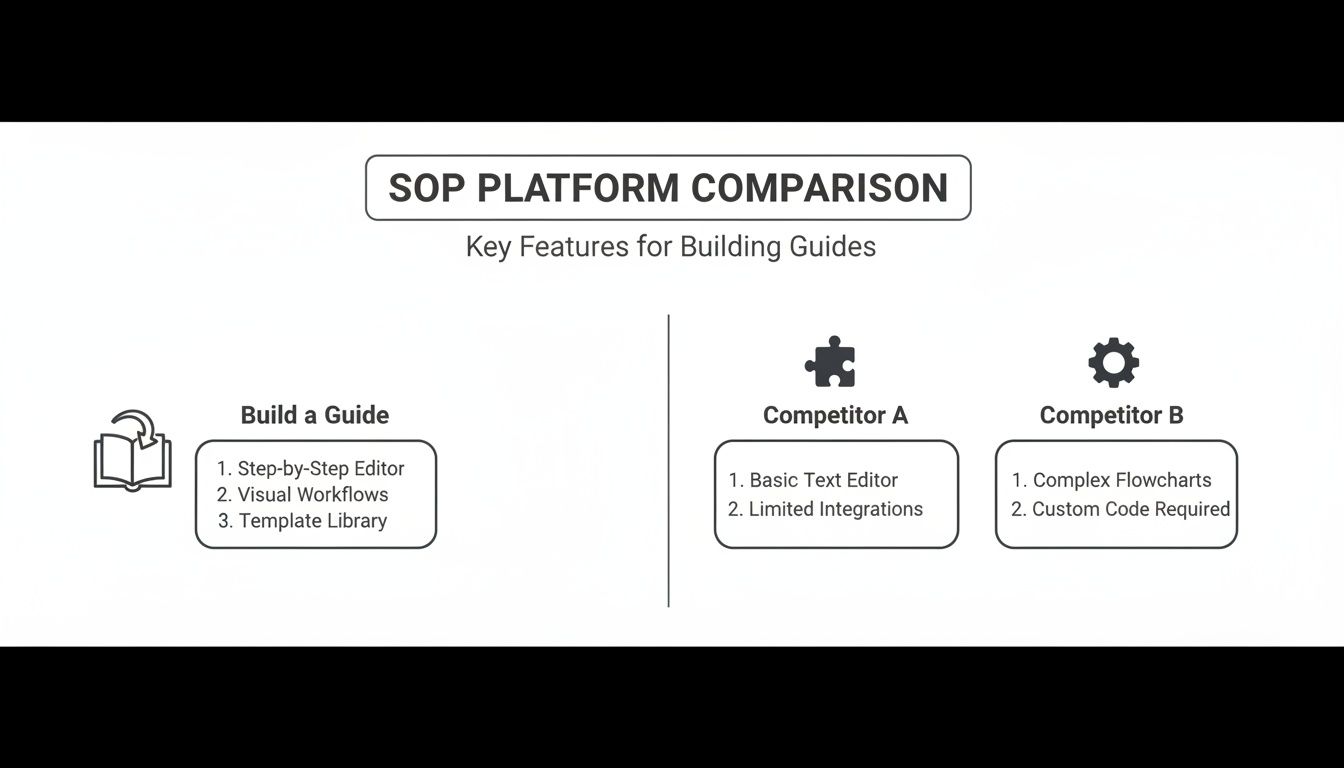
This highlights that while some tools are great at just capturing steps, a true SOP system also gives you the structure to organize and scale that knowledge effectively.
For Operations and HR Standardizing Onboarding
Operations and HR managers are the guardians of consistency and compliance, especially with remote employee onboarding. Their biggest challenge is making sure every new hire gets the same quality experience and completes all required training, no matter where they are.
Their most critical needs are:
Tracking and Accountability: Being able to assign guides and track completion is a must-have for compliance.
Templates: Pre-built templates for common HR policies and onboarding checklists are huge time-savers.
Role-Based Access: New hires should only see what’s relevant to their role to avoid feeling overwhelmed.
For this job, a tool like Trainual is a solid choice because of its heavy focus on onboarding and training workflows. It’s built to create structured learning paths and track progress, ensuring every employee completes mandatory training on security, company values, and role-specific tasks with a clear audit trail.
A Practical Plan for Rolling Out Your New SOP System
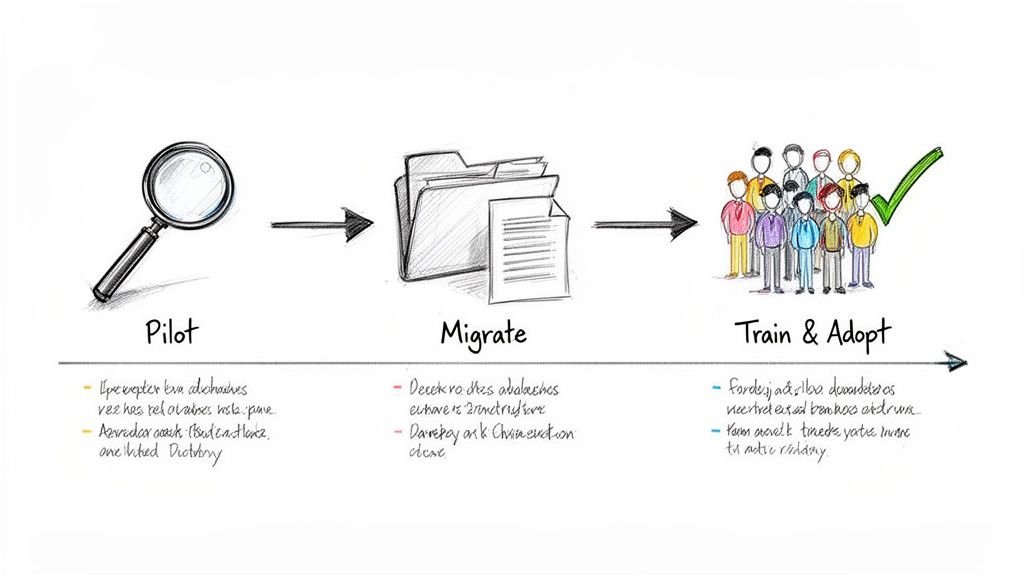
Choosing your new SOP software for small business is the easy part. The real work is weaving it into your team’s daily routine so it doesn’t become expensive ‘shelfware.’
Without a smart rollout, even the best software dies on the vine. Teams already waste an average of 5-10 hours per week just hunting for information. A structured implementation tackles that waste from day one by making answers easy to find.
The goal isn't to document your entire business overnight. It's to prove the tool's value fast and get your team on board by making their jobs easier, not giving them more homework.
Start with a Small, Focused Pilot
Don’t try to boil the ocean. A massive, company-wide rollout is a perfect recipe for overwhelming your team and creating resistance.
Instead, run a small pilot program to score an early, visible win.
Find a High-Pain, Low-Complexity Process: Pick one single procedure that causes frequent questions or errors but is relatively easy to document. Think processing a customer refund, submitting an expense report, or setting up a new client project.
Pick Your Pilot Team: Grab 3-5 employees who run this process daily. You'll want a mix of people—some who are excited about new tools and some who are more skeptical. Their feedback will be gold.
Document and Test: Use your new software to create the guide for that one process. Have the pilot team follow the new SOP to get their work done, and then ask them what worked and what didn't.
This approach keeps disruption low and lets you fine-tune your documentation style before going big. A successful pilot creates internal champions who will sell the new system for you.
Migrate Your Old Docs Strategically
Once the pilot proves the concept, it’s time to move your existing knowledge into the new system. Don't just copy and paste everything. This is your chance to clean house.
A migration isn't just about moving files. It's an audit. Use this moment to kill outdated guides, merge redundant documents, and archive anything that’s no longer relevant. Don't let your new, clean system inherit old clutter.
For every document you move, ask these questions:
Is this still accurate? Verify every single step and update it.
Can this be more visual? Ditch the walls of text. Add screenshots, short videos, or simple checklists.
Who owns this process now? Assign a clear owner who is responsible for keeping this SOP up to date.
Focus on migrating the 20% of documents that answer 80% of your team's questions. For a deeper dive, check out our guide on how to create SOPs your team will actually want to use.
Make Shared Ownership the Goal
Ultimately, a successful rollout is about culture, not just technology.
Position the new SOP software as a tool for everyone, not a mandate from the top. Encourage your team to flag outdated steps, suggest improvements, and add their own expertise.
When documentation becomes a shared responsibility, it stays alive. Your SOPs transform from a dusty rulebook into a living, collective brain for your entire business.
How to Make Your Final Decision
You've seen the comparisons and read the reviews. Now comes the hard part: actually picking one.
It's easy to get stuck here, paralyzed by feature lists and pricing tiers. But making the final choice doesn't have to be a battle. It’s about cutting through the noise and focusing on what your business truly needs.
The right SOP software for a small business isn’t just about fixing today’s process problems. It’s about choosing a tool that grows with you instead of holding you back.
The Decision Checklist
Before you even think about starting a free trial, grab your team and work through this list. This isn’t just busywork—it forces you to define what "good" actually looks like for your specific situation.
What’s Your Real Budget? Decide on a monthly or annual number you can stick to. And remember, the hidden cost of messy processes—wasted time, repeated mistakes, and frustrated employees—is almost always higher than a software subscription.
What Are Your Top 3 Must-Haves? Forget the nice-to-haves for a minute. Based on your main use case (agency, support, HR), what features are non-negotiable? Is it instant process capture, slick onboarding workflows, or AI that helps you write faster?
How Tech-Savvy Is Your Team? Be honest. If a tool isn’t intuitive, it won’t get used. A beautiful, complex platform that no one touches is just expensive shelfware. Simplicity almost always wins.
Will It Scale With You? Think two years ahead. Will this software handle more users, more documents, and more complex workflows? Or will you be right back here, shopping for a replacement?
Remember, the "best" software is the one your team will actually use every day. If it's too complicated to create content or too hard to find information, it has already failed, no matter how powerful its features are.
From Checklist to Choice
Once you’ve gone through the checklist, one or two options will likely stand out from the rest.
Now it's time to put them to a real test. Sign up for a free trial and use it to build one or two of your most important SOPs. Don't just click around the interface—try to accomplish a real task.
This is the final confirmation. A hands-on trial moves your decision from a spreadsheet comparison to a real-world verdict. It shows you exactly how the software feels in practice and proves whether it will truly make your work easier.
Diving into the world of SOP software for the first time? You're not alone. Most small businesses have the same few questions before they commit.
Here are the straightforward answers you actually need.
What’s The Real Difference Between SOP Software And A Wiki?
While they both store information, they have completely different jobs. A wiki, like Notion or a folder of Google Docs, is just a flexible container for knowledge. It’s a library. It lacks the structure needed to make sure work gets done correctly.
Dedicated SOP software for small business is built for action. It’s an instruction manual with a built-in supervisor. It’s designed to guide people through a process with features like:
Step-by-step checklists that track progress
Version control, so no one uses an old guide by mistake
Completion tracking for accountability
Approval workflows to keep quality high
A wiki holds information. SOP software drives execution.
How Much Should A Small Business Expect To Pay For This?
Prices can be all over the place, but for a team of 5-10 people, a realistic budget usually falls between $50 and $250 per month.
Basic plans will get you the core documentation features. The higher-end plans start to add things like AI-powered guide creation, better analytics, and more advanced training tools.
Think about the cost in terms of ROI. If this software saves each team member just two hours a month—time they used to spend hunting for answers or fixing mistakes—it’s already paid for itself.
How Do We Get Our Team To Actually Use It?
Adoption is everything. If people don't use it, it’s a wasted investment.
The key is to solve a genuine pain point on day one. Don't try to document the entire company at once. Start with one or two processes that are notoriously repetitive or frustrating for your team.
When your team realizes the new tool gives them instant answers they used to have to ask for, they'll start trusting it. The other trick is to make documentation a shared responsibility. Let anyone suggest an improvement. This creates a sense of ownership and keeps your SOPs from going stale.
Ready to stop documenting and start building a more efficient business? With Build a Guide, you can turn complex processes into simple, interactive guides in minutes. Its AI-powered engine transforms screen recordings into step-by-step instructions, making it effortless to create the single source of truth your team needs. https://buildaguide.app