
January 17, 2026
Essential Team Collaboration Best Practices for Peak Performance
Discover team collaboration best practices that drive productivity and innovation. Learn to build a connected, efficient, and highly effective team.
Great team collaboration doesn't just happen. It's built.
It’s the set of practices that turns a group of talented individuals into a single, high-performing unit. This means setting clear communication norms, defining who does what, standardizing how work gets done, and using the right tools to tie it all together.
Getting this right is the single most important thing you can do to transform a disconnected group into a cohesive, unstoppable team.
Why Disconnected Teams Fail and High-Performing Teams Thrive
Let’s start with a hard truth: poor collaboration is a silent killer. It’s the invisible friction that makes projects stall, budgets bloat, and your best people quietly look for the exit.
Imagine a rowing crew where everyone is out of sync. There's a lot of splashing and a ton of effort, but the boat just spins in circles. That’s a disconnected team in a nutshell.
Now, picture a crew pulling together in perfect rhythm. Everyone knows their job, trusts the person next to them, and moves as one toward the finish line. The gains aren't just small improvements; they're massive. This isn’t about "soft skills"—it’s a powerful operational advantage that drives real results.
The Stark Contrast Between Chaos and Cohesion
The data tells a pretty clear story. Poor collaboration is a massive problem, with 86% of leaders blaming it for most workplace failures.
On the flip side, the most engaged and collaborative teams see 23% higher profitability and 18% higher sales productivity than everyone else. This isn't a coincidence. Collaboration in the workplace has shot up by 50% over the last 20 years because companies know it directly fuels innovation and speed. You can see more data on how collaboration statistics impact business success.
This guide is your blueprint for building that kind of high-performing environment. We’ll break down the core pillars that turn collaboration from a buzzword into a real, tangible strategy.
A team is not a group of people who work together. A team is a group of people who trust each other. —Simon Sinek
That trust is built on a foundation of clear, intentional practices. Without that structure, teams are left guessing, which leads to the kind of predictable—and expensive—problems we all want to avoid.
The Pillars of High-Performing Team Collaboration
To get from chaos to clarity, we're going to focus on a few key areas that form the bedrock of elite teamwork. Think of these as the operating system for your team. Mastering them is non-negotiable if you’re serious about sustainable growth.
Here's a quick look at the path we'll follow. Each pillar solves a specific, common problem that holds teams back.
Pillar | What It Solves | Key Outcome |
|---|---|---|
Communication Norms | "Too many meetings," constant pings, and context switching. | Less noise, more deep work. |
Role Clarity (RACI) | Confusion over "who owns this?" and decision-making bottlenecks. | Clear ownership and faster decisions. |
Handoffs & Workflows | Dropped balls between teams and inconsistent project execution. | Smooth, predictable delivery. |
Documentation & SOPs | Lost knowledge, repetitive questions, and slow onboarding. | A single source of truth for how work gets done. |
Async-First Mindset | Needing to be "online" to make progress; timezone headaches. | Progress without meetings. |
Effective Meetings | Wasted time in meetings that have no clear purpose or outcome. | Shorter, more decisive meetings. |
Strategic Tooling | A messy tech stack that creates more work instead of less. | Tools that support your process, not fight it. |
KPIs & Measurement | "Collaboration" as a vague goal with no way to track progress. | A clear way to see if your efforts are working. |
By building up these pillars one by one, you create a system that runs itself, freeing everyone up to do their best work.
Build a Communication Framework That Actually Works
Telling your team to "communicate better" is like telling a chef to "cook tastier." It's useless advice without a recipe. You don't need better intentions; you need an intentional communication system.
That system starts with a communication charter—a simple but powerful agreement on which tool to use for which type of conversation.
Without one, teams slip into digital chaos. Questions get asked in three different places, decisions get buried in endless chat threads, and everyone is constantly context-switching. The cost is real; research shows over one-third of leaders lose an hour or more every day to poor communication, costing a single manager over $16,000 a year. You can see the full breakdown of this productivity drain in this collaboration report from Zoom.
Think of your tools like a mechanic's workshop. You wouldn't use a sledgehammer to tighten a small bolt. A charter makes sure your team uses the right tool for the job, every single time.
Define Your Channels of Communication
The first step is to give every tool a job. When you assign a primary purpose to each channel, you slash the digital noise and give your team clarity on where to look for information or start a conversation.
Here’s a common framework you can adapt for your own team:
Instant Messaging (Slack, Teams): This is for quick, informal questions and urgent updates. Think of it as your team's walkie-talkie—fast, efficient, and for things that need a near-immediate response.
Email: Reserve this for formal, external communication or important internal announcements that need an official paper trail. It’s your certified mail, used for things that need to be formally sent and received.
Project Management Tool (Asana, Jira): All task-specific conversations, status updates, and feedback live here. This is your job board, where every conversation is attached to a specific task. No more digging through chat for that one file link.
Video Conferencing (Zoom, Google Meet): Use this for complex problem-solving, team building, and sensitive conversations where nuance and tone are critical. This is the face-to-face meeting for when you need to read the room.
By defining these lanes, you stop important project updates from getting lost in a sea of GIFs and prevent urgent questions from sitting unanswered in an email inbox.
Master the Sync vs. Async Balance
Not every conversation needs to happen in real-time. One of the most powerful shifts a team can make is embracing asynchronous ("async") communication. This just means communicating in a way that doesn't demand an immediate response, giving everyone their focus time back.
Asynchronous work isn't just about different time zones; it's about creating a culture where deep work is the default, and interruptions are the exception.
This approach empowers your team to disconnect and concentrate without fearing they'll miss out on a key decision. It changes the culture from "who is online right now?" to "what is the best way to move this forward?"
This decision tree shows just how much a breakdown in collaboration—often rooted in poor communication—can cost a team.
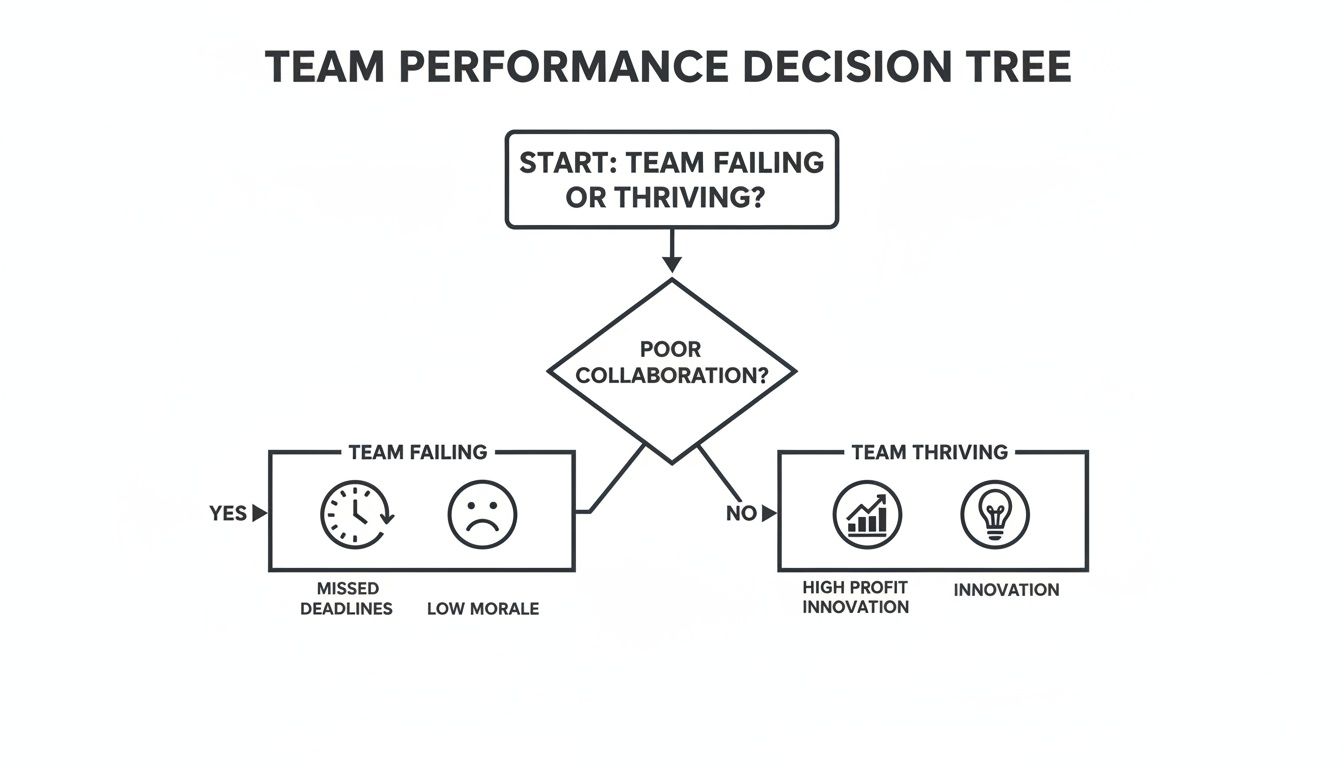
As you can see, poor collaboration leads straight to missed deadlines and low morale, while strong collaboration is a direct path to innovation and profitability.
Here’s a simple guide for deciding when to go sync (real-time) versus async.
Choose Synchronous (Meetings) for:
Complex Brainstorming: When ideas need to build off each other in the moment.
Sensitive Topics: For performance reviews or tough feedback where tone and body language are non-negotiable.
Team Building: For virtual coffees or social events that build real connection.
Urgent Crisis Resolution: When an issue requires immediate, all-hands-on-deck problem-solving.
Choose Asynchronous (Messages, Docs, Videos) for:
Status Updates: Ditch the status meeting and use your project management tool instead.
Giving Feedback: Leave comments directly in a document or tool where they can be addressed thoughtfully.
General Announcements: Share information in a dedicated channel for everyone to see on their own time.
Asking Non-Urgent Questions: Post in the relevant channel so your colleagues can answer when they have a free moment.
When you make async the default, you reclaim hours lost to pointless meetings and empower your team to do their best work, no matter where—or when—they are.
Clarify Roles and Responsibilities to Eliminate Ambiguity
Confusion is the silent killer of project momentum. When nobody's sure who owns a decision or who's supposed to handle a task, projects stall, deadlines slip, and frustration quietly builds. This is where one of the simplest and most effective collaboration practices comes in: defining exactly who does what.
Without that clarity, you get chaos. You'll see duplication of effort, with two people unknowingly working on the same thing. Worse, you'll see critical tasks fall through the cracks because everyone assumed someone else had it covered. It’s like a sports team where no one knows their position—everyone chases the same ball while leaving the goal wide open.
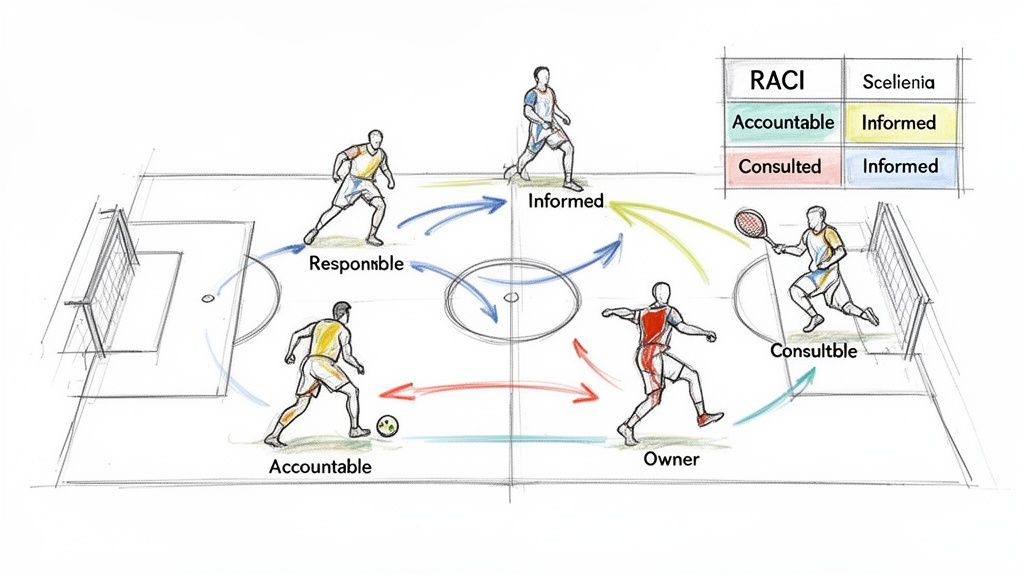
To prevent this, you need a simple, visual way to map out ownership. The goal is to end the dreaded "Wait, who was handling that?" conversation for good.
Introduce the RACI Framework
One of the most powerful tools for this is the RACI matrix. It’s a dead-simple acronym that stands for Responsible, Accountable, Consulted, and Informed. RACI gives you a straightforward way to assign roles for any task, milestone, or decision on a project.
Here’s a quick breakdown of what each role actually means:
Responsible: This is the person (or people) who actually does the work. They’re the ones with their hands on the keyboard, creating the deliverable.
Accountable: This is the one person who ultimately owns the outcome. They have the final say and are accountable for the task’s success or failure. There should only be one Accountable person per task—no exceptions.
Consulted: These are the experts whose input is needed before work can move forward. Communication here is a two-way street; they provide feedback and opinions.
Informed: These are the people who just need to be kept in the loop on progress. They don’t need to be in every meeting, and communication with them is strictly one-way.
The most important distinction to remember is this: a Responsible person does the work, while the Accountable person owns the work. Getting this right is critical for establishing clear lines of ownership.
By mapping this out before a project kicks off, every single person knows their exact level of involvement, what’s expected of them, and who to go to with questions. No more guessing games.
How to Create a RACI Matrix in Practice
Let’s apply this to a real-world example everyone can understand: launching a new marketing campaign. The team includes a marketing manager, a content writer, a designer, the sales team, and the leadership team.
The process is simple. First, list all the major tasks and deliverables down the left side of a chart. Then, list the team members or roles across the top. Finally, fill in the grid with an R, A, C, or I at each intersection.
This exercise forces you to think through the entire workflow and spot potential bottlenecks before they happen. If you see a task with no 'R' assigned, you know it’s going to be missed. If you find a task with multiple 'A's, you’ve just found a future argument waiting to happen.
Building this kind of clarity is fundamental to creating durable workflows. You can formalize these processes even further by using a good standard operating procedure template to document your team's approach.
Here’s what a simple RACI matrix might look like for our marketing campaign launch:
Simple RACI Matrix for a Marketing Campaign Launch
This table shows how the RACI framework can be applied to a typical project, making it crystal clear who is responsible for each part of the campaign.
Task / Deliverable | Marketing Manager (Accountable) | Content Writer (Responsible) | Designer (Responsible) | Sales Team (Consulted) | Leadership (Informed) |
|---|---|---|---|---|---|
Develop Campaign Strategy | A | C | C | C | I |
Write Blog Post | A | R | C | I | I |
Create Social Media Graphics | A | I | R | I | I |
Build Email Announcement | A | R | I | I | I |
Approve Final Campaign | A | C | C | I | C |
Launch and Monitor | A/R | I | I | C | I |
As you can see, the Marketing Manager is Accountable for the entire campaign's success. The Content Writer and Designer are Responsible for creating their specific assets. The Sales and Leadership teams are Consulted for strategic input but are otherwise kept Informed of day-to-day progress.
This simple chart eliminates ambiguity, empowers team members to act, and builds a culture of clear ownership—a cornerstone of any high-performing team.
Create a Single Source of Truth for Your Team
Scattered information is a growth killer. When critical knowledge lives only in one person’s head—what we call “tribal knowledge”—teams become fragile, inconsistent, and slow to scale. Every time a new person joins or a key team member is out, the same questions get asked, and momentum grinds to a halt.
This chaos isn't just frustrating; it's a massive drag on performance. Globally, only 21% of employees feel engaged, and a shocking 47% don't strongly agree they know what's expected of them. A huge reason for this is the lack of clear, documented processes.
The answer is to build a central nervous system for your team—a single source of truth. This isn't about creating dusty, static documents that no one reads. It’s about building a living, breathing knowledge base that empowers everyone to find answers on their own.
Move From Static Docs to a Living Knowledge Base
We’ve all seen the old way of doing things: dense Word documents or PDFs saved in a forgotten folder. They’re outdated the moment you save them and are impossible to search effectively.
A modern single source of truth is different. It's dynamic, accessible, and baked into your team’s daily workflow. To get there, you need to understand how to build a knowledge base that acts like a product, not a one-off task.
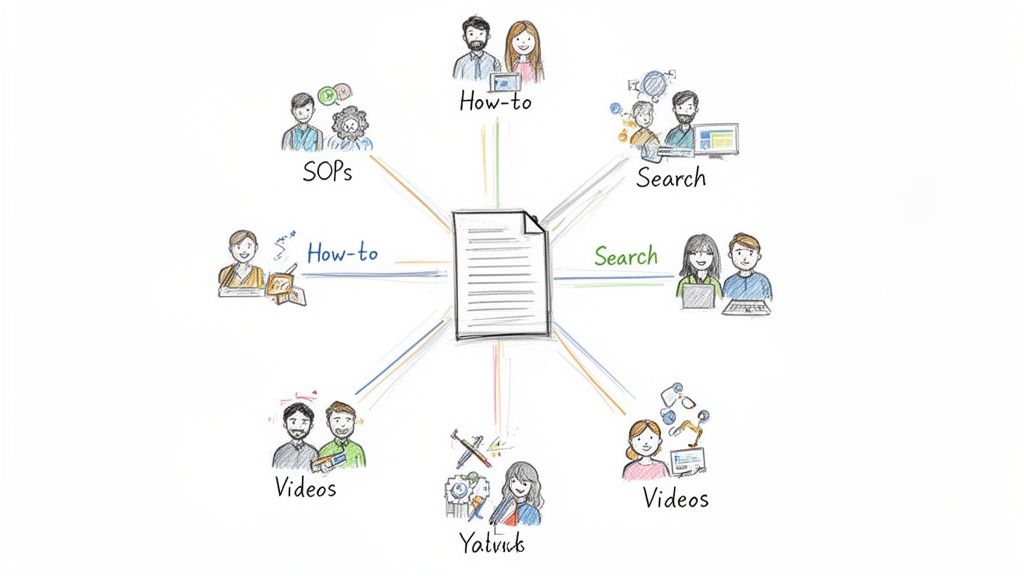
This kind of visual, structured approach makes complex processes simple to follow and ensures everyone is working from the same playbook. Your knowledge base should be the first place team members look for anything, from company policies to step-by-step Standard Operating Procedures (SOPs).
Automate SOP Creation to Save Time and Boost Consistency
Let's be honest: creating and maintaining documentation has always been a tedious, manual chore. This is exactly why it gets neglected. But modern tools have completely changed the game, making it faster and easier than ever to capture and share knowledge.
Platforms like Build a Guide let you just record your screen while you do a task. Then, it automatically breaks down your recording into a polished, step-by-step guide with screenshots and clear instructions. No more manual writing.
By turning screen recordings into instant SOPs, you're not just documenting a process; you're cloning your best performers' expertise and making it available to everyone, on-demand.
This approach delivers some powerful wins:
Faster Onboarding: Imagine a new hire getting up to speed in days instead of weeks because every key workflow is laid out for them, ready to search.
Improved Consistency: When everyone follows the same documented process, you eliminate errors and ensure a high-quality output every single time.
Empowered Teams: Team members can find their own answers, which fosters a culture of self-sufficiency and frees up senior staff from answering repetitive questions.
The goal is to make documentation so easy that it becomes a natural part of getting work done. For more on this, check out our detailed article on how to create a step-by-step guide your team will actually use.
By building and maintaining a single source of truth, you create a scalable foundation for your team. Knowledge stops being a bottleneck and becomes an accessible asset that fuels autonomy, consistency, and growth.
Select Your Collaboration Tools Strategically
More tools do not equal more productivity. In fact, it's usually the opposite.
An overflowing, disconnected tech stack creates chaos. It leads to information silos, duplicated work, and that constant, draining feeling of digital overwhelm. The goal isn’t to be a tool collector. It’s to be a thoughtful architect, building a streamlined toolkit that actually supports how your team works.
Think of your tool stack like a well-organized kitchen. You need a sharp knife for chopping (communication), a sturdy pan for cooking (project management), and good containers for storage (documentation). Having ten different knives doesn't make you a better chef—it just clutters your countertop.
This intentional approach is no longer optional. The collaboration market is exploding from $39.4 billion in 2023 to a projected $116.3 billion by 2033. And with 84% of U.S. employees working across multiple teams, an integrated set of tools is the only way to prevent the productivity drain that comes from juggling disconnected apps. You can see more data on this shift in these workplace collaboration trends on UCToday.com.
Categorize Tools by Core Function
To build your ideal stack, start with an audit. Look at what you already have and categorize each tool by its primary job. This is the fastest way to spot redundancies and find the real gaps in your workflow.
Most collaboration needs fall into three buckets.
1. Communication Hubs: These are your digital hallways and meeting rooms—the place for real-time and async conversations. It’s where quick questions get asked and team culture gets built.
Examples: Slack, Microsoft Teams, Google Chat.
Purpose: Fast, informal discussion, urgent updates, and team announcements.
2. Project & Task Management Platforms: This is where the actual work gets organized. These tools provide structure, track progress, and make it clear who is doing what, by when. This is your single source of truth for all things project-related.
Purpose: Assigning tasks, setting deadlines, monitoring progress, and housing all project-specific communication.
3. Documentation & Knowledge Management Systems: Think of this as your team’s collective brain. It’s where you store processes, SOPs, and long-term knowledge that needs to be easy for anyone to find—especially new hires.
Examples: Build a Guide, Notion, Confluence.
Purpose: Creating a searchable, living library of company processes, best practices, and essential information.
Create an Integrated Ecosystem
Once you have your core tools, the next step is making sure they talk to each other. An integrated ecosystem means data flows smoothly between platforms, which gets rid of manual data entry and keeps information consistent. A new task in your project tool should be able to automatically trigger a notification in your communication hub. Simple as that.
A truly effective tech stack isn't just a list of good apps; it's a connected system where the whole is greater than the sum of its parts. Each tool should enhance the others, creating a frictionless experience for your team.
This integration-first mindset is the best defense against the productivity drain from constant app-switching. It ensures your technology serves your process, not the other way around. To make sure you pick the right platforms, check out this comprehensive guide to the best team communication apps.
A Practical Checklist for Evaluating New Tools
Before adding any new software to your stack, run it through this simple gut check. Answering these questions forces you to be intentional and stops you from adopting a tool that solves one problem while creating three more.
Does it solve a real problem? Be specific. What's the exact pain point this tool addresses? Don't get distracted by shiny new objects without a clear business case.
How does it integrate? Look for native integrations with your core tools. Will it connect smoothly, or is it just another information silo waiting to happen?
Is the user experience intuitive? A tool is useless if no one wants to use it. Is it easy to learn? Does it feel good to navigate?
Is it secure and scalable? Make sure it meets your company’s security standards and can grow with your team without forcing a painful migration down the road.
What is the total cost of ownership? Look past the sticker price. What's the real cost in time and resources for implementation, training, and ongoing maintenance?
Measure Success to Drive Continuous Improvement
Rolling out new collaboration practices is only half the battle. If you don't measure their impact, you're flying blind. You have no real way of knowing if your efforts are paying off or just creating more noise.
To make any real improvements stick, you have to ditch the "set it and forget it" mindset. It’s time to embrace a cycle of continuous improvement.
This means moving beyond vague goals like “better collaboration.” You need to define concrete Key Performance Indicators (KPIs) that connect directly to business outcomes. Think of it like a fitness plan. You don't just decide to "get healthier"—you track specific metrics like miles run, weight lifted, or resting heart rate. That same discipline applies here.
Identify Meaningful Collaboration KPIs
To truly understand what’s working, you have to measure what matters. Vanity metrics, like the number of messages sent in a day, tell you nothing about quality or efficiency. Instead, focus on KPIs that reflect real changes in how work actually gets done.
Here are a few powerful collaboration metrics you can start tracking:
Project Completion Time: Are projects moving from start to finish faster than before? This is a direct measure of reduced friction in your workflow.
Revision Cycles: How many rounds of edits does a deliverable go through before it’s approved? Fewer cycles are a great sign of clearer communication and better initial alignment.
Employee Engagement Scores: Use pulse surveys to get a read on morale, clarity, and job satisfaction. Happy, engaged teams are a hallmark of a healthy collaborative culture.
Meeting Time vs. Deep Work Time: Track how many hours are spent in synchronous meetings versus focused, asynchronous work. A successful shift should see meeting time go down.
These data points give you objective proof of what’s working and where you need to adjust your approach. For a deeper look into optimizing your workflows, check out these process improvement best practices.
Drive Adoption and Refine Your Processes
Great systems are useless if nobody uses them. Driving adoption isn’t something you can accomplish with a single company-wide email announcing a new tool. It’s about building momentum and making the new way of working the easiest and most rewarding path.
Start by appointing internal champions—enthusiastic team members who can model the new behaviors and help their peers. Back them up with excellent training, using tools like Build a Guide to create living, interactive SOPs that make learning new workflows simple and accessible.
Improving collaboration isn't a one-time project; it's a continuous feedback loop. Implement, measure, get feedback, and refine. Repeat forever.
Finally, make sure to establish regular feedback loops. Things like project retrospectives or simple "start, stop, continue" sessions create a safe space for the team to talk about what’s working and what’s not. This lets you make small, iterative adjustments that add up to massive gains over time. Celebrating small wins along the way reinforces positive change and builds the momentum you need for lasting cultural transformation.
The business case for this is undeniable. Gallup’s study of over 183,000 teams found that teams in the top quartile for engagement—a direct result of strong collaboration—achieve 23% higher profitability and 14% higher production output. You can read more about these powerful collaboration findings to see how these practices translate to tangible results.
Got Questions About Team Collaboration? We’ve Got Answers.
Even the best game plan runs into real-world questions. Shifting how a team works together always brings up a few “what ifs” and “how tos.” Let's tackle some of the most common ones you’ll face.
How Do I Deal With Resistance to Change?
Resistance is rarely about sabotage. It's usually about comfort. People stick with what they know, even if it’s frustrating, because it’s familiar. The trick isn’t to force change—it's to make the new way feel less scary and more helpful.
Instead of just announcing a new process, you have to sell the "why." Show your team how a RACI matrix isn't just another spreadsheet, but a tool to end the daily frustration of not knowing who owns what. No more finger-pointing or tasks dropped between the cracks.
A great way to start is with a small pilot group. Find a few people who are genuinely excited about the idea and let them try it first. Their success stories become your best marketing material. When you celebrate their wins, it shows everyone else what’s possible and builds the momentum you need.
What Are the First Practices I Should Implement?
Don't try to fix everything at once. If you roll out five new systems on Monday, by Friday, your team will be overwhelmed and nothing will stick. The smarter move is to find your single biggest point of friction and start right there.
Drowning in back-to-back meetings? The first move is a simple communication charter. Define what’s a meeting, what’s an email, and what belongs in Slack.
Tasks constantly falling through the cracks? Just introduce a RACI matrix for your very next project. Clarify ownership from the jump.
Can nobody find anything? Don't try to document the whole company. Pick one critical process and create a single source of truth for it using a tool like Build a Guide.
Focus on the one change that delivers the most immediate relief. When you solve a real, daily frustration, you earn the trust to make bigger improvements down the line.
How Do These Practices Adapt to Different Team Sizes?
Collaboration principles don’t change, but how you apply them definitely does. A startup of five people and a department of 50 can't operate the same way. The key is to match the formality of your system to the size of your team.
Small Teams (2-10 people): Things can stay pretty informal. A simple checklist in a shared doc can clarify roles just fine, and a dedicated Slack channel might be all you need for a source of truth.
Medium Teams (11-50 people): This is where chaos starts to creep in. Formal systems become essential. You'll need a real project management tool, properly documented SOPs, and clear RACI charts to keep everyone moving in the same direction.
Large Organizations (50+ people): At this scale, it's all about consistency. You need standardized templates for everything, a central knowledge base that everyone trusts, and dedicated people who champion these best practices across different departments.
Ready to create a single source of truth that your team will actually use? With Build a Guide, you can turn screen recordings into polished, step-by-step guides in minutes. Stop letting knowledge get lost and start building a scalable library of your team's best practices. Start building your first guide for free today at https://buildaguide.app.