
March 1, 2026
12 Best Templates for Training Programs to Streamline Your L&D in 2026
Discover the top templates for training programs, from interactive SOPs to LMS-ready courses. Download free, customizable resources to build effective training.
Building effective training programs is a constant challenge. You need to onboard new hires, upskill existing teams, roll out product updates, and standardize processes, all while facing tight deadlines and limited resources. Starting from a blank page for every new initiative is inefficient and leads to inconsistent results.
This is where high-quality templates for training programs become a game-changer. They provide a structured foundation, saving you hundreds of hours while ensuring your content is complete, engaging, and aligned with learning objectives. A good template moves you past the "what do I include?" phase and straight into creating valuable content.
This guide curates 12 of the best templates and platforms available, ranging from simple downloadable checklists to powerful, interactive software. We’ll break down each resource, explaining its ideal audience, core strengths, and notable weaknesses. Each entry includes direct links and screenshots so you can see the tool in action.
You will find practical implementation advice for each option, with a special focus on a new category of tools that turn your processes into interactive, step-by-step guides. This fundamentally changes how you create and scale training, moving beyond static documents into active learning experiences. Forget blank-page paralysis; let's find the right blueprint to get your program built.
1. Build a Guide
Build a Guide offers a powerful, modern solution for organizations aiming to move beyond static documents and create dynamic, interactive training programs. Instead of providing traditional, downloadable files, the platform focuses on transforming screen recordings into polished, step-by-step Standard Operating Procedures (SOPs). This approach is particularly effective for any training that involves software, digital workflows, or procedural tasks, making it an exceptional choice for agencies, customer success teams, and operations managers.
The core strength of this platform is its AI-powered process documentation. Users can record a process in their browser or upload a video, and the system automatically generates a complete guide with sequential steps, screenshots, and contextual callouts. This automation dramatically reduces the manual effort typically required to create detailed templates for training programs, turning what was once a multi-day project into a task that can be completed in minutes. Stefan Persson, an Operations Lead, noted, “We went from ‘tribal knowledge’ to a real SOP library in a weekend.”
Key Features and Use Cases
Automated SOP Generation: The platform’s ability to convert videos into editable guides is its standout feature. This is ideal for creating product walkthroughs, onboarding materials for new software, and standardizing internal digital workflows.
Branded Client Hubs: Agencies and consultants can publish guides to client-specific portals or a custom domain. This feature ensures that all training materials maintain a professional, consistent brand identity.
Real-Time Collaboration & Editing: Guides are not static. A rich-text editor and collaborative tools allow teams to refine, update, and localize content as processes evolve, ensuring the training library remains accurate.
Engagement Analytics: Track views, completion rates, and user interaction hotspots to understand which parts of your training are effective and where employees or customers might be struggling.
When building your training guide, it's essential to understand the pedagogical principles that make materials effective; learn more about how to make study guides that actually work. These principles, combined with Build a Guide’s interactive format, can produce superior learning outcomes.
Practical Considerations
While the AI-generated guides provide a fantastic starting point, complex or highly sensitive processes will likely require manual review and refinement. Privacy and compliance should also be considered when uploading recordings containing sensitive data. The platform offers a free tier to get started, but organizations planning to scale should consult the website for detailed pricing on seats and client hubs. For those looking to see the process in action, you can create your own step-by-step guide to understand its capabilities firsthand.
Website: https://buildaguide.app
2. Smartsheet – Free Employee Training Plan Templates
Smartsheet provides a massive, well-organized gallery of free employee training plan templates ideal for teams that prefer structured, spreadsheet-based planning. Unlike platforms that lock you into a proprietary format, Smartsheet offers its resources in universally compatible file types, including Excel, Google Sheets, Word, and PowerPoint. This approach is perfect for managers who need a ready-to-use framework for documenting training objectives, schedules, owners, and evaluation criteria without starting from scratch.
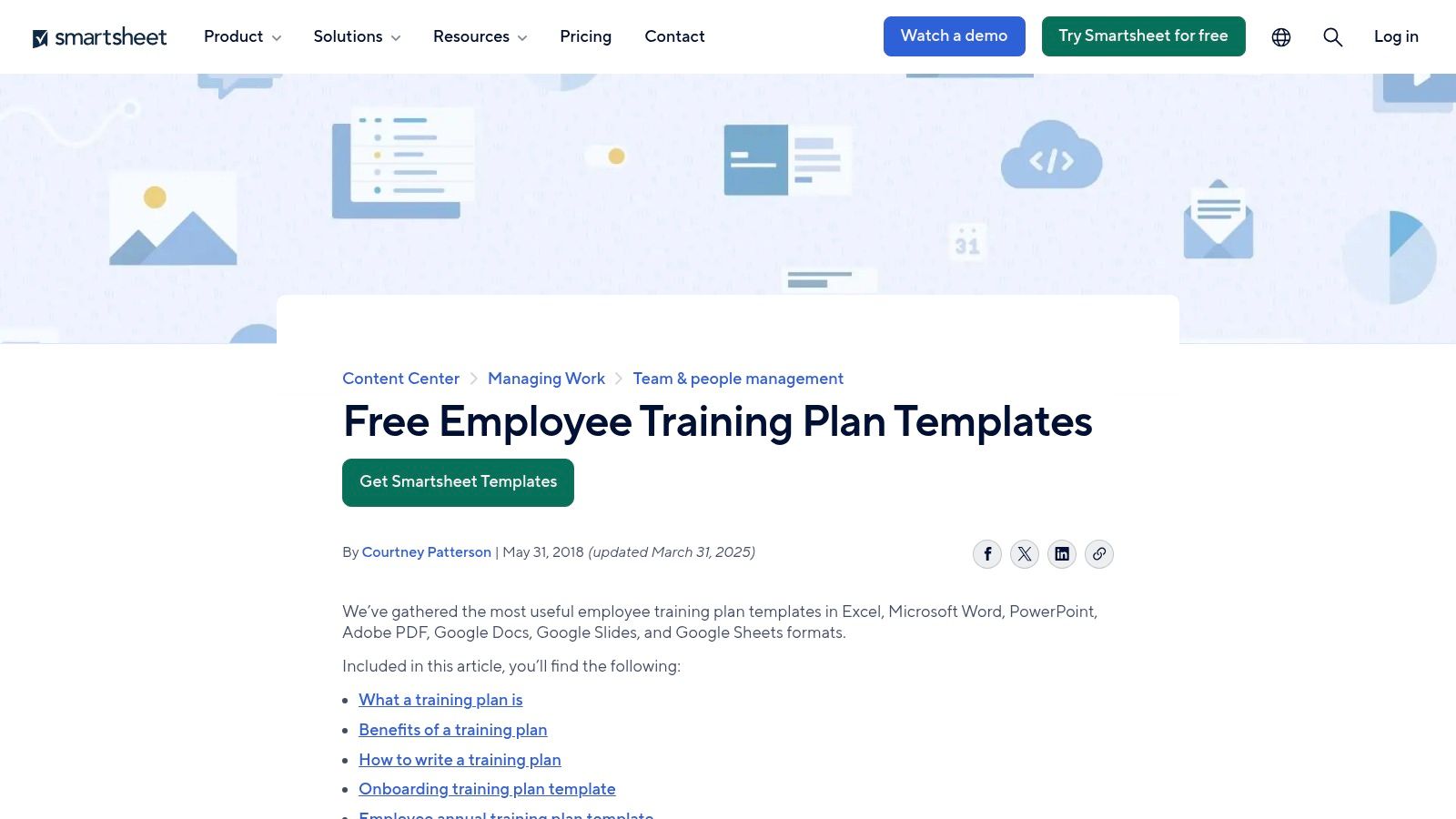
The primary advantage is its straightforward, no-frills functionality. You simply download a file and begin populating it. The templates are clear and logically structured, making them excellent starting points for various training initiatives, from new hire onboarding to annual compliance training. They even include companion training matrix templates for tracking skills across an entire team.
Practical Use & Limitations
While these are some of the best-structured downloadable templates for training programs available for free, they are static files. This means version control and updates become a manual process. If your training program changes frequently or involves many stakeholders, managing different versions can become a significant administrative burden.
Key Takeaway: Smartsheet’s templates are an excellent choice for initial planning or for teams comfortable with spreadsheet-based project management. They provide a solid foundation that can be imported into Smartsheet’s full platform later if you decide to upgrade to a live, collaborative tracking solution.
Pricing & Access: All templates in the gallery are free to download.
Unique Offering: Availability in both Microsoft 365 and Google Workspace formats offers unmatched flexibility.
Website: Smartsheet Training Plan Templates
3. Microsoft Create – Employee Training Templates
For organizations deeply integrated with the Microsoft 365 ecosystem, Microsoft Create offers a curated collection of free employee training documents. The templates cover training plans, schedules, and checklists, all designed for seamless customization in Word, Excel, PowerPoint, and even newer tools like Loop and Designer. This makes it an ideal resource for HR and operations teams that need to create branded, easily editable materials without a learning curve.
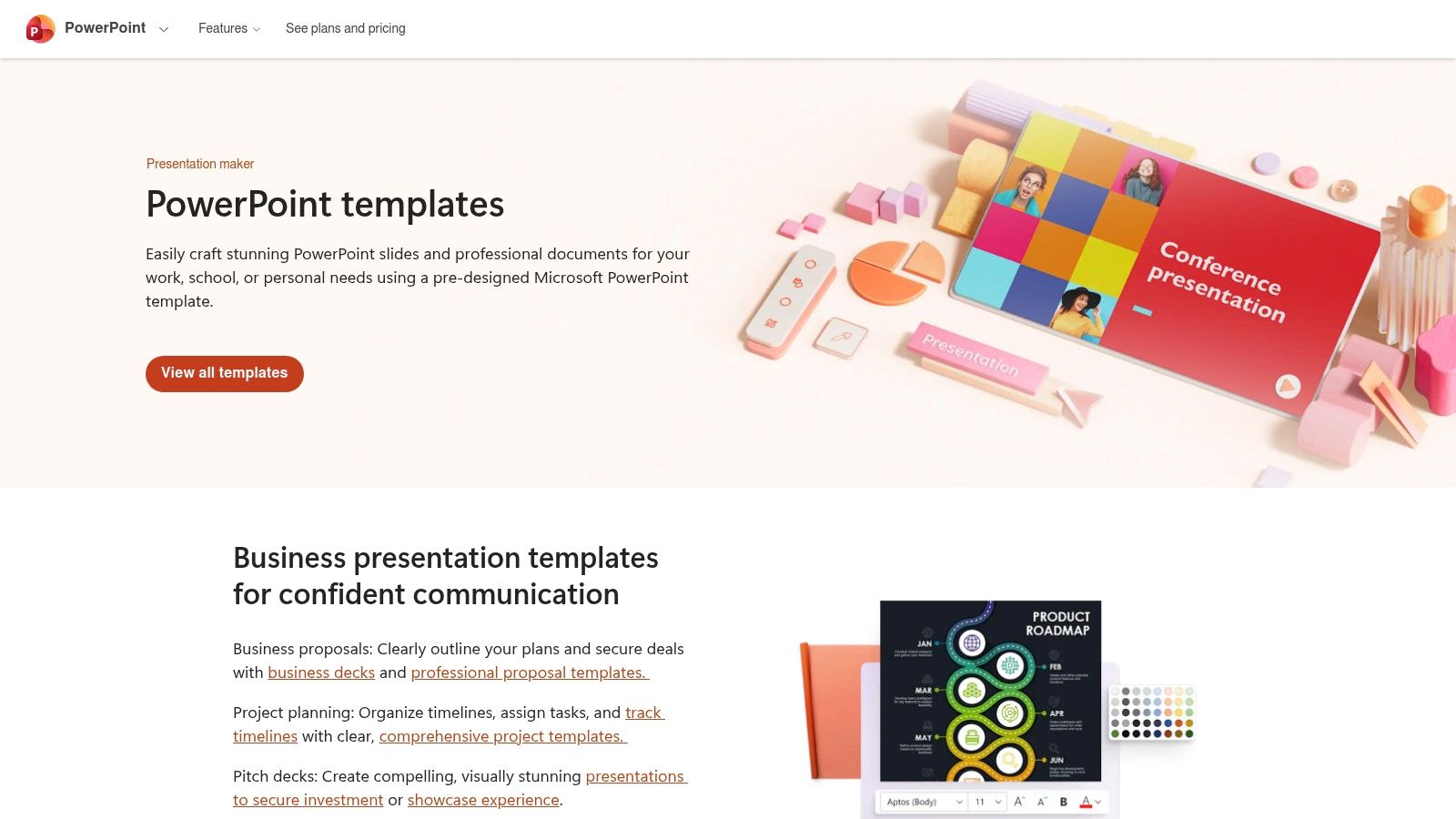
The primary benefit is its one-click "Open in app" functionality, which launches the template directly in the familiar web or desktop version of an Office application. The collection includes both administrative documents for planning and polished presentation decks for delivery. Many templates are also designed with branding in mind, allowing quick color and logo updates using Microsoft Designer's assistance features.
Practical Use & Limitations
While these are excellent, accessible templates for training programs for Microsoft-centric workplaces, they offer less specific instructional design guidance compared to dedicated e-learning platforms. The quality can also vary between individual files, as the collection is broad rather than specialized. It works best for creating foundational documents and presentations rather than complex, interactive learning modules.
Key Takeaway: Microsoft Create is the go-to choice for teams standardized on Microsoft 365. It provides a quick and free way to produce professional-looking training documents and presentations using tools your team already knows how to use.
Pricing & Access: The template gallery is free to access and use.
Unique Offering: Native integration with the entire Microsoft 365 suite (Word, PowerPoint, Designer) for a zero-friction editing experience.
4. Atlassian Confluence – Training Plan Template (Cloud)
For teams already embedded in the Atlassian ecosystem, Confluence offers a powerful, built-in solution for creating living training documents. Its training plan template provides a structured page to define objectives, modules, timelines, and resources. Because it exists within your knowledge base, this approach keeps training plans directly alongside the standard operating procedures and documentation your team already uses, making everything easily discoverable.
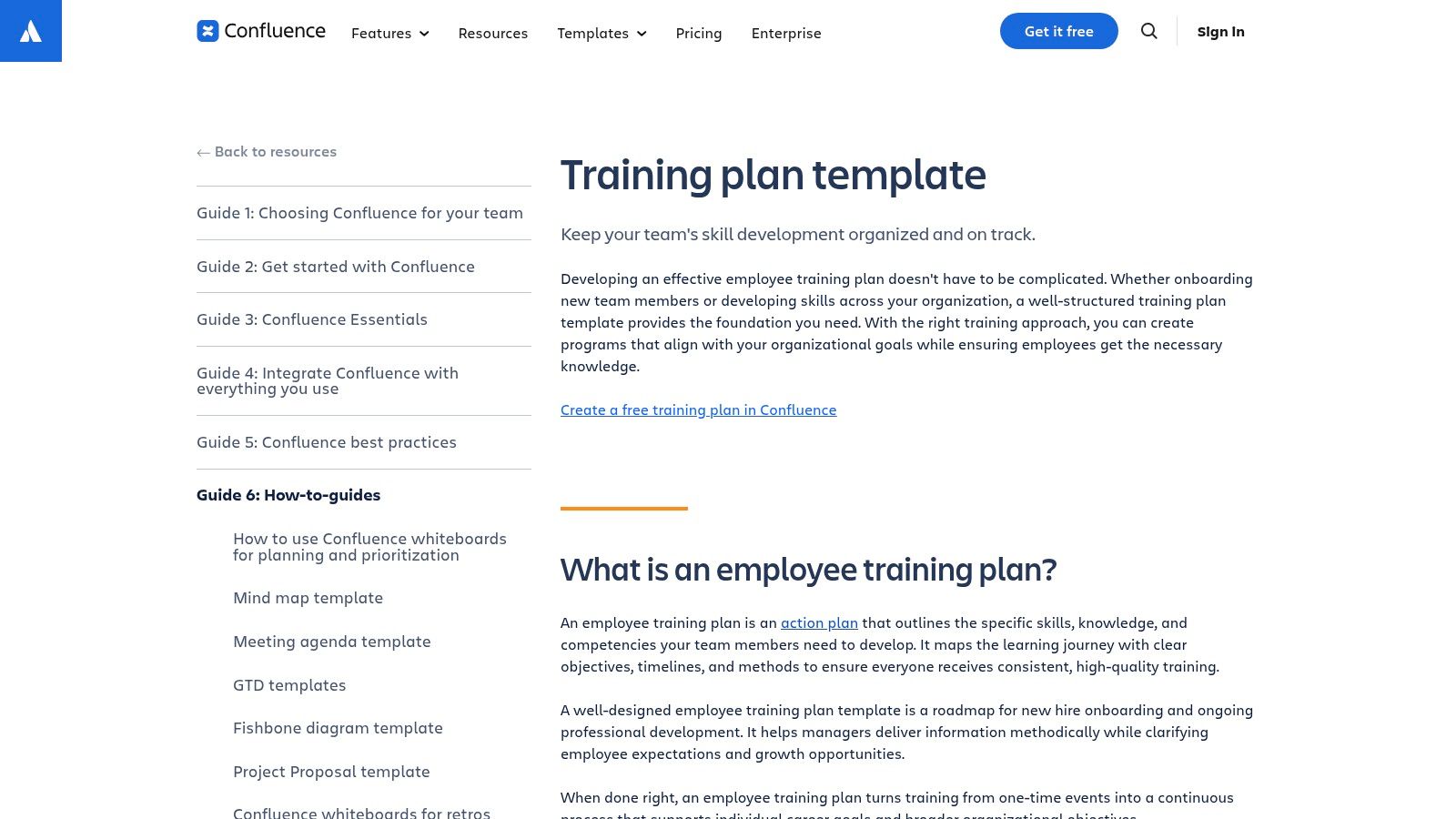
The primary benefit is its collaborative nature. Multiple stakeholders can edit, comment, and track changes through version history, making it ideal for programs that evolve. The template integrates with Jira, allowing you to create actionable tasks from the plan. It also pairs well with other Confluence templates like the 90-day plan or project workshop pages, creating a unified project management hub. Ultimately, it transforms your plan from a static document into an interactive, dynamic resource.
Practical Use & Limitations
This is one of the best integrated templates for training programs if your company's knowledge lives in Confluence. However, its value diminishes significantly for teams not already using the platform, as it requires adoption of the entire ecosystem. The free tier is functional for small teams but comes with user and storage limitations. To properly measure training effectiveness, you’ll need to ensure your tracking methods are consistent, which Confluence helps facilitate through its integrated analytics and page insights.
Key Takeaway: Confluence is the ideal choice for creating training plans that are discoverable, collaborative, and integrated with existing documentation and project management workflows. It excels at turning a plan into an actionable, living part of your knowledge base.
Pricing & Access: Free tier available; paid plans unlock more features, users, and storage.
Unique Offering: Native integration with Jira and the ability to store training plans alongside SOPs in a single, searchable knowledge hub.
5. Miro – Training Plan Template (Miroverse)
Miro offers a highly visual and collaborative approach to training program design through its Miroverse template gallery. The Training Plan Template is a dynamic digital whiteboard, ideal for teams that need to brainstorm, map, and iterate on training initiatives in real time. It allows learning and development professionals to visually lay out objectives, modules, timelines, and resources on a single, shareable canvas, making it perfect for stakeholder alignment workshops and agile planning sessions.
The template’s core strength is its real-time, collaborative nature. Multiple users can work on the board simultaneously, adding sticky notes, connecting ideas with arrows, and embedding documents or links directly into the plan. This makes it an exceptional tool for synchronous planning, where immediate feedback and group consensus are critical. Instead of emailing static files back and forth, teams can build and refine the entire training structure in one live environment.
Practical Use & Limitations
This visual canvas excels at the high-level planning and stakeholder buy-in stages. However, it is not a learning management system (LMS) or a course-authoring tool. The content itself, like videos or quizzes, must be created and hosted on other platforms. Additionally, users unfamiliar with Miro’s interface might face a slight learning curve before they can contribute effectively. These are excellent visual templates for training programs at the blueprint stage.
Key Takeaway: Miro is the best choice for collaborative, workshop-style training design. It's perfect for gaining alignment and visually iterating on program structure before moving to content creation and delivery platforms.
Pricing & Access: The template is free to use on a Miro board; a free Miro account is required.
Unique Offering: Real-time collaboration on a visual canvas allows for dynamic planning workshops that static documents cannot support.
Website: Miro Training Plan Template
6. ClickUp – Training SOP Template
ClickUp positions training program development as a project with its structured Standard Operating Procedure (SOP) template. This resource is designed for teams that already operate within the ClickUp ecosystem and want to standardize how training is planned, executed, and tracked. It moves beyond static documents by providing built-in statuses (like Draft, In Review, and Approved), custom fields, and task dependencies to create a repeatable, transparent workflow.
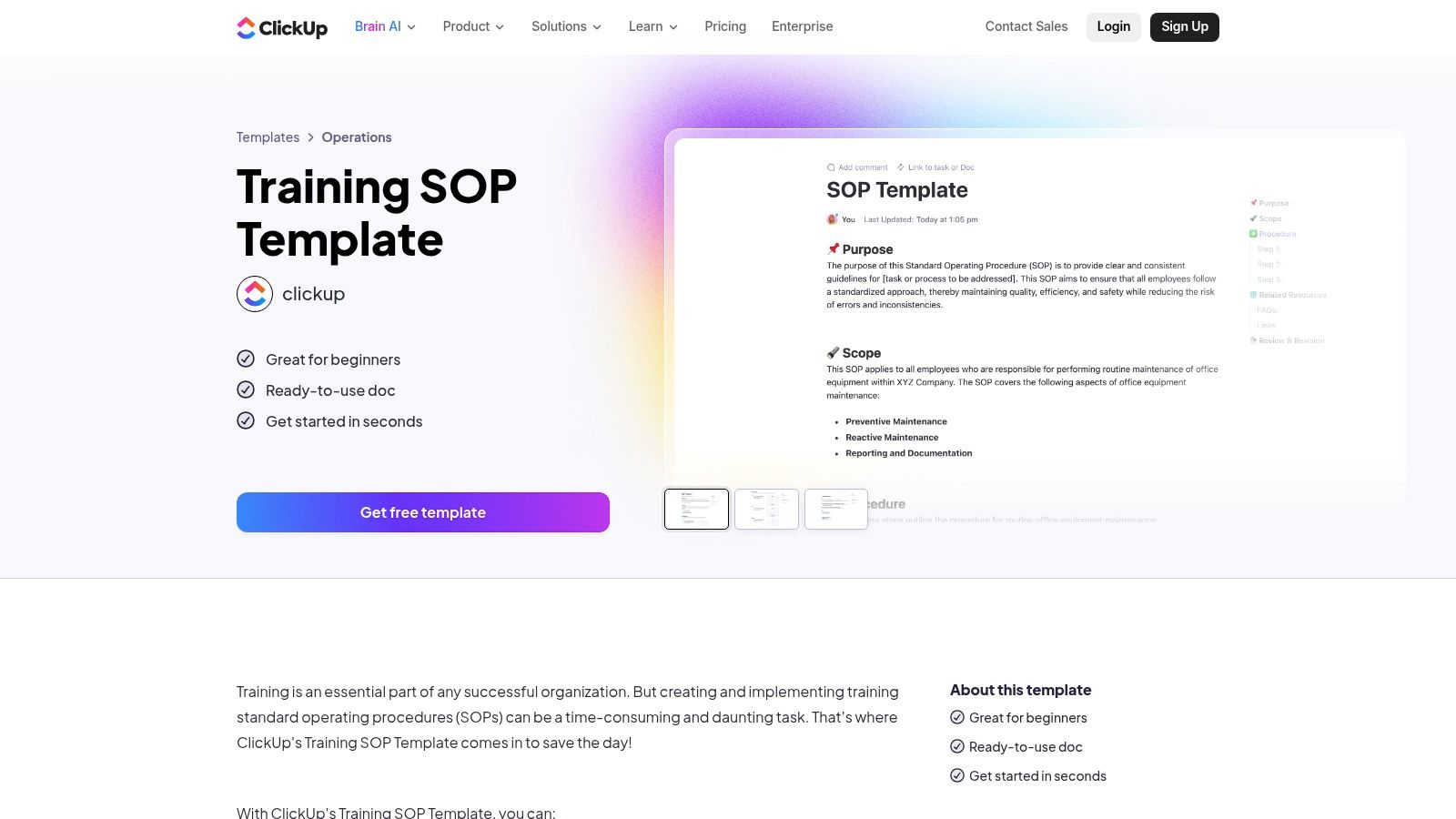
The template's main strength is its integration with ClickUp’s broader project management tools. You can view your training plan as a list, a Kanban board, or a calendar, and tie it directly to Docs, tasks, and forms. This allows you to manage the entire lifecycle of a training program, from initial concept to post-launch evaluation, all within a single system. It is especially useful for creating multiple training programs or cohorts, as the template can be cloned instantly.
Practical Use & Limitations
While this approach is powerful for managing L&D projects, it might be overkill for managers who just need a simple, printable plan. The true value of these templates for training programs is unlocked when you use them inside the ClickUp platform. Relying on it just for a static file misses the point of its interactive and collaborative design.
Key Takeaway: ClickUp is an excellent choice for teams managing training development like a project. Its template provides a robust, replicable system that keeps program design, content creation, and rollout tasks fully connected and trackable.
Pricing & Access: The template is free to use within ClickUp; some advanced features require a paid plan.
Unique Offering: Its ability to combine SOP documentation with actionable project tasks and multiple data views (List, Board, Calendar) in one place.
Website: ClickUp Training SOP Template
7. Visme – Training Course Templates
Visme offers a collection of professionally designed training presentation and course templates that bridge the gap between static slideshows and complex e-learning authoring tools. It is geared toward creators who need to produce visually engaging and interactive training materials without a background in graphic design or instructional design. The platform allows for the easy integration of brand kits, ensuring all training content aligns perfectly with company branding.
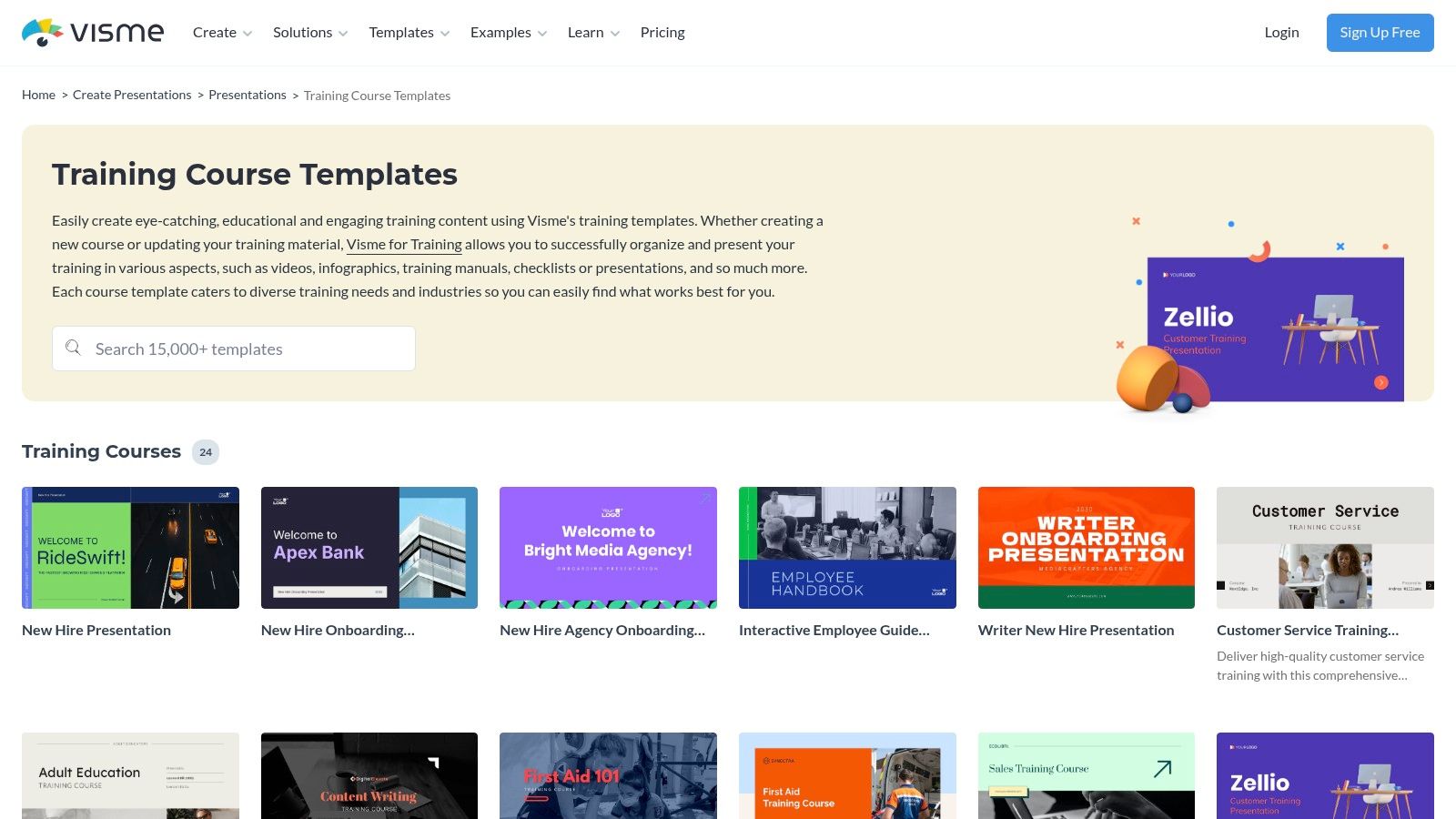
The platform’s strength is in its balance of design polish and interactivity. Users can quickly customize templates for onboarding, compliance, or role-specific skills, adding elements like hotspots, pop-ups, and embedded multimedia. This functionality allows for the creation of rich learning experiences that can be exported in various formats, including SCORM and xAPI, making them ready for upload into most Learning Management Systems (LMS).
Practical Use & Limitations
While Visme provides an excellent method for rapidly creating polished and interactive templates for training programs, its capabilities have limits. The interactive features are powerful for linear or simple branched modules but do not support the complex branching scenarios and variable-based logic found in professional authoring suites like Articulate Storyline. Additionally, the most valuable export options, such as SCORM/xAPI, are restricted to paid tiers.
Key Takeaway: Visme is an ideal solution for teams needing to create beautiful, LMS-compliant training modules quickly. It’s perfect for turning existing PowerPoint decks or documents into more engaging, interactive learning assets without a steep learning curve.
Pricing & Access: A free plan with basic features is available; paid tiers are required for advanced exports and interactive assets.
Unique Offering: The ability to export designs as SCORM/xAPI packages makes it a rare, user-friendly tool for creating LMS-ready content without specialized software.
Website: Visme Training Templates
8. Articulate 360 – Onboarding Course Templates
Articulate 360 offers a massive library of professionally designed e-learning templates for teams building polished, LMS-ready training content. With over 1,000 templates, including more than 100 specifically for onboarding, it provides a powerful head start. The platform is built around its two authoring tools, Rise and Storyline, allowing you to create anything from simple, responsive courses to complex, interactive simulations. AI-assisted authoring helps speed up curriculum development, making it a go-to for instructional designers.
The platform’s major strength is its position as an industry-standard toolset. Courses can be published to SCORM, xAPI, and cmi5 formats, ensuring compatibility with virtually any Learning Management System (LMS). The templates are also easily adapted for other needs, such as role-specific or product training, by swapping out content while retaining the professional design and structure. This makes it an excellent source of templates for training programs that need to feel polished and modern.
Practical Use & Limitations
While Articulate 360 excels at creating high-quality e-learning, it comes with a higher cost than simple template libraries and requires a subscription. The Rise 360 tool is very user-friendly for creating beautiful, web-based courses quickly. However, its companion tool, Storyline 360, has a steeper learning curve for anyone wanting to build advanced, custom interactivity. This is a powerful suite, but it's more than just a template gallery; it's a complete authoring environment. For more on structuring your onboarding, explore these employee onboarding best practices.
Key Takeaway: Articulate 360 is ideal for corporate training departments and e-learning professionals who need to produce high-fidelity, interactive courses that integrate seamlessly with an LMS. The templates provide a solid foundation for rapid development.
Pricing & Access: Requires an Articulate 360 subscription; various pricing tiers are available for individuals and teams.
Unique Offering: An all-in-one suite that combines professionally designed templates with powerful authoring tools and broad LMS compatibility.
Website: Articulate 360 Onboarding Templates
9. SafetyCulture (SC Training) – SOP/Training Course Templates
SafetyCulture, through its SC Training platform (formerly EdApp), offers a library of ready-to-deploy microlearning and SOP training course templates. This resource is purpose-built for businesses needing to quickly train frontline and distributed teams on safety, compliance, and operational procedures. The templates are designed with a mobile-first user experience, making them perfect for workers who are rarely at a desk. You can clone an existing course, edit it to match your specific needs, and share it with learners in minutes.
The platform’s key advantage is its speed and simplicity. Instead of building from a blank slate, you start with a functional, interactive course complete with knowledge checks. One-click sharing and built-in completion analytics make it easy to track mandatory training without a complex setup. The templates often integrate with the broader SafetyCulture operations stack, connecting training directly to on-the-job inspections and actions.
Practical Use & Limitations
While these are excellent templates for training programs focused on rapid deployment, they are best suited for microlearning and task-specific instruction rather than in-depth curriculum design. The mobile-centric format is ideal for short, digestible content but may not be the right fit for complex, multi-module courses. Additionally, while there is a free tier for small teams, scaling up to more learners or unlocking advanced features requires a paid subscription.
Key Takeaway: SafetyCulture provides an exceptionally fast way to get mobile-friendly compliance and SOP training into the hands of your frontline workforce. It’s ideal for organizations that prioritize speed, accessibility, and integrated operational workflows.
Pricing & Access: A free tier is available for small teams; premium plans are required for larger deployments and advanced features.
Unique Offering: A mobile-first design and direct integration with operational tools for a seamless train-then-do workflow.
Website: SafetyCulture SOP Template Library
10. Flipsnack – New Employee Training Plan Template
Flipsnack offers a unique approach to training documentation by turning a standard plan into an interactive, digital flipbook. Its New Employee Training Plan Template is a multi-page, professionally designed document that you can customize and publish online. This format is excellent for creating a polished, client- or employee-facing training handbook that feels more like a modern magazine than a dry corporate file.
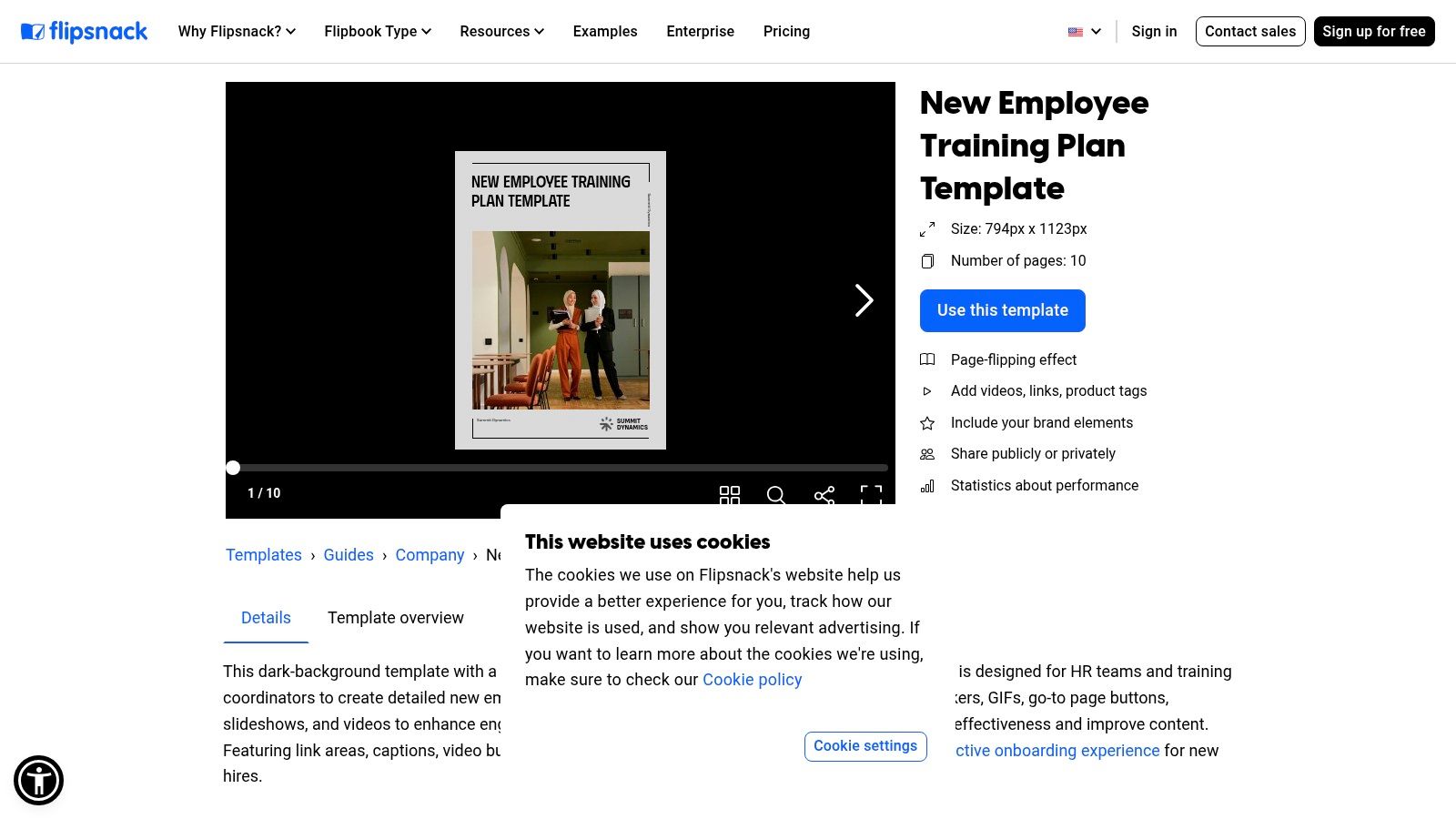
The platform’s strength lies in its rich interactivity. You can embed videos for visual demonstrations, add clickable links to resources, and even include forms directly within the flipbook. Branding controls and private sharing options make it suitable for distributing sensitive internal materials or polished client onboarding guides. The result is a shareable training experience that stakeholders can easily review on any web or mobile device.
Practical Use & Limitations
This tool is ideal for presenting a comprehensive training program in a highly engaging and digestible format. However, while Flipsnack provides analytics on views and interactions, it is less suited for granular task tracking or integrating with an LMS for formal completion data. Many of the key interactive and branding features require a paid plan for full functionality, so the free version is more of a trial.
Key Takeaway: Use Flipsnack when the presentation and engagement of your training material are paramount. It’s one of the best templates for training programs designed to deliver a high-quality, handbook-style experience rather than a simple checklist.
Pricing & Access: A free version is available with limitations; paid plans unlock advanced features like interactivity and branding.
Unique Offering: The ability to publish a training plan as an interactive flipbook with embedded media and forms.
11. Softr – Employee Training Management Template
Softr offers a unique solution for those wanting to move beyond static files and create a branded, interactive training hub without any coding. Its Employee Training Management Template is a no-code portal that centralizes training sessions, materials, and learner progress. The platform's main strength is its ability to connect to data sources you already use, such as Airtable, Google Sheets, or Notion, and transform that data into a functional, professional-looking web application. This is ideal for agencies or operations teams that need a custom-branded training portal for clients or internal staff without involving engineering resources.
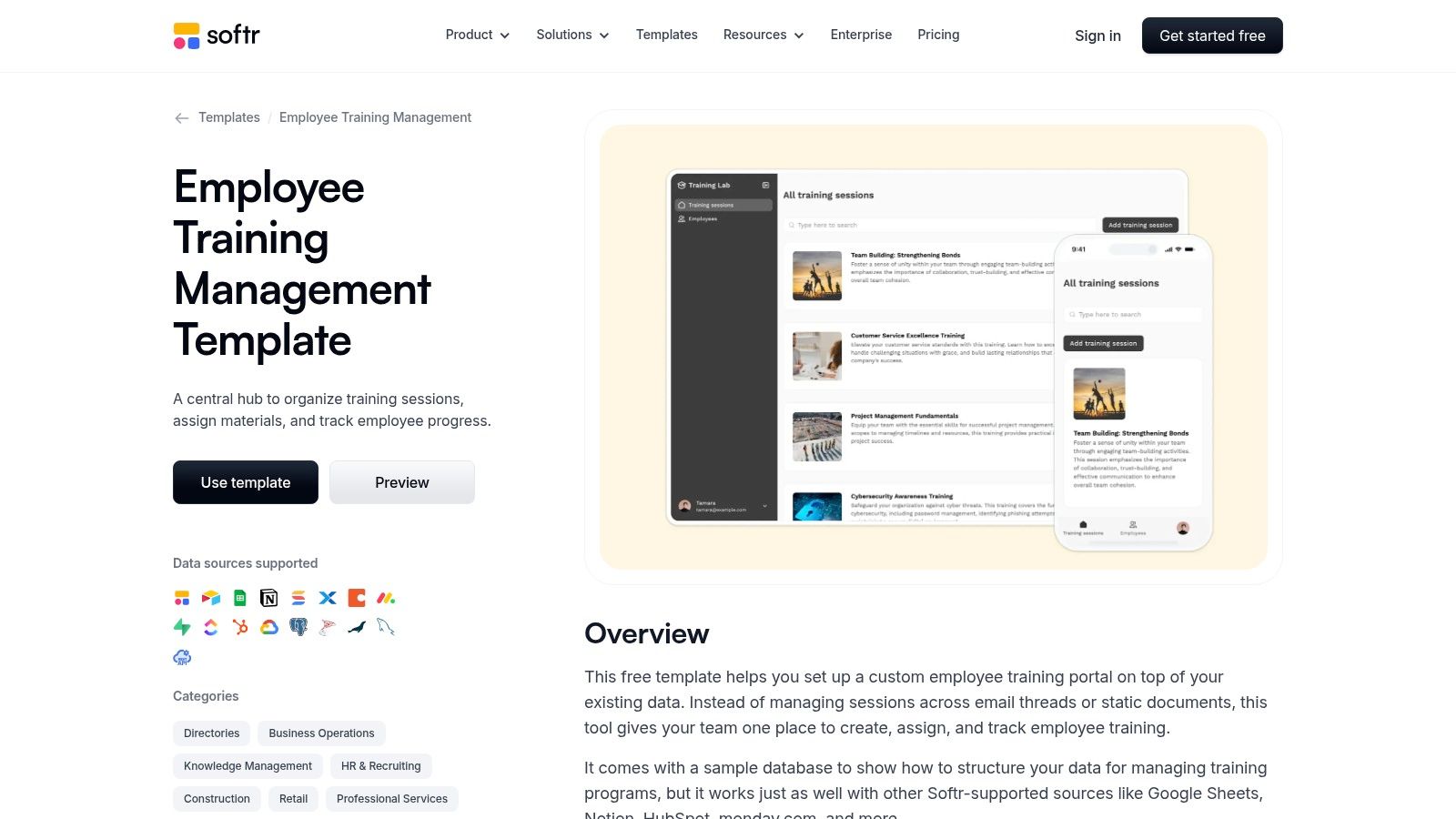
The template allows you to set up role-based access, so different groups of learners only see the content relevant to them. You can embed videos, PDFs, and links directly into session pages, creating a consolidated resource center that is mobile-friendly by default. The setup is fast, turning your existing spreadsheet or database of training tasks into a live, permission-gated portal in a fraction of the time it would take to build from scratch.
Practical Use & Limitations
While this approach is perfect for presenting and tracking templates for training programs in a dynamic way, Softr acts as the front-end interface, not the content host. This means you still need to store your actual course videos or files elsewhere (like on YouTube, Vimeo, or Google Drive) and link to them. The free template provides a great starting point, but more advanced workflows, such as complex user logic or removing Softr branding, will require a paid subscription.
Key Takeaway: Softr is an excellent choice for creating a polished, branded training portal quickly. It’s perfect for those who manage training data in a spreadsheet or database and want to give learners a centralized, professional, and access-controlled experience without writing code.
Pricing & Access: The template is free to use with a Softr free plan; advanced features and higher record limits require a paid subscription.
Unique Offering: Connects to 14+ data sources (Airtable, Google Sheets, etc.) to build a portal on top of your existing data, complete with user roles and permissions.
12. SlidesCarnival – Training Plan Sheet (Canva/Sheets/Excel)
SlidesCarnival offers a simple, colorful training plan sheet template for those who need a quick scheduling tool without the complexity of a full project management system. This resource is perfect for creating a one-page overview or a basic progress tracker. It stands out by being available for immediate use in Canva, Google Sheets, and Excel, providing great flexibility for different user preferences and software ecosystems. Its primary function is to organize sessions, assign owners, and track completion status in a visually clean format.
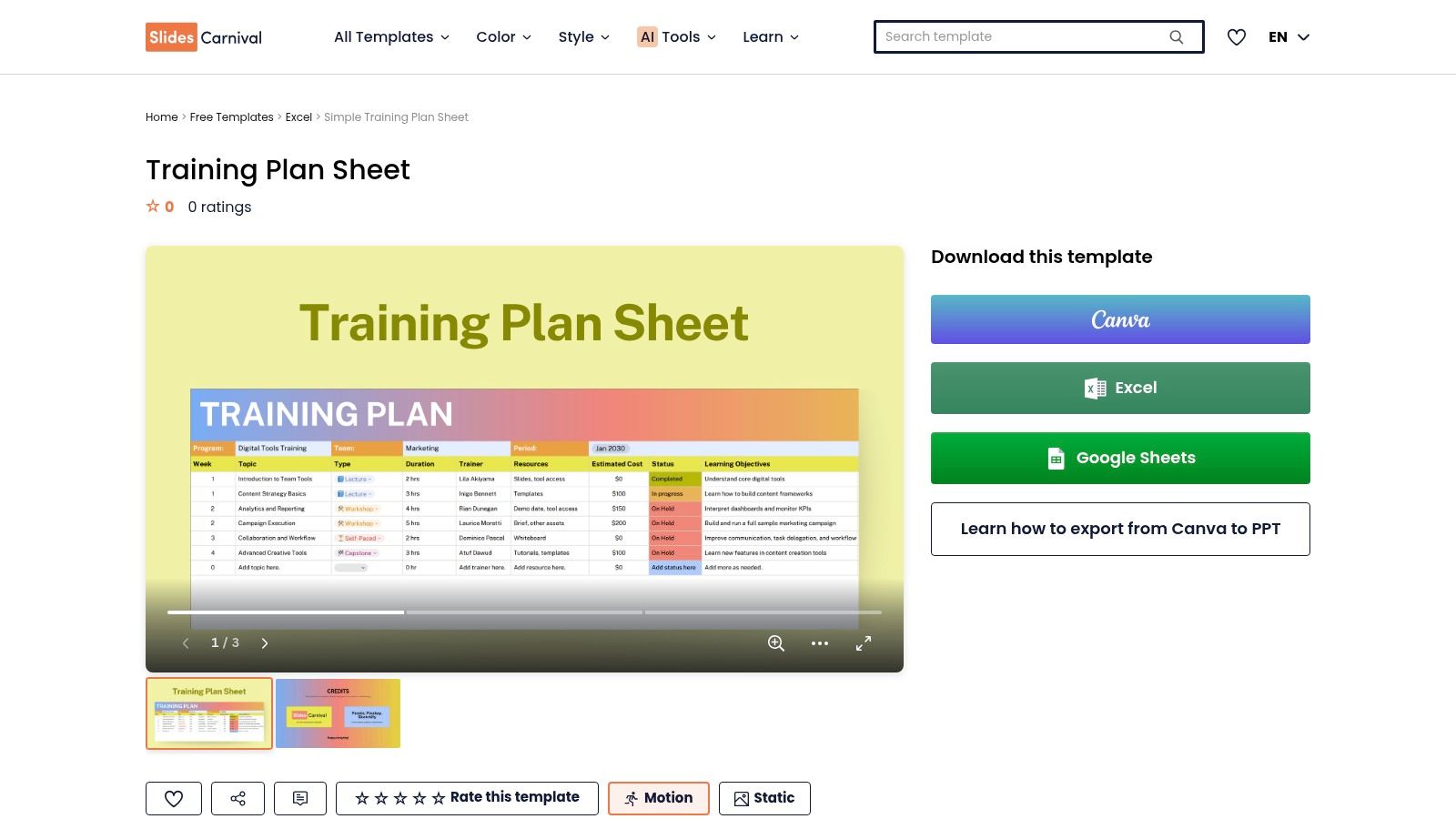
The template's main draw is its simplicity and visual appeal. There is practically no learning curve; users can download or copy the file and begin filling it out instantly. The Canva version is particularly useful for teams that want to quickly apply company branding, change colors, and add logos. This makes it ideal for small teams, pilot programs, or individual trainers who need an accessible, easy-to-share document to coordinate training activities.
Practical Use & Limitations
While the design is modern and the setup is effortless, these are very basic templates for training programs. They lack any fields or guidance for crucial elements like learning objectives, assessment methods, or instructional design principles. The format is not built for managing complex, multi-stage programs or for integration with a learning management system (LMS). It serves best as a high-level schedule rather than a comprehensive planning document.
Key Takeaway: SlidesCarnival's training plan sheet is an excellent choice for straightforward scheduling needs where a visually engaging, single-page summary is more important than in-depth programmatic detail. It's a quick win for simple projects.
Pricing & Access: The template is completely free to download and use.
Unique Offering: The Canva integration allows for easy branding and customization, making it more visually adaptable than standard spreadsheet templates.
Website: SlidesCarnival Training Plan Sheet
12 Training Program Template Resources Comparison
Product | Core features | UX / Quality | Value (price) | Target audience | Unique selling points |
|---|---|---|---|---|---|
🏆 Build a Guide | AI converts screen recordings to editable SOPs; rich-text editor, publishable hubs, analytics, real-time collaboration | ★★★★★ polished, fast to produce guides | 💰 Free tier/trial; paid for scale | 👥 Agencies, CS, Ops, Product teams | ✨ AI auto-step extraction, branded hubs, engagement hotspots |
Smartsheet – Free Employee Training Plan Templates | Large gallery of downloadable templates in Excel/Sheets/Word/PDF | ★★★★ familiar, structured files | 💰 Free templates; manual version control | 👥 HR, ops, small-medium teams | ✨ Wide format support & companion matrices |
Microsoft Create – Employee Training Templates | Office-ready training plans, checklists, presentations with Designer support | ★★★★ zero learning curve for M365 users | 💰 Free collection | 👥 Microsoft 365 orgs, HR teams | ✨ One-click edit in Office apps, branding-friendly |
Atlassian Confluence – Training Plan Template (Cloud) | Collaborative page templates, version history, template library, Jira integration | ★★★★ collaborative, living docs | 💰 Included in Confluence plans; free tier limits | 👥 Engineering, ops, teams using Confluence | ✨ KB discoverability + Jira task linkage |
Miro – Training Plan Template (Miroverse) | Visual board for modules, timelines, dependencies, live collaboration | ★★★★ excellent for workshops & visual planning | 💰 Freemium board; paid for team features | 👥 L&D facilitators, stakeholders | ✨ Visual alignment & real-time facilitation |
ClickUp – Training SOP Template | SOP-style templates with statuses, custom fields, multiple views, dashboards | ★★★★ project-oriented UX | 💰 Freemium; advanced features on paid tiers | 👥 Teams managing L&D as projects | ✨ Task integration + repeatable program clones |
Visme – Training Course Templates | Interactive course/presentation templates, brand kits, SCORM/xAPI export options | ★★★★ design-forward, interactive | 💰 Paid for advanced interactivity & exports | 👥 Instructional designers, marketers | ✨ Interactive hotspots + LMS export support |
Articulate 360 – Onboarding Course Templates | Large library for Rise/Storyline, AI assists, accessibility, SCORM/xAPI/cmi5 publishing | ★★★★★ industry-grade e-learning UX | 💰 Higher-cost subscription | 👥 E‑learning teams, enterprises | ✨ Extensive templates, accessibility, LMS-ready |
SafetyCulture (SC Training) – SOP/Training Course Templates | Mobile-first microlearning templates, knowledge checks, analytics | ★★★★ optimized for frontline mobile learners | 💰 Free tier small learners; scalable paid pricing | 👥 Frontline, safety, compliance teams | ✨ Rapid deploy mobile microlearning + tracking |
Flipsnack – New Employee Training Plan Template | Multi-page interactive flipbook with embedded videos, forms, feedback survey | ★★★★ polished handbook UX | 💰 Free/basic; interactive features on paid plans | 👥 HR, client-facing teams | ✨ Shareable flipbook with built-in feedback |
Softr – Employee Training Management Template | No-code portal template; connects Airtable/Sheets/Notion; role-based access | ★★★★ clean portal UX | 💰 Free template; Softr paid plans for advanced | 👥 Agencies, ops teams needing branded hubs | ✨ Quick branded portal from existing data sources |
SlidesCarnival – Training Plan Sheet (Canva/Sheets/Excel) | Simple one-page training plan layouts for Canva/Sheets/Excel | ★★★ easy, very low lift | 💰 Free | 👥 Small teams, pilots, busy HR | ✨ Fast start templates + Canva customization |
From Template to Transformation: Building Your Living Training Library
The journey through this extensive list of templates for training programs reveals a clear pattern: a great template is a starting point, not a final destination. We've explored everything from simple spreadsheets and slide decks in tools like Smartsheet and SlidesCarnival to more structured systems like ClickUp and Confluence. Each serves a purpose, providing a framework that saves time and standardizes initial efforts. However, the true value emerges when you move beyond a collection of static files.
The goal isn't just to create a training manual; it's to build a dynamic, living library of institutional knowledge. This is where the limitations of traditional documents become apparent. A PDF or a slide deck can't adapt in real-time to software updates or process changes. They are passive artifacts that require manual updates and redistribution, creating version control headaches and risking the circulation of outdated information. For agencies, consultants, and internal training teams, this friction directly impacts efficiency and client or employee success.
From Static Documentation to Interactive Enablement
The most effective training programs today are interactive, accessible, and integrated directly into the workflow. Consider the difference between reading a step-by-step guide and being walked through a process on your own screen. This is the critical shift that platforms like Build a Guide facilitate. By transforming a simple screen recording into an interactive, step-by-step guide, it bridges the gap between knowing what to do and doing it correctly.
This distinction is vital when selecting your approach.
For initial planning and brainstorming: Visual tools like a Miro board or a simple Microsoft Create outline are excellent for mapping out a training curriculum.
For structured project management: Platforms such as Atlassian Confluence or ClickUp help you organize the creation and deployment of training content as a manageable project.
For scalable, interactive execution: For customer onboarding, SOPs, or product walkthroughs that need to be both easy to update and easy for the end-user to follow, a dedicated interactive guide builder is the superior choice.
Choosing Your Path Forward
As you decide on the right templates for training programs for your organization, ask yourself what happens after the initial document is created. How will it be updated? How will you measure its use? How easily can a new team member find and apply the information? Answering these questions will guide you toward a more sustainable solution.
Your collection of training materials should not be a digital graveyard of outdated Word docs and PowerPoint files. Instead, it should be a central, searchable hub that grows and adapts with your business. To effectively manage and organize your templated training materials into a comprehensive, searchable resource, consider implementing the right platforms, such as those discussed in guides about the best available Learning Management Systems for Small Business. These systems can act as the central repository for the content you create, ensuring it's organized and accessible.
Ultimately, the best template is the one that gets used, and the best training program is the one that evolves. By focusing on creating a living library-not just a collection of documents-you empower your team with knowledge that is always current, accessible, and actionable.
Ready to move beyond static templates and create truly interactive training guides? Build a Guide transforms your screen recordings into step-by-step SOPs and walkthroughs that your team and clients can actually use. Stop documenting processes and start enabling them by visiting Build a Guide to see how it works.